Avail Node
Official Client for the Avail blockchain
[](https://github.com/availproject/avail/actions/workflows/default.yml)
## Interact with the chain
The following software development kits (SDKs) are available:
- [avail-js](https://github.com/availproject/avail-js)
- [avail-rust](https://github.com/availproject/avail-rust)
- [avail-go](https://github.com/availproject/avail-go-sdk)
## Verifying Avail Node Binary Signatures
Our release binaries are GPG signed for security. To verify a download:
1. Import our public key. Make sure you change the version to the correct version:
`curl -s https://github.com/availproject/avail/releases/download/vX.Y.Z/gpg-public-key.asc | gpg --import`
2. Verify the binary's signature:
`gpg --verify DOWNLOADED_BINARY.tar.gz.sig DOWNLOADED_BINARY.tar.gz`
3. Verify the checksum file:
`gpg --verify YOUR_DOWNLOADED_FILE.tar.gz.sha256.sig YOUR_DOWNLOADED_FILE.tar.gz.sha256`
4. Verify the checksum:
`sha256sum -c YOUR_DOWNLOADED_FILE.tar.gz.sha256`
A successful verification will display:
"Good signature from 'Your Project Release Key `key's email address`'"
You have now verified that the binary is signed by Avail and that its checksum is correct.
## Running Avail Node
### Manually
> To manually run the Avail Node, you'll need to have the following dependencies installed:
> - [Rust](https://www.rust-lang.org/learn/get-started)
> - [Substrate dependencies](https://docs.substrate.io/install/)
After ensuring you have the dependencies installed, you can run the Avail Node using the following command:
```bash
mkdir -p output
cargo run --locked --release -- --chain mainnet -d ./output
```
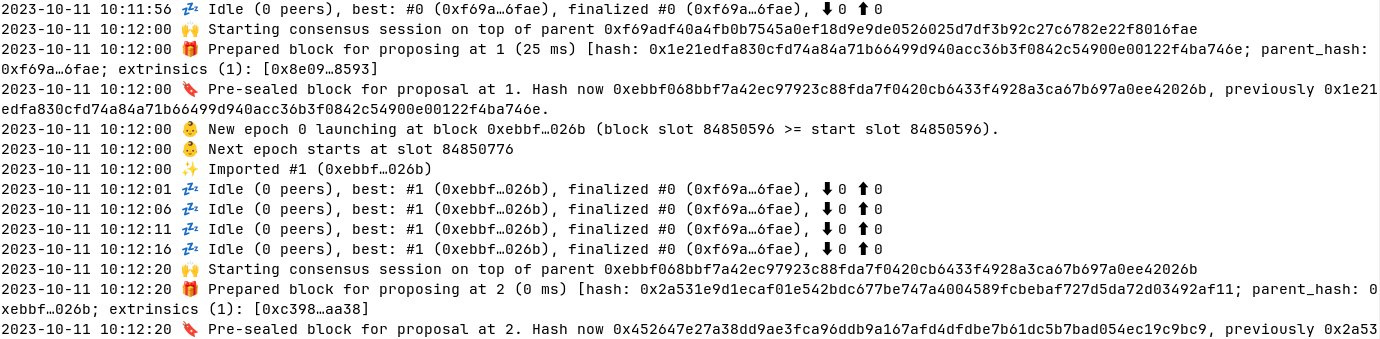
This command compiles and runs the Avail Node connected to the Mainnet Network.
```
2025-03-05 11:39:57 Avail Node
2025-03-05 11:39:57 ✌️ version 2.3.0-6c6b8912fd3
2025-03-05 11:39:57 ❤️ by Avail Project , 2017-2025
2025-03-05 11:39:57 📋 Chain specification: Avail Development Network
2025-03-05 11:39:57 🏷 Node name: spotty-ducks-6306
2025-03-05 11:39:57 👤 Role: AUTHORITY
2025-03-05 11:39:57 💾 Database: ParityDb at /tmp/substratebYqXut/chains/avail_development_network/paritydb/full
2025-03-05 11:39:58 [0] 💸 generated 1 npos voters, 1 from validators and 0 nominators
2025-03-05 11:39:58 [0] 💸 generated 1 npos targets
2025-03-05 11:39:59 🔨 Initializing Genesis block/state (state: 0x9da9…1c2f, header-hash: 0x61c9…7794)
2025-03-05 11:39:59 👴 Loading GRANDPA authority set from genesis on what appears to be first startup.
2025-03-05 11:39:59 👶 Creating empty BABE epoch changes on what appears to be first startup.
2025-03-05 11:39:59 🏷 Local node identity is: 12D3KooWDCNjiaVbFL4BGYkbkxHwqJjhDNAxvBuxNdCAB4HDuYjA
2025-03-05 11:39:59 Prometheus metrics extended with avail metrics
2025-03-05 11:39:59 💻 Operating system: linux
2025-03-05 11:39:59 💻 CPU architecture: x86_64
2025-03-05 11:39:59 💻 Target environment: gnu
2025-03-05 11:39:59 💻 CPU: 13th Gen Intel(R) Core(TM) i7-13700K
2025-03-05 11:39:59 💻 CPU cores: 16
2025-03-05 11:39:59 💻 Memory: 31865MB
2025-03-05 11:39:59 💻 Kernel: 6.12.11-200.fc41.x86_64
2025-03-05 11:39:59 💻 Linux distribution: Fedora Linux 41 (Workstation Edition)
2025-03-05 11:39:59 💻 Virtual machine: no
2025-03-05 11:39:59 📦 Highest known block at #0
2025-03-05 11:39:59 〽️ Prometheus exporter started at 127.0.0.1:9615
2025-03-05 11:39:59 Running JSON-RPC server: addr=127.0.0.1:9944, allowed origins=["*"]
2025-03-05 11:39:59 🏁 CPU score: 1.36 GiBs
2025-03-05 11:39:59 🏁 Memory score: 22.37 GiBs
2025-03-05 11:39:59 🏁 Disk score (seq. writes): 6.14 GiBs
2025-03-05 11:39:59 🏁 Disk score (rand. writes): 2.85 GiBs
2025-03-05 11:39:59 👶 Starting BABE Authorship worker
2025-03-05 11:39:59 👾 Transaction State RPC is disabled.
2025-03-05 11:40:00 🙌 Starting consensus session on top of parent 0x61c9895168e742c62022ead30858a478820596c5be64c127bd8ea1bc97787794
2025-03-05 11:40:00 🎁 Prepared block for proposing at 1 (2 ms) [hash: 0x9dc9d52f64711be9e75b382877daf7ea6dbd5cb86e0db0819de49c58fafe0470; parent_hash: 0x61c9…7794; extrinsics (2): [0x1adc…1873, 0x92cd…f218]
2025-03-05 11:40:00 🔖 Pre-sealed block for proposal at 1. Hash now 0x34eab3565337a7370d4320aac02f7e3a3c14a440585bf029f871845f116a8810, previously 0x9dc9d52f64711be9e75b382877daf7ea6dbd5cb86e0db0819de49c58fafe0470.
2025-03-05 11:40:00 👶 New epoch 0 launching at block 0x34ea…8810 (block slot 87058560 >= start slot 87058560).
2025-03-05 11:40:00 👶 Next epoch starts at slot 87059280
2025-03-05 11:40:00 ✨ Imported #1 (0x34ea…8810)
2025-03-05 11:40:04 💤 Idle (0 peers), best: #1 (0x34ea…8810), finalized #0 (0x61c9…7794), ⬇ 0 ⬆ 0
```
### Supported Chains
#### Development
A development chain is typically used for testing and development purposes.
```bash
cargo run --locked --release -- --dev
```
#### Testnet Turing
```bash
cargo run --locked --release -- --chain turing
```
#### Mainnet
```bash
cargo run --locked --release -- --chain mainnet
```
### Docker/Podman
To run the Avail Node using Docker (Podman works as well), follow these steps:
```bash
# Build the Docker image for the Avail Node:
docker build -t availnode -f ./dockerfiles/avail-node.Dockerfile .
# Create an output directory. Here the node's data will be stored.
mkdir output
# Run the Avail Node container:
docker run --rm -p 30333:30333 -p 9944:9944 -v ./output:/output availnode
# For SELinux
docker run --rm -p 30333:30333 -p 9944:9944 -v ./output:/output:z availnode
```
#### Running Dev Chain
The following instructions describe how to run a development chain using Docker (Podman works as well). A development chain is typically used for testing and development purposes.
```bash
# Build the Docker image for the Avail Node:
docker build -t availnode -f ./dockerfiles/avail-node.Dockerfile .
# Create an output directory. Here the node's data will be stored.
mkdir output
# Run the Avail Node container:
docker run --rm -p 30333:30333 -p 9944:9944 -v ./output:/output availnode --dev --rpc-methods=unsafe --unsafe-rpc-external --rpc-cors=all
# For SELinux
docker run --rm -p 30333:30333 -p 9944:9944 -v ./output:/output:z availnode --dev --rpc-methods=unsafe --unsafe-rpc-external --rpc-cors=all
```
## RPCs and Custom Flags
### Kate RPC
To enable Kate RPC you need to pass `--enable-kate-rpc` flag when executing the binary.
`--dev` implies `--enable-kate-rpc`.
```bash
./avail-node --enable-kate-rpc
```
### All Custom Flags
```txt
--enable-kate-rpc
Enable Kate RPC
--kate-max-cells-size
The maximum number of cells that can be requested in one go.
Max size cannot exceed 10_000
[default: 64]
```
## Run Benchmarks
### Kate RPC
```bash
./avail-node --dev
deno run -A ./examples/deno/benchmarks/query_proof.ts && deno run -A ./examples/deno/benchmarks/query_rows.ts && deno run -A ./examples/deno/benchmarks/query_block_length.ts && deno run -A ./examples/deno/benchmarks/query_data_proof.ts
```
### Header Builder
```bash
# Option 1: for time measurement
cargo bench --bench header_kate_commitment_cri
# Option 2: for time measurement
cargo bench --bench header_kate_commitment_divan
# Option 1: for instructions, cache and main memory hits
cargo bench --bench header_kate_commitment_iai_callgrind
# Option 2: for instructions, cache and main memory hits
cargo bench --bench header_kate_commitment_iai
```
## Additional Documentation
For additional documentation check our [wiki page](https://github.com/availproject/avail/wiki).
There you can learn how to:
- Run Avail Node together with Avail Light Clients
- Build Avail Node for different Linux flavours
- Find out what node synchronization options are available
- Running Avail Benchmarks
## License
This project contains source files under multiple open source licenses.
- Most of the code is licensed under the Apache License 2.0.
- Some files that derive from Substrate may be under the GNU General Public License v3.0.
See the `LICENSE-APACHE2` and `LICENSE-GPL3` files in the repository root for full text. For license details on specific files, check the license header at the top of each source file.