# vite-plugin-vue-middleware
[](https://www.npmjs.com/package/vite-plugin-vue-middleware)
[](https://www.npmjs.com/package/vite-plugin-vue-middleware)
[](https://github.com/awdr74100/vite-plugin-vue-middleware/actions/workflows/ci.yml)
[](https://github.com/awdr74100/vite-plugin-vue-middleware/blob/main/LICENSE)
File-based navigation guards for Vue Router with full type safety and automated middleware injection.
## ✨ Features
- 🚀 **Zero-Config**: Automatically scans your middleware directory and generates configurations.
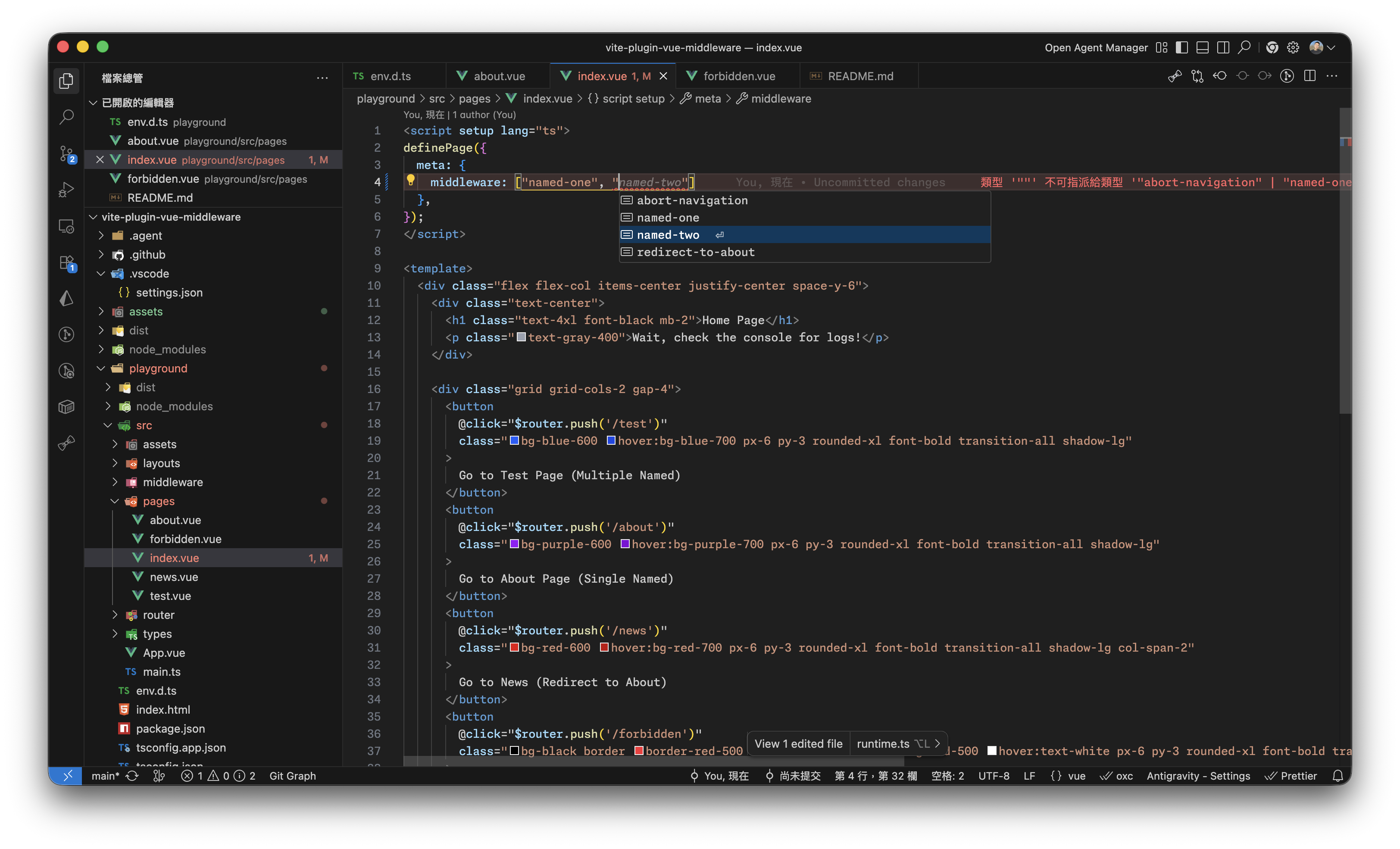
- 🛡️ **Type-Safe**: Autogenerates `.d.ts` files to provide full IntelliSense for `vue-router`'s `RouteMeta`.
- 📦 **Virtual Module**: Seamlessly integrate with your router using `virtual:vue-middleware`.
- 🔄 **HMR Support**: Adding, removing, or renaming middleware files triggers hot updates and type regeneration.
- 🛠️ **Flexible Order**: Supports global middleware (.global) and custom execution weight via numeric prefixes.
- 🔗 **Async Context**: Automatically preserves Vue injection context (`inject()`) across `await` boundaries in async middleware via a build-time transform.
## 📦 Installation
Using npm:
```bash
npm install -D vite-plugin-vue-middleware
```
Using yarn:
```bash
yarn add -D vite-plugin-vue-middleware
```
Using pnpm:
```bash
pnpm add -D vite-plugin-vue-middleware
```
## 🚀 Quick Start
### 1. Configure the Plugin
Add the plugin to your `vite.config.ts`:
```typescript
import { defineConfig } from 'vite';
import vue from '@vitejs/plugin-vue';
import vueMiddleware from 'vite-plugin-vue-middleware';
export default defineConfig({
plugins: [
vue(),
vueMiddleware({
// Optional: Custom middleware directory (default: 'src/middleware')
middlewareDir: 'src/middleware',
// Optional: Custom d.ts generation path (default: 'middleware.d.ts')
dts: 'src/types/middleware.d.ts',
}),
],
});
```
### 2. TypeScript Setup (Required)
To ensure TypeScript recognizes the virtual module and the generated types, follow these steps:
#### **A. Add to `env.d.ts`**
Reference the plugin's client types in your global declaration file:
```typescript
///
```
_Alternatively, add it to `compilerOptions.types` in your `tsconfig.json`:_
```json
{
"compilerOptions": {
"types": ["vite-plugin-vue-middleware/client"]
}
}
```
#### **B. Include the generated `.d.ts`**
Ensure your `tsconfig.json` includes the generated type file. If you use the **default path** (project root), you **must** add it to the `include` array:
```json
{
"include": [
"src/**/*",
"src/**/*.vue",
"./middleware.d.ts" // Required if generated at project root (default)
]
}
```
_Note: if you generate the file inside `src/` (e.g., `src/types/middleware.d.ts`), it will likely be covered by your existing `"src/**/*"` rule._
### 3. Create Middleware
Create middleware files in your `src/middleware` directory:
```typescript
// src/middleware/01.auth.global.ts
import { defineMiddleware } from 'virtual:vue-middleware';
export default defineMiddleware((to, from) => {
const isLogged = false; // simulate auth state
if (!isLogged && to.path !== '/login') {
return '/login';
}
});
```
### 4. Inject into Router
Import and use `setupMiddleware` during your router initialization:
```typescript
// src/router/index.ts
import { createRouter, createWebHistory } from 'vue-router';
import { setupMiddleware } from 'virtual:vue-middleware';
const router = createRouter({
history: createWebHistory(),
routes: [
/* your routes */
],
});
// Automatically bind middleware logic to router guards
setupMiddleware(router);
export default router;
```
---
## 🛠 How it Works
The plugin provides a wrapper around `router.beforeEach` to handle the middleware lifecycle:
1. **Global Middlewares**: Executed first, followed by the order of their numeric prefixes (e.g., `01.log.ts` before `02.auth.ts`).
2. **Named Middlewares**: Executed next, based on the order defined in the route's `meta.middleware` array.
### Return Values
Handlers support `async/await` and follow the same logic as `vue-router` guards:
- **`return`**: Continue to the next middleware or navigation.
- **`return false`**: Abort the navigation.
- **`return '/path'`**: Redirect to a specific path.
- **`return { name: 'login' }`**: Redirect to a named route.
---
## 📏 Naming Conventions
The plugin uses file naming to determine middleware properties:
| Rule | Example | Description |
| :------------------- | :--------------- | :---------------------------------------------------------- |
| **Global Execution** | `auth.global.ts` | Applied to all route navigations automatically. |
| **Execution Order** | `01.log.ts` | Numeric prefix determines weight (lower numbers run first). |
| **Named Middleware** | `guest.ts` | Manually referenced in route `meta` or SFC `definePage`. |
### Using Named Middleware in Pages
```typescript
const routes = [
{
path: '/dashboard',
component: () => import('./Dashboard.vue'),
meta: {
// Benefit from generated .d.ts with full IntelliSense
middleware: ['auth', '02-analytics'],
},
},
];
```
### 🌟 Integration with Vue Router v5 (File-based Routing)
This plugin is fully compatible with the modern **Vue Router v5** ecosystem and [unplugin-vue-router](https://github.com/posva/unplugin-vue-router) (which provides the official File-based Routing logic for Vue). You can define middleware directly in your `.vue` files using the `definePage` macro:
```vue
```
## ⚙️ Configuration
| Option | Type | Default | Description |
| :-------------- | :------------------ | :----------------- | :------------------------------------------------------------------------------------------------ |
| `middlewareDir` | `string` | `'src/middleware'` | Root directory to scan for middleware. |
| `exclude` | `string[]` | `[]` | Glob patterns to ignore files. |
| `dts` | `boolean \| string` | `true` | Enable/Disable .d.ts generation or specify path. |
| `asyncContext` | `boolean` | `true` | Preserve Vue injection context (`inject()`) across `await` boundaries via a build-time transform. |
---
## 🔗 Async Context
By default, `asyncContext` is enabled. It applies a **build-time AST transform** to every async middleware function that contains `await`, allowing `inject()` and composables that rely on it (e.g. `useQueryClient()`, `useStore()`) to work correctly even **after** `await` statements.
### The Problem
Vue's `inject()` API only works inside an active component or application context. In standard async middleware, calling `inject()` after an `await` boundary fails because the execution context is lost:
```typescript
// ❌ inject() called after await — throws outside of Vue context
export default defineMiddleware(async (to, from) => {
await someAsyncCheck();
const store = useStore(); // Runtime error: inject() must be called inside setup()
});
```
### How It Works
When `asyncContext: true` (default), the plugin transforms async middleware into a **generator-based executor** at build time. Each segment between `yield` points runs inside [`app.runWithContext()`](https://vuejs.org/api/application.html#app-runwithcontext), restoring the Vue injection context on every resume:
```typescript
// ✅ Works — inject() is available on every segment after await
export default defineMiddleware(async (to, from) => {
await someAsyncCheck();
const store = useStore(); // Works correctly
});
```
The transform is transparent — you write standard `async/await` and the plugin handles the rest. No manual changes are required.
### Limitations
- **`for await...of`**: Not supported with the async-context transform. A warning is logged and the affected middleware runs without context preservation across `await` boundaries.
- **Nested async functions**: Only top-level `await` expressions in the `defineMiddleware` callback are transformed. Nested async functions are left untouched.
To opt out of the transform entirely:
```typescript
vueMiddleware({ asyncContext: false });
```
## 📄 License
[MIT](./LICENSE) License © 2026 [Roya](https://github.com/awdr74100)