


-000000)


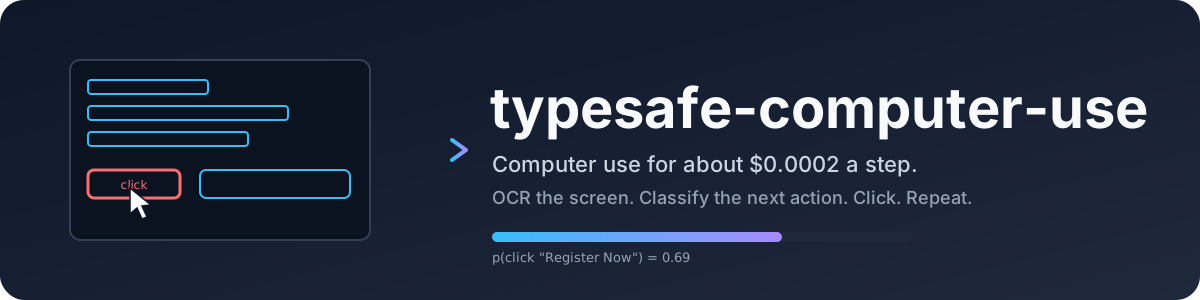
**typesafe-computer-use** (jev for short) drives a Mac toward a goal you type in plain English,
for about a fiftieth of a cent per step. It reads the screen deterministically, asks a small
classifier which action comes next, and only calls a writing model when a text field genuinely
needs free text or the classifier has stopped and the screen needs reading.
One idea runs through it: the classifier picks, code decides facts, and the writer only writes
free text. Anything a model would have to work out (a date, whether a field is focused, whether
a URL is clean) is computed in code and handed over as state. [VISION.md](VISION.md) says what
it is for in a dozen lines.
```
clicker "go to techcrunch and take me to the checkout page for the cheapest tickets to their next upcoming event" --act
```
> **Beta.** This is under heavy development. Expect rough edges, and expect settings and
> behavior to change between 0.x [releases](https://github.com/awlevin/typesafe-computer-use/releases).
> It drives your real mouse and keyboard, so start with a dry run.
## Why a classifier
Frontier-model computer use is capable and expensive: every step ships a screenshot and
waits several seconds for a plan. Most steps do not need a plan. They need one choice
from a short list, made quickly and cheaply, with a confidence number you can gate on.
[TypeSafe](https://docs.typesafe.ai) sells exactly that: a decision model that answers
a `Choice` over up to 255 options with a full probability distribution and a calibrated
confidence, in a few hundred milliseconds, with free output tokens. This project is a
computer-use loop built around it.
Measured on the same screenshot and goal, one decision each:
| | typesafe (jev) | Claude Opus 5, bare screenshot | multiplier |
|---|---|---|---|
| input tokens | 4,882 | 4,785 | same |
| cost per decision | $0.0002 | $0.032 | 155x cheaper |
| cost per decision, realistic loop with history | $0.0002 | $0.035 to $0.08 | 170x to 390x cheaper |
| cost per 12-step task | $0.003 | $0.40 to $0.90 | 130x to 300x cheaper |
| model latency | 0.13 to 0.38 s | 5.2 s | 14x to 40x faster |
| end-to-end step, with capture and OCR | about 1.5 s | about 5.5 s | 3.7x faster |
The honest caveat: the big model read the event dates off the pixels and compared them
unaided. The classifier needed the date parsing described in
[how a step works](docs/how-a-step-works.md). Every piece of reasoning the frontier model
does for free has to be rebuilt here as deterministic state.
## Install
macOS 14 or newer, Python 3.12 or newer, [uv](https://docs.astral.sh/uv/). Windows 10 and 11
are experimental; see [Windows](docs/windows.md).
```
git clone https://github.com/awlevin/typesafe-computer-use
cd typesafe-computer-use
uv sync
cp .env.example .env # fill in the keys
```
| variable | required | purpose |
|---|---|---|
| `TYPESAFE_API_KEY` | yes | every decision |
| `ANTHROPIC_API_KEY` | no | `type_text`, writer-proposed URLs, and the final answer |
| `CLICKER_EMAIL` | no | enables the `type_email` action |
| `CLICKER_BROWSER` | no | defaults to `Google Chrome` |
`.env` lives at the repo root and is read by every entry point (`clicker`, `clicker-inspect`).
To run the writer on another model or endpoint (LM Studio, Ollama, any OpenAI-compatible
server), see [writer endpoints](docs/writer-endpoints.md).
Grant your terminal **Screen Recording** and **Accessibility** in System Settings >
Privacy & Security. Without the first, captures are wallpaper. Without the second,
synthetic clicks are silently dropped, and `--act` refuses to start.
## First run
```
uv run clicker "open the Playground" # dry run: one step, prints what it would do
uv run clicker "open the Playground" --act # drives the machine, up to 100 steps
uv run clicker "log in" --act --steps 20 --delay 3 # longer and slower
uv run clicker "log in" --act --handoffs 0 # the classifier alone: its first stop ends the run
uv run clicker-inspect "any goal" # 3-2-1, capture, open the annotated screen + payload
```
Clear the terminal first. It is on screen, so its text is OCR input.
To stop a live run, press Ctrl-C in the terminal or slam the mouse into the top-left corner of
the screen. The loop also stops itself on `done`, low confidence, a stall, or the step limit,
and the writer then reads the screen and prints the answer. Every run writes
`runs//`, so a stall can be [replayed offline](docs/run-folder.md).
## How a step works
1. The screen is read deterministically: Vision OCR on a crop of the frontmost window, plus the
labelled controls from the accessibility tree, which sees the icons OCR cannot.
2. Code adds the facts: the date on any block and how far off it is, the row of a repeated
label, the focused field, the app and URL, and the actions already tried on this screen.
3. One TypeSafe request answers three `Choice`s: which kind of action, which item, which site.
4. The action runs deterministically, the loop waits, and the next capture is the only witness
of what it did.
5. When the classifier stops, the writer reads the screen and answers, or hands the run back
with a focus (one move) or a question for you. It never picks an action.
The full walk, with the OCR cost, the tree walk, the action space, and the stop rules, is in
[how a step works](docs/how-a-step-works.md).
## Benchmark
jev runs as an agent in [OSWorld](https://github.com/xlang-ai/OSWorld-V2), a benchmark of real
desktop tasks, beside OSWorld's own GPT agent on the same task. `scripts/osworld setup` fetches
OSWorld and installs jev beside it; `scripts/osworld run-jev chrome/ --ocr rapidocr`
runs one task. It needs a Linux host with KVM; see [OSWorld](docs/osworld.md) for that and for
a one-command machine in Google Cloud.
## Read more
- [How a step works](docs/how-a-step-works.md): perception, the three-part decision, the action space, stalls, and the hand-off to the writer
- [Run folder](docs/run-folder.md): what every run writes, the timing line, and offline replay
- [Browser backend](docs/browser-backend.md): DOM perception over Chrome DevTools, no OCR, no screen permission
- [Writer endpoints](docs/writer-endpoints.md): every writer variable, and other models over the Anthropic or OpenAI API
- [Windows](docs/windows.md): the experimental adapter and how it differs from macOS
- [OSWorld](docs/osworld.md): setup, the two run commands, results, and the Google Cloud machine
- [Layout](docs/layout.md): every module and what it owns
- [Known limits](docs/known-limits.md)
- [Sandbox](docs/sandbox.md): a Linux computer in a container, for running the agent on a screen that is not yours
## Contributing
Bug reports with a run folder attached are the most useful thing you can send. Before a pull
request, `uv run ruff check . && uv run ruff format --check .` and `uv run pytest -q` must pass.
The ground rules, and how to write a scenario for a task the loop cannot do, are in
[CONTRIBUTING.md](CONTRIBUTING.md).
## License
[MIT](LICENSE)