# Personal Keeper
A self-hosted, offline-first personal knowledge base and vault. Securely store notes, bookmarks, clipboard snippets, todos, contacts, and encrypted credentials — all accessible through a single, modern web interface.
[](https://www.rust-lang.org/)
[](https://www.typescriptlang.org/)
[](https://reactjs.org/)
[](LICENSE)
---
## Features
- **Notes** — Full‑text Markdown notes with syntax highlighting and live preview.
- **Clipboard** — Quick snippets with copy‑to‑clipboard and auto‑direction (RTL/LTR) support.
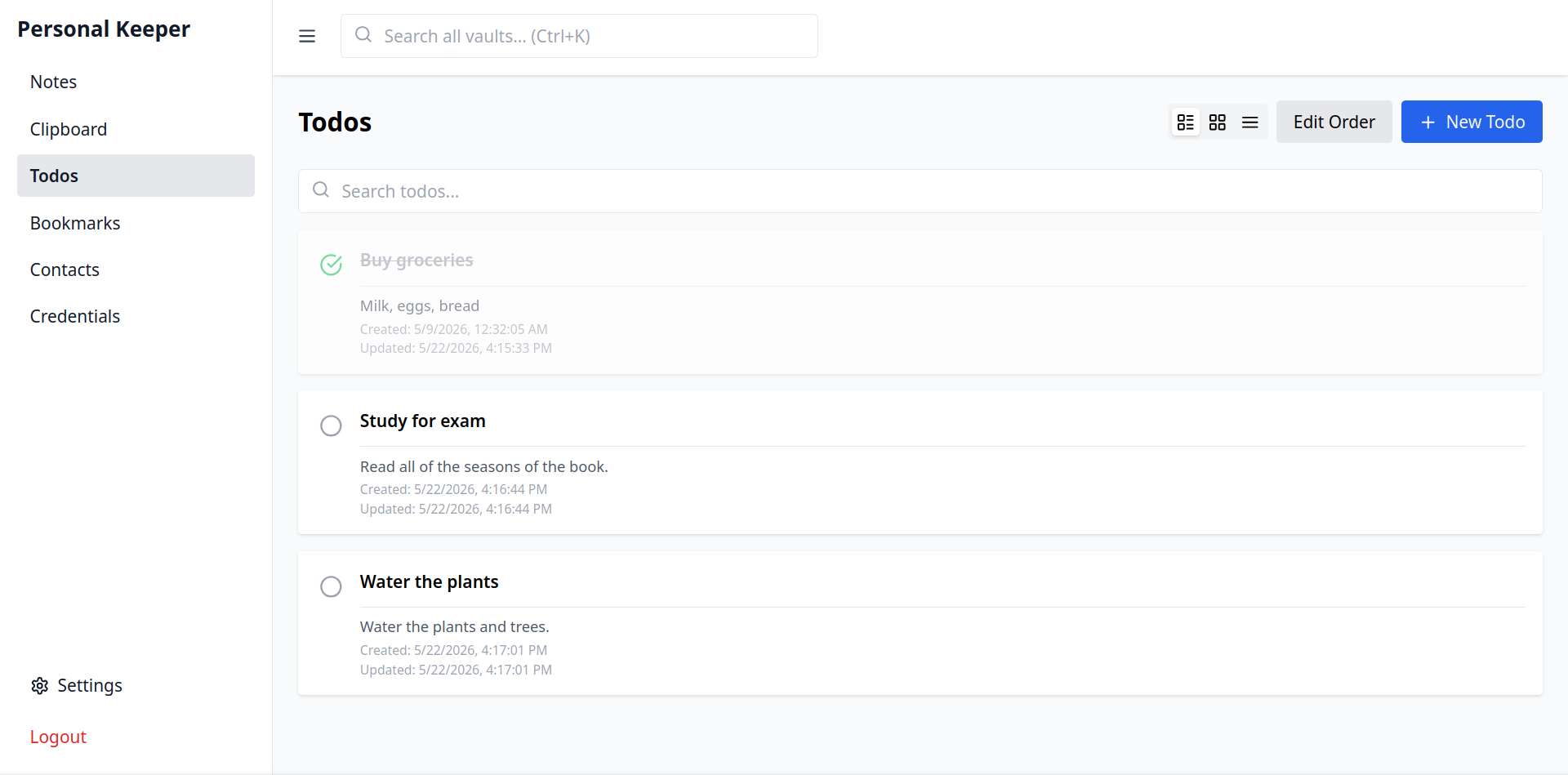
- **Todos** — Task list with completion tracking.
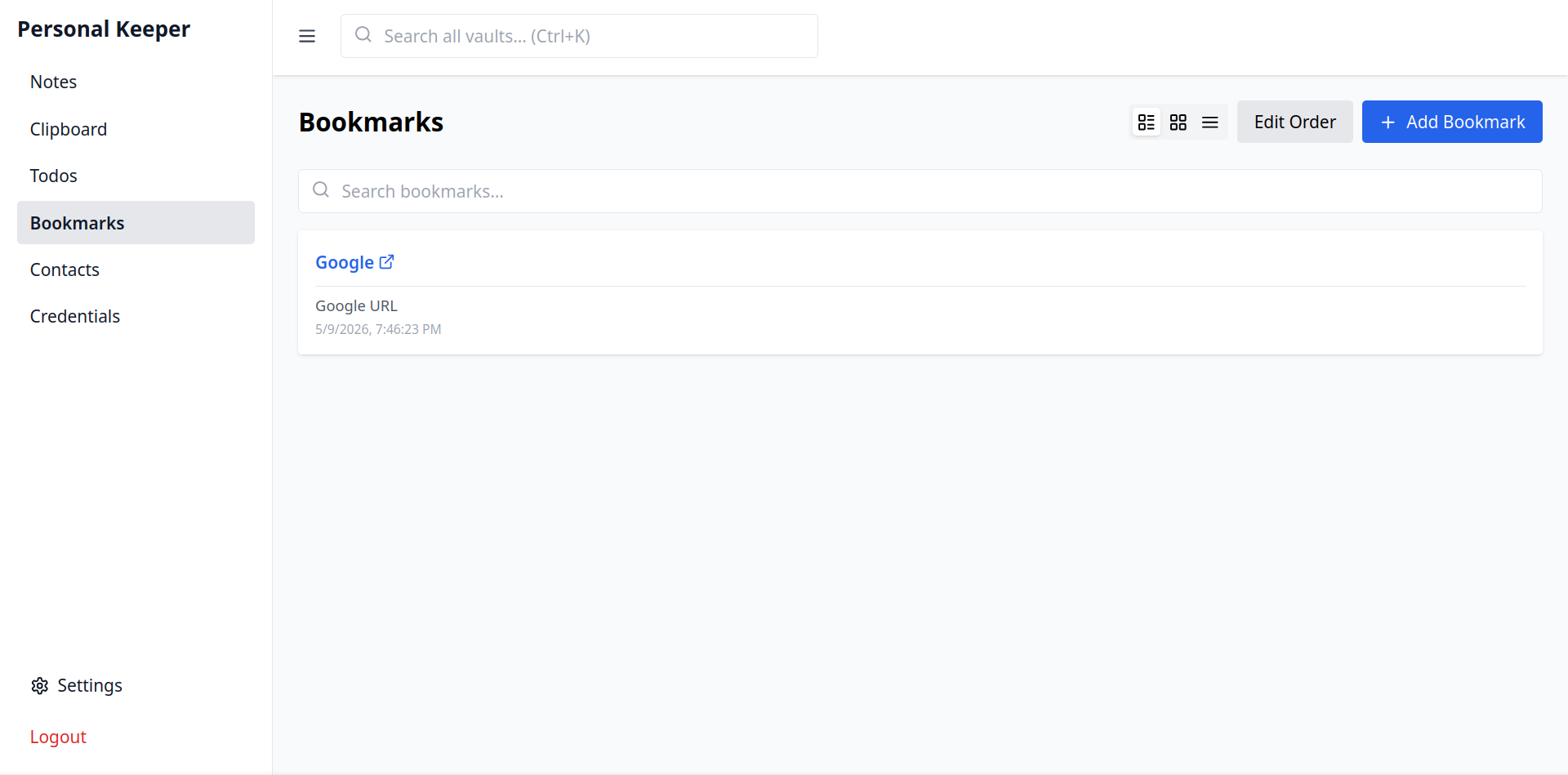
- **Bookmarks** — Store URLs with titles, descriptions, favicon and thumbnail (binary) support.
- **Contacts** — Phone, email, address and notes for every contact.
- **Credentials Vault** — Encrypt passwords, notes and TOTP secrets with AES‑256‑GCM.
- Master password protected; all sensitive fields are encrypted at rest.
- Lock/unlock the vault on demand.
- **Global Search** — Search across all vaults at once (Ctrl+K / Cmd+K).
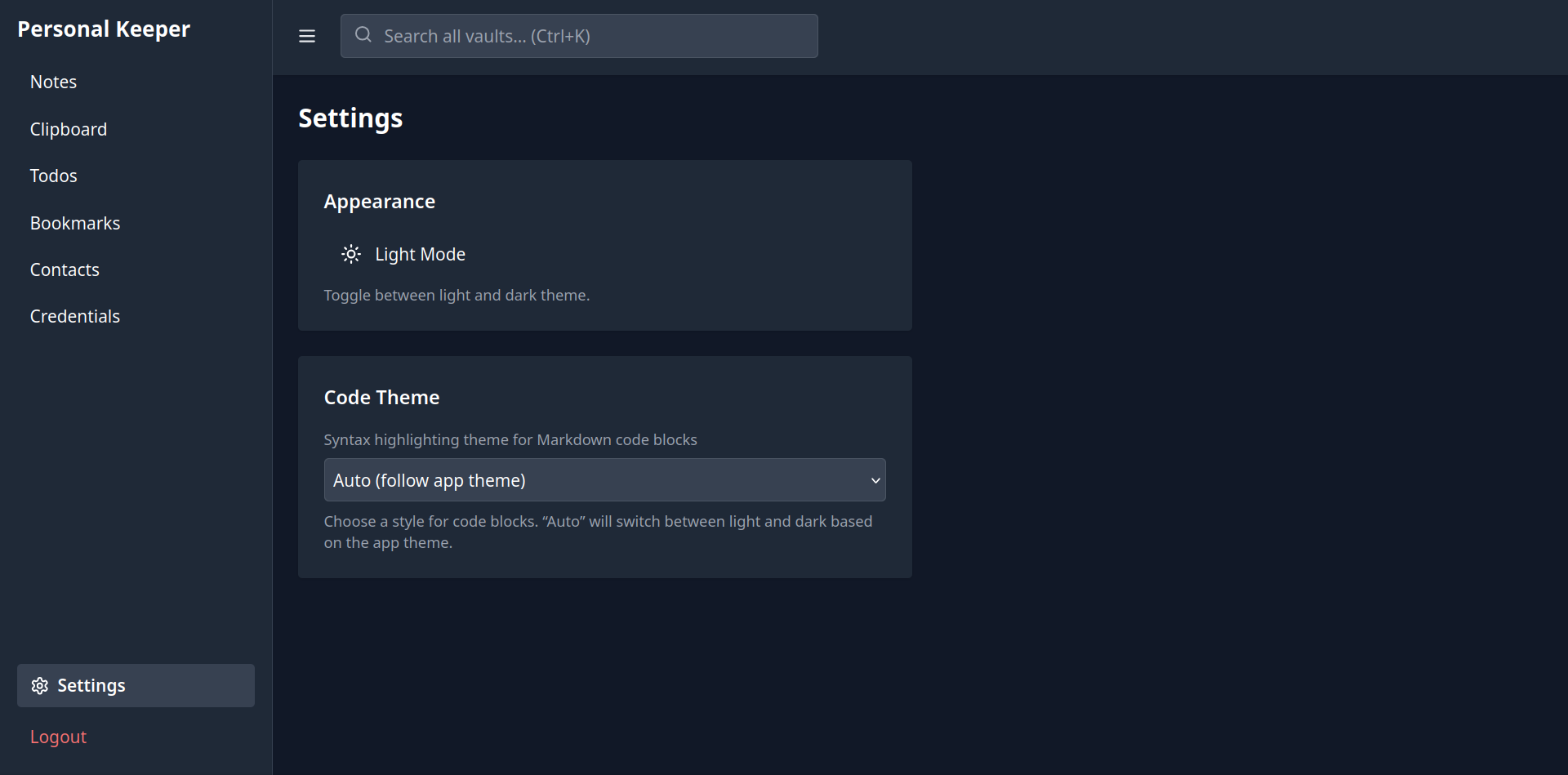
- **Dark Mode** — Automatic or manual toggle; remembers your preference.
- **Authentication** — User registration and login with JWT (access + refresh tokens).
- **Responsive** — Works on desktop and mobile with a collapsible sidebar.
- **Self‑contained** — Single binary backend (Rust) with embedded SQLite, serves the frontend in production.
---
## Tech Stack
### Backend (Rust workspace)
- **Framework**: [Actix Web 4](https://actix.rs/)
- **Database**: SQLite via [rusqlite](https://github.com/rusqlite/rusqlite) + [r2d2](https://github.com/sfackler/r2d2) connection pool
- **Migrations**: [refinery](https://docs.rs/refinery/)
- **Authentication**: JWT ([jsonwebtoken](https://docs.rs/jsonwebtoken/))
- **Password Hashing**: Argon2id ([argon2](https://docs.rs/argon2/))
- **Encryption**: AES‑256‑GCM ([aes-gcm](https://docs.rs/aes-gcm/))
- **Serialization**: [serde](https://serde.rs/) + [serde_json](https://docs.rs/serde_json/)
### Frontend (React)
- **UI**: React 18, TypeScript, Tailwind CSS
- **Routing**: React Router v6
- **State**: Zustand (auth store)
- **Markdown**: react-markdown + remark-gfm + rehype-highlight
- **HTTP**: Axios with automatic token refresh
- **Build**: Vite + PWA plugin
---
## Directory Structure
```
personal-keeper/
├── crates/ # Rust workspace
│ ├── api/ # Actix-web server (binary)
│ │ ├── src/
│ │ │ ├── main.rs # App entry point, routes
│ │ │ ├── middleware/ # JWT authentication middleware
│ │ │ └── routes/ # Handlers for each vault
│ ├── domain/ # Shared models, traits, errors
│ ├── crypto/ # Hashing, JWT, vault encryption
│ ├── storage-sqlite/ # SQLite pool, migrations, repositories
│ ├── cli/ # (future) CLI interface
│ └── sync/ # (future) sync engine
├── frontend/ # React SPA
│ ├── src/
│ │ ├── components/ # UI components and vault pages
│ │ ├── lib/ # API client, auth store, markdown helpers
│ │ └── context/ # Confirmation dialog provider
│ ├── public/ # Fonts and static assets
│ └── ... # Vite, Tailwind config files
├── Cargo.toml # Workspace definition
├── .env.example # Example environment variables
└── README.md
```
---
## Prerequisites
- **Rust** (stable, 1.70+ recommended) — [install Rust](https://rustup.rs/)
- **Node.js** (18+) and **npm** (9+) — [install Node.js](https://nodejs.org/)
---
## Installation & Setup
### 1. Clone the repository
```bash
git clone https://github.com/your-username/personal-keeper.git
cd personal-keeper
```
### 2. Backend
The backend uses SQLite, so no external database is required.
```bash
# From the project root, copy the environment file and edit it
cp .env.example .env
# Open .env and set a strong, random JWT_SECRET
```
### 3. Frontend
```bash
cd frontend
npm install
```
---
## Running the Application
### Development
During development you can run the backend and frontend separately. The Vite dev server will proxy API requests to the backend automatically.
**Start the backend:**
```bash
cargo run -p api
```
The server will start on http://0.0.0.0:8080.
**Start the frontend dev server:**
```bash
cd frontend
npx vite --host 0.0.0.0
```
Open http://localhost:5173 in your browser. All API calls are forwarded to the backend.
### Production
1. **Build the frontend:**
```bash
cd frontend
npx tsc && npx vite build
```
This outputs static files to `frontend/dist`.
2. **Run the backend** (it serves the frontend from `./frontend/dist` automatically):
```bash
cargo run --release
```
Visit http://localhost:8080. The SPA fallback handles client‑side routing.
> **Note**: In production, set `JWT_SECRET` to a long, random string (e.g., `openssl rand -hex 32`).
---
## Configuration
All configuration is done via environment variables. For convenience, create a `.env` file in the project root.
| Variable | Description | Default |
|--------------|-----------------------------------------|------------------------------|
| `JWT_SECRET` | Secret key for signing JWT tokens | `dev-secret-not-for-production` |
| `VAULT_AUTO_LOCK_SECS` | Idle seconds before an unlocked Credentials vault re-locks itself | `900` |
The SQLite database is stored at `data/personal-keeper.db` (created automatically).
---
## API Endpoints
The API is served under `/api`. Authentication is required for all endpoints except `/health` and auth routes.
### Authentication
| Method | Endpoint | Description |
|--------|--------------------|---------------------------|
| POST | `/api/auth/register` | Register a new user |
| POST | `/api/auth/login` | Obtain tokens |
| POST | `/api/auth/refresh` | Refresh access token |
| GET | `/api/auth/me` | Get current user info |
### Vaults (all require `Authorization: Bearer `)
**Notes**
- `POST /api/notes` – Create
- `GET /api/notes` – List all
- `PUT /api/notes/:id` – Update
- `DELETE /api/notes/:id` – Delete
**Clipboard**
- `POST /api/clipboard` – Create snippet
- `GET /api/clipboard` – List all (optional `?search=`)
- `DELETE /api/clipboard/:id` – Delete
**Todos**
- `POST /api/todos` – Create
- `GET /api/todos` – List all (optional `?search=`)
- `PUT /api/todos/:id` – Update (e.g., mark completed)
- `DELETE /api/todos/:id` – Delete
**Bookmarks**
- `POST /api/bookmarks` – Create
- `GET /api/bookmarks` – List all (optional `?search=`)
- `PUT /api/bookmarks/:id` – Update
- `DELETE /api/bookmarks/:id` – Delete
**Contacts**
- `POST /api/contacts` – Create
- `GET /api/contacts` – List all (optional `?search=`)
- `PUT /api/contacts/:id` – Update
- `DELETE /api/contacts/:id` – Delete
**Credentials**
- `GET /api/credentials/status` – Check if vault is configured
- `POST /api/credentials/unlock` – Set/verify master password
- `POST /api/credentials/lock` – Lock the vault
- `POST /api/credentials` – Create credential (encrypted)
- `GET /api/credentials` – List credentials (no decrypted secrets)
- `GET /api/credentials/:id` – Get one credential (decrypted, requires unlock)
- `PUT /api/credentials/:id` – Update
- `DELETE /api/credentials/:id` – Delete
---
## Security
- **Passwords**: Hashed with Argon2id (memory‑hard, resistant to GPU attacks).
- **JWT**: Access tokens expire in 15 minutes; refresh tokens in 7 days. Refresh tokens are rotated on each use.
- **Credential Vault**: Master password derives a 256‑bit key via Argon2id. Individual credentials are encrypted with AES‑256‑GCM using random nonces. Encrypted data is stored as base64 JSON in SQLite.
- **Automatic lock**: The server holds the derived key only in memory; a lock endpoint clears it, requiring the master password again.
---
## Contributing
Contributions are welcome! Please open an issue first to discuss what you would like to change.
### Development setup
1. Fork the repository.
2. Create a feature branch.
3. Make sure the backend compiles (`cargo build`) and the frontend passes TypeScript checks (`npm run build` or `npx tsc --noEmit`).
4. Submit a pull request.
---
## License
This project is licensed under the MIT License. See the [LICENSE](LICENSE) file for details.
---
Enjoy your personal knowledge base!
---
## Version History
Every vault item — notes, clipboard entries, todos, bookmarks, contacts and credentials — is fully versioned. Each create, update (including favorite/pin toggles, trash/restore and reordering) and delete is recorded as an immutable JSON snapshot in the `item_versions` table, so any previous state can be browsed, compared and restored.
### How it works
- SQLite triggers (migration `V10__item_history.sql`) snapshot every change automatically. Repository `save()` calls use `INSERT ... ON CONFLICT(id) DO UPDATE SET ...` (never `INSERT OR REPLACE`) so the `AFTER UPDATE OF` triggers fire on edits and each edit is recorded with the correct `updated` operation instead of a spurious `deleted` + `created` pair.
- **Do not reintroduce `INSERT OR REPLACE`** against `notes`, `clipboard_items`, `todos`, `bookmarks`, `contacts`, or `credentials`: it would silently disable the edit-history path.
- Version numbers are per item and monotonically increasing (`1, 2, 3, …`).
- Existing rows received a baseline `created` version when the migration ran.
- Restores are themselves recorded as a new `restored` version; restoring a hard-deleted item resurrects it.
- Credential secrets are stored encrypted in history (as in the live tables) and are always masked as `[hidden]` in API responses — diffs still show whether they changed.
### REST API
| Method | Endpoint | Description |
| --- | --- | --- |
| `GET` | `/api/history/{item_type}/{item_id}` | All versions of an item (newest first) |
| `GET` | `/api/history/{item_type}/{item_id}/versions/{version}` | One version snapshot |
| `GET` | `/api/history/{item_type}/{item_id}/diff/{a}/{b}` | Field-level diff between two versions |
| `POST` | `/api/history/{item_type}/{item_id}/versions/{version}/restore` | Restore an item to a version |
| `DELETE` | `/api/history/{item_type}/{item_id}` | Purge all recorded history of an item |
| `GET` | `/api/history/recent?limit=50&item_type=note` | Recent activity across vaults |
`item_type` is one of `note`, `clipboard`, `todo`, `bookmark`, `contact`, `credential`.
### UI
Timeline bubbles have a **Version history** button that opens the history modal: a version list with operation badges, snapshot previews, field- and line-level diffs (compare any two versions), one-click restore and history purge.
Every vault view (Notes, Clipboard, Todos, Bookmarks, Contacts, Credentials) also has a per-item history button next to its delete action. The timeline search sidebar shows a compact recent-activity feed, and the Settings page includes a full "Recent Activity" section.