[](https://github.com/bakito/adguardhome-sync/actions/workflows/go.yml)
[](https://github.com/bakito/adguardhome-sync/actions/workflows/e2e.yaml)
[](https://coveralls.io/github/bakito/adguardhome-sync?branch=main)
[](https://scorecard.dev/viewer/?uri=github.com/bakito/adguardhome-sync)
#  AdGuardHome sync
Synchronize [AdGuardHome](https://github.com/AdguardTeam/AdGuardHome) config to replica instances.
## FAQ & Deprecations
Please check the wiki
for [FAQ](https://github.com/bakito/adguardhome-sync/wiki/FAQ)
and [Deprecations](https://github.com/bakito/adguardhome-sync/wiki/Deprecations).
## Current sync features
- General Settings
- Filters
- Rewrites
- Services
- Clients
- DNS Config
- DHCP Config
- Theme
By default, all features are enabled. Single features can be disabled in the config.
### Setup of initial instances
New AdGuardHome replica instances can be automatically installed if enabled via the config autoSetup. During automatic
installation, the admin interface will be listening on port 3000 in runtime.
To skip automatic setup
## Install
Get from [releases](https://github.com/bakito/adguardhome-sync/releases) or install from source
```bash
go install github.com/bakito/adguardhome-sync@latest
```
### Brew
```bash
# Add the tap
brew tap bakito/tap
brew trust bakito/tap
# install
brew install --cask adguardhome-sync
```
## Prerequisites
Both the origin instance and replica(s) must be initially set up with AdguardHome via the AdguardHome installation
wizard.
## Config via environment variables
For Replicas replace `#` with the index number for the replica. E.g.: `REPLICA#_URL` -> `REPLICA1_URL`
| Name | Type | Description |
| :----------------------------------------------------------- | ------ | :--------------------------------------------------------------------------------------------------- |
| CRON (string) | string | Cron expression for the sync interval |
| RUN_ON_START (bool) | bool | Run the sync on startup |
| PRINT_CONFIG_ONLY (bool) | bool | Print current config only and stop the application |
| CONTINUE_ON_ERROR (bool) | bool | Continue sync on errors |
| SYNC_TRIGGER_FILE (string) | string | Path to a file to watch; when modified, a re-sync is triggered |
| HTTP_CLIENT_TIMEOUT (string) | string | Define a custom http client timeout ^([0-9]+(\.[0-9]+)?(ns|us|µs|ms|s|m|h))+$ |
| ORIGIN_URL (string) | string | URL of adguardhome instance |
| ORIGIN_WEB_URL (string) | string | Web URL of adguardhome instance |
| ORIGIN_API_PATH (string) | string | API Path |
| ORIGIN_USERNAME (string) | string | Adguardhome username |
| ORIGIN_PASSWORD (string) | string | Adguardhome password |
| ORIGIN_COOKIE (string) | string | Adguardhome cookie |
| ORIGIN_REQUEST_HEADERS (map) | map | Request Headers 'key1:value1,key2:value2' |
| ORIGIN_INSECURE_SKIP_VERIFY (bool) | bool | Skip TLS verification |
| ORIGIN_AUTO_SETUP (bool) | bool | Automatically setup the instance if it is not initialized |
| ORIGIN_INTERFACE_NAME (string) | string | Network interface name |
| ORIGIN_DHCP_SERVER_ENABLED (bool) | bool | Enable DHCP server |
| REPLICA#_URL (string) | string | URL of adguardhome instance |
| REPLICA#_WEB_URL (string) | string | Web URL of adguardhome instance |
| REPLICA#_API_PATH (string) | string | API Path |
| REPLICA#_USERNAME (string) | string | Adguardhome username |
| REPLICA#_PASSWORD (string) | string | Adguardhome password |
| REPLICA#_COOKIE (string) | string | Adguardhome cookie |
| REPLICA#_REQUEST_HEADERS (map) | map | Request Headers 'key1:value1,key2:value2' |
| REPLICA#_INSECURE_SKIP_VERIFY (bool) | bool | Skip TLS verification |
| REPLICA#_AUTO_SETUP (bool) | bool | Automatically setup the instance if it is not initialized |
| REPLICA#_INTERFACE_NAME (string) | string | Network interface name |
| REPLICA#_DHCP_SERVER_ENABLED (bool) | bool | Enable DHCP server |
| REPLICA#_FEATURES_DNS_ACCESS_LISTS (bool) | bool | Sync DNS access lists |
| REPLICA#_FEATURES_DNS_SERVER_CONFIG (bool) | bool | Sync DNS server config |
| REPLICA#_FEATURES_DNS_REWRITES (bool) | bool | Sync DNS rewrites |
| REPLICA#_FEATURES_DHCP_SERVER_CONFIG (bool) | bool | Sync DHCP server config |
| REPLICA#_FEATURES_DHCP_STATIC_LEASES (bool) | bool | Sync DHCP static leases |
| REPLICA#_FEATURES_GENERAL_SETTINGS (bool) | bool | Sync general settings |
| REPLICA#_FEATURES_PROTECTION_STATUS (bool) | bool | Sync the protection status (disabled if generalSettings is disabled) |
| REPLICA#_FEATURES_QUERY_LOG_CONFIG (bool) | bool | Sync query log config |
| REPLICA#_FEATURES_STATS_CONFIG (bool) | bool | Sync stats config |
| REPLICA#_FEATURES_CLIENT_SETTINGS (bool) | bool | Sync client settings |
| REPLICA#_FEATURES_SERVICES (bool) | bool | Sync services |
| REPLICA#_FEATURES_FILTERS_FEATURES_FILTERS_BLACKLIST (bool) | bool | Sync blacklist filters |
| REPLICA#_FEATURES_FILTERS_FEATURES_FILTERS_WHITELIST (bool) | bool | Sync whitelist filters |
| REPLICA#_FEATURES_FILTERS_FEATURES_FILTERS_USER_RULES (bool) | bool | Sync user rules |
| REPLICA#_FEATURES_THEME (bool) | bool | Sync the web UI theme |
| REPLICA#_FEATURES_TLS_CONFIG (bool) | bool | Sync the TLS config (Note: cannot sync inline private keys, only settings and certificate/key paths) |
| API_PORT (int) | int | API port (API is disabled if port is set to 0) |
| API_USERNAME (string) | string | API username |
| API_PASSWORD (string) | string | API password |
| API_DARK_MODE (bool) | bool | API dark mode |
| API_METRICS_ENABLED (bool) | bool | Enable metrics |
| API_METRICS_SCRAPE_INTERVAL (int64) | int64 | Interval for metrics scraping |
| API_METRICS_QUERY_LOG_LIMIT (int) | int | Metrics log query limit |
| API_TLS_CERT_DIR (string) | string | API TLS certificate directory |
| API_TLS_CERT_NAME (string) | string | API TLS certificate file name |
| API_TLS_KEY_NAME (string) | string | API TLS key file name |
| FEATURES_DNS_ACCESS_LISTS (bool) | bool | Sync DNS access lists |
| FEATURES_DNS_SERVER_CONFIG (bool) | bool | Sync DNS server config |
| FEATURES_DNS_REWRITES (bool) | bool | Sync DNS rewrites |
| FEATURES_DHCP_SERVER_CONFIG (bool) | bool | Sync DHCP server config |
| FEATURES_DHCP_STATIC_LEASES (bool) | bool | Sync DHCP static leases |
| FEATURES_GENERAL_SETTINGS (bool) | bool | Sync general settings |
| FEATURES_PROTECTION_STATUS (bool) | bool | Sync the protection status (disabled if generalSettings is disabled) |
| FEATURES_QUERY_LOG_CONFIG (bool) | bool | Sync query log config |
| FEATURES_STATS_CONFIG (bool) | bool | Sync stats config |
| FEATURES_CLIENT_SETTINGS (bool) | bool | Sync client settings |
| FEATURES_SERVICES (bool) | bool | Sync services |
| FEATURES_FILTERS_BLACKLIST (bool) | bool | Sync blacklist filters |
| FEATURES_FILTERS_WHITELIST (bool) | bool | Sync whitelist filters |
| FEATURES_FILTERS_USER_RULES (bool) | bool | Sync user rules |
| FEATURES_THEME (bool) | bool | Sync the web UI theme |
| FEATURES_TLS_CONFIG (bool) | bool | Sync the TLS config (Note: cannot sync inline private keys, only settings and certificate/key paths) |
### Docker secrets (`_FILE`)
Every variable in the table above can also be set with a `_FILE` suffix. The value is then read from the file the
variable points to (trailing newlines are removed). This works with Docker / Compose secrets.
Setting a variable and its `_FILE` variant at the same time is an error.
```yaml
services:
adguardhome-sync:
image: ghcr.io/bakito/adguardhome-sync
environment:
ORIGIN_URL: http://192.168.1.2:3000
ORIGIN_USERNAME_FILE: /run/secrets/origin_username
ORIGIN_PASSWORD_FILE: /run/secrets/origin_password
REPLICA1_URL: http://192.168.1.3
REPLICA1_COOKIE_FILE: /run/secrets/replica1_cookie
secrets:
- origin_username
- origin_password
- replica1_cookie
secrets:
origin_username:
file: ./secrets/origin_username.txt
origin_password:
file: ./secrets/origin_password.txt
replica1_cookie:
file: ./secrets/replica1_cookie.txt
```
`LOG_LEVEL`, `LOG_FORMAT` and `REDIRECT_POLICY_NO_OF_REDIRECTS` are not part of the table and do not support `_FILE`.
### YAML Configuration file
location: $HOME/.adguardhome-sync.yaml
```yaml
# Cron expression for the sync interval (string)
cron:
# Run the sync on startup (bool)
runOnStart:
# Print current config only and stop the application (bool)
printConfigOnly:
# Continue sync on errors (bool)
continueOnError:
# Path to a file to watch; when modified, a re-sync is triggered (string)
syncTriggerFile:
# Define a custom http client timeout ^([0-9]+(\.[0-9]+)?(ns|us|µs|ms|s|m|h))+$ (string)
httpClientTimeout:
# Origin instance (struct)
origin:
# URL of adguardhome instance (string)
url:
# Web URL of adguardhome instance (string)
webURL:
# API Path (string)
apiPath:
# Adguardhome username (string)
username:
# Adguardhome password (string)
password:
# Adguardhome cookie (string)
cookie:
# Request Headers 'key1:value1,key2:value2' (map[string:string])
requestHeaders:
# Skip TLS verification (bool)
insecureSkipVerify:
# Automatically setup the instance if it is not initialized (bool)
autoSetup:
# Network interface name (string)
interfaceName:
# Enable DHCP server (bool)
dhcpServerEnabled:
# Single or replica instance (don't use in combination with replicas') (struct)
replica:
# URL of adguardhome instance (string)
url:
# Web URL of adguardhome instance (string)
webURL:
# API Path (string)
apiPath:
# Adguardhome username (string)
username:
# Adguardhome password (string)
password:
# Adguardhome cookie (string)
cookie:
# Request Headers 'key1:value1,key2:value2' (map[string:string])
requestHeaders:
# Skip TLS verification (bool)
insecureSkipVerify:
# Automatically setup the instance if it is not initialized (bool)
autoSetup:
# Network interface name (string)
interfaceName:
# Enable DHCP server (bool)
dhcpServerEnabled:
# Feature flags for this replica (struct)
features:
# (struct)
dns:
# Sync DNS access lists (bool)
accessLists:
# Sync DNS server config (bool)
serverConfig:
# Sync DNS rewrites (bool)
rewrites:
# (struct)
dhcp:
# Sync DHCP server config (bool)
serverConfig:
# Sync DHCP static leases (bool)
staticLeases:
# Sync general settings (bool)
generalSettings:
# Sync the protection status (disabled if generalSettings is disabled) (bool)
protectionStatus:
# Sync query log config (bool)
queryLogConfig:
# Sync stats config (bool)
statsConfig:
# Sync client settings (bool)
clientSettings:
# Sync services (bool)
services:
# Sync filters (use sub-fields for granular control) (struct)
filters:
# Sync blacklist filters (bool)
blacklist:
# Sync whitelist filters (bool)
whitelist:
# Sync user rules (bool)
userRules:
# Sync the web UI theme (bool)
theme:
# Sync the TLS config (Note: cannot sync inline private keys, only settings and certificate/key paths) (bool)
tlsConfig:
# List or replica instances (don't use in combination with replicas') (struct)
replicas:
# URL of adguardhome instance (string)
- url:
# Web URL of adguardhome instance (string)
webURL:
# API Path (string)
apiPath:
# Adguardhome username (string)
username:
# Adguardhome password (string)
password:
# Adguardhome cookie (string)
cookie:
# Request Headers 'key1:value1,key2:value2' (map[string:string])
requestHeaders:
# Skip TLS verification (bool)
insecureSkipVerify:
# Automatically setup the instance if it is not initialized (bool)
autoSetup:
# Network interface name (string)
interfaceName:
# Enable DHCP server (bool)
dhcpServerEnabled:
# Feature flags for this replica (struct)
features:
# (struct)
dns:
# Sync DNS access lists (bool)
accessLists:
# Sync DNS server config (bool)
serverConfig:
# Sync DNS rewrites (bool)
rewrites:
# (struct)
dhcp:
# Sync DHCP server config (bool)
serverConfig:
# Sync DHCP static leases (bool)
staticLeases:
# Sync general settings (bool)
generalSettings:
# Sync the protection status (disabled if generalSettings is disabled) (bool)
protectionStatus:
# Sync query log config (bool)
queryLogConfig:
# Sync stats config (bool)
statsConfig:
# Sync client settings (bool)
clientSettings:
# Sync services (bool)
services:
# Sync filters (use sub-fields for granular control) (struct)
filters:
# Sync blacklist filters (bool)
blacklist:
# Sync whitelist filters (bool)
whitelist:
# Sync user rules (bool)
userRules:
# Sync the web UI theme (bool)
theme:
# Sync the TLS config (Note: cannot sync inline private keys, only settings and certificate/key paths) (bool)
tlsConfig:
# (struct)
api:
# API port (API is disabled if port is set to 0) (int)
port:
# API username (string)
username:
# API password (string)
password:
# API dark mode (bool)
darkMode:
# (struct)
metrics:
# Enable metrics (bool)
enabled:
# Interval for metrics scraping (int64)
scrapeInterval:
# Metrics log query limit (int)
queryLogLimit:
# (struct)
tls:
# API TLS certificate directory (string)
certDir:
# API TLS certificate file name (string)
certName:
# API TLS key file name (string)
keyName:
# (struct)
features:
# (struct)
dns:
# Sync DNS access lists (bool)
accessLists:
# Sync DNS server config (bool)
serverConfig:
# Sync DNS rewrites (bool)
rewrites:
# (struct)
dhcp:
# Sync DHCP server config (bool)
serverConfig:
# Sync DHCP static leases (bool)
staticLeases:
# Sync general settings (bool)
generalSettings:
# Sync the protection status (disabled if generalSettings is disabled) (bool)
protectionStatus:
# Sync query log config (bool)
queryLogConfig:
# Sync stats config (bool)
statsConfig:
# Sync client settings (bool)
clientSettings:
# Sync services (bool)
services:
# Sync filters (use sub-fields for granular control) (struct)
filters:
# Sync blacklist filters (bool)
blacklist:
# Sync whitelist filters (bool)
whitelist:
# Sync user rules (bool)
userRules:
# Sync the web UI theme (bool)
theme:
# Sync the TLS config (Note: cannot sync inline private keys, only settings and certificate/key paths) (bool)
tlsConfig:
```
## Username / Password vs. Cookie
Some instances of AdGuard Home do not support basic authentication. For instance, many routers with built-in Adguard
Home support do not. If this is the case, a valid cookie may be provided instead. If the router protects the AdGuard
instance behind its own authentication, the cookie from an authenticated request may allow the sync to succeed.
- This has been tested successfully against GL.Inet routers with AdGuard Home.
- Note: due to the short validity of cookies, this approach is likely only suitable for one-time syncs
### Integrate adguardhome-sync with GL.iNet Routers
See [wiki](https://github.com/bakito/adguardhome-sync/wiki/Integration%E2%80%90GL.iNet)
## Run Linux/Mac
```bash
export LOG_LEVEL=info
export ORIGIN_URL=https://192.168.1.2:3000
export ORIGIN_USERNAME=username
export ORIGIN_PASSWORD=password
# export ORIGIN_COOKIE=Origin-Cookie-Name=CCCOOOKKKIIIEEE
export REPLICA1_URL=http://192.168.1.3
export REPLICA1_USERNAME=username
export REPLICA1_PASSWORD=password
# export REPLICA_COOKIE=Replica-Cookie-Name=CCCOOOKKKIIIEEE
# run once
adguardhome-sync run
# run as daemon
adguardhome-sync run --cron "0 */2 * * *"
```
### Run as Linux Service via Systemd
> Verified on Ubuntu Linux 24.04
Assume you have downloaded the `adguardhome-sync` binary to `/opt/adguardhome-sync`.
Create systemd service file `/opt/adguardhome-sync/adguardhome-sync.service`:
```
[Unit]
Description = AdGuardHome Sync
After = network.target
[Service]
ExecStart = /opt/adguardhome-sync/adguardhome-sync --config /opt/adguardhome-sync/adguardhome-sync.yaml run
[Install]
WantedBy = multi-user.target
```
Create a configuration file `/opt/adguardhome-sync/adguardhome-sync.yaml`, please follow [Config file](#config-file-1)
section below for details.
Install and enable service:
```bash
sudo cp /opt/adguardhome-sync/adguardhome-sync.service /etc/systemd/system/
sudo systemctl enable adguardhome-sync.service
sudo systemctl start adguardhome-sync.service
```
Then you can check the status:
```bash
sudo systemctl status adguardhome-sync.service
```
If web UI has been enabled in configuration (default port is 8080), can also check the status via
`http://:8080`
## Run Windows
```bash
@ECHO OFF
@TITLE AdGuardHome-Sync
REM set LOG_LEVEL=debug
set LOG_LEVEL=info
REM set LOG_LEVEL=warn
REM set LOG_LEVEL=error
set ORIGIN_URL=http://192.168.1.2:3000
set ORIGIN_USERNAME=username
set ORIGIN_PASSWORD=password
# set ORIGIN_COOKIE=Origin-Cookie-Name=CCCOOOKKKIIIEEE
set REPLICA1_URL=http://192.168.2.2:3000
set REPLICA1_USERNAME=username
set REPLICA1_PASSWORD=password
# set REPLICA1_COOKIE=Replica-Cookie-Name=CCCOOOKKKIIIEEE
set FEATURES_DHCP_SERVER_CONFIG=false
set FEATURES_DHCP_STATIC_LEASES=false
# run once
adguardhome-sync run
# run as daemon
adguardhome-sync run --cron "0 */2 * * *"
```
## docker cli
```bash
docker run -d \
--name=adguardhome-sync \
-p 8080:8080 \
-v /path/to/appdata/config/adguardhome-sync.yaml:/config/adguardhome-sync.yaml \
--restart unless-stopped \
ghcr.io/bakito/adguardhome-sync:latest
```
## docker compose
### config file
```yaml
---
version: "2.1"
services:
adguardhome-sync:
image: ghcr.io/bakito/adguardhome-sync
container_name: adguardhome-sync
command: run --config /config/adguardhome-sync.yaml
volumes:
- /path/to/appdata/config/adguardhome-sync.yaml:/config/adguardhome-sync.yaml
ports:
- 8080:8080
restart: unless-stopped
healthcheck:
test: ["CMD", "/opt/go/adguardhome-sync", "healthcheck"]
interval: 30s
timeout: 5s
retries: 3
```
## Easypanel
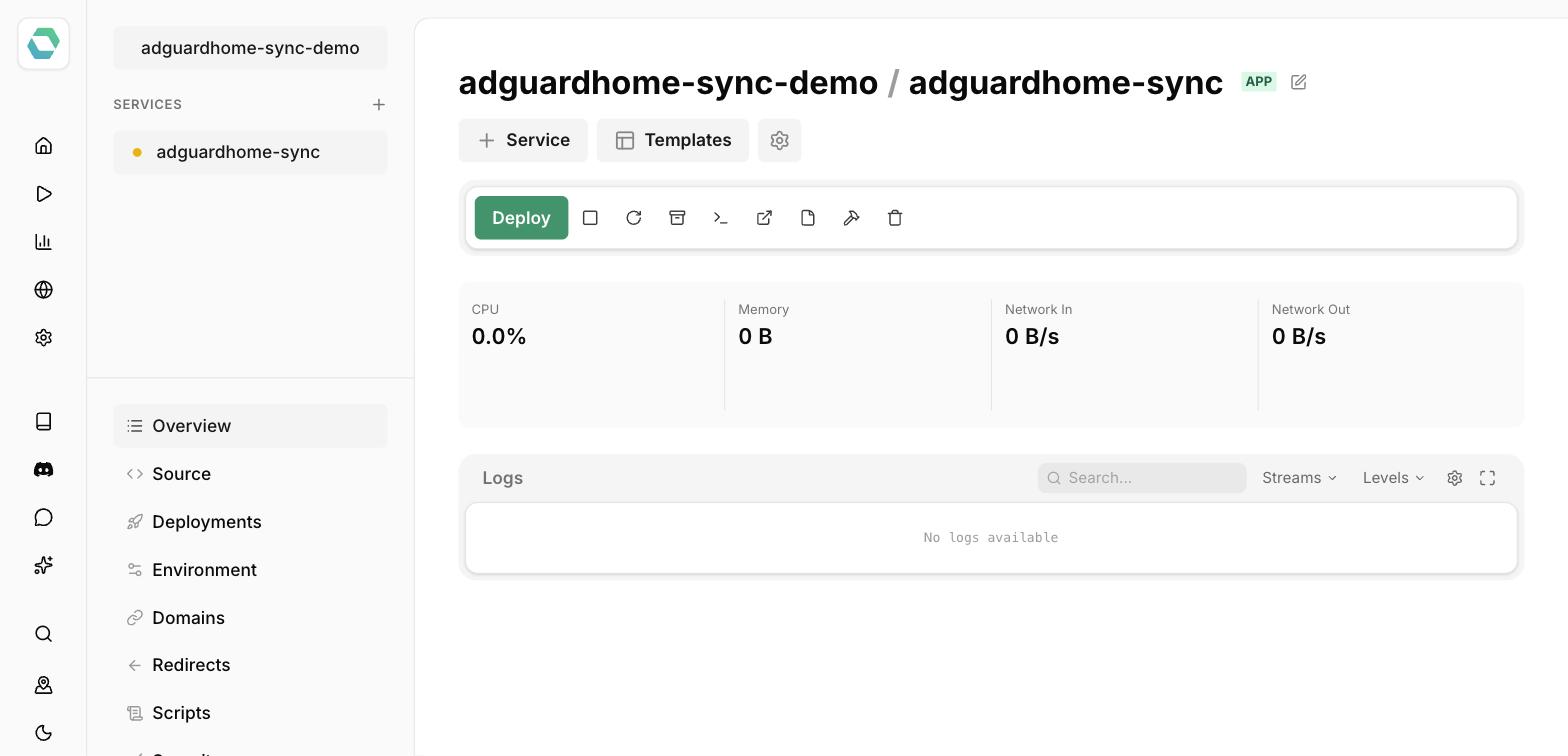
[Easypanel](https://easypanel.io/) can deploy adguardhome-sync with one click using its [official template](https://easypanel.io/templates/adguardhome-sync), which mounts a starter `adguardhome-sync.yaml` config for you.
## Unraid
⚠️ Disclaimer: There exists an unraid template for this application. This project does not manage this template.
Also, as unraid is not known to me, I cannot give any support on unraid templates.
Note when running the Docker container in Unraid please remove unneeded env variables.
If replica2 isn't used, this can cause sync errors.
## Home Assistant AdGuard Home Add-on users
To enable syncing with a Home Assistant instance using
the [AdGuard Home Add-on](https://github.com/hassio-addons/addon-adguard-home), you will need to enable the disabled
ports, under the Network heading

And then set the port of your choice for the Web interface

Don't forget to save and restart the add-on.
Depending on your setup, you may also need to disable SSL for the add-on.
The username:password required for the Home Assistant replica is the one you use to login to your instance, however it's
recommended to setup a new local only user with minimal permissions.
All credit for this method goes to [Brunty](https://github.com/brunty) who has a far
more [detailed write up](https://brunty.me/post/replicate-adguard-home-settings-into-home-assistant-adguard-home-addon/)
about this on his blog.
## Log Level
The log level can be set with the environment variable: `LOG_LEVEL`
The following log levels are supported (default: info)
- debug
- info
- warn
- error
## Log Format
Default log format is `console`.
It can be changed to `json` by setting the environment variable: `LOG_FORMAT=json`.
## API Documentation
### Overview
The API provides endpoints for synchronization management, status monitoring, metrics collection, and log retrieval.
### Base URL
```
http://localhost:
https://localhost: (if TLS enabled)
```
### Authentication
- **Type**: Basic Authentication (optional)
- **Username**: Configured via `API.Username`
- **Password**: Configured via `API.Password`
- **Note**: Authentication is applied to all endpoints except `/livez`, `/readyz`, `/healthz`, `/liveness`, `/readiness`, and the root path `/`
### Endpoints
#### Liveness Check
**`GET /livez`** | **`HEAD /livez`** (aliases: `/liveness`, `/healthz`)
Liveness check endpoint to verify that the application process is running and responsive.
- **Authentication**: Not required
- **Response**: `200 OK`
```bash
curl http://localhost:5000/livez
```
You can also use the built-in CLI command for container health checks:
```bash
adguardhome-sync healthcheck
```
#### Readiness Check
**`GET /readyz`** | **`HEAD /readyz`** (alias: `/readiness`)
Readiness check endpoint to verify that origin and all replica instances are reachable and in sync.
- **Authentication**: Not required
- **Response**:
- `200 OK` - Origin and all replicas are in "success" of "info"
- `503 Service Unavailable` - Origin or any replica is not in status "success" or "info"
```bash
curl http://localhost:5000/readyz
```
You can check readiness with the CLI command using the `--ready` (or `-r`) flag:
```bash
adguardhome-sync healthcheck --ready
```
#### Synchronization
**`POST /api/v1/sync`**
Trigger a manual synchronization across all configured instances.
- **Authentication**: Required (if configured)
- **Response**: `200 OK` - Sync initiated successfully
```bash
curl -X POST http://localhost:5000/api/v1/sync
```
#### Status
**`GET /api/v1/status`**
Get the current synchronization and replica status.
- **Authentication**: Required (if configured)
- **Response** (`200 OK`):
```json
{
"syncRunning": false,
"origin": {
"host": "origin.example.com",
"url": "http://origin.example.com:80",
"status": "success",
"error": "",
"protection_enabled": true
},
"replicas": [
{
"host": "replica1.example.com",
"url": "http://replica1.example.com:80",
"status": "success",
"error": "",
"protection_enabled": true
}
]
}
```
#### Logs
**`GET /api/v1/logs`**
Retrieve application logs.
- **Authentication**: Required (if configured)
- **Response** (`200 OK`): Plain text logs
```bash
curl http://localhost:5000/api/v1/logs
```
**`POST /api/v1/clear-logs`**
Clear all application logs.
- **Authentication**: Required (if configured)
- **Response**: `200 OK` - Logs cleared successfully
```bash
curl -X POST http://localhost:5000/api/v1/clear-logs
```
#### Metrics
**`GET /metrics`**
Prometheus-compatible metrics endpoint.
- **Authentication**: Required (if configured)
- **Availability**: Only available if `API.Metrics.Enabled` is `true`
- **Response** (`200 OK`): Prometheus format metrics
```bash
curl http://localhost:5000/metrics
```
#### Web Dashboard
**`GET /`**
Serve the web dashboard with DNS statistics, sync status, and metrics (if enabled).
- **Authentication**: Required (if configured)
- **Response** (`200 OK`): HTML dashboard
## Metrics
If enabled, the following metrics are available:
| Metric | Description |
| ------ | ----------- |
| adguard_avg_processing_time | This represent the average processing time for a DNS query in s |
| adguard_home_sync_sync_count_total | Total number of started sync runs |
| adguard_home_sync_sync_duration_seconds | This represents the duration of the last sync in seconds |
| adguard_home_sync_sync_successful | This represents the whether the last sync was successful |
| adguard_num_blocked_filtering | This represent the number of domains blocked |
| adguard_num_dns_queries | Number of DNS queries |
| adguard_num_replaced_parental | This represent the number of domains blocked (parental) |
| adguard_num_replaced_safebrowsing | This represent the number of domains blocked (safe browsing) |
| adguard_num_replaced_safesearch | This represent the number of domains blocked (safe search) |
| adguard_protection_enabled | This represent if Adguard Protection is enabled |
| adguard_query_types | This represent the DNS query types |
| adguard_running | This represent if Adguard is running |
| adguard_top_blocked_domains | This represent the top bloacked domains |
| adguard_top_clients | This represent the top clients |
| adguard_top_queried_domains | This represent the top queried domains |
## Video Tutorials
- [Como replicar la configuración de tu servidor DNS Adguard automáticamente - Tu servidor Part #12](https://www.youtube.com/watch?v=1LPeu_JG064) (
Spanish) by [Jonatan Castro](https://github.com/jcastro)
AdGuardHome sync
Synchronize [AdGuardHome](https://github.com/AdguardTeam/AdGuardHome) config to replica instances.
## FAQ & Deprecations
Please check the wiki
for [FAQ](https://github.com/bakito/adguardhome-sync/wiki/FAQ)
and [Deprecations](https://github.com/bakito/adguardhome-sync/wiki/Deprecations).
## Current sync features
- General Settings
- Filters
- Rewrites
- Services
- Clients
- DNS Config
- DHCP Config
- Theme
By default, all features are enabled. Single features can be disabled in the config.
### Setup of initial instances
New AdGuardHome replica instances can be automatically installed if enabled via the config autoSetup. During automatic
installation, the admin interface will be listening on port 3000 in runtime.
To skip automatic setup
## Install
Get from [releases](https://github.com/bakito/adguardhome-sync/releases) or install from source
```bash
go install github.com/bakito/adguardhome-sync@latest
```
### Brew
```bash
# Add the tap
brew tap bakito/tap
brew trust bakito/tap
# install
brew install --cask adguardhome-sync
```
## Prerequisites
Both the origin instance and replica(s) must be initially set up with AdguardHome via the AdguardHome installation
wizard.
## Config via environment variables
For Replicas replace `#` with the index number for the replica. E.g.: `REPLICA#_URL` -> `REPLICA1_URL`
| Name | Type | Description |
| :----------------------------------------------------------- | ------ | :--------------------------------------------------------------------------------------------------- |
| CRON (string) | string | Cron expression for the sync interval |
| RUN_ON_START (bool) | bool | Run the sync on startup |
| PRINT_CONFIG_ONLY (bool) | bool | Print current config only and stop the application |
| CONTINUE_ON_ERROR (bool) | bool | Continue sync on errors |
| SYNC_TRIGGER_FILE (string) | string | Path to a file to watch; when modified, a re-sync is triggered |
| HTTP_CLIENT_TIMEOUT (string) | string | Define a custom http client timeout ^([0-9]+(\.[0-9]+)?(ns|us|µs|ms|s|m|h))+$ |
| ORIGIN_URL (string) | string | URL of adguardhome instance |
| ORIGIN_WEB_URL (string) | string | Web URL of adguardhome instance |
| ORIGIN_API_PATH (string) | string | API Path |
| ORIGIN_USERNAME (string) | string | Adguardhome username |
| ORIGIN_PASSWORD (string) | string | Adguardhome password |
| ORIGIN_COOKIE (string) | string | Adguardhome cookie |
| ORIGIN_REQUEST_HEADERS (map) | map | Request Headers 'key1:value1,key2:value2' |
| ORIGIN_INSECURE_SKIP_VERIFY (bool) | bool | Skip TLS verification |
| ORIGIN_AUTO_SETUP (bool) | bool | Automatically setup the instance if it is not initialized |
| ORIGIN_INTERFACE_NAME (string) | string | Network interface name |
| ORIGIN_DHCP_SERVER_ENABLED (bool) | bool | Enable DHCP server |
| REPLICA#_URL (string) | string | URL of adguardhome instance |
| REPLICA#_WEB_URL (string) | string | Web URL of adguardhome instance |
| REPLICA#_API_PATH (string) | string | API Path |
| REPLICA#_USERNAME (string) | string | Adguardhome username |
| REPLICA#_PASSWORD (string) | string | Adguardhome password |
| REPLICA#_COOKIE (string) | string | Adguardhome cookie |
| REPLICA#_REQUEST_HEADERS (map) | map | Request Headers 'key1:value1,key2:value2' |
| REPLICA#_INSECURE_SKIP_VERIFY (bool) | bool | Skip TLS verification |
| REPLICA#_AUTO_SETUP (bool) | bool | Automatically setup the instance if it is not initialized |
| REPLICA#_INTERFACE_NAME (string) | string | Network interface name |
| REPLICA#_DHCP_SERVER_ENABLED (bool) | bool | Enable DHCP server |
| REPLICA#_FEATURES_DNS_ACCESS_LISTS (bool) | bool | Sync DNS access lists |
| REPLICA#_FEATURES_DNS_SERVER_CONFIG (bool) | bool | Sync DNS server config |
| REPLICA#_FEATURES_DNS_REWRITES (bool) | bool | Sync DNS rewrites |
| REPLICA#_FEATURES_DHCP_SERVER_CONFIG (bool) | bool | Sync DHCP server config |
| REPLICA#_FEATURES_DHCP_STATIC_LEASES (bool) | bool | Sync DHCP static leases |
| REPLICA#_FEATURES_GENERAL_SETTINGS (bool) | bool | Sync general settings |
| REPLICA#_FEATURES_PROTECTION_STATUS (bool) | bool | Sync the protection status (disabled if generalSettings is disabled) |
| REPLICA#_FEATURES_QUERY_LOG_CONFIG (bool) | bool | Sync query log config |
| REPLICA#_FEATURES_STATS_CONFIG (bool) | bool | Sync stats config |
| REPLICA#_FEATURES_CLIENT_SETTINGS (bool) | bool | Sync client settings |
| REPLICA#_FEATURES_SERVICES (bool) | bool | Sync services |
| REPLICA#_FEATURES_FILTERS_FEATURES_FILTERS_BLACKLIST (bool) | bool | Sync blacklist filters |
| REPLICA#_FEATURES_FILTERS_FEATURES_FILTERS_WHITELIST (bool) | bool | Sync whitelist filters |
| REPLICA#_FEATURES_FILTERS_FEATURES_FILTERS_USER_RULES (bool) | bool | Sync user rules |
| REPLICA#_FEATURES_THEME (bool) | bool | Sync the web UI theme |
| REPLICA#_FEATURES_TLS_CONFIG (bool) | bool | Sync the TLS config (Note: cannot sync inline private keys, only settings and certificate/key paths) |
| API_PORT (int) | int | API port (API is disabled if port is set to 0) |
| API_USERNAME (string) | string | API username |
| API_PASSWORD (string) | string | API password |
| API_DARK_MODE (bool) | bool | API dark mode |
| API_METRICS_ENABLED (bool) | bool | Enable metrics |
| API_METRICS_SCRAPE_INTERVAL (int64) | int64 | Interval for metrics scraping |
| API_METRICS_QUERY_LOG_LIMIT (int) | int | Metrics log query limit |
| API_TLS_CERT_DIR (string) | string | API TLS certificate directory |
| API_TLS_CERT_NAME (string) | string | API TLS certificate file name |
| API_TLS_KEY_NAME (string) | string | API TLS key file name |
| FEATURES_DNS_ACCESS_LISTS (bool) | bool | Sync DNS access lists |
| FEATURES_DNS_SERVER_CONFIG (bool) | bool | Sync DNS server config |
| FEATURES_DNS_REWRITES (bool) | bool | Sync DNS rewrites |
| FEATURES_DHCP_SERVER_CONFIG (bool) | bool | Sync DHCP server config |
| FEATURES_DHCP_STATIC_LEASES (bool) | bool | Sync DHCP static leases |
| FEATURES_GENERAL_SETTINGS (bool) | bool | Sync general settings |
| FEATURES_PROTECTION_STATUS (bool) | bool | Sync the protection status (disabled if generalSettings is disabled) |
| FEATURES_QUERY_LOG_CONFIG (bool) | bool | Sync query log config |
| FEATURES_STATS_CONFIG (bool) | bool | Sync stats config |
| FEATURES_CLIENT_SETTINGS (bool) | bool | Sync client settings |
| FEATURES_SERVICES (bool) | bool | Sync services |
| FEATURES_FILTERS_BLACKLIST (bool) | bool | Sync blacklist filters |
| FEATURES_FILTERS_WHITELIST (bool) | bool | Sync whitelist filters |
| FEATURES_FILTERS_USER_RULES (bool) | bool | Sync user rules |
| FEATURES_THEME (bool) | bool | Sync the web UI theme |
| FEATURES_TLS_CONFIG (bool) | bool | Sync the TLS config (Note: cannot sync inline private keys, only settings and certificate/key paths) |
### Docker secrets (`_FILE`)
Every variable in the table above can also be set with a `_FILE` suffix. The value is then read from the file the
variable points to (trailing newlines are removed). This works with Docker / Compose secrets.
Setting a variable and its `_FILE` variant at the same time is an error.
```yaml
services:
adguardhome-sync:
image: ghcr.io/bakito/adguardhome-sync
environment:
ORIGIN_URL: http://192.168.1.2:3000
ORIGIN_USERNAME_FILE: /run/secrets/origin_username
ORIGIN_PASSWORD_FILE: /run/secrets/origin_password
REPLICA1_URL: http://192.168.1.3
REPLICA1_COOKIE_FILE: /run/secrets/replica1_cookie
secrets:
- origin_username
- origin_password
- replica1_cookie
secrets:
origin_username:
file: ./secrets/origin_username.txt
origin_password:
file: ./secrets/origin_password.txt
replica1_cookie:
file: ./secrets/replica1_cookie.txt
```
`LOG_LEVEL`, `LOG_FORMAT` and `REDIRECT_POLICY_NO_OF_REDIRECTS` are not part of the table and do not support `_FILE`.
### YAML Configuration file
location: $HOME/.adguardhome-sync.yaml
```yaml
# Cron expression for the sync interval (string)
cron:
# Run the sync on startup (bool)
runOnStart:
# Print current config only and stop the application (bool)
printConfigOnly:
# Continue sync on errors (bool)
continueOnError:
# Path to a file to watch; when modified, a re-sync is triggered (string)
syncTriggerFile:
# Define a custom http client timeout ^([0-9]+(\.[0-9]+)?(ns|us|µs|ms|s|m|h))+$ (string)
httpClientTimeout:
# Origin instance (struct)
origin:
# URL of adguardhome instance (string)
url:
# Web URL of adguardhome instance (string)
webURL:
# API Path (string)
apiPath:
# Adguardhome username (string)
username:
# Adguardhome password (string)
password:
# Adguardhome cookie (string)
cookie:
# Request Headers 'key1:value1,key2:value2' (map[string:string])
requestHeaders:
# Skip TLS verification (bool)
insecureSkipVerify:
# Automatically setup the instance if it is not initialized (bool)
autoSetup:
# Network interface name (string)
interfaceName:
# Enable DHCP server (bool)
dhcpServerEnabled:
# Single or replica instance (don't use in combination with replicas') (struct)
replica:
# URL of adguardhome instance (string)
url:
# Web URL of adguardhome instance (string)
webURL:
# API Path (string)
apiPath:
# Adguardhome username (string)
username:
# Adguardhome password (string)
password:
# Adguardhome cookie (string)
cookie:
# Request Headers 'key1:value1,key2:value2' (map[string:string])
requestHeaders:
# Skip TLS verification (bool)
insecureSkipVerify:
# Automatically setup the instance if it is not initialized (bool)
autoSetup:
# Network interface name (string)
interfaceName:
# Enable DHCP server (bool)
dhcpServerEnabled:
# Feature flags for this replica (struct)
features:
# (struct)
dns:
# Sync DNS access lists (bool)
accessLists:
# Sync DNS server config (bool)
serverConfig:
# Sync DNS rewrites (bool)
rewrites:
# (struct)
dhcp:
# Sync DHCP server config (bool)
serverConfig:
# Sync DHCP static leases (bool)
staticLeases:
# Sync general settings (bool)
generalSettings:
# Sync the protection status (disabled if generalSettings is disabled) (bool)
protectionStatus:
# Sync query log config (bool)
queryLogConfig:
# Sync stats config (bool)
statsConfig:
# Sync client settings (bool)
clientSettings:
# Sync services (bool)
services:
# Sync filters (use sub-fields for granular control) (struct)
filters:
# Sync blacklist filters (bool)
blacklist:
# Sync whitelist filters (bool)
whitelist:
# Sync user rules (bool)
userRules:
# Sync the web UI theme (bool)
theme:
# Sync the TLS config (Note: cannot sync inline private keys, only settings and certificate/key paths) (bool)
tlsConfig:
# List or replica instances (don't use in combination with replicas') (struct)
replicas:
# URL of adguardhome instance (string)
- url:
# Web URL of adguardhome instance (string)
webURL:
# API Path (string)
apiPath:
# Adguardhome username (string)
username:
# Adguardhome password (string)
password:
# Adguardhome cookie (string)
cookie:
# Request Headers 'key1:value1,key2:value2' (map[string:string])
requestHeaders:
# Skip TLS verification (bool)
insecureSkipVerify:
# Automatically setup the instance if it is not initialized (bool)
autoSetup:
# Network interface name (string)
interfaceName:
# Enable DHCP server (bool)
dhcpServerEnabled:
# Feature flags for this replica (struct)
features:
# (struct)
dns:
# Sync DNS access lists (bool)
accessLists:
# Sync DNS server config (bool)
serverConfig:
# Sync DNS rewrites (bool)
rewrites:
# (struct)
dhcp:
# Sync DHCP server config (bool)
serverConfig:
# Sync DHCP static leases (bool)
staticLeases:
# Sync general settings (bool)
generalSettings:
# Sync the protection status (disabled if generalSettings is disabled) (bool)
protectionStatus:
# Sync query log config (bool)
queryLogConfig:
# Sync stats config (bool)
statsConfig:
# Sync client settings (bool)
clientSettings:
# Sync services (bool)
services:
# Sync filters (use sub-fields for granular control) (struct)
filters:
# Sync blacklist filters (bool)
blacklist:
# Sync whitelist filters (bool)
whitelist:
# Sync user rules (bool)
userRules:
# Sync the web UI theme (bool)
theme:
# Sync the TLS config (Note: cannot sync inline private keys, only settings and certificate/key paths) (bool)
tlsConfig:
# (struct)
api:
# API port (API is disabled if port is set to 0) (int)
port:
# API username (string)
username:
# API password (string)
password:
# API dark mode (bool)
darkMode:
# (struct)
metrics:
# Enable metrics (bool)
enabled:
# Interval for metrics scraping (int64)
scrapeInterval:
# Metrics log query limit (int)
queryLogLimit:
# (struct)
tls:
# API TLS certificate directory (string)
certDir:
# API TLS certificate file name (string)
certName:
# API TLS key file name (string)
keyName:
# (struct)
features:
# (struct)
dns:
# Sync DNS access lists (bool)
accessLists:
# Sync DNS server config (bool)
serverConfig:
# Sync DNS rewrites (bool)
rewrites:
# (struct)
dhcp:
# Sync DHCP server config (bool)
serverConfig:
# Sync DHCP static leases (bool)
staticLeases:
# Sync general settings (bool)
generalSettings:
# Sync the protection status (disabled if generalSettings is disabled) (bool)
protectionStatus:
# Sync query log config (bool)
queryLogConfig:
# Sync stats config (bool)
statsConfig:
# Sync client settings (bool)
clientSettings:
# Sync services (bool)
services:
# Sync filters (use sub-fields for granular control) (struct)
filters:
# Sync blacklist filters (bool)
blacklist:
# Sync whitelist filters (bool)
whitelist:
# Sync user rules (bool)
userRules:
# Sync the web UI theme (bool)
theme:
# Sync the TLS config (Note: cannot sync inline private keys, only settings and certificate/key paths) (bool)
tlsConfig:
```
## Username / Password vs. Cookie
Some instances of AdGuard Home do not support basic authentication. For instance, many routers with built-in Adguard
Home support do not. If this is the case, a valid cookie may be provided instead. If the router protects the AdGuard
instance behind its own authentication, the cookie from an authenticated request may allow the sync to succeed.
- This has been tested successfully against GL.Inet routers with AdGuard Home.
- Note: due to the short validity of cookies, this approach is likely only suitable for one-time syncs
### Integrate adguardhome-sync with GL.iNet Routers
See [wiki](https://github.com/bakito/adguardhome-sync/wiki/Integration%E2%80%90GL.iNet)
## Run Linux/Mac
```bash
export LOG_LEVEL=info
export ORIGIN_URL=https://192.168.1.2:3000
export ORIGIN_USERNAME=username
export ORIGIN_PASSWORD=password
# export ORIGIN_COOKIE=Origin-Cookie-Name=CCCOOOKKKIIIEEE
export REPLICA1_URL=http://192.168.1.3
export REPLICA1_USERNAME=username
export REPLICA1_PASSWORD=password
# export REPLICA_COOKIE=Replica-Cookie-Name=CCCOOOKKKIIIEEE
# run once
adguardhome-sync run
# run as daemon
adguardhome-sync run --cron "0 */2 * * *"
```
### Run as Linux Service via Systemd
> Verified on Ubuntu Linux 24.04
Assume you have downloaded the `adguardhome-sync` binary to `/opt/adguardhome-sync`.
Create systemd service file `/opt/adguardhome-sync/adguardhome-sync.service`:
```
[Unit]
Description = AdGuardHome Sync
After = network.target
[Service]
ExecStart = /opt/adguardhome-sync/adguardhome-sync --config /opt/adguardhome-sync/adguardhome-sync.yaml run
[Install]
WantedBy = multi-user.target
```
Create a configuration file `/opt/adguardhome-sync/adguardhome-sync.yaml`, please follow [Config file](#config-file-1)
section below for details.
Install and enable service:
```bash
sudo cp /opt/adguardhome-sync/adguardhome-sync.service /etc/systemd/system/
sudo systemctl enable adguardhome-sync.service
sudo systemctl start adguardhome-sync.service
```
Then you can check the status:
```bash
sudo systemctl status adguardhome-sync.service
```
If web UI has been enabled in configuration (default port is 8080), can also check the status via
`http://:8080`
## Run Windows
```bash
@ECHO OFF
@TITLE AdGuardHome-Sync
REM set LOG_LEVEL=debug
set LOG_LEVEL=info
REM set LOG_LEVEL=warn
REM set LOG_LEVEL=error
set ORIGIN_URL=http://192.168.1.2:3000
set ORIGIN_USERNAME=username
set ORIGIN_PASSWORD=password
# set ORIGIN_COOKIE=Origin-Cookie-Name=CCCOOOKKKIIIEEE
set REPLICA1_URL=http://192.168.2.2:3000
set REPLICA1_USERNAME=username
set REPLICA1_PASSWORD=password
# set REPLICA1_COOKIE=Replica-Cookie-Name=CCCOOOKKKIIIEEE
set FEATURES_DHCP_SERVER_CONFIG=false
set FEATURES_DHCP_STATIC_LEASES=false
# run once
adguardhome-sync run
# run as daemon
adguardhome-sync run --cron "0 */2 * * *"
```
## docker cli
```bash
docker run -d \
--name=adguardhome-sync \
-p 8080:8080 \
-v /path/to/appdata/config/adguardhome-sync.yaml:/config/adguardhome-sync.yaml \
--restart unless-stopped \
ghcr.io/bakito/adguardhome-sync:latest
```
## docker compose
### config file
```yaml
---
version: "2.1"
services:
adguardhome-sync:
image: ghcr.io/bakito/adguardhome-sync
container_name: adguardhome-sync
command: run --config /config/adguardhome-sync.yaml
volumes:
- /path/to/appdata/config/adguardhome-sync.yaml:/config/adguardhome-sync.yaml
ports:
- 8080:8080
restart: unless-stopped
healthcheck:
test: ["CMD", "/opt/go/adguardhome-sync", "healthcheck"]
interval: 30s
timeout: 5s
retries: 3
```
## Easypanel
[Easypanel](https://easypanel.io/) can deploy adguardhome-sync with one click using its [official template](https://easypanel.io/templates/adguardhome-sync), which mounts a starter `adguardhome-sync.yaml` config for you.

## Unraid
⚠️ Disclaimer: There exists an unraid template for this application. This project does not manage this template.
Also, as unraid is not known to me, I cannot give any support on unraid templates.
Note when running the Docker container in Unraid please remove unneeded env variables.
If replica2 isn't used, this can cause sync errors.
## Home Assistant AdGuard Home Add-on users
To enable syncing with a Home Assistant instance using
the [AdGuard Home Add-on](https://github.com/hassio-addons/addon-adguard-home), you will need to enable the disabled
ports, under the Network heading

And then set the port of your choice for the Web interface

Don't forget to save and restart the add-on.
Depending on your setup, you may also need to disable SSL for the add-on.
The username:password required for the Home Assistant replica is the one you use to login to your instance, however it's
recommended to setup a new local only user with minimal permissions.
All credit for this method goes to [Brunty](https://github.com/brunty) who has a far
more [detailed write up](https://brunty.me/post/replicate-adguard-home-settings-into-home-assistant-adguard-home-addon/)
about this on his blog.
## Log Level
The log level can be set with the environment variable: `LOG_LEVEL`
The following log levels are supported (default: info)
- debug
- info
- warn
- error
## Log Format
Default log format is `console`.
It can be changed to `json` by setting the environment variable: `LOG_FORMAT=json`.
## API Documentation
### Overview
The API provides endpoints for synchronization management, status monitoring, metrics collection, and log retrieval.
### Base URL
```
http://localhost:
https://localhost: (if TLS enabled)
```
### Authentication
- **Type**: Basic Authentication (optional)
- **Username**: Configured via `API.Username`
- **Password**: Configured via `API.Password`
- **Note**: Authentication is applied to all endpoints except `/livez`, `/readyz`, `/healthz`, `/liveness`, `/readiness`, and the root path `/`
### Endpoints
#### Liveness Check
**`GET /livez`** | **`HEAD /livez`** (aliases: `/liveness`, `/healthz`)
Liveness check endpoint to verify that the application process is running and responsive.
- **Authentication**: Not required
- **Response**: `200 OK`
```bash
curl http://localhost:5000/livez
```
You can also use the built-in CLI command for container health checks:
```bash
adguardhome-sync healthcheck
```
#### Readiness Check
**`GET /readyz`** | **`HEAD /readyz`** (alias: `/readiness`)
Readiness check endpoint to verify that origin and all replica instances are reachable and in sync.
- **Authentication**: Not required
- **Response**:
- `200 OK` - Origin and all replicas are in "success" of "info"
- `503 Service Unavailable` - Origin or any replica is not in status "success" or "info"
```bash
curl http://localhost:5000/readyz
```
You can check readiness with the CLI command using the `--ready` (or `-r`) flag:
```bash
adguardhome-sync healthcheck --ready
```
#### Synchronization
**`POST /api/v1/sync`**
Trigger a manual synchronization across all configured instances.
- **Authentication**: Required (if configured)
- **Response**: `200 OK` - Sync initiated successfully
```bash
curl -X POST http://localhost:5000/api/v1/sync
```
#### Status
**`GET /api/v1/status`**
Get the current synchronization and replica status.
- **Authentication**: Required (if configured)
- **Response** (`200 OK`):
```json
{
"syncRunning": false,
"origin": {
"host": "origin.example.com",
"url": "http://origin.example.com:80",
"status": "success",
"error": "",
"protection_enabled": true
},
"replicas": [
{
"host": "replica1.example.com",
"url": "http://replica1.example.com:80",
"status": "success",
"error": "",
"protection_enabled": true
}
]
}
```
#### Logs
**`GET /api/v1/logs`**
Retrieve application logs.
- **Authentication**: Required (if configured)
- **Response** (`200 OK`): Plain text logs
```bash
curl http://localhost:5000/api/v1/logs
```
**`POST /api/v1/clear-logs`**
Clear all application logs.
- **Authentication**: Required (if configured)
- **Response**: `200 OK` - Logs cleared successfully
```bash
curl -X POST http://localhost:5000/api/v1/clear-logs
```
#### Metrics
**`GET /metrics`**
Prometheus-compatible metrics endpoint.
- **Authentication**: Required (if configured)
- **Availability**: Only available if `API.Metrics.Enabled` is `true`
- **Response** (`200 OK`): Prometheus format metrics
```bash
curl http://localhost:5000/metrics
```
#### Web Dashboard
**`GET /`**
Serve the web dashboard with DNS statistics, sync status, and metrics (if enabled).
- **Authentication**: Required (if configured)
- **Response** (`200 OK`): HTML dashboard
## Metrics
If enabled, the following metrics are available:
| Metric | Description |
| ------ | ----------- |
| adguard_avg_processing_time | This represent the average processing time for a DNS query in s |
| adguard_home_sync_sync_count_total | Total number of started sync runs |
| adguard_home_sync_sync_duration_seconds | This represents the duration of the last sync in seconds |
| adguard_home_sync_sync_successful | This represents the whether the last sync was successful |
| adguard_num_blocked_filtering | This represent the number of domains blocked |
| adguard_num_dns_queries | Number of DNS queries |
| adguard_num_replaced_parental | This represent the number of domains blocked (parental) |
| adguard_num_replaced_safebrowsing | This represent the number of domains blocked (safe browsing) |
| adguard_num_replaced_safesearch | This represent the number of domains blocked (safe search) |
| adguard_protection_enabled | This represent if Adguard Protection is enabled |
| adguard_query_types | This represent the DNS query types |
| adguard_running | This represent if Adguard is running |
| adguard_top_blocked_domains | This represent the top bloacked domains |
| adguard_top_clients | This represent the top clients |
| adguard_top_queried_domains | This represent the top queried domains |
## Video Tutorials
- [Como replicar la configuración de tu servidor DNS Adguard automáticamente - Tu servidor Part #12](https://www.youtube.com/watch?v=1LPeu_JG064) (
Spanish) by [Jonatan Castro](https://github.com/jcastro)