pgxcli
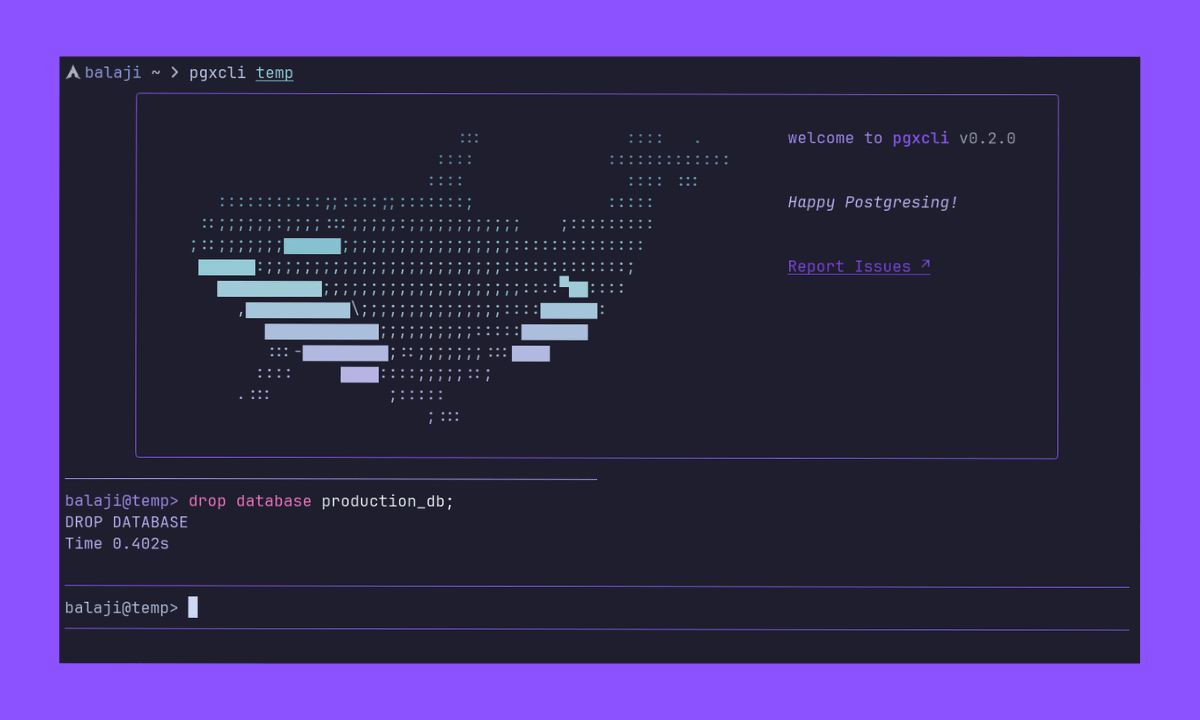
Interactive PostgreSQL command-line client written in Go.
Interactive PostgreSQL command-line client written in Go.
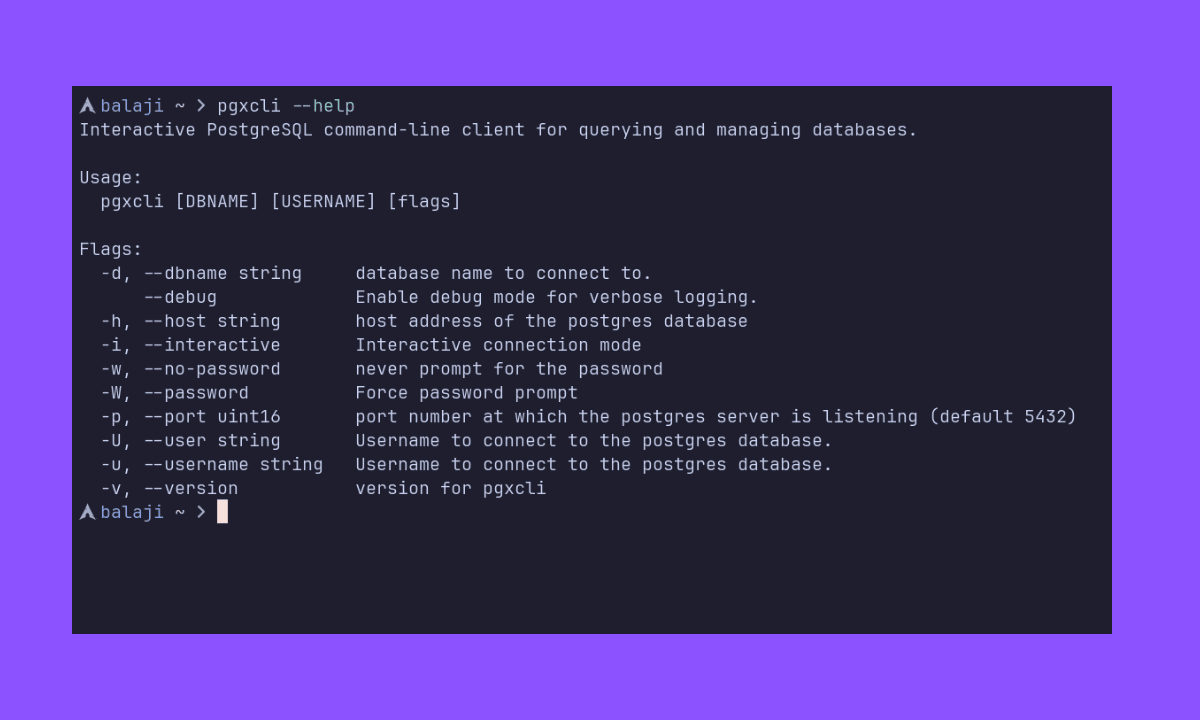 For full flag documentation, see the [docs][cli-ref].
## Configuration
On first run, a config file is created at:
* `$XDG_CONFIG_HOME/pgxcli/config.toml` (or the OS-equivalent user config directory)
For configuration documentation, see the [configuration docs][config-ref].
## Contributing
We welcome contributions of all kinds — bug reports, feature requests, documentation improvements, and code contributions. Whether you're fixing a typo, reporting an issue, or building a feature, every contribution helps make pgxcli better.
To get started, please read our [Contributing Guide](CONTRIBUTING.md) for:
- How to report bugs and suggest features
- Development setup and local testing
- Our code style and testing conventions
- Guidelines for pull requests
Thank you for being part of the community! 🙌
## Thanks
* [pgx][pgx-url]
* [bubbletea][bubbletea-url]
* [Cobra][cobra-url]
* [Viper][viper-url]
* Inspired by [pgcli][pgcli-url]
* [sqls][sqls-url]
* [CockroachDB][cockroachdb-url]
[cli-shield]: https://img.shields.io/badge/CLI-%23000000?style=for-the-badge&logo=iterm2&logoColor=white
[pgxcli-shield]: https://img.shields.io/badge/Pgxcli-7B36ED?style=for-the-badge&logo=database&logoColor=white
[go-shield]: https://img.shields.io/badge/Go-%23000000?style=for-the-badge&logo=go&logoColor=white
[postgres-shield]: https://img.shields.io/badge/PostgreSQL-7B36ED.svg?style=for-the-badge&logoColor=white
[comparison]: https://pgxcli.vercel.app/docs/guides/comparison-with-pgcli
[pgx-url]: https://github.com/jackc/pgx
[bubbletea-url]: https://github.com/charmbracelet/bubbletea
[cobra-url]: https://github.com/spf13/cobra
[viper-url]: https://github.com/spf13/viper
[pgcli-url]: https://github.com/dbcli/pgcli
[sqls-url]: https://github.com/sqls-server/sqls
[cockroachdb-url]: https://github.com/cockroachdb/cockroach
[cli-ref]: https://pgxcli.vercel.app/docs/reference/cli-reference/
[config-ref]: https://pgxcli.vercel.app/docs/guides/configuration
[install-ref]: https://pgxcli.vercel.app/docs/guides/getting-started#installation
[releases-url]: https://github.com/balajz/pgxcli/releases
For full flag documentation, see the [docs][cli-ref].
## Configuration
On first run, a config file is created at:
* `$XDG_CONFIG_HOME/pgxcli/config.toml` (or the OS-equivalent user config directory)
For configuration documentation, see the [configuration docs][config-ref].
## Contributing
We welcome contributions of all kinds — bug reports, feature requests, documentation improvements, and code contributions. Whether you're fixing a typo, reporting an issue, or building a feature, every contribution helps make pgxcli better.
To get started, please read our [Contributing Guide](CONTRIBUTING.md) for:
- How to report bugs and suggest features
- Development setup and local testing
- Our code style and testing conventions
- Guidelines for pull requests
Thank you for being part of the community! 🙌
## Thanks
* [pgx][pgx-url]
* [bubbletea][bubbletea-url]
* [Cobra][cobra-url]
* [Viper][viper-url]
* Inspired by [pgcli][pgcli-url]
* [sqls][sqls-url]
* [CockroachDB][cockroachdb-url]
[cli-shield]: https://img.shields.io/badge/CLI-%23000000?style=for-the-badge&logo=iterm2&logoColor=white
[pgxcli-shield]: https://img.shields.io/badge/Pgxcli-7B36ED?style=for-the-badge&logo=database&logoColor=white
[go-shield]: https://img.shields.io/badge/Go-%23000000?style=for-the-badge&logo=go&logoColor=white
[postgres-shield]: https://img.shields.io/badge/PostgreSQL-7B36ED.svg?style=for-the-badge&logoColor=white
[comparison]: https://pgxcli.vercel.app/docs/guides/comparison-with-pgcli
[pgx-url]: https://github.com/jackc/pgx
[bubbletea-url]: https://github.com/charmbracelet/bubbletea
[cobra-url]: https://github.com/spf13/cobra
[viper-url]: https://github.com/spf13/viper
[pgcli-url]: https://github.com/dbcli/pgcli
[sqls-url]: https://github.com/sqls-server/sqls
[cockroachdb-url]: https://github.com/cockroachdb/cockroach
[cli-ref]: https://pgxcli.vercel.app/docs/reference/cli-reference/
[config-ref]: https://pgxcli.vercel.app/docs/guides/configuration
[install-ref]: https://pgxcli.vercel.app/docs/guides/getting-started#installation
[releases-url]: https://github.com/balajz/pgxcli/releases