

Quick Start · Installation · Usage · AI agents · Configuration · Docs · Website
## 🔥 What is Prefire? Your previews are already tests. **Prefire** turns the `#Preview` blocks you write anyway into snapshot tests, a Playbook catalog and images your AI agent can see. You don't write a line of test code.
📸 Snapshot testsEvery preview becomes a snapshot test on the devices you pick. A changed padding fails the build, not the release.How it works → |
📚 PlaybookA catalog of every component and user story inside your app, with their states and render times.See Playbook → |
🤖 Renders for AI agentsClaude Code, Cursor and Codex render your previews through an MCP server and see the UI they just changed.Set up → |
 - 🧠 **Smart Preview Parsing** — including `#Preview`, `@Previewable`
- 📸 **Snapshot Testing** — automatic test generation from previews (iOS, tvOS, macOS)
- 📚 **Playbook View** — auto-generated interactive component catalog (iOS)
- 🏃 **Flow-aware** — build user stories from multiple preview steps
- 🤖 **AI-ready** — render previews to PNG for agents with `prefire render` and an [MCP server](Documentation/AI.md)
- 🧩 **UIKit + AppKit Support** — support for `UIView`/`UIViewController` and `NSView`/`NSViewController`
- ⚙️ **SPM + Xcode Plugins** — works in CLI, Xcode build phases, or CI
- 🧠 **Fast Caching** — fingerprint-based AST and body caching avoids redundant work
- ✍️ **Stencil Templates** — customize output with [your own templates](Documentation/Templates.md)
### Why Prefire?
- 🔥 **No second set of UI states.** Tests come from the previews you already keep up to date.
- 🔥 **Regressions fail CI.** Snapshots are compared on every run, on every device you list.
- 🔥 **Designers and QA see every state.** Playbook shows components and user stories on a device.
- 🔥 **Agents check their own UI work.** They render the previews they changed before calling a task done.
 ---
## 📦 Installation
| Method | How |
|--------|-----|
| SPM Plugin | `PrefireTestsPlugin` / `PrefirePlaybookPlugin` in `Package.swift` |
| Xcode Build Tool Plugin | Add `PrefireTestsPlugin` to the test target's build phases |
| CLI | `brew install barredewe/prefire/prefire` |
| Mint (*Beta*) | `mint install BarredEwe/Prefire` |
| GitHub Actions / CI | Any of the above, see [Troubleshooting](#-troubleshooting) |
Step-by-step setup is in the [Installation guide](Documentation/Installation.md).
### Requirements
- Swift 6.0 or higher
- Xcode 16.0 or higher
- iOS 14 or higher; macOS 13 or higher (macOS: snapshot tests only, see [Configuration](Documentation/Configuration.md#macos-snapshot-tests))
---
## 🛠 Usage
### Choose previews
Prefire finds every **`#Preview`** automatically. For `PreviewProvider`, add the `PrefireProvider` protocol:
```swift
struct Text_Previews: PreviewProvider, PrefireProvider {
static var previews: some View { ... }
}
```
Exclude a preview with `.prefireIgnored()`:
```swift
#Preview {
Text("")
.prefireIgnored()
}
```
To opt in instead of opting out, set `preview_default_enabled: false` in [`.prefire.yml`](#-configuration-prefireyml) and mark the previews you want with `.prefireEnabled()`:
```swift
#Preview {
Text("")
.prefireEnabled()
}
```
### Snapshot tests
`PrefireTestsPlugin` generates the tests into the DerivedData folder when the test target builds. Run the test target as usual.
Tune the timing and precision of a single snapshot:
```swift
#Preview {
TestView()
.snapshot(delay: 0.3, precision: 0.95, perceptualPrecision: 0.98)
}
```
For previews that load or animate, wait instead of guessing a delay:
```swift
.snapshot(waitForIdle: true) // until nothing changes on screen
.snapshot(waitUntil: { viewModel.isLoaded }) // until a condition is true
```
How waiting works, its limits and how the modifiers combine: [Snapshot timing and precision](Documentation/Snapshots.md).
Snapshots are compared with [swift-snapshot-testing](https://github.com/pointfreeco/swift-snapshot-testing).
### Playbook (Demo) View
Show all previews as an interactive catalog with `PlaybookView`:
- `isComponent: true` lists all the Views
- `isComponent: false` groups them by UserStory
```swift
import Prefire
struct ContentView: View {
var body: some View {
PlaybookView(isComponent: true, previewModels: PreviewModels.models)
}
}
```
To keep previews and `PreviewModels` out of release builds, see [Excluding previews from release builds](Documentation/Installation.md#excluding-previews-from-release-builds).
### Flows
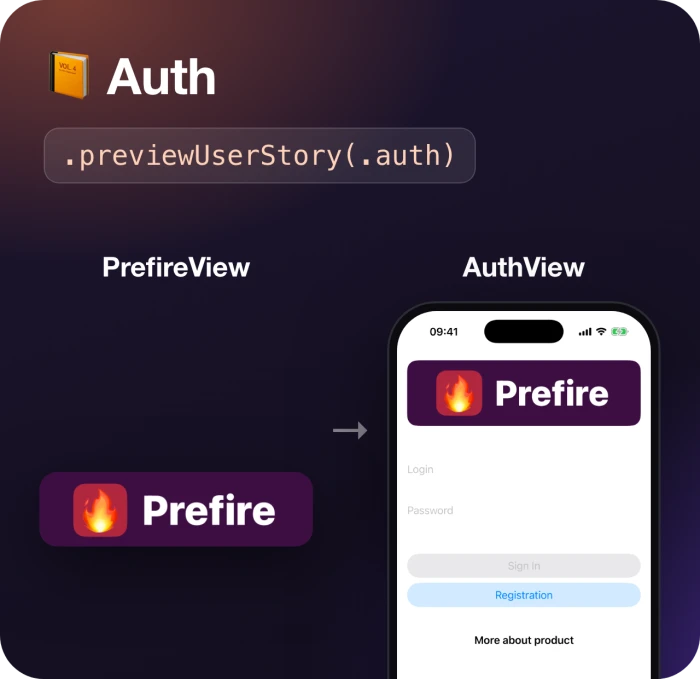 Connect previews into one **Flow** with `.previewUserStory`. Playbook shows them together, in order:
```swift
static var previews: some View {
PrefireView()
.previewUserStory(.auth)
}
static var previews: some View {
AuthView()
.previewUserStory(.auth)
}
```
 If a preview contains more than one `View`, mark the `State` of each:
```swift
static var previews: some View {
TestView("Default")
TestView("Loading")
.previewState(.loading)
}
```
 ```bash
# Render previews to PNG + JSON
prefire render "Sign in" --device "iPhone 16 Pro" --color-scheme dark
# An HTML board of the last render, grouped by user story
prefire board
```
Add the MCP server to your agent, from the folder with `.prefire.yml`:
| Agent | Install |
| --- | --- |
| Claude Code | `claude mcp add prefire -- prefire mcp`, or the plugin with a skill: `/plugin marketplace add BarredEwe/Prefire` then `/plugin install prefire@prefire` |
| Cursor | [](https://cursor.com/en/install-mcp?name=prefire&config=eyJjb21tYW5kIjoicHJlZmlyZSIsImFyZ3MiOlsibWNwIl19) |
| Codex | `codex mcp add prefire -- prefire mcp` |
| VS Code | `code --add-mcp '{"name":"prefire","command":"prefire","args":["mcp"]}'` |
An agent then calls `list_previews`, `render_previews` and `build_board`. Set the scheme to build in
`render_configuration` of `.prefire.yml`; see the [AI guide](Documentation/AI.md). Why not Xcode's own
`RenderPreview`? Prefire needs no running Xcode, renders many previews in one build, on the devices,
color scheme and Dynamic Type you ask for, and works in CI.
---
## 🗂 Configuration: `.prefire.yml`
```yaml
test_configuration:
target: MyApp
playbook_configuration:
preview_default_enabled: true
```
All options are in the [Configuration guide](Documentation/Configuration.md). To change the generated code, see [Templates](Documentation/Templates.md).
---
## 🧠 How It Works
1. 🔍 **Parses all source files** — finds `#Preview` and `PreviewProvider` blocks and the `.prefireEnabled()` / `.prefireIgnored()` modifiers
2. 📂 **Caches `Types` and `PreviewBodies`** — keyed by file modification date + SHA-256 of inputs, so nothing is re-parsed if nothing changed
3. 🔢 **Generates snapshot tests** — from `Stencil` templates, respecting `.prefire.yml`
4. 📘 **Generates Playbook models** — groups by `UserStory` and `State` into `PreviewModels.generated.swift`
---
## 🩺 Troubleshooting
| Problem | Fix |
|---------|-----|
| `NavigationView` in a preview doesn't work in Playbook | Use other views or layouts for your Playbook needs |
| Plugins don't run on CI | `defaults write com.apple.dt.Xcode IDESkipPackagePluginFingerprintValidatation -bool YES` |
| Xcode can't generate tests in a custom path | Disable the plugin sandbox: `defaults write com.apple.dt.Xcode IDEPackageSupportDisablePluginExecutionSandbox -bool YES` |
---
## 🐱 Also by the author
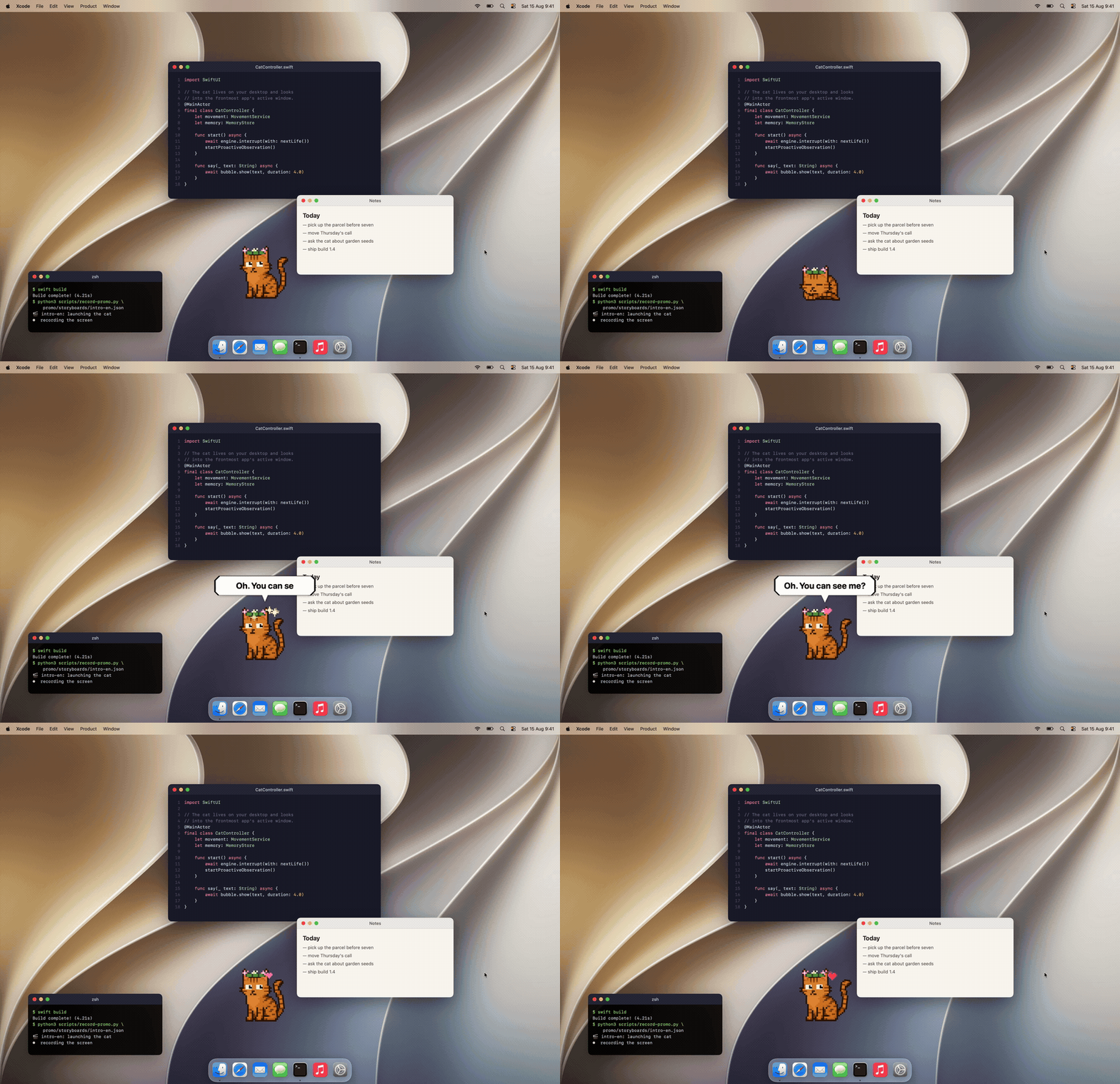 [**Mewmori**](https://mewmori.com/?src=prefire) is a pixel cat that lives on your Mac desktop.
He reads what's on screen, says something about it, and remembers you between sessions.
A 2B model runs on the machine through llama.cpp, so screen text, chats and memory stay on your Mac.
Swift, AppKit + SwiftUI, 29 MB. Free; only skins are paid.