[](https://github.com/bdash-app/bdash/releases/latest)
[](https://github.com/bdash-app/bdash/actions/workflows/test.yml)
# Bdash
Simple SQL Client for lightweight data analysis.
## Feature
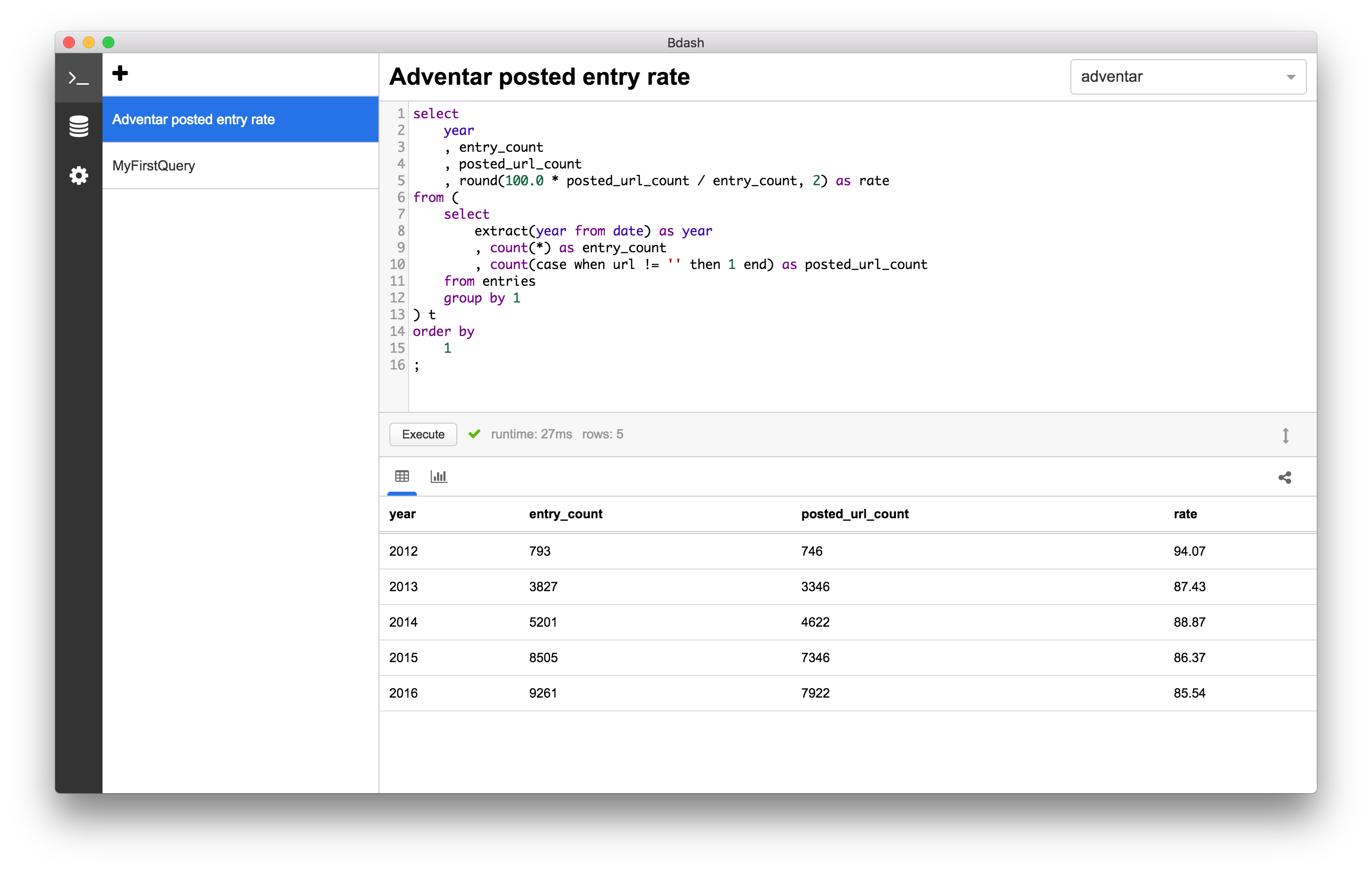
### Saving query
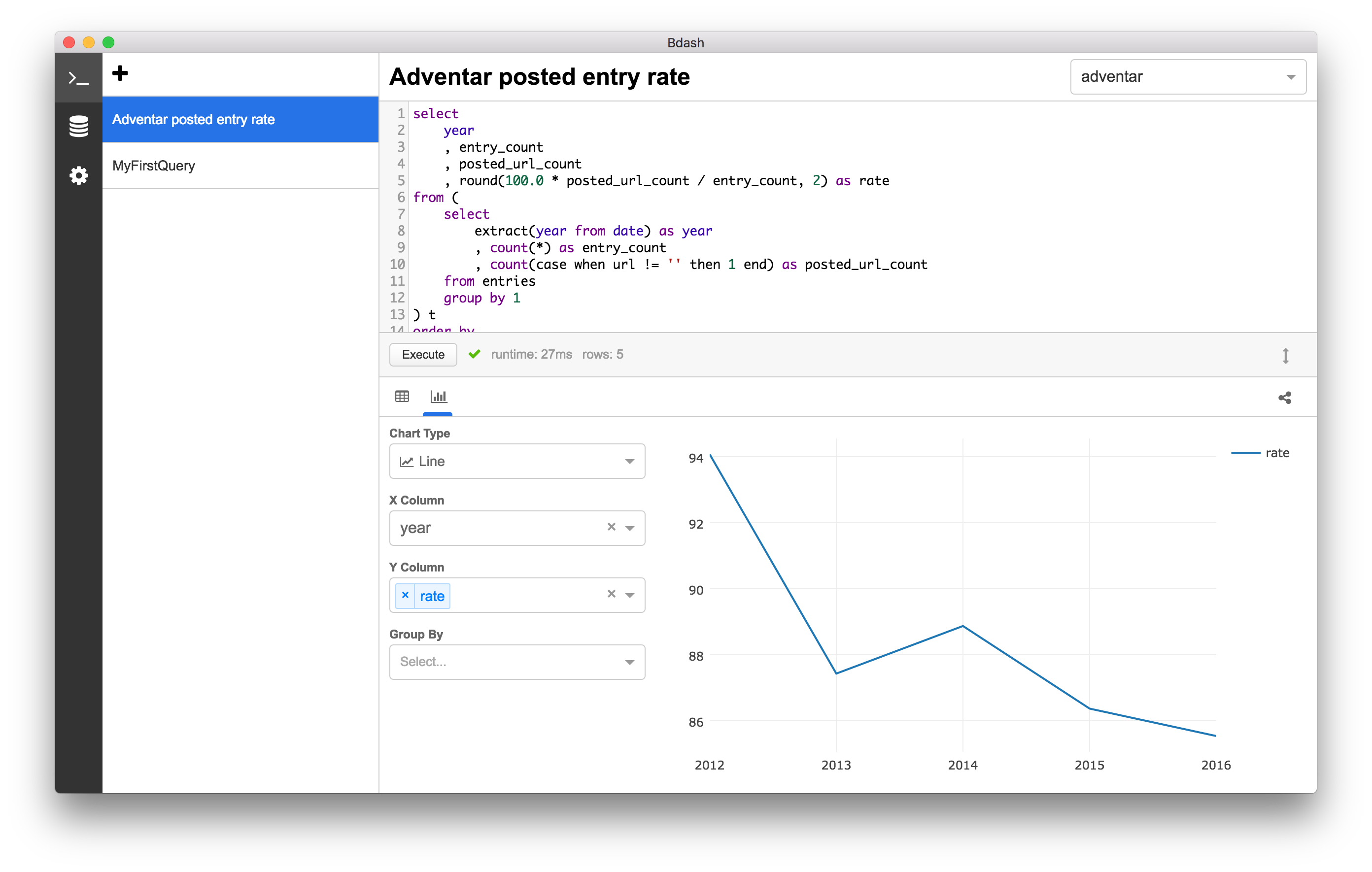
 ### Drawing chart
 ### Sharing result
You can share the result with gist.
https://gist.github.com/hokaccha/e128e1c3a68527ebf2c50d5e95a089b1
### Multiple data sources support
* [x] MySQL
* [x] PostgreSQL (Amazon Redshift)
* [x] SQLite3
* [x] Google BigQuery
* [x] Treasure Data
* [x] Amazon Athena
### MCP Server Support
Bdash includes an MCP (Model Context Protocol) server that enables AI coding tools like Claude Code to:
- List data sources, tables, and schema information
- Read and write SQL queries in Bdash's editor
- Create new queries
#### Setup (Development)
```bash
# Install MCP server dependencies
yarn mcp:install
# Build MCP server
yarn mcp:build
```
Add to your Claude Code MCP settings (`.claude/settings.json` or project-level):
```json
{
"mcpServers": {
"bdash": {
"command": "node",
"args": ["/path/to/bdash/src/mcp/dist/server.js"]
}
}
}
```
#### Setup (Bundled App - macOS)
```json
{
"mcpServers": {
"bdash": {
"command": "node",
"args": ["/Applications/Bdash.app/Contents/Resources/mcp/server.js"]
}
}
}
```
#### Available Tools
| Tool | Description |
|------|-------------|
| `list_datasources` | List all configured data sources |
| `list_queries` | List all saved queries |
| `get_query` | Get query details by ID |
| `write_query` | Write SQL to a query's editor |
| `create_query` | Create a new query |
| `list_tables` | List tables for a data source |
| `get_table_schema` | Get column definitions for a table |
## Installation
You can download and install from [Web Site](https://bdash.hokaccha.dev/) or [Releases](https://github.com/bdash-app/bdash/releases)
## Development
You can start the application with following commands.
```
# Install dependencies
$ yarn
# Run following commands with different shell processes.
$ yarn watch
$ yarn start
```
## Release
To create a draft release on GitHub, run the following command with the next version name:
```sh
$ ./scripts/release 1.xx.x
```
This will trigger GitHub Action jobs to generate application binaries.
Once the jobs have been completed, you can publish the draft release on GitHub. It is recommended to include change logs as part of the release description.
Publishing a release also triggers the website deployment workflow in `bdash-app/bdash-app.github.io`, so the download version on the website is updated from the latest release. This requires a GitHub App installed on the website repository with `Contents: Read and write` permission. Configure its app ID as the `WEBSITE_DISPATCH_APP_ID` repository variable and its private key as the `WEBSITE_DISPATCH_PRIVATE_KEY` repository secret.
## License
MIT
### Sharing result
You can share the result with gist.
https://gist.github.com/hokaccha/e128e1c3a68527ebf2c50d5e95a089b1
### Multiple data sources support
* [x] MySQL
* [x] PostgreSQL (Amazon Redshift)
* [x] SQLite3
* [x] Google BigQuery
* [x] Treasure Data
* [x] Amazon Athena
### MCP Server Support
Bdash includes an MCP (Model Context Protocol) server that enables AI coding tools like Claude Code to:
- List data sources, tables, and schema information
- Read and write SQL queries in Bdash's editor
- Create new queries
#### Setup (Development)
```bash
# Install MCP server dependencies
yarn mcp:install
# Build MCP server
yarn mcp:build
```
Add to your Claude Code MCP settings (`.claude/settings.json` or project-level):
```json
{
"mcpServers": {
"bdash": {
"command": "node",
"args": ["/path/to/bdash/src/mcp/dist/server.js"]
}
}
}
```
#### Setup (Bundled App - macOS)
```json
{
"mcpServers": {
"bdash": {
"command": "node",
"args": ["/Applications/Bdash.app/Contents/Resources/mcp/server.js"]
}
}
}
```
#### Available Tools
| Tool | Description |
|------|-------------|
| `list_datasources` | List all configured data sources |
| `list_queries` | List all saved queries |
| `get_query` | Get query details by ID |
| `write_query` | Write SQL to a query's editor |
| `create_query` | Create a new query |
| `list_tables` | List tables for a data source |
| `get_table_schema` | Get column definitions for a table |
## Installation
You can download and install from [Web Site](https://bdash.hokaccha.dev/) or [Releases](https://github.com/bdash-app/bdash/releases)
## Development
You can start the application with following commands.
```
# Install dependencies
$ yarn
# Run following commands with different shell processes.
$ yarn watch
$ yarn start
```
## Release
To create a draft release on GitHub, run the following command with the next version name:
```sh
$ ./scripts/release 1.xx.x
```
This will trigger GitHub Action jobs to generate application binaries.
Once the jobs have been completed, you can publish the draft release on GitHub. It is recommended to include change logs as part of the release description.
Publishing a release also triggers the website deployment workflow in `bdash-app/bdash-app.github.io`, so the download version on the website is updated from the latest release. This requires a GitHub App installed on the website repository with `Contents: Read and write` permission. Configure its app ID as the `WEBSITE_DISPATCH_APP_ID` repository variable and its private key as the `WEBSITE_DISPATCH_PRIVATE_KEY` repository secret.
## License
MIT