--- title: Grove ---

Grove ยท workspaces for AI coding agents

Run a forest of coding agents

Twenty agents, twenty isolated workspaces, and you never lose your place. Grove does not touch your agent. It owns everything around it, and every workspace reports to the ticket you filed.

Install & first workspace Take the tour Source on GitHub
Bring your agents Shared team configuration Isolated agent workspaces Issue driven workflows Shared diagrams and annotations Agent activity monitoring
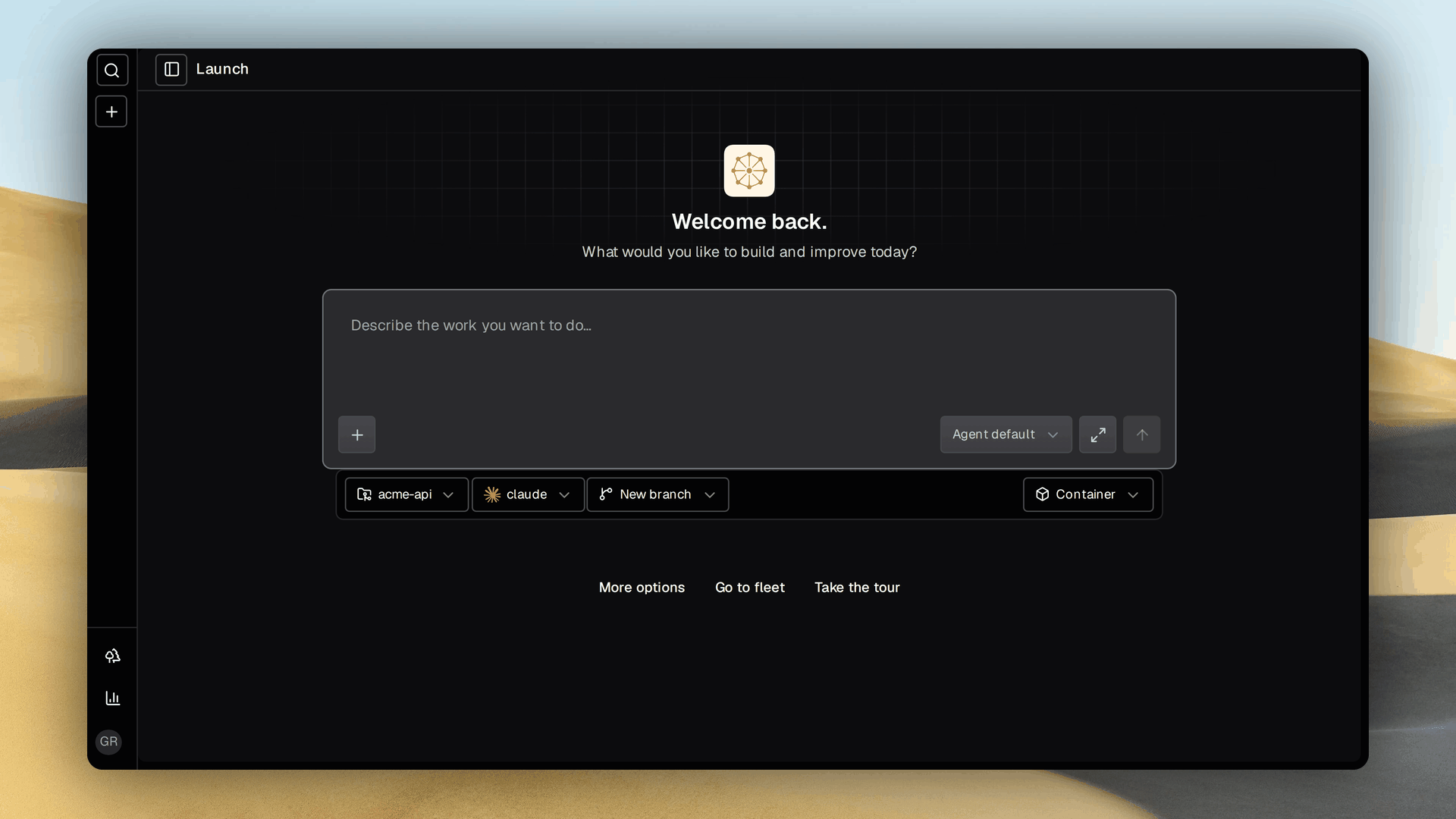
Grove's web dashboard on its launch page: a composer for describing a task, with pills for the project, working directory, agent, runtime and branch
Start here. Describe the task, pick the agent and runtime, and a workspace opens around it.
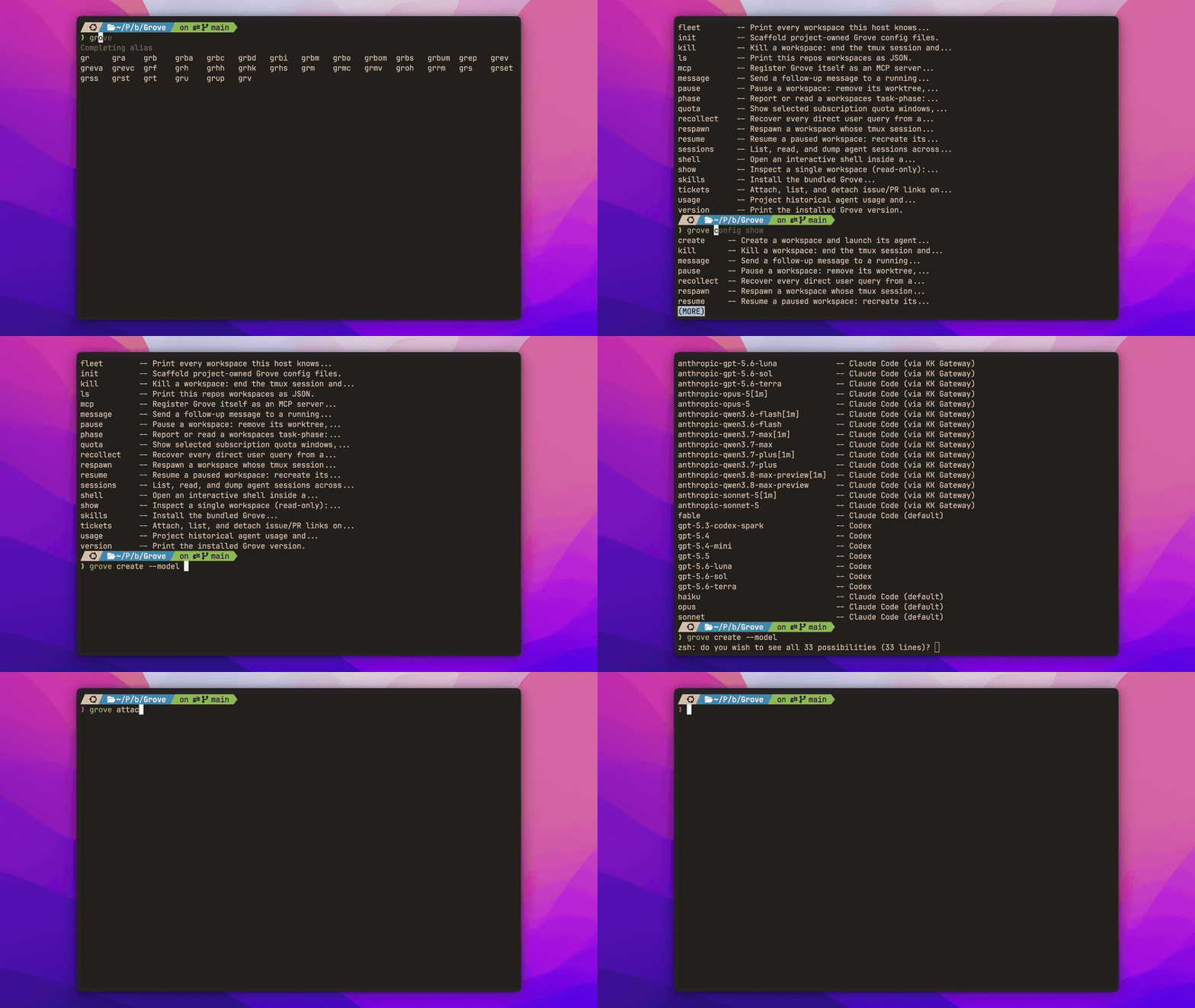
Grove CLI tab completion stepping through commands, configured agents, model names, workspace ids, branches and recorded sessions
CLI. Every command and live value completes in your shell, from agent models to workspace ids.
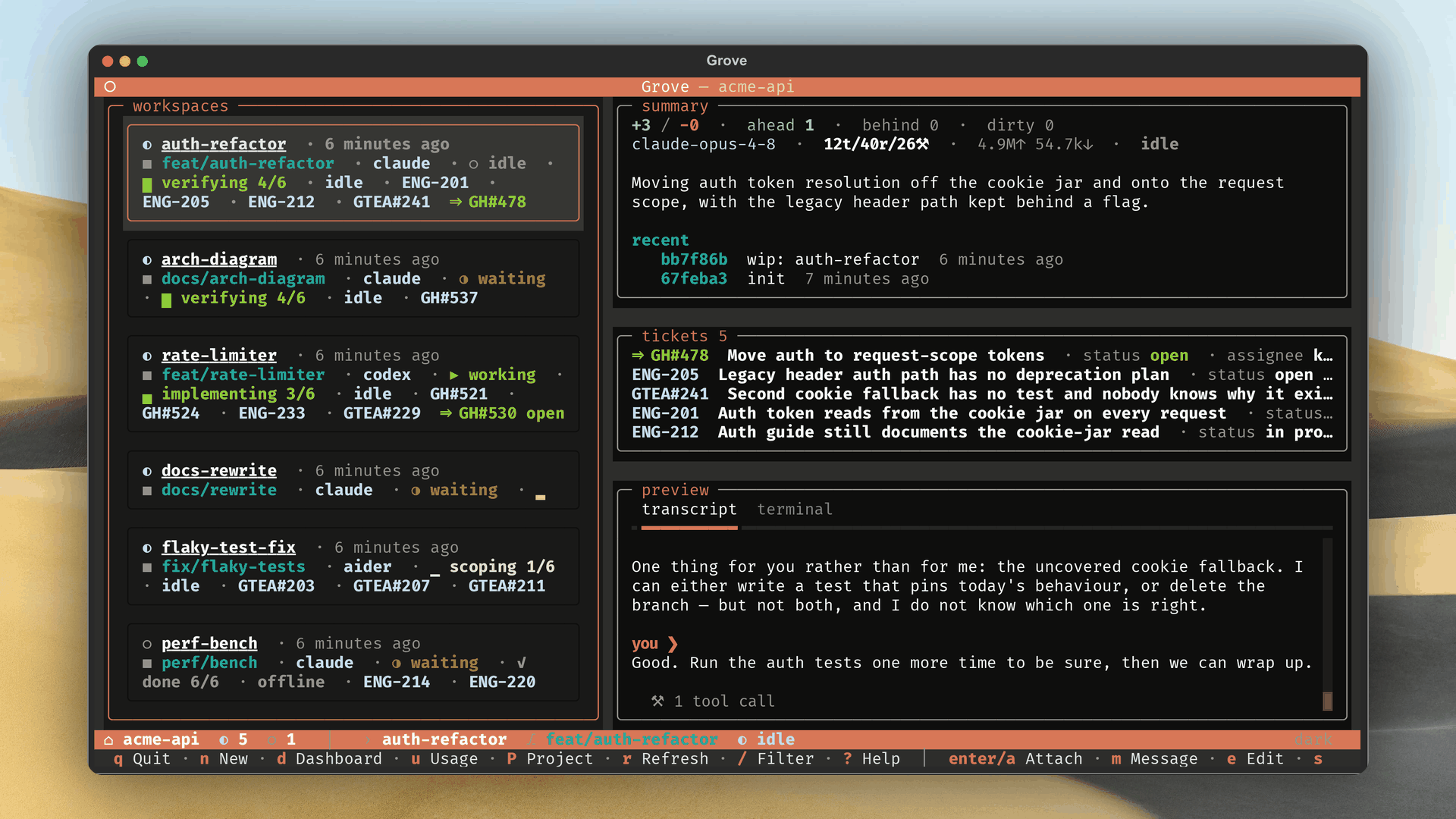
Grove's terminal UI showing four workspaces in mixed states beside a live peek rail
Terminal fleet. Create, attach, pause and steer beside a live peek at the selected agent.
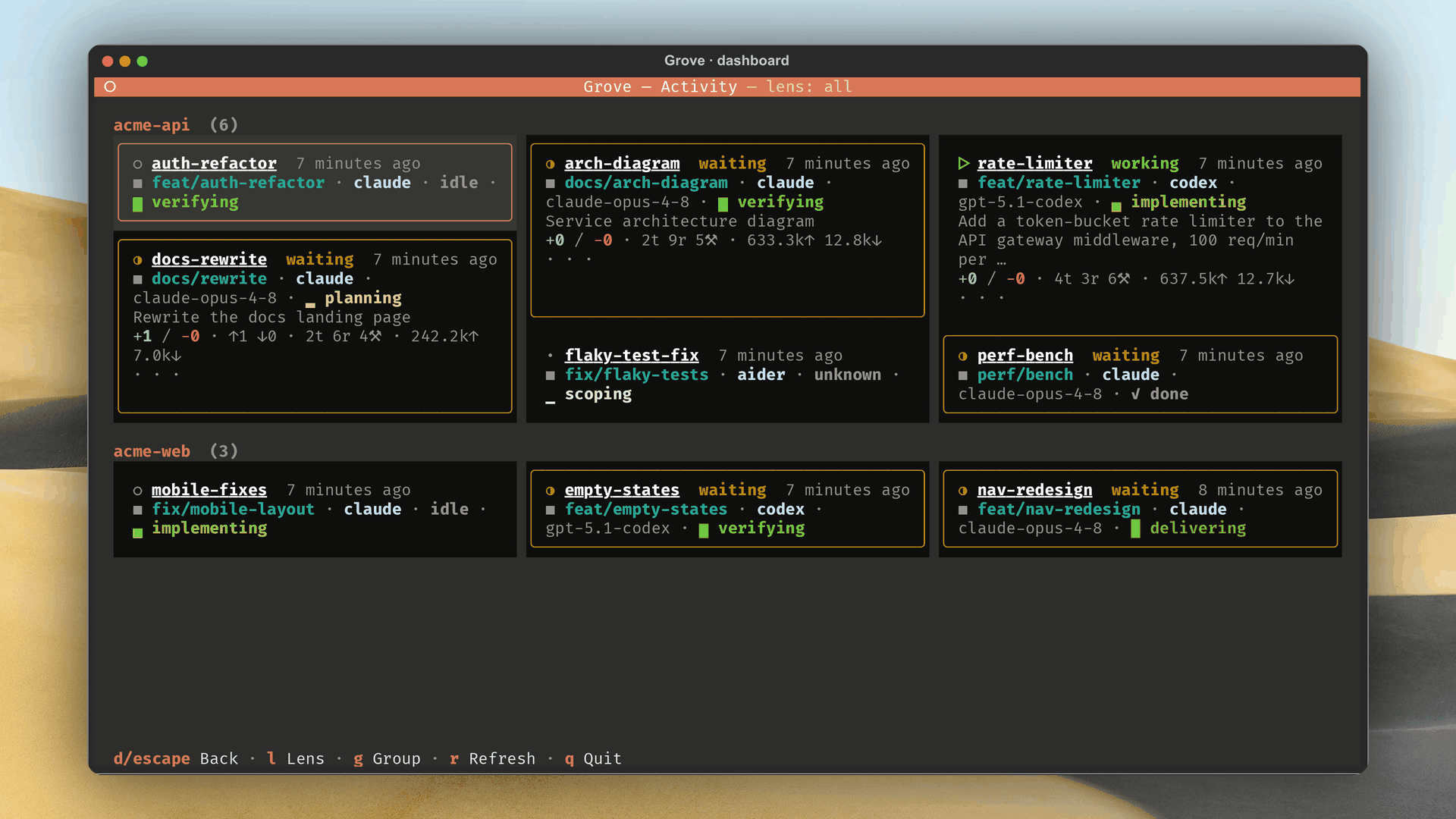
Grove's terminal activity dashboard: one tile per workspace, grouped by project, with the busiest tiles expanded to show a live terminal tail
Activity dashboard. Every project on one wall, sized by which workspace needs you.
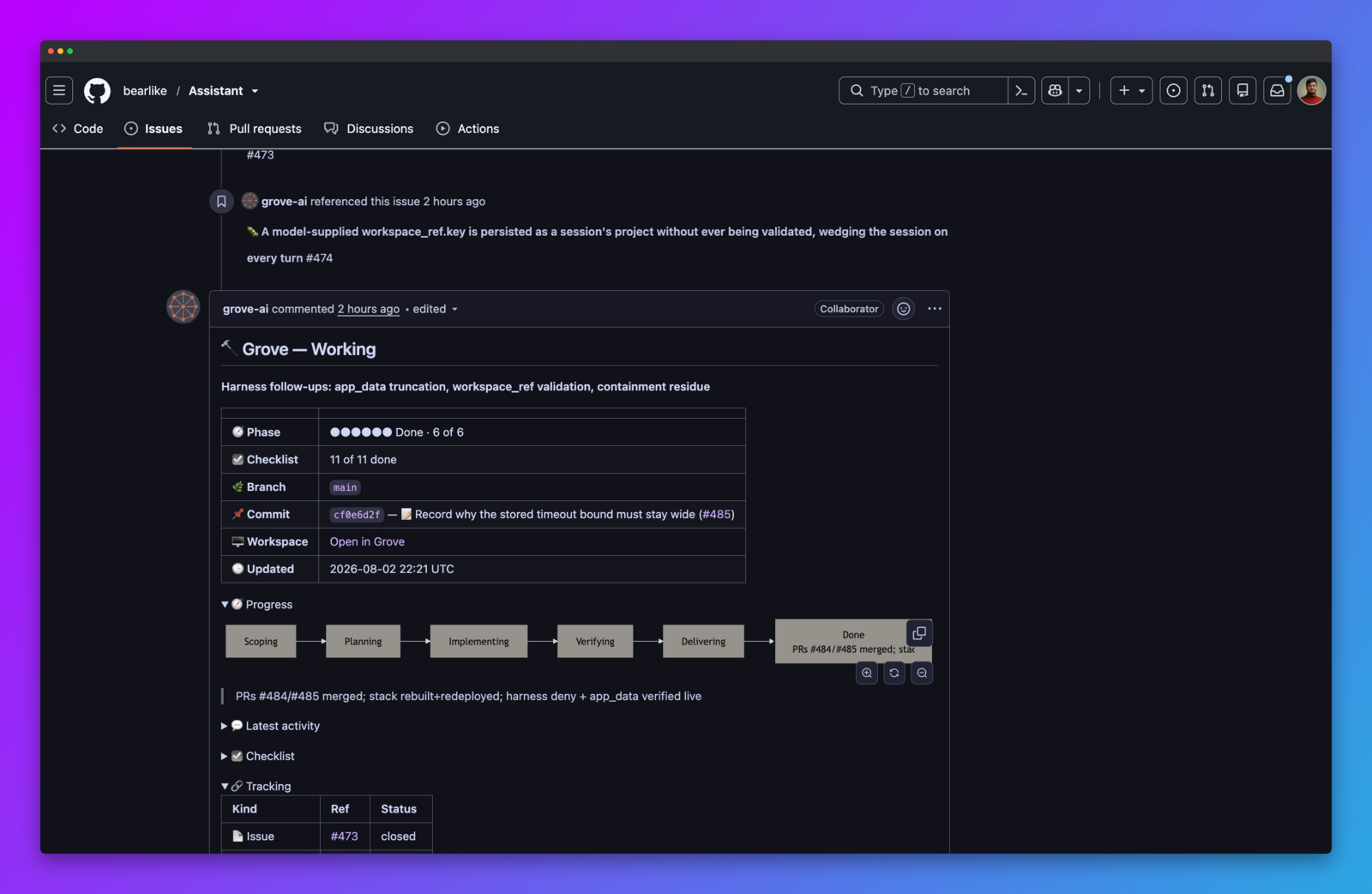
Grove's status comment on a tracker issue: a table of phase, checklist, branch and commit above a six step progress diagram running from Scoping to Done
Issue ops. The phase, checklist and pull request stay current on the ticket that started the work.
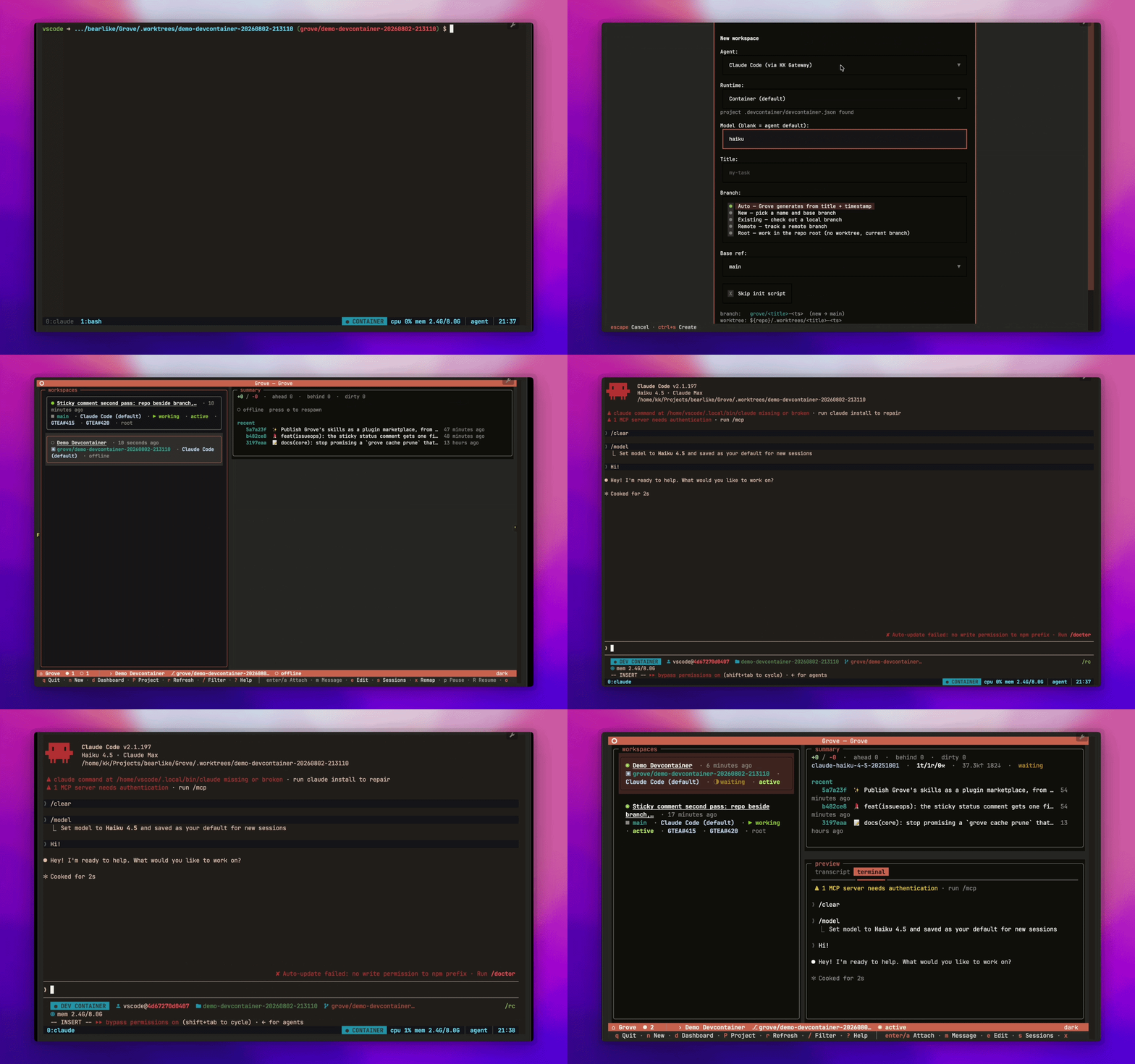
Grove creating a workspace with the Container runtime, then running Claude Code inside its devcontainer under visible CPU and memory limits
Containerized agents. One complete stack per workspace, built from the repository's own devcontainer.
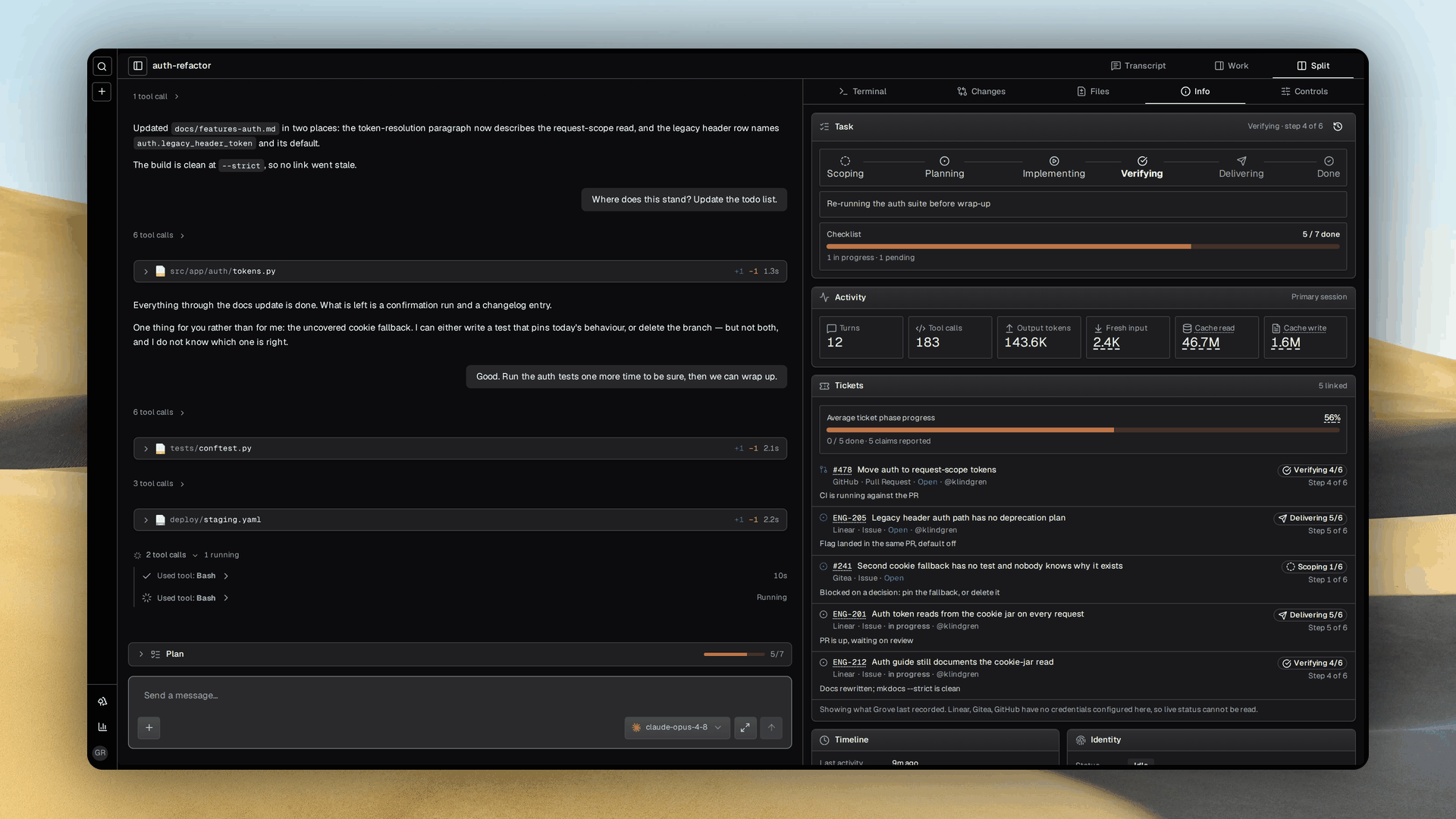
A Grove workspace page with an agent transcript in the center and the work panel open beside it to show branch, model, runtime and ticket details
Workspace detail. Read the transcript and inspect the branch, runtime, tickets and diff without attaching.
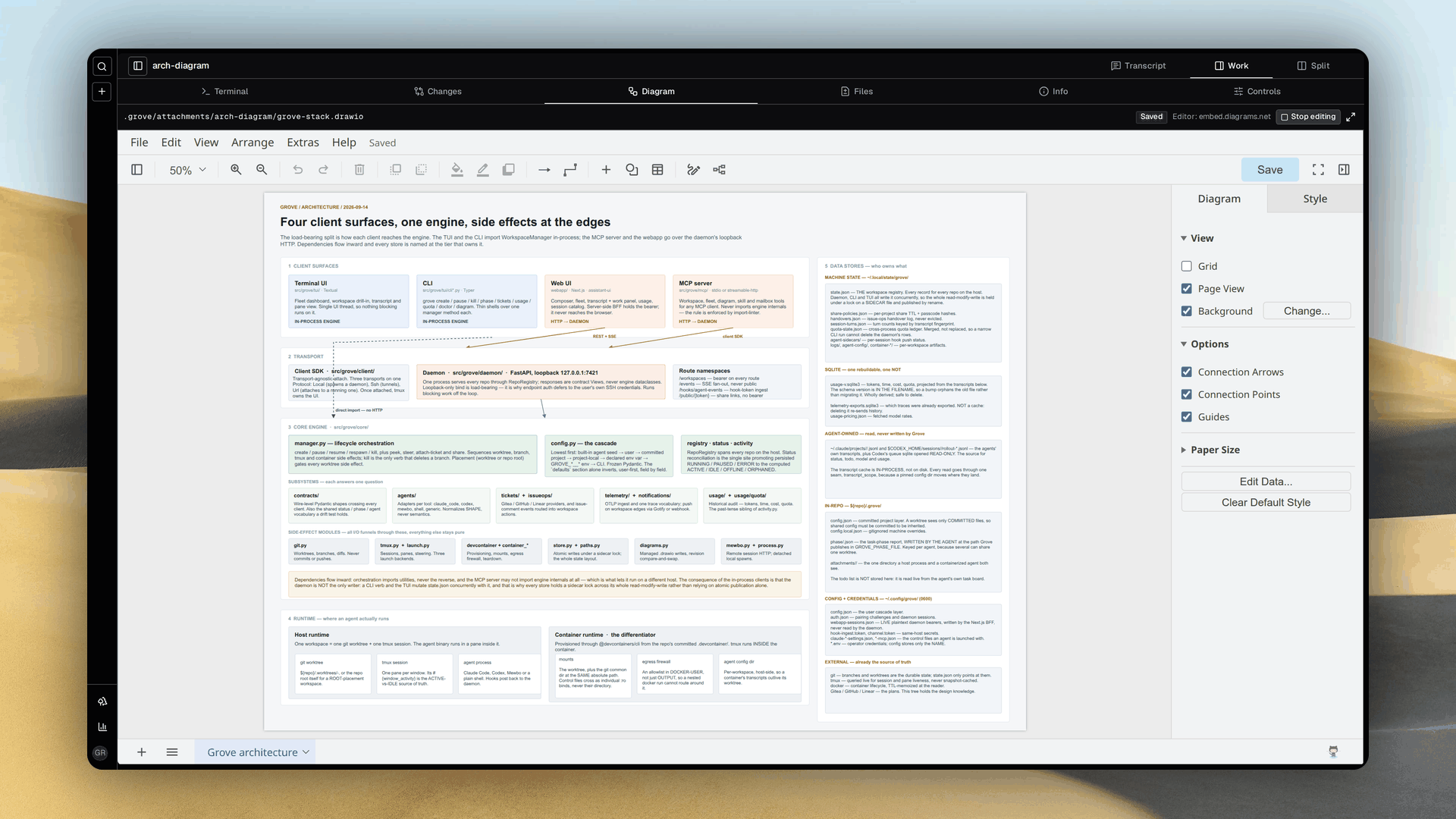
A Grove workspace's Diagram tab filling the work pane, with an architecture diagram the agent drew rendered in the embedded draw.io editor and marked Saved
Diagrams. An agent draws a mockup or an architecture spec in draw.io, Grove validates the XML, you approve the picture.
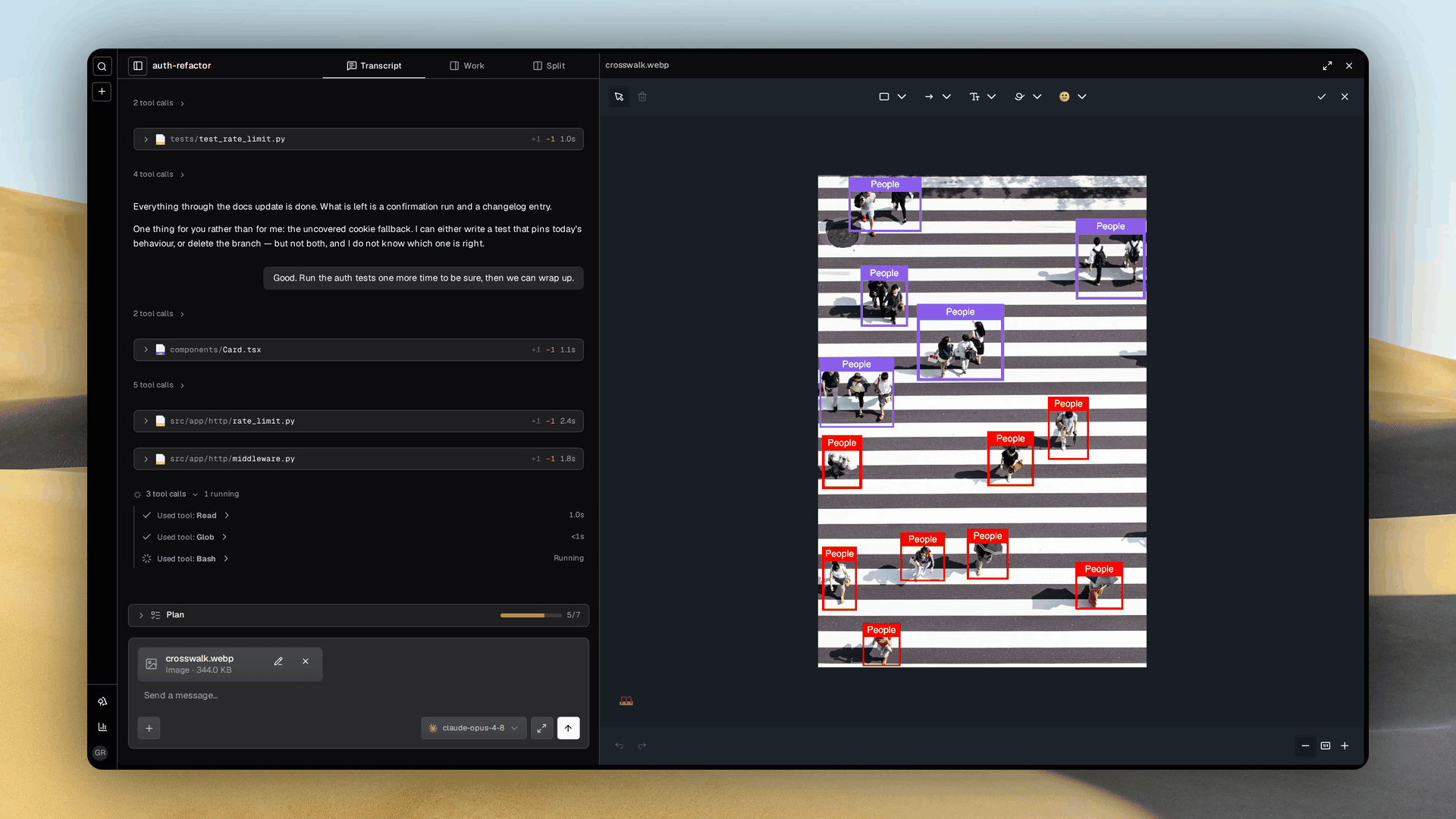
A Grove workspace page with the agent transcript on the left and the image annotation pane open beside it, holding an aerial photo of a crosswalk with every pedestrian boxed and labelled in the marker.js editor
Annotation. Paste a screenshot, box what matters, and the agent is handed the marked-up copy.
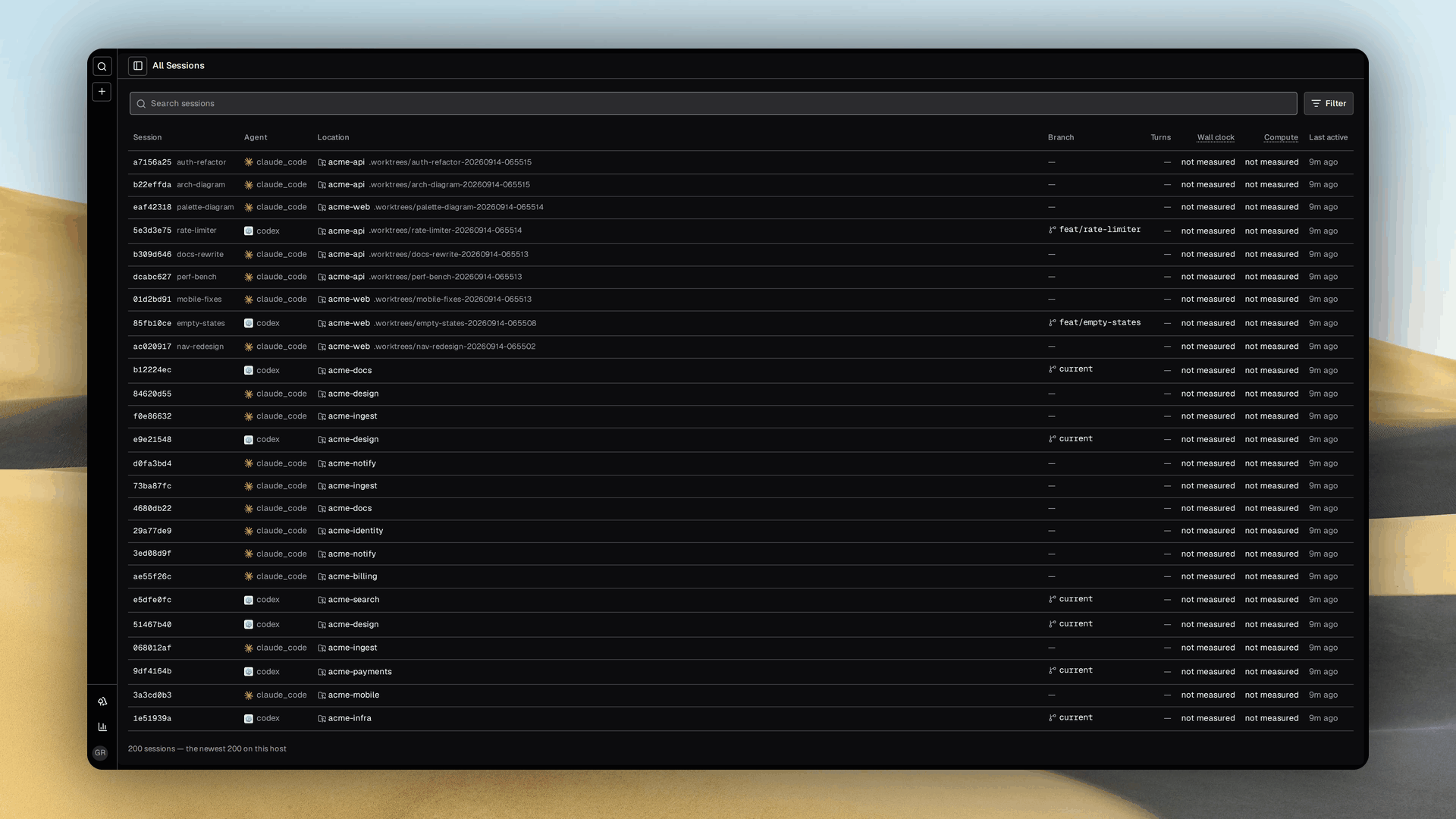
Grove's host-wide session catalog: searchable agent sessions with project, model, turn count, recency and context usage columns
Session catalog. Search every recorded agent session on the host, including work Grove did not launch.
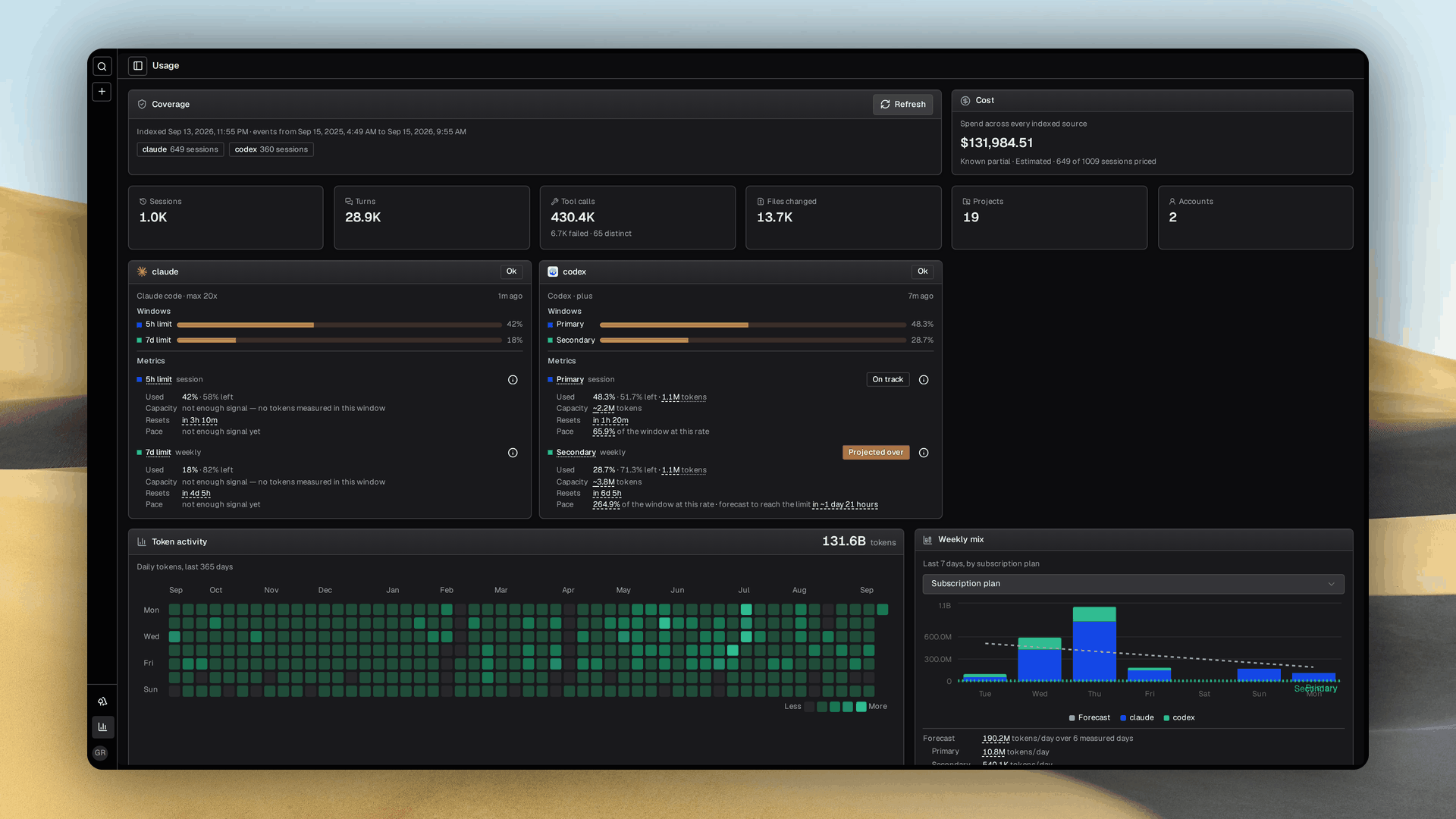
Grove's usage audit showing subscription windows, measured totals, a daily token heatmap and weekly model mix
Usage. Subscription windows, burn rate and a year of tokens, cost and latency from local transcripts.
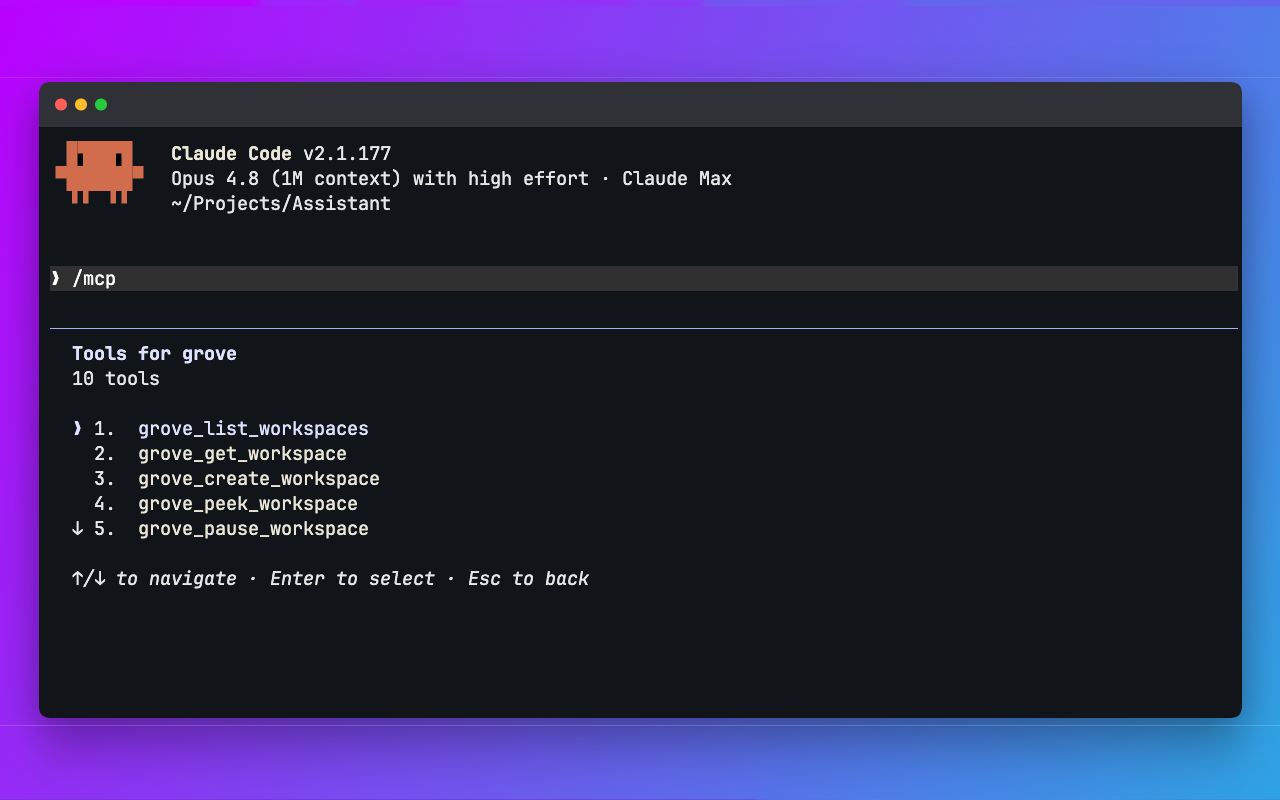
Claude Code listing Grove's MCP tools for creating, listing, inspecting, pausing and steering workspaces
MCP. Claude Code, Codex, OpenCode and other orchestrators can create workspaces and steer the fleet themselves.
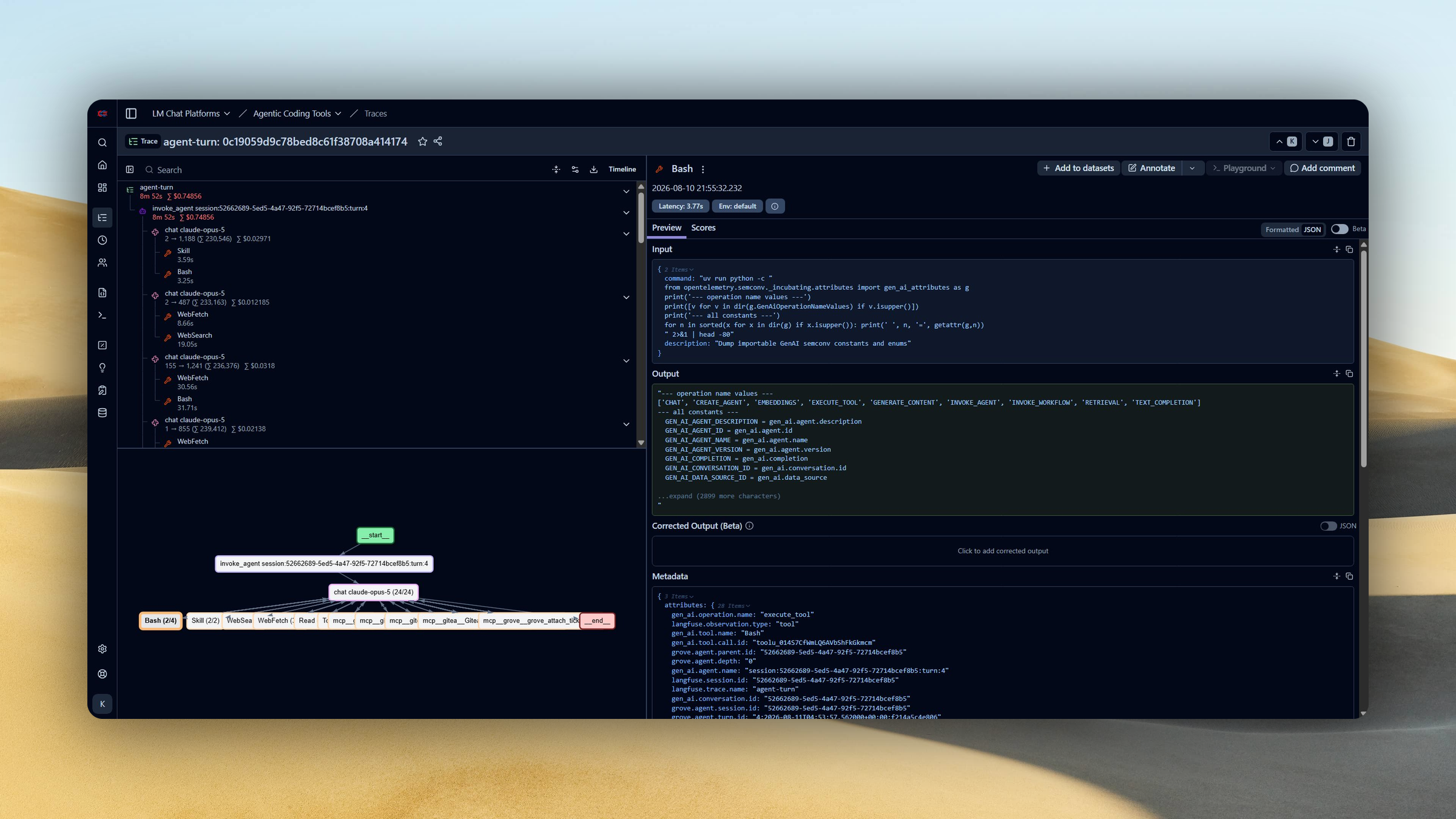
One Claude Code turn as a Langfuse trace: an agent-turn root with model generations and a span for each tool call
Telemetry. Every turn can become one trace with model generations, tool calls, latency and cost.
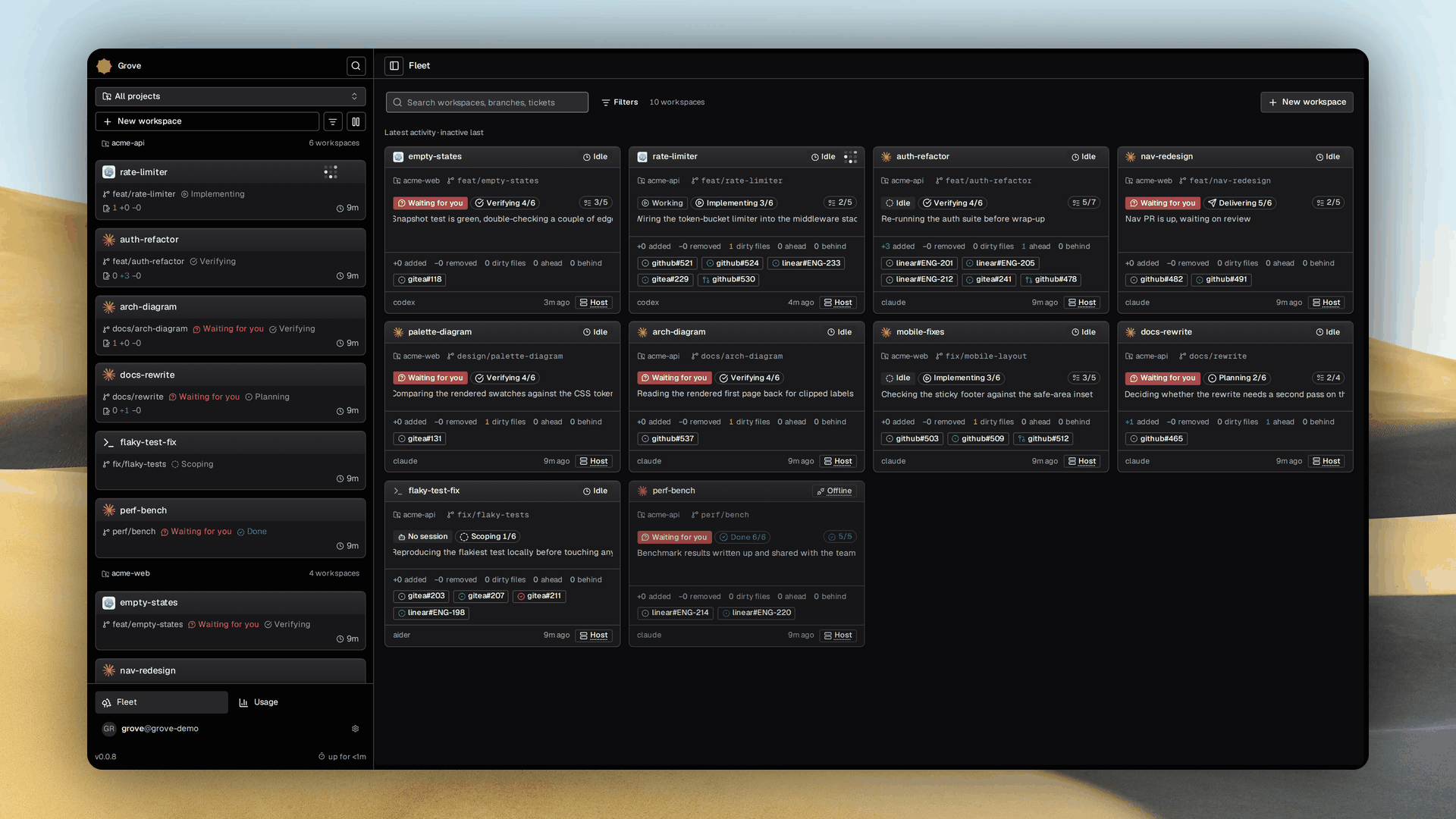
Grove's web fleet dashboard: an attention-sorted grid of workspace cards beside a session rail listing every workspace by recency
Web fleet. Reach every workspace from any device, sorted by the one that needs you.
## What is Grove? { .ms-h2-icon data-icon="target" } - **Writing the code stopped being the slow part.** Deciding what to build did. More agents can build in parallel but shared checkouts cause conflicts and laptops limit capacity. Grove adds IDE tools around those agents without replacing them. It manages their workspaces and runtimes and gives you tools to guide their work. - **Give each task its own workspace.** Each agent gets its own worktree and branch in a separate window. Agents report progress phases for the workspace and each attached ticket independently. You can see what is being planned, built or verified across the fleet. - **Choose how each agent runs.** Run agents on your host with the environment they normally inherit. Or use a [container](features-containers.md) defined by your repository's `.devcontainer/`. It provides separate services and ports with resource limits. Use that isolation for runs with agent permission checks disabled. - **Choose where the work runs.** Tests, builds and scripts compete for CPU and memory across concurrent workspaces. Move those workloads off your laptop when it slows down. Reuse the container configuration on a shared team machine or serverless cloud infrastructure. - **Let the tracker start the work.** Assign an issue and Grove starts a workspace for it. Progress returns to [the same ticket](issue-ops.md). Follow the task where you defined it. - **Show it instead of describing it.** Mark up a [screenshot](features-attachments.md) or collaborate with the agent on a [diagram](features-diagrams.md). Approve the diagram or mockup and attach it to a ticket. Then coordinate your fleet around it. ## Choose your surface { .ms-h2-icon data-icon="route" } Every workspace is reachable from all four.
Terminal Manage multiple coding agents without leaving your terminal. Switch between workspaces and inspect live output to see which agent needs you. Web dashboard Manage your agents from any device and track their transcripts and task progress. Review diagrams and annotate screenshots to show what needs changing. Your tracker Delegate work from Linear, GitHub or Gitea without opening another tool. Assign an issue to start a workspace and follow its phase and checklist on the same ticket. Another agent Give an orchestrating agent the tools to delegate across isolated workspaces. Through MCP it can launch agents, inspect their progress and send follow ups while you retain oversight.
## What you get { .ms-h2-icon data-icon="grid" }
Shared configuration A committed .grove/config.json carries the agents, models, setup and container policy every workspace starts from. Each engineer overrides locally, and a workspace picks its own model without touching the shared file. Agent monitoring Every turn becomes one trace with its model calls, tool calls, latency and cost, in Langfuse or any OTLP backend. Usage, subscription windows and a year of spend come from transcripts on your own disk. Isolated containers Each agent runs in the repository's own devcontainer with resource and egress ceilings, so permissions off is safe and twenty agents cannot saturate one machine. Sessions survive restarts and re-adopt on their own. Shared diagrams A UI mockup or an architecture spec lives as one draw.io file both of you edit, with revision checks. Grove validates the XML and you approve the picture before code exists. Image annotation Drop a screenshot or a file into either composer, draw on the image, and the agent is handed a path inside its own worktree. The day to day handoffs your agent harness leaves out. Remote access The same fleet from a terminal, a browser on any device, a tracker comment, or another agent over MCP. One daemon on loopback, a pairing handshake, and push notifications when an agent needs you.
## From first workspace to a whole fleet { .ms-h2-icon data-icon="route" } Start with one agent, share your setup with the team and choose how you manage the work.

Install

Configure

Use

Capabilities

Developers