# Cog - System Info Viewer App
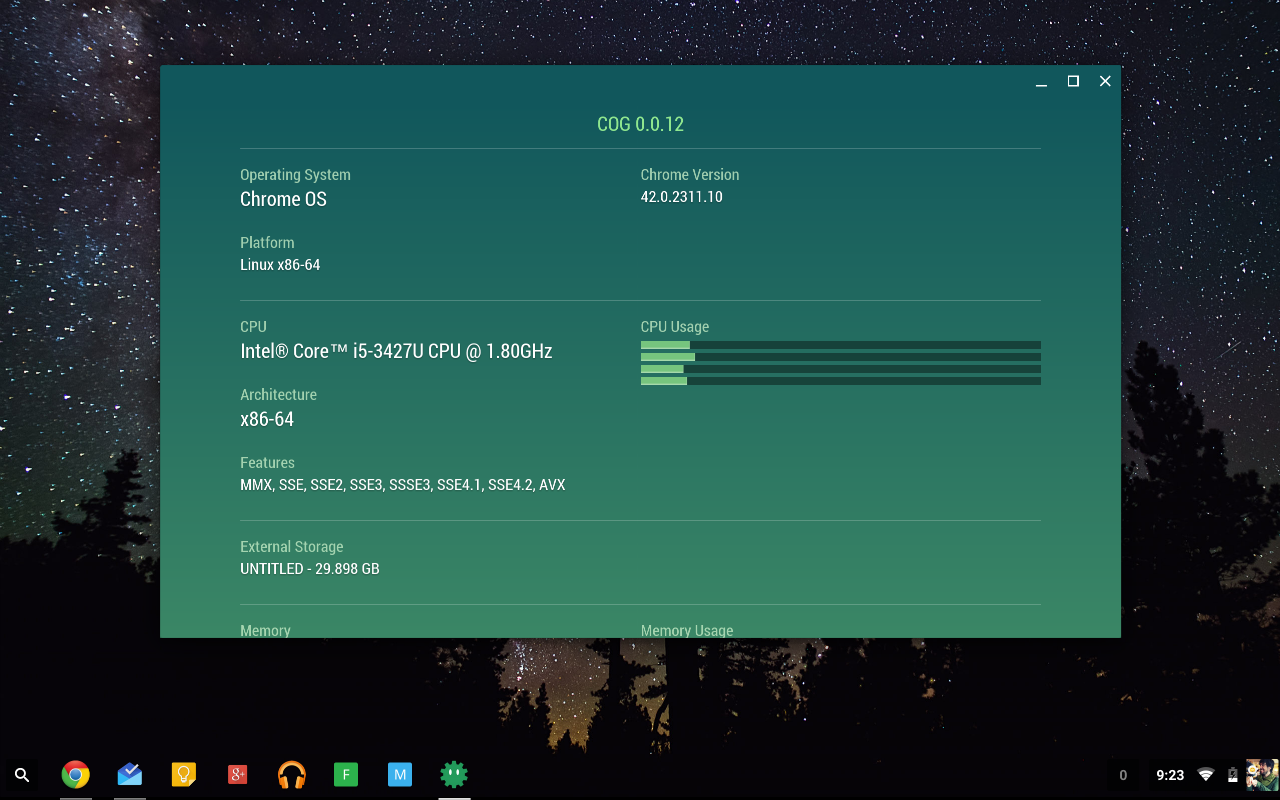
Cog - System Info Viewer is a simple [Chrome App](https://developer.chrome.com/apps/about_apps) that showcases [`chrome.system.*`](https://developer.chrome.com/extensions/declare_permissions#system.cpu) APIs. It is available now on the [Chrome Web Store](https://chrome.google.com/webstore/detail/difcjdggkffcfgcfconafogflmmaadco) and [Google Play Store](https://play.google.com/store/apps/details?id=com.github.beaufortfrancois.cog_chrome_app).
 ## Getting the code
You can download the whole source code [as one archive](https://github.com/beaufortfrancois/cog-chrome-app/archive/master.zip), or get it from the repository using git:
git clone git://github.com/beaufortfrancois/cog-chrome-app.git
## Running the development version
###
## Getting the code
You can download the whole source code [as one archive](https://github.com/beaufortfrancois/cog-chrome-app/archive/master.zip), or get it from the repository using git:
git clone git://github.com/beaufortfrancois/cog-chrome-app.git
## Running the development version
###  Desktop
* Check `Developer Mode` in `chrome://extensions`
* Click "Load unpacked extension..." in `chrome://extensions` and select the `src` folder in the `cog-chrome-app` repository.
* Run it.
###
Desktop
* Check `Developer Mode` in `chrome://extensions`
* Click "Load unpacked extension..." in `chrome://extensions` and select the `src` folder in the `cog-chrome-app` repository.
* Run it.
###  Android
* Install the Chrome Apps on mobile [requirements](https://github.com/MobileChromeApps/mobile-chrome-apps/blob/master/docs/Installation.md).
* Create your project with `cca create cog-mobile-chrome-app --link-to=path/to/cog-chrome-app/src/manifest.json`
* Plug in your Android device.
* Go to Settings->Developer Options and enable `USB debugging`.
* Run it with `cca run android`
Android
* Install the Chrome Apps on mobile [requirements](https://github.com/MobileChromeApps/mobile-chrome-apps/blob/master/docs/Installation.md).
* Create your project with `cca create cog-mobile-chrome-app --link-to=path/to/cog-chrome-app/src/manifest.json`
* Plug in your Android device.
* Go to Settings->Developer Options and enable `USB debugging`.
* Run it with `cca run android`