
Beancount Mobile
Plain-text accounting in your pocket.
The open-source iOS and Android client for Beancount.io, built with Expo and React Native.
⭐ Star the project
·
Product tour
·
Run locally
·
Contribute




If open, programmable personal finance matters to you, starring the repository is the simplest way to help more people discover it.
## Built for daily financial work
Beancount Mobile Community Edition turns a Beancount.io ledger into a native workspace for checking your position, recording activity, and working directly with the source behind your books.
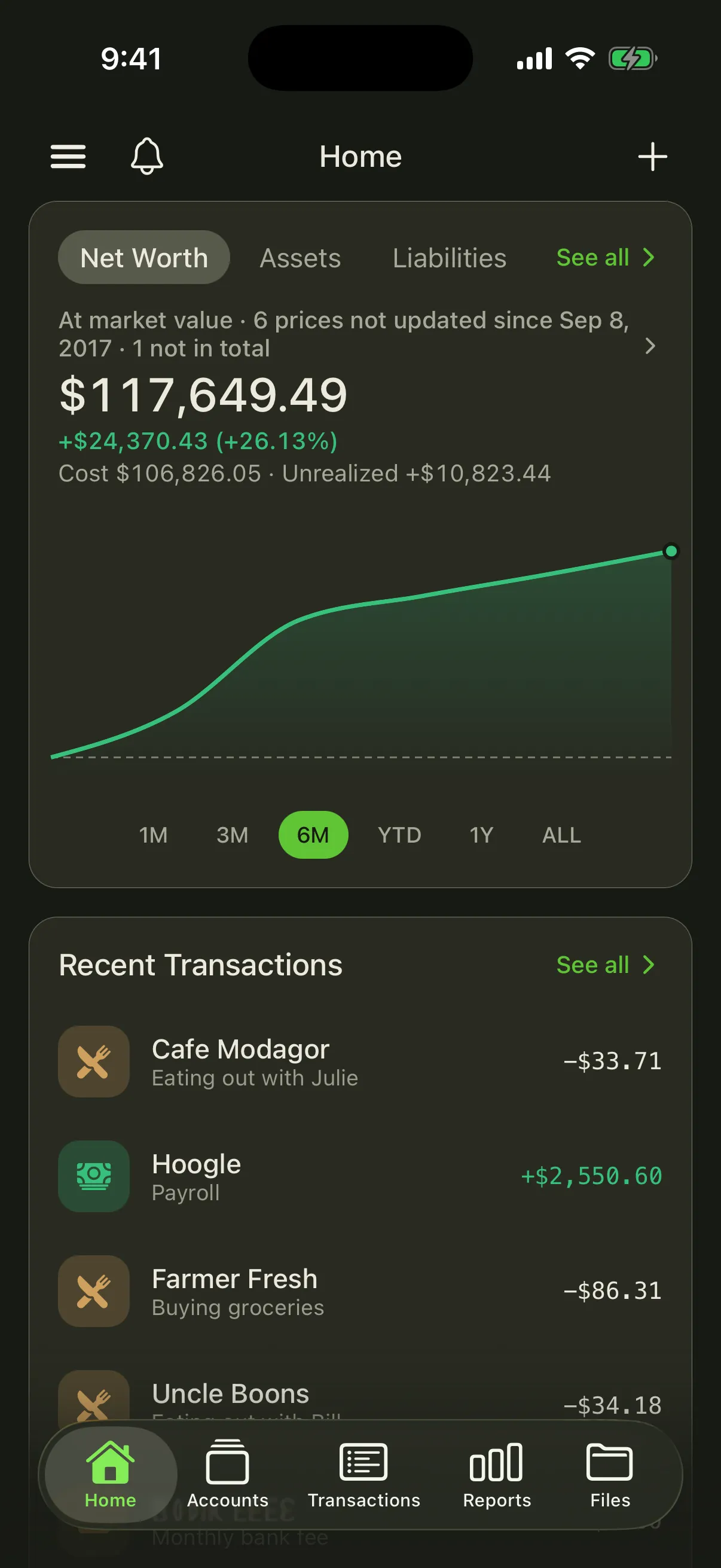
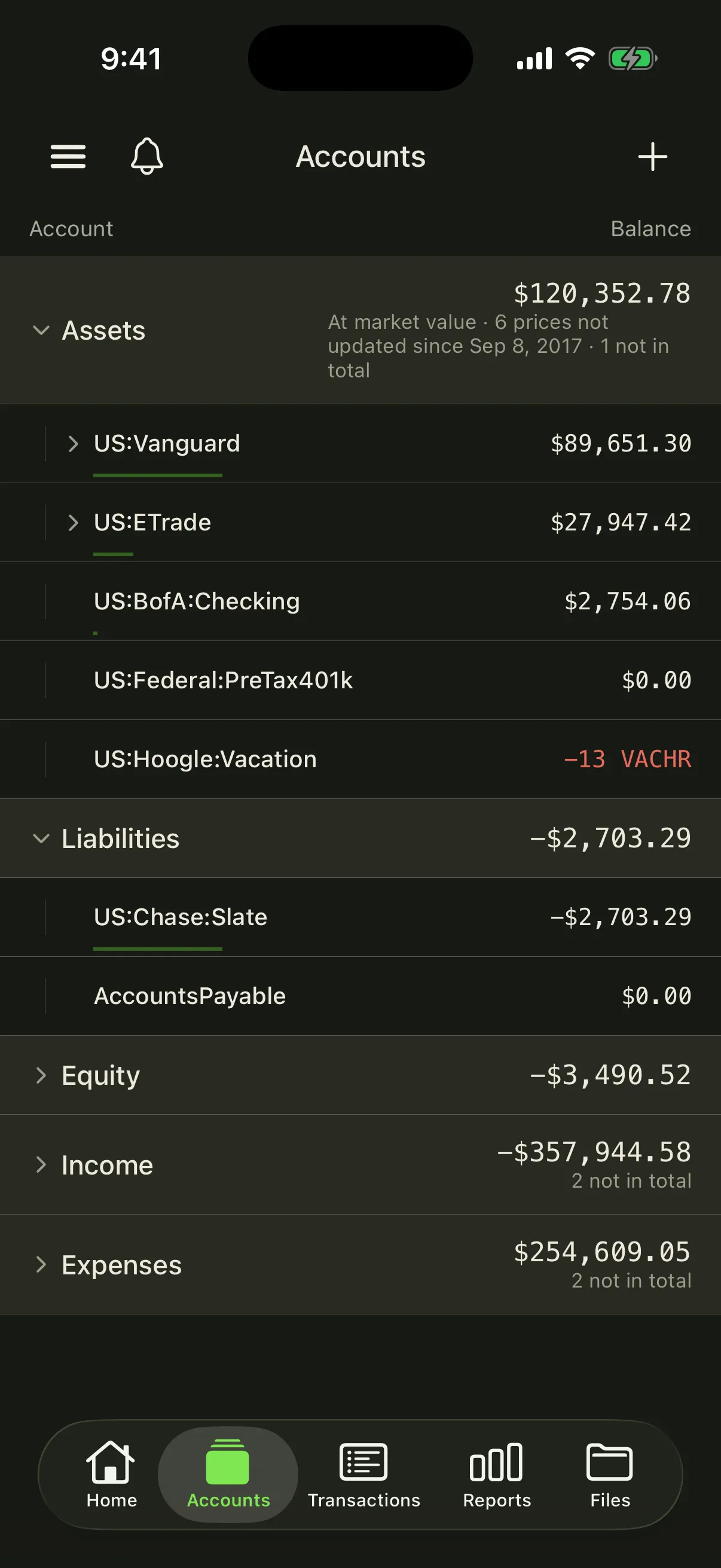
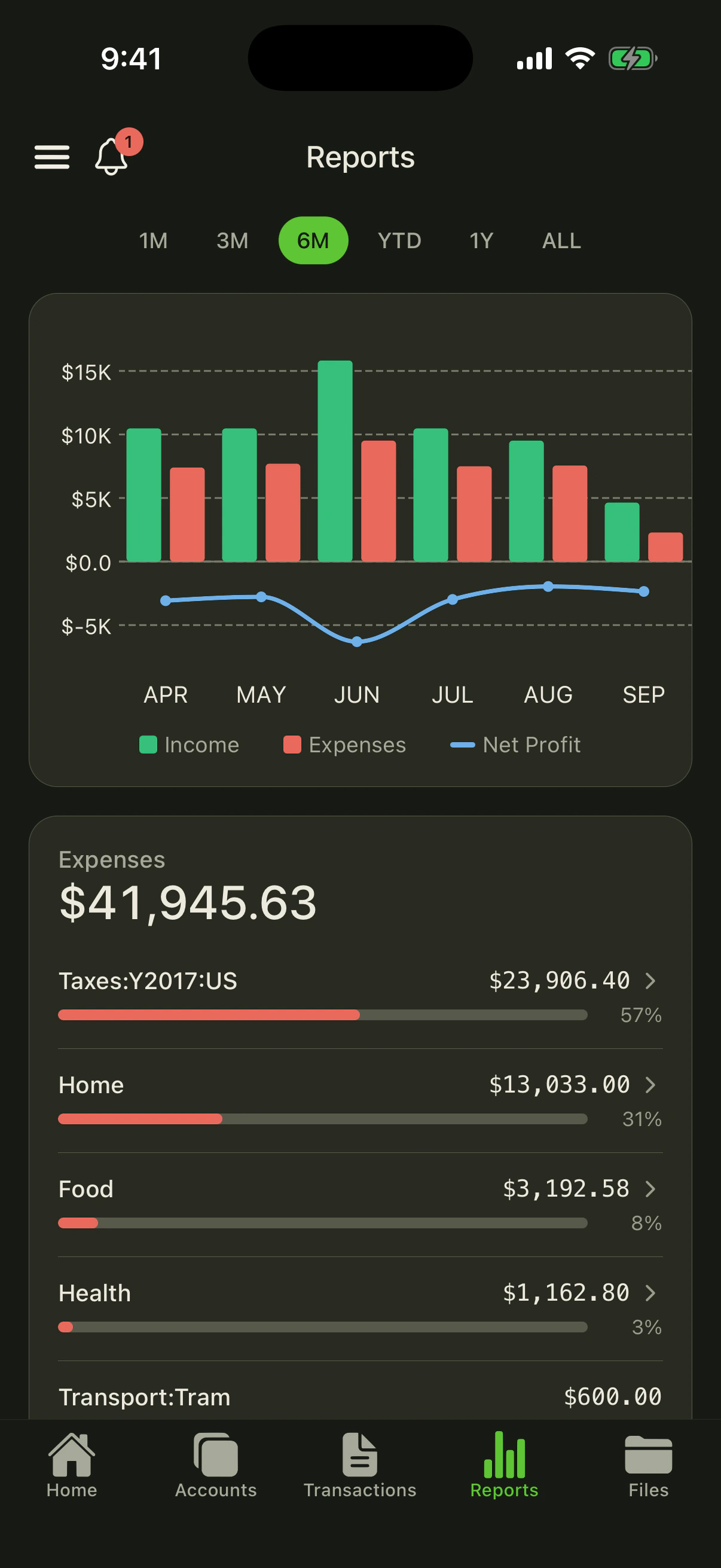
- **Understand the whole picture** — follow net worth, assets, liabilities, spending, and account-level trends.
- **Try before signing in** — when connected to `https://beancount.io/`, choose **Try an example** on Welcome to explore the same Home, Accounts, Transactions, Reports, and Files screens used after sign-in, including account and transaction details, filters, and read-only file viewing. Shared ledger permissions hide editing controls in the preview.
- **Set and track budgets** — give any account a spending or income target, then watch actuals against it period by period, with overages called out.
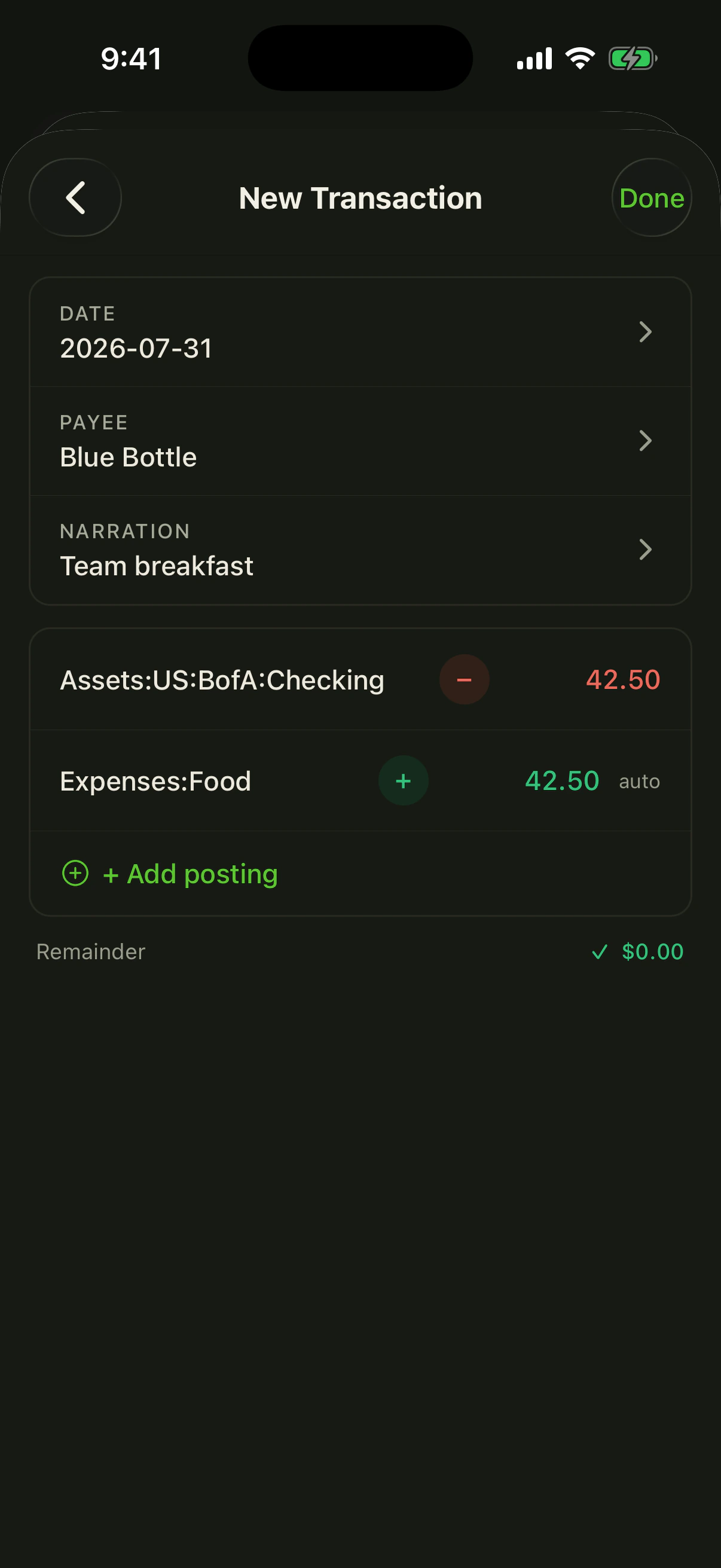
- **Record clean transactions** — use **Add Transaction** on an empty ledger's Home or Transactions screen to open the form directly, enter balanced multi-posting transactions, reuse account suggestions, and scan receipts. Write actions appear only when you have permission to edit the ledger.
- **Investigate every entry** — search and filter the journal, inspect postings and balance context, then correct the underlying directive in a syntax-highlighted source editor with quick-insert keys (dates, flags, quotes, accounts, operating currencies) and checksum-protected saves.
- **Work with the ledger itself** — browse and edit `.bean` files with syntax highlighting and review Git commit diffs.
- **Browse and save ledgers** — open **Browse ledgers** in the ledger drawer to search your books, browse public examples in **Explore**, and revisit account-synced **Starred** favorites. Public books remain read-only unless you have editing permission.
- **Create a ledger** — **+ New** beside the drawer's **Ledgers** heading (or Create when you have none) starts a Starter or Sample book with a name, optional description, and private toggle.
- **Find every ledger** — the drawer loads your complete ledger directory in pages and keeps it ordered by owner/name when you switch books. New ledgers stay in the list after creation; a current public book outside your directory appears in a separate **Current ledger** section. Pull down to refresh the directory.
- **Open and share ledger links** — a `https://beancount.io/ledger/...` link opens the matching screen when the app is installed; **Share link** and **Copy link** in the current ledger's **⋯** menu (and on a transaction) produce the same canonical URL.
- **Stay connected** — switch ledgers, review notifications, invite collaborators, and use light or dark themes.
- **Accessible by default** — icon-only controls carry VoiceOver/TalkBack labels; `yarn test:unit` includes a guardrail that fails unlabeled icon-only pressables under `src/screens` and `src/components`.
- **Use your language** — the app ships with 13 locales and follows the device language when supported.
## Product tour
### Try a public example
When connected to `https://beancount.io/`, tap **Try an example** from a signed-out
launch. Choose **Everyday finances**, **Company finances** (Nvidia), or
**Crypto portfolio**, then switch between **Home**, **Accounts**, **Transactions**,
**Reports**, and **Files**. The tabs, headers, and ledger drawer use the same layout as the signed-in app.
Open the menu to switch examples, see the server and read-only status, sign in, or
leave examples and return to Welcome. These are live, read-only ledgers on the server shown
in the drawer. They use the same balances and valuation disclosures as a
signed-in visit.
**Sign In** opens the usual system-browser flow. Canceling leaves your example
and tab selected; a successful sign-in checks access again before opening that
tab in the full app. Account and transaction details, transaction filters, and
file viewing work without sign-in; budgets and price updates ask for sign-in.
Guest browsing never grants permission to change a
ledger. Notifications, account lists, stars, and AI belong to the signed-in app.
Examples and their cache are temporary and separate from your account's cache.
A new app process starts from Welcome; sign-in continuation lasts up to ten
minutes within the current process. Leaving examples, changing servers, or
logging out discards it. **Try an example** is hidden on custom endpoints, and
preview links cannot bypass that restriction. If a hosted example becomes
unavailable, retry or choose another example. The app never silently switches
servers.
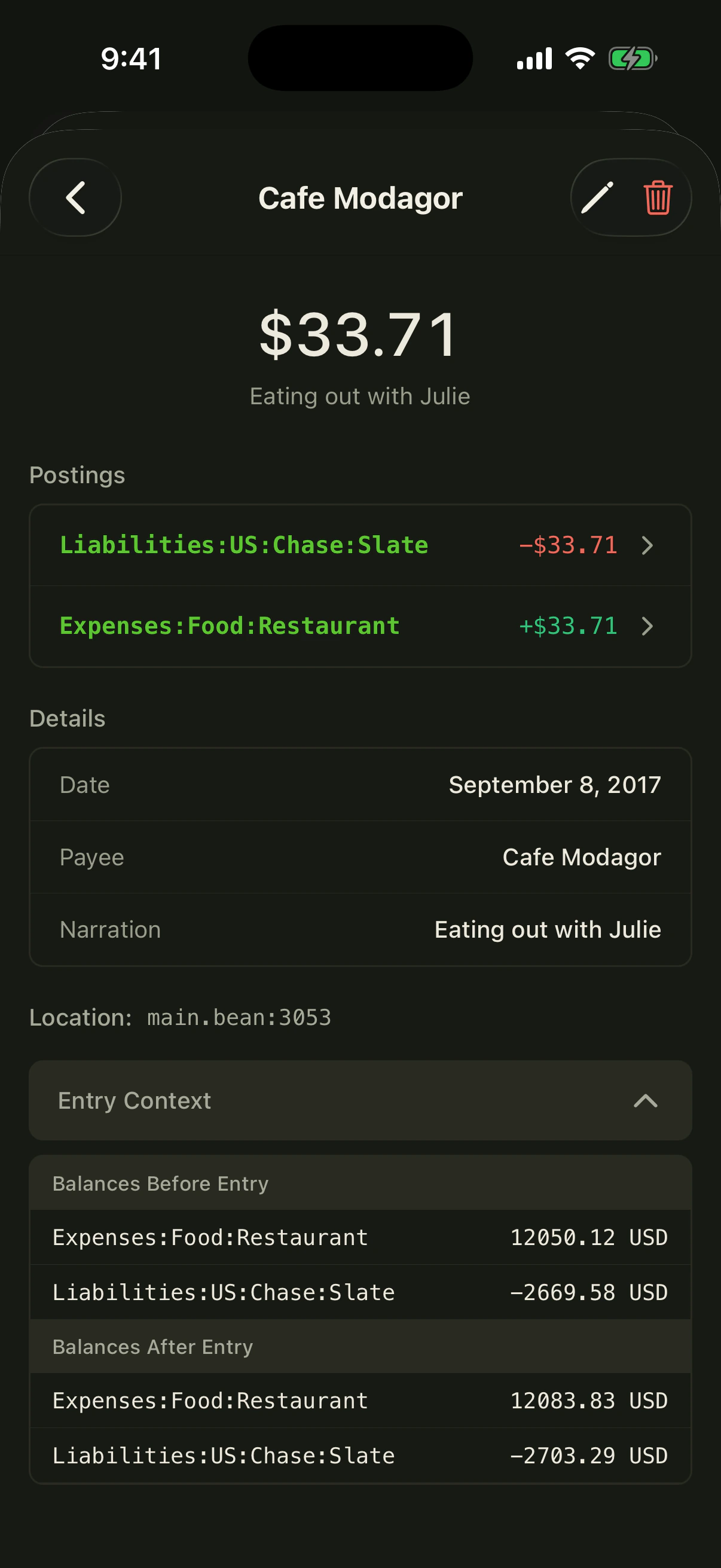
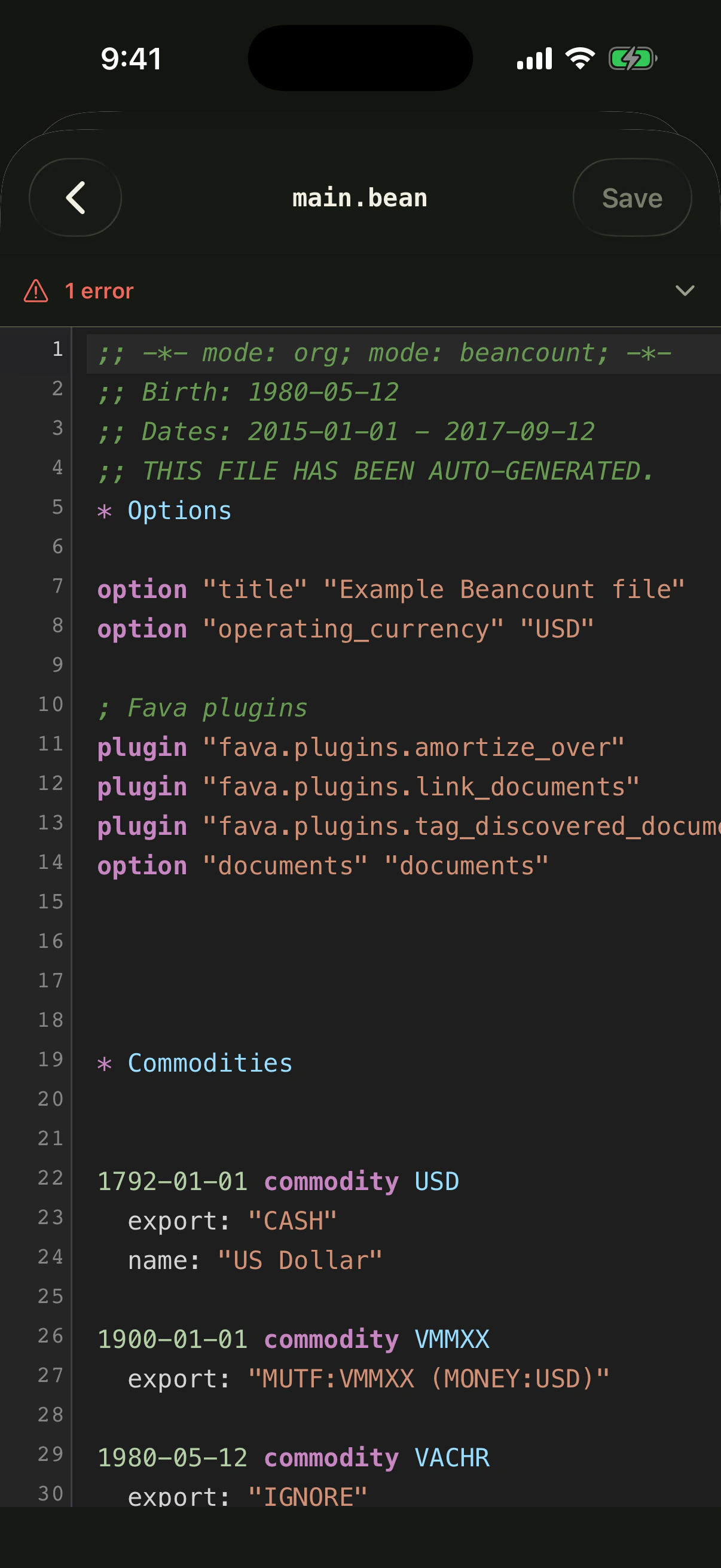
See all 25 captured screens
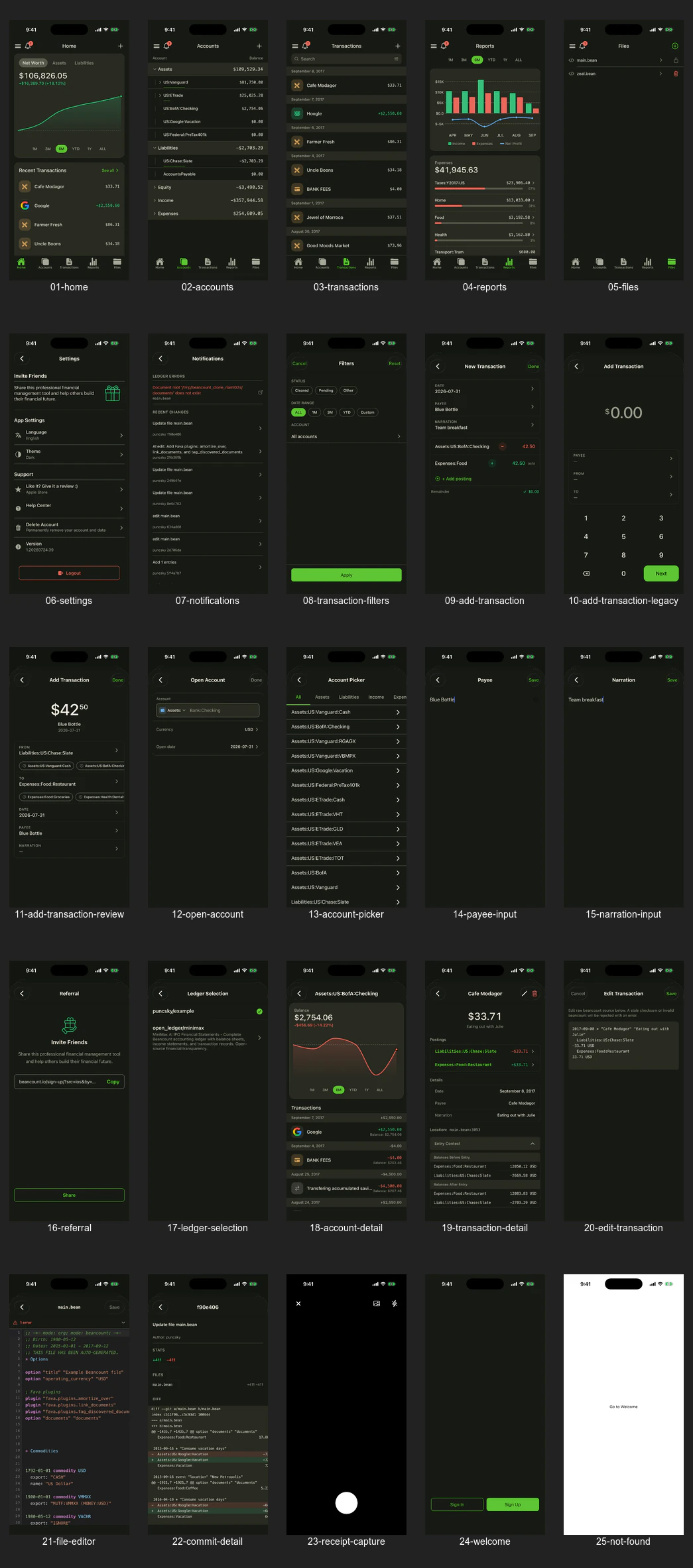 The individual full-resolution WebP files are in [`docs/marketing-showcase/webp/`](./docs/marketing-showcase/webp/).
## Development
Requires Node.js 20.19.4 or newer and Yarn Classic 1.22.
```zsh
git clone https://github.com/bex-co/beancount-io.git
cd beancount-io/mobile
yarn install
cp .env.template .env.local
yarn start
```
Expo will guide you to an iOS simulator, Android emulator, or connected device.
| Command | Purpose |
| ------------------------ | ---------------------------------------- |
| `yarn ios` | Build and launch the iOS app |
| `yarn android` | Build and launch the Android app |
| `yarn lint` | Run TypeScript and ESLint checks |
| `yarn typecheck` | Run strict TypeScript checking |
| `yarn test:unit` | Run the unit test suite |
| `yarn test` | Run lint, typecheck, and unit tests |
| `yarn codegen` | Regenerate GraphQL types and hooks |
| `yarn metadata:validate` | Validate Apple and Play listing metadata |
| `yarn screenshots:build` | Build localized Apple and Play artwork |
The mobile client defaults to the hosted Beancount.io API. A signed-out user can tap the server icon on the welcome screen to connect the standard app to a compatible self-hosted Beancount.io deployment; enter its base URL (for example `https://ledger.example.com/`) and use **Test connection** for an advisory compatibility check. HTTPS is required in release builds. Development builds may use `http://localhost` for a local stack.
`EXPO_PUBLIC_SERVER_URL` remains the build-time default for development and branded builds. It is not a credential; keep actual credentials and private configuration out of committed `.env` files.
### Ledger discovery
Open the ledger drawer and choose **Browse ledgers**. **Your ledgers** searches
all books available in your account list; **Starred** searches your saved books;
**Explore** searches public ledger names and descriptions on the selected server.
Explore places `open_ledger` examples first among loaded results and offers **Load more**. Account lists load every page before local
filtering so a search cannot silently miss a book on a later page.
Tap a row to open it, or its star to save/remove it without changing your current
ledger. Stars are stored on your server account and reload on your next visit.
A pending or failed star action never appears as confirmed. Pull to refresh to
pick up changes from another device. If a ledger becomes unavailable, opening it
shows an error and preserves your current selection.
Public examples can be read without ownership. Add/edit actions require write
permission, including direct links to transaction, budget, account, and receipt
forms. The source-file viewer stays available in read-only mode.
### Ledger links
When the native build includes associated domains (iOS) / App Links (Android),
a `https://beancount.io/ledger///…` URL opens the matching screen
in the app. That requires the host to serve
`/.well-known/apple-app-site-association` and `assetlinks.json` (backend-v2
env `APP_LINKS_APPLE_TEAM_ID` / `APP_LINKS_ANDROID_SHA256`). Custom-scheme
paths that still carry `/ledger/…` work without those files and are the
reliable simulator check before the vouchers are live:
```zsh
xcrun simctl openurl \
"beancount:///ledger/open_ledger/example/balance-sheet"
```
The drawer groups your books under the account that owns them and marks the
current one where it sits — switching books never moves a ledger in the list. A
book opened from a public link is added at the top, having no place of its own in
the collection. From ten ledgers up, a filter field narrows the list by account or
ledger name. Open the current book's **⋯** menu for **Share link**, **Copy link**,
and **Open in browser**. The menu identifies the book and its visibility; sharing a
private book's URL does not grant access. These actions use the canonical https URL
for the current ledger. On a transaction, the same sharing actions share an
`…/entry/` URL that opens that entry in the app and in the browser
dashboard (same path; private books still require an authorized session).
After AASA is deployed, the https form is the user-facing check:
```zsh
xcrun simctl openurl \
"https://beancount.io/ledger/open_ledger/example/balance-sheet"
```
### Mobile OAuth contract
New sign-ins open the selected server in the iOS or Android system browser and
return to the app through `io.beancount.ios:/oauth/callback` or
`io.beancount.android:/oauth/callback`. The app discovers RFC 9728 protected
resource metadata and RFC 8414 authorization-server metadata from that selected
server, then validates the exact resource, issuer, endpoint origin, code-only
response support, S256 PKCE, and authorization-response issuer. A legacy server
that only passes the GraphQL health check is reported as incompatible.
The welcome screen's **Sign Up** button sends the same authorization request as
**Sign In** plus `screen_hint=signup`; Sign In sends no hint. A compatible
server forwards the hint to its interaction page, which then opens on the
registration form for a signed-out browser. If the browser already holds a
session, the page asks whether to continue as that account or create a
different one rather than silently signing the app into the existing account.
Registration, e-mail verification, and approval all happen on that one page,
so the app's callback fires once the new account exists.
The native client is public and has no client secret. Access and rotating
refresh credentials live only in the OS keychain/keystore. Concurrent requests
share one refresh; transient offline failures retain the account for retry,
while `invalid_grant` clears the server-scoped session and Apollo data. Tokens
are treated as opaque—the user is resolved by an authenticated GraphQL profile
query after the code exchange, never by decoding token claims in the app.
A signed-in device stays signed in for as long as it keeps being used. The
access token lasts an hour and is refreshed about a minute before it expires;
each refresh rotates the refresh credential and slides the server-side grant
forward by a full window. That window is 365 days on Beancount.io and it is an
idle timer, not a fixed term: only a device that never refreshes for the whole
window has to sign in again. A self-hosted server may build a shorter one.
Logout attempts refresh-token revocation before clearing all local
server-scoped state. Because API access tokens are self-contained and last at
most one hour, one already issued token can remain valid until its expiry even
after refresh revocation; logout prevents the app from refreshing or reusing
it locally.
Existing installations with a valid legacy session JWT continue to work on
their issuing server. Once they log out, the app uses OAuth exclusively; there
is no session-to-refresh-token exchange. The dashboard's old WebView bridge is
compatibility-only. Remove it after both conditions hold: the stores' minimum
supported version is at least the first OAuth release, and the bounded
`legacy_mobile_auth_completed` event is zero for 30 consecutive days. That
event contains only the flow category—never a token, user, URL, or server. If
OAuth discovery or callback failures rise during rollout, keep the bridge for
older builds while rolling the new build back; do not route the new build back
to embedded authentication.
## Languages
English, Simplified Chinese, Bulgarian, Catalan, German, Spanish, Persian, French, Dutch, Portuguese, Russian, Slovak, and Ukrainian.
The app UI supports all 13. Canonical App Store metadata covers the 11 languages
Apple accepts through 14 regional localizations; Bulgarian and Persian inherit
the primary English store listing because App Store Connect offers neither
metadata locale. The Play tooling targets all 13 languages across 16 storefronts,
including native Bulgarian and Persian copy, three phone screenshots, and a
feature graphic per locale. Pull the live baseline with `yarn play:baseline`,
generate copy with `yarn play:generate`, and review it with
`./scripts/play-release.sh plan-play`. Publication requires the reviewed apply and
remote verification steps in the [store localization workflow](./docs/app-store-localization.md).
## Contributing and support
Contributions are welcome across product UI, accessibility, translations, tests, and developer experience. Read the [contributing guide](../CONTRIBUTING.md), browse [mobile issues](https://github.com/bex-co/beancount-io/issues), or join the [Telegram community](https://t.me/beancount).
If you want this open-source mobile client to reach more people, [star Beancount.io on GitHub](https://github.com/bex-co/beancount-io).