# Bifrost
High-performance HTTP/HTTPS/SOCKS5 proxy server




> Language: **English** | [中文](README.md)
>
> [English documentation](docs-en/README.md) · [Chinese docs](docs/README.md) · [Documentation site](https://bifrost-proxy.github.io/bifrost/)
Bifrost is a high-performance, AI-friendly proxy server written in Rust and inspired by [Whistle](https://github.com/avwo/whistle). It provides request interception, rule-based modification, TLS MITM, script extensions, traffic inspection, request replay, and Web UI management.
## Quick Start
Install the CLI with the script:
macOS / Linux / Git Bash:
```bash
curl -fsSL https://raw.githubusercontent.com/bifrost-proxy/bifrost/main/install-binary.sh | bash
```
Windows PowerShell:
```powershell
irm https://raw.githubusercontent.com/bifrost-proxy/bifrost/main/install-binary.ps1 | iex
```
The installer can also install and trust the CA certificate, install Bifrost AI skills, and start Bifrost as a background service. Bash and PowerShell installers probe GitHub and built-in mirrors, then use the fastest available release source. Use `BIFROST_GITHUB_MIRROR` when your network needs a preferred mirror. On Windows, the PowerShell installer adds the install directory to both the current session and the Windows User `Path`; the Git Bash installer also updates the Windows User `Path`, so newly opened PowerShell/CMD windows can run `bifrost` directly.
Install a specific version:
macOS / Linux / Git Bash:
```bash
curl -fsSL https://raw.githubusercontent.com/bifrost-proxy/bifrost/main/install-binary.sh | bash -s -- --version v0.0.96
```
Windows PowerShell:
```powershell
$installer = irm https://raw.githubusercontent.com/bifrost-proxy/bifrost/main/install-binary.ps1
& ([scriptblock]::Create($installer)) -Version v0.0.96
```
Install with npm:
```bash
npm i -g @bifrost-proxy/bifrost
```
More installation options: [`docs-en/getting-started.md`](docs-en/getting-started.md)
Check the proxy:
```bash
bifrost status
```
Open the Admin UI after startup:
```text
http://127.0.0.1:9900/_bifrost/
```
## AI Integration
```bash
bifrost install-skill -y
```
## Features
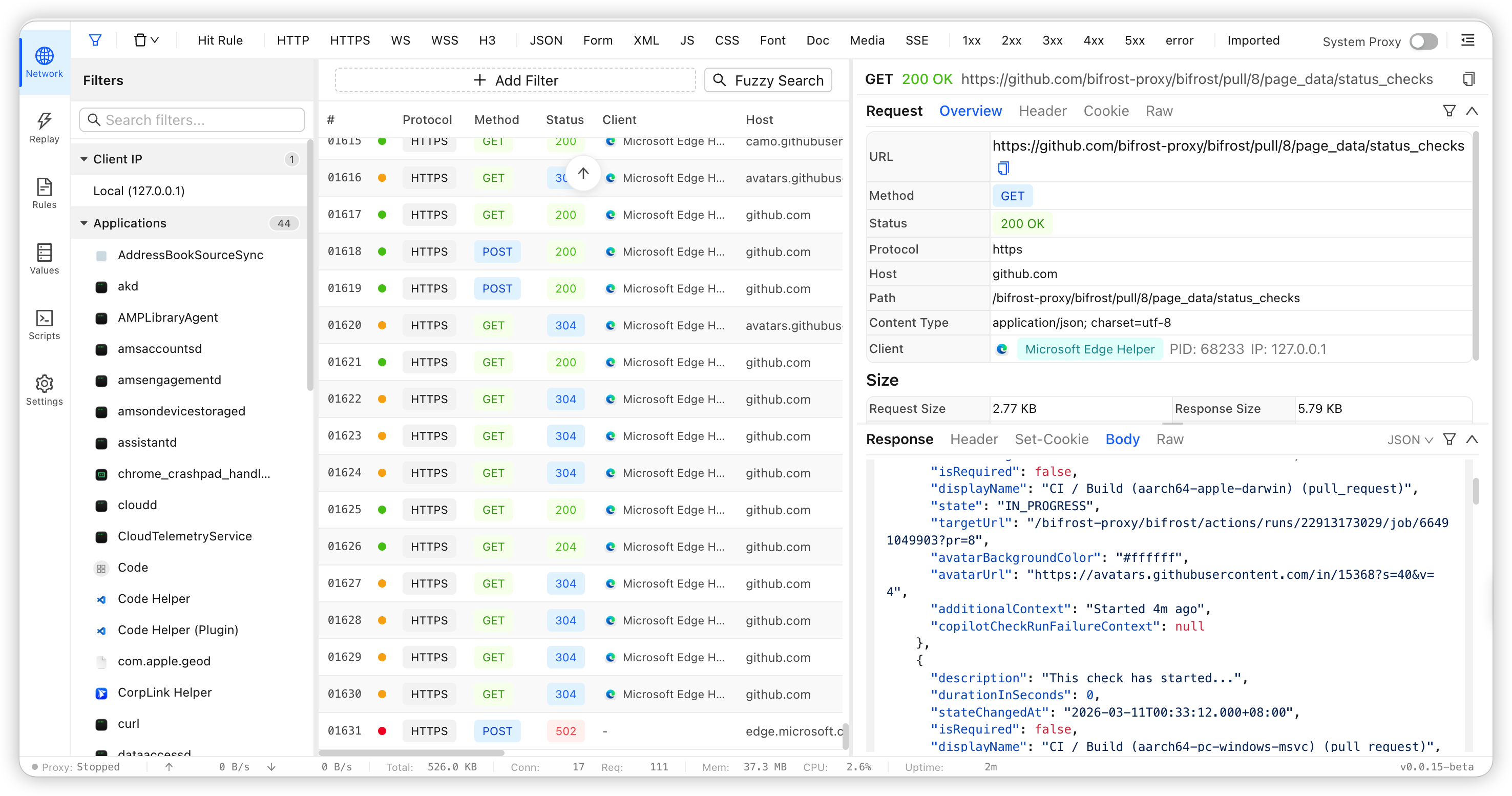
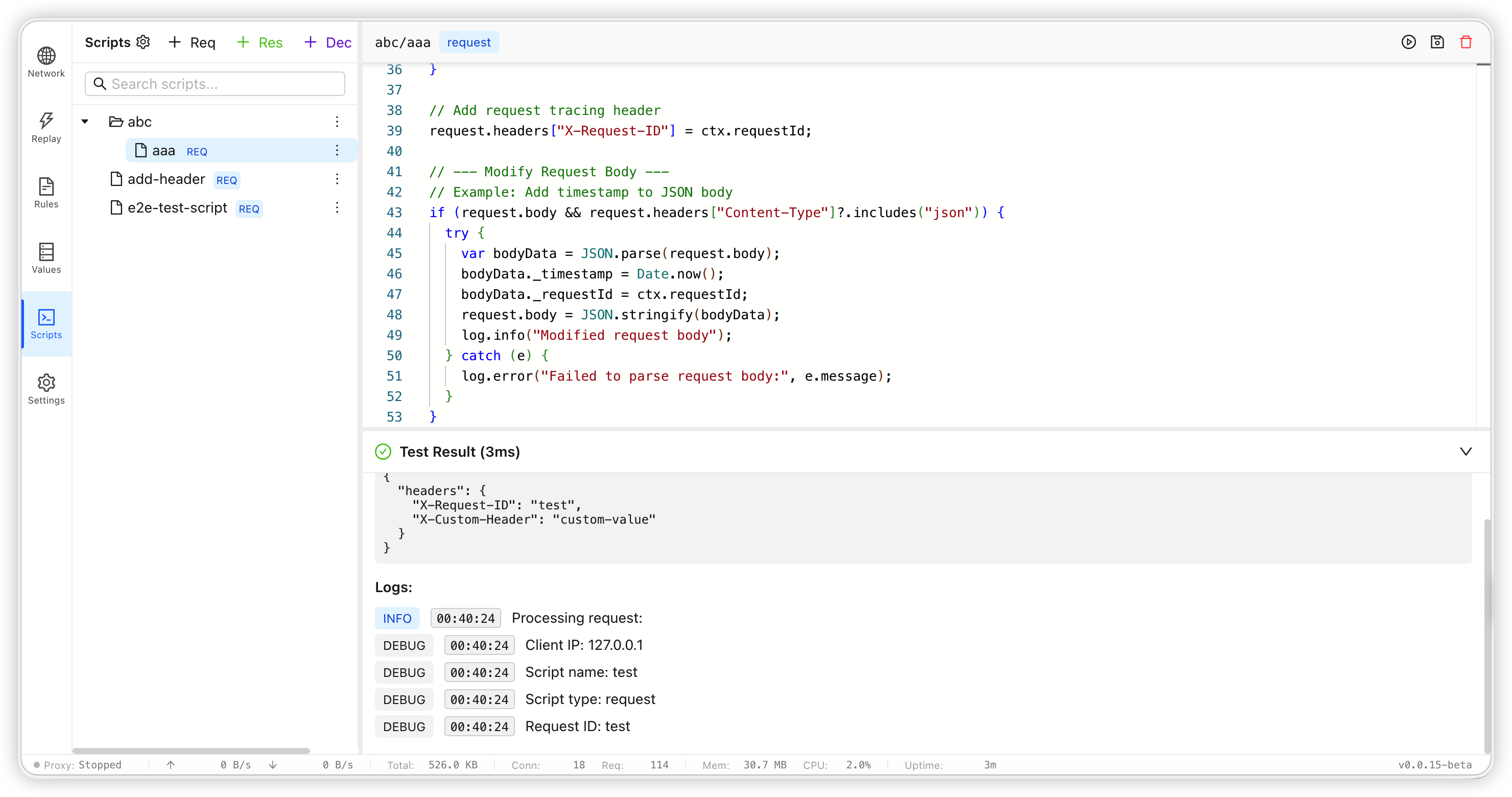
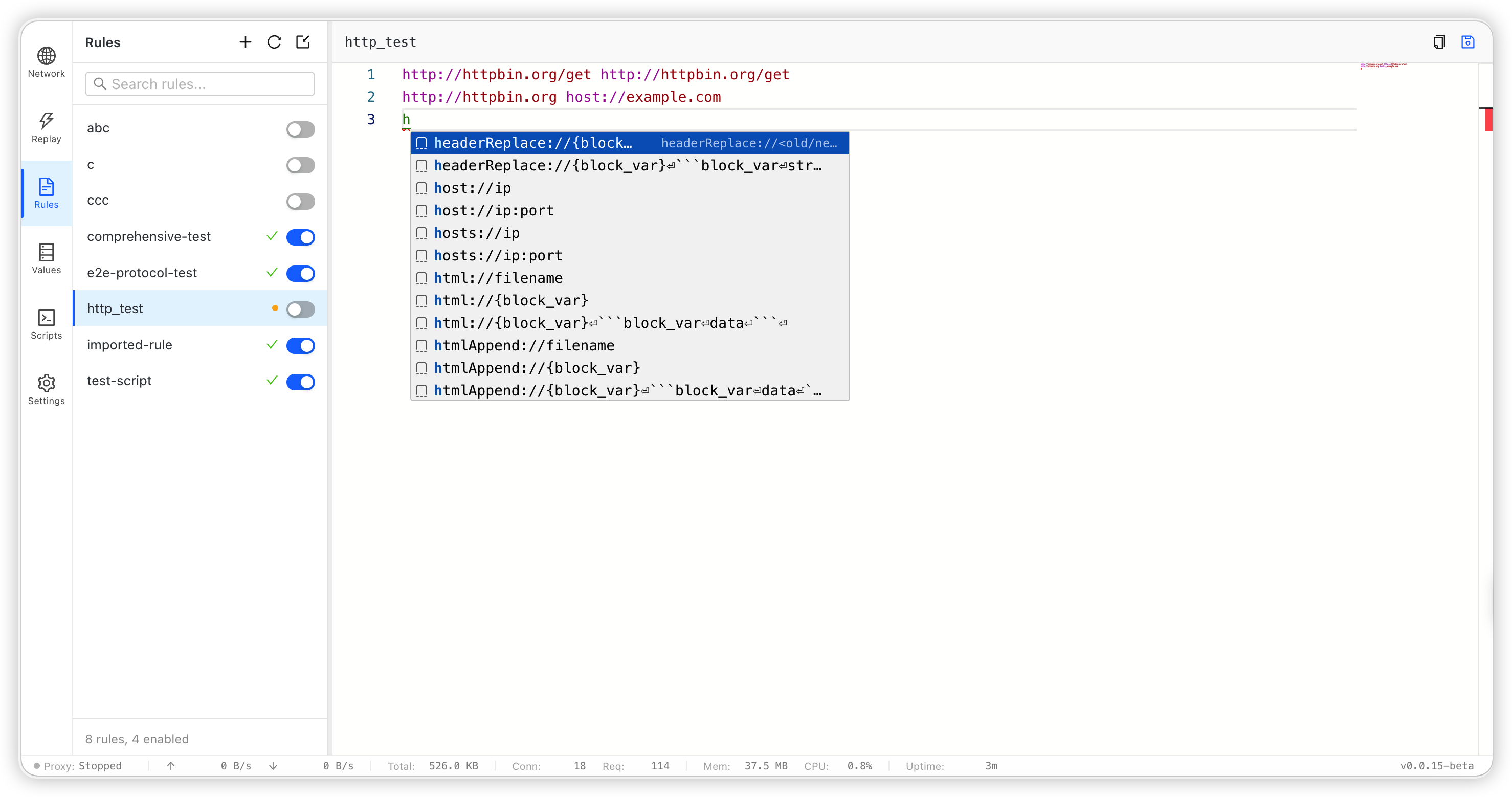
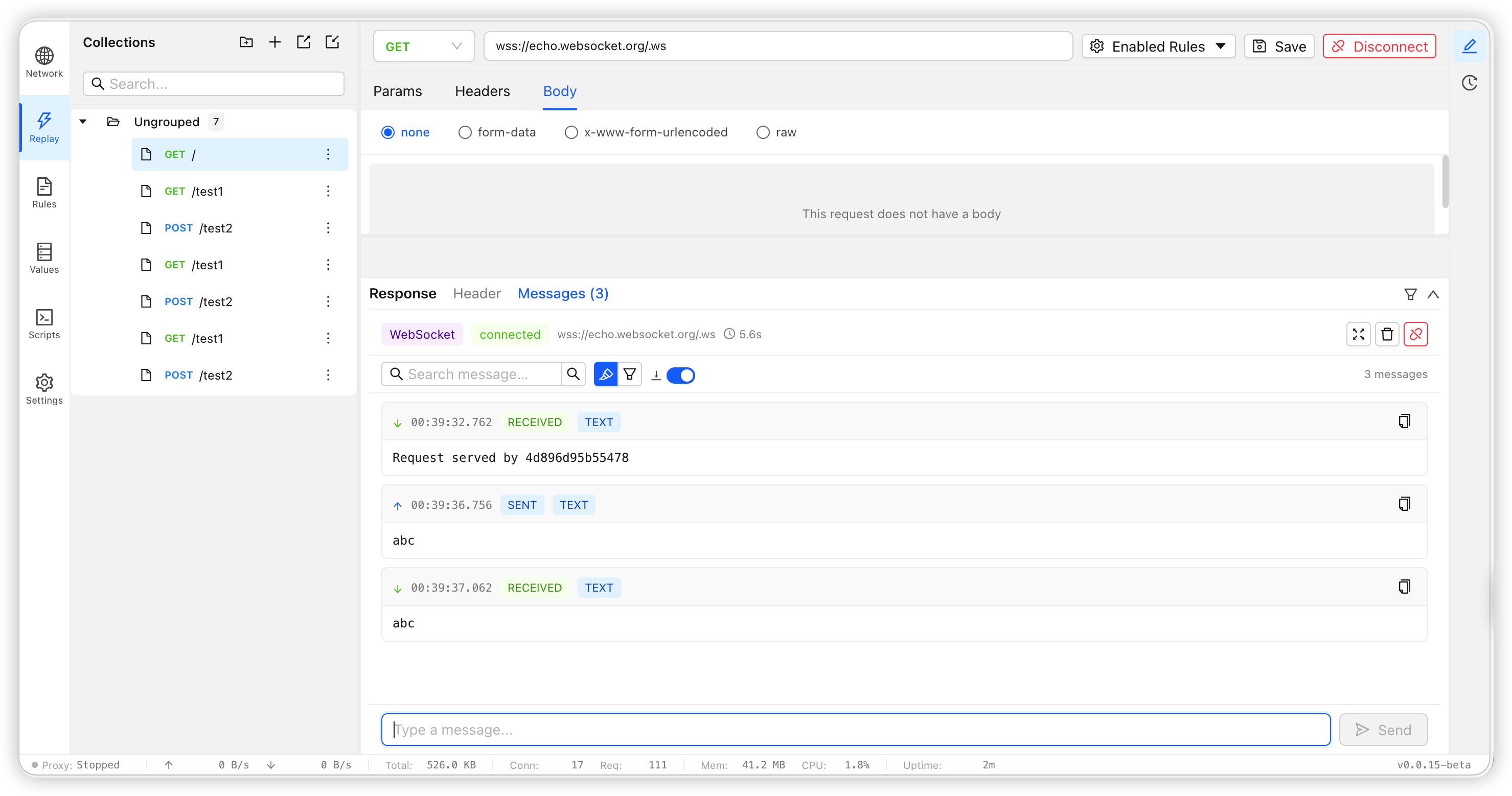
- High-performance proxy core based on Tokio and Hyper.
- Multi-protocol support: HTTP/1.1, HTTP/2, HTTP/3, HTTPS, SOCKS5, WebSocket, SSE, and gRPC.
- TLS interception with CA generation, dynamic certificates, rule-level intercept or passthrough, and explicit unsafe upstream certificate allowance per rule.
- Rules engine for routing, request/response rewriting, injection, delay, throttling, mock responses, and scripts.
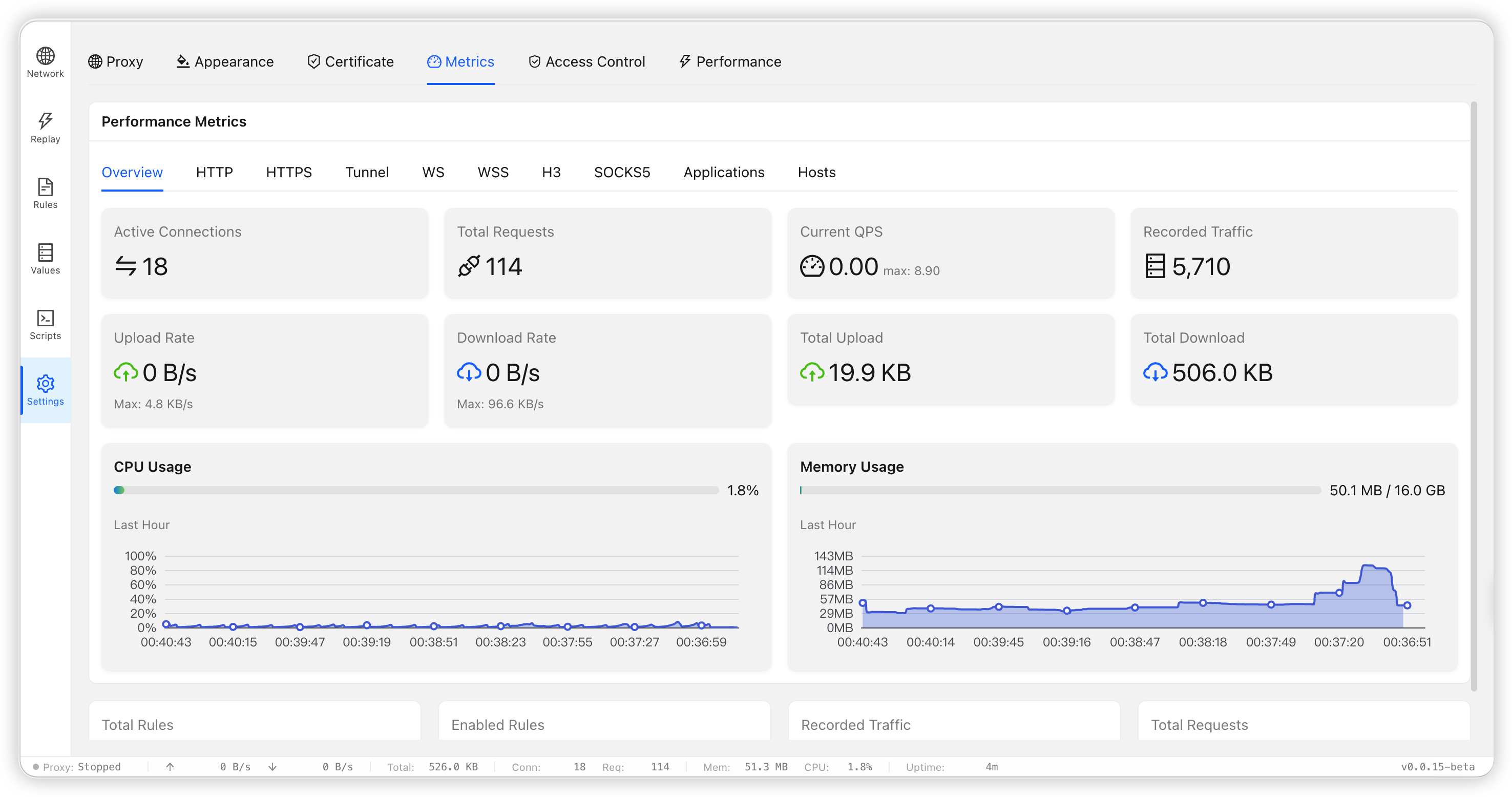
- Built-in Web UI for rule editing, traffic inspection, script management, and request replay.
- Breakpoint support for pausing matched HTTP requests or responses, editing headers/body, then resuming.
- Resource risk warnings for body/ws file writers and file-handle pressure in the Performance page and `/_bifrost/api/system/memory`.
- QuickJS-based script sandbox with `reqScript`, `resScript`, and `decode` support.
## Development Setup
Initialize repository hooks after cloning:
```bash
bash scripts/setup-git-hooks.sh
# or
make setup
```
This sets `core.hooksPath=.githooks` for the repository. The default pre-commit hook checks workspace formatting, desktop Tauri formatting, and `cargo clippy --workspace --all-targets --all-features -- -D warnings`.
## Prefer the Desktop App?
Download the desktop package for your platform from [GitHub Releases](https://github.com/bifrost-proxy/bifrost/releases).
## Common Commands
```bash
# Status and lifecycle
bifrost status
bifrost stop
bifrost restart
# Admin remote access and authentication
bifrost admin remote status
bifrost admin remote enable
bifrost admin passwd
bifrost admin revoke-all
# Traffic inspection
bifrost traffic list
bifrost traffic search "keyword" --method POST --host api.openai.com --path /v1/responses
bifrost search "keyword" --req-header
bifrost search "keyword" --res-body
# Add a rule
bifrost rule add local-dev --content "example.com host://127.0.0.1:3000"
```
## Documentation Index
- Documentation overview: [`docs-en/README.md`](docs-en/README.md)
- Project overview: [`docs-en/overview.md`](docs-en/overview.md)
- Installation and startup: [`docs-en/getting-started.md`](docs-en/getting-started.md)
- CLI command reference: [`docs-en/cli.md`](docs-en/cli.md)
- Desktop installation and build: [`docs-en/desktop.md`](docs-en/desktop.md)
- Rule syntax: [`docs-en/rule.md`](docs-en/rule.md)
- Operation reference: [`docs-en/operation.md`](docs-en/operation.md)
- Matching patterns: [`docs-en/pattern.md`](docs-en/pattern.md)
- Rules protocol reference: [`docs-en/rules/README.md`](docs-en/rules/README.md)
- Scripts module and script development: [`docs-en/scripts.md`](docs-en/scripts.md)
- Values guide: [`docs-en/values.md`](docs-en/values.md)
- Request replay guide: [`docs-en/replay.md`](docs-en/replay.md)
- Breakpoint user guide: [`docs-en/breakpoint.md`](docs-en/breakpoint.md)
- Project structure and modules: [`docs-en/architecture.md`](docs-en/architecture.md)
- Agent Skill installation guide: [`docs-en/agent-skill.md`](docs-en/agent-skill.md)