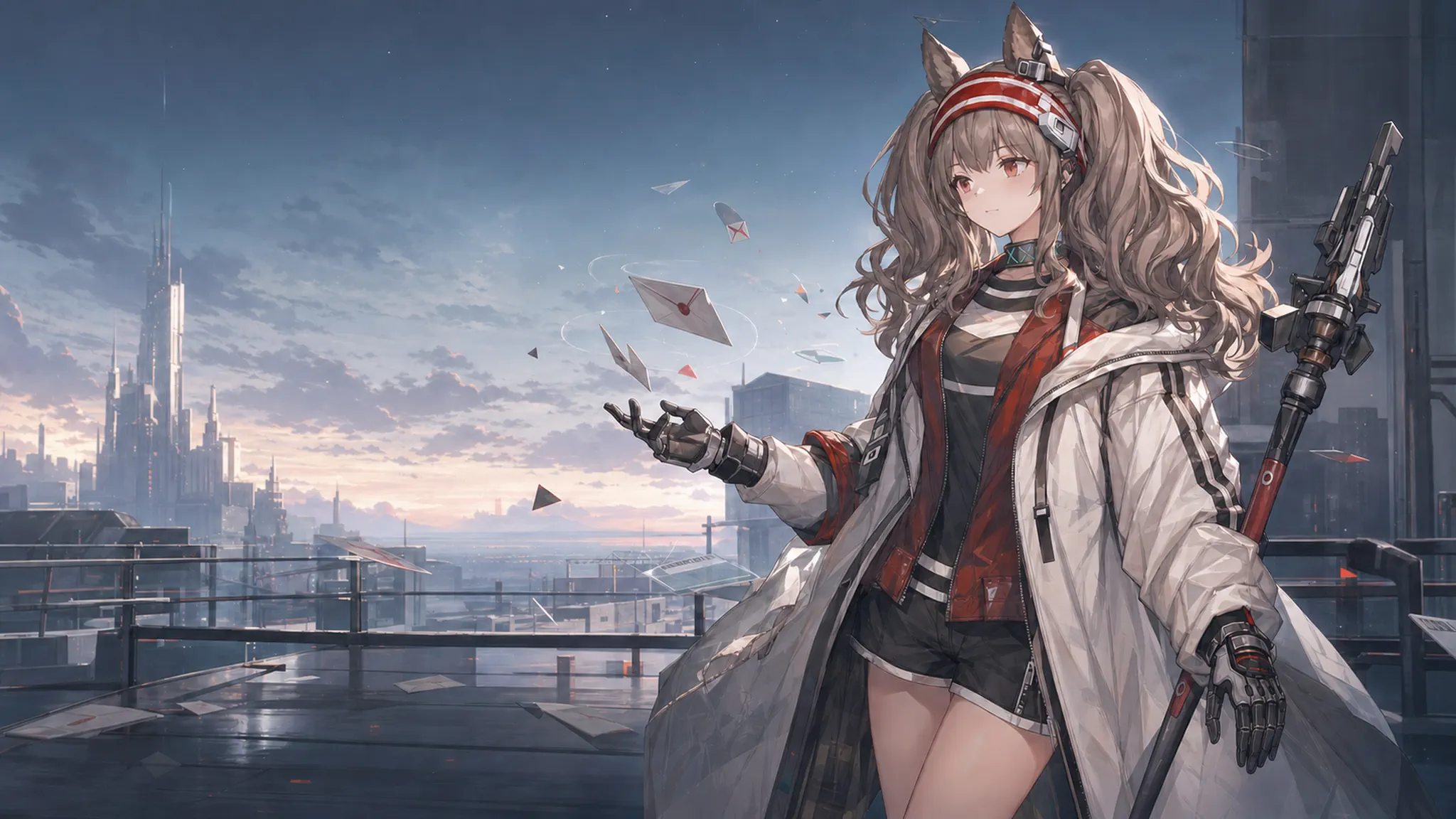
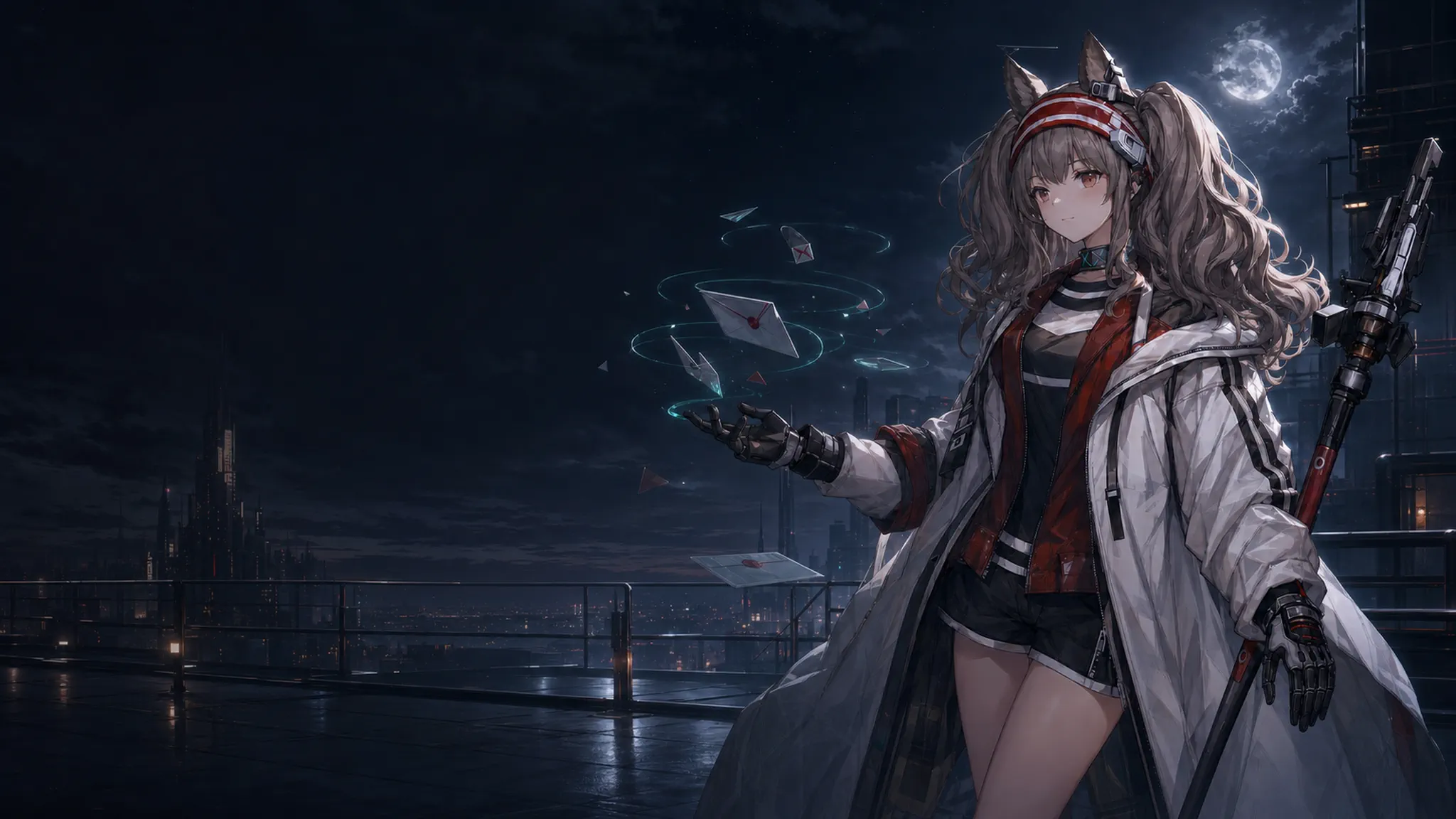
# DeepSeek Harness Angelina Themes An independent `dsh-plugin` that ports the Codex Angelina light and dark themes to [DeepSeek Harness](https://github.com/deepseek-ai/deepseek-harness). It keeps Harness interaction and layout behavior intact while adding the artwork, restrained parallax, readable frosted glass, and a durable theme picker.

dsh-plugin Angelina MIT License Node.js 20 or newer

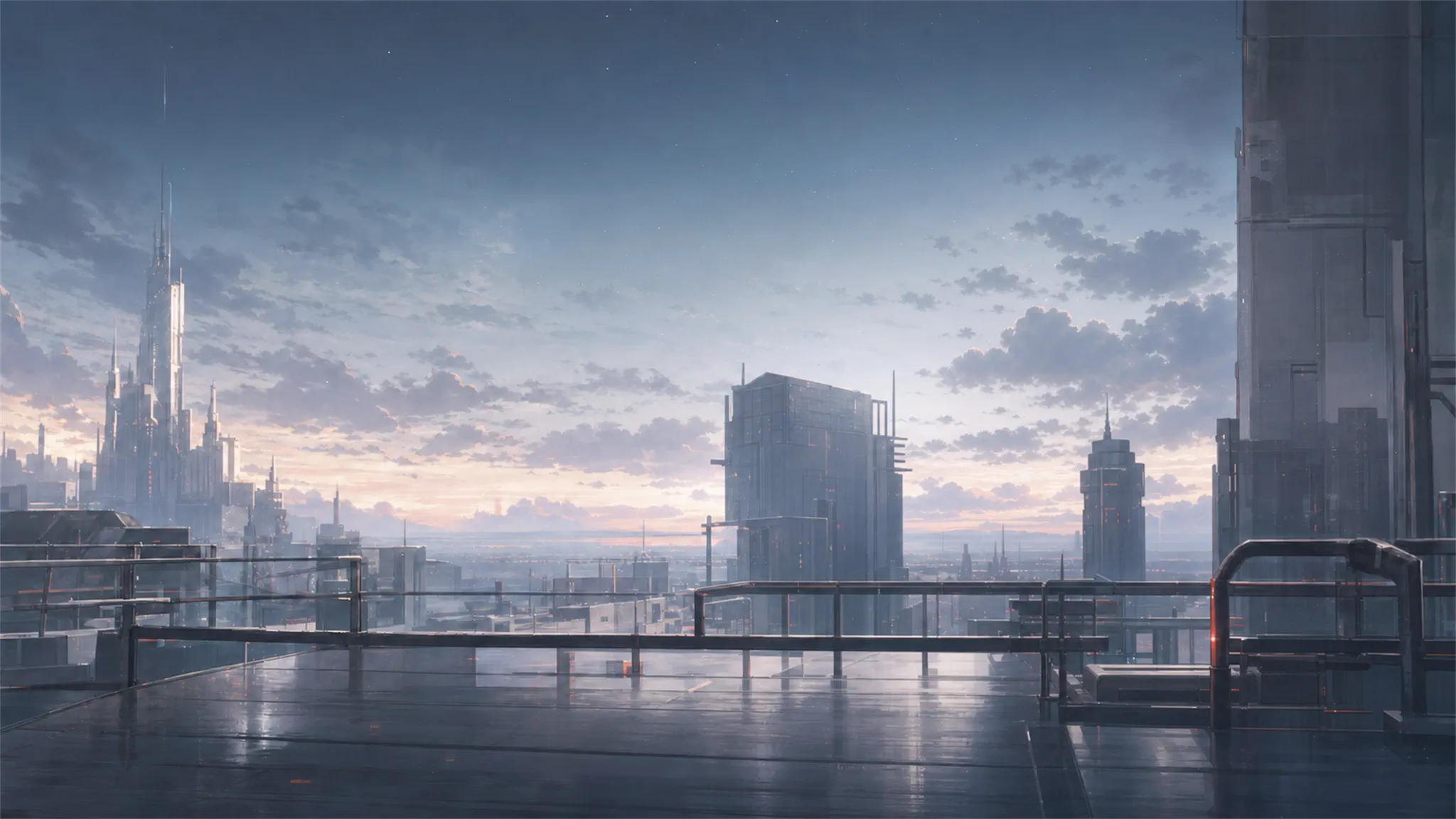
简体中文: [README.md](README.md) ## Preview The light theme uses a warm rooftop scene and pale glass. The dark theme uses a low-luminance night scene and cool glass. Menus, dialogs, inputs, composers, and user bubbles keep a visible separation from the artwork so copy remains readable.
Angelina light theme hero artwork Angelina dark theme hero artwork
Angelina Light
Warm, bright, and comfortable for daytime work
Angelina Dark
Low-luminance and restrained for night use
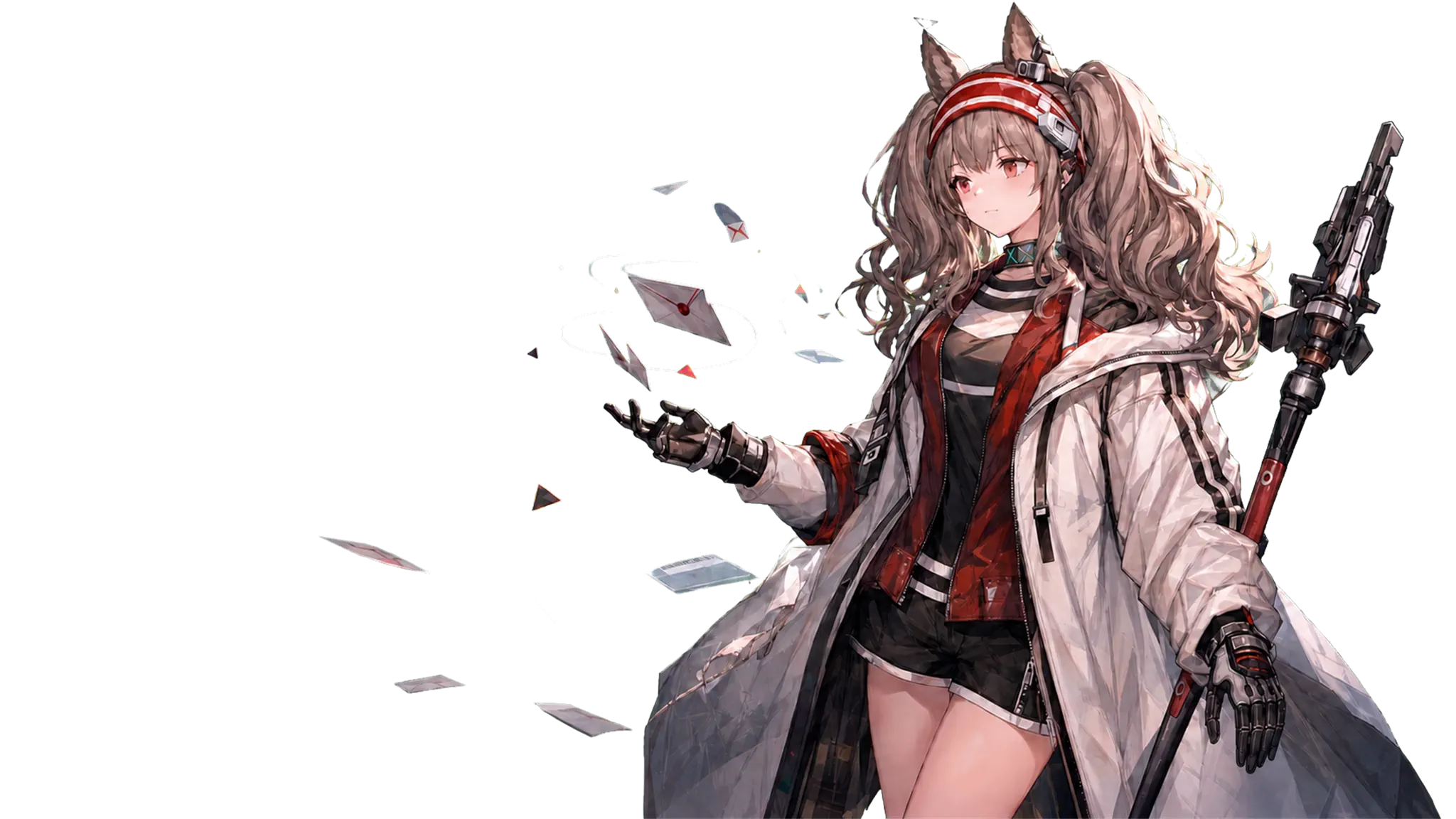
### Parallax layers The scene is composed from a background layer and a transparent foreground layer. The distant city moves only slightly; Angelina and the letters move a little more. Titles, selectors, composers, controls, and copy stay stationary.
Light parallax background layer Light parallax foreground layer
Background layer
Sky, city, rooftop, and moonlight position
Foreground layer
Angelina, letters, and foreground fragments
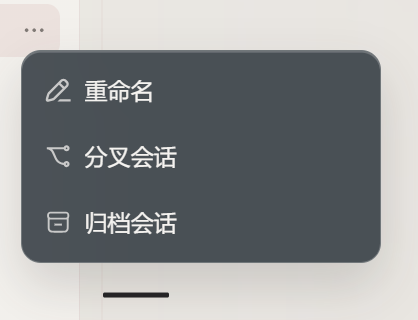
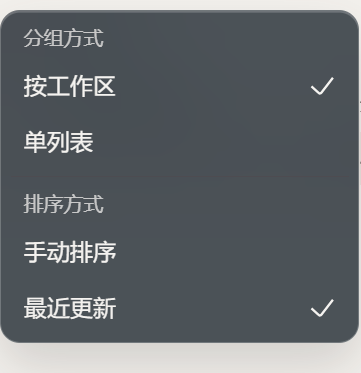
## What changes in the UI | Area | Treatment | Boundary | | --- | --- | --- | | Empty and active conversations | Same artwork composition and parallax; active conversations add shallow backdrop blur and a translucent tint | Conversation copy, titles, buttons, and inputs do not move | | Header, sidebar, menus, listboxes, dialogs | Leaf-node frosted glass instead of filtering fixed-position ancestors | Open overlays keep their own edge and shadow | | Composer, inputs, user bubbles | Translucent fill, backdrop blur, and a small saturation lift | Harness shape, sizing, keyboard behavior, and button layout stay intact | | Settings | Dedicated Angelina picker with light/dark previews and durable browser-local selection | Unload restores the host theme and body attributes | | Motion | Two-layer light parallax and a lower-amplitude dark path | Reduced motion, touch, narrow viewports, blur, and hidden pages disable or reset motion |
Frosted glass on the conversation actions menu Frosted glass on the conversation sort menu
Actions menu
Translucent fill, fine edge, and soft shadow
Sort menu
Group labels, selected state, and text contrast
### Glass recipe The menu and settings-card surfaces share one recipe so the header, dialogs, and cards do not drift into different opacity or blur levels: ```css background: rgba(43, 51, 58, 0.66); backdrop-filter: blur(18px) saturate(104%); ``` Glass is applied only to visible leaf surfaces. Sidebar/frame ancestors are left untouched so fixed overlays, scroll containers, and conversation layers keep their positioning. Active conversation content uses a shallow `3px` backdrop blur while its text and controls remain sharp. ### Motion contract | Mode | Background | Foreground | Intent | | --- | ---: | ---: | --- | | Angelina light | `-5 / -3` | `10 / 6` | A clear sense of depth without moving the UI | | Angelina dark | `0.5 / 0.25` | — (foreground artwork disabled) | Calm, stable night-time motion | Each pair is the X/Y movement coefficient after pointer coordinates are normalized to `-1..1`. The parallax layer has `pointer-events: none`, so it never blocks Harness controls. Titles, selectors, composers, controls, and copy are deliberately excluded from the transform. ## Install ### GitHub (recommended) Use a DeepSeek Harness Web profile with Node.js 20 or newer. `lib/` is committed, so a source install does not require a user-side build: ```sh dsh plugin --profile web add github:bilbillm/deepseek-harness-angelina-themes ``` Restart the Web profile: ```sh dsh web # or npx @deepseek-ai/dsh web ``` Open `Settings > General` and choose **Angelina themes**. Remove it with: ```sh dsh plugin --profile web remove dsh-angelina-themes ``` ### Local checkout Useful when iterating on the source checkout. Relative paths are anchored to the directory where the command is invoked: ```powershell cd C:\Users\lumoren\Documents\GitHub\deepseek-harness-angelina-themes pnpm install pnpm build dsh plugin --profile web add . ``` After editing `src/`, run `pnpm build` again and restart DSH. End users can install the committed `lib/` directly without building. ## Harness compatibility - Published Harness `0.1.0-rc.6` projects active color mode and tokens but not the theme id needed by third-party selectors. The plugin synchronizes `body[data-ds-theme]` and restores its previous value on unload. - The `feature/angelina-themes` fork already owns both theme ids. The plugin reuses existing definitions and registers only missing ids, avoiding duplicate-id failures. - If the fork already owns `#dsh-angelina-parallax` and `body[data-dsh-angelina-parallax]`, the plugin does not add another layer stack or pointer listener. - It can be installed alongside `dsh-motion` and `dsh-conversation-minimap`; this package owns the visual layer and does not take over motion-plugin or conversation data behavior. ## Build, test, and audit ```sh pnpm install pnpm generate-assets pnpm typecheck pnpm build pnpm test pnpm smoke ``` Run the full verification sequence with: ```sh pnpm verify ``` `src/themes.json` is the single token source. `src/assets/` contains the auditable WebP artwork. The generator embeds data URIs in the client bundle, so runtime rendering does not depend on a remote image host. ## FAQ **The picker is missing.** Confirm that the active profile is `web`, restart DSH, and inspect the installation with `dsh plugin --profile web why dsh-angelina-themes`. **Why is parallax disabled on mobile?** Touch input, viewports at or below `900px`, reduced-motion preferences, blur, and hidden pages disable or reset it to protect readability, battery life, and touch stability. **Why did the theme disappear after choosing a built-in light/dark mode?** That is intentional. Returning to a host theme clears the plugin selection marker to `system` and does not overwrite host settings. Select Angelina light or dark again to re-enable it. ## License and assets Code and metadata are MIT-licensed. Angelina, Arknights, and related artwork and marks remain with their respective rights holders. This is an unofficial fan customization and is not affiliated with DeepSeek, OpenAI, Hypergryph, Yostar, or Arknights. See [ASSET-PROVENANCE.md](ASSET-PROVENANCE.md) and [THIRD-PARTY-NOTICES.md](THIRD-PARTY-NOTICES.md) for attribution details.