# Android Auto with React Native
Android Auto was added in version 2.4.0 and is still in beta.
## Welcome to Android Auto Development!
Start your development with the [Android for Cars App Library Design Guidelines](https://developer.android.com/training/cars/Android%20for%20Cars%20App%20Library%20design%20guidelines.pdf), an in-depth 120-page resource for creating apps for Android Auto.
For further development insights, visit the [Android Auto Developer Documentation](https://developer.android.com/training/cars).
🚀 **Quickstart:** The Desktop Head Unit (DHU) enables you to test Android Auto apps without vehicle hardware. [Learn how to set up the DHU for testing](https://developer.android.com/training/cars/testing/dhu).
📑 **Design & Permissions:** Ensure you're familiar with the detailed design guidelines and that your app complies with all required permissions.
🖥 **Testing with DHU:** Utilize the DHU tool from the Android SDK to simulate an Android Auto environment on your desktop for development and testing purposes.
### Important:
Before proceeding with testing or deployment, your app's manifest must include Android Auto's specific permissions and intent filters.
## Installing
Create a new file under android/app/src/main/res/xml/automotive_app_desc.xml with the following content:
```xml
```
Under android/app/src/main/AndroidManifest.xml add the following:
```xml
```
We include permissions needed for all of the templates. You can remove the ones you don't need with `tools:node="remove"`.
`AndroidManifest.xml`
```xml
```
## Category matrix
In short, video, games and browsers are not allowed for publishing.
Three car app categories are supported:
- androidx.car.app.category.NAVIGATION
- androidx.car.app.category.POI
- androidx.car.app.category.IOT
Refer to the [supported categories guide](https://developer.android.com/training/cars#supported-app-categories) for more details
## Templates
### ListTemplate
A template representing a list of items.
#### Visual Previews
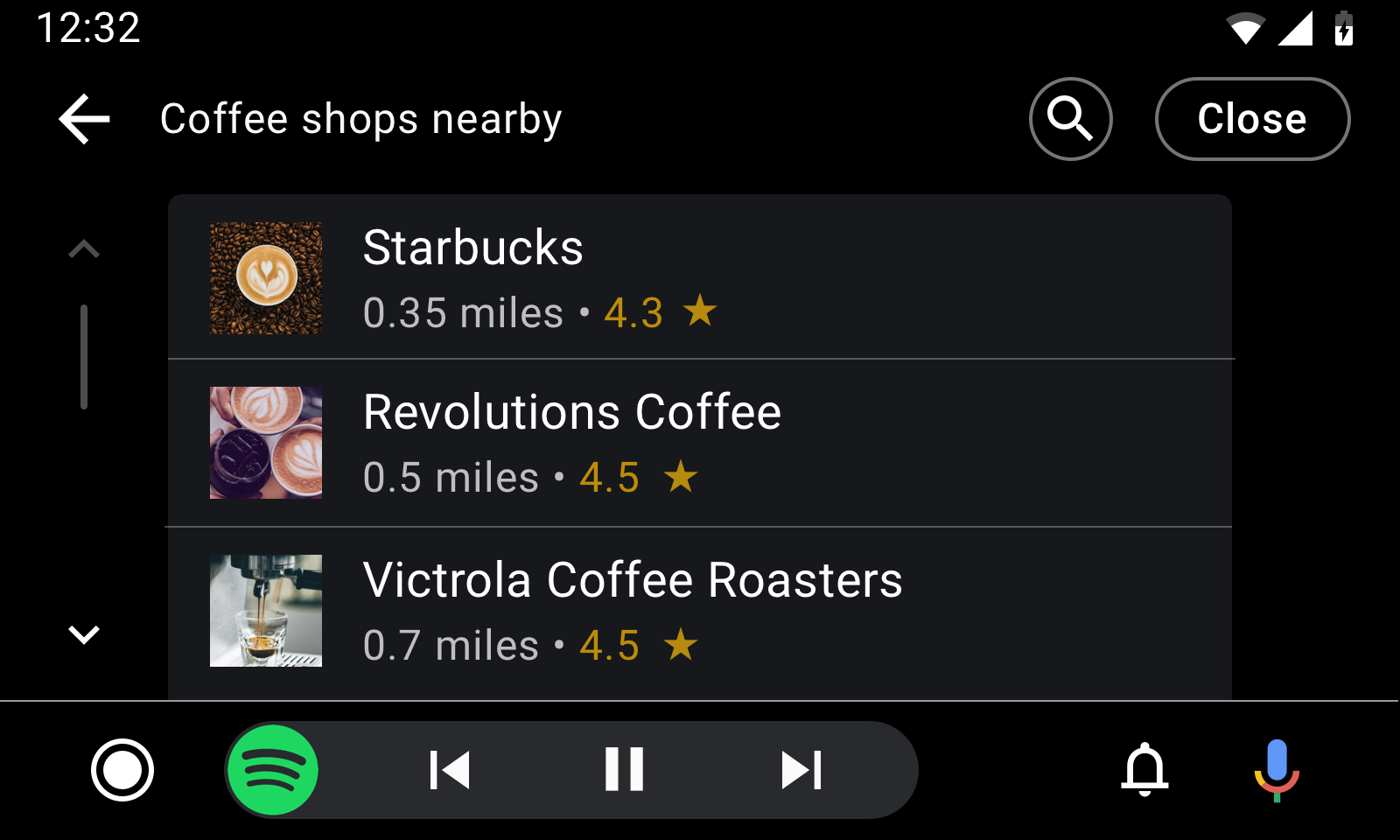
#### Example Usage
```jsx
new ListTemplate({
sections: [
{
header: 'Header A',
items: [
{
text: 'Item 1',
},
],
},
],
title: 'List Template',
async onItemSelect() {},
});
```
See more configuration options in the [TypeScript Docs](/docs/ListTemplateConfig)
#### Relevant Links
- [ListTemplate](https://developer.android.com/reference/androidx/car/app/model/ListTemplate): Explore the ListTemplate class, which defines the template for a list of items in Android Auto.
- [ListTemplate.Builder](https://developer.android.com/reference/androidx/car/app/model/ListTemplate.Builder): Utilize the Builder class for constructing a `ListTemplate`.
- [Row](https://developer.android.com/reference/androidx/car/app/model/Row): Learn about the Row class that represents a row in the list within a `ListTemplate`.
- [ItemList](https://developer.android.com/reference/androidx/car/app/model/Item): Delve into the ItemList interface that `ListTemplate` uses to model lists.
### GridTemplate
A template representing a grid of items.
#### Visual Previews
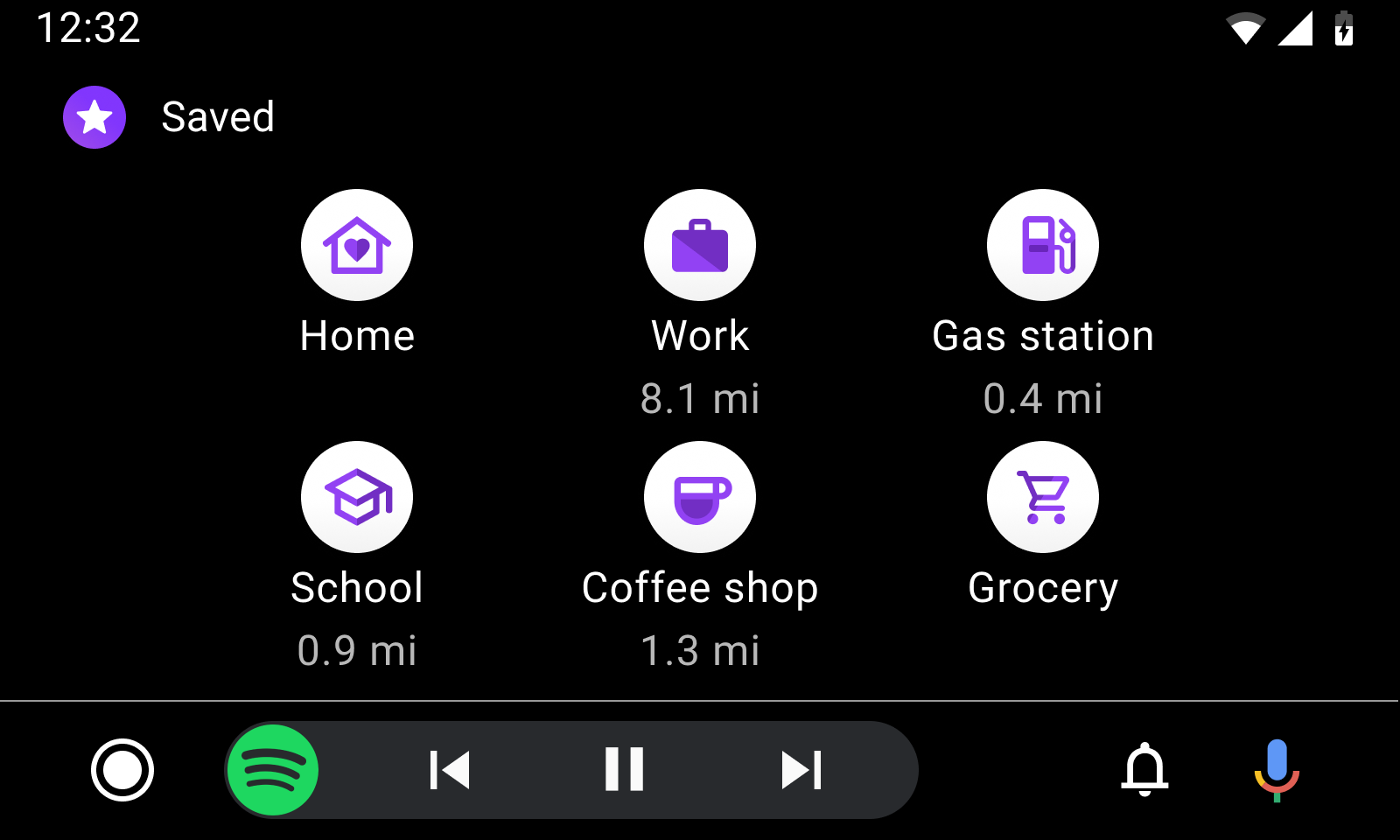
#### Example Usage
```jsx
new GridTemplate({
sections: [
{
items: [
{
image: require('home.png'),
text: 'Home',
},
],
},
],
title: 'Grid Template',
async onItemSelect() {},
});
```
### MapTemplate
A template that displays a map with data such as Pane or ItemList on top of it.
#### Visual Previews
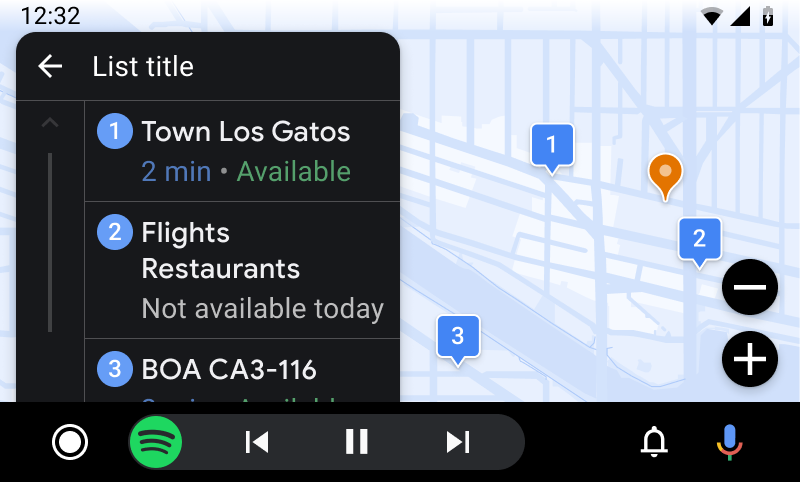
#### Example Usage
```jsx
new MapTemplate({
component: /* react native view */ MapView,
guidanceBackgroundColor: '#eeff00',
onAlertActionPressed() {},
onStartedTrip() {},
});
```
See more configuration options in the [TypeScript Docs](/docs/MapTemplateConfig)
#### Relevant Links
- [MapTemplate](https://developer.android.com/reference/androidx/car/app/model/MapTemplate): Get details on implementing a map view within Android Auto.
- [MapTemplate.Builder](https://developer.android.com/reference/androidx/car/app/model/MapTemplate.Builder): Learn about the Builder class for constructing a `MapTemplate`.
- [Pane](https://developer.android.com/reference/androidx/car/app/model/Pane): Explore the Pane class that represents a pane in the map within a `MapTemplate`.
- [ItemList](https://developer.android.com/reference/androidx/car/app/model/ItemList): Delve into the ItemList interface that `MapTemplate` uses to model lists.
### NavigationTemplate
A template for turn-by-turn navigation.
#### Visual Previews
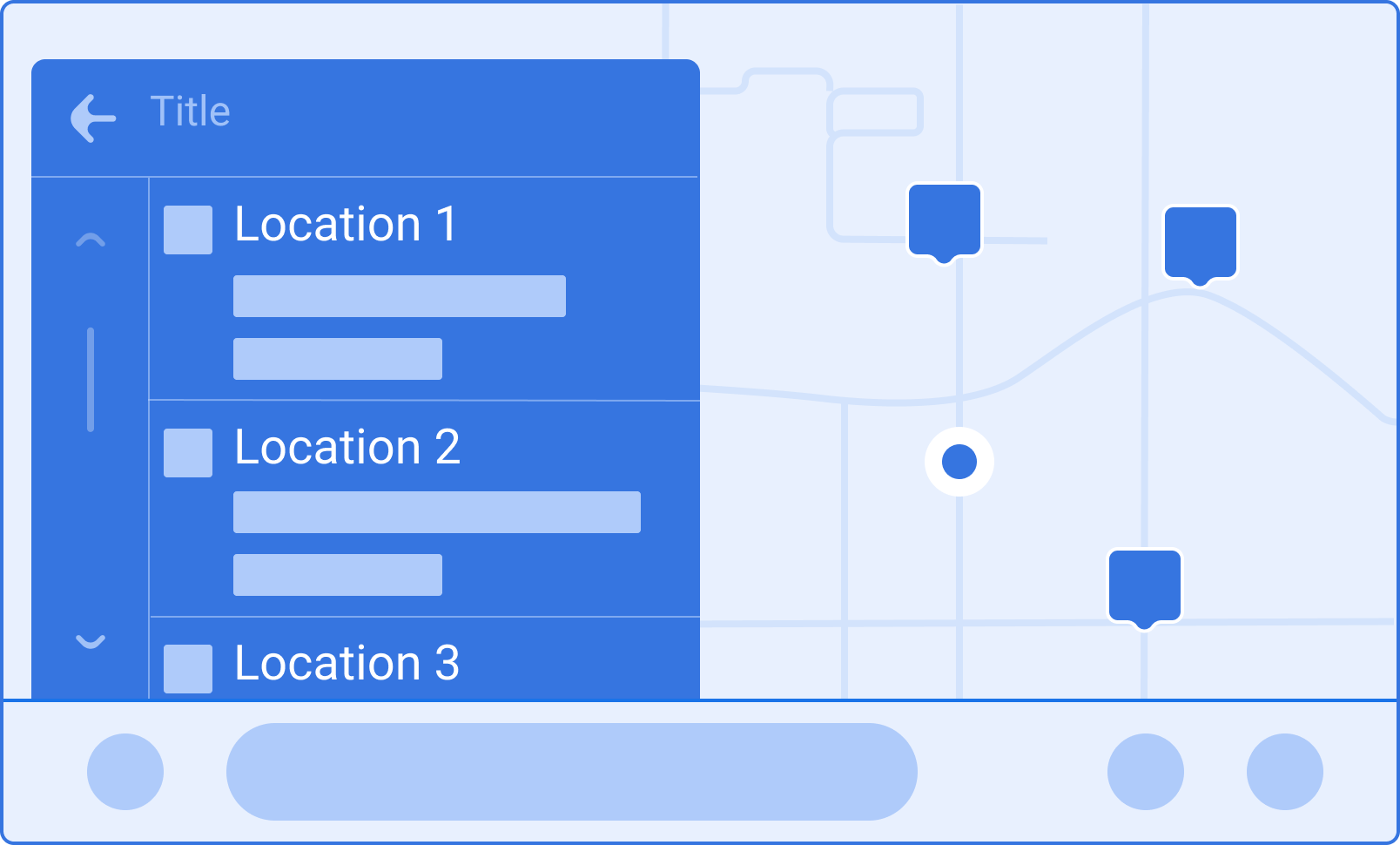
See more configuration options in the [TypeScript Docs](/docs/NavigationTemplateConfig)
#### Relevant Links
- [NavigationTemplate](https://developer.android.com/reference/androidx/car/app/model/NavigationTemplate): Learn how to display navigation instructions.
### PlaceListMapTemplate
A template to show a list of places on a map.
#### Visual Previews

See more configuration options in the [TypeScript Docs](/docs/PlaceListMapTemplateConfig)
#### Relevant Links
- [PlaceListMapTemplate](https://developer.android.com/reference/androidx/car/app/model/PlaceListMapTemplate): Understand how to list places on a map interface.
### PlaceListNavigationTemplate
A template for displaying a list of navigable places.
#### Visual Previews
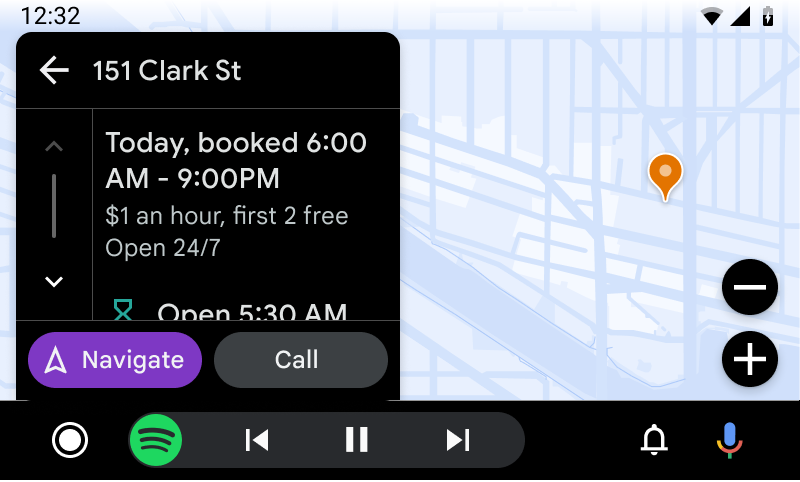
See more configuration options in the [TypeScript Docs](/docs/PlaceListNavigationTemplateConfig)
#### Relevant Links
- [PlaceListNavigationTemplate](https://developer.android.com/reference/androidx/car/app/model/PlaceListNavigationTemplate): Explore how to show a list of destinations for navigation.
### RoutePreviewTemplate
A template for previewing a route.
#### Visual Previews

See more configuration options in the [TypeScript Docs](/docs/RoutePreviewTemplateConfig)
#### Relevant Links
- [RoutePreviewTemplate](https://developer.android.com/reference/androidx/car/app/model/RoutePreviewTemplate): Delve into the details of route previews.
### PaneTemplate
A template to display content in a pane layout.
#### Visual Previews
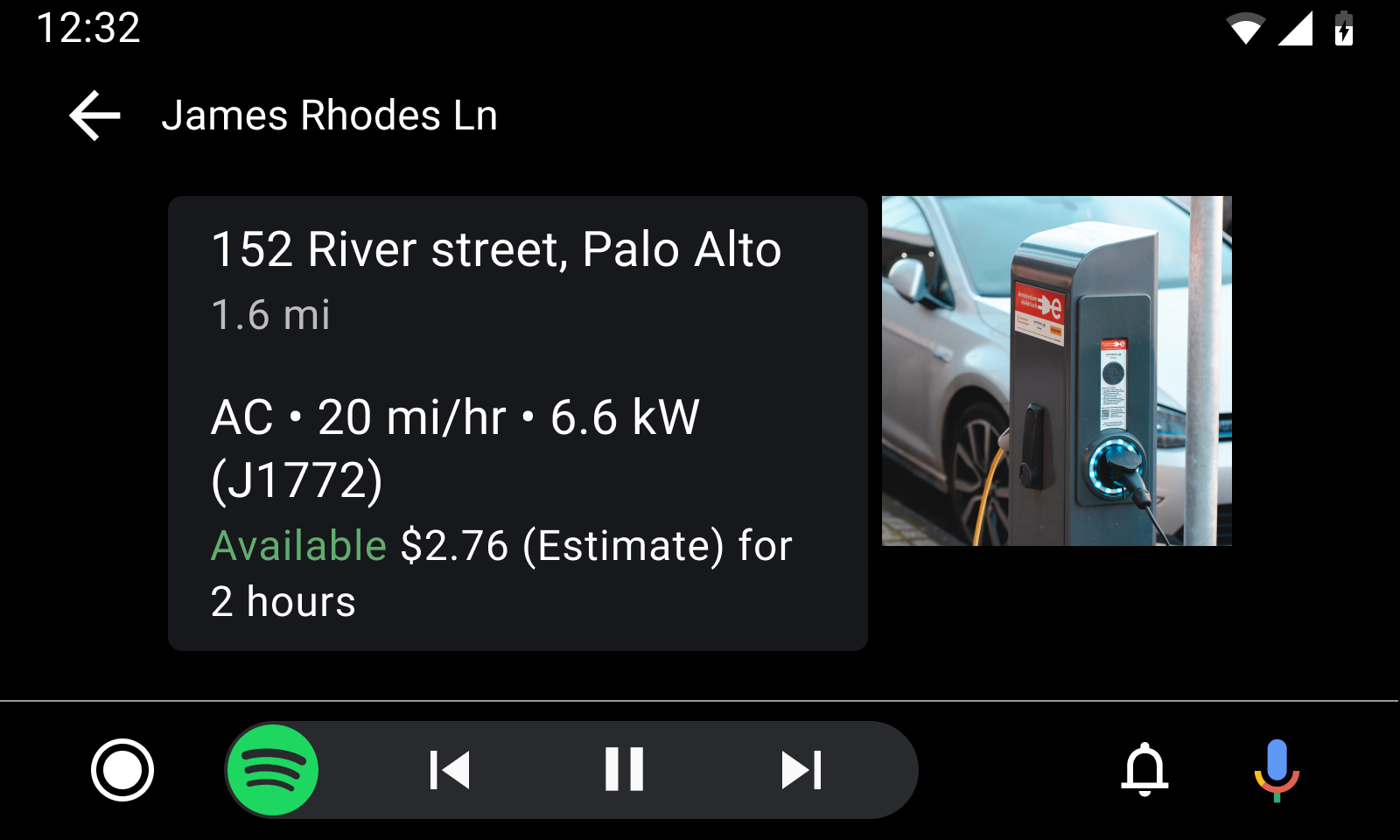
See more configuration options in the [TypeScript Docs](/docs/PaneTemplateConfig)
#### Relevant Links
- [PaneTemplate](https://developer.android.com/reference/androidx/car/app/model/PaneTemplate): Find out how to present information in a pane format.
### SearchTemplate
A template for search functionality.
#### Visual Previews
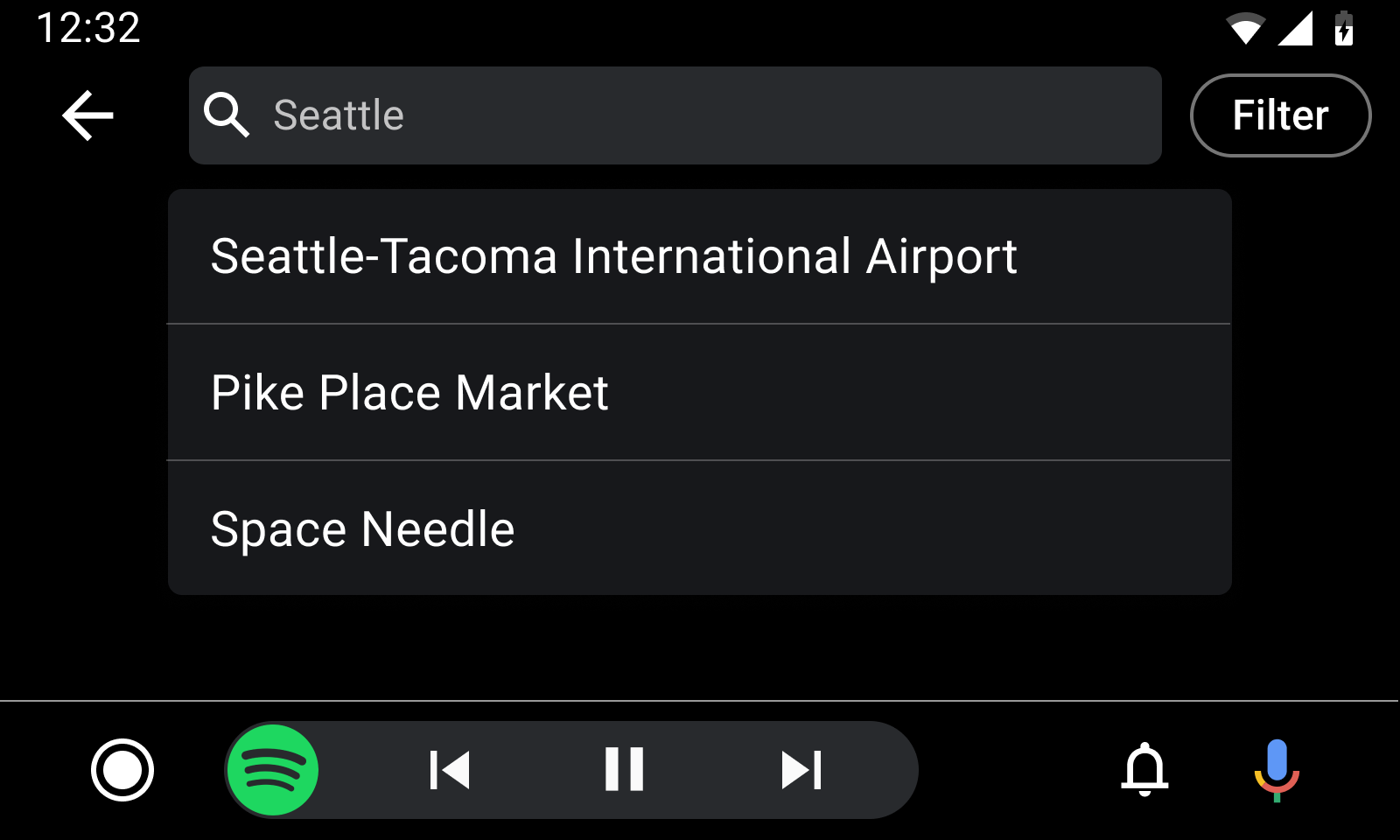
See more configuration options in the [TypeScript Docs](/docs/SearchTemplateConfig)
#### Relevant Links
- [SearchTemplate](https://developer.android.com/reference/androidx/car/app/model/SearchTemplate): Access information on implementing search in your app.
### TabTemplate
A template for tabbed navigation.
#### Visual Previews
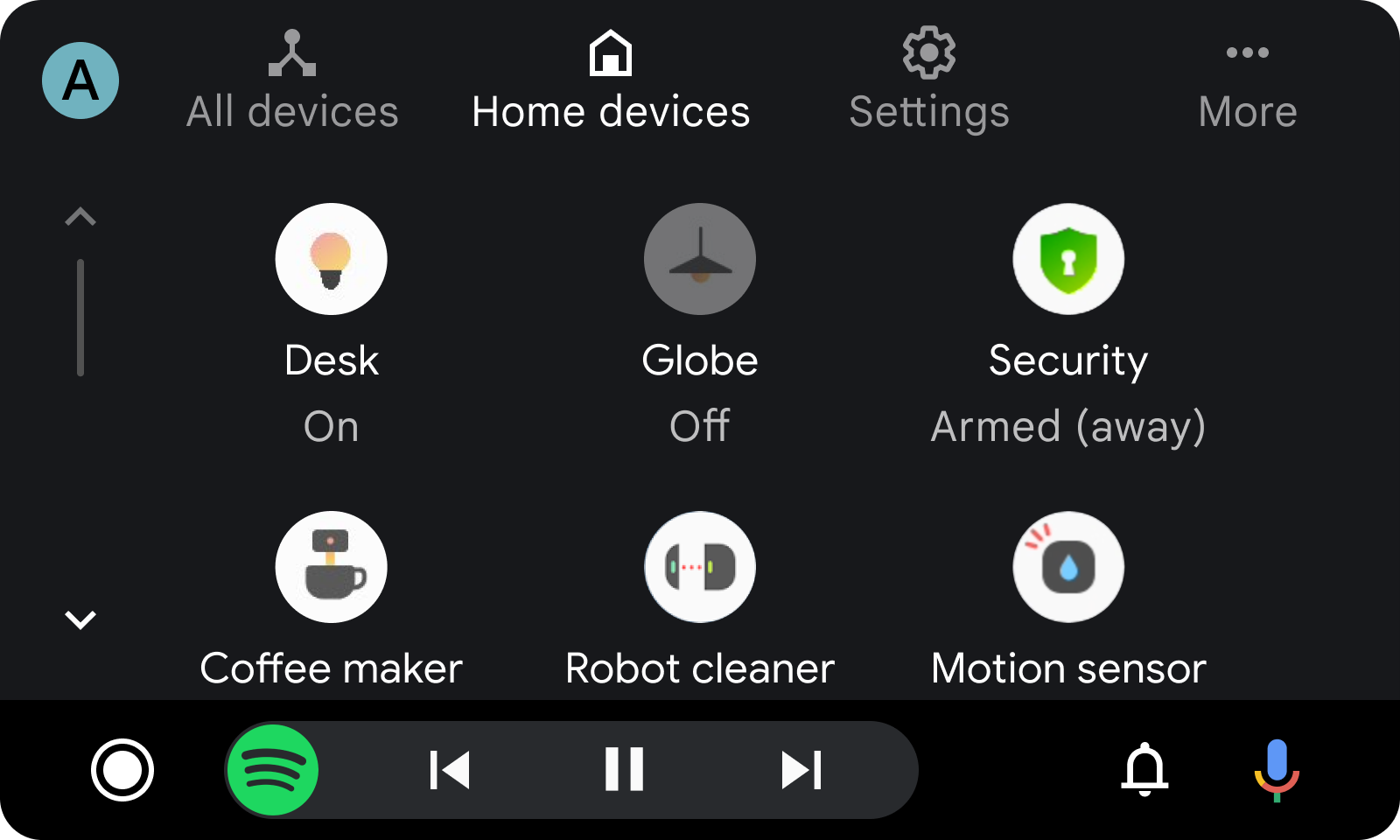
See more configuration options in the [TypeScript Docs](/docs/TabTemplateConfig)
#### Relevant Links
- [TabTemplate](https://developer.android.com/reference/androidx/car/app/model/TabTemplate): Learn about tabbed layouts for content organization.
### MessageTemplate
A template for displaying messages.
#### Visual Previews
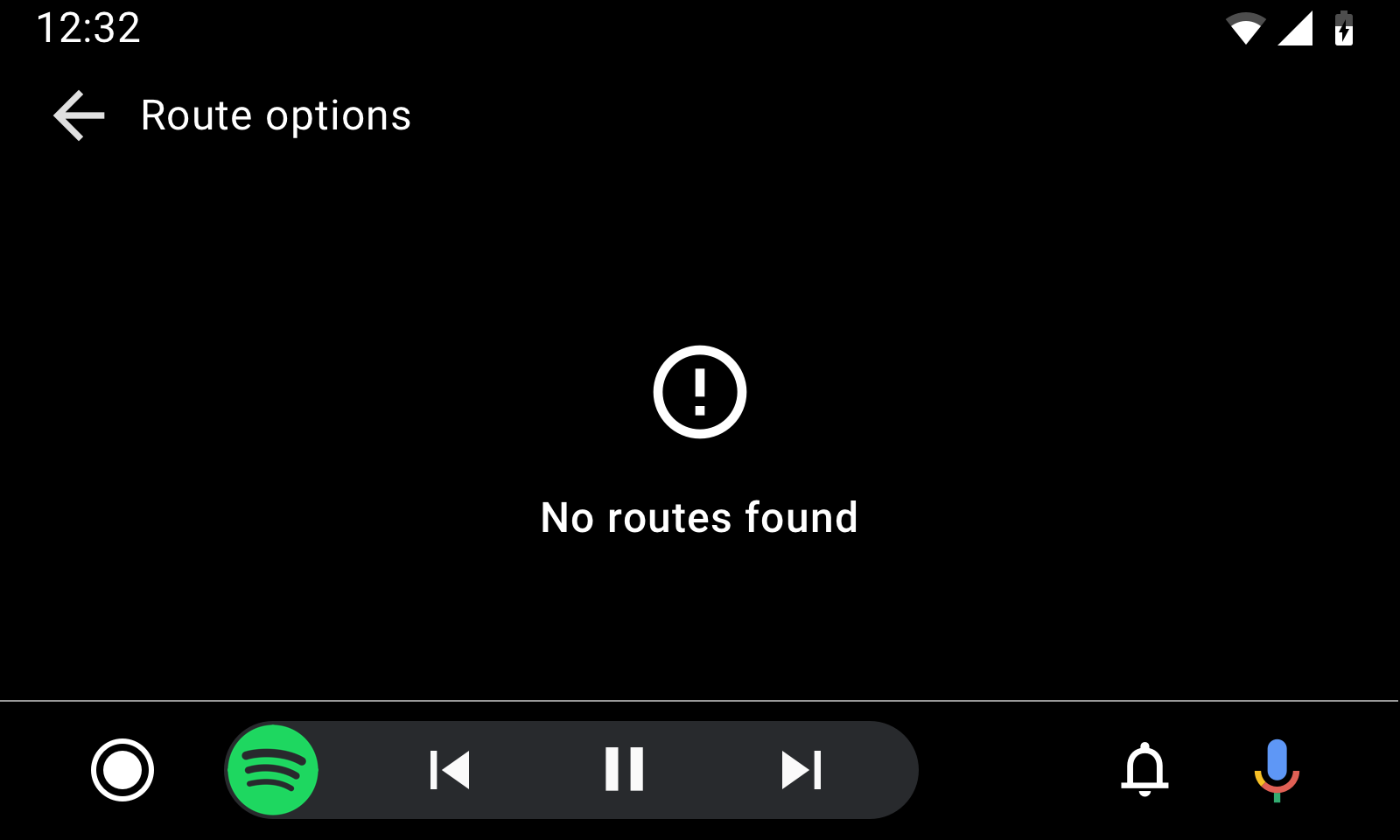
See more configuration options in the [TypeScript Docs](/docs/MessageTemplateConfig)
#### Relevant Links
- [MessageTemplate](https://developer.android.com/reference/androidx/car/app/model/MessageTemplate): Explore how to display messages and alerts.