 [](https://github.com/blakeblackshear/frigate-hass-integration/releases)
[](https://github.com/blakeblackshear/frigate-hass-integration/actions/workflows/build.yaml)
[](https://app.codecov.io/gh/blakeblackshear/frigate-hass-integration/)
[](LICENSE)
[](https://hacs.xyz)
# Frigate Home Assistant Integration
Provides the following:
- Rich media browser with thumbnails and navigation
- Sensor entities (Camera FPS, Detection FPS, Process FPS, Skipped FPS, Objects detected)
- Binary Sensor entities (Object motion)
- Camera entities (Live view, Object detected snapshot)
- Switch entities (Recording, Detection, Snapshots, Improve Contrast)
- Services to control camera (manual events, PTZ control)
- Support for multiple Frigate instances.
## Installation
Easiest install is via [HACS](https://hacs.xyz/):
[](https://my.home-assistant.io/redirect/hacs_repository/?owner=blakeblackshear&repository=frigate-hass-integration&category=integration)
`HACS -> Integrations -> Explore & Add Repositories -> Frigate`
Notes:
- HACS does not "configure" the integration for you. You must go to `Configuration > Integrations` and add Frigate after installing via HACS.
- The `mqtt` integration must be installed and configured in order for the Frigate integration to work. As manual configuration is required for the `mqtt` setup, this cannot happen automatically.
For manual installation for advanced users, copy `custom_components/frigate` to
your `custom_components` folder in Home Assistant.
Please visit the [main Frigate
documentation](https://docs.frigate.video/integrations/home-assistant/)
for full installation instructions of this integration.
### Media Browsing
You will also need [media_source](https://www.home-assistant.io/integrations/media_source/) enabled in your Home Assistant configuration for the Media Browser to appear.
### Lovelace Card
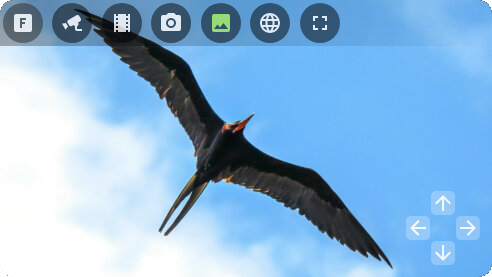
There is also a [companion Lovelace card](https://github.com/dermotduffy/frigate-hass-card) for use with this integration.
[](https://github.com/blakeblackshear/frigate-hass-integration/releases)
[](https://github.com/blakeblackshear/frigate-hass-integration/actions/workflows/build.yaml)
[](https://app.codecov.io/gh/blakeblackshear/frigate-hass-integration/)
[](LICENSE)
[](https://hacs.xyz)
# Frigate Home Assistant Integration
Provides the following:
- Rich media browser with thumbnails and navigation
- Sensor entities (Camera FPS, Detection FPS, Process FPS, Skipped FPS, Objects detected)
- Binary Sensor entities (Object motion)
- Camera entities (Live view, Object detected snapshot)
- Switch entities (Recording, Detection, Snapshots, Improve Contrast)
- Services to control camera (manual events, PTZ control)
- Support for multiple Frigate instances.
## Installation
Easiest install is via [HACS](https://hacs.xyz/):
[](https://my.home-assistant.io/redirect/hacs_repository/?owner=blakeblackshear&repository=frigate-hass-integration&category=integration)
`HACS -> Integrations -> Explore & Add Repositories -> Frigate`
Notes:
- HACS does not "configure" the integration for you. You must go to `Configuration > Integrations` and add Frigate after installing via HACS.
- The `mqtt` integration must be installed and configured in order for the Frigate integration to work. As manual configuration is required for the `mqtt` setup, this cannot happen automatically.
For manual installation for advanced users, copy `custom_components/frigate` to
your `custom_components` folder in Home Assistant.
Please visit the [main Frigate
documentation](https://docs.frigate.video/integrations/home-assistant/)
for full installation instructions of this integration.
### Media Browsing
You will also need [media_source](https://www.home-assistant.io/integrations/media_source/) enabled in your Home Assistant configuration for the Media Browser to appear.
### Lovelace Card
There is also a [companion Lovelace card](https://github.com/dermotduffy/frigate-hass-card) for use with this integration.
 ## Documentation
For full usage instructions, please see the [central Frigate documentation](https://docs.frigate.video/integrations/home-assistant/).
## Maintainers
- [Blake Blackshear](https://github.com/blakeblackshear/)
- [Dermot Duffy](https://github.com/dermotduffy/)
- [Nick Mowan](https://github.com/NickM-27)
## Documentation
For full usage instructions, please see the [central Frigate documentation](https://docs.frigate.video/integrations/home-assistant/).
## Maintainers
- [Blake Blackshear](https://github.com/blakeblackshear/)
- [Dermot Duffy](https://github.com/dermotduffy/)
- [Nick Mowan](https://github.com/NickM-27)