# RadialMenu
**Experimental Software:** Fun to play with, but probably shouldn't put it in production (yet).
RadialMenu is a custom control that allows you to provide a context menu to a user on a touch screen (generally after a long press). This is similar to the record functionality Apple introduced for iMessage in iOS 8.
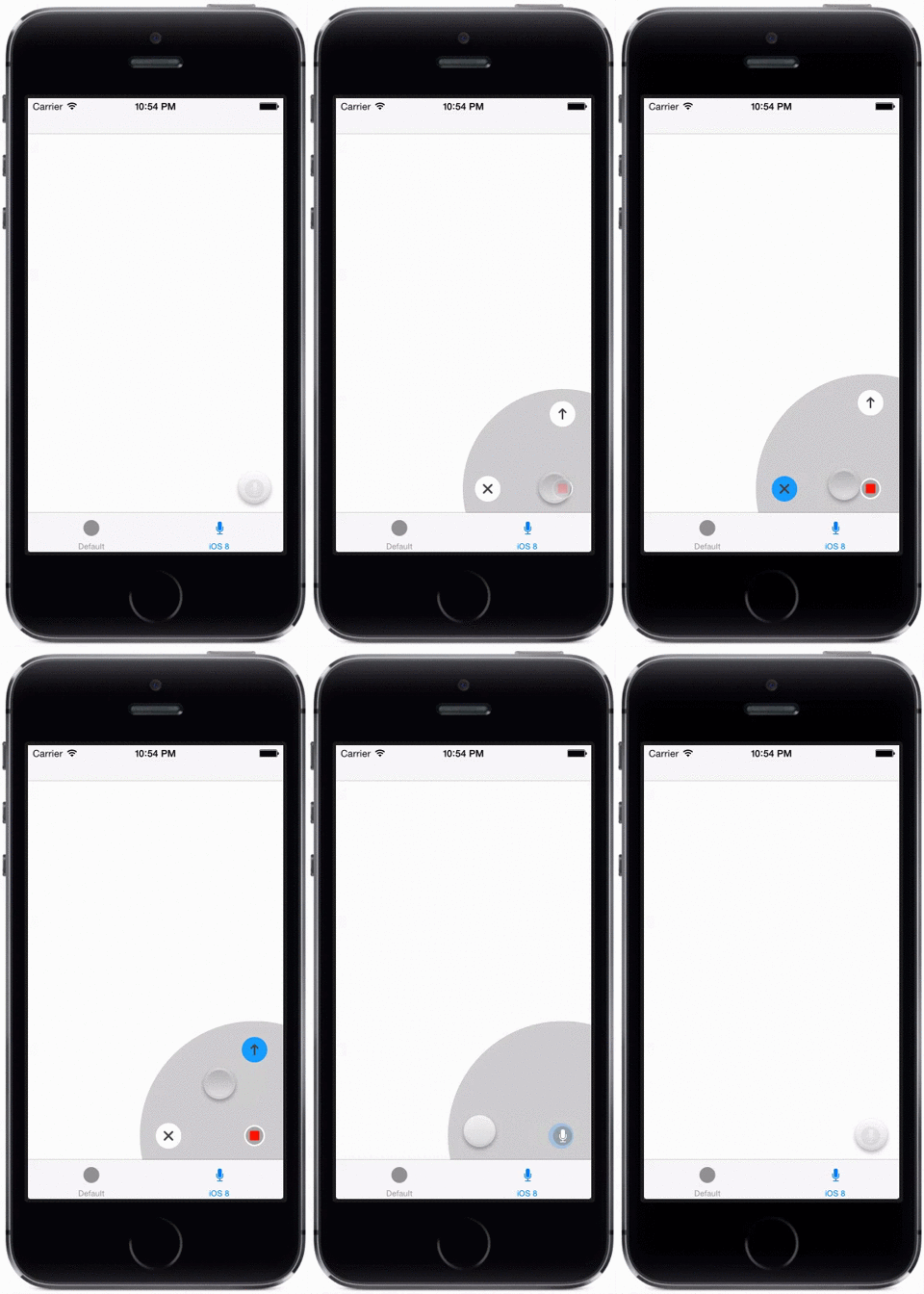
Here's an example of the iMessage menu recreated, taken from the demo app:
You can create your own custom menus as well
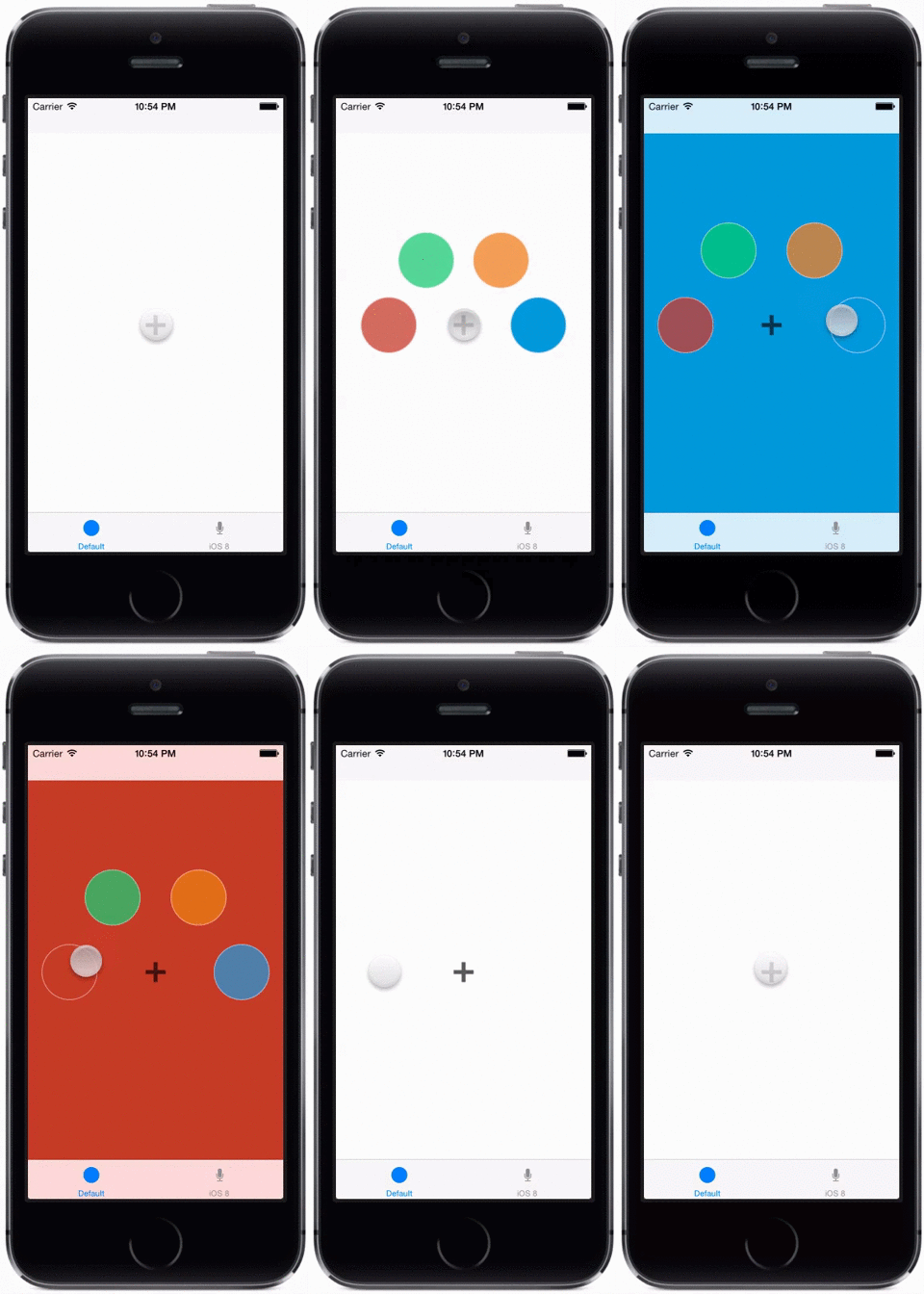
Plus it's built with Facebook POP, so it's very flexible!
Read the blog entry at http://bradjasper.com/blog/radialmenu-imessage-ios8/ for more information.
## Install
Copy the source files from the RadialMenu/ directory into your project.
## How to use?
There are two examples provided which show how to use the control in detail (download and run the Xcode project). At a highlevel:
```swift
// Create a radial submenu (it's just a UIView subclass)
let subMenuRed = RadialSubMenu(frame: frameOfSubMenu)
subMenuRed.userInteractionEnabled = true
subMenuRed.layer.cornerRadius = subMenuRadius
subMenuRed.layer.backgroundColor = UIColor.redColor()
subMenuRed.layer.borderColor = UIColor.blackColor()
subMenuRed.layer.borderWidth = 1
subMenuRed.tag = tag
// Create multiple submenus and assign to array
let subMenus = [subMenuRed, subMenuBlue, ...]
// Initialize the radial menu
let radialMenu = RadialMenu(menus: subMenus, radius: menuRadius)
radialMenu.center = view.center
radialMenu.openDelayStep = 0.05
radialMenu.closeDelayStep = 0.00
radialMenu.minAngle = 180
radialMenu.maxAngle = 360
radialMenu.activatedDelay = 1.0
radialMenu.backgroundView.alpha = 0.0
// Setup event handlers for specific actions
radialMenu.onOpen = {
// menu has opened
}
radialMenu.onHighlight = { subMenu in
// perform highlight change
}
radialMenu.onActivate = { subMenu in
// did select subMenu
}
// Setup menu to show when pressing a button
let longPress = UILongPressGestureRecognizer(target: self, action: "pressedButton:")
button.addGestureRecognizer(longPress)
// Gesture handler can react to menu in different ways depending what you want
// (for example, keeping the menu open if nothing is selected)
func pressedButton(gesture:UIGestureRecognizer) {
switch(gesture.state) {
case .Began:
radialMenu.openAtPosition(button.center)
case .Ended:
radialMenu.close()
case .Changed:
radialMenu.moveAtPosition(gesture.locationInView(self.view))
default:
break
}
}
```
## Todo
- Documentation
- Convert to NSControl sublcass
- Figure out CocoaPods/framework distribution for Swift
- Fix other FIXME's & TODO's in source code
## LICENSE
MIT
## Read More
* Blog entry: http://bradjasper.com/blog/radialmenu-imessage-ios8/
* ALRadial (path radial menu): https://github.com/alattis/ALRadial
* What product designers can learn from iOS 8's iMessage changes: http://scotthurff.com/posts/what-we-can-learn-from-apples-imessage-changes-in-ios-8
* PininterestLikeMenu: https://github.com/itouch2/PinterestLikeMenu
## Contact
Web: http://bradjasper.com
Twitter: @bradjasper
Email: contact@bradjasper.com