# Core Builds Apps
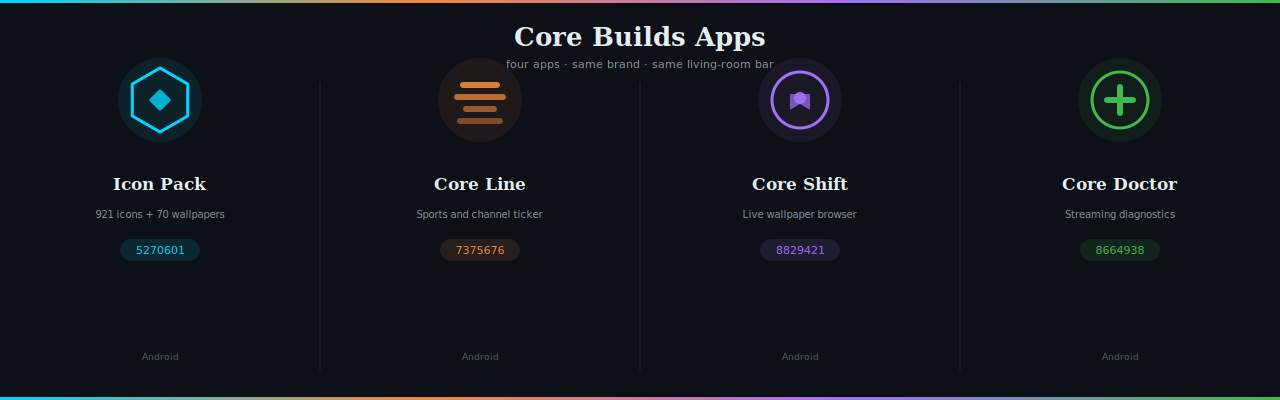
**Seven Android apps. Same brand, same living-room bar.**
---
> | App | Current | What it does | Downloader | Release tag |
> |---|---:|---|---|---|
> | **[Core Builds Icon Pack](#-icon-pack)** | `v1.8.18` | 933 transparent icons + 68 wallpapers for Projectivy Launcher | `5270601` | [`v*` / `iconpack`](../../releases) |
> | **[Core Builds Pixel Neon](#-pixel-neon-icon-pack)** | `v0.1.0` | 933 transparent 8-bit neon icons + 70 wallpapers for Projectivy Launcher | `[USER TO SUPPLY]` | [`pixel-neon-v*` / `pixel-neon`](../../releases) |
> | **[Core Builds Pop](#-core-builds-pop)** | `v1.0.0` | The same 933 icons, pop-art cartoon: 16 swatches, one container | `[USER TO SUPPLY]` | [`pop-v*` / `pop`](../../releases) |
> | **[Core Line](#-core-line)** | `v1.3.0` | Sports scores & channel RSS ticker (chyron) | `7375676` | [`coreline-v*` / `coreline`](../../releases) |
> | **[Core Shift](#-core-shift)** | `v2.3.5` | Android TV screensaver + motion wallpaper browser | `8829421` | [`shift-v*` / `shift`](../../releases) |
> | **[Core Motion](#-core-motion)** | `v1.0.0` | Projectivy wallpaper-provider plugin for Core Motion loops | `[USER TO SUPPLY]` | [`motion-v*` / `motion`](../../releases) |
> | **[Core Doctor](#-core-doctor)** | `v0.1.0` | Local-only streaming and suite diagnostics (phone) | `8664938` | [`doctor-v*` / `doctor`](../../releases) |
>
> Each app has its own CI workflow and release tag. Do not merge Gradle roots, split the repo, or repoint floating Downloader tags.
---
## 🔷 Icon Pack
**Transparent app icons for Projectivy Launcher on Android TV.**
`933 icons` · `68 wallpapers` · `v1.8.18`
The **Core Builds Icon Pack** is designed for the [Projectivy Launcher](https://play.google.com/store/apps/details?id=com.spocky.projengmenu) on Android TV and Google TV, built to the [Core Builds Brand & Style Guide v1.0](https://github.com/brevityA/Core-Builds).
Icons share the **Core Builds visual language**: original geometry, rounded-line brand motifs, one accent and transparent backgrounds. The reviewed glyphs use the canonical **32px main stroke**, with 26.2px / 21.8px detail. Brand references inform the recognisable cue and colour; they do **not** replace the pack's style with filled vendor silhouettes or custom logotypes. The existing Outfit fallback letters remain unchanged. [Reference provenance and rights](THIRD_PARTY_NOTICES.md).
**v1.8.16 — the pack's own launcher badge finally looks like the brand.** The old icon was a thin wireframe mark on flat night that all but disappeared on dark living-room launchers. The generator now renders a depth-gradient disc with an edge keyline, heavier glowing hexagon linework and a lit diamond, and the adaptive icon gets a real gradient-field background behind the lit mark. Everything still comes from `tools/build_branding.py`; before/after in `docs/icon-before-after.png`.
**v1.8.15 — Monet Launcher never reads the system wallpaper, so "Set wallpaper" was a no-op on every Monet home screen.** Found by decompiling Monet v1.0.84: the APK has no `WallpaperManager` reference at all, but since v1.0.72 it exports a share target that copies images into Monet's own background library. The preview button now reads **Send to Monet** when Monet is HOME and hands the cached file straight over (no permissions, no export first); the export screen offers **Send N to Monet** for a whole selection. Icon apply to Monet stays manual — v1.0.84 has no inbound apply intent — but the path now names the 1.0.80 layout, *Settings → Apps → Icon pack*. Research and APK evidence in `docs/MONET_LAUNCHER.md`.
**v1.8.14 — two thirds of the pack was a letter in a box, and 429 icons shipped the same picture as another icon:** hashing all 926 drawables returned only **655 distinct images**. 608 fell back to a `tile_*` monogram and accents come from a cycled palette of 49, so a shared letter plus a shared palette slot produced a byte-identical PNG — one file served seven apps. **56 new marks now cover 58 apps** in the categories a Core Builds user actually runs: debrid clients, players, launchers, browsers, file and network tools. **74 monograms showed a letter the app name does not contain** (Corridor showed W, Crave showed B); 72 are repointed. **30 marks collapsed at a 48px Projectivy tile** — MUBI lost all seven counters and read as a solid rectangle, DS file sat at 53% ink — so **36 glyph shapes** are redrawn to a 32px minimum counter. Two needed the raster pipeline to get right: `presence.py` dilates every edge by the keyline radius, so MUBI's rings merged even with the vector counters open. Duplicates **429 → 34**, distinct artworks **655 → 902**, glyphs losing counters **30 → 0**. 549 icons are still letter tiles; that tail is a programme, not a sprint.
> **Tip:** Use a **dark card background** in Projectivy. These icons are drawn for night chrome (`#0d1117`).
> **Note:** Designed and mapped against Android TV / Google TV builds of each app. Devices running mobile variants sometimes expose a different launcher activity — if an icon doesn't auto-assign, [open a prefilled issue](#request-an-icon) with the component name and it gets added.
### Request an icon
Both issue forms are deep-linked: a report opens on the right template with
the right title and label already set — no chooser, no retyping the prefix.
Field values ride on the same URL. Only `input` and `textarea` fields accept
a prefill, so every required dropdown and confirm box is still answered by
the reporter — a link can never tick a gate for them.
| Open | Use it when | A link can prefill | Only in the form | Title / label |
|---|---|---|---|---|
| [🎨 New icon request](https://github.com/brevityA/CoreBuildsApps/issues/new?assignees=&labels=icon+request&projects=&template=1.new_icon_request.yml&title=%5BIcon%5D+) | Request an icon for an app that isn't in the pack yet. | App name\* · Component name · Store or download link\* · Anything else | Device type\* · Confirm | `[Icon]` · `icon request` |
| [🔧 Icon not auto-assigning](https://github.com/brevityA/CoreBuildsApps/issues/new?assignees=&labels=mapping&projects=&template=2.icon_not_applying.yml&title=%5BNot+applying%5D+) | The app is in the pack, but its icon doesn't appear on your device. | App name\* · The component name on YOUR device\* · Device and OS\* | Launcher\* · Confirm | `[Not applying]` · `mapping` |
One app per issue, and check [docs/IconPackList.md](docs/IconPackList.md) by
name, drawable and package first — a listed app that isn't applying belongs
on the other form.
For one specific app, let the generator build the link you paste into a reply:
```bash
python tools/build_issue_prefills.py --app Stremio \
--template 2.icon_not_applying.yml \
--component com.stremio.one/com.stremio.tv.MainActivity
```
```text
https://github.com/brevityA/CoreBuildsApps/issues/new?assignees=&labels=mapping&projects=&template=2.icon_not_applying.yml&title=%5BNot+applying%5D+Stremio&app_name=Stremio&component=com.stremio.one%2Fcom.stremio.tv.MainActivity
```
Generated from `.github/ISSUE_TEMPLATE/` by `tools/build_issue_prefills.py`.
Edit the forms, re-run the generator — `--check` fails this block on drift.
---
### Install
1. Download using the existing **Downloader code `5270601`**, or use the permanent APK URL:
**https://github.com/brevityA/CoreBuildsApps/releases/download/iconpack/iconpack-release.apk**
Versioned builds remain available from [**Releases**](../../releases) under `v*` tags. The `iconpack` release is a floating stable target; do not use the repository-wide `latest/download/...` URL as a permanent link because Core Line has separate releases in this repository.
2. Sideload it (Downloader, `adb install`, or a file manager).
3. Open the app and press the **apply** button — it detects your launcher and hands off directly.
Or apply manually: **Projectivy Launcher Settings** → **Appearance** → **Cards** → **Icon Pack** → **Core Builds Icon Pack**
> **Android 11+:** The APK declares a `