

A plugin for GPT-3 AI assisted note taking in Logseq. Uses OpenAI's ChatGPT API `gpt-3.5-turbo` model by default.
- # Student Teacher Dialog
  prompt-template:: Student Teacher Dialog
	- ```prompt
	    Rewrite text as a dialog between a teacher and a student:
	  ```
#### Student teacher dialog  #### Australian Accent 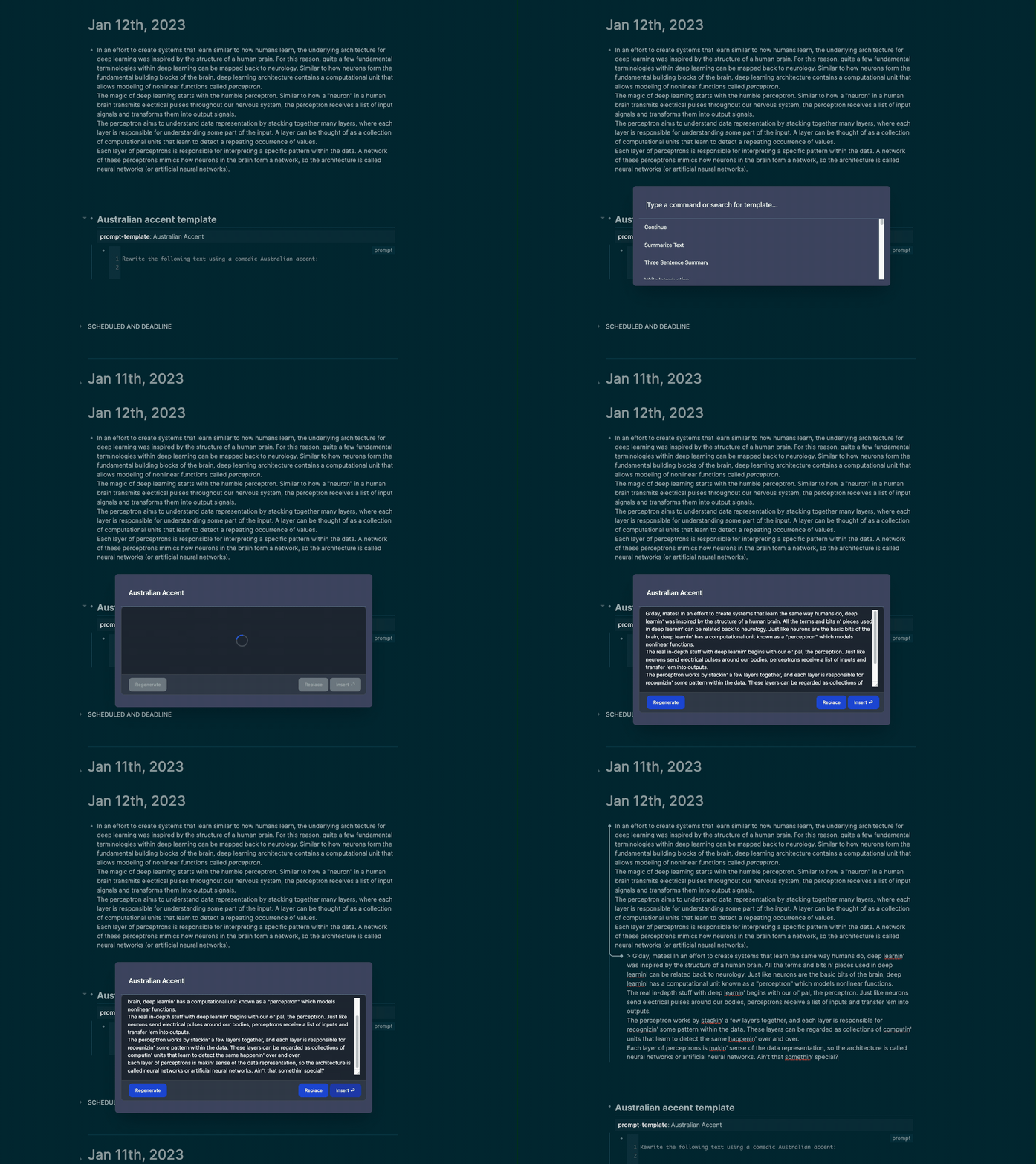 ### Replace To replace the selected block with the generated text, click the `Replace` button.  ### Regenerate If you don't like the output of the prompt, you can click the `Regenerate` button to generate a new response. Sometimes the first response is not the best, but the second or third response can be better. 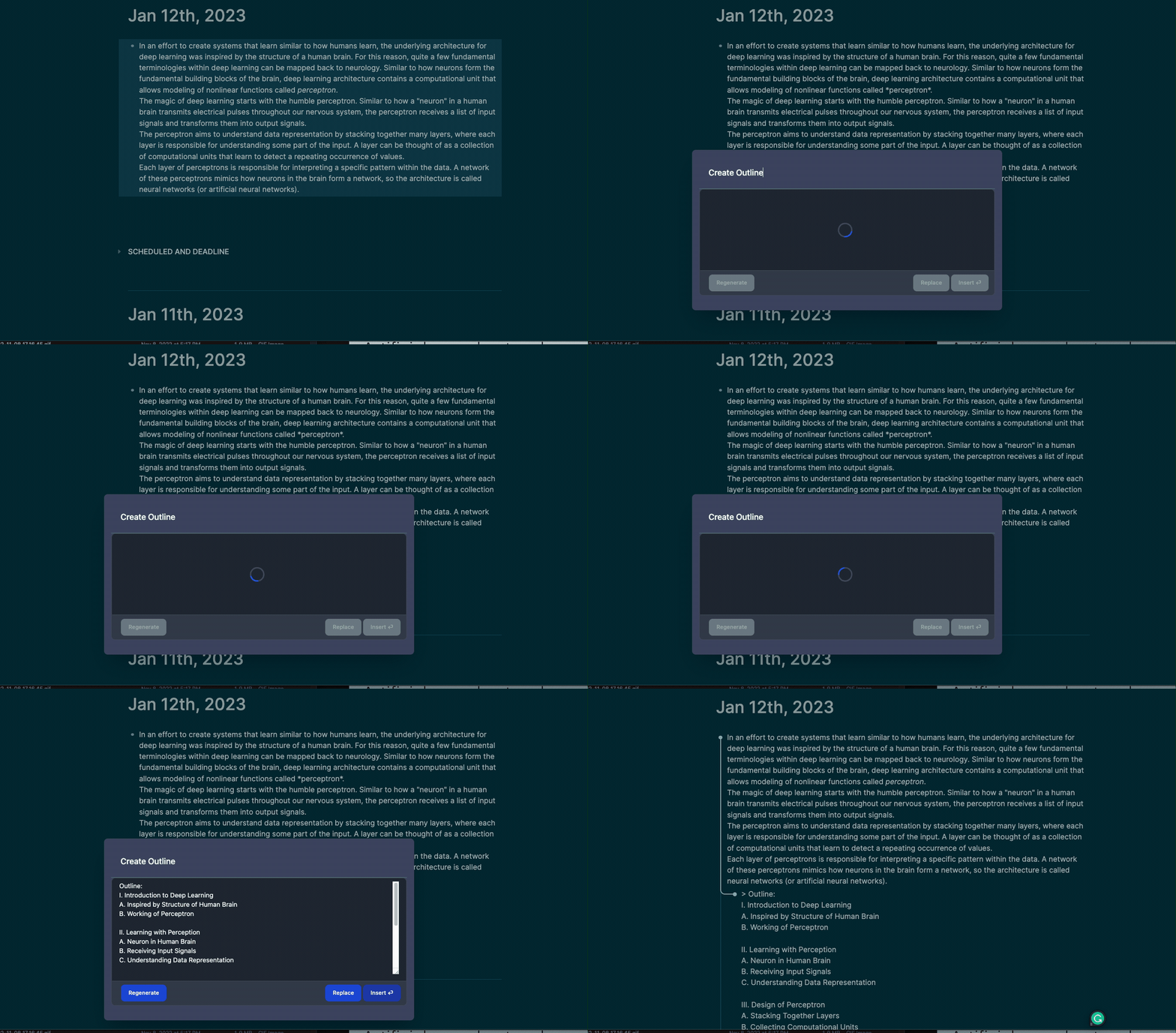 ## `gpt-block` Type `/gpt-block` in a block or select `gpt-block` from the block menu. `gpt-block` will send the block to OpenAI's GPT-3 API and append the response underneath the block. 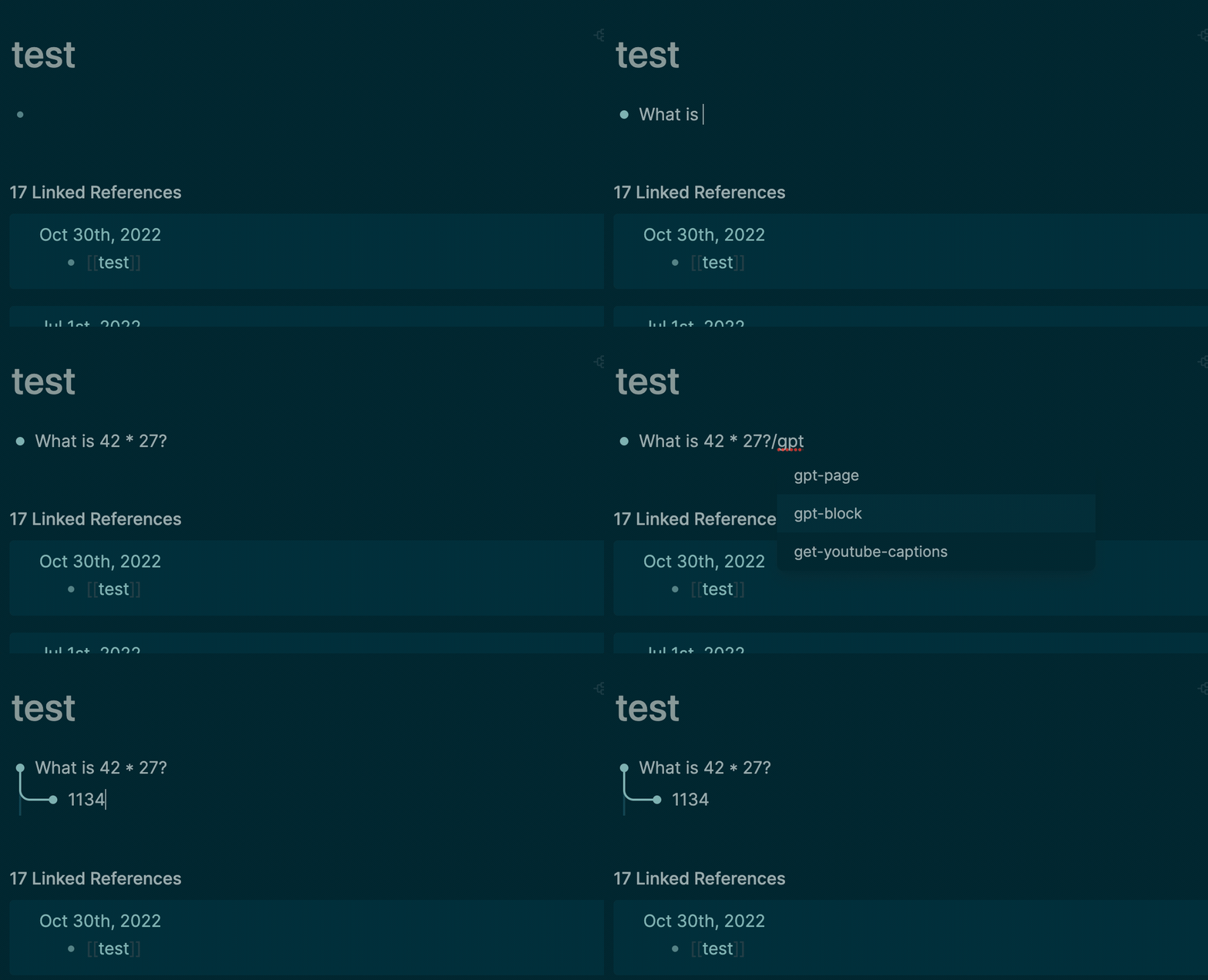 #### Ask questions  ### `gpt-page` Type `/gpt-page` in a block or select `gpt-page` from the block menu. `gpt-page` will send the entire page to OpenAI's GPT-3 API and append the response to the bottom of the page. 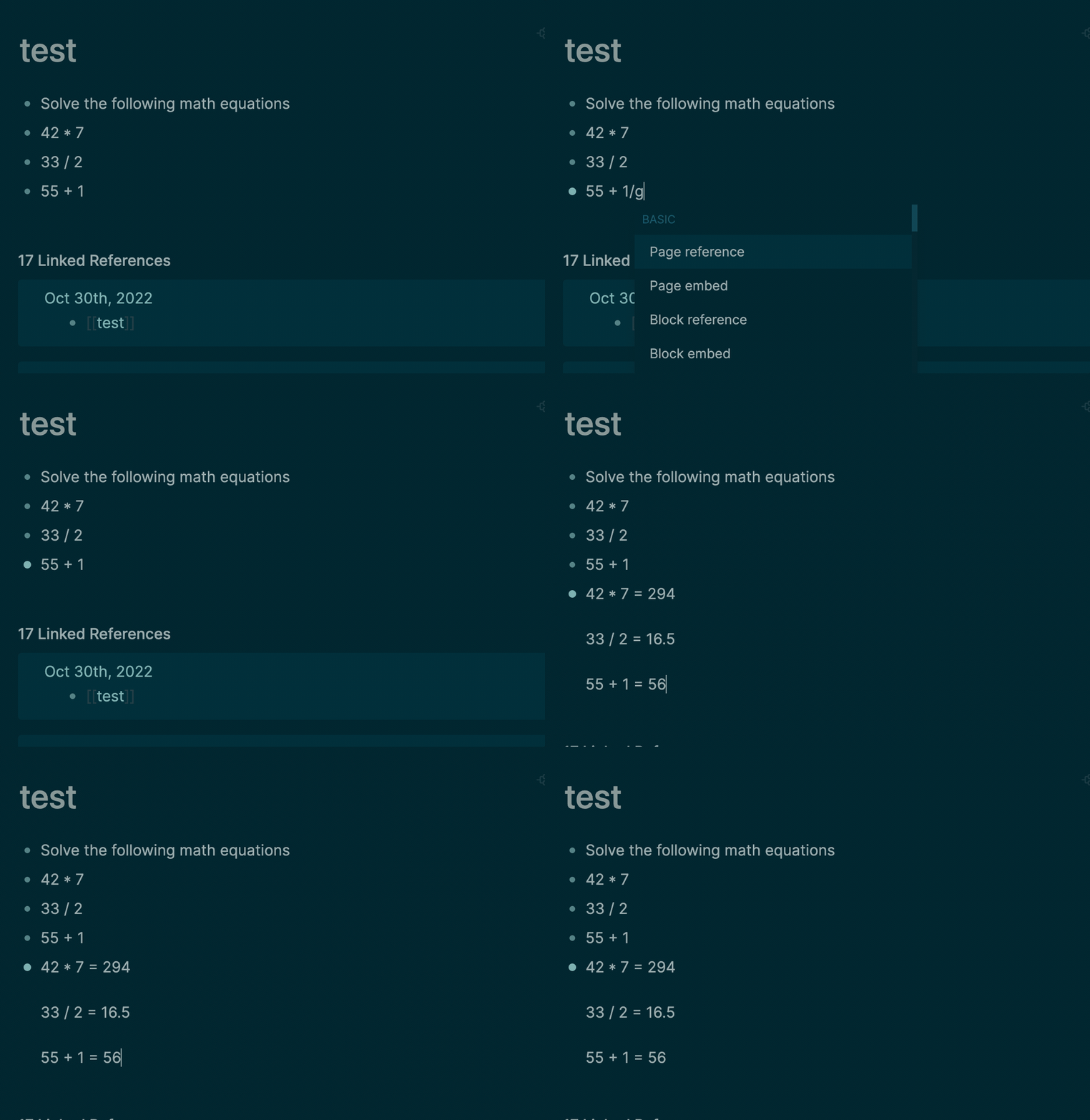 #### Whisper speech to text transcription Transcribe audio files to text using the Whisper API. Type `/whisper` in a block or select `whisper` from the block menu. Supported formats are: ```m4a, mp3, mp4, mpeg, mpga, wav, webm``` Note, that the Logseq mobile app audio recorder uses `.aac` which is not supported by Whisper. I recommend using a separate audio recorder app to record audio files and then uploading them to Logseq. For example, I use the Voice Memos app on iOS and share that file to the Logseq mobile app. ### `dalle` Generate images with DALL-E Type `/dalle` in a block or select `dalle` from the block menu. This will generate an image using the DALL-E model, save the image to the `assets` folder, and insert the image into the block.  #### Select Multiple Blocks You can click and drag or shift+click to select multiple blocks to use as input to the prompt. 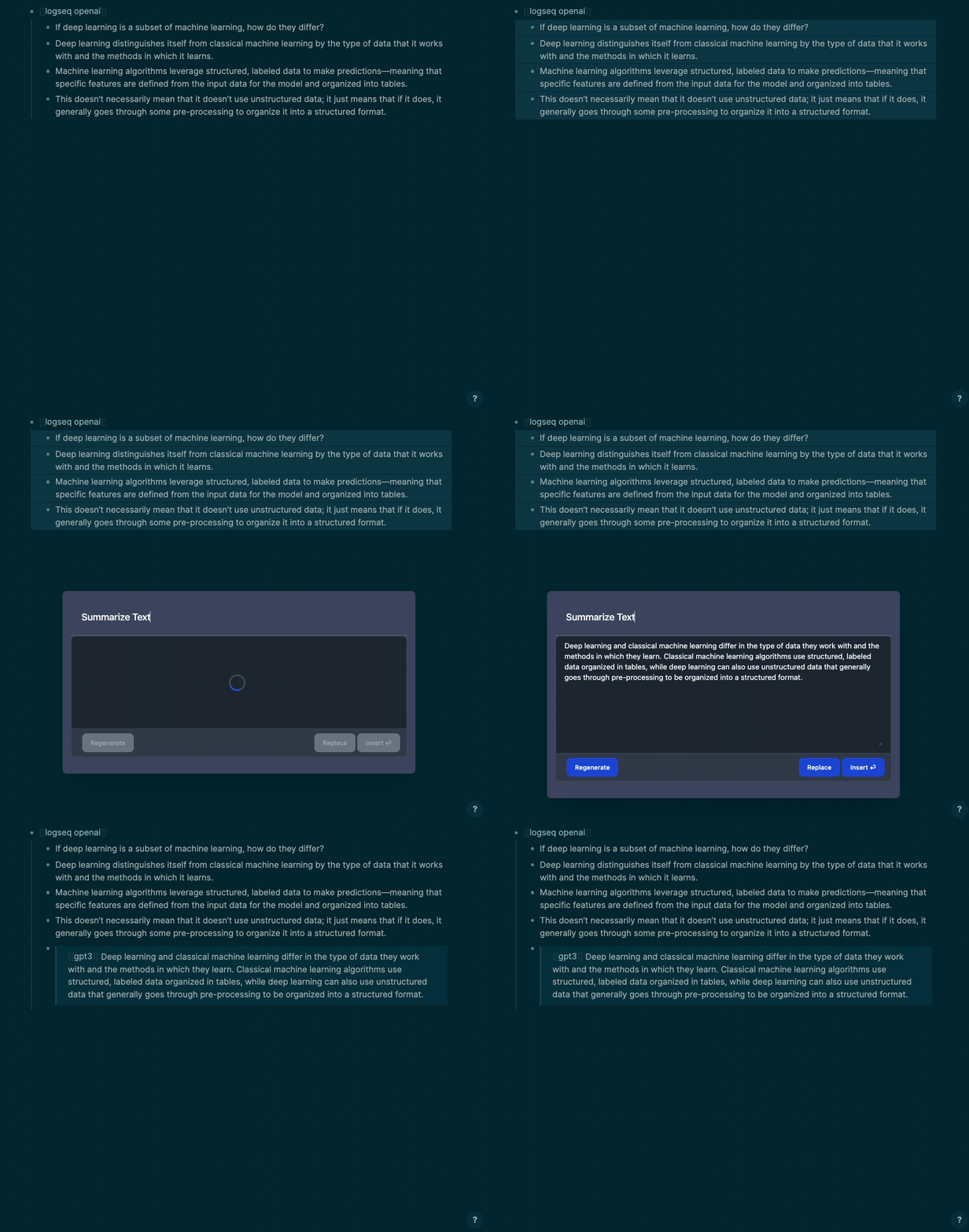 ### ChatGPT Guidance You can adjust the `chatPrompt` setting to adjust how ChatGPT should respond to your input. By default, the setting is set to `Do not refer to yourself in your answers. Do not say as an AI language model...` to prevent the model from including unnecessary text in the response. You can add guidance such as "respond in chinese" or "respond in spanish" to the prompt to get the model to respond in a different language. This setting is only used when the model is set to `gpt-3.5-turbo`. For people who uses reverse-proxy server to use OpenAI service ,you can set the `chatCompletionEndpoint` to your reverse-proxy endpoint , the default configuration for this is `http://api.openai.com/v1`. **WARNING: To use those reverse-proxy endpoints , you should always keep your data and privacy safe !!!** ### Inject Prefix Allows you to inject a prefix into the GPT-3 output before it is inserted into the block, such as a [[gpt3]] tag or markdown formatting like `>` for a blockquote. This is useful for identifying blocks that were generated by GPT-3. Use the `Inject Prefix` options in the setting to set the prefix. You can add a space or `\n` newline to separate the prefix from the generated text. #### Inject Tag  #### Inject Markdown Blockquote  ### OpenAI Examples [See here for example usages](https://beta.openai.com/examples). ## About `logseq-plugin-gpt3-openai` allows users to generate human-like text using GPT-3 within the LogSeq editor. Write a GPT-3 command in a block, then run the open `/gpt` command via the slash or block menu. The plugin will generate a GPT-3 response using the OpenAI API and insert it below. It removes leading and trailing whitespace from the prompt. ## Getting Started - You need to [get an OpenAI API Key here](https://openai.com/api/) and add the key in the plugin settings. - After the free welcome credit expires you will need to provide a credit card to OpenAI. - Note that having a paid ChatGPT account is not the same as having a paid account for OpenAI's API. - The default model is `gpt-3.5-turbo` but you can change it to `text-davinci-003` for GPT-3 or `gpt-4` (if you have access)in the plugin settings under `openAICompletionEngine`. See the [OpenAI docs](https://platform.openai.com/docs/) for available models. - Make sure you [read OpenAI's usage guidelines](https://beta.openai.com/docs/usage-guidelines) and avoid generating certain types of content. - Download the plugin in the Logseq marketplace by searching for `gpt3` or `openai`. ## ⚠️ Warning ⚠️ GPT-3 has limitations. It sometimes produces output that is subtly wrong or misleading. Don't rely on its output without verifying it yourself. Use it with caution. ## Example Use Cases ## Summarizing or explaining a block of text 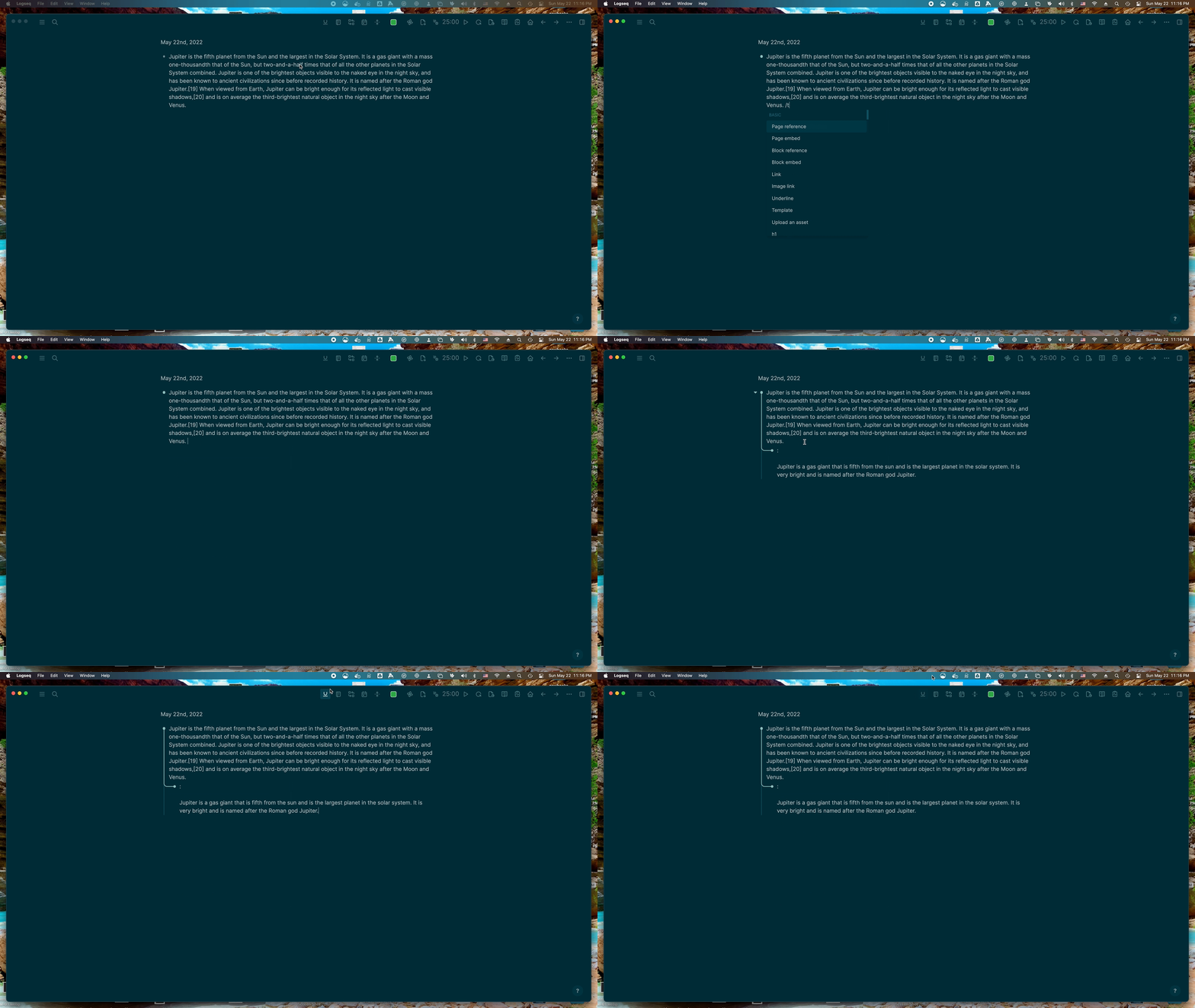 ## Creating bullet point outlines for a given topic 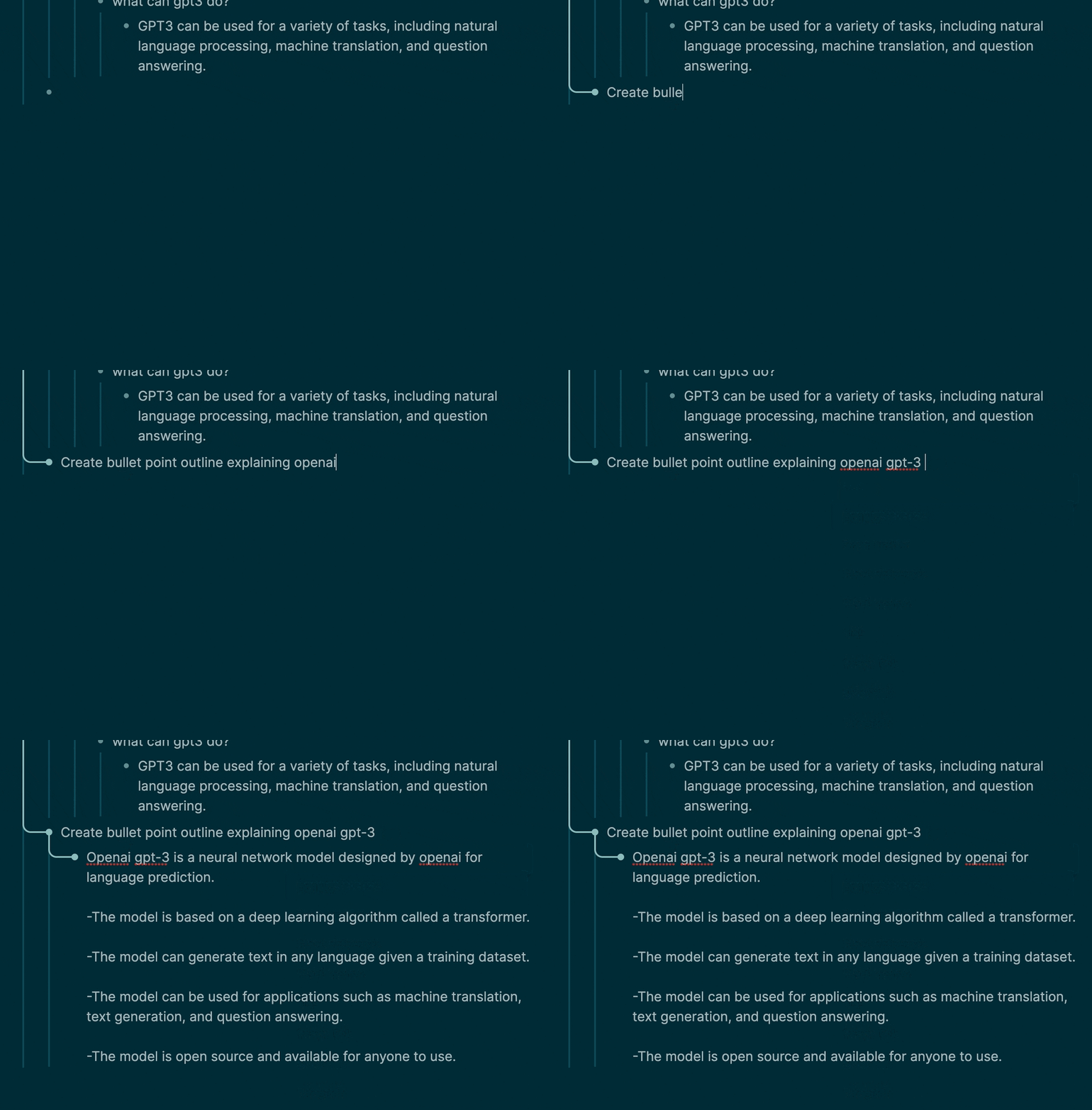 ## Creating study plan for a given topic  ## Write a travel itinerary  ## Explain how to do something 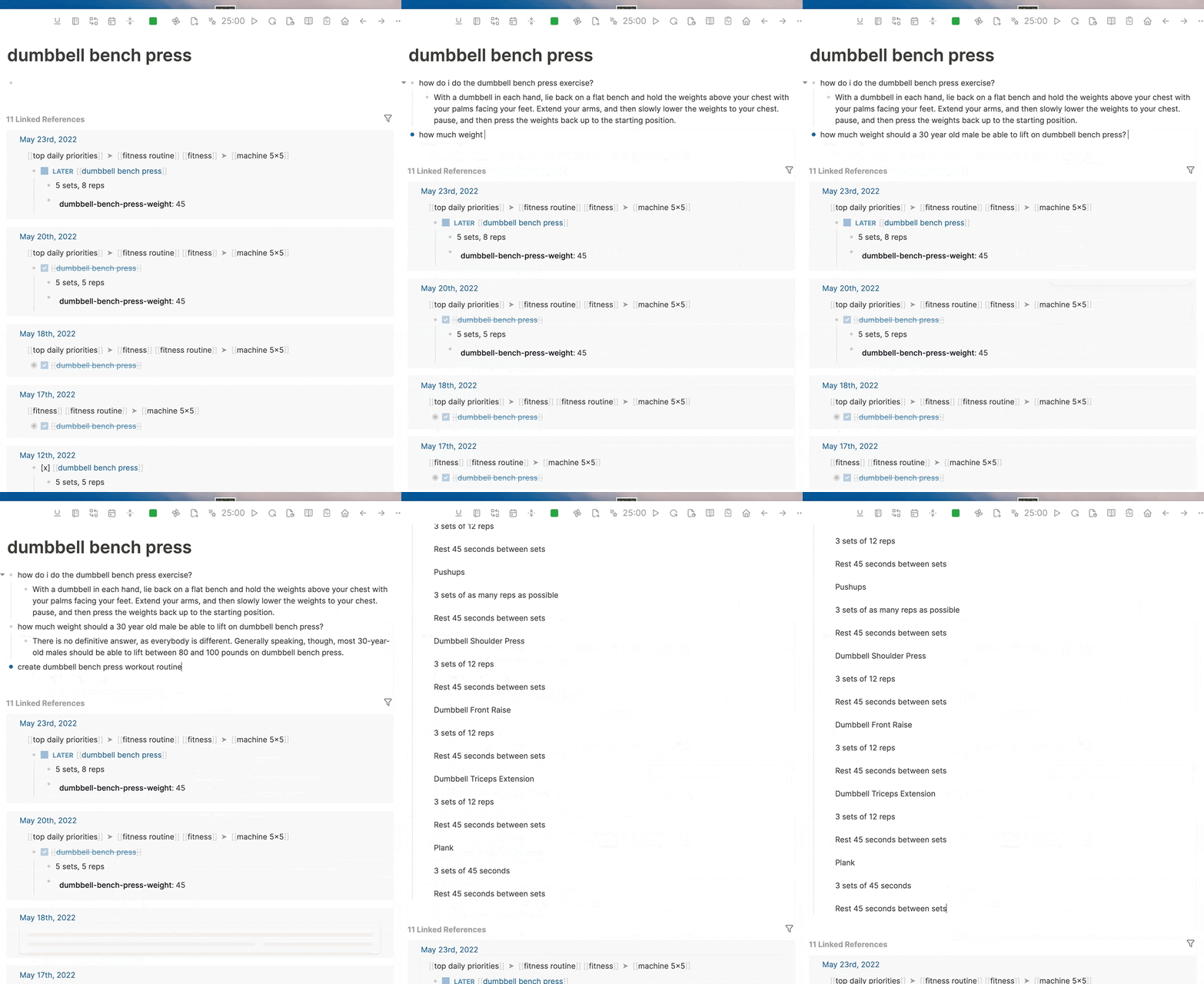 ## Parse tabular data from plain english 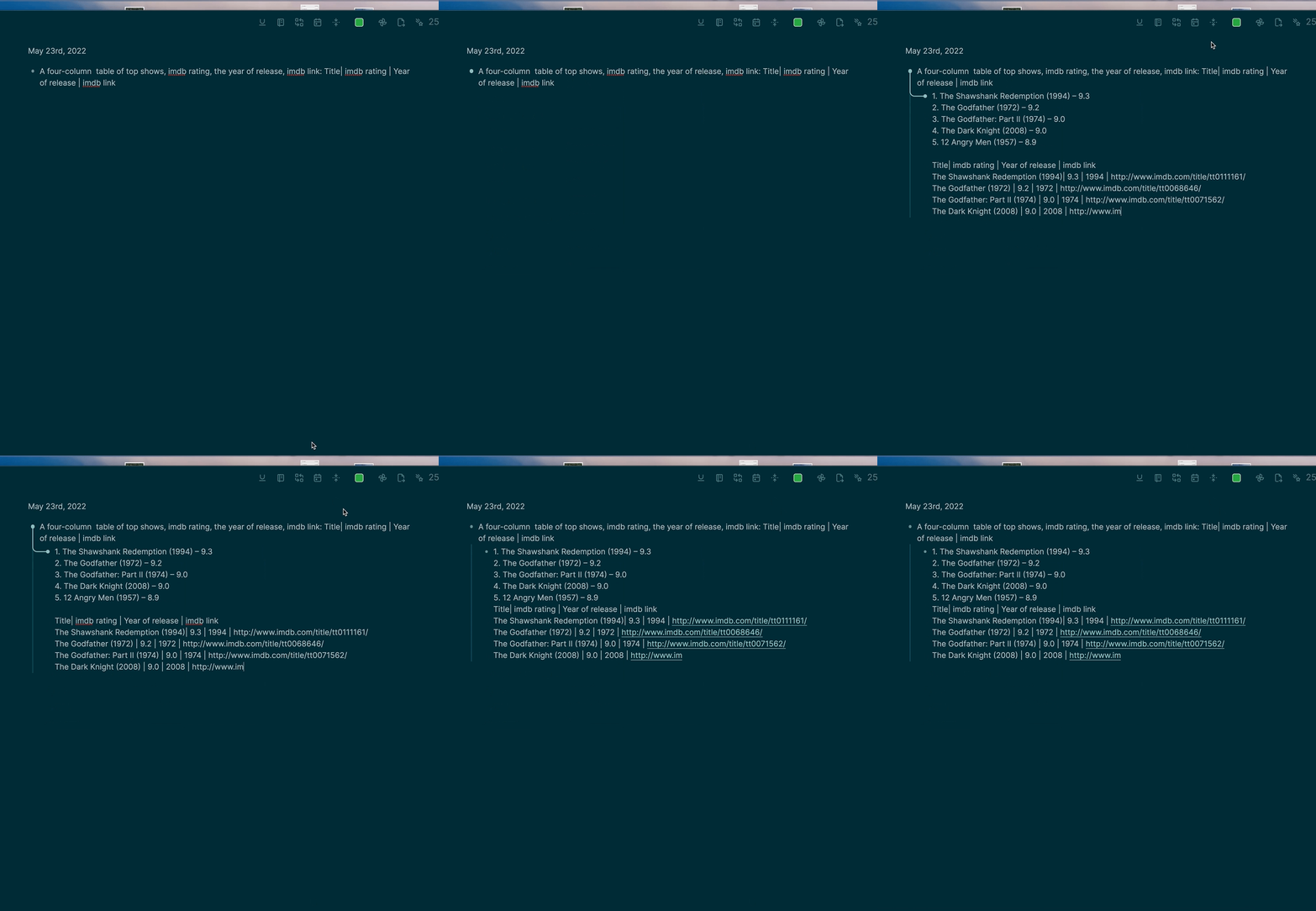 ### Just for fun  - Generate code to do a given task - Correct grammar - Translate into other languages - Classification and keyword tagging of text - Generate lists of given topics - `List 10 top selling science fiction books` - Write about a given topic - `Write a tagline for an ice cream shop.` - Answer Questions - `Q: How does a telescope work?` ## FAQ ### What is GPT-3 and OpenAI, and how does it work? See [this article for a good overview.](https://www.vox.com/future-perfect/21355768/gpt-3-ai-openai-turing-test-language) ### Errors #### OpenAI Quota Reached Your free trial is over, or you've run out of tokens. You can refill your tokens [here](https://beta.openai.com/account/billing/overview). #### `OpenAI Rate Limited` OpenAI has limits on how often you can call them. If you get this error, you'll need to wait a bit before trying again. See this [article](https://help.openai.com/en/articles/5955598-is-api-usage-subject-to-any-rate-limits) for more info on the rate limits. You can call it faster if you have a paid account. #### `Model not available` You may have mistyped the model name, or need to generate a new API key, if you're upgrading to a paid account from a free account, or using a beta model that is not available to the public. #### `Refused to set unsafe header "User Agent"` This error doesn't cause any issues besides the error message in the console. It's a known issue with the OpenAI API. See [this issue](https://github.com/openai/openai-node/issues/6) for more details. I'm working on a PR to their library to support browser usage. Ignore this error for now. ### Debugging ] - Open the developer tools (Menu -> View -> Toggle Developer tools) - Check the console logs for error messages. 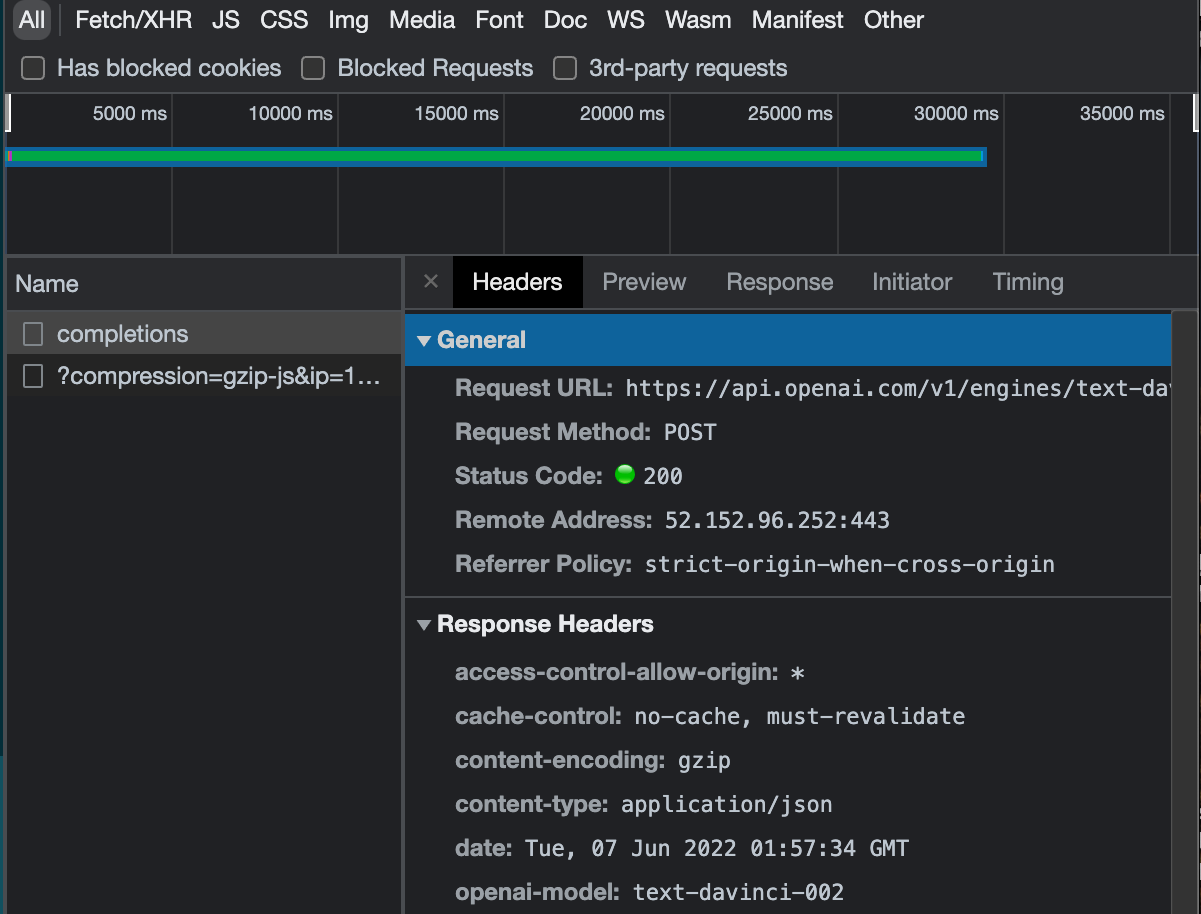 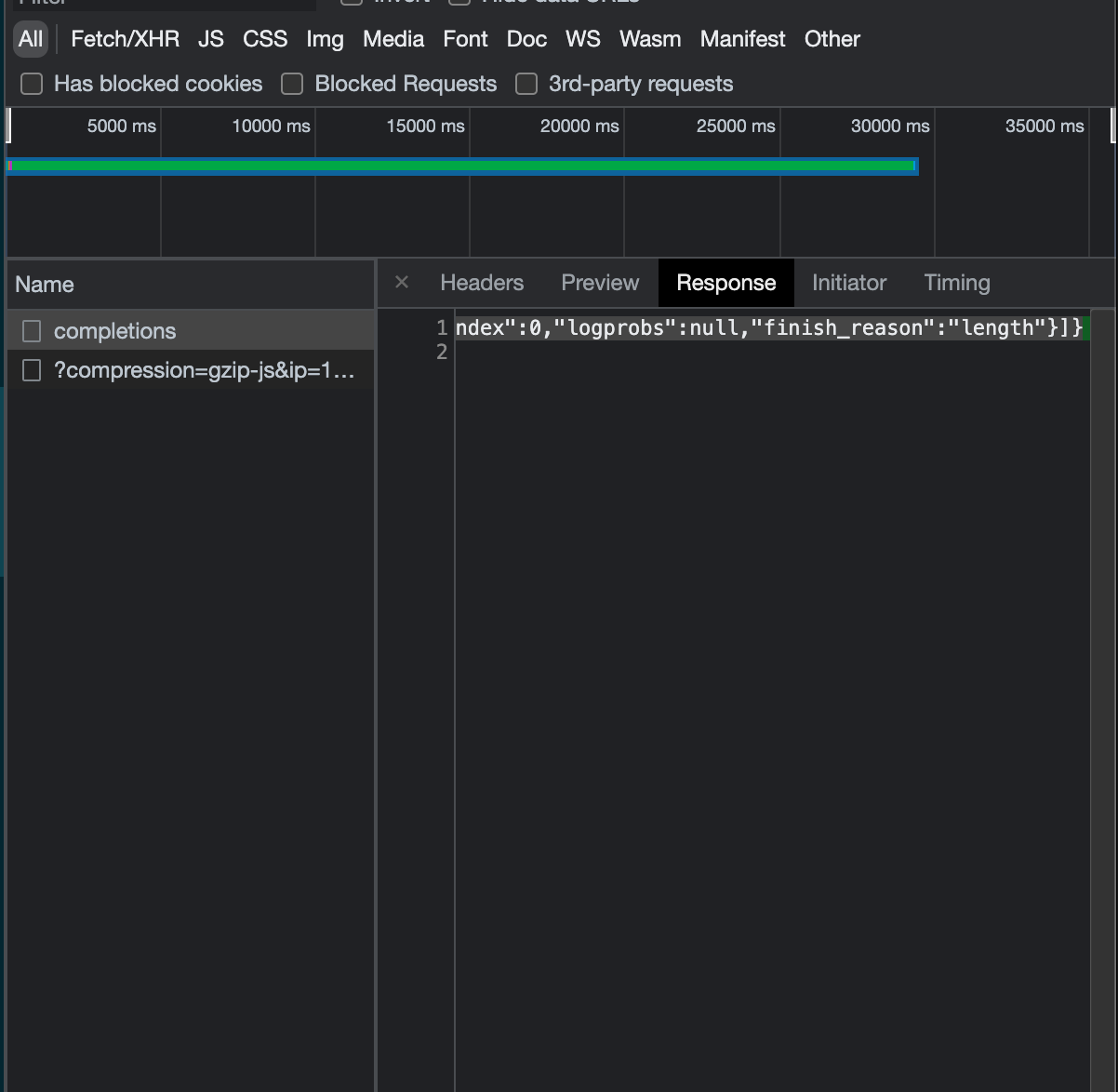 - See if you can figure out the error on your own. Maybe you had a network issue if it says something like "timed out." Sometimes the OpenAI API has issues. You also have a limited number of tokens, so you may run out and need to refill. - If you can't figure it out based on the error message and it doesn't go away. Make an issue on GitHub. ### Prerequisites [An API key from OpenAI Click here to get one](https://beta.openai.com/account/api-keys) ### Installing ``` pnpm i ``` ## Running the tests - [ ] Add Tests ## Build ``` pnpm run build ``` ## 💻 Local Development This enables the local dev server with hot reloading, via the logseq vite plugin. ``` pnpm i pnpm run dev ``` ### Prod build First run `pnpm i` and `pnpm run build` Open LogSeq Go to Settings > Turn on Developer Mode This will bring up the "Plugins" entry in three dots more menu list on the top right of the header bar. Go to Plugins page, and you will get a button with the `Load unpacked plugin label`. Select the root folder of this plugin repo. Make sure you add your [OpenAI Key](https://beta.openai.com/account/api-keys) ## 🚀 Deployment Creates a build using semantic release when a commit is pushed with a smart commit message. ## Built Using - [LogSeq](https://logseq.com/) - Privacy-first, open-source knowledge base that works on top of local plain-text Markdown and Org-mode files. - [Vite](https://vitejs.dev/) - Next Generation Frontend Tooling ## Contributing Do you have a bug or idea? I would love to hear from you! [Open a GitHub issue here.](https://github.com/briansunter/logseq-plugin-gpt3-openai/issues/new) PRs welcome. [Open an issue](https://github.com/briansunter/logseq-plugin-gpt3-openai/issues/new) to discuss first if possible. ## Authors - [@briansunter](https://github.com/briansunter) - Author ## Acknowledgements - [OpenAI Examples](https://beta.openai.com/examples)