# Stagehand Python SDK
## AI that uses the browser like humans.
Sign in once, keep the session, and pull structured data out the other side.
Replace `app.example.com` with your application's URL and set `OPENAI_API_KEY`, `APP_EMAIL`, and
`APP_PASSWORD` before running this example.
```python
import asyncio
import os
from pydantic import BaseModel
from stagehand import Stagehand, local_browser
class Invoice(BaseModel):
number: str
amount: float
paid: bool
class Invoices(BaseModel):
invoices: list[Invoice]
async def main() -> None:
# Cookies persist in ./browser-data, so the next run starts already signed in
browser = await local_browser.launch(user_data_dir="./browser-data")
try:
stagehand = await Stagehand.create(
browser=browser,
model="openai/gpt-5.4-mini",
model_api_key=os.environ["OPENAI_API_KEY"],
)
try:
page = (await browser.context.pages())[0]
await page.goto("https://app.example.com/login")
# observe() returns real selectors, so credentials never reach the model
email = await stagehand.observe("find the email input")
password = await stagehand.observe("find the password input")
await page.locator(email.data[0].selector).fill(os.environ["APP_EMAIL"])
await page.locator(password.data[0].selector).fill(os.environ["APP_PASSWORD"])
# act() self-heals when the site redesigns its form
await stagehand.act("click the sign in button")
await stagehand.act("open the billing page")
# extract() returns schema-validated data
result = await stagehand.extract(
"extract every invoice in the table",
Invoices,
)
print(result.data.invoices)
finally:
await stagehand.close()
finally:
await browser.close()
asyncio.run(main())
```
## Install
```bash
pip install stagehand
```
Requires Python 3.11 or later. Local runs need [Chrome](https://www.google.com/chrome/) installed.
Full setup: [Quickstart](https://docs.stagehand.dev/v4/first-steps/quickstart).
## Why Stagehand
- **Familiar APIs:** The Playwright-style methods you and your agents already know: `goto`, `click`, `locator`, `screenshot`.
- **Token efficiency:** Hybrid accessibility-tree trimming gives agents exactly the page context they need and nothing more.
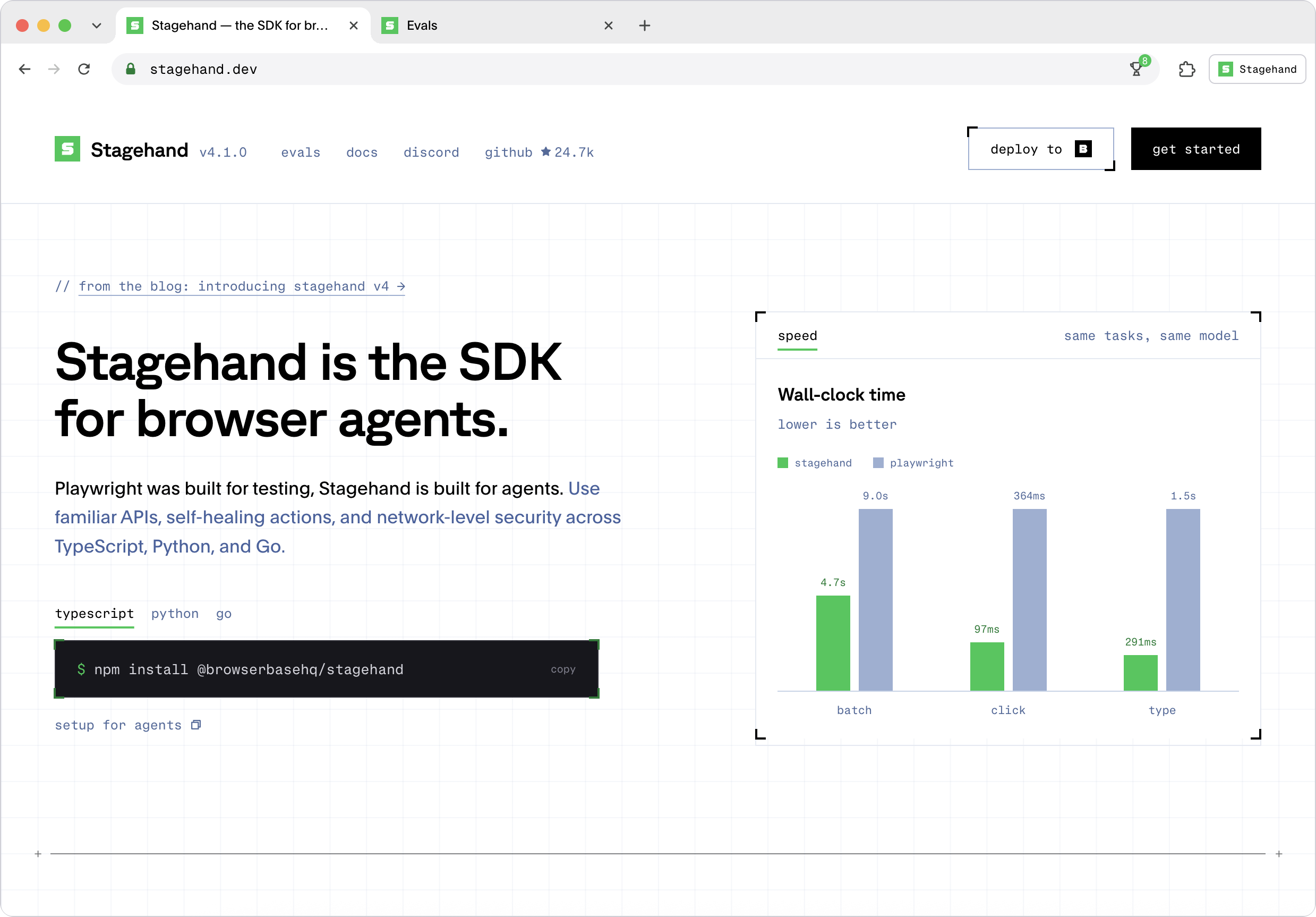
- **Faster in production:** Stagehand runs as an extension next to the browser, cutting round-trip latency on every action.
- **Self-healing:** `act`, `observe`, and `extract` refresh how an action happens when the site changes underneath it.
- **Built for agents:** WebMCP, clipboard support, batch commands, deep locators for nested iframes and closed Shadow DOMs, OTel traces.
- **Three languages:** One complete browser driver across TypeScript, Python, and Go.
## Run it on Browserbase
Point the same script at [Browserbase](https://www.browserbase.com). The
[Model Gateway](https://docs.stagehand.dev/v4/configuration/models#model-gateway) handles model
routing, and [server-side caching](https://docs.stagehand.dev/v4/best-practices/caching) reuses
results for repeated actions.
Import `browserbase` from `stagehand`, then use these browser and client setup calls inside the
async `main()` above, keeping its `try`/`finally` cleanup:
```python
from stagehand import browserbase
browser = await browserbase.launch(api_key=os.environ["BROWSERBASE_API_KEY"])
stagehand = await Stagehand.create(browser=browser, cache=True)
```
Use `browserbase.connect(api_key=..., session_id=...)` to attach to an existing session.
`browser.close()` releases the Browserbase session. For a `keep_alive=True` session, use
`await browser.disconnect()` to close the client and connection while keeping the session for later.
See [browser configuration](https://docs.stagehand.dev/v4/configuration/browser) for more options.
## Search and fetch without a browser
[Fetch](https://docs.stagehand.dev/v4/add-ons/fetch) grabs the content of a URL as markdown.
[Search](https://docs.stagehand.dev/v4/add-ons/search) provides fast, token-efficient web search
results. Both complement browser sessions without launching a browser.
```python
import asyncio
import os
from stagehand import browserbase
async def search_and_fetch() -> None:
results = await browserbase.search(
api_key=os.environ["BROWSERBASE_API_KEY"],
query="browser agent frameworks",
num_results=5,
)
fetched = await browserbase.fetch(
api_key=os.environ["BROWSERBASE_API_KEY"],
url=results.results[0].url,
format="markdown",
)
print(fetched.content)
asyncio.run(search_and_fetch())
```
## Python API notes
`Stagehand.act()`, `Stagehand.observe()`, and `Stagehand.extract()` use the active page by
default. Pass `page=page` to target a specific SDK `Page`.
`Page.goto()`, `reload()`, `go_back()`, and `go_forward()` return the main-document `Response`,
or `None` when navigation does not produce one. Response bodies and complete headers are retrieved
lazily while the Stagehand session remains open.
When contributing examples or tests, keep browser ownership explicit: launch or connect a
browser handle, pass it to `Stagehand.create()`, close Stagehand first, and close the browser in
the outermost `finally` block.
## Docs and resources
- [Python examples](https://github.com/browserbase/stagehand/tree/main/packages/sdk-python/examples): actions, extraction, observation, and custom LLM usage.
- [Page](https://docs.stagehand.dev/v4/reference/page) and [locator](https://docs.stagehand.dev/v4/reference/locator): Playwright-style browser and element APIs.
- [Integrations](https://docs.stagehand.dev/v4/integrations/overview): agent frameworks and coding agents.
- [Main README](https://github.com/browserbase/stagehand/blob/main/README.md): project overview, MCP setup, and community links.
## Contributing
Clone the [Stagehand repository](https://github.com/browserbase/stagehand) and run these commands
from its root. All Python projects share the root uv workspace, `uv.lock`, and `.venv`.
`just install` installs all workspace members, and consumers use this SDK from source.
See [the contributing guide](https://github.com/browserbase/stagehand/blob/main/CONTRIBUTING.md)
for workspace membership and package-specific commands.
```bash
# Install uv
curl -LsSf https://astral.sh/uv/install.sh | sh
# Install just
brew install just
just install
just generate
just check
just test
just build
```