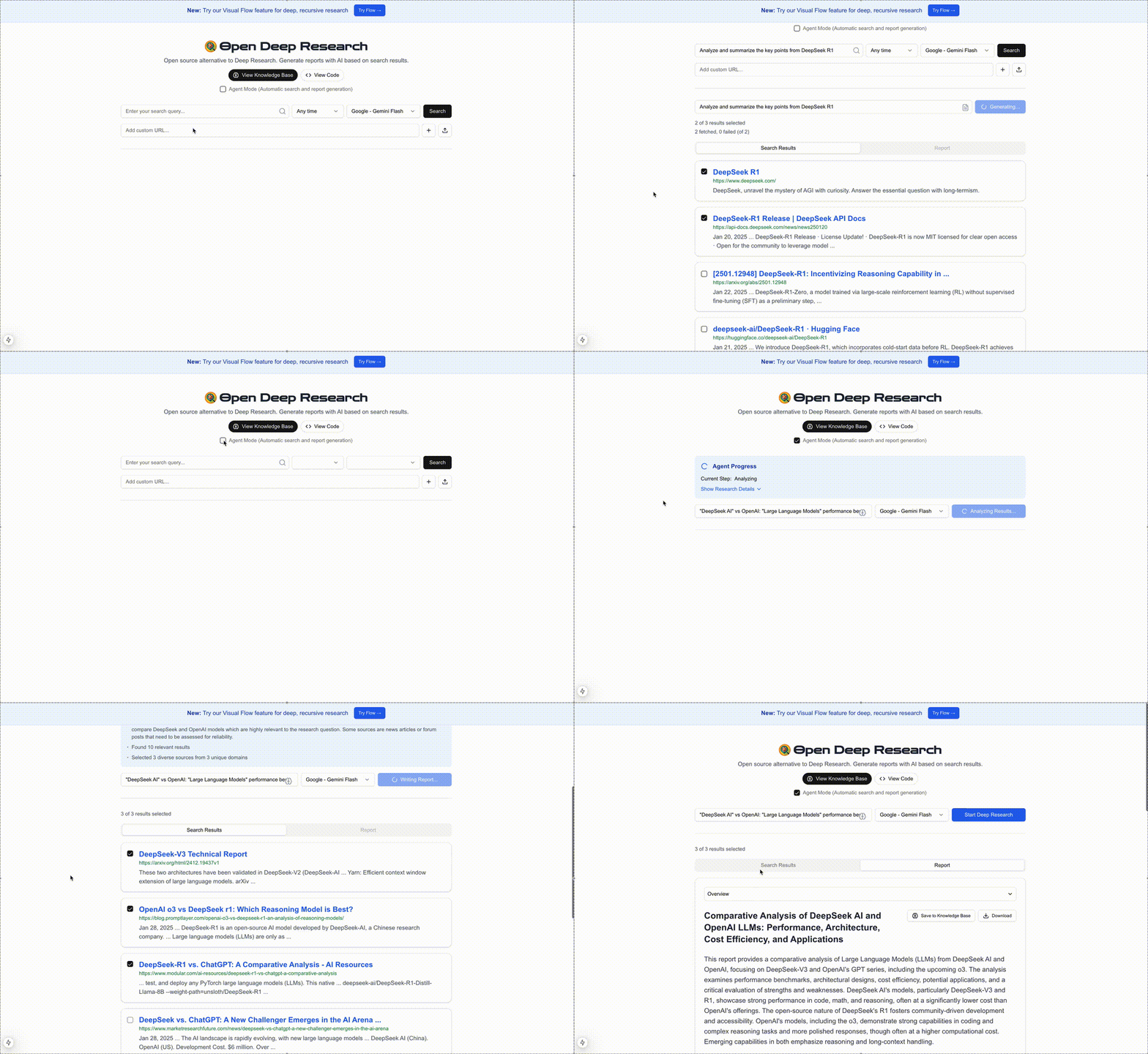
Note: Demo is sped up for brevity
A powerful open-source research assistant that generates comprehensive AI-powered reports from web search results. Unlike other Deep Research solutions, it provides seamless integration with multiple AI platforms including Google, OpenAI, Anthropic, DeepSeek, and even local models - giving you the freedom to choose the perfect AI model for your specific research requirements.
This app functions in three key steps:
1. **Search Results Retrieval**: Using either Google Custom Search or Bing Search API (configurable), the app fetches comprehensive search results for the specified search term.
2. **Content Extraction**: Leveraging JinaAI, it retrieves and processes the contents of the selected search results, ensuring accurate and relevant information.
3. **Report Generation**: With the curated search results and extracted content, the app generates a detailed report using your chosen AI model (Gemini, GPT-4, Sonnet, etc.), providing insightful and synthesized output tailored to your custom prompts.
4. **Knowledge Base**: Save and access your generated reports in a personal knowledge base for future reference and easy retrieval.
Open Deep Research combines powerful tools to streamline research and report creation in a user-friendly, open-source platform. You can customize the app to your needs (select your preferred search provider, AI model, customize prompts, update rate limits, and configure the number of results both fetched and selected).
## Features
- 🔍 Flexible web search with Google or Bing APIs
- ⏱️ Time-based filtering of search results
- 📄 Content extraction from web pages
- 🤖 Multi-platform AI support (Google Gemini, OpenAI GPT, Anthropic Sonnet)
- 🎯 Flexible model selection with granular configuration
- 📊 Multiple export formats (PDF, Word, Text)
- 🧠 Knowledge Base for saving and accessing past reports
- ⚡ Rate limiting for stability
- 📱 Responsive design
### Local File Support
The app supports analyzing local files for research and report generation. You can:
- Upload TXT, PDF, and DOCX files directly through the interface
- Process local documents alongside web search results
- Generate reports from local files without requiring web search
- Combine insights from both local files and web sources
To use local files:
1. Click the upload button (⬆️) in the search interface
2. Select your file (supported formats: TXT, PDF, DOCX)
3. The file will appear as a custom source in your results
4. Select it and click "Generate Report" to analyze its contents
### Knowledge Base
The Knowledge Base feature allows you to:
- Save generated reports for future reference (reports are saved in the browser's local storage)
- Access your research history
- Quickly load and review past reports
- Build a personal research library over time
### Flow: Deep Research & Report Consolidation