uploads.sh — the missing upload command for coding agents

uploads

**The missing upload command for coding agents.** Capture screenshots, recordings, and other artifacts as you work: test reports, logs, JSON, PDFs, zips. When the pull request opens, uploads.sh puts them in one tidy comment that updates automatically on each revision. Hosted uploads.sh is free to start. Connect your own bucket — Cloudflare R2 or any S3-compatible provider — so storage in that bucket is unmetered, or self-host the open-source service.

uploads.sh  ·  Docs  ·  npm →  ·  Quick start  ·  What it looks like  ·  Screenshots in CI  ·  What's in this repo  ·  Develop

skills.sh CI npm (CLI) MCP server GitHub App: uploads-sh Ask DeepWiki License: Apache 2.0

Under active development. uploads.sh is being built in the open, so APIs can still change. Feedback is welcome — open an issue.

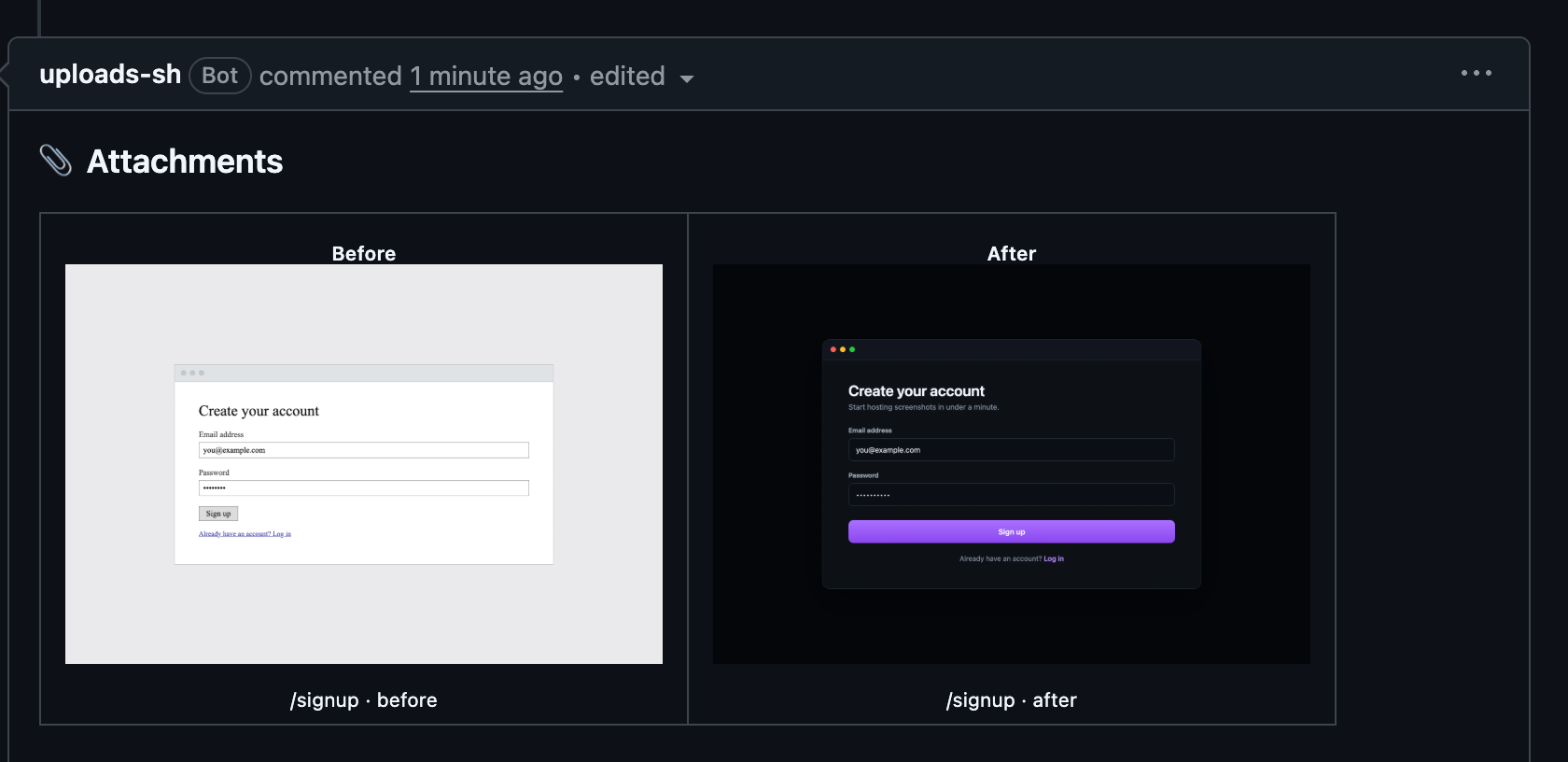
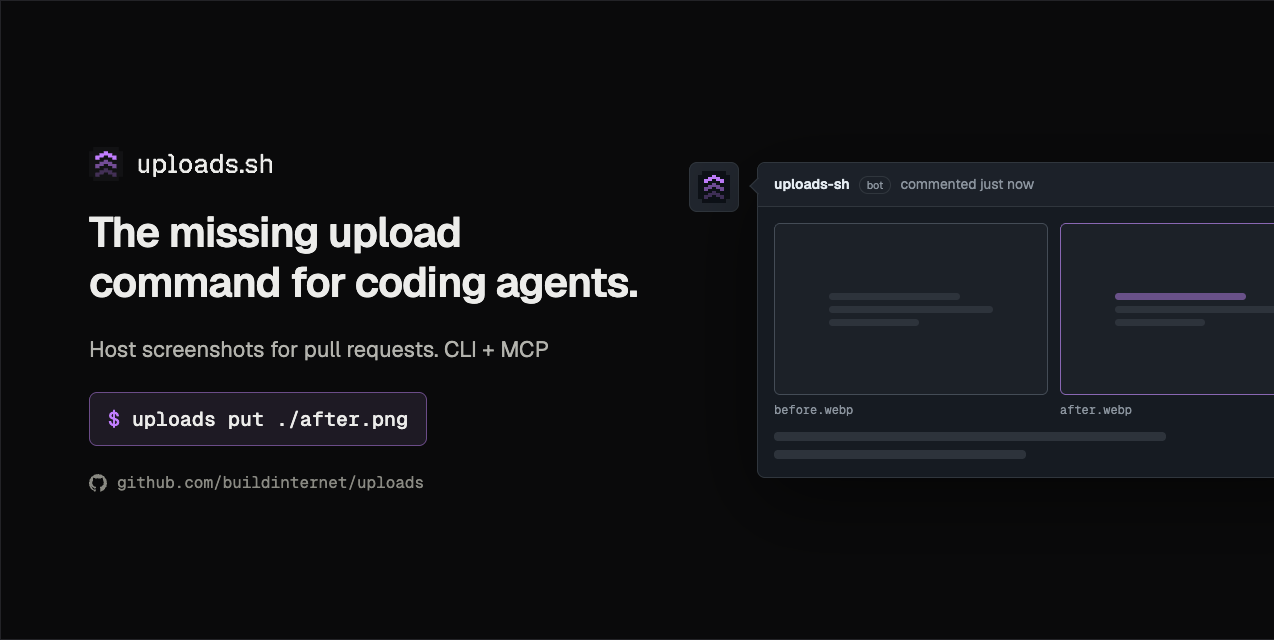
--- ## Artifacts ready when the pull request opens **uploads** hosts the artifacts coding agents produce at stable public URLs they can use in pull requests and issues: screenshots and screen recordings, but also test reports, logs, JSON, CSV, Markdown, PDFs, and zip archives (the full list is under [Plans & limits](https://uploads.sh/docs/limits)). On a branch, `uploads put` stages each file as soon as it is ready. When the pull request opens, uploads.sh promotes the staged files into one managed comment. GitHub's own attachments work from a browser and, since GitHub CLI 2.99 (September 2026), from `gh … --attach`, but only once a pull request or issue exists, and the files stay behind GitHub's own hosting, where they cannot be embedded or fetched anywhere else. uploads.sh gives agents a stable public URL from the same terminal where they build and test the change, while the branch is still in progress; GitHub has no public API (yet) for that. The hosted MCP server does the same for agents that cannot run a command at all, taking files as bytes or a URL. Keys are hash-free, so re-uploading the same filename overwrites in place and the URL never changes — every embed of it updates at once. Workspaces keep tenants (and their budgets and key policies) apart. This repo is the source of the canonical deployment at [uploads.sh](https://uploads.sh): the API worker, auth worker, MCP server, the Astro web app, and the `@buildinternet/uploads` CLI (published to npm from [`packages/uploads`](packages/uploads)). ## What it looks like One comment per PR, rewritten in place on every sync. Files tagged `--state before` and `--state after` pair into a side-by-side table; other images and video land below it, and non-media files (reports, logs, archives) list in a file table with their type and size.
The managed attachments comment on a pull request, with a before/after pair rendered side by side under Before and After headings
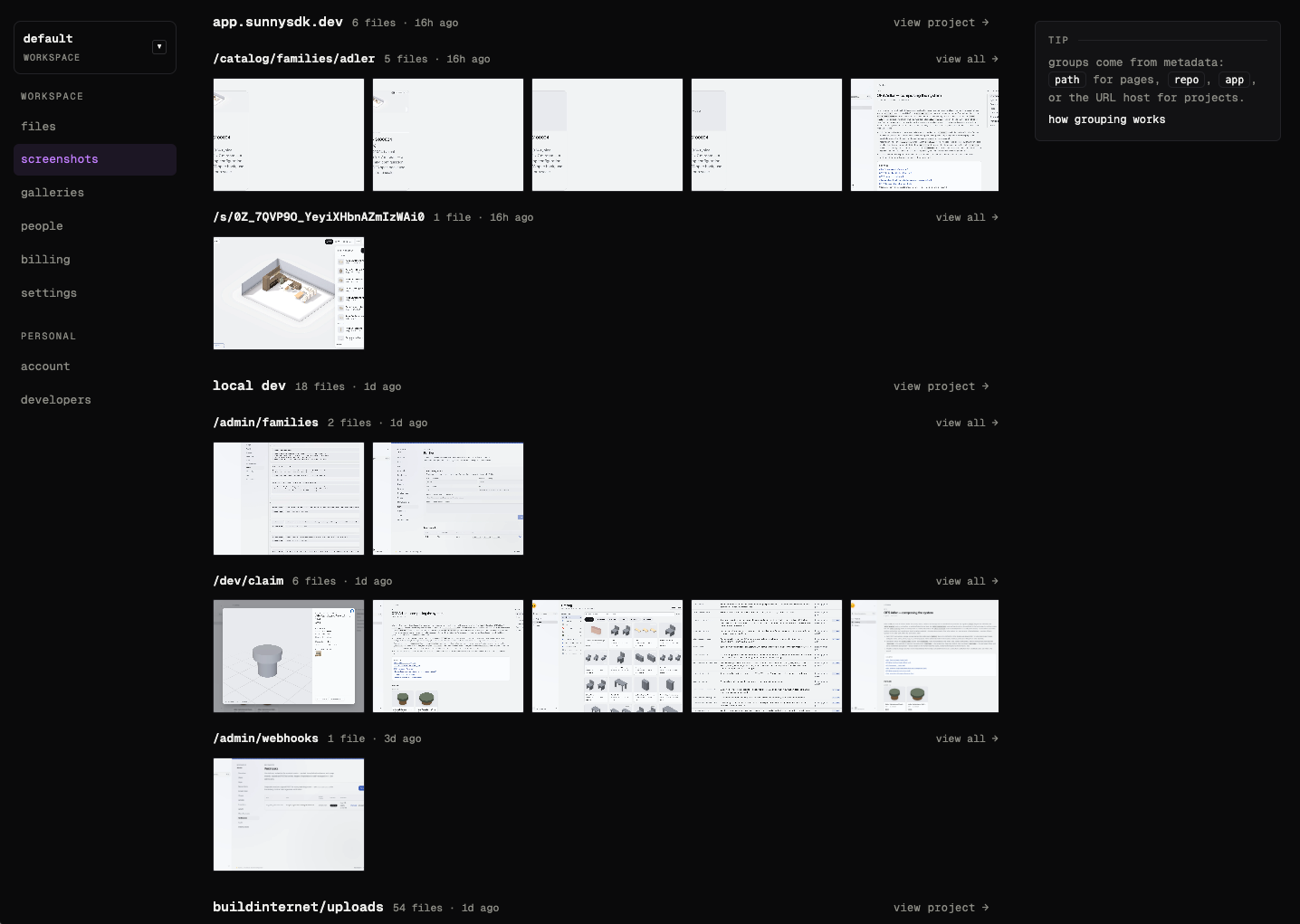
The real comment on [#436](https://github.com/buildinternet/uploads/pull/436#issuecomment-5052307515). Pairing is by `--meta path=…` when several pairs share a comment (one `before` and one `after` per path), and falls back to filenames that differ only by a `before`/`after` token — `hero-before.webp` with `hero-after.webp`. Everything you attach also lands in your workspace, grouped by where it came from — pages by `path`, projects by `repo` or `app` — and browsable from one place.
The screenshots view in a workspace, with uploads grouped into collapsible sections by project and path
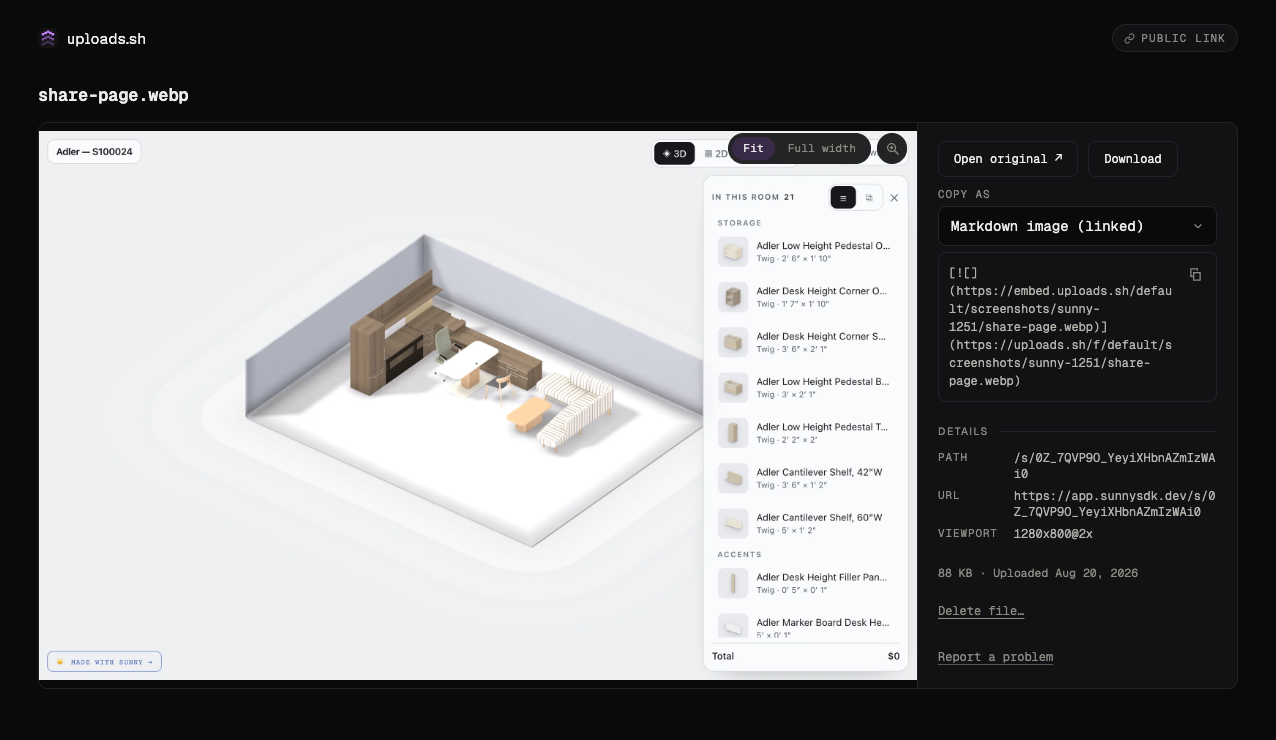
The screenshots view groups uploads by project and path. Open any file for a share page: copy-ready embeds (Markdown, HTML, and more), the raw URL, and a delete button.
A file share page showing the media preview, a Copy-as embed menu, file details, and a Delete file action
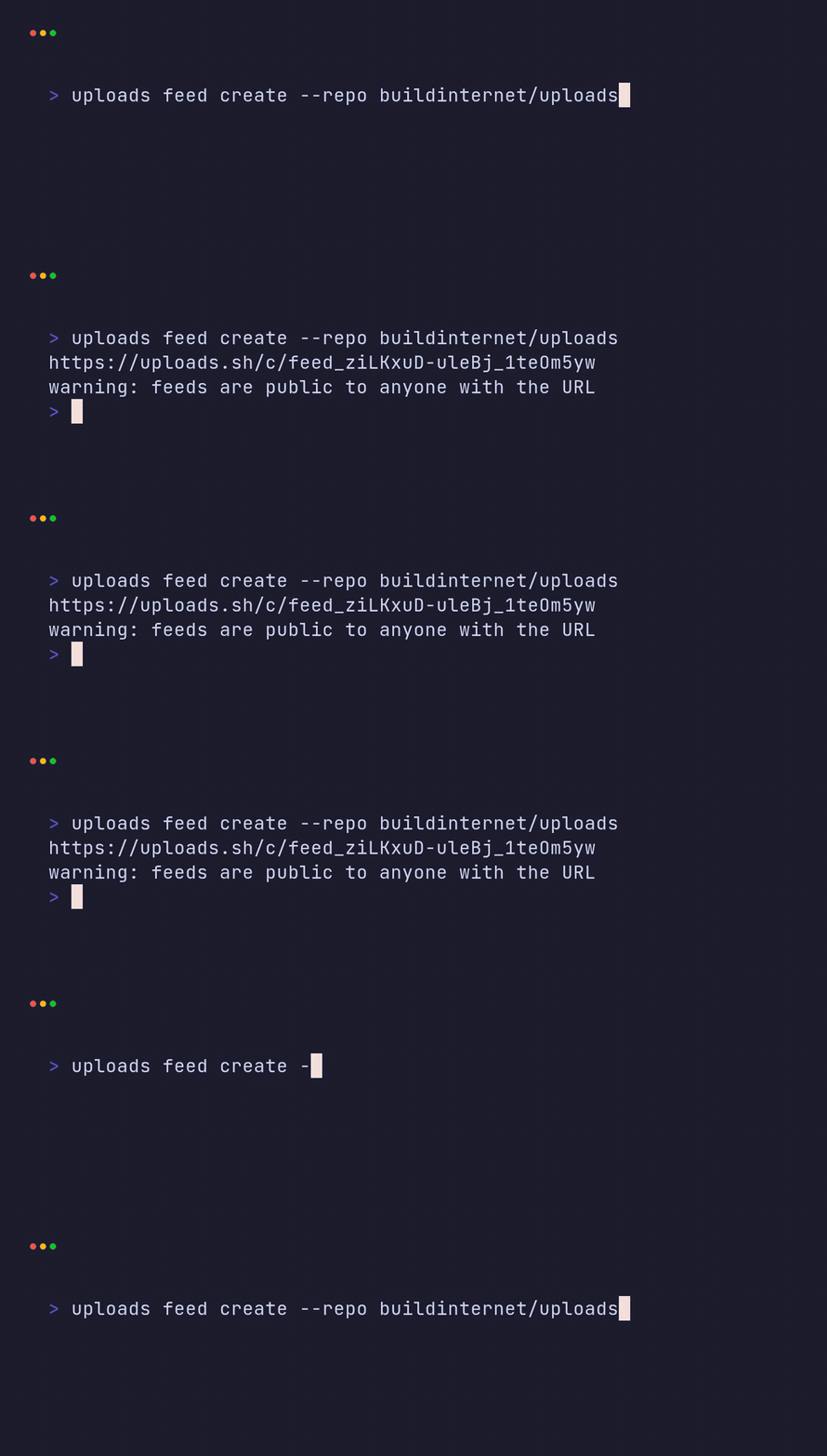
Each file's share page — copy-ready embeds, details, and delete. ## Quick start Install the CLI and sign in once: ```bash npm install --global @buildinternet/uploads uploads login ``` Upload a file and tag the page it shows: ```bash uploads put ./settings.png --meta path=/settings ``` On a branch, `put` stages the file automatically. Open the pull request however you normally would. The [GitHub App](https://uploads.sh/docs/github-app) promotes the staged files into one managed attachments comment. ## More ways to upload Use the same commands for before-and-after evidence, an open pull request, a browser capture, or an annotated image: ```bash # Pair two states from the same page in the pull request comment. uploads put ./before.png --meta path=/settings --state before uploads put ./after.png --meta path=/settings --state after # See what this branch will attach when the pull request opens. uploads staged # Attach files directly when a pull request or issue is already open. uploads attach ./before.png ./after.png # Capture, annotate, and upload a page in one command. uploads screenshot http://localhost:4321/settings --via local --annotate ./callouts.json ``` `attach` detects the repository and current PR through `gh`, uploads all files, and creates or updates that same one comment. Without the GitHub App, run `uploads attach --promote` after opening the pull request to promote files that you staged earlier. All commands run under `npx @buildinternet/uploads …` without a global install. Sign in with GitHub or a magic link, then create your own workspace or accept an invite into one — see [enrollment](docs/enrollment.md). Hosted files are public URLs — private-repo attachments get non-guessable links ([how that works](docs/private-attachments.md)), but anyone holding a URL can view the file. A file that looks like it shows a credential, ID, or card number is held for your review before it goes public, but don't rely on that: do not upload secrets or sensitive UI. ## Require screenshots in CI The GitHub App adds an `uploads.sh` check to pull requests that change UI files, next to your tests and builds. No workflow or Actions step is needed. Out of the box it only reports, so nobody is blocked. Turn on **Require screenshots on UI changes** in the workspace's **Settings → GitHub**, or set it for one repo in `.uploads.yml`, and the check fails until screenshots arrive: ```yaml comment: check: require: [before-after, desktop, mobile] # or just [uploads] ``` The PR comment shows a checklist that ticks itself as files arrive. Images dragged into the PR on GitHub count too, so contributors without uploads.sh are never stuck, and a `skip-uploads` label skips a PR that needs no screenshots. Add `uploads.sh` as a required status check in branch protection to make it block merges. Setup, which files count as UI, and skip labels are in [Require screenshots on pull requests](https://uploads.sh/docs/require-screenshots). ## Connect your agent The hosted MCP server runs at `https://agents.uploads.sh/mcp` and is listed in the [MCP Registry](https://registry.modelcontextprotocol.io/v0.1/servers?search=sh.uploads/mcp) as `sh.uploads/mcp`. Local stdio is `uploads mcp` on the same npm package. ```bash # Claude Code claude mcp add --transport http uploads https://agents.uploads.sh/mcp # Codex codex mcp add uploads --url https://agents.uploads.sh/mcp # OpenCode opencode mcp add uploads --url https://agents.uploads.sh/mcp ``` `uploads install` adds the agent skills and the MCP server, so future sessions can capture each visual milestone without being asked. The skills also install standalone into any agent runtime: ```bash npx skills add buildinternet/uploads ``` That installs three skills: `github-screenshots` (visuals → PRs/issues), `uploads-cli` (full CLI reference), and `annotate-screenshots` (callouts and redaction on a capture). On Claude Code or Codex, the [plugin](https://uploads.sh/docs/agents#plugin) bundles the skills, the MCP server, and a pre-PR screenshot reminder. In Claude Code it also shows staged screenshots above the prompt and attaches them when the PR opens. On claude.ai and in Cowork, add uploads from the [Claude directory](https://claude.ai/directory/uploads). The same folder (`plugins/claude/uploads`) is the common agent-plugin layout, and it is submitted to the [xAI plugin marketplace](https://github.com/xai-org/plugin-marketplace) as `uploads`. Full CLI usage, including annotations, managed comments, public galleries, and change feeds (repo-wide or one pull request), lives in [docs/cli.md](docs/cli.md). `uploads feed create` prints a live page of the screenshots on a repo:
Terminal recording of uploads feed create --repo buildinternet/uploads, which prints a feed URL
`uploads feed create --repo buildinternet/uploads`. REST routes are in [docs/api.md](docs/api.md). ## What's in this repo | Path | What | | --------------------------------- | ---------------------------------------------------------------------------------------------------------------------------------------------------------------------------------------------------------------------------------------------- | | `apps/` | The deployables: the REST API worker (`api.uploads.sh`), the optional [public viewer](docs/public-viewer.md), the auth worker, the remote MCP server, the Slack app (link previews and held-upload messages), and the Astro site at uploads.sh | | `packages/` | Shared code — most notably `@buildinternet/uploads` (the CLI, published to npm), `@uploads/storage` (the files-sdk adapter factory all storage goes through), and `@uploads/plugin` (Claude/Codex plugin version, not published) | | `skills/` | The three agent skills that ship to users | | `hooks/`, `plugins/`, `.mcp.json` | Agent-runtime wiring: the shared pre-PR screenshot hook and the Claude / Codex plugin manifests | | `server.json` | MCP Registry listing (`sh.uploads/mcp`): stdio `uploads mcp` plus the hosted remote | Each worker and the web app deploy separately. All storage access goes through `createStorage()` in `packages/storage` — adding a provider is one new case plus peer deps, no API changes. ## Docs Product docs — install, the staged loop, the GitHub App, limits — live at https://uploads.sh/docs. The docs in this repo are the companion: CLI and API reference, contributor setup, and operator material, all mapped from [docs/README.md](docs/README.md). How to set up, test, and open a pull request: [CONTRIBUTING.md](CONTRIBUTING.md). Where the project is headed: [VISION.md](VISION.md). Agent working conventions live in [AGENTS.md](AGENTS.md), and agents that land on this repo should start at [llms.txt](llms.txt). The product site serves https://uploads.sh/llms.txt and https://uploads.sh/llms-full.txt. ## Local development **Prerequisites:** Node ≥24 and pnpm ≥11 (`corepack enable`). No Cloudflare account needed for the core local loop — `wrangler dev` simulates R2, KV, and D1 on disk: ```bash pnpm bootstrap # one-command setup: tooling, deps, env vars, local D1, default workspace pnpm dev # API on :8787 (local R2 + KV + D1) ``` `bootstrap` is idempotent, and `pnpm doctor` diagnoses a setup without changing it. The rest of the loop — the authenticated dev stack, the check and test gates, and how to open a pull request — is in [CONTRIBUTING.md](CONTRIBUTING.md). ## License [Apache 2.0](LICENSE).