> Burrow is an independent open-source (MIT) app. It bundles its own engine —
> `burrow-engine`, a single source-available binary under the Functional Source
> License (FSL-1.1-ALv2) whose command surface is modelled on the
> [Mole](https://github.com/tw93/Mole) (`mo`) CLI by tw93 — and is **not
> affiliated with or endorsed by [mole.fit](https://mole.fit/)** (the official
> Mole for Mac app by `mo`'s author); its own name, mark, palette, and copy are
> original.
>
> If you like Mole and want to fund `mo`'s development — **buy mole.fit ($19)**.
burrow
🐹 The open-source system companion for your Mac — clean, uninstall, analyze, optimize, and monitor, built for you and your AI agents.
**Burrow puts everything your Mac needs in one free, native app: junk cleanup, dev-artifact purge, app uninstall with leftover removal, duplicate finding, safe maintenance, disk maps, and live system status — powered by one bundled engine binary ([burrow-engine](https://github.com/caezium/burrow-engine), FSL-1.1 — see [Attribution](#attribution--license)) whose commands mirror [Mole](https://github.com/tw93/Mole)'s `mo`, so there's nothing else to install. It keeps months of local metric history and runs a built-in MCP server, so AI agents like Claude Code, Codex, and Cursor can watch, query, and care for your Mac — actions are consent-gated and audited, and Trash-based removals remain recoverable until the Trash is emptied. Permanent deletion requires separate consent and cannot be undone. Native on macOS, with a Windows preview under [`windows/`](windows/).**
Mac:
```sh
brew install --cask caezium/tap/burrow
```
Windows: download from [releases](https://github.com/caezium/Burrow/releases)
## Contents
- [Screenshots](#screenshots)
- [The tools](#the-tools)
- [Platforms](#platforms)
- [Roadmap](#roadmap)
- [How Burrow compares to other tools](#how-burrow-compares-to-other-tools)
- [Settings](#settings)
- [Permissions & Full Disk Access](#permissions--full-disk-access)
- [Requirements](#requirements)
- [Install](#install)
- [Security & trust](#security--trust)
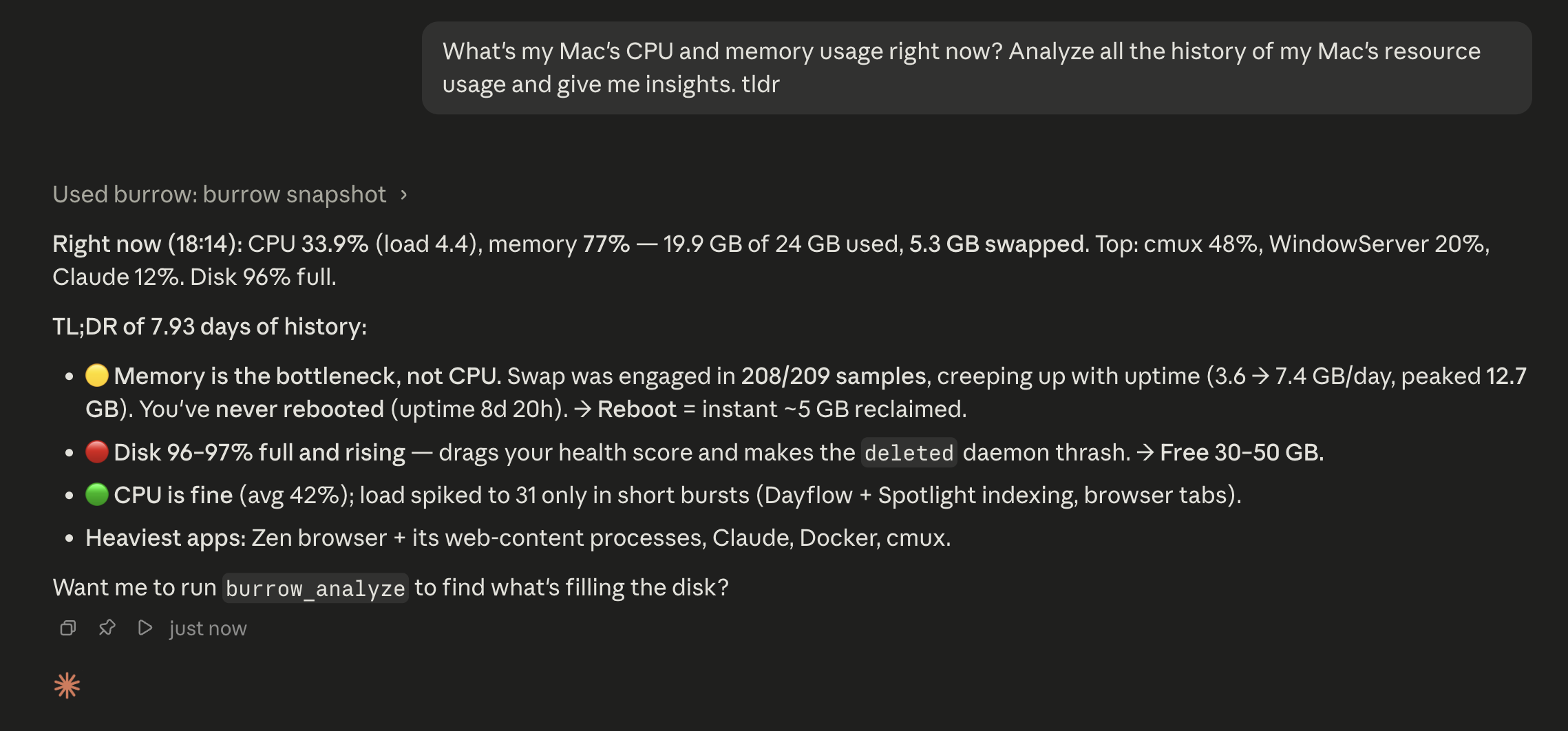
- [Use it with your AI agent](#use-it-with-your-ai-agent)
- [Develop & test](#develop--test)
- [Architecture](#architecture)
- [Attribution & license](#attribution--license)
## Screenshots
### macOS
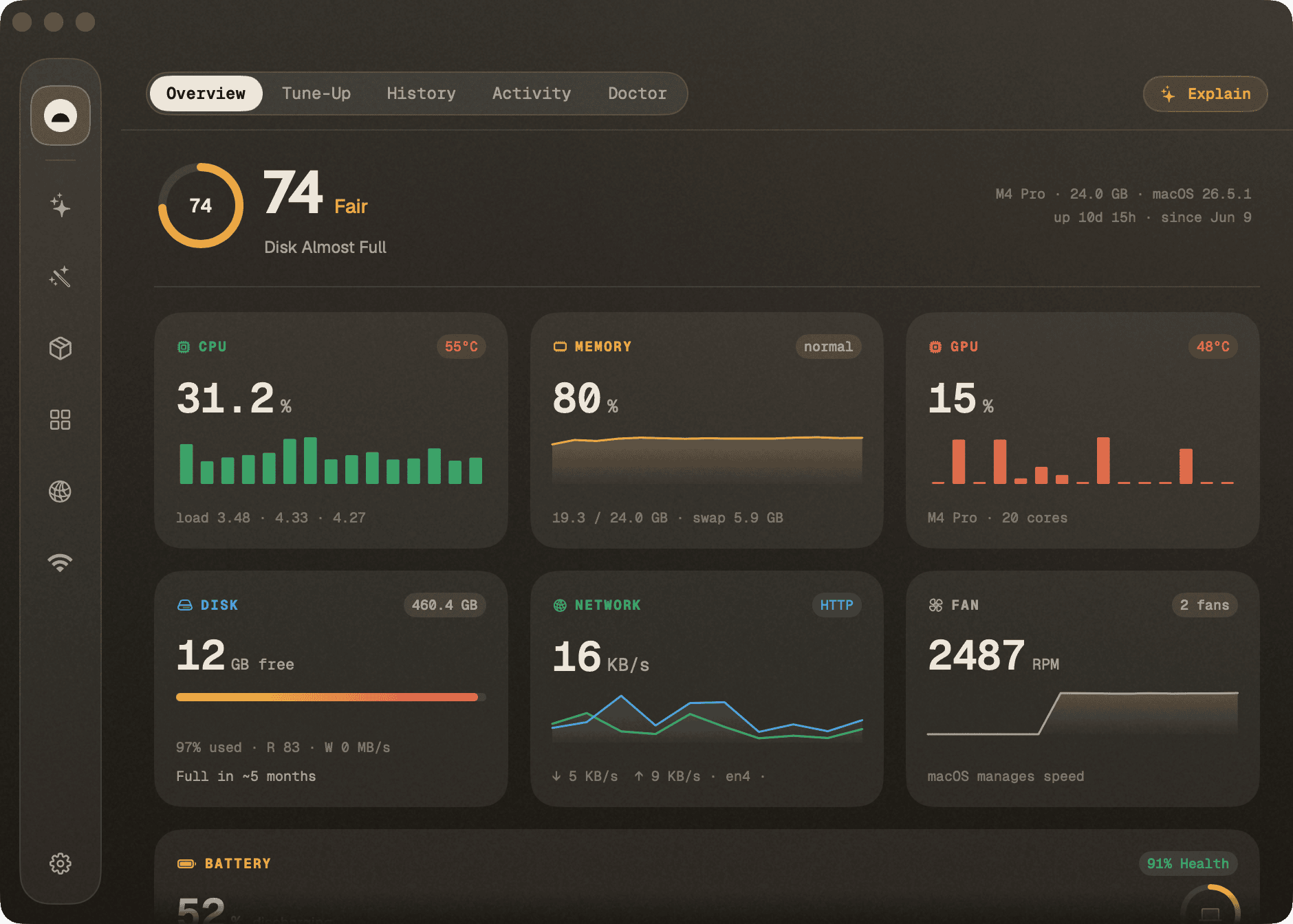
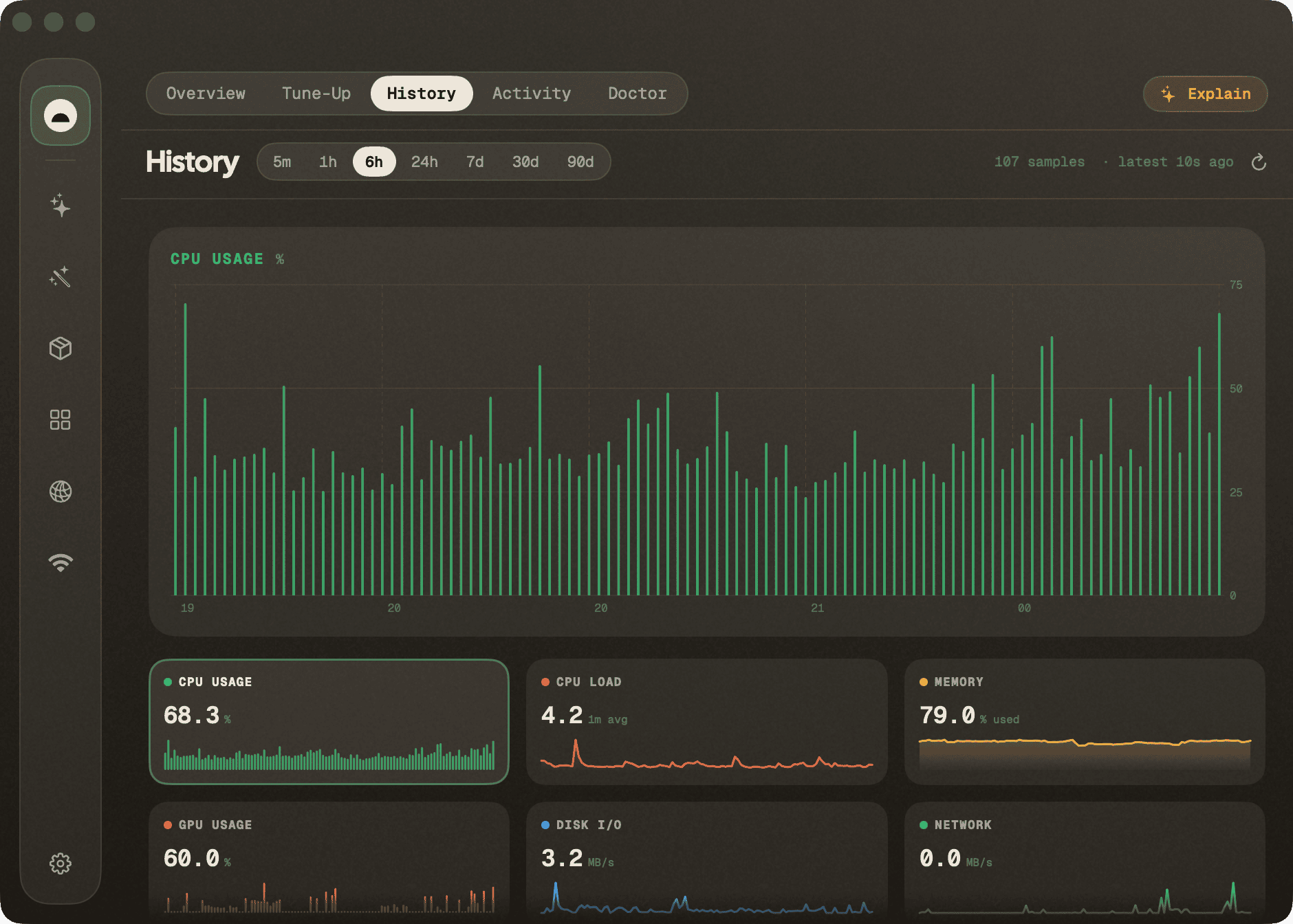
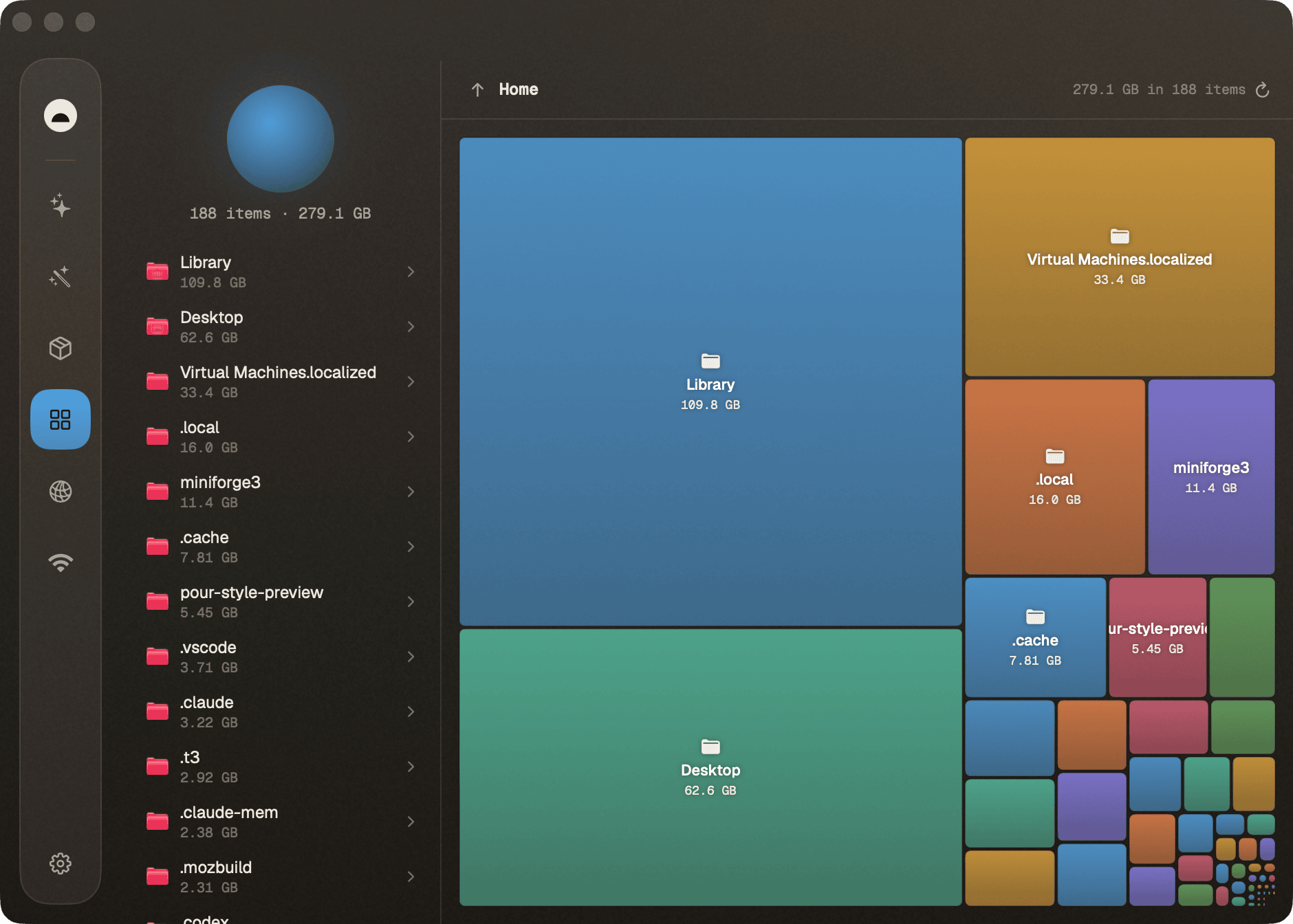
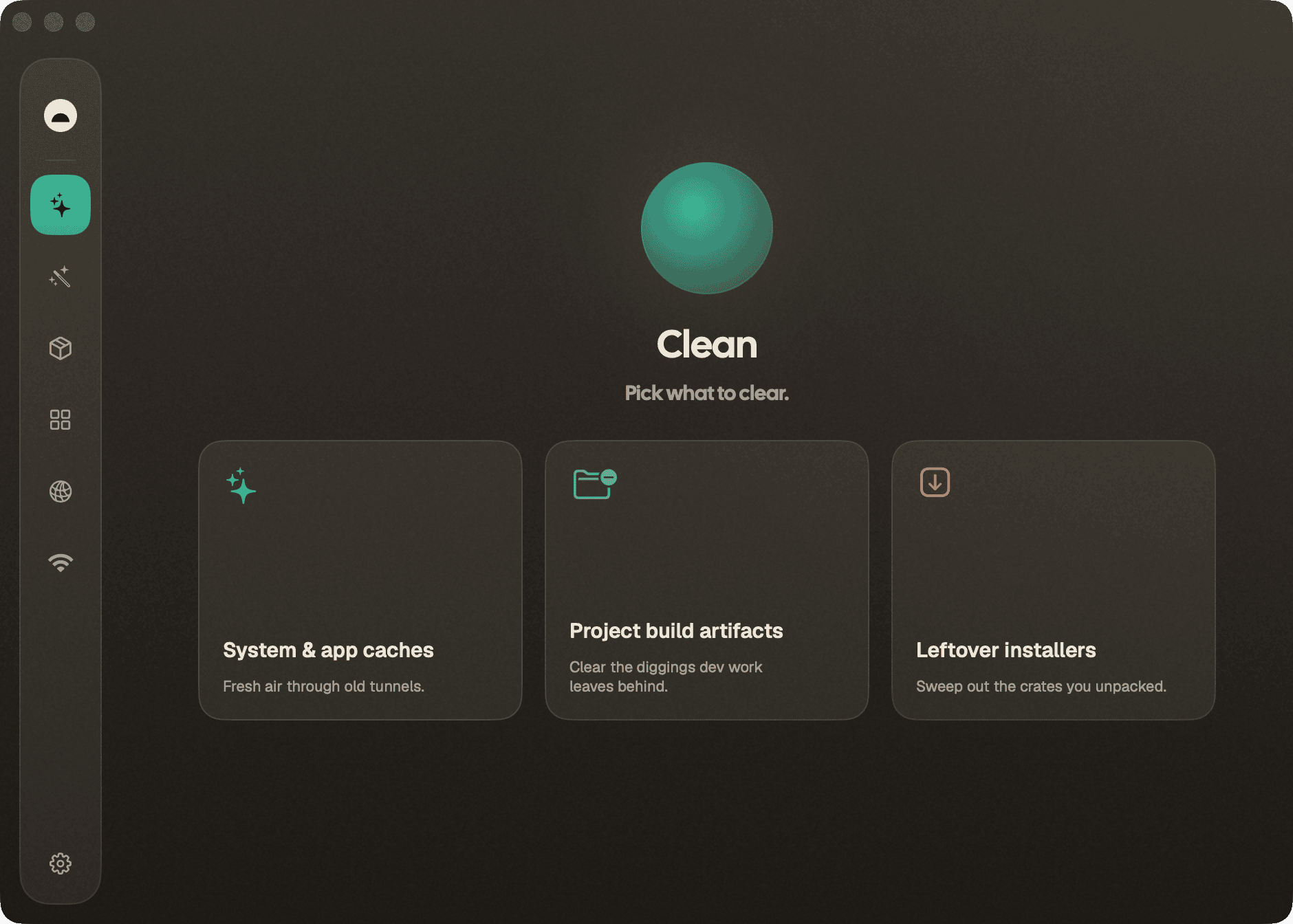
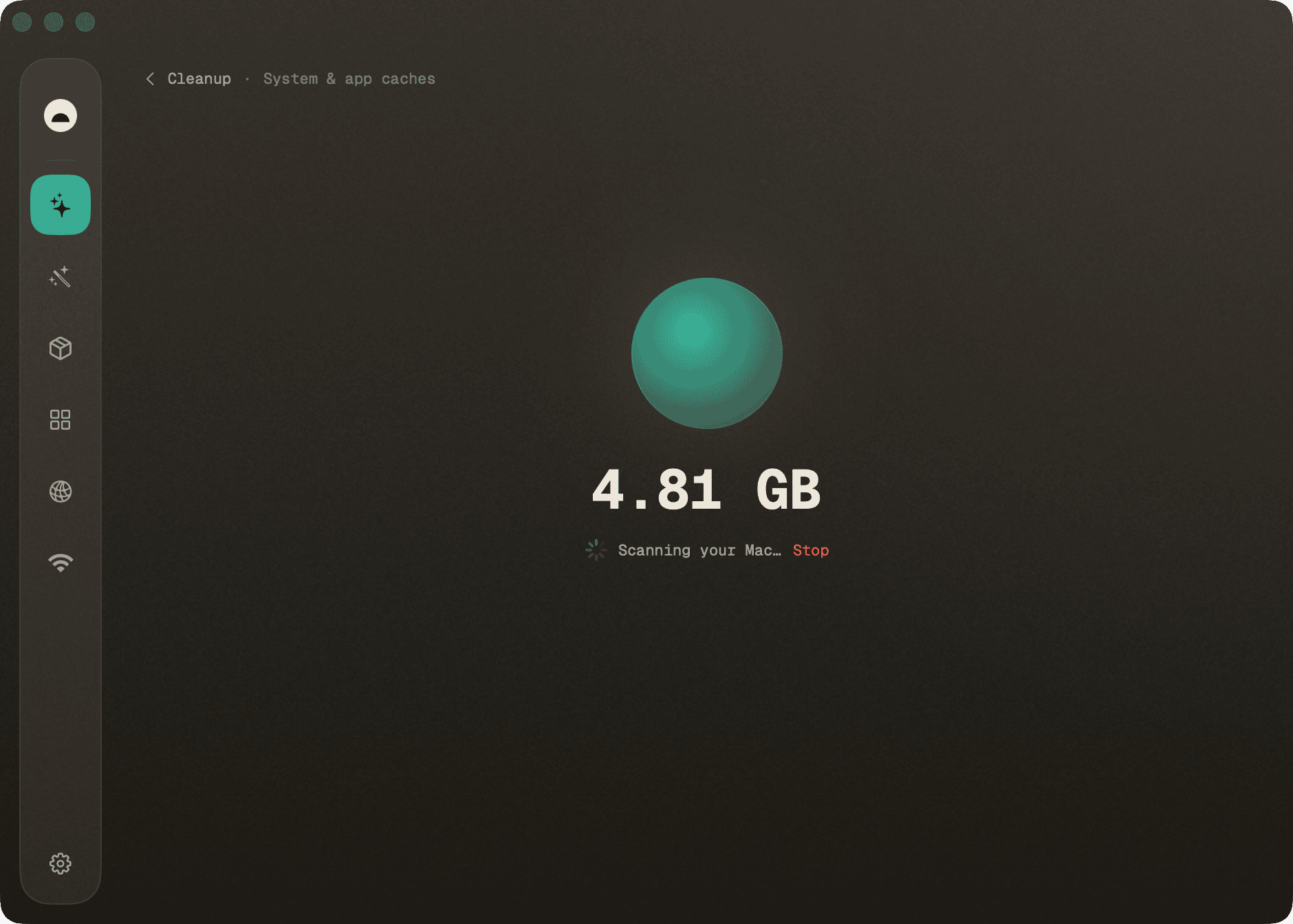
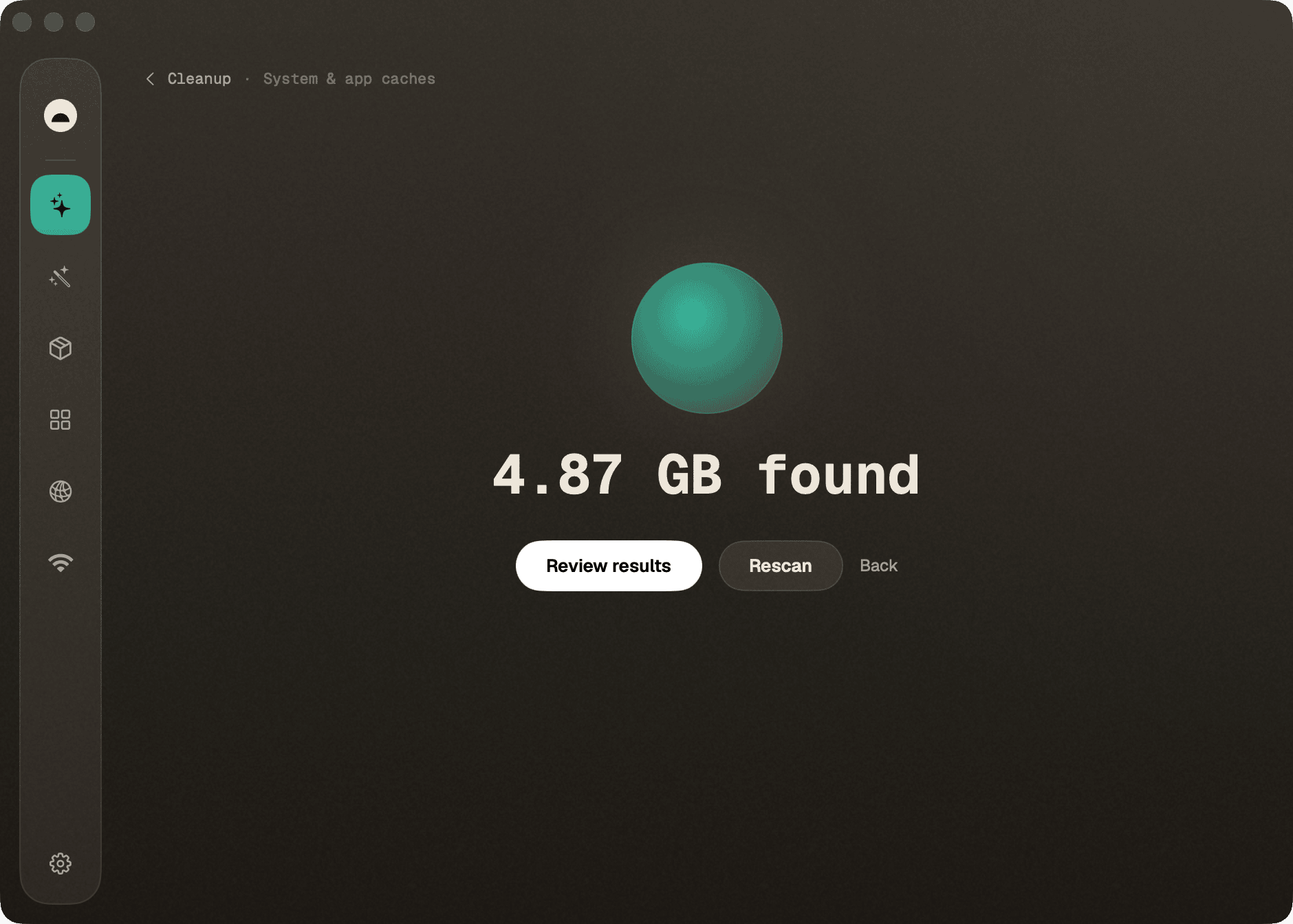
Explain with AI — point an MCP-capable agent (Claude Code, or a local model via LM Studio) at Burrow and ask your Mac in plain language. When doing other tasks with AI Agents, if they find something irregular with your system, for example low disk space, they will have the tools to automatically disect the problem, and perform secure cleanups for you proactively and autonomously, without you having to ask.
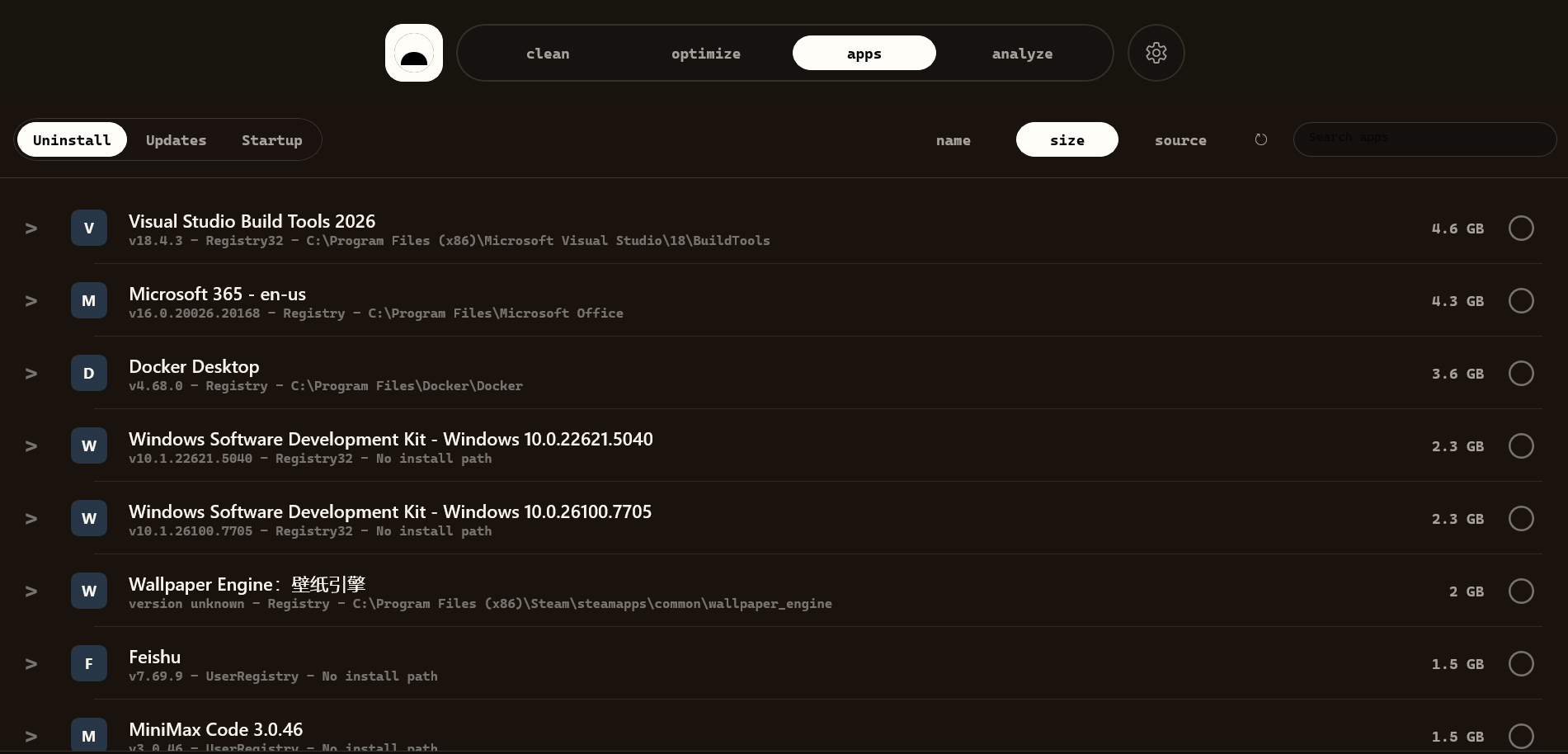
### Windows preview
> **Windows TypeScript rewrite:** An initial Electron + React implementation that follows the current macOS UI is available in [`windows/typescript/`](windows/typescript/README.md). It includes live telemetry, local history, reviewed artifact/installer recycling, disk analysis, and read-only duplicate detection. The existing WinUI preview remains alongside it. See the [migration status](windows/typescript/MIGRATION.md) for capability gaps and Windows validation requirements.
## The tools
Burrow wraps its bundled `burrow-engine` binary in a native desktop app: clean
junk, purge dev artifacts, sweep leftover installers, uninstall apps, run safe
maintenance, map your disk, and watch live system status — in one window. On top
of that it adds things the CLI doesn't have: a **long-running history** of your
machine's metrics in a local store and an **MCP server** so any AI agent (Claude
Code, Cursor, Codex…) can ask "what's been happening on this machine."
**macOS** is the mature flagship. **Windows** currently has a native WinUI 3 /
.NET 8 preview app, Windows telemetry/history, tray HUD, loopback HTTP, MCP
stdio bridge, CI, tests, and unsigned release packaging.
| Tool | What it does | `mo` command |
|---|---|---|
| **Status** | Live dashboard with per-metric sparklines and a sortable/pinnable process table. | `mo status --json` |
| **Clean** | Preview what's reclaimable, then clean for real — categorized cache/log/leftover removal. | `mo clean` |
| **Purge** | Reclaim space from dev projects: `node_modules`, build dirs, `target/`, `__pycache__`, and more — preview streams in, one confirmation, everything found goes to the Trash. | `mo purge` |
| **Installers** | Find and remove leftover `.dmg`/`.pkg` installer files in bulk. | `mo installer` |
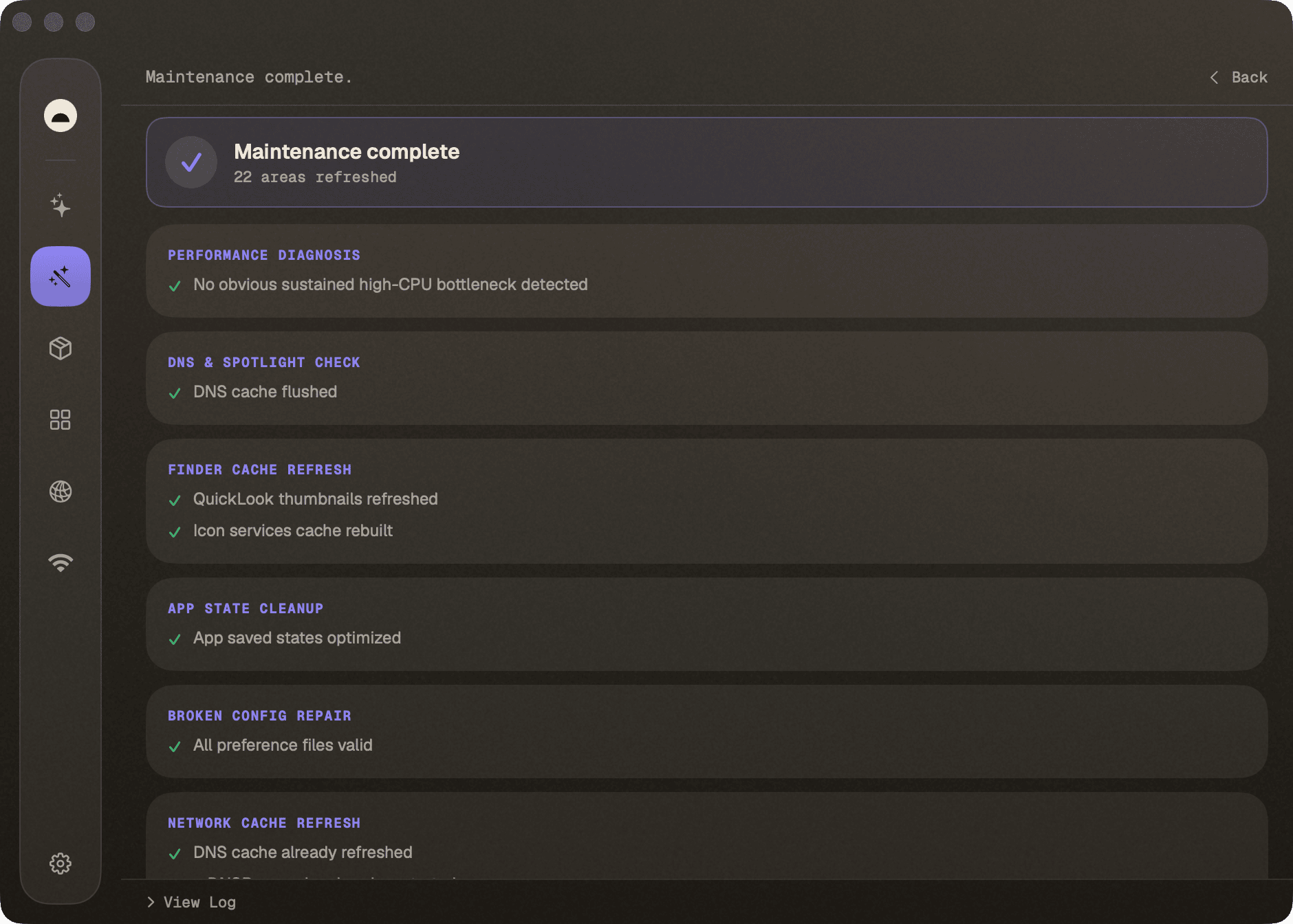
| **Optimize** | One-tap safe maintenance: rebuild caches, repair metadata, flush DNS, restart Dock/Finder. | `mo optimize` |
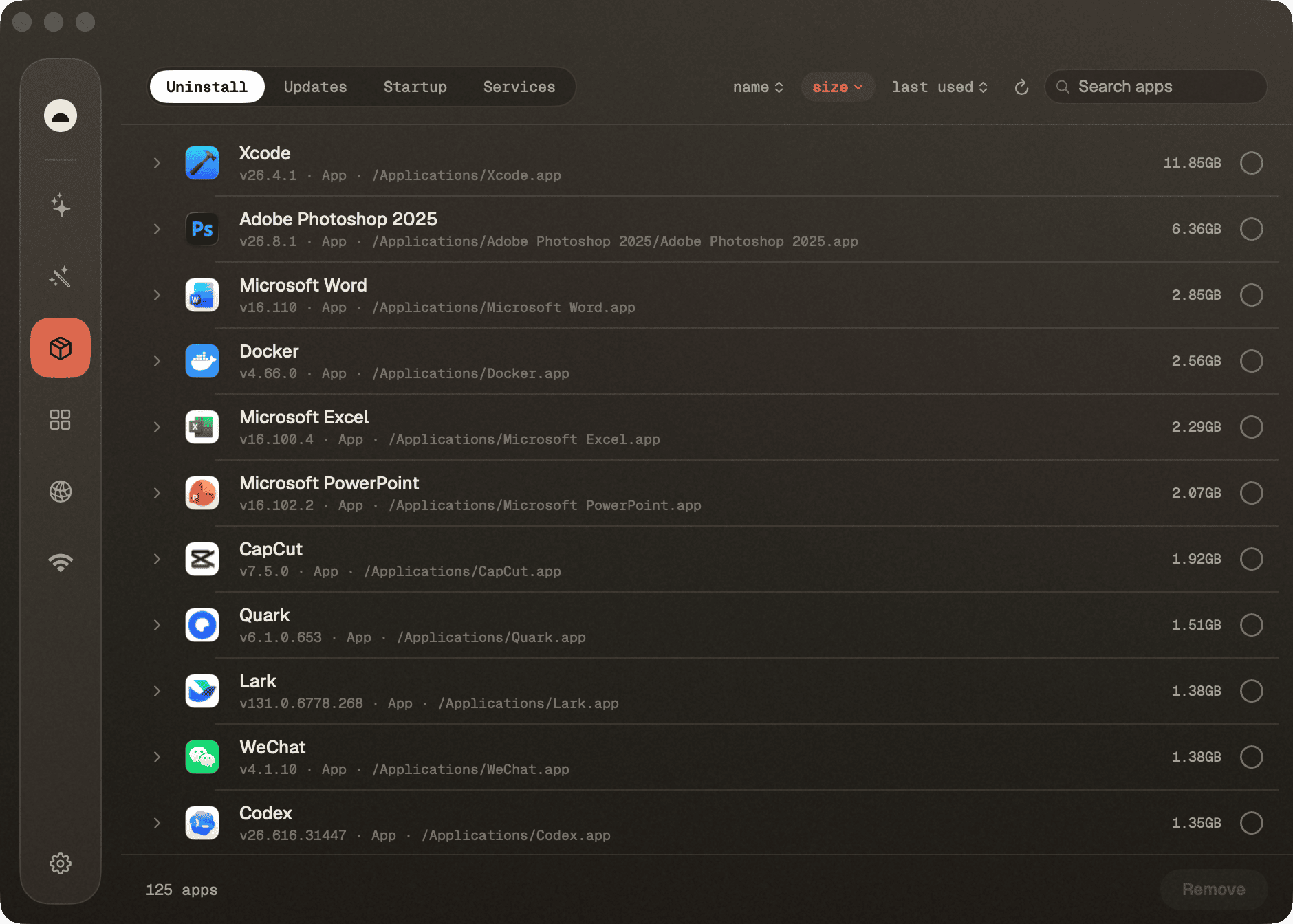
| **Software** | Installed-app list with search/sort (size, name, recent, source) and multi-select uninstall; an **Updates** tab with a Mac apps / Homebrew picker, each half with its own check and update-all. | `mo uninstall --list`, `brew outdated` |
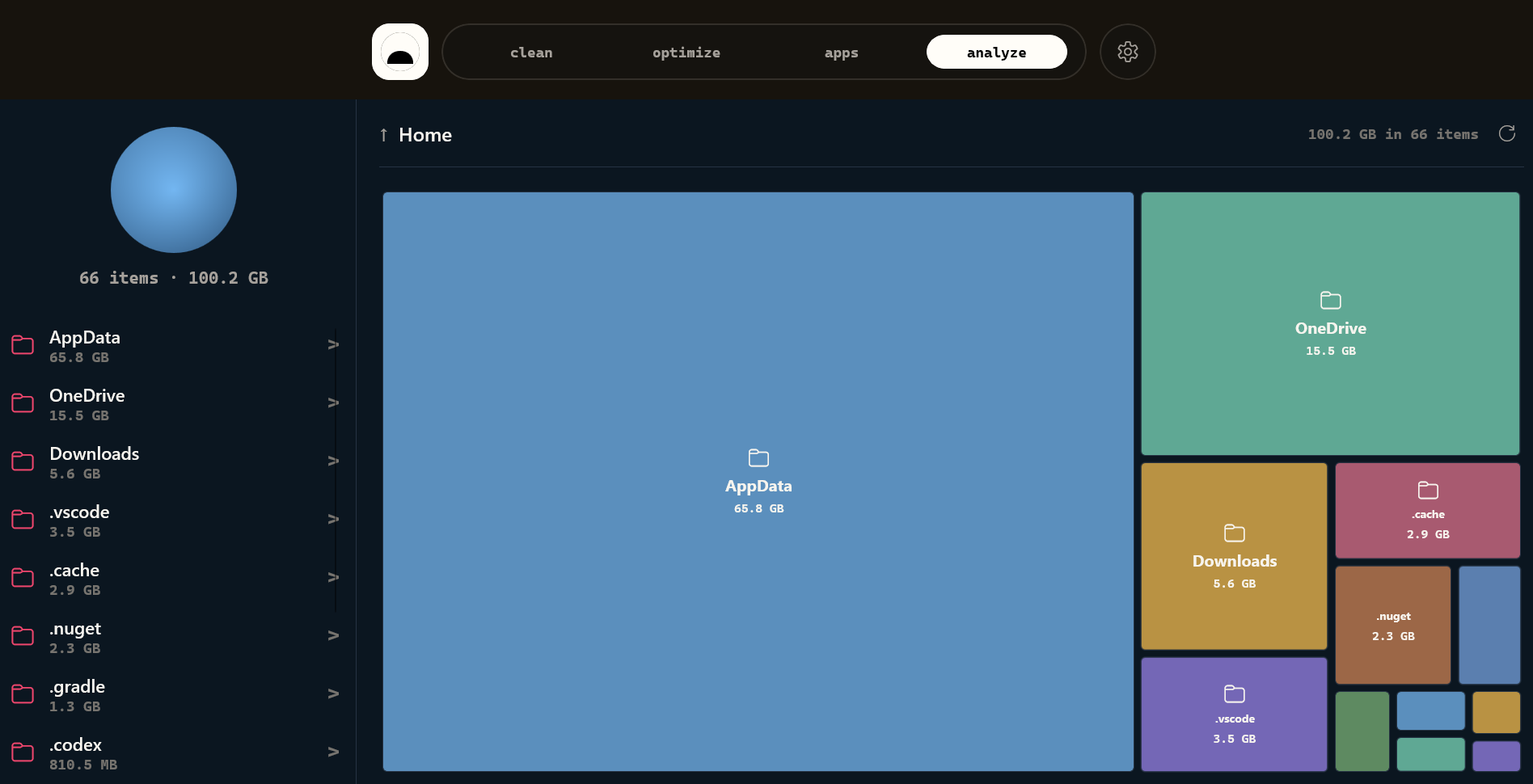
| **Analyze** | Squarified treemap of your disk; drill into any folder, reveal in Finder. | `mo analyze --json` |
Every scan offers a **no-risk preview** (`--dry-run`) first, a clear
**reclaimed-space summary** when it finishes, and a **Stop** button to abort a
running job.
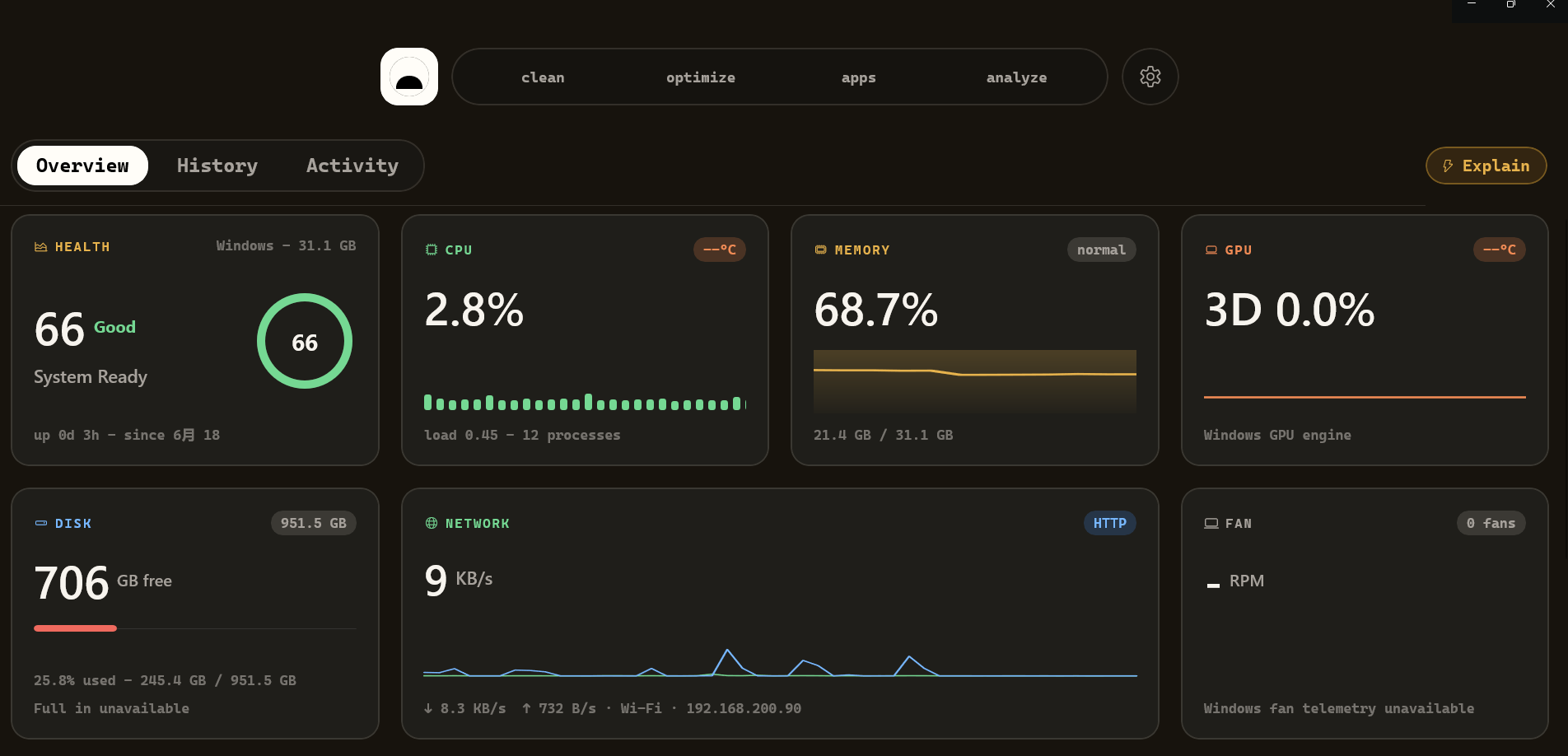
### What's on the Status dashboard
A live, glanceable read of your Mac's vitals, refreshed continuously:
- **CPU** — usage, load averages (1/5/15), core count, temperature
- **Memory** — used %, pressure (normal/warning/critical), swap
- **GPU** — name and utilisation (Apple Silicon via IOAccelerator)
- **Disk** — capacity and live read/write I/O rates
- **Network** — up/down throughput per interface
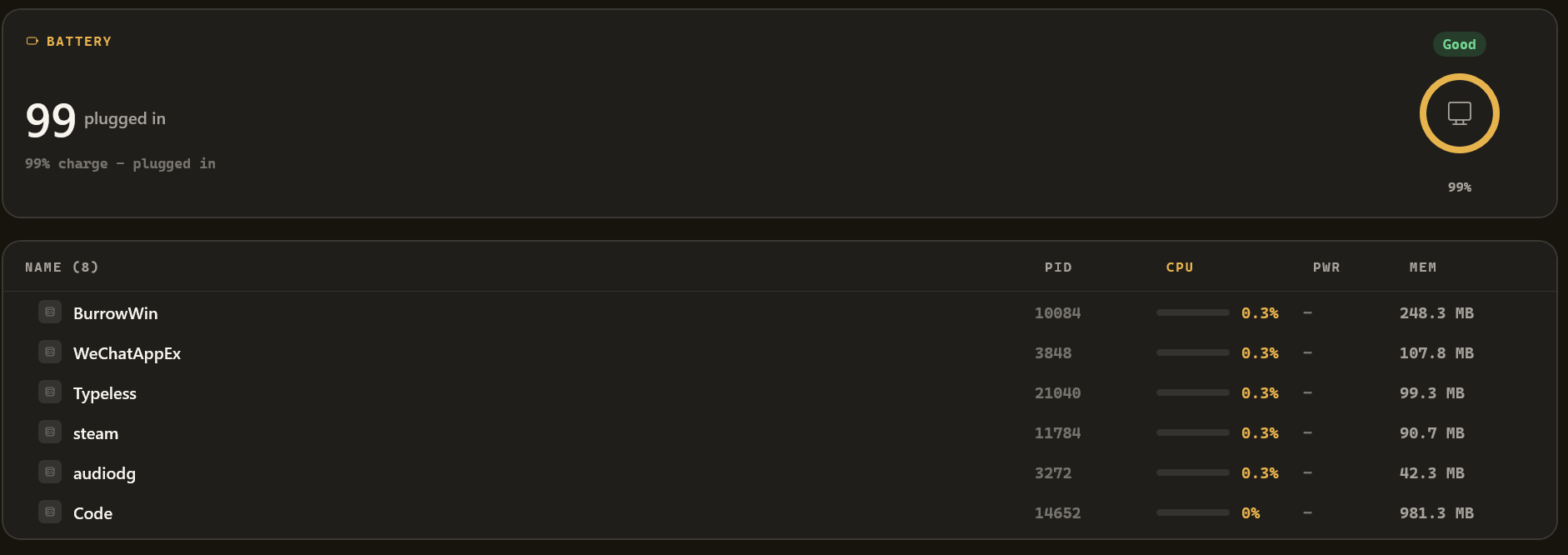
- **Battery** — percentage, health, cycle count, time remaining
- **Health score** — Mole's overall 0–100 rating, with a one-line reason
- **Top processes** — by CPU or memory, sortable and pinnable
### Burrow's own extras
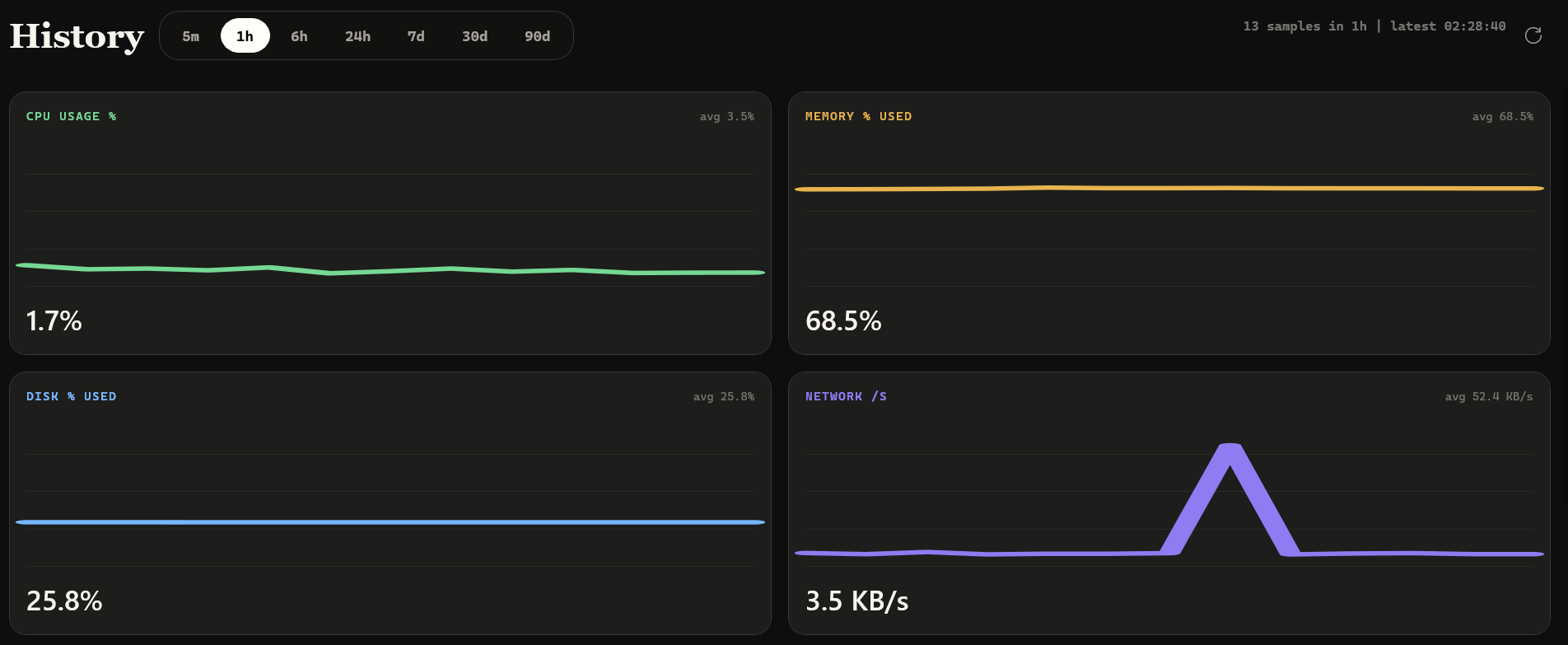
- **History** — long-range charts (5 m → 90 d) over a local SQLite history of
every metric, plus peak-per-process tables. Nothing the CLI keeps.
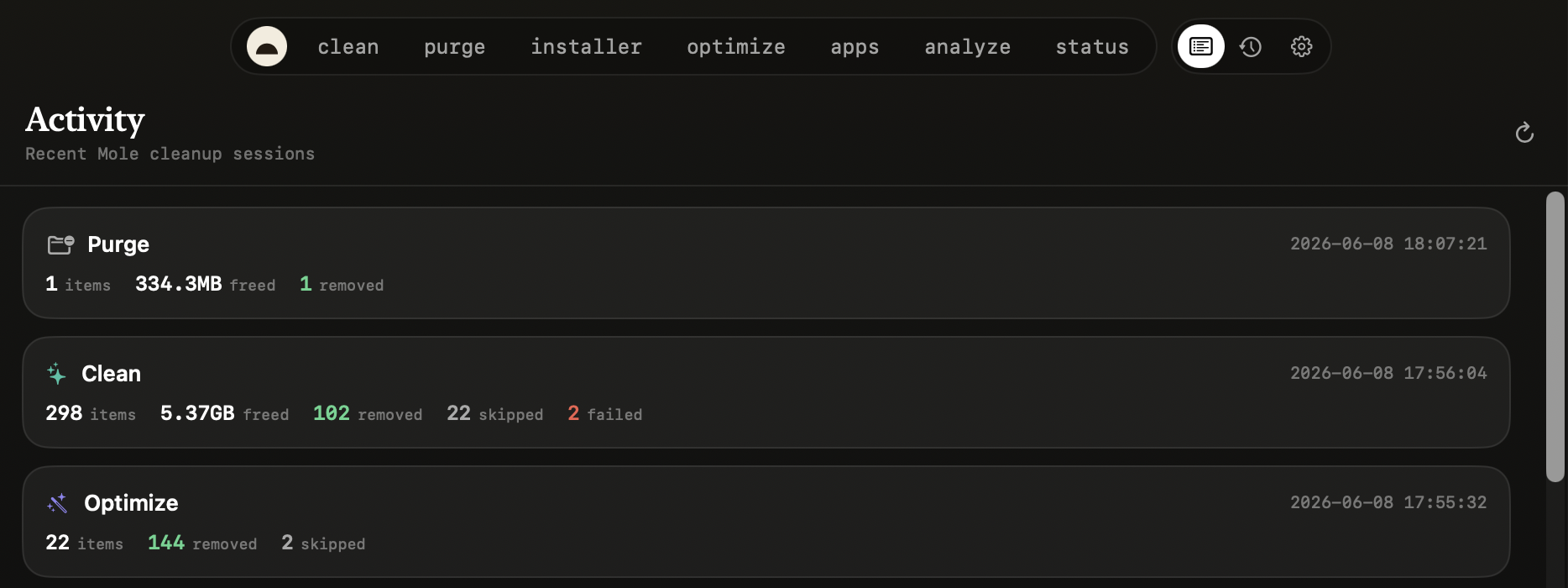
- **Activity** — a running log of what Burrow has done (cleans, optimizes,
scans) and the live status of anything in flight.
- **Menu-bar HUD** — health hero, metric tiles, top processes, and live job
status, all from the menu bar (you can also run as a Dock app instead).
- **MCP server** — a stdio JSON-RPC server (`burrow mcp` / `Burrow --mcp`) plus
an optional localhost HTTP API, so any AI agent can query your Mac's recent
state. See [Use it with your AI agent](#use-it-with-your-ai-agent).
- **Signed native updates** — Sparkle checks a signed feed and presents its
native update UI; archives and the feed are both Ed25519-signed, and nothing
downloads or installs automatically. A real 0.11.0-to-0.11.1 update completed
without Terminal or Homebrew and relaunched the notarized app successfully.
([#281](https://github.com/caezium/Burrow/issues/281))
## Platforms
| | macOS | Windows |
|---|---|---|
| Status | **Stable** — flagship | **Preview** — checked in under `windows/` |
| Engine | bundled Rust `burrow-engine` (FSL-1.1-ALv2), with a Mole-compatible command surface; source builds can use an external `mo` for nonprivileged operations | bundled Mole/PowerShell engine plus Windows fallbacks where needed |
| UI | SwiftUI, translucent menu-bar app | WinUI 3 / .NET 8 |
| Install | `brew install --cask caezium/tap/burrow` | build from source; unsigned preview artifacts via `windows/scripts/build-release.ps1` |
| Source | [`macos/`](macos/) | [`windows/`](windows/) |
Both apps live in this one repo, side by side, sharing this README, the landing
site, and release documentation. The Windows preview currently includes a native
shell, tool pages, local telemetry/history, loopback HTTP/MCP surfaces, tests,
CI, and unsigned local packaging. See the [Windows architecture notes](windows/docs/windows-architecture.md)
and [release notes](windows/docs/release.md).
### Windows preview
The checked-in Windows app currently includes:
- A native WinUI 3 / .NET 8 shell with Dashboard, History, Activity, Analyze,
Clean, Purge, Installers, Apps, Optimize, and Settings routes.
- Local Windows telemetry sampling for Dashboard, History, tray status, HTTP,
and MCP.
- Local JSONL-backed history/activity storage.
- Optimize preview/confirm flows through Mole where available; the Windows Clean
route is present but still a guarded pending stub until Mole Windows exposes a
stable non-interactive cleanup contract for the GUI.
- Native Windows fallback flows for Analyze, Purge, installer cleanup, and app
inventory where the Windows Mole branch is still interactive or lacks JSON.
- A tray icon, live tooltip, tray HUD, status menu, and quick navigation.
- A loopback-only HTTP API (`/health`, `/info`, `/snapshot`, `/metrics`) and a
stdio MCP bridge with the read-only Burrow tools.
- Unit tests, Windows CI, local smoke-test helpers, and an unsigned release
script that produces a setup executable, portable ZIP, hashes, and WinGet
manifests.
## Roadmap
The full board, with status and voting, lives at **[burrow.computer/roadmap](https://burrow.computer/roadmap)**. Vote by upvoting an issue, or [open a request](https://github.com/caezium/Burrow/issues/new/choose).
**Building**
- A single interface for machine care and agent work, Burrow grew tool by tool. The next pass designs it as one product: one navigation model, one task hierarchy, and a clear place for the agent surfaces that arrived late.
**Planned**
- Windows preview → first stable, Data-loss and supply-chain hardening, parity, and test coverage before it loses the “preview” label. ([#93](https://github.com/caezium/Burrow/issues/93))
- Uninstall that never quietly does nothing, A handful of Homebrew apps use a cask token that differs from the display name, so a name-based lookup resolves most apps and misses the exceptions. Uninstall gets exact resolution and a visible result either way.
**Considering**
- Persistent one-tap “run all” Tune-Up, A saved Smart-Care routine you trigger in one tap from the dashboard. ([#77](https://github.com/caezium/Burrow/issues/77))
- Faster, deeper Analyze, Better navigation through very large trees, quicker re-render on drill-down, and caching so a second scan of the same volume is close to instant.
_Recently shipped: Developer ID signed & Apple-notarized macOS releases, Signed Sparkle feed + updater foundation, Stable Full Disk Access identity across updates, Bundled MIT engine, no separate `mo` install, Process inspector + CPU watchdog, see the [changelog](https://burrow.computer/releases.html)._
## How Burrow compares to other tools
A factual feature/scope comparison. The competitor columns are the **macOS**
landscape; the Windows column reflects only the checked-in preview.
**mole.fit** is from the original author of `mo` — buy it ($19) if you want that
and to fund `mo`.
| | Burrow (macOS) | Burrow (Windows preview) | mole.fit | CleanMyMac | Pearcleaner | `mo` / ncdu |
|---|:---:|:---:|:---:|:---:|:---:|:---:|
| Price | Free | Free | $19 once | Subscription | Free | Free |
| Open source | MIT | MIT | – | – | ✅ | ✅ (`mo`) |
| Signed / notarized | ✅ Developer ID + Apple notarization *(0.11.0+; earlier archives lack both)* | No — unsigned preview | ✅ | ✅ | ✅ | n/a |
| Junk cleanup | ✅ | partial - Clean route pending | ✅ | ✅ | – | ✅ (`mo`) |
| Dev-artifact purge | ✅ | ✅ | ✅ | partial | – | ✅ (`mo`) |
| Leftover-installer sweep | ✅ | ✅ | ✅ | ✅ | – | ✅ (`mo`) |
| Uninstall + leftovers | ✅ | ✅ | ✅ | ✅ | ✅ *(focus)* | ✅ (`mo`) |
| Disk treemap | ✅ | ✅ | ✅ | ✅ | – | ncdu *(TUI)* |
| Live system monitor | ✅ | ✅ | ✅ | partial | – | – |
| Long-term metric history | ✅ | ✅ *(JSON)* | – | – | – | – |
| MCP / agent API | ✅ | ✅ | – | – | – | – |
| GUI | ✅ | ✅ | ✅ | ✅ | ✅ | – *(terminal)* |
## Settings
Everything is local and takes effect immediately unless noted:
| Setting | What it controls |
|---|---|
| **History retention** | How long metric history is kept (1 day → 1 year); older rows are pruned hourly. |
| **Vacuum after large prunes** | Reclaim DB file space after a big prune (off by default). |
| **Sampling rate** | How often Burrow runs `mo status --json` (5 s → 5 min). |
| **App language** | Follow the system, or force English / 简体中文 / 繁體中文 / Русский / 日本語 / Deutsch / Français / Español / 한국어 / Português (Brasil) *(relaunch)*. See [docs/localization.md](docs/localization.md). |
| **Menu-bar icon** | Show the menu-bar item, or run as a regular Dock app instead. |
| **MCP / agent access** | Copyable stdio config + the tool list for Claude Code, Cursor, Codex, Cline, and any MCP client. |
| **Local HTTP query server** | Optional loopback REST endpoints + port for dashboards/curl. On Windows, disabling this keeps the local `/mcp` bridge available for stdio MCP. |
| **Engine** | Shows the resolved engine's product name and version (`burrow-engine` in official builds, or an external `mo` in source builds). The bundled engine updates with signed Burrow releases; source builds using an external engine retain its updater. |
## Permissions & Full Disk Access
Cleaning system and app caches means reading TCC-protected folders, so macOS
will prompt — once per folder — unless the app has **Full Disk Access**. Burrow
handles this honestly:
- Before a flood-prone scan it shows a gate explaining the trade-off, with a
one-click link to **System Settings → Full Disk Access** (grant once, no more
prompts).
- Don't want to grant it? **Scan with admin** runs the same scan as root —
root bypasses TCC, so it's a single password prompt instead of a flood.
- Burrow only ever reads sizes; it never opens that data itself, and the real
cleanup always goes through macOS's own admin dialog.
## Requirements
### macOS
- **macOS 14+**
- **No separate engine install.** Burrow bundles its own engine
(`burrow-engine`, one FSL-1.1 binary) and runs it directly. _(Building from
source? The engine is staged from the public `macos/vendor/burrow-engine`
submodule, with no GitHub read token required. Without an initialized engine
submodule, Burrow falls back to a system `mo` —
`brew install mole` — with mo's own argv conventions.)_
### Windows preview
- **Windows 10/11**
- **.NET 8 SDK** for local build/test.
- **Inno Setup** only when running the unsigned release packaging script.
## Install
> Burrow 0.11.0 is the first Developer ID-signed and Apple-notarized release.
> New official macOS tags must pass signing, notarization, ticket stapling, and
> Gatekeeper assessment before they can publish. Version 0.10.5 used an ad-hoc
> signature rather than Developer ID and was not notarized; older archives also
> predate the current distribution guarantee.
> The full security/trust write-up is in **[SECURITY.md](SECURITY.md)**.
### Homebrew (recommended)
```bash
brew install --cask caezium/tap/burrow # the app + bundled engine
```
The live cask installs the signed and notarized build, preserves quarantine so
Gatekeeper can validate Apple's ticket, and contains no `postflight` bypass or
unsigned-build warning. It is marked `auto_updates true` because Sparkle owns
in-app updates.
### Direct download
Download `Burrow-x.y.z.zip` from
[Releases](https://github.com/caezium/Burrow/releases), unzip into
`/Applications`, then:
```bash
open /Applications/Burrow.app
```
Keep the downloaded app's quarantine metadata intact: Gatekeeper uses it to
verify the stapled notarization ticket. If you're intentionally installing an
archived 0.10.5-or-earlier build, right-click the app and choose **Open**;
those builds predate the notarization ticket.
### macOS build from source
```bash
brew install xcodegen
git clone https://github.com/caezium/Burrow.git && cd Burrow
bash scripts/release.sh
cp -R build_dist/Build/Products/Release/Burrow.app /Applications/
open /Applications/Burrow.app
```
The local script applies a coherent ad-hoc signature to the app and every
bundled executable so Full Disk Access works during development. Only official
tag builds use the private Developer ID identity and Apple notarization.
Burrow lives in the menu bar (it's a menu-bar agent). Click the icon → **Open
Burrow** — or turn the menu-bar icon off in Settings to run it as a Dock app.
If a macOS build freezes while Burrow creates that status item, the next launch
stays in Dock-based compatibility mode on the same OS build and offers a
one-click redacted diagnostic report. Automatic Sparkle startup waits until
the initial AppKit launch turn has settled and the status item is stable; if
the updater then fails its own stability window,
later automatic checks pause for that app/OS build while manual checks remain
available. A new macOS build retries a guarded status item; a new Burrow or
macOS build retries an updater that previously failed its stability window.
### Windows preview build
```powershell
git clone https://github.com/caezium/Burrow.git
cd Burrow\windows
dotnet restore .\BurrowWin.sln
dotnet build .\BurrowWin.csproj -c Release -p:Platform=x64 -nr:false -v:minimal
dotnet test .\Tests\BurrowWin.Tests\BurrowWin.Tests.csproj -c Release -v:minimal
```
To create the checked-in unsigned preview artifacts locally:
```powershell
.\scripts\build-release.ps1
```
That script builds the app, runs tests, publishes the WinUI payload, creates an
unsigned Inno Setup installer, creates a portable ZIP fallback, writes
`SHA256SUMS.txt`, and writes WinGet manifests. See
[`windows/docs/release.md`](windows/docs/release.md).
## Security & trust
Burrow drives one bundled engine binary, `burrow-engine` (FSL-1.1-ALv2; its
source is publicly available and the signed binary ships inside the app — see
[Attribution](#attribution--license)), plus an MIT `fclones` sidecar for
duplicate finding. The honest privacy picture:
- **No accounts, no ads.** Your metrics, history, and file contents stay on
your machine. The macOS app sends opt-out anonymous usage plus crash, hang,
startup, update, and sampled performance diagnostics. It sends no screen
recordings, user files, user paths, metrics, or stored IP; turn it off in
Settings. PostHog delivery and its bounded sanitized retry outbox run entirely
off AppKit's main thread. Full list in **[TELEMETRY.md](TELEMETRY.md)**.
- **No background root helper by default.** When Clean/Optimize — or an
uninstall whose app bundle needs an administrator — need admin rights, macOS's
own dialog asks you and Burrow runs that one engine command as root, then
exits — you approve every elevation. Every elevated run gets a fixed
environment: `BURROW_HOME` points the engine back at *your* home (so an
elevated uninstall removes your leftovers, not root's) and
`BURROW_PRIVILEGED=1` makes it refuse user-writable sidecar overrides. You can
opt in to a small signed helper so those prompts accept Touch ID; it grants
no standing privilege (every root operation still authenticates, every time),
performs only scan, clean, and optimize, and can be removed from Settings.
Details in **[SECURITY.md](SECURITY.md)**.
- **Local-only surfaces:** the MCP/HTTP surfaces bind to loopback only
(`127.0.0.1`) and history is stored locally. On Windows, the HTTP REST toggle
disables REST endpoints but keeps the local `/mcp` bridge route available for
stdio MCP clients. The macOS Updates tab reads Homebrew's local index when it
opens and runs `brew update` only when you click Refresh, the same fetch
`brew` does for itself.
- **Distribution signatures:** new official macOS tags fail unless Developer ID
signing, notarization, and the signed Sparkle ZIP/feed checks pass; local
macOS builds use an ad-hoc development identity. Windows preview artifacts
remain unsigned, so direct-download users should expect SmartScreen or
stricter Application Control policy prompts.
- The full honest write-up, including macOS admin trade-offs and the "Scan with
admin" option, is in **[SECURITY.md](SECURITY.md)**.
## Use it with your AI agent
Burrow doubles as an [MCP](https://modelcontextprotocol.io) server over stdio,
so **any MCP-capable agent** — Claude Code, Cursor, Codex, Cline, Zed, and
others — can read your machine's recent state. Same server, same `{command, args}`
shape everywhere.
### Let your agent set it up
For macOS, paste this to your coding agent and it'll wire itself in:
> Add the **Burrow** MCP server to my config so you can read my Mac's system
> history. It's a local stdio MCP server — run it as `burrow mcp` if the
> Homebrew shim is on my PATH, otherwise
> `/Applications/Burrow.app/Contents/MacOS/Burrow` with args `["--mcp"]`. Add it
> under my MCP servers, reload, and confirm the tools `burrow_snapshot`,
> `burrow_history`, `burrow_top_processes`, `burrow_process_usage`, and
> `burrow_info` are available. Then tell me my Mac's current CPU and memory.
### Or configure it manually
The config is the same JSON for every agent — only the file differs:
```json
{
"mcpServers": {
"burrow": {
"command": "/Applications/Burrow.app/Contents/MacOS/Burrow",
"args": ["--mcp"]
}
}
}
```
| Agent | Where it goes |
|---|---|
| **Claude Code** | `~/.claude/settings.json` — or `claude mcp add burrow -- /Applications/Burrow.app/Contents/MacOS/Burrow --mcp` |
| **Cursor** | `~/.cursor/mcp.json` (global) or `.cursor/mcp.json` (per project) |
| **Codex** | add a `[mcp_servers.burrow]` entry in `~/.codex/config.toml` |
| **Cline / Zed / other** | the client's "MCP servers" / `mcpServers` config |
If you installed via Homebrew, a `burrow` shim is on your PATH, so you can use
`command: "burrow", args: ["mcp"]` instead of the bundle path. Reload the agent
and ask in plain language.
Windows preview builds include the stdio bridge in source under
`windows/Tools/McpStdioBridge/` and in release artifacts as
`Assets\Mcp\burrow-mcp-stdio.exe`.
**Tools** — 19 over MCP, read-only by default. The full reference, with **when an
agent should reach for each**, is in **[docs/agent-tools.md](docs/agent-tools.md)**.
The essentials:
- **Status & history** — `burrow_snapshot`, `burrow_history`, `burrow_top_processes`,
`burrow_process_usage` (rank by `cpu_time`/`peak_cpu`/`avg_cpu`/`peak_mem`),
`burrow_diff`, `burrow_disk_forecast`, `burrow_report`
- **Diagnose** — `burrow_doctor` (Full Disk Access, memory pressure, disk headroom,
SIP/Gatekeeper/FileVault/firewall, battery, high-CPU, display/volume/network),
`burrow_ports`, `burrow_info`
- **Disk & apps** — `burrow_analyze`, `burrow_list_apps`, `burrow_cleanup_history`,
`burrow_deleted_files`
- **Maintain (gated)** — `burrow_clean`, `burrow_optimize`, `burrow_uninstall`,
`burrow_purge`, `burrow_installer`
Actuating tools preview (`--dry-run`) unless `confirm:true` **and** the matching
Settings opt-in is enabled — an agent can always look, but only acts with your say-so.
Windows also keeps `burrow_uninstall(action=...)` as a compatibility tool for
list, leftover-preview, and confirmed vendor-uninstaller launch workflows.
There's also an optional localhost REST API (`127.0.0.1:9277` — `/health`,
`/info`, `/snapshot`, `/metrics`) for dashboards or curl. Loopback is a network
boundary, not authentication: every request needs the random per-install bearer
credential, an exact localhost `Host`, no browser `Origin`, and stays inside the
request-size/rate limits. On macOS, read the credential locally with
`defaults read dev.caezium.Burrow query_auth_token`; on Windows it lives in the
current user's `%LOCALAPPDATA%\BurrowWin\settings.json`, and the stdio bridge
adds it automatically. Disabling Windows REST does not close the listener
because the authenticated stdio bridge still posts to `/mcp`.
```bash
BURROW_HTTP_TOKEN="$(defaults read dev.caezium.Burrow query_auth_token)"
curl -H "Authorization: Bearer $BURROW_HTTP_TOKEN" http://127.0.0.1:9277/health
```
## Develop & test
### macOS
```bash
cd macos # the macOS app lives here (monorepo: macos/ + windows/)
bash ../scripts/fetch-sentry.sh # vendor Sentry.xcframework (it's a local framework, not an SPM dep)
bash ../scripts/fetch-sparkle.sh # vendor the checksum-pinned official Sparkle.framework
xcodegen generate
xcodebuild -project Burrow.xcodeproj -scheme Burrow \
-configuration Debug -destination 'platform=macOS' test
```
The suite covers the parts that matter through public interfaces: DB roundtrip
+ range + stride sampler + prune + corruption recovery, Store clamping/defaults,
Maintenance prune, MCP tool routing + the semantic usage ranking, squarified
treemap invariants, the Full Disk Access decision, and `mo` output parsing.
### Windows preview
```powershell
cd windows
dotnet restore .\BurrowWin.sln
dotnet build .\BurrowWin.csproj -c Release -p:Platform=x64 -nr:false -v:minimal
dotnet build .\Tests\BurrowWin.Tests\BurrowWin.Tests.csproj -c Release -nr:false -v:minimal
dotnet test .\Tests\BurrowWin.Tests\BurrowWin.Tests.csproj -c Release --no-build -v:minimal
```
For local GUI smoke checks:
```powershell
.\run-local.ps1 -NoBuild -SmokeTest -Restart -RequireHealth -Route settings -TimeoutSeconds 60
```
## Architecture
### macOS
```
Contents/Resources/burrow (burrow-engine, one binary; one {ok, data|error} envelope per command,
NDJSON when streamed)
burrow status --watch ──> SnapshotProducer (one long-lived stream, one line per tick;
polls `status --json` only if the stream drops)
──> SQLite (WAL) ──┬─> Status / History (charts)
├─> HTTP QueryServer (:9277)
└─> Burrow --mcp (stdio) ─> Claude Code / Cursor / Codex
burrow analyze --progress






 When doing other tasks with AI Agents, if they find something irregular with your system, for example low disk space, they will have the tools to automatically disect the problem, and perform secure cleanups for you proactively and autonomously, without you having to ask.