## Table of Contents
- [Design Philosophy](#design-philosophy)
- [Quick Start](#quick-start)
- [Installation](#installation)
- [Documentation](#documentation)
- [For AI](#for-ai)
- [Examples](#examples)
- [Versioning](#versioning)
- [License](#license)
## Design Philosophy
ink-cartridge aims to enhance Ink, not replace it. It makes the interaction and development experience of Ink apps more comfortable, and the apps themselves more deterministic and stable, by providing the foundational capabilities for building interaction-dense, multi-page applications.
ink-cartridge is not an all-in-one framework. Most business logic is implemented by you or composed from other libraries; ink-cartridge only provides the foundational capabilities for building complex applications.
- **Screen as component** — Any React component *can be* a screen. Register it into a tree and navigate with `skip` / `back` / `gotoScreen`. No hand-written conditional rendering.
- **Layered keyboard engine** — Each screen owns its key bindings. A 9-stage pipeline resolves conflicts between modal layers, layers, global keys, and the screen stack. The focus system partitions keys within the same layer.
> **Note:** The standalone component packages under `packages/discarded/` (`@cartridge-engine/*`) are deprecated and will no longer be maintained. A rewritten component set will replace them.
## Quick Start
```tsx
import React, { useContext, useEffect, useState } from "react";
import { Box, Text, render } from "ink";
import {
CurrentScreen,
KeyboardProvider,
ModalLayerElementContext,
registerComponent,
ScenarioManagementProvider,
useKeyboard,
useMouseRegion,
useScreenSystem,
} from "ink-cartridge";
// ── Home ──
function Home() {
const { skip, openModalLayer, applyElementToModalLayer } = useScreenSystem();
const { boundKeyboard } = useKeyboard();
useEffect(() => {
const toProgress = boundKeyboard(["p"], () => skip(ProgressBar, {}));
const modals = boundKeyboard(["m"], () => {
const stacked = [
["low", 1, 0, 80],
["high", 2, 4, 70],
["high-high", 3, 8, 60],
["high-high-high", 4, 10, 55],
["high-high-high-high", 5, 12, 50],
["high-high-high-high-high", 6, 13, 45],
["high-high-high-high-high-high", 7, 12, 40],
["high-high-high-high-high-high-high", 8, 11, 35],
] as const;
for (const [layerId, zIndex, top, left] of stacked) {
openModalLayer(layerId, zIndex);
applyElementToModalLayer(layerId, {
elementId: `${layerId}-modal`,
element: () => ,
});
}
});
return () => {
toProgress();
modals();
};
}, [boundKeyboard]);
return (
🏠 Home
Press P to open Progress Bar
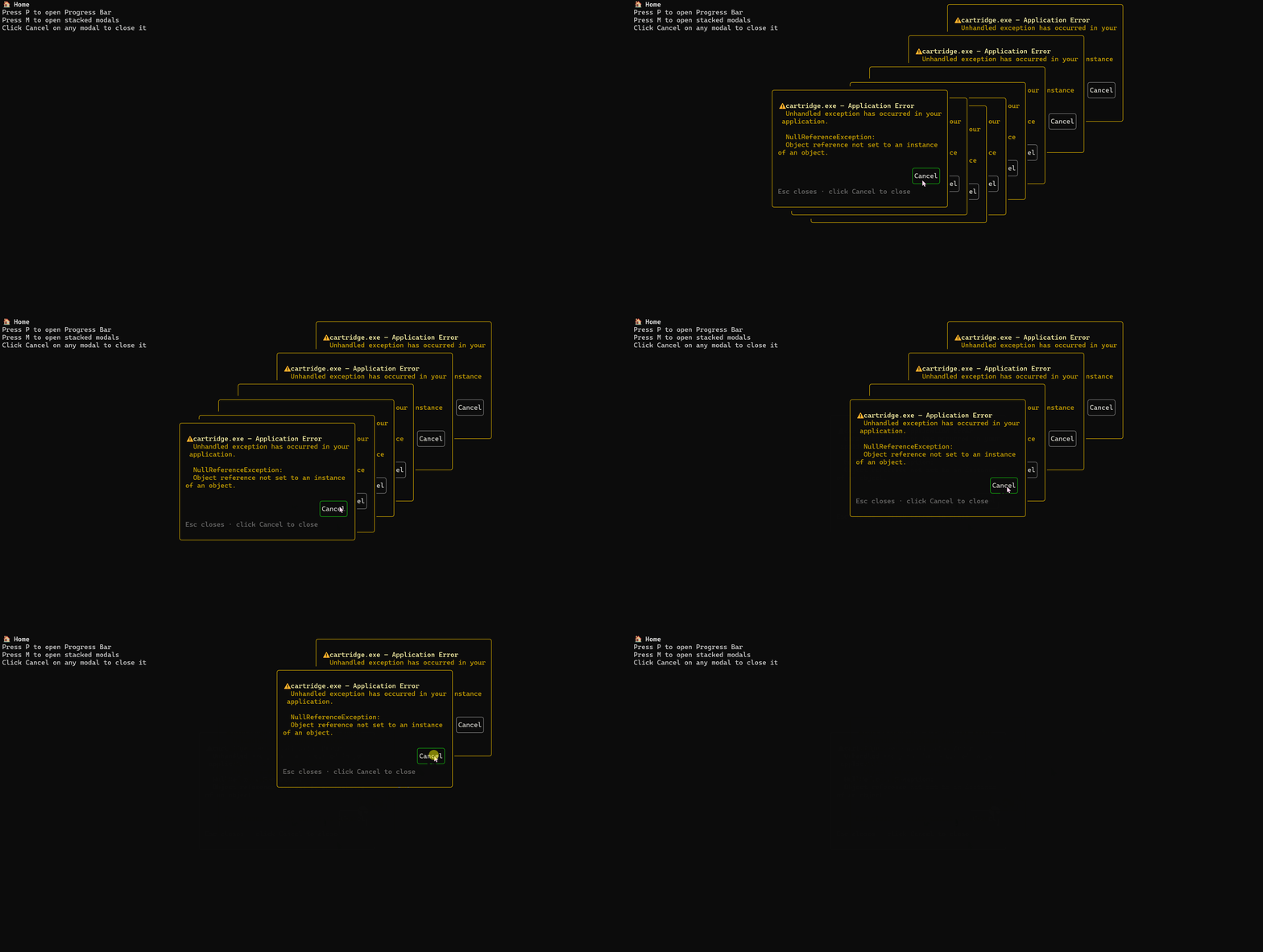
Press M to open stacked modals
Click Cancel on any modal to close it
);
}
registerComponent(Home, {});
// ── Progress Bar ──
function ProgressBar() {
const [value, setValue] = useState(50);
const { back } = useScreenSystem();
const { boundKeyboard } = useKeyboard();
useEffect(() => {
const left = boundKeyboard(["left"], () => setValue((v) => Math.max(0, v - 5)));
const right = boundKeyboard(["right"], () => setValue((v) => Math.min(100, v + 5)));
const esc = boundKeyboard(["escape"], () => back());
return () => {
left();
right();
esc();
};
}, [boundKeyboard]);
// Smooth color gradient: red(0) → yellow(50) → green(100)
const r = value <= 50 ? 255 : Math.round(255 - (value - 50) * 5.1);
const g = value <= 50 ? Math.round(value * 5.1) : 255;
const color = `#${r.toString(16).padStart(2, "0")}${g.toString(16).padStart(2, "0")}00`;
const filled = Math.round(value * 0.4);
const bar = "█".repeat(filled) + "░".repeat(40 - filled);
return (
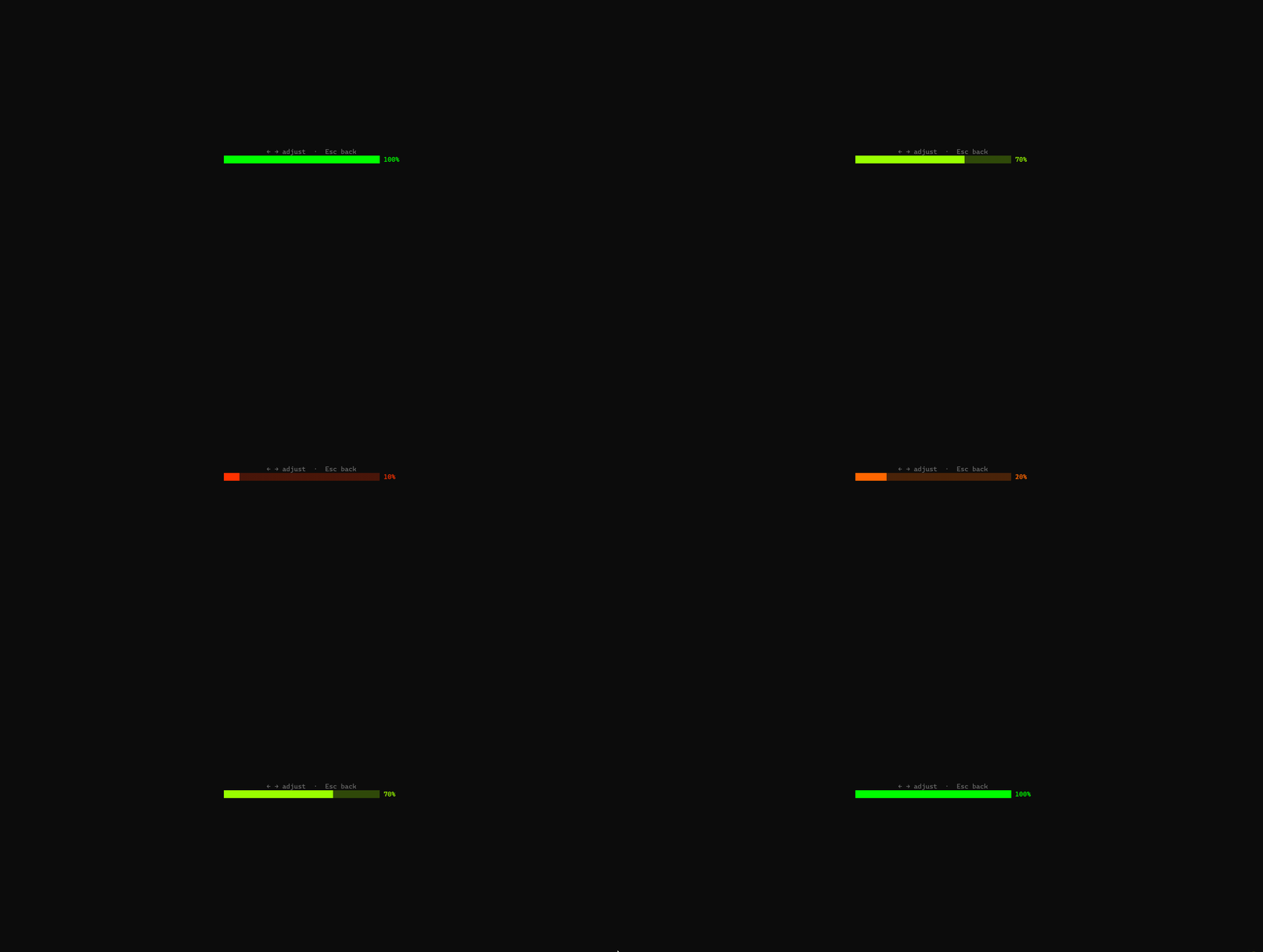
← → adjust · Esc back
{bar} {value}%
);
}
registerComponent(ProgressBar, {}, { parent: Home });
function Modal({ top, left }: { top: number; left: number }) {
const { closeModalLayer } = useScreenSystem();
const { boundKeyboard } = useKeyboard();
const modalCtx = useContext(ModalLayerElementContext);
const layerId = modalCtx?.modalLayer.layerId;
useEffect(() => {
if (!layerId) return;
return boundKeyboard(["escape"], () => closeModalLayer(layerId));
}, [boundKeyboard, closeModalLayer, layerId]);
return (
⚠ cartridge.exe — Application Error
Unhandled exception has occurred in your application.
NullReferenceException:
Object reference not set to an instance of an object.
{/* Click-to-close button: a child region with a higher priority
wins over the modal body, so only the button reacts. */}
{
if (layerId) closeModalLayer(layerId);
}}
/>
Esc closes · click Cancel to close
);
}
// A small clickable control. `priority: 1` makes it win over any region that
// contains it (the modal body would be a priority-0 region).
function ModalButton({ label, onPress }: { label: string; onPress: () => void }) {
const [hovered, setHovered] = useState(false);
const ref = useMouseRegion(
{
onClick: onPress,
onEnter: () => setHovered(true),
onLeave: () => setHovered(false),
},
{ priority: 1 },
);
return (
{label}
);
}
render(
);
```
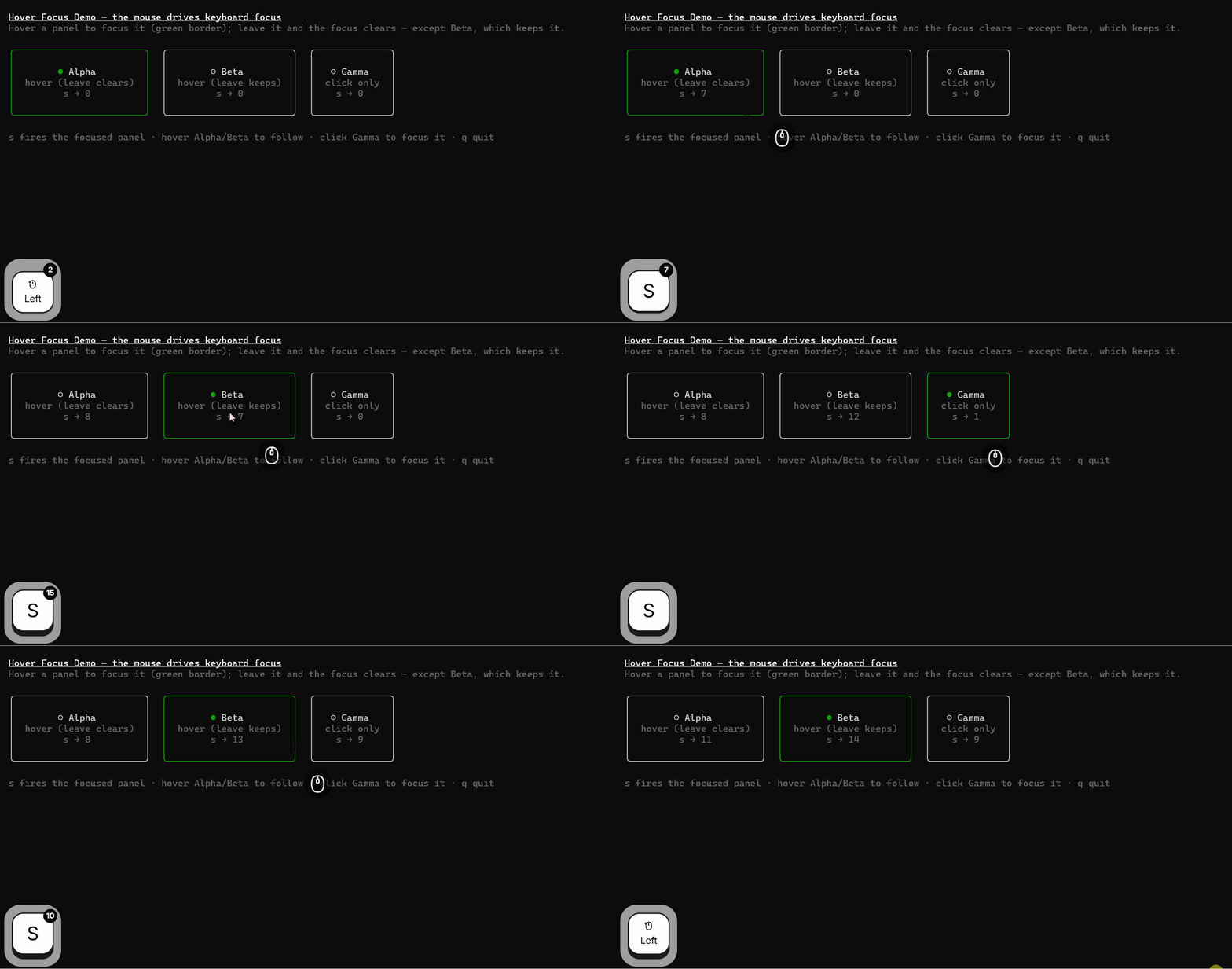
Not only that, it also supports full coordination between mouse and keyboard focus.
This makes terminal interaction smoother. [Demo Example](./examples/mouse-hover-focus.tsx)
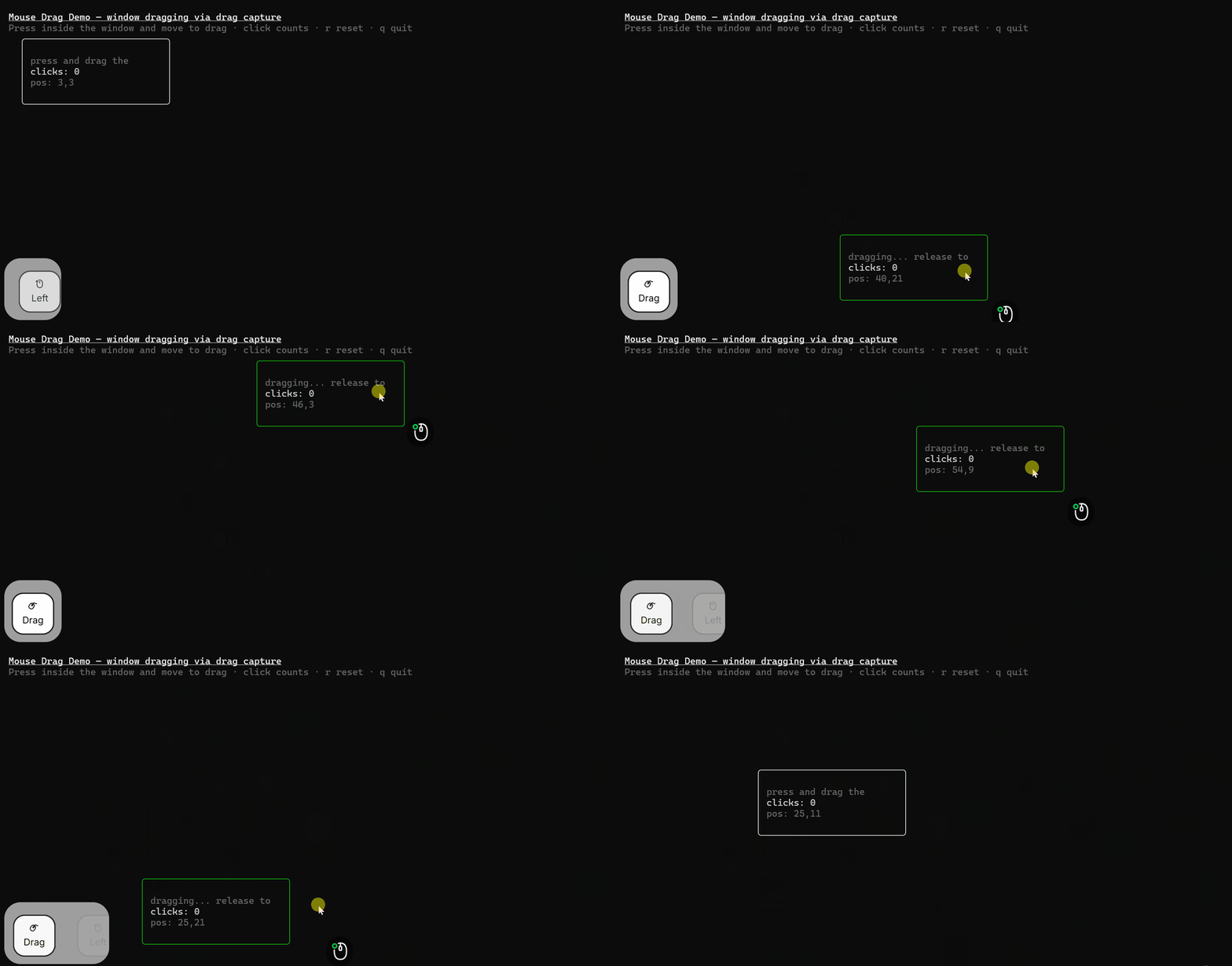
Drag: [Demo Example](./examples/mouse-drag.tsx)
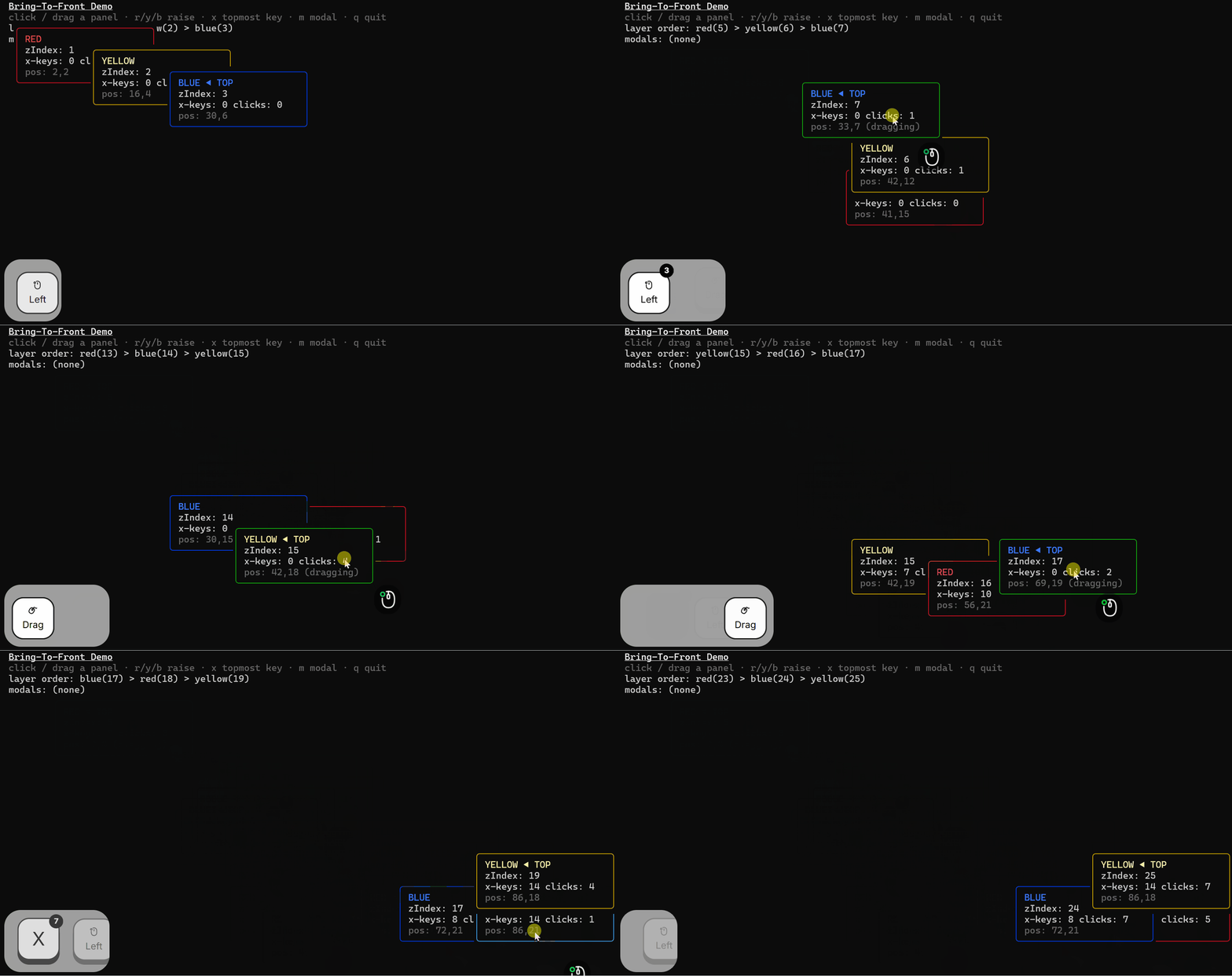
With Ink-cartridge, you can achieve buttery-smooth window raising, taking the interactivity and visual quality of React Ink apps to the next level.
On top of that, it keeps keyboard priority exactly aligned with window priority. As shown in the example below, when you press the X key, only the highest-priority window will respond.
[Demo Example](./examples/screen-bring-to-front.tsx)
## Installation
```bash
npm install ink-cartridge
```
For the standalone keyboard engine (framework-agnostic):
```bash
npm install @cartridge-engine/keyboard-engine
```
Standalone packages — import only what you need:
```bash
npm install @cartridge-engine/i18n @cartridge-engine/theme @cartridge-engine/event
```
| Package | Exports | CLI bin |
|---------|---------|---------|
| `@cartridge-engine/i18n` | LanguageProvider, useI18n | `make-language-type` |
| `@cartridge-engine/theme` | ThemeProvider, useTheme | `make-theme-type`, `init-theme` |
| `@cartridge-engine/event` | EventBus, EventProvider, createEventBus, useEventBus, useEmitter, useSubscribe | — |
| `@cartridge-engine/init` | project scaffold | `ink-cartridge-init` |
| `@cartridge-engine/ui` | Button (in progress) | — |
## Documentation
📘 **[Hand-written Guides](https://cartridgebox.art/guide/)** — step-by-step chapters on how to use each API, covering the screen system, keyboard engine, and mouse integration. Available in English and 简体中文.
The guides are written by hand and live in [`website/`](website/); API reference docs are auto-published to GitHub Pages on every push to `main`:
- [ink-cartridge API docs](https://cartridgebox.art/framework/) — screen, keyboard
- [keyboard-engine API docs](https://cartridgebox.art/engine/) — standalone engine APIs (framework-agnostic)
- [i18n API docs](https://cartridgebox.art/i18n/) — @cartridge-engine/i18n (LanguageProvider, useI18n)
- [theme API docs](https://cartridgebox.art/theme/) — @cartridge-engine/theme (ThemeProvider, useTheme)
- [event API docs](https://cartridgebox.art/event/) — @cartridge-engine/event (EventBus, EventProvider)
## For AI
AI-friendly project — see [AGENTS.md](AGENTS.md) for coding conventions, [agents/rules/](agents/rules/) for conditional rules, and [docs-agents/](docs-agents/) for reference material. AI writes, humans review and sign off.
Skills live in [`skills/`](skills/) (one `SKILL.md` per agent tool); copy a skill's directory into your agent's skills folder to install it.
## Examples
Runnable demos for every component. See [examples/README.md](examples/README.md) for the full list and run commands.
## Versioning
`ink-cartridge` does not follow semantic versioning strictly. A version is chosen by
the size and the circumstances of a change rather than by API compatibility alone:
- **major** — a large release or a large-scale refactor. A breaking change does not by
itself force a major bump.
- **minor** / **patch** — the two are split by scale: a new capability or a sizeable
behavior change lands as a minor, a small fix or a narrow adjustment as a patch.
In practice, read the [CHANGELOG](CHANGELOG.md) instead of inferring compatibility from
the number — every change is listed there, grouped into Added, Changed, Fixed, Breaking
Changes and Tests.
## License
[MIT](LICENSE)