# Saving Data
### Add a Contact Model
Let's add a new database table. Open up `api/db/schema.prisma` and add a Contact model after the Post model that's there now:
```js title="api/db/schema.prisma"
datasource db {
provider = "sqlite"
url = env("DATABASE_URL")
}
generator client {
provider = "prisma-client-js"
binaryTargets = "native"
}
model Post {
id Int @id @default(autoincrement())
title String
body String
createdAt DateTime @default(now())
}
// highlight-start
model Contact {
id Int @id @default(autoincrement())
name String
email String
message String
createdAt DateTime @default(now())
}
// highlight-end
```
:::tip
To mark a field as optional (that is, allowing `NULL` as a value) you can suffix the datatype with a question mark, e.g. `name String?`. This will allow `name`'s value to be either a `String` or `NULL`.
:::
Next we create and apply a migration:
```bash
yarn rw prisma migrate dev
```
We can name this one something like "create contact".
### Create an SDL & Service
Now we'll create the GraphQL interface to access this table. We haven't used this `generate` command yet (although the `scaffold` command did use it behind the scenes):
```bash
yarn rw g sdl Contact
```
Just like the `scaffold` command, this will create a few new files under the `api` directory:
1. `api/src/graphql/contacts.sdl.{js,ts}`: defines the GraphQL schema in GraphQL's schema definition language
2. `api/src/services/contacts/contacts.{js,ts}`: contains your app's business logic (also creates associated test files)
If you remember our discussion in [how Redwood works with data](../chapter2/side-quest.md) you'll recall that queries and mutations in an SDL file are automatically mapped to resolvers defined in a service, so when you generate an SDL file you'll get a service file as well, since one requires the other.
Open up `api/src/graphql/contacts.sdl.{js,ts}` and you'll see the same Query and Mutation types defined for Contact that were created for the Post scaffold. `Contact`, `CreateContactInput` and `UpdateContactInput` types, as well as a `Query` type with `contacts` and `contact`, and a `Mutation` type with `createContact`, `updateContact` and `deleteContact`.
```graphql title="api/src/graphql/contacts.sdl.js"
export const schema = gql`
type Contact {
id: Int!
name: String!
email: String!
message: String!
createdAt: DateTime!
}
type Query {
contacts: [Contact!]! @requireAuth
contact(id: Int!): Contact @requireAuth
}
input CreateContactInput {
name: String!
email: String!
message: String!
}
input UpdateContactInput {
name: String
email: String
message: String
}
type Mutation {
createContact(input: CreateContactInput!): Contact! @requireAuth
updateContact(id: Int!, input: UpdateContactInput!): Contact! @requireAuth
deleteContact(id: Int!): Contact! @requireAuth
}
`
```
```graphql title="api/src/graphql/contacts.sdl.ts"
export const schema = gql`
type Contact {
id: Int!
name: String!
email: String!
message: String!
createdAt: DateTime!
}
type Query {
contacts: [Contact!]! @requireAuth
contact(id: Int!): Contact @requireAuth
}
input CreateContactInput {
name: String!
email: String!
message: String!
}
input UpdateContactInput {
name: String
email: String
message: String
}
type Mutation {
createContact(input: CreateContactInput!): Contact! @requireAuth
updateContact(id: Int!, input: UpdateContactInput!): Contact! @requireAuth
deleteContact(id: Int!): Contact! @requireAuth
}
`
```
The `@requireAuth` string you see after the `Query` and `Mutation` types is a [schema directive](https://www.graphql-tools.com/docs/schema-directives) which says that in order to access this GraphQL query the user is required to be authenticated. We haven't added authentication yet, so this won't have any effect—anyone will be able to query it, logged in or not, because until you add authentication the function behind `@requireAuth` always returns `true`.
What's `CreateContactInput` and `UpdateContactInput`? Redwood follows the GraphQL recommendation of using [Input Types](https://graphql.org/graphql-js/mutations-and-input-types/) in mutations rather than listing out each and every field that can be set. Any fields required in `schema.prisma` are also required in `CreateContactInput` (you can't create a valid record without them) but nothing is explicitly required in `UpdateContactInput`. This is because you could want to update only a single field, or two fields, or all fields. The alternative would be to create separate Input types for every permutation of fields you would want to update. We felt that only having one update input type was a good compromise for optimal developer experience.
:::info
Redwood assumes your code won't try to set a value on any field named `id` or `createdAt` so it left those out of the Input types, but if your database allowed either of those to be set manually you can update `CreateContactInput` or `UpdateContactInput` and add them.
:::
Since all of the DB columns were required in the `schema.prisma` file they are marked as required in the GraphQL Types with the `!` suffix on the datatype (e.g. `name: String!`).
:::tip
GraphQL's SDL syntax requires an extra `!` when a field _is_ required. Remember: `schema.prisma` syntax requires an extra `?` character when a field is _not_ required.
:::
As described in [Side Quest: How Redwood Deals with Data](../chapter2/side-quest.md), there are no explicit resolvers defined in the SDL file. Redwood follows a simple naming convention: each field listed in the `Query` and `Mutation` types in the `sdl` file (`api/src/graphql/contacts.sdl.{js,ts}`) maps to a function with the same name in the `services` file (`api/src/services/contacts/contacts.{js,ts}`).
:::tip
_Psssstttt_ I'll let you in on a little secret: if you just need a simple read-only SDL, you can skip creating the create/update/delete mutations by passing a flag to the SDL generator like so:
`yarn rw g sdl Contact --no-crud`
You'd only get a single `contacts` type to return them all.
:::
We'll only need `createContact` for our contact page. It accepts a single variable, `input`, that is an object that conforms to what we expect for a `CreateContactInput`, namely `{ name, email, message }`. This mutation should be able to be accessed by anyone, so we'll need to change `@requireAuth` to `@skipAuth`. This one says that authentication is _not_ required and will allow anyone to anonymously send us a message. Note that having at least one schema directive is required for each `Query` and `Mutation` or you'll get an error: Redwood embraces the idea of "secure by default" meaning that we try and keep your application safe, even if you do nothing special to prevent access. In this case it's much safer to throw an error than to accidentally expose all of your users' data to the internet!
:::info
Serendipitously, the default schema directive of `@requireAuth` is exactly what we want for the `contacts` query that returns ALL contacts—only we, the owners of the blog, should have access to read them all.
:::
We're not going to let anyone update or delete a message, so we can remove those fields completely. Here's what the SDL file looks like after the changes:
```graphql title="api/src/graphql/contacts.sdl.js"
export const schema = gql`
type Contact {
id: Int!
name: String!
email: String!
message: String!
createdAt: DateTime!
}
type Query {
contacts: [Contact!]! @requireAuth
contact(id: Int!): Contact @requireAuth
}
input CreateContactInput {
name: String!
email: String!
message: String!
}
// highlight-start
type Mutation {
createContact(input: CreateContactInput!): Contact! @skipAuth
}
// highlight-end
`
```
```graphql title="api/src/graphql/contacts.sdl.ts"
export const schema = gql`
type Contact {
id: Int!
name: String!
email: String!
message: String!
createdAt: DateTime!
}
type Query {
contacts: [Contact!]! @requireAuth
contact(id: Int!): Contact @requireAuth
}
input CreateContactInput {
name: String!
email: String!
message: String!
}
// highlight-start
type Mutation {
createContact(input: CreateContactInput!): Contact! @skipAuth
}
// highlight-end
`
```
That's it for the SDL file, let's take a look at the service:
```js title="api/src/services/contacts/contacts.js"
import { db } from 'src/lib/db'
export const contacts = () => {
return db.contact.findMany()
}
export const contact = ({ id }) => {
return db.contact.findUnique({
where: { id },
})
}
export const createContact = ({ input }) => {
return db.contact.create({
data: input,
})
}
export const updateContact = ({ id, input }) => {
return db.contact.update({
data: input,
where: { id },
})
}
export const deleteContact = ({ id }) => {
return db.contact.delete({
where: { id },
})
}
```
```js title="api/src/services/contacts/contacts.ts"
import type { QueryResolvers, MutationResolvers } from 'types/graphql'
import { db } from 'src/lib/db'
export const contacts: QueryResolvers['contacts'] = () => {
return db.contact.findMany()
}
export const contact: QueryResolvers['contact'] = ({ id }) => {
return db.contact.findUnique({
where: { id },
})
}
export const createContact: MutationResolvers['createContact'] = ({ input }) => {
return db.contact.create({
data: input,
})
}
export const updateContact: MutationResolvers['updateContact'] = ({ id, input }) => {
return db.contact.update({
data: input,
where: { id },
})
}
export const deleteContact: MutationResolvers['deleteContact'] = ({ id }) => {
return db.contact.delete({
where: { id },
})
}
```
Pretty simple. You can see here how the `createContact()` function expects the `input` argument and just passes that on to Prisma in the `create()` call.
You can delete `updateContact` and `deleteContact` here if you want, but since there's no longer an accessible GraphQL field for them they can't be used by the client anyway.
Before we plug this into the UI, let's take a look at a nifty GUI you get just by running `yarn redwood dev`.
### GraphQL Playground
Often it's nice to experiment and call your API in a more "raw" form before you get too far down the path of implementation only to find out something is missing. Is there a typo in the API layer or the web layer? Let's find out by accessing just the API layer.
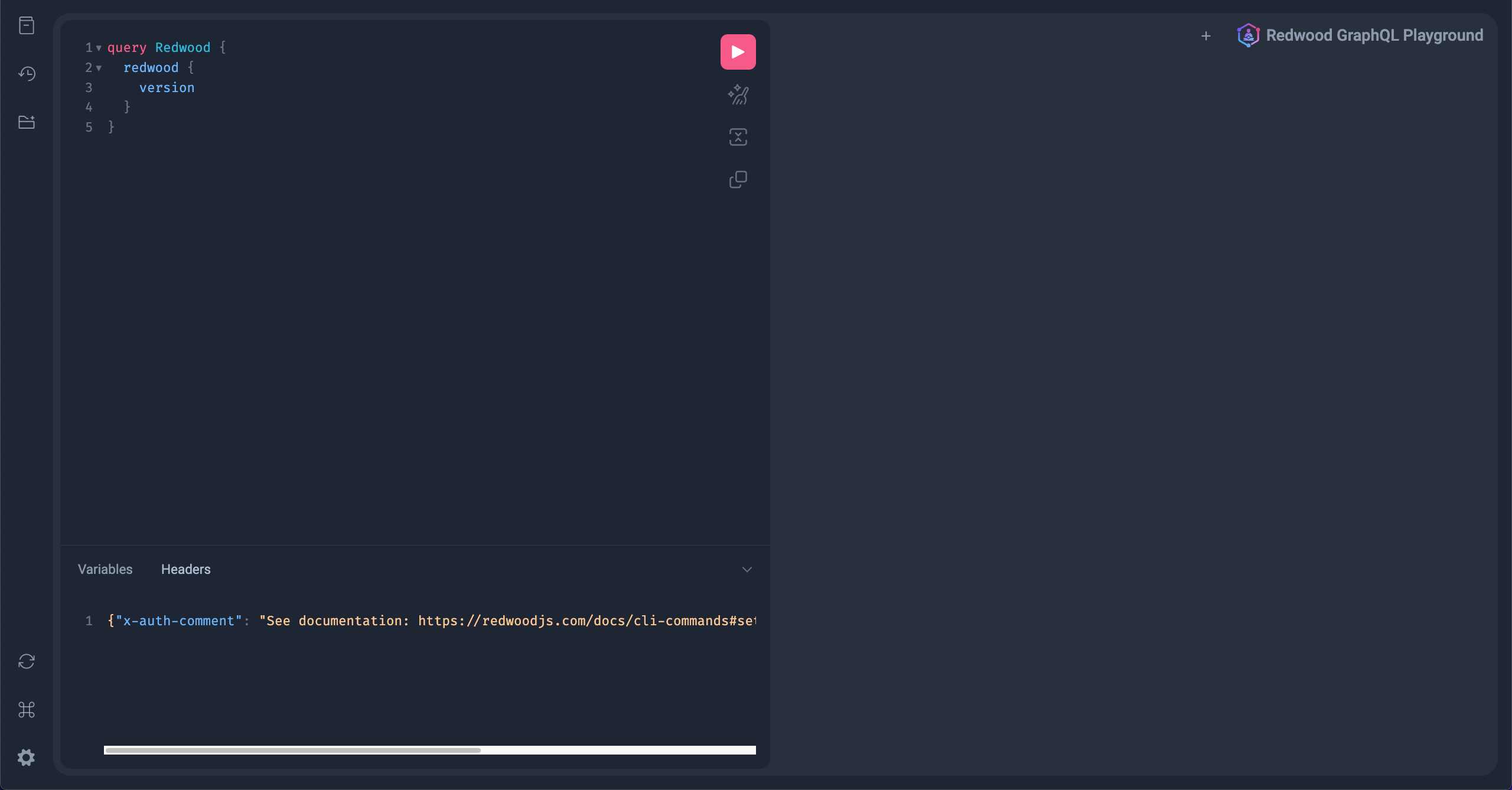
When you started development with `yarn redwood dev` (or `yarn rw dev`) you actually started a second process running at the same time. Open a new browser tab and head to [http://localhost:8911/graphql](http://localhost:8911/graphql) This is GraphQL Yoga's [GraphiQL](https://www.graphql-yoga.com/docs/features/graphiql), a web-based GUI for GraphQL APIs:
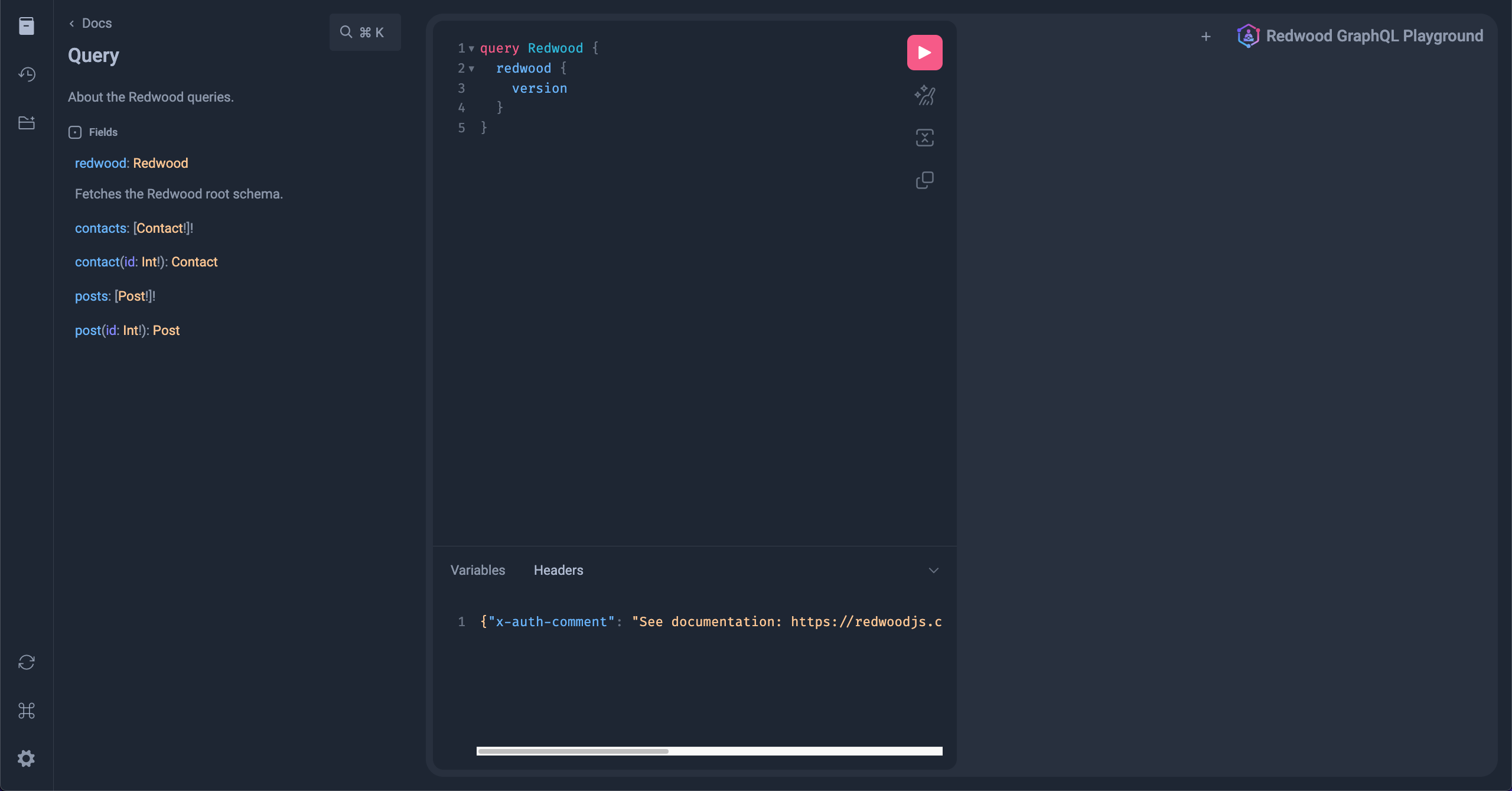
Not very exciting yet, but select the "Docs" tab on the top left and click on `query: Query`.
It's the complete schema as defined by our SDL files! The Playground will ingest these definitions and give you autocomplete hints on the left to help you build queries from scratch. Try getting the IDs of all the posts in the database; type the query at the left and then click the "Play" button to execute:
The GraphQL Playground is a great way to experiment with your API or troubleshoot when you come across a query or mutation that isn't behaving in the way you expect.
### Creating a Contact
Our GraphQL mutation is ready to go on the backend so all that's left is to invoke it on the frontend. Everything related to our form is in `ContactPage` so that's where we'll put the mutation call. First we define the mutation as a constant that we call later (this can be defined outside of the component itself, right after the `import` statements):
```jsx title="web/src/pages/ContactPage/ContactPage.jsx"
import { Metadata } from '@cedarjs/web'
import {
FieldError,
Form,
Label,
TextField,
TextAreaField,
Submit,
} from '@cedarjs/forms'
// highlight-start
const CREATE_CONTACT = gql`
mutation CreateContactMutation($input: CreateContactInput!) {
createContact(input: $input) {
id
}
}
`
// highlight-end
const ContactPage = () => {
const onSubmit = (data) => {
console.log(data)
}
return (
<>
)
}
export default ContactPage
```
```tsx title="web/src/pages/ContactPage/ContactPage.tsx"
import { Metadata } from '@cedarjs/web'
import {
FieldError,
Form,
Label,
TextField,
TextAreaField,
Submit,
SubmitHandler,
} from '@cedarjs/forms'
// highlight-start
const CREATE_CONTACT = gql`
mutation CreateContactMutation($input: CreateContactInput!) {
createContact(input: $input) {
id
}
}
`
// highlight-end
interface FormValues {
name: string
email: string
message: string
}
const ContactPage = () => {
const onSubmit: SubmitHandler = (data) => {
console.log(data)
}
return (
<>
)
}
export default ContactPage
```
We reference the `createContact` mutation we defined in the Contacts SDL passing it an `input` object which will contain the actual name, email and message values.
Next we'll call the `useMutation` hook provided by Redwood which will allow us to execute the mutation when we're ready (don't forget to `import` it):
```jsx title="web/src/pages/ContactPage/ContactPage.jsx"
// highlight-next-line
import { Metadata, useMutation } from '@cedarjs/web'
import {
FieldError,
Form,
Label,
TextField,
TextAreaField,
Submit,
} from '@cedarjs/forms'
const CREATE_CONTACT = gql`
mutation CreateContactMutation($input: CreateContactInput!) {
createContact(input: $input) {
id
}
}
`
const ContactPage = () => {
// highlight-next-line
const [create] = useMutation(CREATE_CONTACT)
const onSubmit = (data) => {
console.log(data)
}
return (
<>
)
}
export default ContactPage
```
```tsx title="web/src/pages/ContactPage/ContactPage.tsx"
// highlight-next-line
import { Metadata, useMutation } from '@cedarjs/web'
import {
FieldError,
Form,
Label,
TextField,
TextAreaField,
Submit,
SubmitHandler,
} from '@cedarjs/forms'
// highlight-start
import {
CreateContactMutation,
CreateContactMutationVariables,
} from 'types/graphql'
// highlight-end
const CREATE_CONTACT = gql`
mutation CreateContactMutation($input: CreateContactInput!) {
createContact(input: $input) {
id
}
}
`
interface FormValues {
name: string
email: string
message: string
}
const ContactPage = () => {
// highlight-start
const [create] = useMutation<
CreateContactMutation,
CreateContactMutationVariables
>(CREATE_CONTACT)
// highlight-end
const onSubmit: SubmitHandler = (data) => {
console.log(data)
}
return (
<>
)
}
export default ContactPage
```
:::tip[Reminder about generated types]
Just a quick reminder that Redwood will automatically generate types for your GraphQL queries and mutations if you have the dev server running (or if you run `yarn rw generate types`).
Once you define the `CreateContactMutation` (the GraphQL one), Redwood will generate the `CreateContactMutation` and `CreateContactMutationVariables` types from it for you.
Take a look at our [Generated Types](typescript/generated-types.md) docs for a deeper dive!
:::
`create` is a function that invokes the mutation and takes an object with a `variables` key, containing another object with an `input` key. As an example, we could call it like:
```js
create({
variables: {
input: {
name: 'Rob',
email: 'rob@cedarjs.com',
message: 'I love Redwood!',
},
},
})
```
If you'll recall `
 Not very exciting yet, but select the "Docs" tab on the top left and click on `query: Query`.
 It's the complete schema as defined by our SDL files! The Playground will ingest these definitions and give you autocomplete hints on the left to help you build queries from scratch. Try getting the IDs of all the posts in the database; type the query at the left and then click the "Play" button to execute:
 The GraphQL Playground is a great way to experiment with your API or troubleshoot when you come across a query or mutation that isn't behaving in the way you expect.
### Creating a Contact
Our GraphQL mutation is ready to go on the backend so all that's left is to invoke it on the frontend. Everything related to our form is in `ContactPage` so that's where we'll put the mutation call. First we define the mutation as a constant that we call later (this can be defined outside of the component itself, right after the `import` statements):