---
description: CedarJS quick start
---
# Quick Start
:::info[Prerequisites]
- CedarJS requires [Node.js](https://nodejs.org/en/) (=24.x) and
[Yarn](https://yarnpkg.com/) (>=1.22.21)
- Are you on Windows? For best results, follow our [Windows development
setup](how-to/windows-development-setup.md) guide
:::
Create a Cedar project with `yarn create cedar-app`:
```
yarn create cedar-app my-cedar-project
```
:::tip[Prefer TypeScript?]
CedarJS comes with full TypeScript support from the get-go:
```
yarn create cedar-app my-cedar-project --typescript
```
:::
Then change into that directory, yarn install, and start the development server:
```
cd my-cedar-project
yarn install
yarn cedar dev
```
Your browser should automatically open to [http://localhost:8910](http://localhost:8910) where you'll see the Welcome Page, which links out to many great resources:

 Congratulations on running your first Cedar CLI command!
From dev to deploy, the CLI is with you the whole way.
And there's quite a few commands at your disposal:
```
yarn cedar --help
```
For all the details, see the [CLI reference](cli-commands.md).
### Ona
The fastest way to start a new Cedar project is to use Ona's (formerly Gitpod) cloud development environment ([additional documentation for working with Ona](./how-to/using-ona)).
[](https://app.ona.com/#https://github.com/cedarjs/starter)
## Prisma and the database
CedarJS wouldn't be a full-stack framework without a database. It all starts
with the schema. Open the `schema.prisma` file in `api/db` and replace the
`UserExample` model with the following `Post` model:
```js title="api/db/schema.prisma"
model Post {
id Int @id @default(autoincrement())
title String
body String
createdAt DateTime @default(now())
}
```
CedarJS uses [Prisma](https://www.prisma.io/), a next-gen Node.js and TypeScript
ORM, to talk to the database. Prisma's schema offers a declarative way of
defining your app's data models. And Prisma
[Migrate](https://www.prisma.io/migrate) uses that schema to make database
migrations hassle-free:
```
yarn cedar prisma migrate dev
# ...
? Enter a name for the new migration: › create posts
```
You'll be prompted for the name of your migration. `create posts` will do.
:::tip
If you feel `yarn cedar` is too long to type out all the time, you can add
`alias cedar='yarn cedar'` as an alias to your shell and then just use `cedar`
```
cedar prisma migrate dev
cedar dev
# etc
```
:::
Now let's generate everything we need to perform all the CRUD (Create, Retrieve, Update, Delete) actions on our `Post` model:
```
yarn cedar generate scaffold post
```
Navigate to [http://localhost:8910/posts/new](http://localhost:8910/posts/new), fill in the title and body, and click "Save":
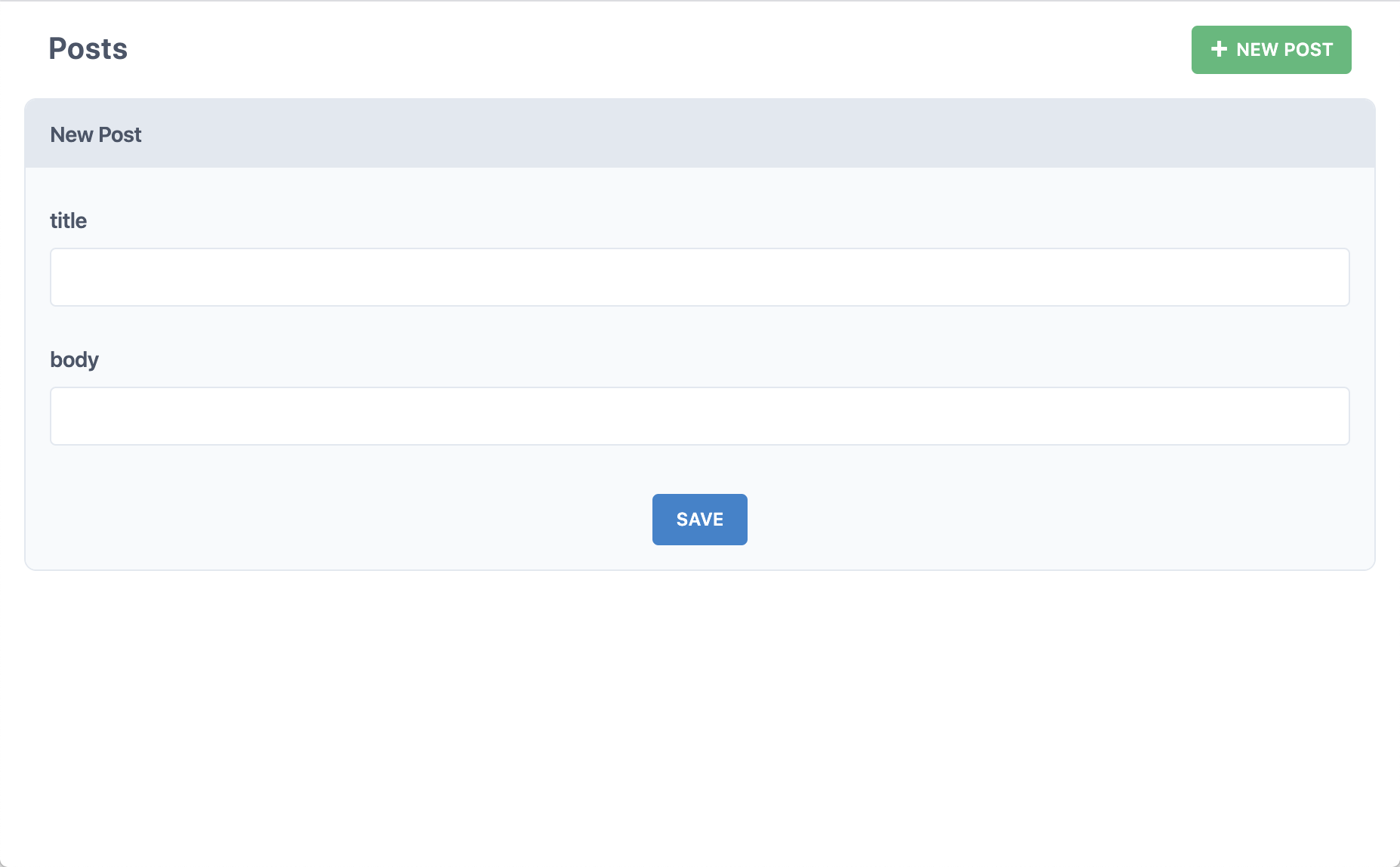 Did we just create a post in the database? Yup! With `yarn cedar generate scaffold `, Cedar created all the pages, components, and services necessary to perform all CRUD actions on our posts table.
## Frontend first with Storybook
Don't know what your data models look like?
That's more than ok — Cedar integrates Storybook so that you can work on design without worrying about data.
Mockup, build, and verify your React components, even in complete isolation from the backend:
```
yarn cedar storybook
```
Seeing "Couldn't find any stories"?
That's because you need a `*.stories.{tsx,jsx}` file.
The CedarJS CLI makes getting one easy enough — try generating a [Cell](./cells), CedarJS's data-fetching abstraction:
```
yarn cedar generate cell examplePosts
```
The Storybook server should hot reload and now you'll have four stories to work with.
They'll probably look a little bland since there's no styling.
See if the CedarJS CLI's `setup ui` command has your favorite styling library:
```
yarn cedar setup ui --help
```
## Testing with Vitest
It'd be hard to scale from side project to startup without a few tests.
Cedar fully integrates Vitest with both the front- and back-ends, and makes it easy to keep your whole app covered by generating test files with all your components and services:
```
yarn cedar test
```
To make the integration even more seamless, CedarJS augments Vitest with database [scenarios](testing.md#scenarios) and [GraphQL mocking](testing.md#mocking-graphql-calls).
## Ship it
CedarJS is designed for both serverless deploy targets like Netlify and Vercel and serverful deploy targets like Render and AWS:
```
yarn cedar setup deploy --help
```
Don't go live without auth!
Lock down your app with CedarJS's built-in, database-backed authentication system ([dbAuth](authentication.md#self-hosted-auth-installation-and-setup)), or integrate with
the most popular third-party auth providers:
```
yarn cedar setup auth --help
```
## Next Steps
The best way to learn CedarJS is by going through the comprehensive [tutorial](tutorial/foreword.md) and joining the community on our [Discord server](https://cedarjs.com/discord)).