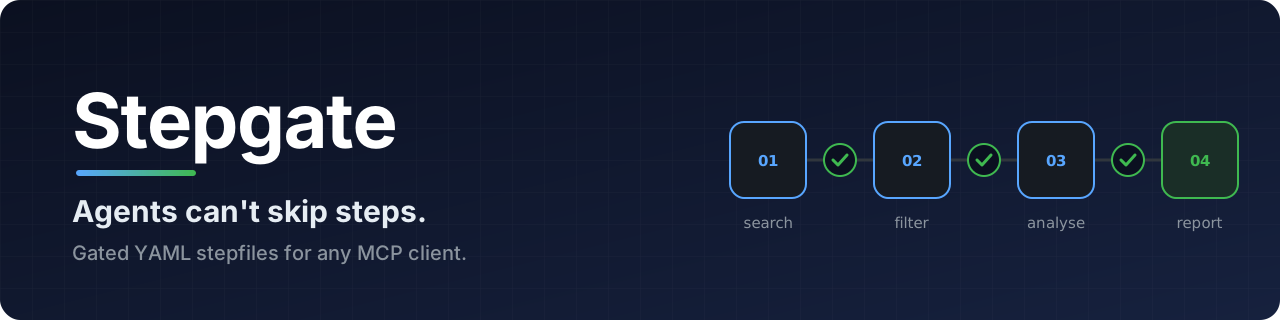
Stepgate: agents can't skip steps

[![CI][ci-shield]][ci-url] [![npm][npm-shield]][npm-url] [![Stargazers][stars-shield]][stars-url] [![Issues][issues-shield]][issues-url] [![License: Apache-2.0][license-shield]][license-url]

Write an agent's procedure once, as a YAML stepfile, and every step is gated.
Read the stepfile format ยป

Quick start · Browse the catalog · Report a bug · Request a feature

Table of contents
  1. About the project
  2. Getting started
  3. Usage
  4. Catalog
  5. Documentation
  6. Contributing
  7. License
  8. Contact
  9. Acknowledgments
## About the project **Agents can't skip steps.** The agent moves on only when a mechanical check passes, never on its own word. Stepgate is for anyone running agents on procedures where a skipped step or an invented value costs something, such as a cited research report, a CVE triage or a ticket written to Jira. **One file runs anywhere.** A stepfile has no packages, no versions to pin and no code to deploy, so it moves as a single file to any MCP client, such as Claude Code, Cursor or an agent you wrote, and runs on the model that client already uses. A **stepfile** declares its inputs, the remote APIs and MCP servers it may call, and an ordered list of steps. Each step says what output it must produce and which **gates** check that output. The file names no model and no framework. **Stepgate** runs stepfiles. It is an MCP server that offers each stepfile as a tool. When a client's agent calls it, Stepgate shows the agent one step at a time, makes every API call the step needs, and moves on only when the step's gates pass. ### Why When an agent is handed a plan as text, it decides how much of the plan to follow, a step counts as done when the agent says so, and nothing records afterwards what actually ran. A stepfile moves those decisions out of the model: - **Steps run in order, one at a time.** The agent is shown only the current step's instructions and operations, never a later step, so it cannot skip ahead. Earlier steps stay in its own conversation. - **Gates decide, not the model.** A step passes only when its output satisfies JSON Schema, JSONLogic or an HTTP verifier, and gates can check that output against what the APIs actually returned, so a fabricated value fails. A failed gate's diagnosis goes back to the model for a bounded number of retries. - **The model judges, the server computes.** A mechanical step makes its API calls and builds its output from a template, with no model involved, and a derived field fills in a count or a lookup after the model submits. The model is left the work that needs judgement. - **Writes wait for a person.** An approve gate asks a person to confirm a step's output through an MCP elicitation before a later mechanical step writes it, so what reaches Jira is what the person saw ([which clients show the form](docs/connect.md#approvals)). - **The model never holds a key.** The server makes every tool call and attaches credentials itself, and it refuses requests to hosts the stepfile does not declare. - **Every run leaves a record.** A hash-chained ledger lists each step, tool call, gate verdict and retry, and editing it afterwards breaks the chain, which `stepgate --verify` detects. - **Nothing to install on the client side.** Stepfiles call remote APIs only, and the client adds one MCP server to its configuration. Stepgate needs no model key: the client's own model does the reasoning, and the same file gives the same path through its steps whichever model that is.

(back to top)

### Built with * [![TypeScript][typescript-shield]][typescript-url] * [![Node.js][node-shield]][node-url] * [![Model Context Protocol][mcp-shield]][mcp-url] * [![JSON Schema][jsonschema-shield]][jsonschema-url] with [Ajv](https://ajv.js.org/) * [![JSONLogic][jsonlogic-shield]][jsonlogic-url]

(back to top)

## Getting started ### Prerequisites * An MCP client, such as Claude Code, Claude Desktop, Cursor or VS Code. * Node.js 22.18 or later, so the client can start Stepgate with `npx`. * The credentials your stepfile declares. The `market-research` example below needs a [Tavily](https://tavily.com/) API key. ### Quick start 1. Add the server to your MCP client's configuration, naming one or more stepfiles from the [catalog](awesome-stepfiles/), or giving absolute paths to your own `.stepfile.yaml` files ([details](docs/connect.md#your-own-stepfiles)): ```json { "mcpServers": { "stepgate": { "command": "npx", "args": ["-y", "stepgate", "market-research"], "env": { "TAVILY_API_KEY": "tvly-..." } } } } ``` 2. The client sees a `market-research` tool. Ask your agent to run it for `{ "brand": "Oatly", "market": "UK plant-based milk" }`. 3. The agent works through four steps (search, filter, analyse, report) with `stepgate_call` and `stepgate_submit`, and the run ends with every step's output. [docs/connect.md](docs/connect.md) has the configuration for Claude Code, Claude Desktop, Cursor, VS Code and other clients. Every server also offers tools for writing stepfiles: ask your agent to write one for your use case, and it can read the format, inspect the APIs, validate its draft and try it through Stepgate ([details](docs/connect.md#writing-stepfiles-with-an-agent)).

(back to top)

## Usage ### A stepfile ```yaml stepgate: "1" id: market-research inputs: type: object required: [brand, market] properties: brand: { type: string } market: { type: string } credentials: tavily: kind: bearer hosts: [mcp.tavily.com] description: Web search, used only by the search step. tools: tavily: mcp: { url: "https://mcp.tavily.com/mcp/" } credential: tavily exposes: [{ name: tavily_search, effect: read }] steps: - id: search tools: [tavily_search] instructions: | Run at least six searches about {{inputs.brand}} in {{inputs.market}}. Submit every result as a source with an id of the form S-01. produces: type: object required: [sources] properties: sources: { type: array } gates: - id: enough-sources schema: { properties: { sources: { minItems: 12 } } } - id: domain-breadth message: Sources must span at least six distinct domains. predicate: ">=": - { length: { unique: { map: [{ var: output.sources }, { host: { var: url } }] } } } - 6 retries: 2 # ... filter, analyse and report steps ``` Credentials say what is needed, never where it lives: the server reads `tavily` from `TAVILY_API_KEY`. `effect: read` marks the search as safe to retry. The complete file is [awesome-stepfiles/marketing/market-research](awesome-stepfiles/marketing/market-research/), and editors that support `yaml-language-server` validate against [server/schema/stepfile.schema.json](server/schema/stepfile.schema.json), which the npm package also ships. ### Make the procedure you already wrote enforceable A skill or runbook written as markdown tells an agent what to do, and the agent decides how much of it to follow. Here is one: ```markdown --- name: package-notes description: Writes an upgrade note for each npm package, with versions taken from the registry. --- 1. Look up each package's latest version on the npm registry. 2. Write a one-line upgrade note for each. Never state a version the registry did not return. ``` `stepgate_outline` turns it into a skeleton, and the finished stepfile makes both lines binding. Stepgate does the lookup itself, so the agent never fetches or copies a version. The agent only writes the notes, and a gate rejects any note whose version differs from what the registry returned, naming the rows that broke it.
The finished package-notes stepfile ```yaml stepgate: "1" id: package-notes description: Writes an upgrade note for each npm package, with versions taken from the registry. inputs: type: object required: [packages] properties: packages: { type: array, minItems: 1, maxItems: 20, items: { type: string, pattern: "^[a-z0-9][a-z0-9._-]*$" } } tools: npm: openapi: server: https://registry.npmjs.org document: openapi: 3.1.0 info: { title: npm registry, version: "1" } paths: /{name}/latest: get: operationId: getLatest parameters: [{ name: name, in: path, required: true, schema: { type: string } }] exposes: [getLatest] steps: - id: look-up do: calls: - id: latest operation: getLatest each: { var: inputs.packages } arguments: { name: { var: item } } output: packages: { map: [{ var: responses.latest }, { object: [[name, { var: name }], [latest, { var: version }]] }] } produces: type: object required: [packages] properties: { packages: { type: array } } - id: notes instructions: | Write a one-line upgrade note for each of these packages, saying what its latest version is and whether that is a new major version: {{steps.look-up.packages}} produces: type: object required: [notes] properties: notes: type: array items: type: object required: [name, latest, note] properties: { name: { type: string }, latest: { type: string }, note: { type: string } } gates: - id: versions-from-registry message: Every note must give the version the registry returned for its package. predicate: none: - join: [{ var: output.notes }, { var: steps.look-up.packages }, name, name] - or: [{ "==": [{ var: right }, null] }, { "!=": [{ var: left.latest }, { var: right.latest }] }] retries: 2 ```
### Create your stepfile Ask your coding assistant for one in plain words. With Stepgate connected, it reads the format, inspects the API, validates its draft and tries it: ```text Write a stepfile that converts an amount between currencies at the latest ECB rate, using the Frankfurter API. Try it with 250 USD to EUR. ``` For the full prompt and the files to point it at, see [the prompt](awesome-stepfiles/README.md#the-prompt) in the catalog. ### Command line To serve over HTTP instead of stdio, run `npx -y stepgate --http 3100 market-research` and connect to `http://127.0.0.1:3100/mcp`. `npx -y stepgate --list` shows the catalog, and `--help` lists every option, including these: | Option | What it does | |---|---| | `--watch` | Reloads your stepfiles when you save them, while you write one. | | `--test ` | Checks its gates offline against recorded cases. | | `--record-cases ` | Records those cases from a real run. | | `--auth ` | Signs in to an MCP server that uses MCP authorization and prints the variables to set ([details](docs/connect.md#mcp-servers-that-use-mcp-authorization)). | | `--verify ` | Checks a run's ledger for edits. |

(back to top)

## Catalog [awesome-stepfiles/](awesome-stepfiles/) is a community catalog of stepfiles, reviewed and shipped with the npm package, so each one runs by name. Built something repeatable? Adding it is one folder and one pull request: see [awesome-stepfiles/README.md](awesome-stepfiles/README.md), or [suggest an idea](https://github.com/Chaarangan/stepgate/issues/new?template=stepfile_idea.yml).

(back to top)

## Documentation | Document | What it covers | |---|---| | [docs/stepfile.md](docs/stepfile.md) | How to write a stepfile: fields, tools, credentials, steps and gates. | | [docs/connect.md](docs/connect.md) | Connecting Claude Code, Claude Desktop and other MCP clients. | | [docs/how-it-works.md](docs/how-it-works.md) | What Stepgate does during a run, its limits, errors and ledger. | | [server/schema/stepfile.schema.json](server/schema/stepfile.schema.json) | The JSON Schema for stepfiles. | | [CONTEXT.md](CONTEXT.md) | The project's vocabulary. | | [Releases](https://github.com/Chaarangan/stepgate/releases) | What changed in each version. |

(back to top)

## Contributing Bug reports, new stepfiles for the catalog and pull requests are all welcome. The [open issues](https://github.com/Chaarangan/stepgate/issues) list proposed features and known bugs, and those labelled [good first issue](https://github.com/Chaarangan/stepgate/labels/good%20first%20issue) are small enough for a first pull request. Adding a stepfile needs no server knowledge: follow [awesome-stepfiles/README.md](awesome-stepfiles/README.md). For changes to the server or the format, see [CONTRIBUTING.md](CONTRIBUTING.md). To report a vulnerability, follow [SECURITY.md](SECURITY.md). Everyone taking part is expected to follow the [Code of Conduct](CODE_OF_CONDUCT.md). ### Contributors Contributors to Stepgate

(back to top)

## License Distributed under the [Apache License 2.0](LICENSE).

(back to top)

## Contact [![GitHub][github-shield]][github-url]

(back to top)

## Acknowledgments * [Model Context Protocol](https://modelcontextprotocol.io/) * [JSON Schema](https://json-schema.org/) and [Ajv](https://ajv.js.org/) * [JSONLogic](https://jsonlogic.com/) * [Best-README-Template](https://github.com/othneildrew/Best-README-Template) * [contrib.rocks](https://contrib.rocks/)

(back to top)

[ci-shield]: https://github.com/Chaarangan/stepgate/actions/workflows/ci.yml/badge.svg [ci-url]: https://github.com/Chaarangan/stepgate/actions/workflows/ci.yml [npm-shield]: https://img.shields.io/npm/v/stepgate.svg [npm-url]: https://www.npmjs.com/package/stepgate [stars-shield]: https://img.shields.io/github/stars/Chaarangan/stepgate.svg [stars-url]: https://github.com/Chaarangan/stepgate/stargazers [issues-shield]: https://img.shields.io/github/issues/Chaarangan/stepgate.svg [issues-url]: https://github.com/Chaarangan/stepgate/issues [license-shield]: https://img.shields.io/badge/license-Apache--2.0-blue.svg [license-url]: LICENSE [typescript-shield]: https://img.shields.io/badge/TypeScript-3178C6?style=for-the-badge&logo=typescript&logoColor=white [typescript-url]: https://www.typescriptlang.org/ [node-shield]: https://img.shields.io/badge/Node.js-5FA04E?style=for-the-badge&logo=nodedotjs&logoColor=white [node-url]: https://nodejs.org/ [mcp-shield]: https://img.shields.io/badge/MCP-000000?style=for-the-badge&logo=modelcontextprotocol&logoColor=white [mcp-url]: https://modelcontextprotocol.io/ [jsonschema-shield]: https://img.shields.io/badge/JSON%20Schema-000000?style=for-the-badge&logo=json&logoColor=white [jsonschema-url]: https://json-schema.org/ [jsonlogic-shield]: https://img.shields.io/badge/JSONLogic-555555?style=for-the-badge [jsonlogic-url]: https://jsonlogic.com/ [github-shield]: https://img.shields.io/badge/Chaarangan-181717?style=for-the-badge&logo=github&logoColor=white [github-url]: https://github.com/Chaarangan