



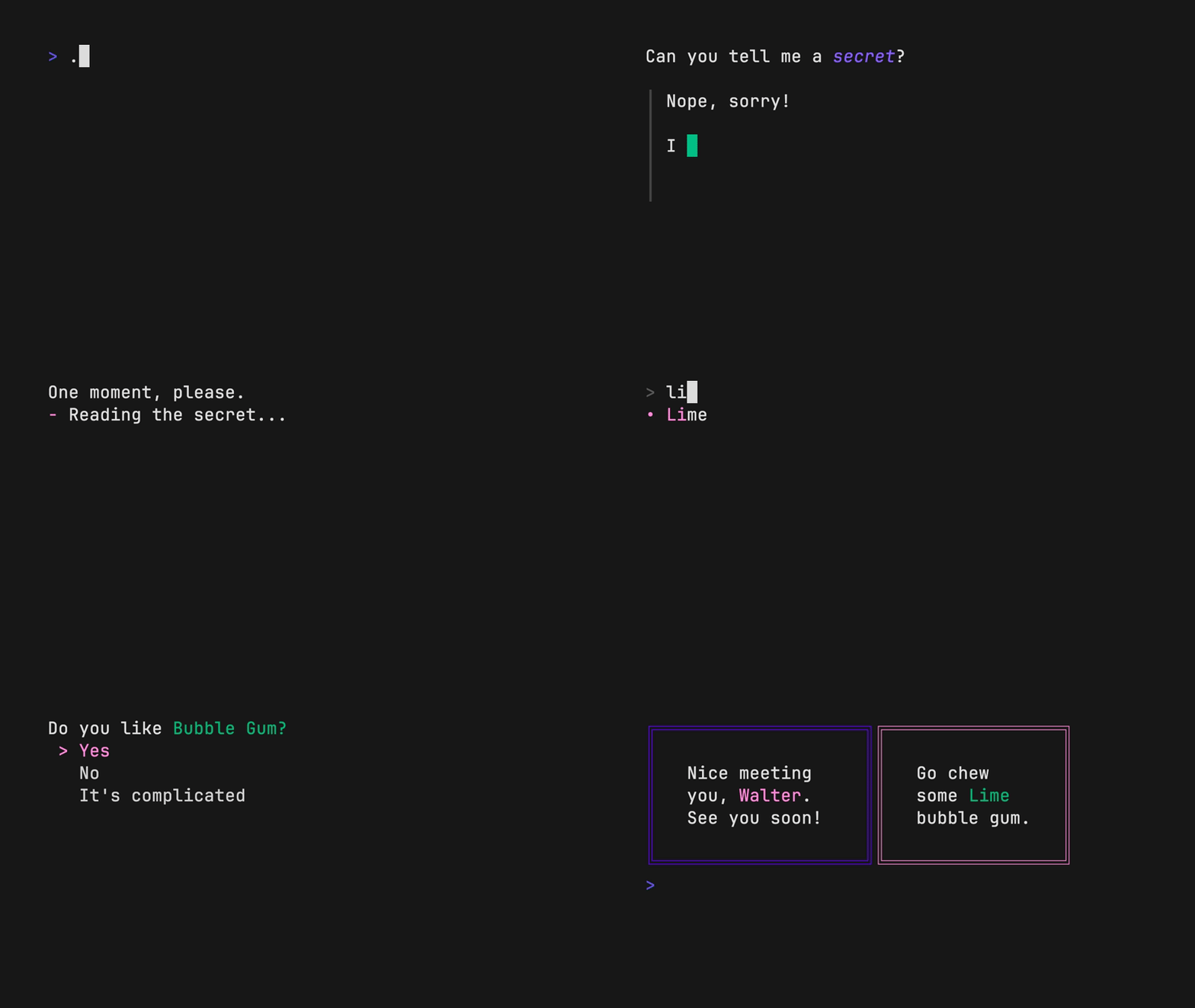
 The above example is running from a single shell script ([source](./examples/demo.sh)).
## Tutorial
Gum provides highly configurable, ready-to-use utilities to help you write
useful shell scripts and dotfiles aliases with just a few lines of code.
Let's build a simple script to help you write
[Conventional Commits](https://www.conventionalcommits.org/en/v1.0.0/#summary)
for your dotfiles.
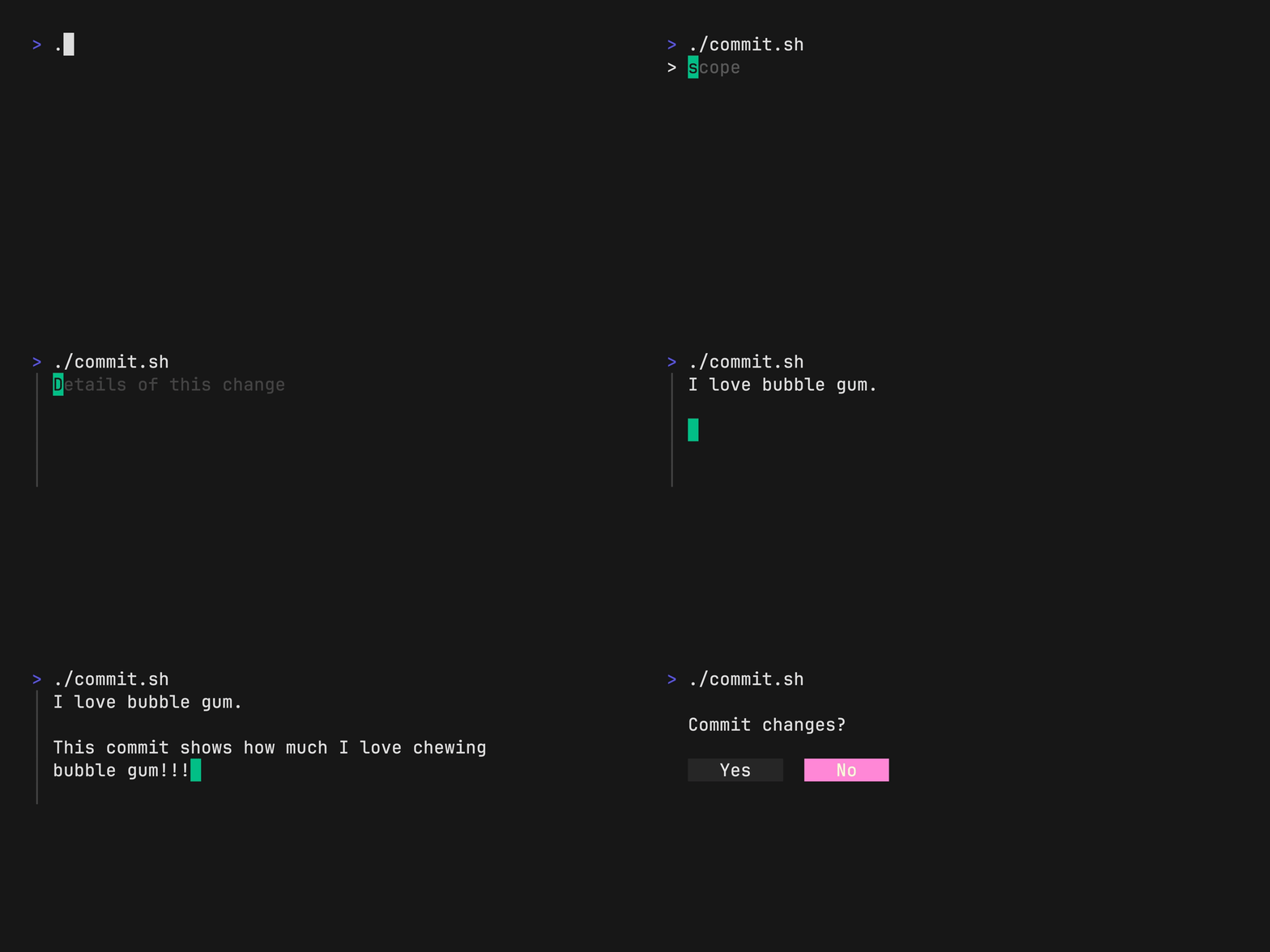
Ask for the commit type with gum choose:
```bash
gum choose "fix" "feat" "docs" "style" "refactor" "test" "chore" "revert"
```
> [!NOTE]
> This command itself will print to stdout which is not all that useful. To make use of the command later on you can save the stdout to a `$VARIABLE` or `file.txt`.
Prompt for the scope of these changes:
```bash
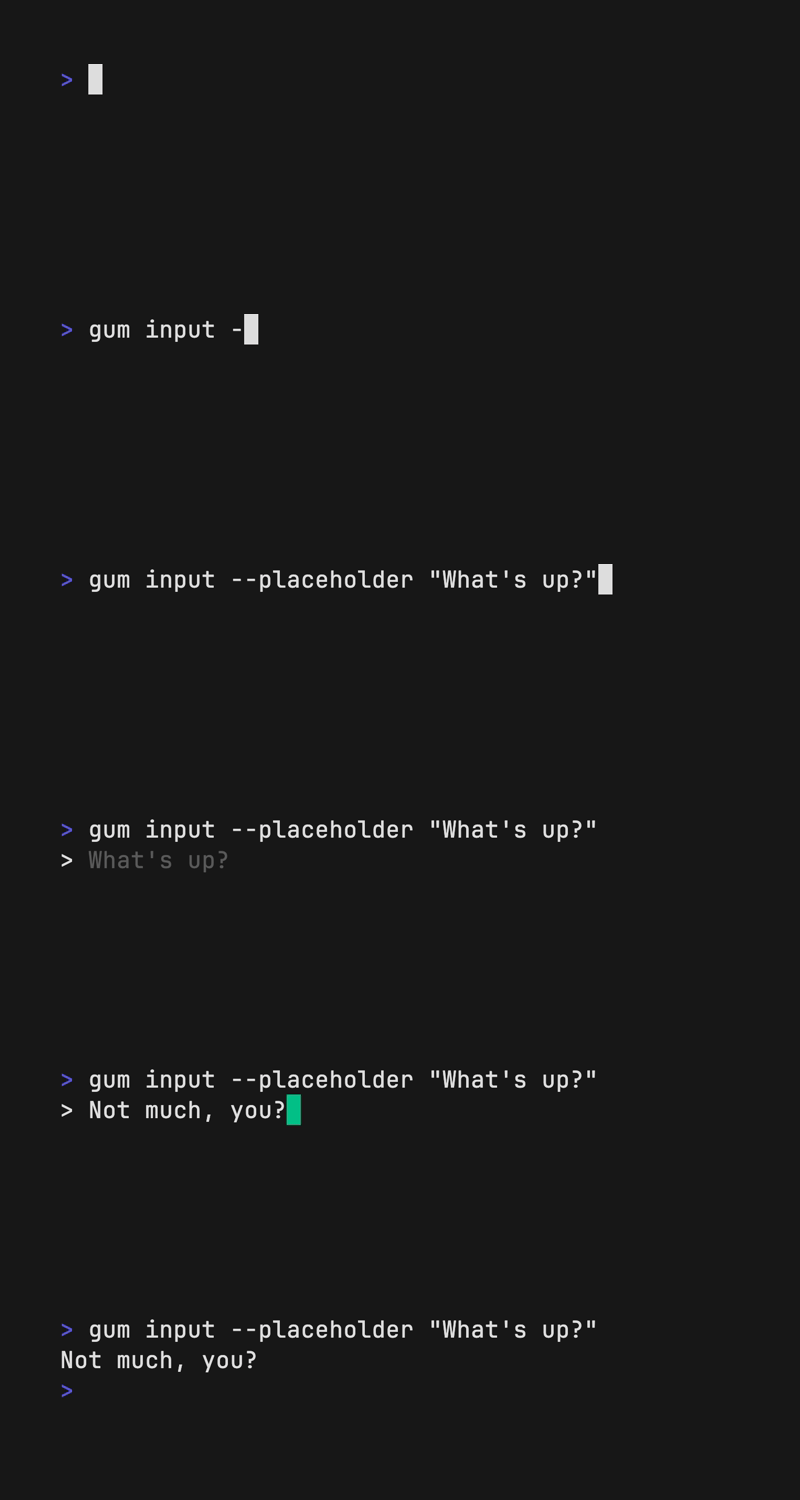
gum input --placeholder "scope"
```
Prompt for the summary and description of changes:
```bash
gum input --value "$TYPE$SCOPE: " --placeholder "Summary of this change"
gum write --placeholder "Details of this change"
```
Confirm before committing:
```bash
gum confirm "Commit changes?" && git commit -m "$SUMMARY" -m "$DESCRIPTION"
```
Check out the [complete example](https://github.com/charmbracelet/gum/blob/main/examples/commit.sh) for combining these commands in a single script.
The above example is running from a single shell script ([source](./examples/demo.sh)).
## Tutorial
Gum provides highly configurable, ready-to-use utilities to help you write
useful shell scripts and dotfiles aliases with just a few lines of code.
Let's build a simple script to help you write
[Conventional Commits](https://www.conventionalcommits.org/en/v1.0.0/#summary)
for your dotfiles.
Ask for the commit type with gum choose:
```bash
gum choose "fix" "feat" "docs" "style" "refactor" "test" "chore" "revert"
```
> [!NOTE]
> This command itself will print to stdout which is not all that useful. To make use of the command later on you can save the stdout to a `$VARIABLE` or `file.txt`.
Prompt for the scope of these changes:
```bash
gum input --placeholder "scope"
```
Prompt for the summary and description of changes:
```bash
gum input --value "$TYPE$SCOPE: " --placeholder "Summary of this change"
gum write --placeholder "Details of this change"
```
Confirm before committing:
```bash
gum confirm "Commit changes?" && git commit -m "$SUMMARY" -m "$DESCRIPTION"
```
Check out the [complete example](https://github.com/charmbracelet/gum/blob/main/examples/commit.sh) for combining these commands in a single script.
 ## Installation
Use a package manager:
```bash
# macOS or Linux
brew install gum
# Arch Linux (btw)
pacman -S gum
# Fedora or EPEL 10
dnf install gum
# Nix
nix-env -iA nixpkgs.gum
# Flox
flox install gum
# Windows (via WinGet or Scoop)
winget install charmbracelet.gum
scoop install charm-gum
```
## Installation
Use a package manager:
```bash
# macOS or Linux
brew install gum
# Arch Linux (btw)
pacman -S gum
# Fedora or EPEL 10
dnf install gum
# Nix
nix-env -iA nixpkgs.gum
# Flox
flox install gum
# Windows (via WinGet or Scoop)
winget install charmbracelet.gum
scoop install charm-gum
```
 ## Input
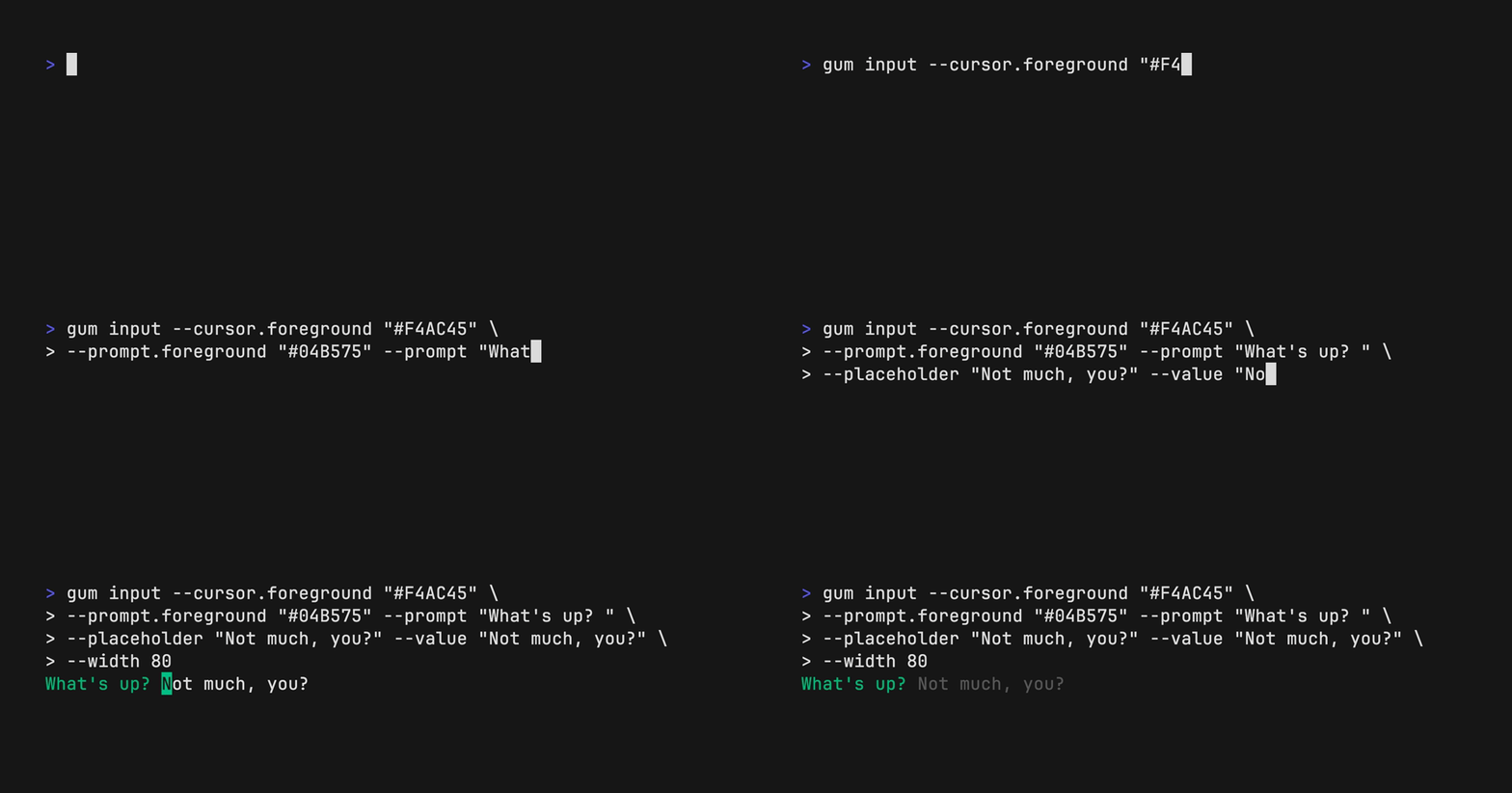
Prompt for input with a simple command.
```bash
gum input > answer.txt
gum input --password > password.txt
```
## Input
Prompt for input with a simple command.
```bash
gum input > answer.txt
gum input --password > password.txt
```
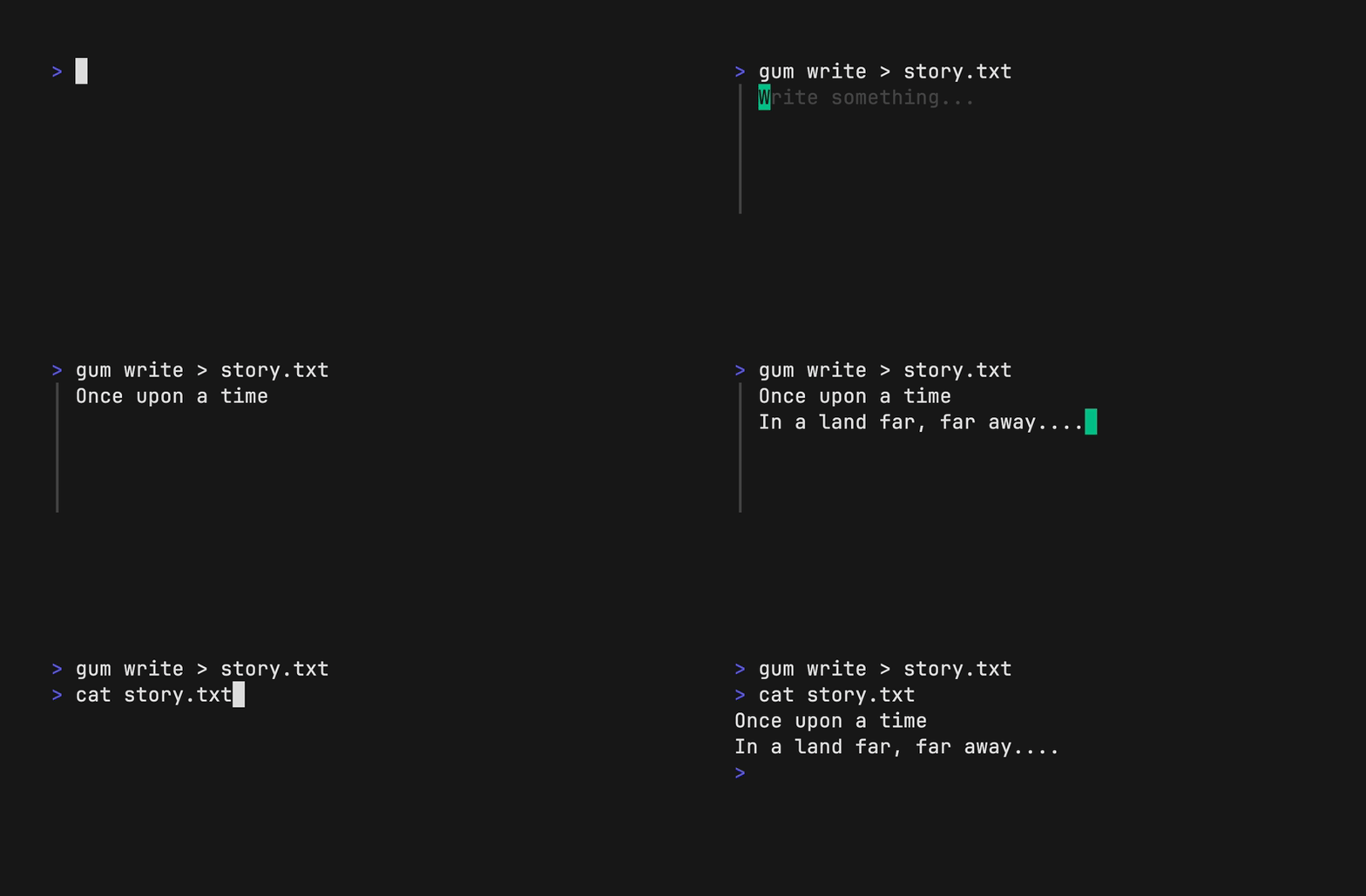
 ## Write
Prompt for some multi-line text (`ctrl+d` to complete text entry).
```bash
gum write > story.txt
```
## Write
Prompt for some multi-line text (`ctrl+d` to complete text entry).
```bash
gum write > story.txt
```
 ## Filter
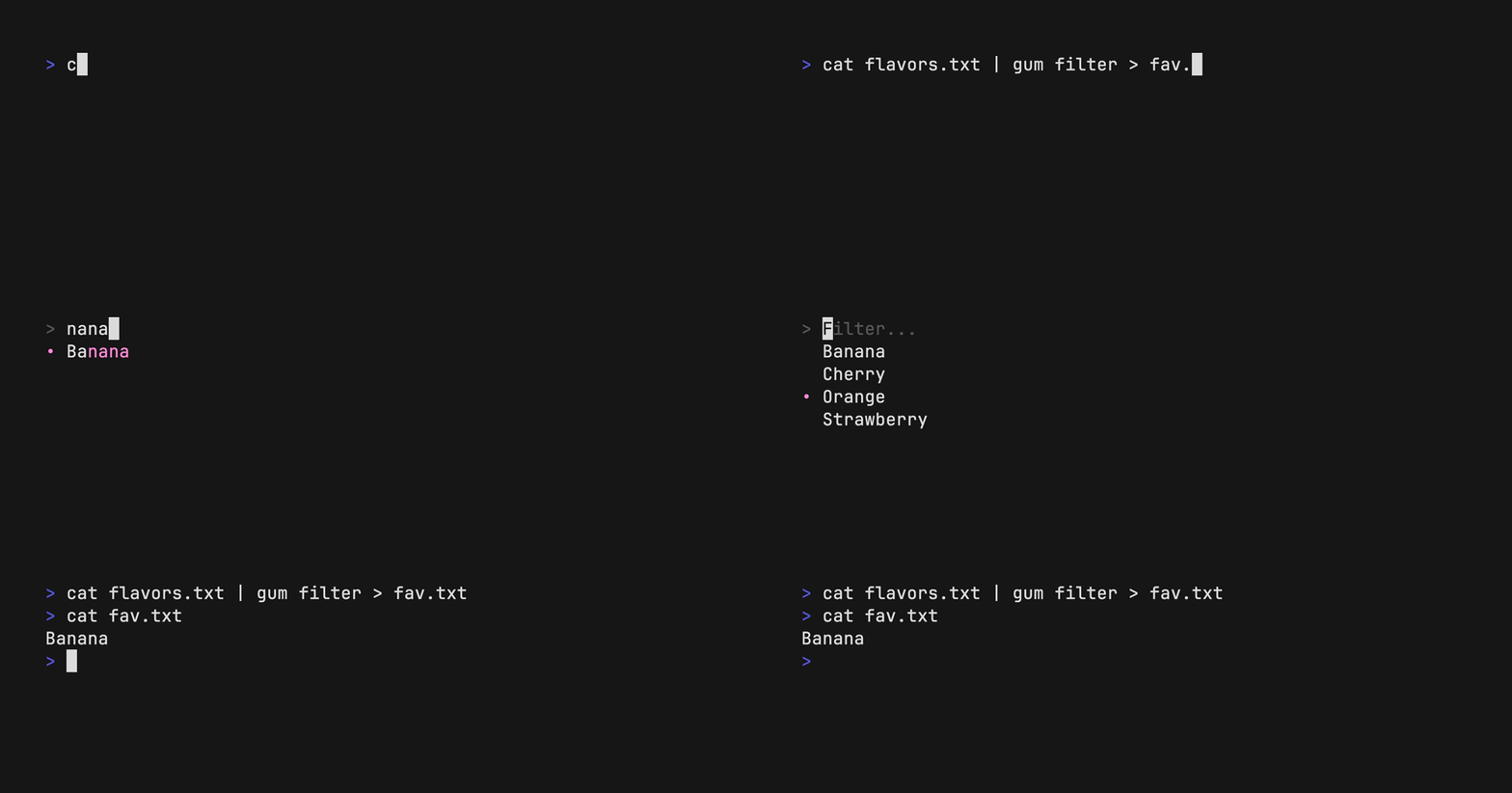
Filter a list of values with fuzzy matching:
```bash
echo Strawberry >> flavors.txt
echo Banana >> flavors.txt
echo Cherry >> flavors.txt
gum filter < flavors.txt > selection.txt
```
## Filter
Filter a list of values with fuzzy matching:
```bash
echo Strawberry >> flavors.txt
echo Banana >> flavors.txt
echo Cherry >> flavors.txt
gum filter < flavors.txt > selection.txt
```
 Select multiple options with the `--limit` flag or `--no-limit` flag. Use `tab` or `ctrl+space` to select, `enter` to confirm.
```bash
cat flavors.txt | gum filter --limit 2
cat flavors.txt | gum filter --no-limit
```
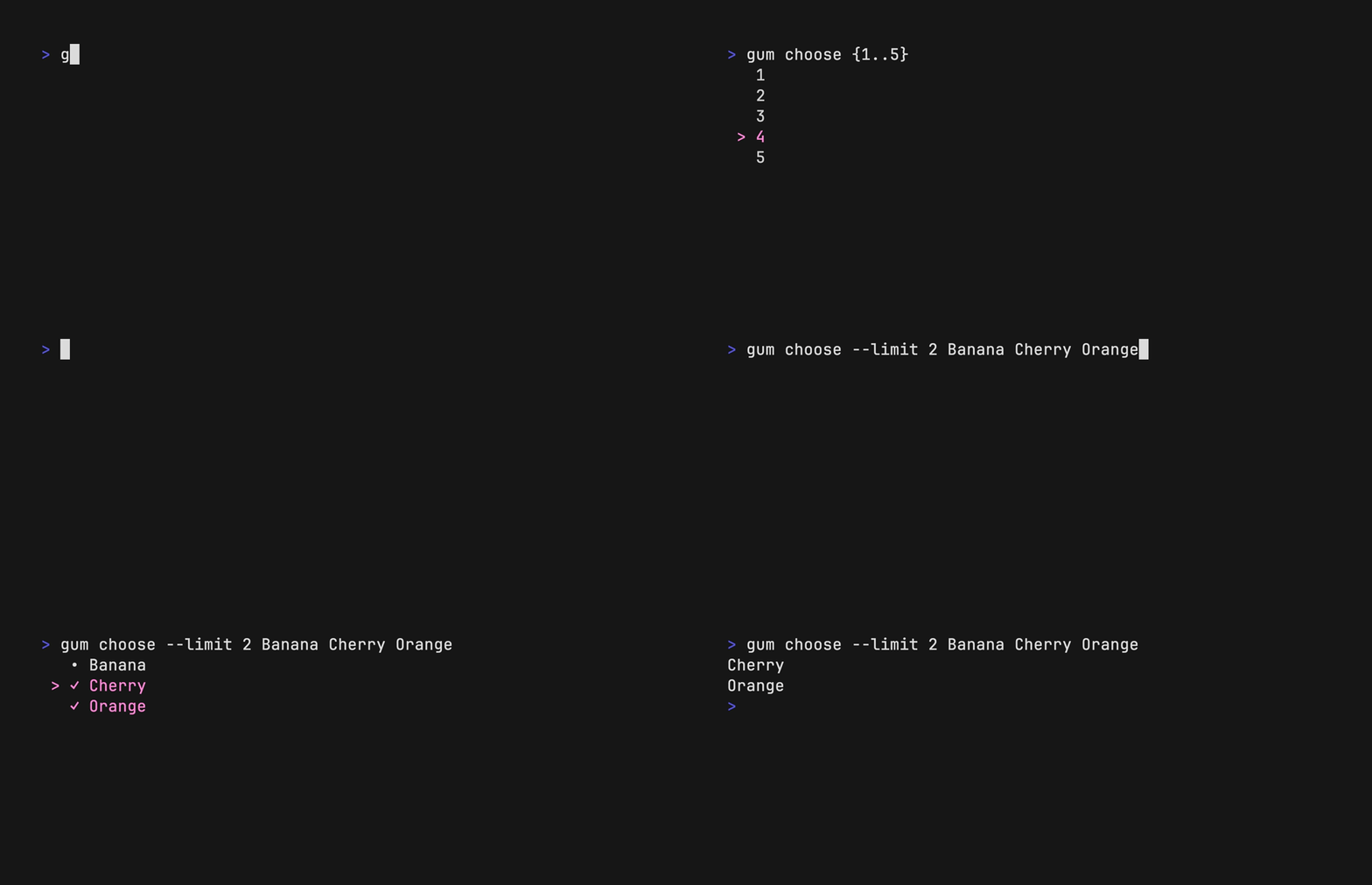
## Choose
Choose an option from a list of choices.
```bash
echo "Pick a card, any card..."
CARD=$(gum choose --height 15 {{A,K,Q,J},{10..2}}" "{♠,♥,♣,♦})
echo "Was your card the $CARD?"
```
You can also select multiple items with the `--limit` or `--no-limit` flag, which determines
the maximum of items that can be chosen.
```bash
cat songs.txt | gum choose --limit 5
cat foods.txt | gum choose --no-limit --header "Grocery Shopping"
```
Select multiple options with the `--limit` flag or `--no-limit` flag. Use `tab` or `ctrl+space` to select, `enter` to confirm.
```bash
cat flavors.txt | gum filter --limit 2
cat flavors.txt | gum filter --no-limit
```
## Choose
Choose an option from a list of choices.
```bash
echo "Pick a card, any card..."
CARD=$(gum choose --height 15 {{A,K,Q,J},{10..2}}" "{♠,♥,♣,♦})
echo "Was your card the $CARD?"
```
You can also select multiple items with the `--limit` or `--no-limit` flag, which determines
the maximum of items that can be chosen.
```bash
cat songs.txt | gum choose --limit 5
cat foods.txt | gum choose --no-limit --header "Grocery Shopping"
```
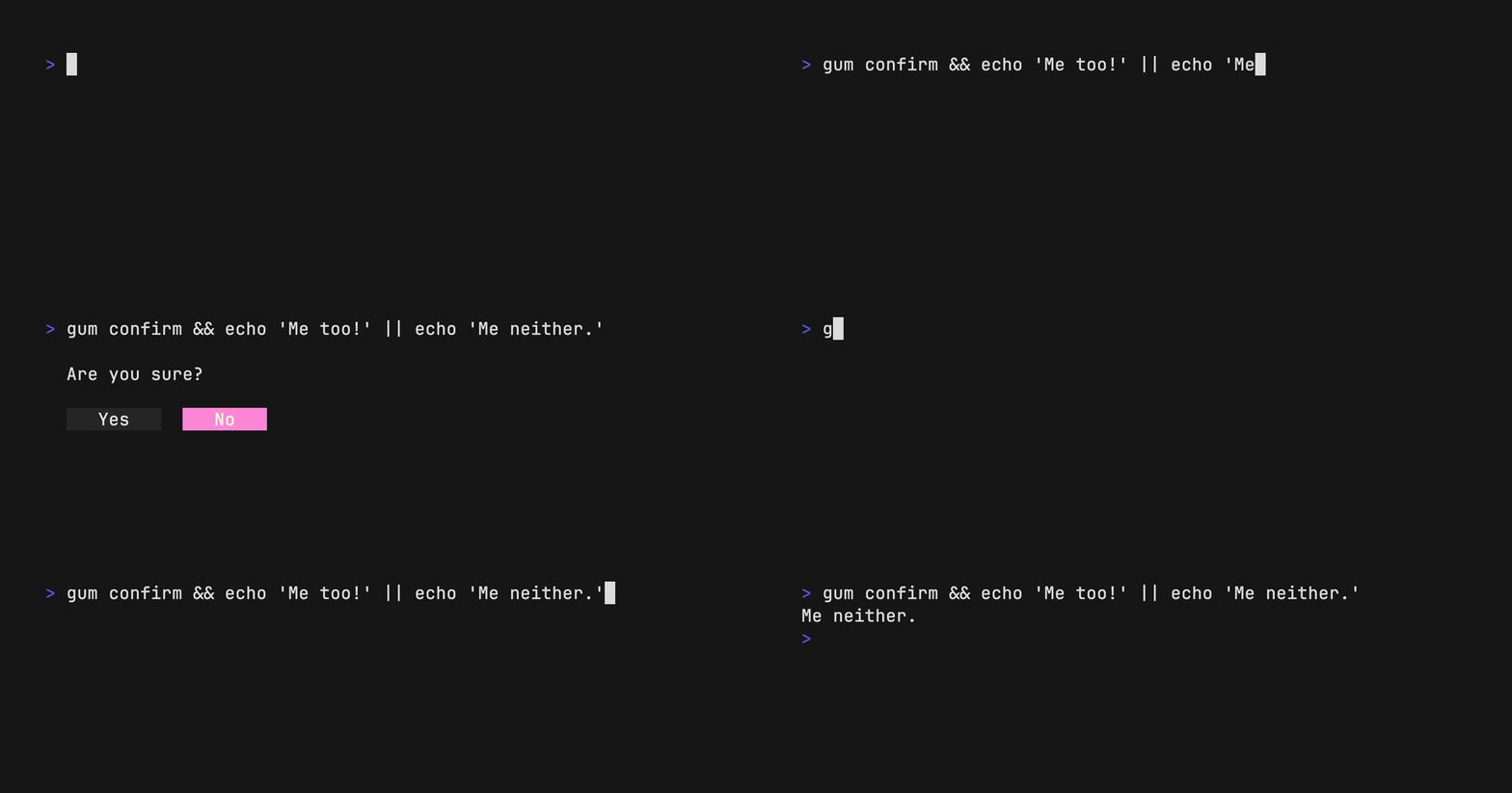
 ## Confirm
Confirm whether to perform an action. Exits with code `0` (affirmative) or `1`
(negative) depending on selection.
```bash
gum confirm && rm file.txt || echo "File not removed"
```
## Confirm
Confirm whether to perform an action. Exits with code `0` (affirmative) or `1`
(negative) depending on selection.
```bash
gum confirm && rm file.txt || echo "File not removed"
```
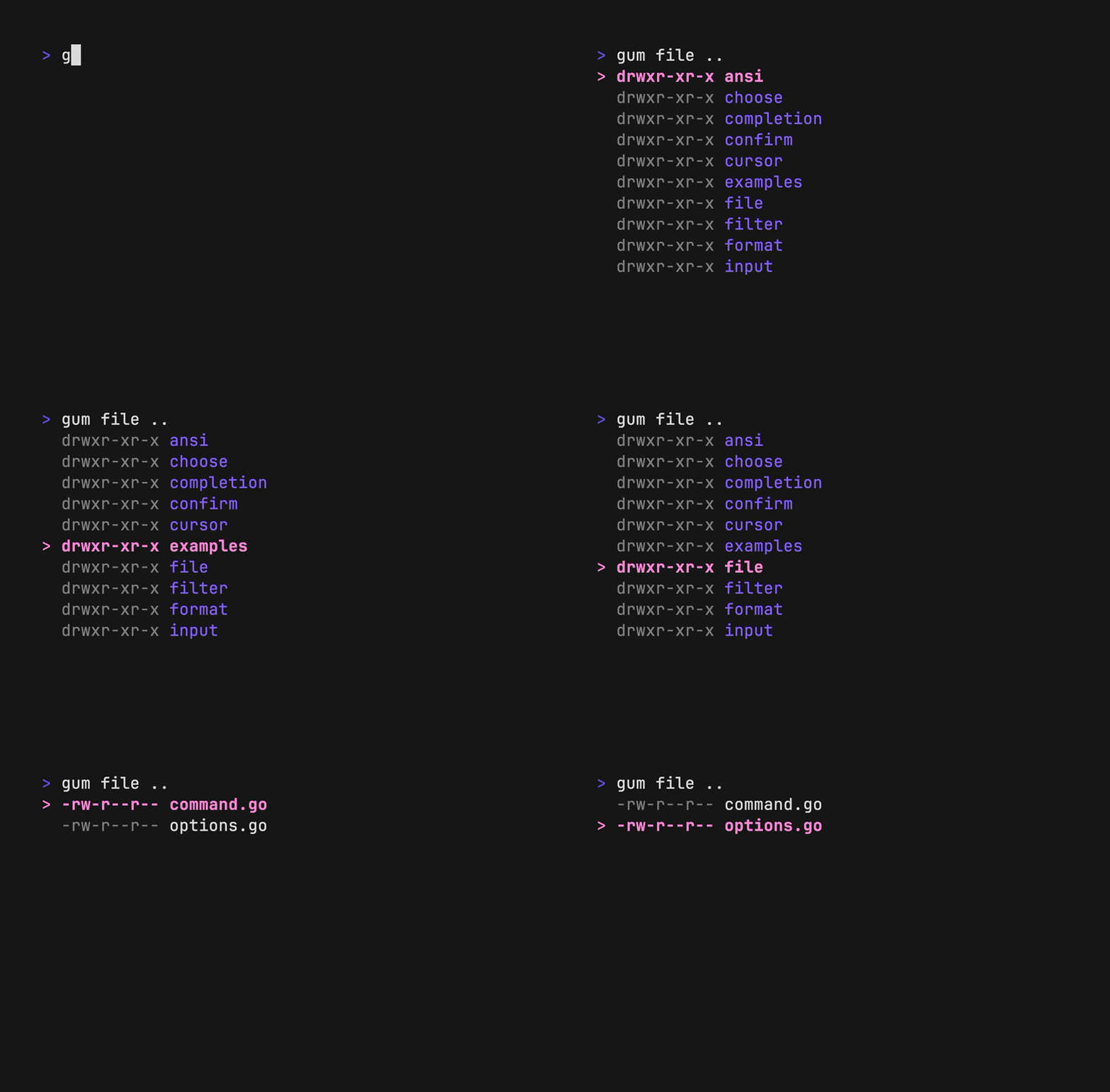
 ## File
Prompt the user to select a file from the file tree.
```bash
$EDITOR $(gum file $HOME)
```
## File
Prompt the user to select a file from the file tree.
```bash
$EDITOR $(gum file $HOME)
```
 ## Pager
Scroll through a long document with line numbers and a fully customizable viewport.
```bash
gum pager < README.md
```
## Pager
Scroll through a long document with line numbers and a fully customizable viewport.
```bash
gum pager < README.md
```
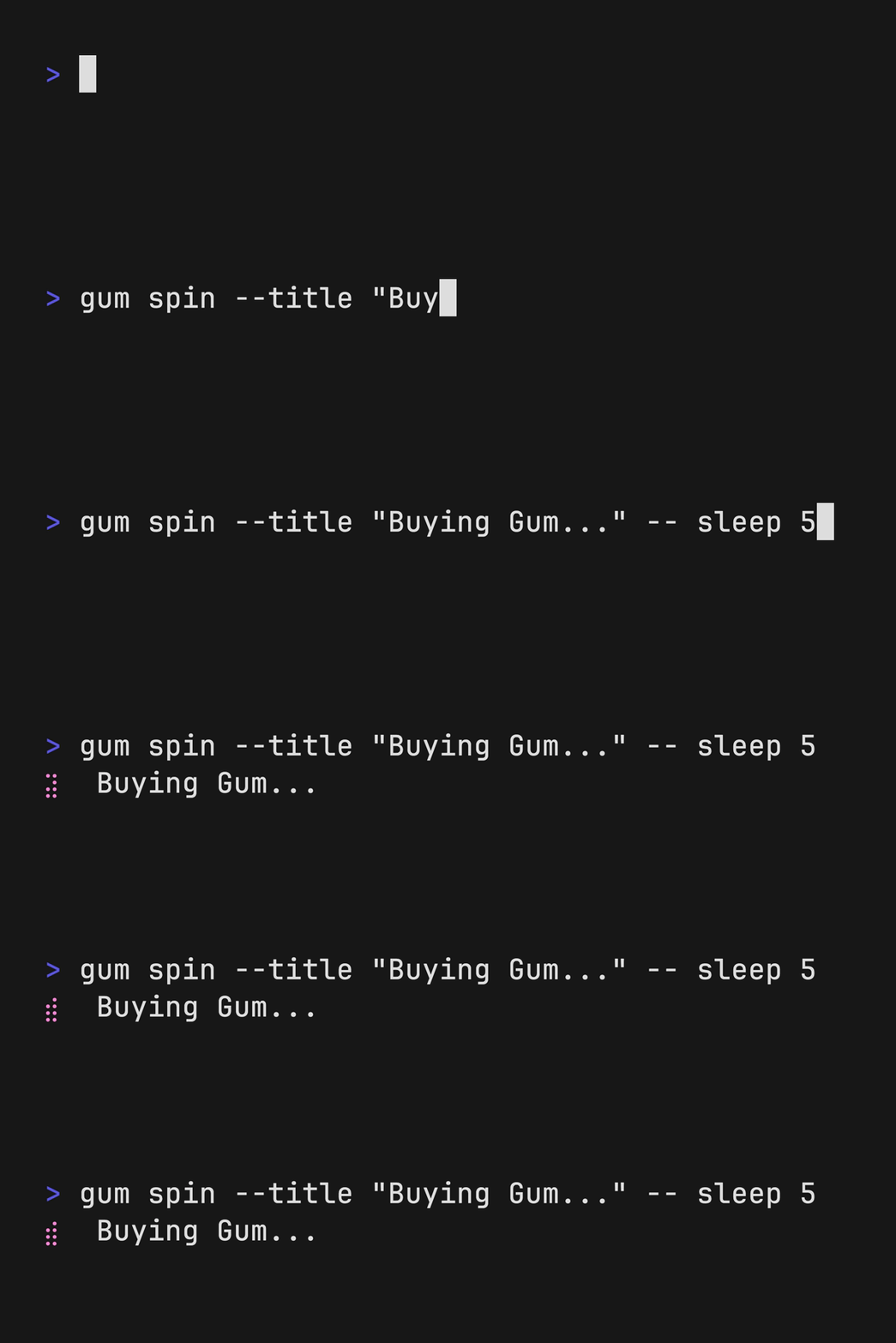
 ## Spin
Display a spinner while running a script or command. The spinner will
automatically stop after the given command exits.
To view or pipe the command's output, use the `--show-output` flag.
```bash
gum spin --spinner dot --title "Buying Bubble Gum..." -- sleep 5
```
## Spin
Display a spinner while running a script or command. The spinner will
automatically stop after the given command exits.
To view or pipe the command's output, use the `--show-output` flag.
```bash
gum spin --spinner dot --title "Buying Bubble Gum..." -- sleep 5
```
 Available spinner types include: `line`, `dot`, `minidot`, `jump`, `pulse`, `points`, `globe`, `moon`, `monkey`, `meter`, `hamburger`.
## Table
Select a row from some tabular data.
```bash
gum table < flavors.csv | cut -d ',' -f 1
```
## Style
Pretty print any string with any layout with one command.
```bash
gum style \
--foreground 212 --border-foreground 212 --border double \
--align center --width 50 --margin "1 2" --padding "2 4" \
'Bubble Gum (1¢)' 'So sweet and so fresh!'
```
Available spinner types include: `line`, `dot`, `minidot`, `jump`, `pulse`, `points`, `globe`, `moon`, `monkey`, `meter`, `hamburger`.
## Table
Select a row from some tabular data.
```bash
gum table < flavors.csv | cut -d ',' -f 1
```
## Style
Pretty print any string with any layout with one command.
```bash
gum style \
--foreground 212 --border-foreground 212 --border double \
--align center --width 50 --margin "1 2" --padding "2 4" \
'Bubble Gum (1¢)' 'So sweet and so fresh!'
```
 ## Examples
How to use `gum` in your daily workflows:
See the [examples](./examples/) directory for more real world use cases.
- Write a commit message:
```bash
git commit -m "$(gum input --width 50 --placeholder "Summary of changes")" \
-m "$(gum write --width 80 --placeholder "Details of changes")"
```
- Open files in your `$EDITOR`
```bash
$EDITOR $(gum filter)
```
- Connect to a `tmux` session
```bash
SESSION=$(tmux list-sessions -F \#S | gum filter --placeholder "Pick session...")
tmux switch-client -t "$SESSION" || tmux attach -t "$SESSION"
```
- Pick a commit hash from `git` history
```bash
git log --oneline | gum filter | cut -d' ' -f1 # | copy
```
- Simple [`skate`](https://github.com/charmbracelet/skate) password selector.
```
skate list -k | gum filter | xargs skate get
```
- Uninstall packages
```bash
brew list | gum choose --no-limit | xargs brew uninstall
```
- Clean up `git` branches
```bash
git branch | cut -c 3- | gum choose --no-limit | xargs git branch -D
```
- Checkout GitHub pull requests with [`gh`](https://cli.github.com/)
```bash
gh pr list | cut -f1,2 | gum choose | cut -f1 | xargs gh pr checkout
```
- Copy command from shell history
```bash
gum filter < $HISTFILE --height 20
```
- `sudo` replacement
```bash
alias please="gum input --password | sudo -nS"
```
## Contributing
See [contributing][contribute].
[contribute]: https://github.com/charmbracelet/gum/contribute
## Feedback
We’d love to hear your thoughts on this project. Feel free to drop us a note!
- [Twitter](https://twitter.com/charmcli)
- [The Fediverse](https://mastodon.social/@charmcli)
- [Discord](https://charm.sh/chat)
## License
[MIT](https://github.com/charmbracelet/gum/raw/main/LICENSE)
---
Part of [Charm](https://charm.sh).
## Examples
How to use `gum` in your daily workflows:
See the [examples](./examples/) directory for more real world use cases.
- Write a commit message:
```bash
git commit -m "$(gum input --width 50 --placeholder "Summary of changes")" \
-m "$(gum write --width 80 --placeholder "Details of changes")"
```
- Open files in your `$EDITOR`
```bash
$EDITOR $(gum filter)
```
- Connect to a `tmux` session
```bash
SESSION=$(tmux list-sessions -F \#S | gum filter --placeholder "Pick session...")
tmux switch-client -t "$SESSION" || tmux attach -t "$SESSION"
```
- Pick a commit hash from `git` history
```bash
git log --oneline | gum filter | cut -d' ' -f1 # | copy
```
- Simple [`skate`](https://github.com/charmbracelet/skate) password selector.
```
skate list -k | gum filter | xargs skate get
```
- Uninstall packages
```bash
brew list | gum choose --no-limit | xargs brew uninstall
```
- Clean up `git` branches
```bash
git branch | cut -c 3- | gum choose --no-limit | xargs git branch -D
```
- Checkout GitHub pull requests with [`gh`](https://cli.github.com/)
```bash
gh pr list | cut -f1,2 | gum choose | cut -f1 | xargs gh pr checkout
```
- Copy command from shell history
```bash
gum filter < $HISTFILE --height 20
```
- `sudo` replacement
```bash
alias please="gum input --password | sudo -nS"
```
## Contributing
See [contributing][contribute].
[contribute]: https://github.com/charmbracelet/gum/contribute
## Feedback
We’d love to hear your thoughts on this project. Feel free to drop us a note!
- [Twitter](https://twitter.com/charmcli)
- [The Fediverse](https://mastodon.social/@charmcli)
- [Discord](https://charm.sh/chat)
## License
[MIT](https://github.com/charmbracelet/gum/raw/main/LICENSE)
---
Part of [Charm](https://charm.sh).
 Charm热爱开源 • Charm loves open source