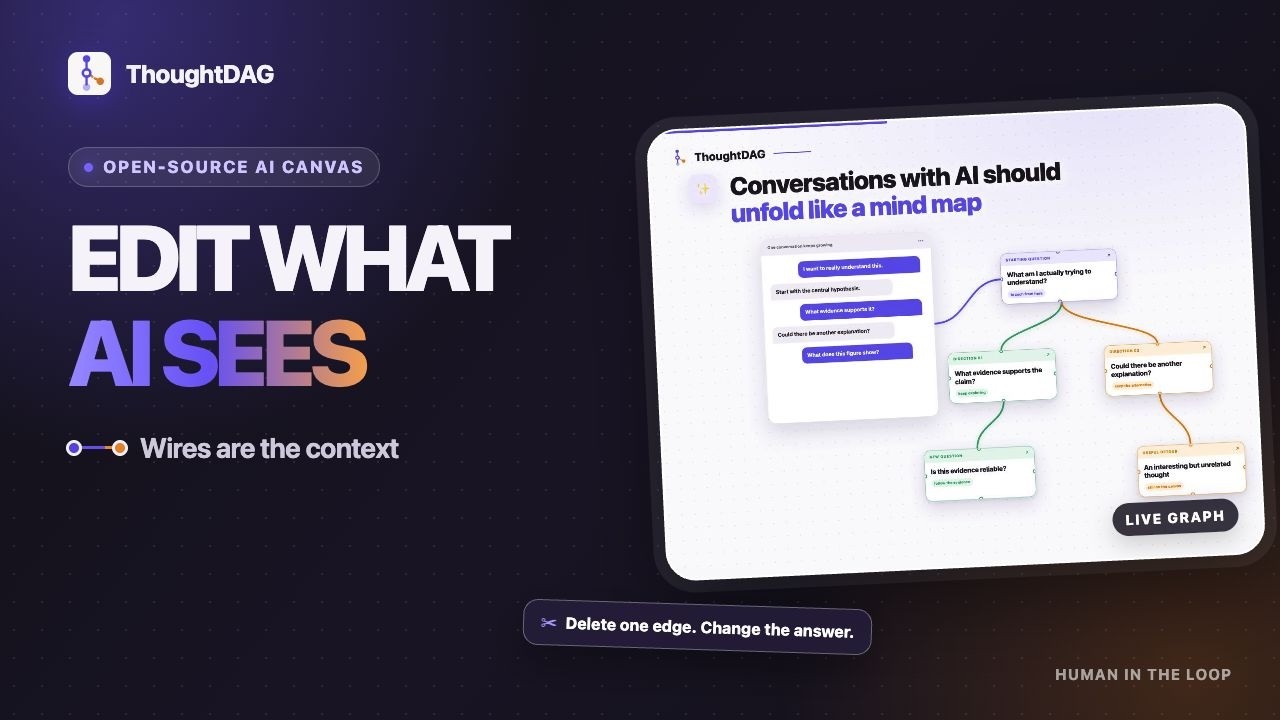
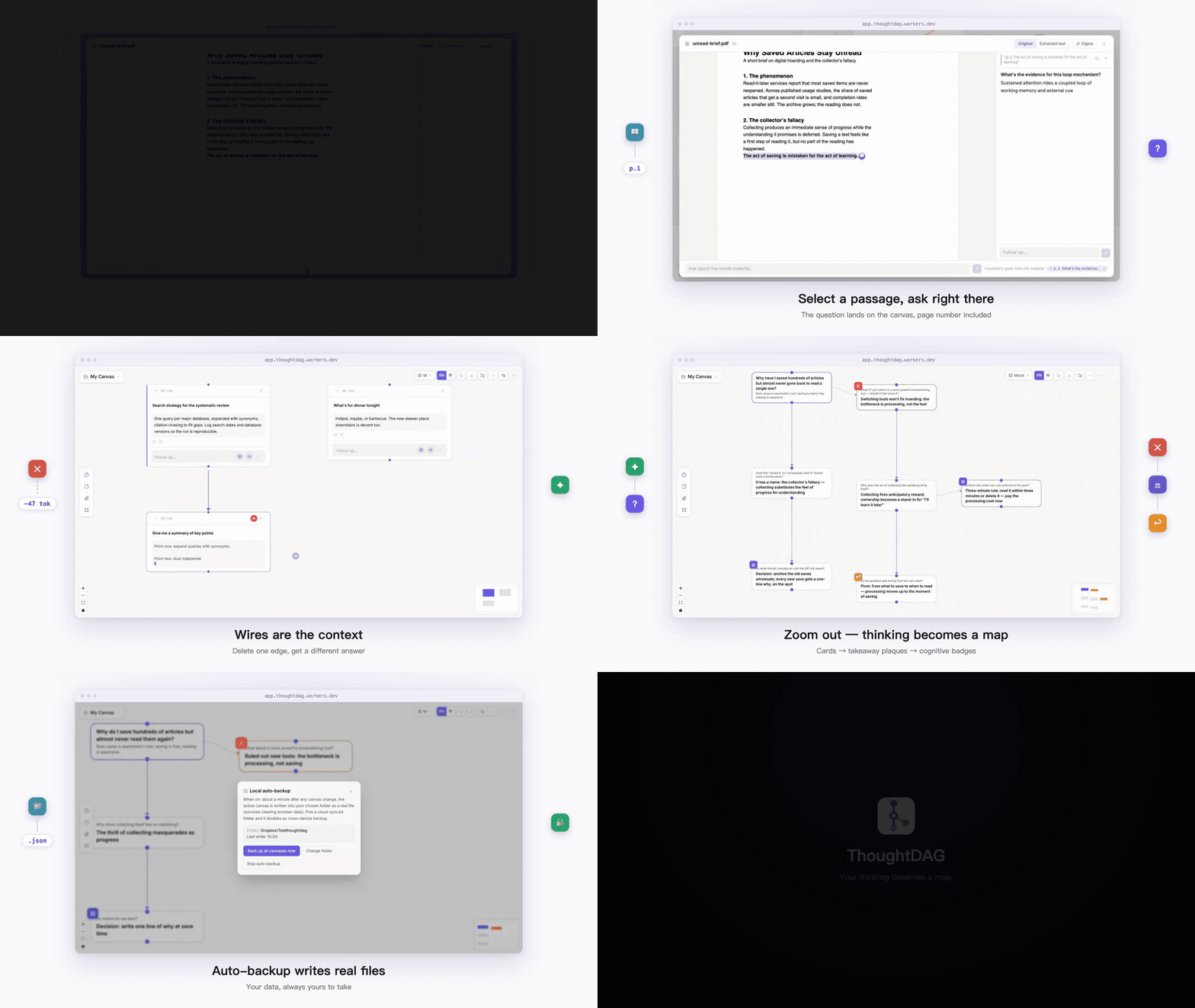
ThoughtDAG logo # ThoughtDAG **Your thinking deserves a map.** An infinite canvas where LLM conversations grow into an editable thought graph. ![React](https://img.shields.io/badge/React_19-087EA4?logo=react&logoColor=white) ![TypeScript](https://img.shields.io/badge/TypeScript-3178C6?logo=typescript&logoColor=white) ![License](https://img.shields.io/badge/license-MIT-green) ![Status](https://img.shields.io/badge/status-active_development-6B5CE7) ### [Download ↓](https://chenxiachan.github.io/thoughtdag/#download) · [Website](https://chenxiachan.github.io/thoughtdag/) [中文](./README_ZH.md) · [Quick start](#quick-start) · [Desktop app](#desktop-app) · [How it differs](#how-thoughtdag-differs) · [Models & subscriptions](#models--subscriptions) · [Cost & privacy](#cost--privacy) Hero demo, recorded from the live app: selecting a passage in the PDF reader and asking about it; deleting a noise edge and regenerating a clean answer; zooming out through three semantic tiers to the map; opening the backup control center and exporting a real file Video thumbnail: the ThoughtDAG canvas mid-conversation **[▶ The 33-second narrated tour](https://www.youtube.com/watch?v=-8BqAyaoNXQ)**
## The one rule > **Wires are the context.** What the model sees is exactly what wires into the node. Editing the graph edits the model's memory. ## In action One principle behind every gesture: **the human in the loop, the model on the wires**. No autonomous agent redraws your graph.
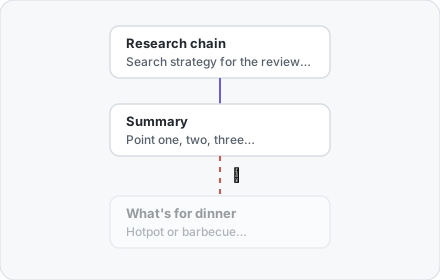
Illustration: the research chain wired to a summary node, with the edge to a dinner node cut into a red dashed line ### ✂️ Delete one edge, get a different answer The model sees only what wires in. Delete the noise edge, ask again, and the same prompt returns a clean answer. **Reproduce it in chapter ③ of the example canvas.**
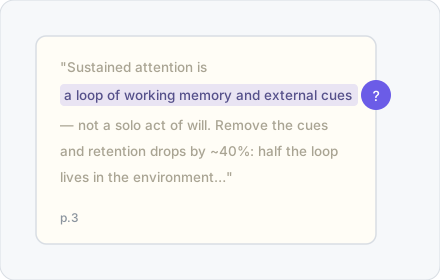
### 📖 Read a paper into a map Select a passage, ask right there. The answer lands on the canvas with its page number, and the p.N chip jumps back to the page. **Finish the paper, and the map is drawn.** Illustration: a passage selected on the original page, a purple ask bubble beside it, the paragraph tagged p.3
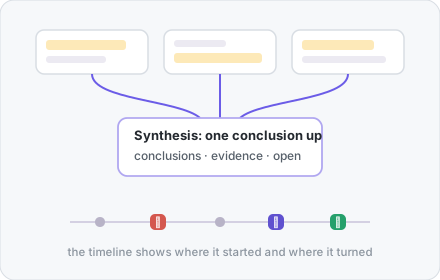
Illustration: three small highlighted cards converge through wires into one synthesis card, above a small timeline with cognitive badges ### 💎 Thinking condenses in your hands Merge nodes into one higher conclusion; weave highlights into a summary. The graph folds inward instead of sprawling. **The human refines in the loop.**
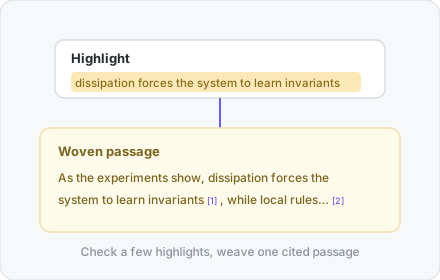
### 🖍️ The passages you marked, woven into cited prose Highlights are your judgment, not the model's. Check any subset and weave one passage where every sentence traces back. Illustration: a highlighted sentence in a card woven into a cited passage below, with reference numbers
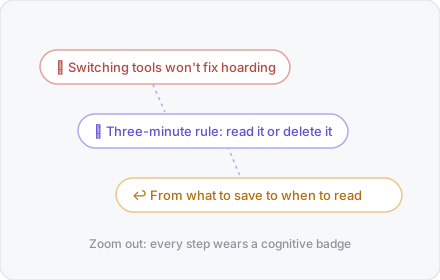
Illustration: three takeaway plaques with ruled-out, decided and pivoted badges, linked by dashed lines ### 🗺️ Zoom out: thinking becomes a map Full cards, takeaway plaques, an icon skeleton: three semantic tiers, every step badged ✕ ⚖ ↩ ?. **The detours are part of the map.**
## Quick start The [desktop app](#desktop-app) is the primary way to run ThoughtDAG: download, open, think. Running from source works too: ```bash npm install npm run server # LLM proxy :3001 npm run dev # → localhost:5173 # No .env? Connect any OpenAI-compatible endpoint inside the app ``` Want a ten-second look before installing anything? The [hosted demo](https://app.thoughtdag.workers.dev) runs in the browser, and the example canvas needs no key. It is a feature subset: keyless web search, some direct-connection tools and the subscription bridge are desktop/local-only. The landing page offers the seeded example canvas one labeled click away: four chapters around one everyday question (why saved articles stay unread), including a reading loop with a real embedded PDF. Environment variables, free keys and configuration details → [docs/setup.md](docs/setup.md) ## Desktop app The same app in its own window, with the local server bundled. No Node, no terminal. The easiest path is the [download page](https://chenxiachan.github.io/thoughtdag/#download): it detects your platform and hands you the right file. Downloading from [Releases](https://github.com/chenxiachan/thoughtdag/releases/latest) directly? Pick by system: | Your system | File to download | |-------------|------------------| | macOS, Apple Silicon (M1 and later) | `ThoughtDAG-x.y.z-arm64.dmg` | | macOS, Intel | `ThoughtDAG-x.y.z.dmg` | | Windows | `ThoughtDAG.Setup.x.y.z.exe` | | Linux | `ThoughtDAG-x.y.z.AppImage` | Not sure which Mac you have? Apple menu → About This Mac. The `.zip`, `.blockmap` and `.yml` files serve the in-app updater; you never download them by hand. The macOS builds are signed and notarized by Apple: double-click and go. Windows builds are not signed yet; choose "More info → Run anyway" on the SmartScreen prompt. After installing, the app checks for new versions itself (canvas menu → Check for updates) and every step past looking waits for your click. ## More capabilities | Capability | What it does | |------------|--------------| | 📤 Read-only share | One link carries the whole graph: no account, no server storage | | 🧭 Staleness & replay | Upstream edits mark the answers they invalidate; replay in dependency order, token estimate first | | ✂️ Clipping | Select a passage or drag a rectangle in the reader; it becomes canvas material with page provenance | | 🔌 Any model | Per-node pins that follow the line; text-only models read images through their companion text | | 🔒 Local-first | Automatic folder backup writes real files; point it at a synced folder for cross-device | Full feature list (60+, grouped by area) → [docs/features.md](docs/features.md) ## How ThoughtDAG differs Many tools put conversations on a canvas. The difference is what the connections do. In ThoughtDAG, a wire is not decoration or an execution route. It determines what the model sees next. | Type | What a wire means | Better for | |------|-------------------|------------| | Linear chat | Conversation history in time order | Quick, simple questions | | Mind maps and whiteboards | Visual relations for human eyes | Free-form organizing and presenting | | Branching chat canvases | Parent-child forks of a conversation | Exploring alternative responses | | Workflow and agent canvases | Data flow or execution order | Automation and orchestration | | ThoughtDAG | The context the model actually receives next | Deliberate forking, merging, pruning and tracing of long-running thinking | If you already keep a hand-maintained decision tree in a markdown file, ThoughtDAG is that tree made operational: the model reads exactly the branches you wire in. ### Works beside your coding agent Give the canvas a folder and it becomes a live local file: turn on **automatic folder backup**, point it at your project directory, and every new node you land updates `.thoughtdag.json` on disk as you work. And coding agents read files. That is the whole integration: 1. Ask your agent CLI to read the file. The `question`, `response` and `summaries` fields carry your full decision history, including which paths were ruled out and why. 2. For the cleanest handoff, use **Markdown export**: any context chain or selection becomes a plain `.md` the agent reads natively. Example, inside any agent session: *"Read ./notes/research.thoughtdag.json and continue from the conclusions; the summaries field lists what was already ruled out."* No plugin, no API, no server. The same file doubles as real data safety: point the backup at a synced folder and it is also your cross-device backup. ## Models & subscriptions Zhipu · Qwen · OpenAI · Anthropic · Google · DeepSeek · Kimi · OpenRouter · Ollama, or any OpenAI-compatible endpoint. Text-only models read already-indexed images through their companion text; unread images go to a vision model, announced. Environment variables and default models → [docs/setup.md](docs/setup.md) **Already paying for a subscription? It plugs in.** A ChatGPT plan connects through a one-command local bridge (with ThoughtDAG running locally). GLM Coding and Kimi Code plans issue real API keys: pick the preset, paste the key, done. Setup for all three → [docs/setup.md#subscriptions](docs/setup.md#subscriptions) ## Cost & privacy - **The free model tier covers every feature**; a local Ollama runs fully offline - **In the desktop app everything lives on your machine**: canvases, keys, documents; on the web demo, model traffic runs browser-direct and keys never touch the server - **PDFs never leave your machine**; only extracted text travels when you ask - **The backup format stays backward compatible**; Markdown export is the permanent escape hatch ---
*The graph is acyclic. You are the loop.* [MIT](./LICENSE) © 2026 Xia Chen · [Roadmap](docs/features.md#roadmap) · [Feedback](https://github.com/chenxiachan/thoughtdag/issues) · [Cite](https://github.com/chenxiachan/thoughtdag#cite-this-repository)