# LocalData MCP Server
[](LICENSE)
[](https://github.com/ChrisGVE/localdata-mcp/releases)
[](https://github.com/ChrisGVE/localdata-mcp/actions/workflows/ci.yml)
[](https://pypi.org/project/localdata-mcp/)
[](https://www.python.org/downloads/)
[](https://localdata-mcp.readthedocs.io)
[](https://github.com/jlowin/fastmcp)
[](https://mseep.ai/app/cd737717-02f3-4388-bab7-5ec7cbe40713)


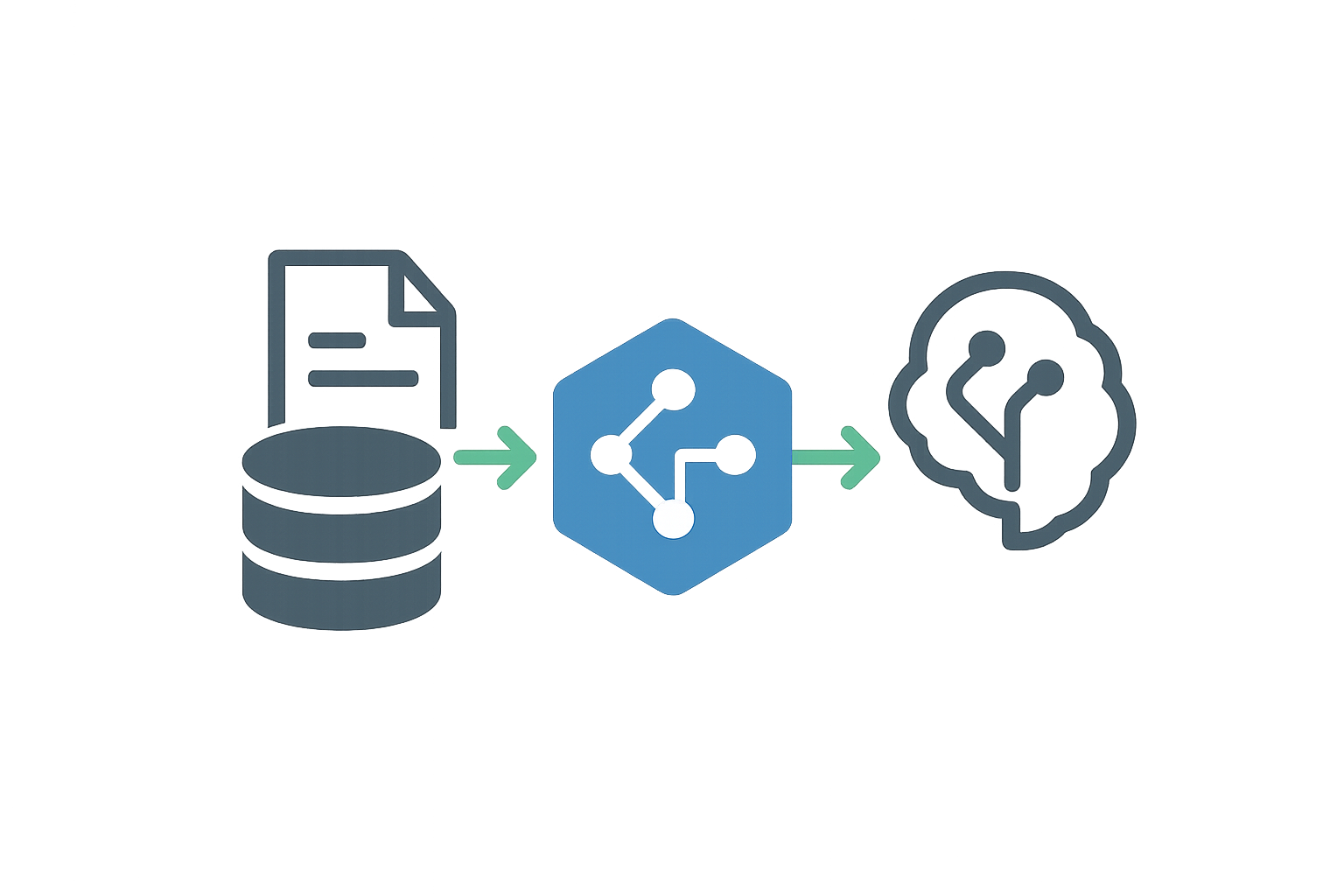
LocalData MCP gives LLM agents access to local and remote data — databases, files, graphs, and structured documents — along with a full data science toolkit for analysis and modeling. It exposes 70 MCP tools across 13 database types and 20+ file formats, with memory-bounded streaming so agents can work safely on large datasets without exceeding available RAM.
[](https://mseep.ai/app/chrisgve-localdata-mcp)
## Quick Start
```bash
# Install permanently
uv tool install localdata-mcp
# Or run directly without installing
uvx localdata-mcp
```
> **First-run note:** Data science dependencies (scipy, scikit-learn, statsmodels, geopandas) total around 200 MB and are downloaded on first use. Subsequent starts reuse the cache. If your MCP client times out on the first launch, reconnect — the next start will be immediate.
Add to your MCP client configuration:
```json
{
"mcpServers": {
"localdata": {
"command": "localdata-mcp"
}
}
}
```
For `uvx` (no permanent install):
```json
{
"mcpServers": {
"localdata": {
"command": "uvx",
"args": ["localdata-mcp"]
}
}
}
```
Then connect to any supported source and start querying:
```python
connect_database("sales", "postgresql", "postgresql://user:pass@localhost/db")
execute_query("sales", "SELECT product, SUM(amount) FROM orders GROUP BY product")
connect_database("records", "csv", "./records.csv")
analyze_hypothesis_test("records", "SELECT amount, region FROM data_table", column="amount", group_column="region")
```
A single-table file — CSV, TSV, JSON, XML, INI, Parquet, Feather, Arrow — is
loaded into one table named `data_table`, whatever the connection is called. Run
`describe_database(name)` after connecting if you are unsure what a source
exposes; multi-sheet spreadsheets and databases keep their own table names.
## Feature Overview
### Core Database (8 tools)
Connect, query, and inspect databases and files. All queries execute within configurable memory limits (default 2 GB) with automatic chunked streaming for large result sets.
| Tool | Description |
| --- | --- |
| `connect_database` | Open a connection to any supported database or file |
| `disconnect_database` | Close a connection |
| `list_databases` | List active connections |
| `execute_query` | Run SQL with streaming, chunking, and preflight mode |
| `describe_database` | Show schema and table list |
| `describe_table` | Column types, indexes, row count |
| `find_table` | Locate a table across all active connections |
| `analyze_query_preview` | Estimate query cost before execution |
### Streaming and Memory (9 tools)
| Tool | Description |
| --- | --- |
| `next_chunk` | Retrieve the next chunk of a streamed result |
| `request_data_chunk` | Fetch a specific chunk by row range |
| `request_multiple_chunks` | Batch-fetch multiple chunks in one call |
| `manage_memory_bounds` | View and configure memory limits |
| `get_streaming_status` | Check active streams and buffer usage |
| `clear_streaming_buffer` | Free memory from a specific buffer |
| `get_query_metadata` | Rich metadata for a completed query |
| `cancel_query_operation` | Cancel a running or buffered query |
| `get_data_quality_report` | Column statistics, null rates, and quality metrics |
### Tree / Structured Data (10 tools)
Navigate and edit TOML, JSON, and YAML files as navigable trees. Supports full CRUD with auto-creation of ancestor nodes and round-trip export to any supported format.
| Tool | Description |
| --- | --- |
| `get_node` / `get_children` | Navigate the tree |
| `set_node` / `delete_node` | Create or remove nodes |
| `get_value` / `set_value` / `delete_key` | Read and write properties |
| `list_keys` | List key-value pairs at a node |
| `move_node` | Relocate a node within the tree |
| `export_structured` | Export as TOML, JSON, YAML, or Markdown |
### Graph (7 tools)
Work with DOT, GML, GraphML, and Mermaid files as directed multigraphs. Supports full CRUD on nodes and edges, shortest-path and all-paths queries, structural statistics, and multi-format export.
| Tool | Description |
| --- | --- |
| `get_neighbors` / `get_edges` | Traverse from a node |
| `add_edge` / `remove_edge` | Manage edges |
| `find_path` | Shortest path or all paths between two nodes |
| `get_graph_stats` | Node/edge counts, density, DAG validation |
| `export_graph` | Export as DOT, GML, GraphML, Mermaid, or Markdown |
Node-level operations reuse the tree tools above: `get_node`, `set_node`, `delete_node`, `list_keys`, `get_value`, `set_value`, and `delete_key` detect a graph connection and treat their `path` argument as a node ID. `get_children` and `move_node` are tree-only.
### Search and Transform (2 tools)
| Tool | Description |
| --- | --- |
| `search_data` | Regex search across query results |
| `transform_data` | Apply column transformations to result sets |
### Schema and Audit (3 tools)
| Tool | Description |
| --- | --- |
| `export_schema` | Export schema as JSON Schema, Python dataclasses, TypeScript interfaces, or SQL DDL |
| `get_query_log` | Recent query execution history |
| `get_error_log` | Recent error log |
### System (2 tools)
| Tool | Description |
| --- | --- |
| `check_compatibility` | Verify API backward compatibility |
| `get_metrics` | Prometheus metrics text. Registered only when metrics collection is enabled, which is the default |
### Data Science (12 tools)
Run statistical analysis, modeling, and pattern detection directly on query results from any connected source.
| Tool | Domain |
| --- | --- |
| `analyze_hypothesis_test` | Statistical Analysis |
| `analyze_anova` | Statistical Analysis |
| `analyze_effect_sizes` | Statistical Analysis |
| `analyze_regression` | Regression and Modeling |
| `evaluate_model_performance` | Regression and Modeling |
| `analyze_clusters` | Pattern Recognition |
| `detect_anomalies` | Pattern Recognition |
| `reduce_dimensions` | Pattern Recognition |
| `analyze_time_series` | Time Series |
| `forecast_time_series` | Time Series |
| `analyze_rfm` | Business Intelligence |
| `analyze_ab_test` | Business Intelligence |
## Supported Data Sources
### Databases
| Type | Engines |
| --- | --- |
| SQL | SQLite, PostgreSQL, MySQL |
| SQL (analytical) | DuckDB (`pip install duckdb duckdb-engine`) |
| SQL (enterprise) | Oracle, MS SQL Server (`pip install localdata-mcp[enterprise]`) |
| Document | MongoDB, CouchDB (`pip install localdata-mcp[modern-databases]`) |
| Key-value | Redis (`pip install localdata-mcp[modern-databases]`) |
| Search | Elasticsearch (`pip install localdata-mcp[modern-databases]`) |
| Time series | InfluxDB (`pip install localdata-mcp[modern-databases]`) |
| Graph | Neo4j (`pip install localdata-mcp[modern-databases]`) |
| RDF / SPARQL | Turtle (.ttl), N-Triples (.nt), remote SPARQL endpoints |
### File Formats
| Category | Formats |
| --- | --- |
| Tabular | CSV, TSV |
| Structured | JSON, YAML, TOML, XML, INI |
| Spreadsheet | Excel (.xlsx, .xls), LibreOffice Calc (.ods), Apple Numbers (.numbers) |
| Analytical | Parquet, Feather, Arrow, HDF5 |
| Graph | DOT (Graphviz), GML, GraphML, Mermaid |
| RDF | Turtle (.ttl), N-Triples (.nt) |
Multi-sheet spreadsheets are supported: each sheet becomes a separately queryable table. To load one sheet only, pass its name as the fourth argument to `connect_database` — `connect_database("q1", "excel", "./report.xlsx", "Q1 Results")`. Use `"excel"` for both `.xlsx` and `.xls`; `"xlsx"` is not a connection type.
## Data Science Domains
**Statistical Analysis** — t-tests, chi-squared, Mann-Whitney, Kruskal-Wallis, and related hypothesis tests; one-way ANOVA with post-hoc tests; Cohen's d, eta-squared, and other effect size measures.
**Regression and Modeling** — linear, polynomial, logistic, ridge, lasso, and elastic net regression; model evaluation with R², RMSE, MAE, and classification metrics; automated feature selection.
**Pattern Recognition** — K-means, DBSCAN, and hierarchical clustering; anomaly detection via isolation forest, LOF, and one-class SVM; dimensionality reduction with PCA, t-SNE, and UMAP.
**Time Series** — decomposition, stationarity testing, autocorrelation analysis; ARIMA and ETS forecasting; change point detection; multivariate analysis with VAR, Granger causality, and cointegration tests. `forecast_time_series` accepts `method="arima"` or `method="ets"`; the SARIMA and ensemble models in the domain package are not reachable through an MCP tool.
**Business Intelligence** — A/B test statistical analysis; RFM customer segmentation; cohort analysis, CLV modeling, and funnel analysis.
**Geospatial** — distance and coordinate calculations, spatial joins, interpolation, and network analysis.
**Optimization** — linear programming, constrained optimization, assignment problems, and network optimization.
**Sampling and Estimation** — bootstrap confidence intervals, Bayesian estimation, Monte Carlo simulation, and stratified sampling.
## Claude Code plugin
The repository doubles as a Claude Code plugin. Its manifest (`.claude-plugin/plugin.json`) registers the `localdata` MCP server via `uvx localdata-mcp` and ships 18 skills and 11 agents that drive the tools above. See [the plugin page](docs/plugin.md) for how to install it and how to invoke a skill.
Upgrading from 2.0.0: `graph-explore` is now `graph-data-explore` and `graph-analyst` is now `graph-data-analyst`, and every skill moved one directory deeper. Invoking an old name silently does nothing — the [changelog](CHANGELOG.md) lists the steps.
Skills are grouped by domain under `skills/`:
| Group | Skills |
| --- | --- |
| `exploration/` | `explore-data`, `data-quality`, `find-reference-data` |
| `statistical/` | `hypothesis-test`, `ab-test`, `analyze-correlations`, `sampling-estimation` |
| `modeling/` | `regression`, `cluster-analysis`, `anomaly-detection`, `dimensionality-reduction`, `forecast`, `geospatial`, `optimization` |
| `graph-data/` | `graph-data-explore` |
| `workflow/` | `data-pipeline`, `research-pipeline`, `process-control` |
Agents in `agents/` take on longer analyses that span several tools:
| Agent | Scope |
| --- | --- |
| `data-explorer` | Profiles an unfamiliar dataset and reports schema, quality, and candidate analyses |
| `data-scientist` | Composes multi-step pipelines across domains when the right approach is not obvious |
| `statistical-analyst` | Hypothesis tests, ANOVA, effect sizes, sampling design, bootstrap estimation |
| `ml-analyst` | Clustering, anomaly detection, dimensionality reduction, regression modeling |
| `forecaster` | Decomposition, stationarity testing, ARIMA/ETS choice, forecasts with uncertainty bounds |
| `bi-analyst` | A/B tests, cohort analysis, CLV, attribution, funnels |
| `graph-data-analyst` | Centrality, community detection, path finding, graph export |
| `geospatial-analyst` | Coordinate systems, distances, spatial clustering, accessibility |
| `operations-analyst` | Statistical process control, optimization, capacity planning |
| `research-analyst` | Power analysis, assumption documentation, reproducible reporting |
| `data-researcher` | Finds and prepares public reference datasets to enrich your data |
## Architecture
- **One uniform call shape** — every analysis tool takes a connection name, a SQL query, and the column names it should work on. There is no separate load step and no data-frame argument: the query is the data selection, so the same call works against a CSV file and a PostgreSQL table
- **Named methods, sensible defaults** — the statistical procedure is chosen by name (`method="dbscan"`, `test_type="ttest_ind"`) and every method parameter has a default, so a call that names only the columns still runs. Thresholds such as `alpha` and `contamination` are numeric parameters, not inferred from intent
- **Streaming-first execution** — query results are chunked and buffered rather than materialized whole. `execute_query` returns the first chunk plus a `query_id`, and `next_chunk` walks the rest, so a result larger than the configured memory ceiling (default 2 GB) is still workable
- **Self-describing query results** — `execute_query` returns row counts, memory state, data-quality signals, and ready-to-run `next_chunk` calls alongside the rows, so an agent can decide what to do next without a second round trip
## Configuration
LocalData MCP reads settings from a YAML config file, from environment variables, or from both; environment variables win. The defaults work for most cases. The most frequently changed variables:
| Variable | Default | Description |
| --- | --- | --- |
| `LOCALDATA_MEMORY_LIMIT_MB` | `2048` | Memory ceiling for query results, in MB |
| `LOCALDATA_CONNECTIONS_MAX_CONCURRENT` | `10` | Maximum simultaneous database connections |
| `LOCALDATA_QUERY_CHUNK_SIZE` | `100` | Rows per streaming chunk |
| `LOCALDATA_QUERY_BUFFER_TIMEOUT` | `600` | Seconds a streaming buffer is kept before expiry |
| `LOCALDATA_SECURITY_RESTRICT_PATHS` | `true` | Confine file access to the configured `security.allowed_paths` (default `["."]`, the process working directory) |
| `LOCALDATA_CONFIG` | unset | Path to a YAML config file, bypassing config-file discovery |
Set them in your MCP server configuration under `"env"`, or in a `.env` file in the working directory. The full set — staging, memory budget, disk budget, per-database `LOCALDATA_DB__*` definitions — is documented in the [configuration reference](docs/configuration.md).
## Documentation
- [Getting started](docs/getting-started.md) — install, configure an MCP client, run the first queries
- [Claude Code plugin](docs/plugin.md) — install the plugin, invoke a skill, what each skill and agent does
- [Tools reference](docs/tools-reference.md) — every tool with parameters, return shape, and composition hints
- [Configuration reference](docs/configuration.md) — config file discovery, every environment variable, every default
- [Data sources](docs/data-sources/index.md) — connection strings and quirks per database and file format
- [Data science domains](docs/domains/index.md) — what each of the eight analytical domains does
- [Error classification](docs/error-classification.md) — structured error types, retryability, and suggested recovery
- [Docker usage](DOCKER_USAGE.md) — container deployment and configuration
- [Troubleshooting](TROUBLESHOOTING.md) — common failures and their fixes
- [Rendered documentation](https://localdata-mcp.readthedocs.io) — the same pages, searchable
## Development
```bash
git clone https://github.com/ChrisGVE/localdata-mcp.git
cd localdata-mcp
uv sync --all-extras
uv run pytest tests/ --ignore=tests/integration
```
That command collects 2,312 unit tests. A further 357 integration tests live under `tests/integration/` and need live database services — start them with `docker-compose up -d`, then run `uv run pytest tests/integration/`. The enterprise-scale suite inside that set loads 100K rows into each of 7 database engines and is by far the slowest part.
## Contributing
Contributions are welcome. Please read [CONTRIBUTING.md](CONTRIBUTING.md) before submitting a pull request.
## License
Apache License 2.0 — see [LICENSE](LICENSE) for details.