# CTRPad
Crash Team Racing, rebuilt as a native app for Apple Silicon Mac, iPhone, and iPad.
Native ARM64 rendering, touch controls, controller support, Files-based setup,
and 1×–4× internal resolution.






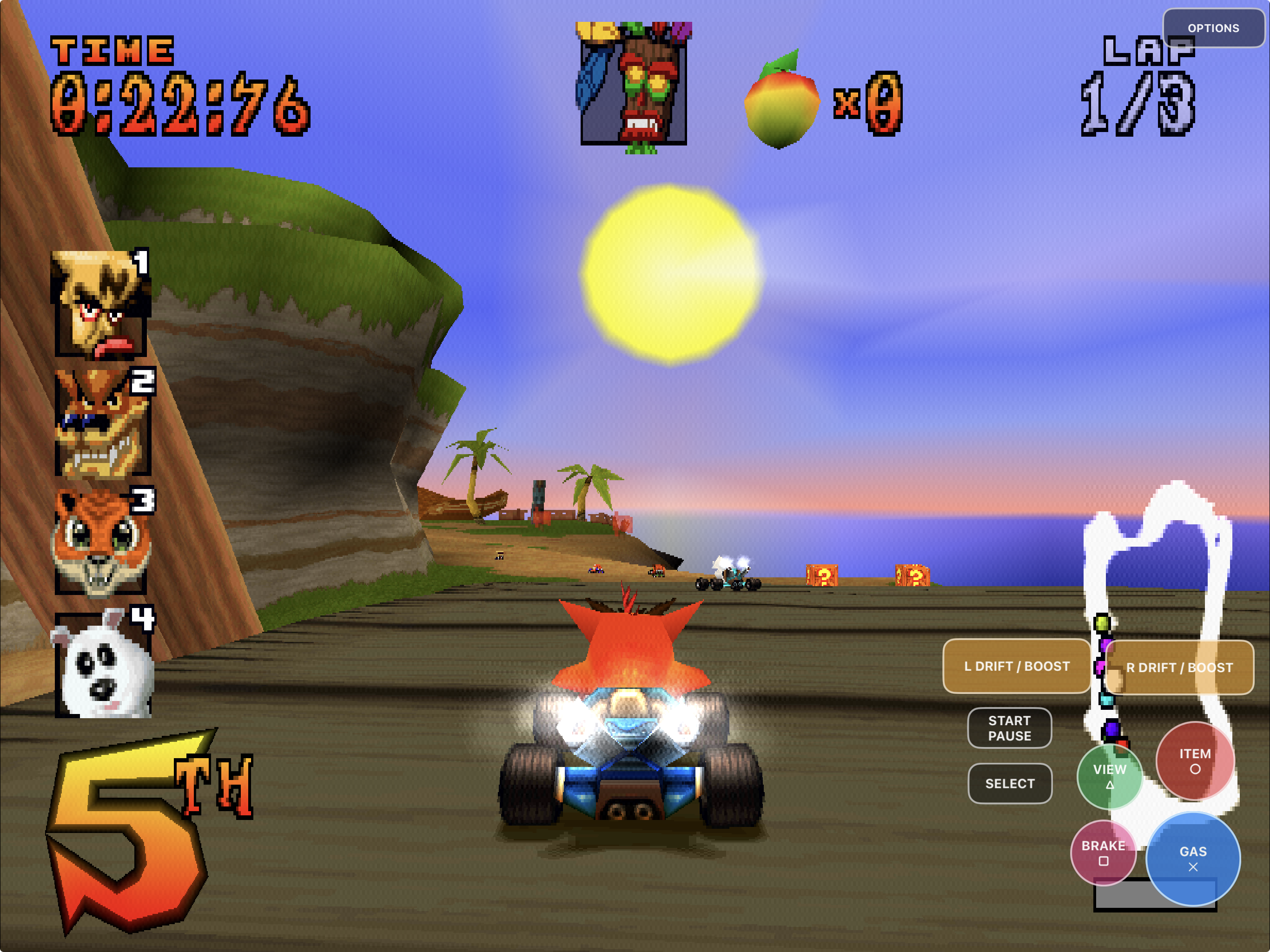
CTRPad is an unofficial native Apple-platform port built from
[CTR Native](https://github.com/CTR-tools/ctr-native) and the
[CTR-ModSDK](https://github.com/CTR-tools/CTR-ModSDK) decompilation project.
It runs the decompiled game code directly; it is not an emulator and does not
need a PlayStation BIOS.
To our knowledge, this is the first documented native iPhone and iPad port
built from the CTR-ModSDK/CTR Native codebase. That is an Apple-platform claim,
not a claim that CTRPad created the first native CTR port: CTR Native established
the Windows and Linux port on which this work is based.
This repository contains source, Apple integration, documentation, and
retail-free build tooling. It does **not** contain Crash Team Racing, a disc
image, extracted retail assets, saves, Apple signing credentials, or other
playable game data. You must provide your own legally acquired compatible
NTSC-U retail disc image. Read the
[rights and licensing boundary](RIGHTS_AND_LICENSES.md) before redistributing
the project or a build.
## Highlights
- Native ARM64 application bundles for Apple Silicon macOS, iPhone, and iPad.
- Native OpenGL on macOS and GLES 3 through SDL/UIKit on iOS and iPadOS.
- Files-based disc selection with validation and non-destructive replacement.
- Touch-anywhere horizontal analog steering, editable controls, visible Gas lock, handedness,
size, and 10%–100% opacity controls.
- 1×, 2×, 3×, and 4× internal geometry resolution across macOS, iPhone, and
iPad, with 4× as the Apple Silicon Mac default.
- Consistent SDL game-controller input across Apple platforms, plus
racing-first, remappable keyboard controls on macOS.
- Private memory-card saves, rotating logs, and update installs that preserve
the application data container.
- A committed engineering journal and parity ledger explaining how the port
was built, including failed and rejected approaches.
## Install status
| Target | Current status | Best path today |
|---|---|---|
| iPhone, iPad and Apple Silicon Mac | **Build your own with PadMint** | [PadMint](https://github.com/chrissotraidis/padmint/releases/latest) builds CTRPad on your Apple Silicon Mac, or the iPhone and iPad app through [GitHub Cloud Build](https://github.com/chrissotraidis/padmint#github-cloud-build-no-mac-needed) without one, from this repository's latest release. Releases publish no app. |
| iOS Simulator | **Available for development** | Build the Simulator preset and use the guarded installer. Simulator is not physical-device proof. |
| Windows and Linux | **Supported by the native codebase** | Use the desktop scripts or CMake presets. Apple platforms are CTRPad's primary focus. |
| App Store / TestFlight | **Not announced** | No official listing, public TestFlight, or paid build exists. |
The current Apple builds have been launched and played on Apple Silicon macOS,
an iPad Pro, and an iPhone 14. The screenshots below are iPad captures.
Physical controller compatibility still depends on the controller model and
operating system, and the full controller hardware matrix remains open.
## Get CTRPad
CTRPad releases publish no app. The game code is compiled from the CTR-ModSDK
decompilation, so every app is a personal build. PadMint builds on your Apple
Silicon Mac, or on GitHub's hosted Mac for iPhone and iPad. The installed app
asks for your own disc image; the build does not need it.
**No Mac?** Build the iPhone and iPad app from Windows, Linux or any computer
with a web browser using
[PadMint's GitHub Cloud Build guide](https://github.com/chrissotraidis/padmint#github-cloud-build-no-mac-needed).
Keep your built app private.
To build on your own Mac, you need:
- a Mac with Apple Silicon (M1 or newer);
- [Xcode](https://apps.apple.com/app/xcode/id497799835), opened once, with its
iOS platform added if you want the iPhone and iPad app;
- CMake and Ninja: `brew install cmake ninja`; and
- your own compatible Crash Team Racing disc image (see below).
Then:
1. Download [PadMint](https://github.com/chrissotraidis/padmint/releases/latest),
unzip it and double-click `PadMint.command`.
2. Choose **CTRPad**, then **iPhone or iPad** or **This Mac**, and select
**Make my copy**. PadMint downloads this repository's latest release, builds
the app and saves it in your Downloads folder: an unsigned IPA for iPhone and
iPad, or a ZIP of `CTRPad.app` for the Mac.
3. **iPhone or iPad:** sign and install the IPA with your own Apple ID using a
sideloading tool such as AltStore Classic, then choose your BIN through
Files in the app. For a later version, install over the existing app with
the same tool and Apple ID; deleting the app also deletes its imported disc
and saves.
4. **Mac:** open the ZIP, move `CTRPad.app` to Applications, open it and choose
your BIN when it asks.
The same IPA supports iOS and iPadOS 15 or newer. Earlier releases with
prebuilt downloads are retired. To build by hand instead, see
[Build from source](#build-from-source),
[Build, sign, and sideload CTRPad](docs/INSTALL-IOS.md) and
[Install CTRPad on macOS](docs/INSTALL-MACOS.md).
On iPhone/iPad, use **Options → Export diagnostic logs → Save to Files** after a
problem. See [diagnostics instructions](docs/DIAGNOSTICS.md).
### Required Crash Team Racing disc image
CTRPad accepts the North American NTSC-U retail disc identified as
`SCUS_944.26`, stored as a **single-track raw MODE2/2352 BIN whose data track
starts at byte zero**. When a dumping tool creates a BIN/CUE pair, select the
`.bin` data track in CTRPad, not the `.cue` file.
CTRPad rejects cooked 2048-byte ISOs, CUE files, CHD or compressed archives,
other regions, and incomplete images. Those formats do not provide the exact
raw XA audio and STR video sectors required by the game. CTRPad validates the
image before replacing a working import. A PlayStation BIOS is not required.
## Build from source
Compilation and retail-free self-tests do not require game data. To play,
every target requires your own NTSC-U, single-track raw MODE2/2352 Crash Team
Racing BIN; cooked 2048-byte ISOs omit required XA/STR sectors.
See [source maintenance and exact dependency pins](docs/source-maintenance/README.md)
for the retained upstream base, comparison/update procedure and source archives.
See [diagnostics](docs/DIAGNOSTICS.md) for logs and crash-report instructions.
### Requirements
- a clone of this repository;
- CMake 3.20 or newer;
- Ninja for the Apple presets;
- Xcode and its command-line tools for Apple builds; and
- for gameplay, your own compatible NTSC-U retail disc image.
On macOS, install the build tools with Homebrew:
```sh
brew install cmake ninja
git clone https://github.com/chrissotraidis/ctrpad.git
cd ctrpad
```
### Apple Silicon Mac
```sh
cmake --preset macos-arm64-app
cmake --build --preset macos-arm64-app
ctest --preset macos-arm64-app
open build-macos-arm64-app/CTRPad.app
```
CTRPad opens a native file picker on first launch. Choose your BIN once; the
app validates it, remembers its external location, and keeps saves and logs in
Application Support. For packaged builds, Gatekeeper behavior, disc changes,
and optional Developer ID notarization, read
[Install CTRPad on macOS](docs/INSTALL-MACOS.md).
### iPhone or iPad
The same device build supports both iPhone and iPad:
```sh
cmake --preset ios-device-arm64
cmake --build --preset ios-device-arm64
./package-ios.sh
```
The resulting IPA under `dist/` is deliberately unsigned. It contains no
maintainer certificate, provisioning profile, game data, or save data. Sign it
with your own Apple ID using a compatible sideloading tool, or supply your own
Apple development identity and profile to `package-ios.sh` for direct device
installation.
The complete signing commands, profile requirements, AltStore Classic path,
in-place update procedure, and device-verification workflow are in
[Build, sign, and sideload CTRPad](docs/INSTALL-IOS.md). Deleting the app also
deletes its private imported disc and saves unless your sideloading tool backs
them up; update-install instead whenever possible.
### iPhone or iPad Simulator
```sh
cmake --preset ios-simulator-arm64
cmake --build --preset ios-simulator-arm64
./tools/install-ios-simulator.sh \
--device YOUR_BOOTED_SIMULATOR_UDID \
--launch
```
Boot exactly one iPhone or iPad Simulator before running the installer. The
helper signs an isolated Simulator copy and verifies that the installed
executable matches the product just built.
### Windows and Linux
Windows MSVC and MinGW scripts plus the Linux build remain available for the
desktop native port. See [Desktop builds](#desktop-builds) below.
## First launch on Apple platforms
CTRPad never downloads or bundles game data.
On iPhone or iPad:
1. Launch CTRPad and select **Choose CTR disc image**.
2. Pick your own compatible raw NTSC-U BIN through Files.
3. Wait while CTRPad stages, validates, and imports the image.
4. The game starts in the same app process after a valid import.
The imported image is stored privately under
`Documents/CTRPad/assets/ctr-u.bin`. Invalid or cancelled replacements preserve
the previous verified import. Open **Options → Change disc…** to select another
image.
On macOS, launch `CTRPad.app` and choose the BIN in the native first-launch
panel. The app remembers the external file path without copying game data into
the bundle. Run `CTRPad --choose-disc` when you deliberately want to select a
different image.
### macOS keyboard controls
The default macOS layout is designed to be playable without consulting the
original PlayStation bindings:
| Action | Default keys |
|---|---|
| Steer and navigate | `W` `A` `S` `D` or arrow keys |
| Accelerate / confirm | Either Shift key |
| Brake / reverse | `E` (alternate: `X`) |
| Use item | Space (alternate: `V`) |
| Camera / back | Escape (alternate: `Z`) |
| Drift / boost | `Q` or `R` |
| Start / pause | Return (alternate: `P`) |
| Select | Tab |
Click the **•••** button at the top right of the macOS game window to open the
native **Display**, **Keyboard**, and **Controller** tabs. The Keyboard tab
remaps primary and alternate keys or restores these defaults. Keyboard
preferences are host-side aliases: changing them does not modify the retail
game's controls.
## Native resolution and Options
Open **Options** during play on any Apple target to select 1×, 2×, 3×, or 4×
internal resolution. Higher values render game geometry at a larger internal
framebuffer size, which improves polygon edges while retaining the original
PS1 textures and logical VRAM effects. Higher scales use more GPU power; 1× is
the compatibility baseline. Apple Silicon Mac builds default to 4× and apply
changes immediately. iPhone and iPad keep their existing mobile defaults.
Options also contains:
- on-screen control visibility;
- left- or right-side steering;
- global control size;
- a continuous 10%–100% opacity slider;
- the touch-layout editor and reset action; and
- safe disc reselection.
CTRPad preserves the original 4:3 presentation. It does not stretch the image
to fill a widescreen display.
## Touch controls
CTRPad provides separate safe-area-aware landscape defaults for iPhone and
iPad. Touch anywhere in the lower steering-side half to place a horizontal
analog steering slider under your thumb. Only left/right travel affects racing
precision. Short vertical swipes publish D-pad menu directions, and the slider
disappears on release.
| Touch control | PlayStation input | Typical use |
|---|---|---|
| Horizontal steer | Left analog stick X | Continuous steering |
| Vertical steering gesture | D-pad up/down | Menu navigation |
| **Gas ✕** | Cross | Accelerate and confirm |
| **Brake □** | Square | Brake, reverse, and menu action |
| **Item ○** | Circle | Use item and menu action |
| **View △** | Triangle | Camera, skip, and menu action |
| **Boost Tap** | L1 | Tap in the red zone while Drift is active |
| **Drift Toggle** | R1 | Tap to begin a drift; tap again to release |
| **Start / Pause** | Start | Start, advance, pause, or resume |
| **Select** | Select | Retail Select input |
For a drift boost, steer past half lock, tap **Drift Toggle**, then tap
**Boost Tap** when the meter reaches the red zone. Keep steering and tap Boost
up to three times. Lifting the steering thumb releases Drift automatically.
Turn **Classic controls** on in Options to restore the circular analog stick
and physically held L/R Drift controls. Standard and Classic layouts are stored
independently so switching modes does not overwrite either customized layout.
### Customize the layout
1. Open **Options**.
2. Choose **Edit touch layout**.
3. Drag any gameplay control to reposition it.
4. Select a control and use **−** or **+** to resize it from 70% to 150%.
5. Choose **Done**, or **Reset** to restore the device and steering-side
defaults.
Phone/tablet and left/right-steering profiles persist independently. Options
remains reachable when the gameplay overlay is hidden.
### Gas lock
Hold **Gas ✕** for two seconds to lock acceleration. A ring fills around the
button while it charges; the label changes to **Auto Gas** with visual and
haptic confirmation when locked. Tap it once to release. All held inputs are
released when controls are hidden or rebuilt, the editor opens, gameplay ends,
or the app moves to the background.
## Controllers and local multiplayer
CTRPad includes SDL's native game-controller path with both sticks, D-pad,
face buttons, L1/L2/R1/R2, Start, Select/Back, hot-plug handling, and rumble
when the controller and operating system support it. Touch can remain enabled
beside a controller or be hidden from Options.
The controller mapping is shared by the macOS, iOS, and iPadOS builds. A
standard controller's south/east/west/north buttons map to Cross/Circle/Square/
Triangle, its shoulders and triggers map to L1/R1/L2/R2, and its D-pad, sticks,
Start, and Back/Select retain their corresponding PlayStation inputs.
The software input path and virtual-controller integration tests cover
standardized buttons, axes, slot ownership, hot-plug, and rumble. A particular
Bluetooth, USB, MFi, Xbox, PlayStation, or Nintendo controller still requires
model-specific physical testing.
**Local multiplayer is not currently advertised as complete.** Desktop input
supports four controller slots and a PlayStation multitap-shaped bus, but the
current split-screen, battle, and multiplayer end-state paths have not had a
complete acceptance run. On iPhone and iPad, touch, keyboard, and connected
gamepads intentionally compose into player one instead of creating additional
players.
## Current screenshots
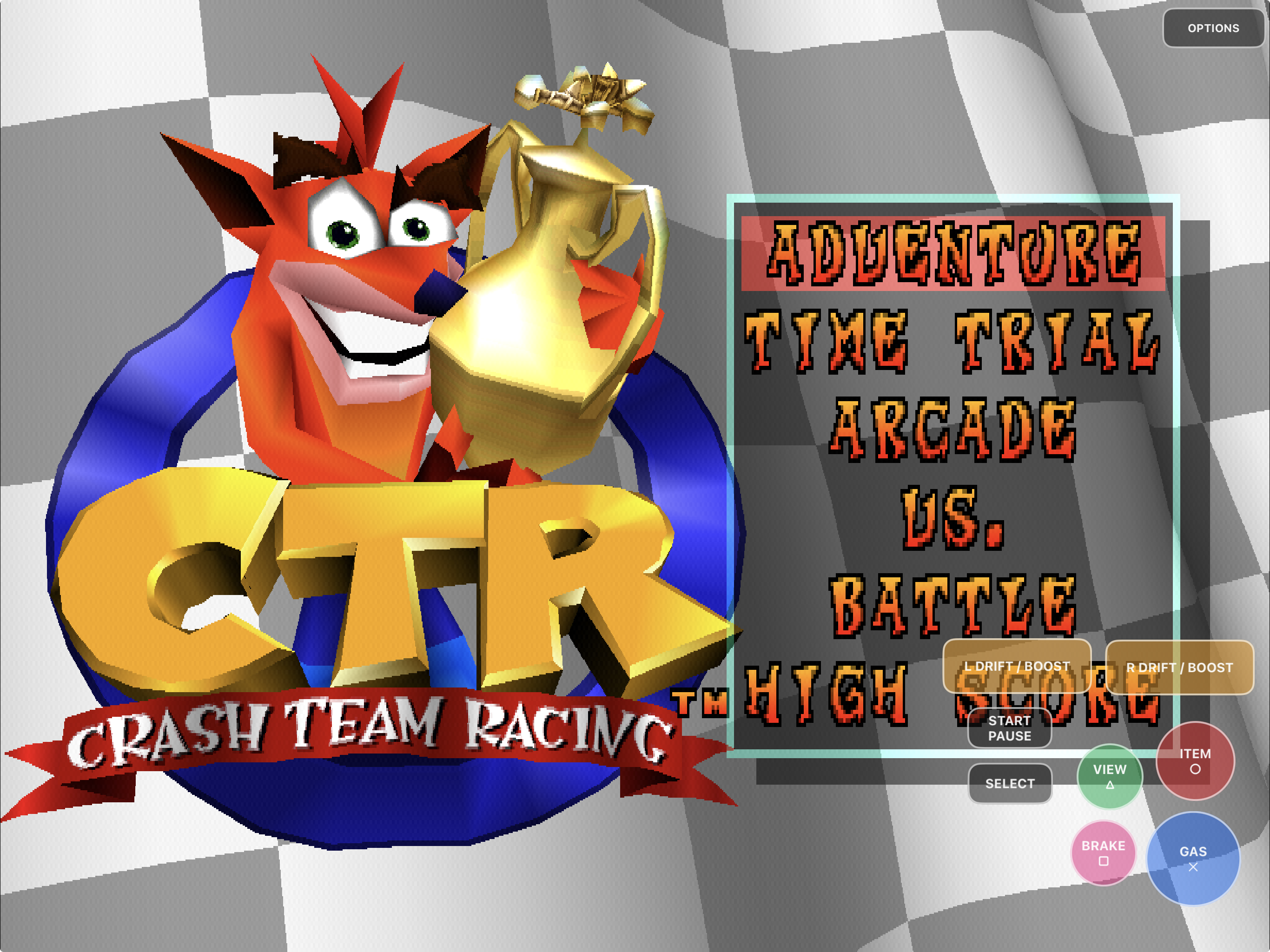 |
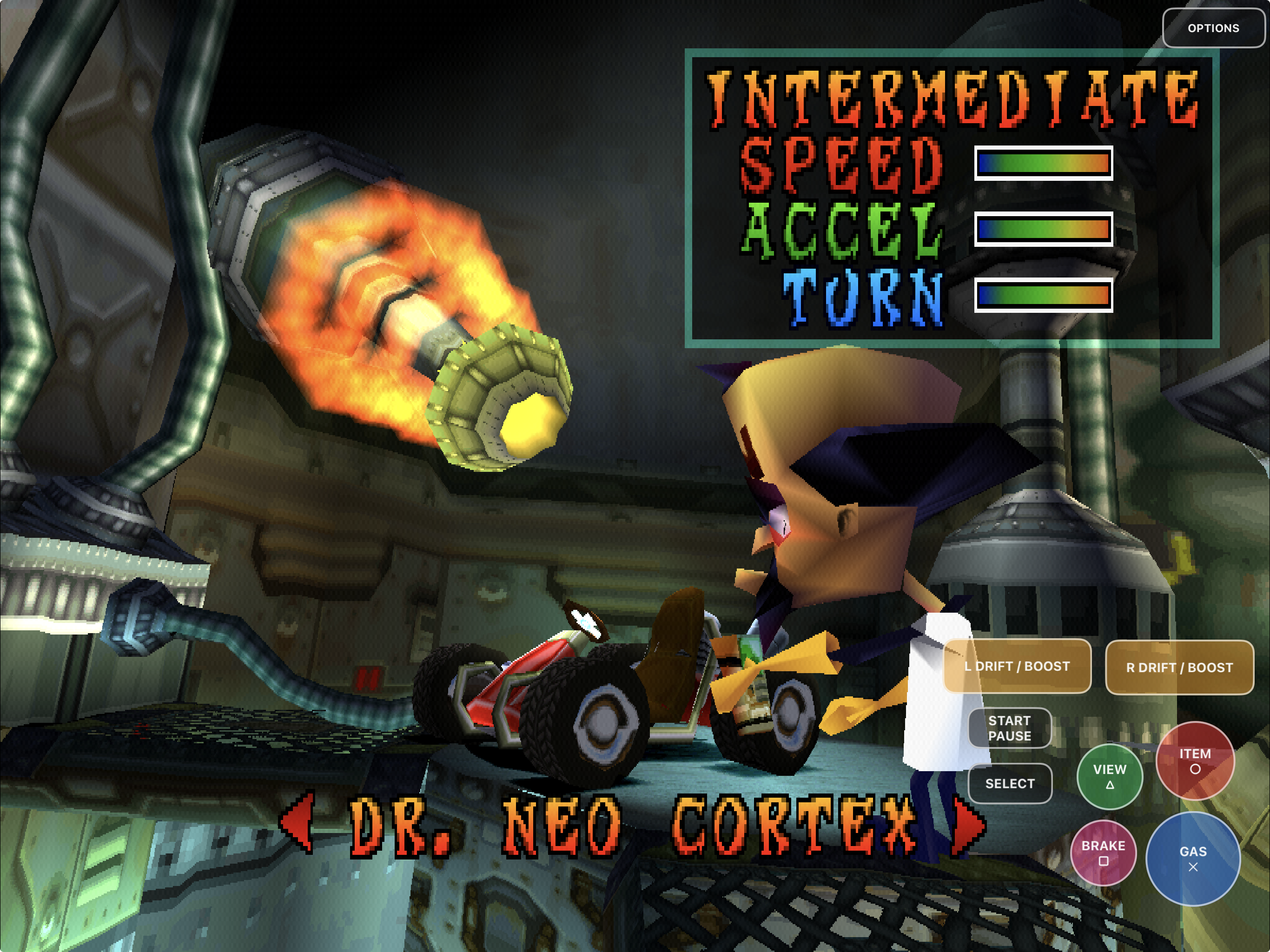 |
Native startup
The complete retail presentation runs inside the iPad app. |
Menus and characters
Models, textures, audio, UI, and touch input stay in one process. |
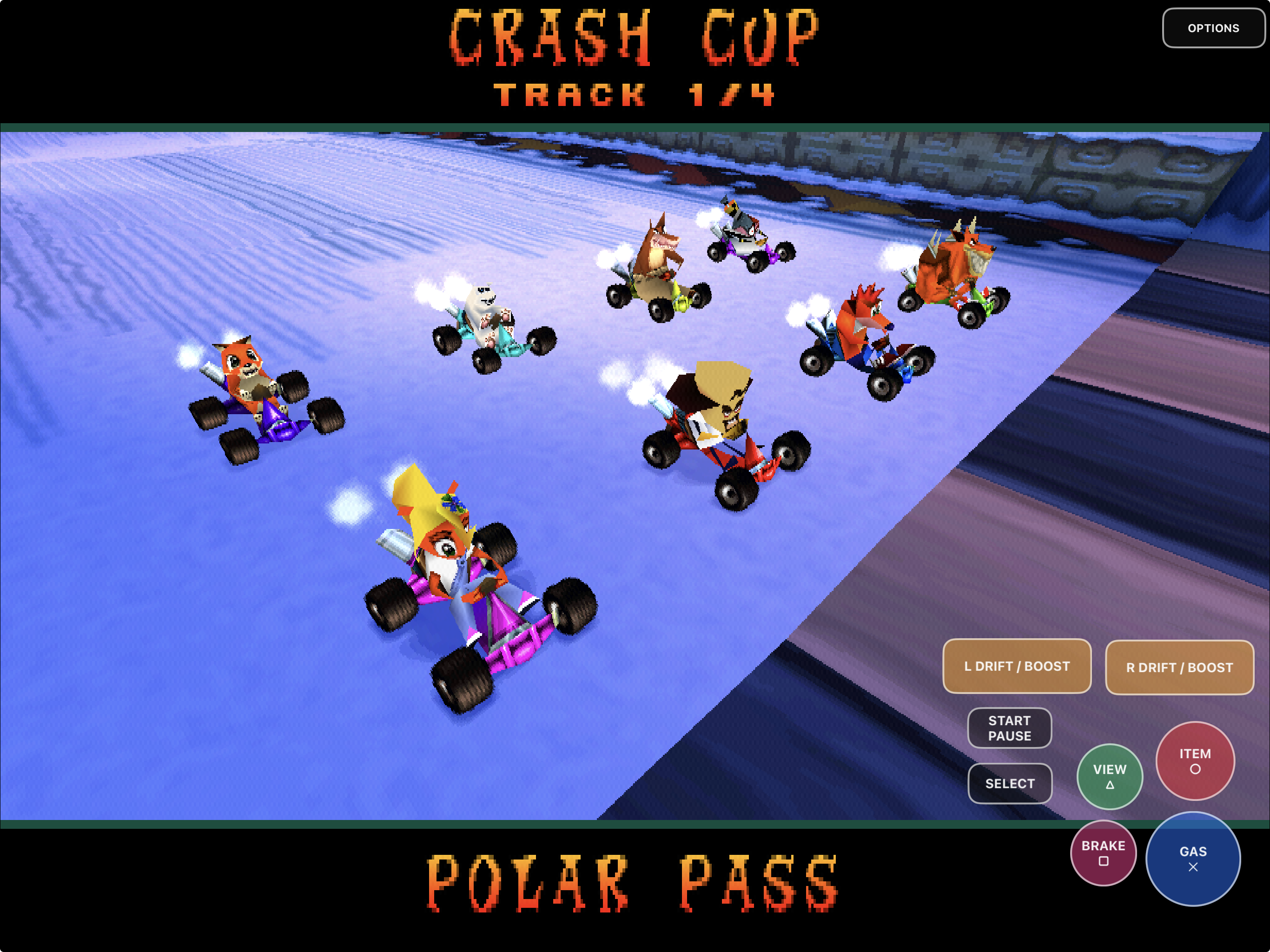 |
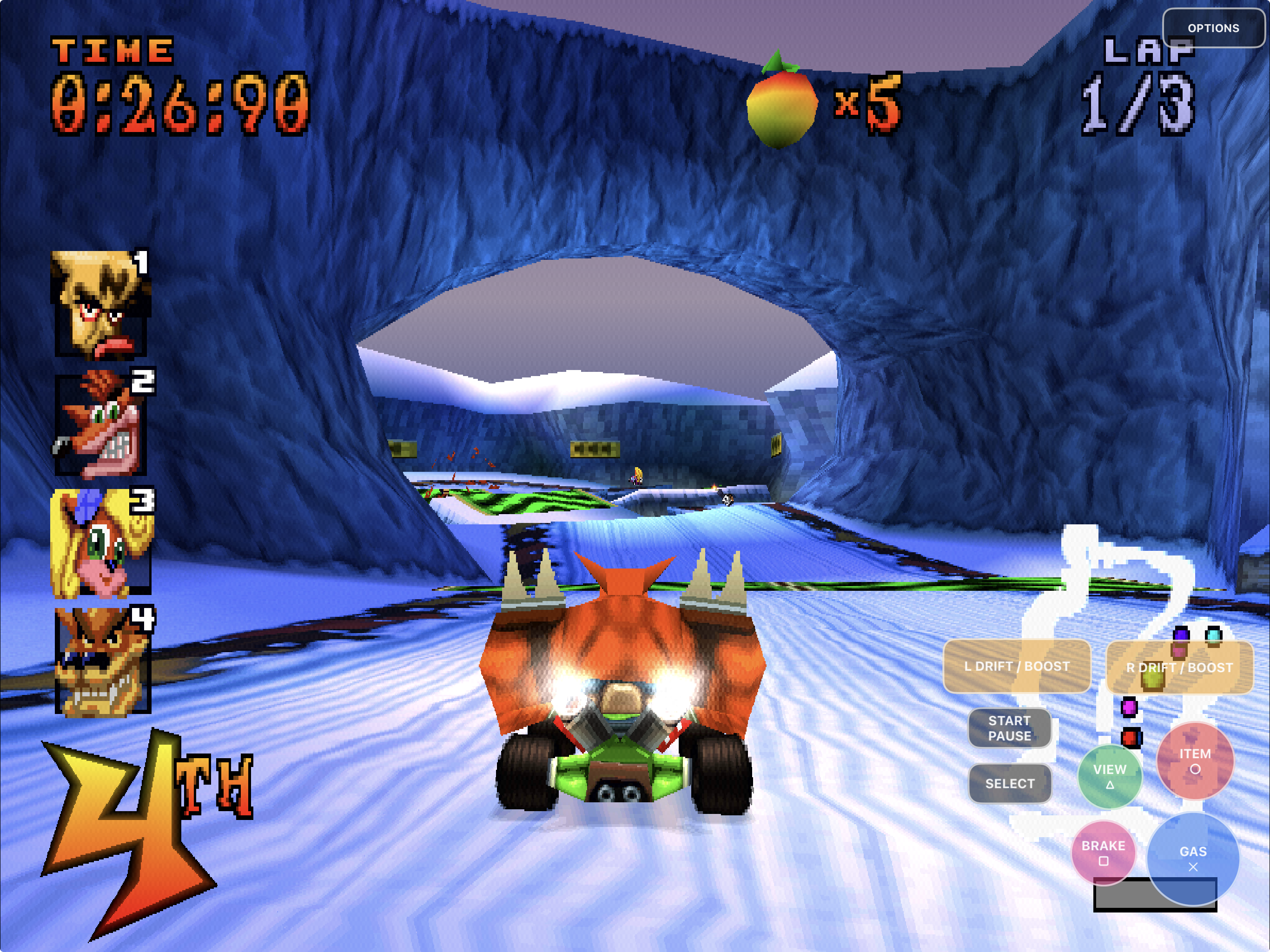 |
Full race presentation
Karts, effects, track scenes, and the editable overlay render together. |
Touch-first play
Analog steering and every required PlayStation control remain reachable. |
All five README captures were supplied from an iPad running CTRPad with a
locally provided retail image. The disc image, extracted assets, and saves used
for these captures are not part of this repository or its packages.
## What works
| Area | Current result |
|---|---|
| Native game | CTR Native/CTR-ModSDK game source runs through CTRPad's host platform layer |
| Apple targets | Thin ARM64 macOS, iPhone, iPad, and Simulator products build |
| Rendering | Native macOS OpenGL and shared GLES 3 Apple-mobile presentation |
| Game setup | macOS file picker and iOS/iPadOS Files import with disc validation |
| Resolution | Persistent 1×–4× internal geometry resolution across macOS, iPhone, and iPad |
| Touch | Dynamic analog steering, complete controls, layout editing, opacity, handedness, and Gas lock |
| Controllers | SDL controller mapping, axes, hot-plug, slot ownership, and rumble path |
| Saves | Private memory cards, atomic replacement, and non-destructive app updates |
| Lifecycle | Rotation, resizing, background/foreground, and held-input cleanup |
| Audio | Native mixing, XA/music/voice playback, and UIKit tracking-safe frame scheduling |
| Packaging | Retail-data exclusion, exact source identity, macOS ZIP support, and unsigned or user-signed IPA output |
| Local multiplayer | Original game paths and desktop controller slots are present; complete physical acceptance remains open |
Detailed evidence and remaining hardware gates live under
[the parity ledger](docs/parity/README.md).
## How the Apple port was built
CTRPad's Apple work was not a wrapper around an emulator. The project converted
the inherited 32-bit host assumptions for LP64/ARM64, kept PlayStation-shaped
serialized data separate from native pointers, brought the renderer to shared
OpenGL/GLES semantics, added Apple storage and lifecycle boundaries, and then
built touch, signing, packaging, and device-verification layers around the
native game.
The initial Apple campaign ran from July 29 through August 2, 2026. The
repository intentionally retains the complete technical record:
- [Build-history overview](docs/history/README.md) — the readable phase map.
- [Three-day timeline](docs/history/THREE-DAY-TIMELINE.md) — chronological
milestones and publication boundaries.
- [Engineering journal](docs/history/ENGINEERING-JOURNAL.md) — commands,
debugger evidence, hashes, failures, corrections, and rejected routes.
- [Architecture records](docs/architecture/) — the LP64 conversion and durable
design decisions.
- [Parity reports](docs/parity/README.md) — focused, timestamped validation
results and their explicit limits.
The port was developed with AI-assisted engineering through Codex under
maintainer direction. The committed journal is the auditable record: failed
experiments are preserved, and build, Simulator, installed process, and
physical play evidence are not treated as interchangeable.
## Retail-free and reproducible
The build never reads or packages your retail disc. Game data enters only on
first launch through Files/macOS selection, or through an explicit ignored
development path.
```mermaid
flowchart LR
A["CTRPad source"] --> B["Native Apple build"]
B --> C["Retail-free app or unsigned IPA"]
D["Your compatible retail BIN"] --> E["Local file selection"]
C --> F["CTRPad runtime"]
E --> F
F --> G["Private saves and logs"]
```
Create a corresponding-source archive from a clean committed checkout with:
```sh
./package-source.sh
```
The source, macOS, and iOS packagers reject disc images, extracted game data,
saves, runtime containers, provisioning profiles, keys, and unrelated binary
packages. Each Apple build records its full source commit, and the packaging
workflow verifies that identity before producing an artifact.
## Desktop builds
### Windows with MSVC
Install Visual Studio 2022 or Build Tools 2022 with **Desktop development with
C++**, a current Windows SDK, and CMake. Then run:
```bat
build-msvc.bat
```
### Windows with MinGW
Install MSYS2 i686 GCC, CMake, and Make, then run:
```bat
build.bat
```
### Linux
On Debian or Ubuntu:
```sh
sudo apt install gcc-multilib libx11-dev libxext-dev libgl1-mesa-dev \
libasound2-dev libudev-dev libdbus-1-dev
chmod +x build.sh
./build.sh
```
SDL3 is vendored and linked statically.
## Frequently asked questions
### Does this repository include Crash Team Racing?
No. Supply your own legally acquired compatible NTSC-U retail disc image. Do
not request or attach game downloads, extracted assets, or saves in issues.
### Is CTRPad an emulator?
No. CTRPad compiles decompiled C game code and a native host platform layer for
the target operating system. It still uses your original retail disc data at
runtime.
### Can I download an IPA or macOS ZIP?
No. Releases publish only the recipe PadMint follows, because the app contains
game code compiled from the decompilation. Build your own copy with PadMint; see
[Get CTRPad](#get-ctrpad). Please don't share built apps in issues or chats.
### Can I move, resize, fade, or hide the touch controls?
Yes. Open **Options** for visibility, handedness, size, and opacity. Open
**Edit touch layout** to move and resize individual controls.
### Does it support controllers?
Yes at the software layer: CTRPad retains SDL's native controller path and a
full PlayStation-shaped mapping alongside touch and keyboard input. Physical
pairing, latency, reconnect, and rumble behavior depend on the controller and
OS, so the hardware matrix is still being expanded.
### Does local multiplayer work?
Do not rely on it yet. Desktop multi-controller transport exists, but a full
split-screen/battle acceptance run has not been completed. iPhone and iPad
currently compose connected input sources into player one.
### Is the Simulator result proof that it works on my iPhone or iPad?
No. Simulator is useful for builds, UI behavior, persistence, and automated
input checks. It does not prove physical touch ergonomics, haptics, Bluetooth,
performance, thermals, or device signing.
## Project map
| Path | Purpose |
|---|---|
| [`main.c`](main.c) | Process entry point and native platform boundary |
| [`platform/`](platform/) | Audio, input, storage, disc, rendering, lifecycle, and PSX facade glue |
| [`game/`](game/) | CTR-ModSDK-derived game source used by the native build |
| [`include/`](include/) | Native and game-facing declarations |
| [`externals/SDL/`](externals/SDL/) | Vendored SDL3 source |
| [`platform/apple/`](platform/apple/) | macOS/iOS integration, property lists, touch UI, and asset catalog |
| [`docs/INSTALL-MACOS.md`](docs/INSTALL-MACOS.md) | macOS build, install, controls, and packaging guide |
| [`docs/INSTALL-IOS.md`](docs/INSTALL-IOS.md) | iOS/iPadOS build, signing, sideload, and device guide |
| [`docs/ANDROID-FEASIBILITY.md`](docs/ANDROID-FEASIBILITY.md) | Source-backed Android scope, estimates, risks, phases, and acceptance gates |
| [`docs/history/`](docs/history/) | Complete Apple-port campaign history |
| [`docs/parity/`](docs/parity/) | Timestamped implementation and validation evidence |
| [`package-ios.sh`](package-ios.sh) | Retail-free unsigned or user-signed IPA creation |
| [`package-macos.sh`](package-macos.sh) | Retail-free ad-hoc or notarized macOS ZIP creation |
| [`package-source.sh`](package-source.sh) | Deterministic corresponding-source archive |
| [`CONTRIBUTING.md`](CONTRIBUTING.md) | Contribution and validation expectations |
| [`RIGHTS_AND_LICENSES.md`](RIGHTS_AND_LICENSES.md) | Source, third-party, game-data, and trademark boundaries |
Generated build trees, packages, game data, saves, credentials, and local
reference material must not be committed.
## Contributing and support
Read [CONTRIBUTING.md](CONTRIBUTING.md) before opening a pull request. Bug
reports should include the target platform, source commit, reproduction steps,
and the relevant CTRPad log excerpt. Never attach or request game data.
## Legal and acknowledgements
CTRPad source is licensed under the [GNU General Public License v3](LICENSE).
Each third-party component retains its own license and copyright; see
[THIRD_PARTY_NOTICES.md](THIRD_PARTY_NOTICES.md).
This project builds on:
- [CTR Native](https://github.com/CTR-tools/ctr-native), the native PC port and
platform architecture from which CTRPad was developed;
- [CTR-ModSDK](https://github.com/CTR-tools/CTR-ModSDK), the decompilation
project on which CTR Native is based;
- [PsyCross](https://github.com/OpenDriver2/PsyCross), from which portions of
the owned native platform layer and PsyQ facade were derived; and
- [SDL3](https://github.com/libsdl-org/SDL), the cross-platform multimedia and
controller layer.
CTRPad is an unofficial community project and is not affiliated with or
endorsed by Sony, PlayStation, Naughty Dog, Activision, CTR Native, or the
CTR-ModSDK maintainers. Crash Team Racing and related names, characters,
imagery, and marks belong to their respective owners.