**Super Mario Galaxy running natively on iPhone and iPad.**
GalaxyPad 0.2.2 uses the **New engine**: a maintained port of
[MacioGalaxy](https://github.com/classicrob/MacioGalaxy), built on the
[Petari decompilation](https://github.com/SMGCommunity/Petari). The game code is
compiled directly for Apple silicon, with Metal rendering, touch controls and
controller support. On the owner's iPhone 14, the New engine runs at about 60 FPS;
see [tested builds and limits](docs/RELEASE-0.2.0.md#what-was-tested).
Build your own copy with [PadMint](https://github.com/chrissotraidis/padmint/releases/latest)
on an Apple silicon Mac, then import your own supported game image in the app.
There is no public prebuilt IPA. The release is experimental; full-game completion
has not been verified.
The deprecated **Old engine** used ModernGekko, DolRecomp and a Dolphin-derived
runtime for ahead-of-time recompilation. Its source and the Mac development app
remain available, but PadMint's iPhone/iPad builds contain no Old engine game
module. See [engine differences](docs/OLD-ENGINE-DEPRECATION.md),
[full credits](CREDITS.md) and the [pinned dependency graph](docs/DEPENDENCIES.md).
> [!NOTE]
> **AI disclosure:** GalaxyPad uses substantial AI assistance for code, tests,
> documentation, debugging and maintenance. Some support replies and maintenance
> tasks are automated. There is no audited percentage of AI-generated code.
> Build, test and device records describe what was checked. This disclosure
> concerns GalaxyPad's workflow, not the authorship of its upstream projects.
## Get GalaxyPad
[GalaxyPad 0.2.2](https://github.com/chrissotraidis/galaxypad/releases/tag/v0.2.2)
for iPhone and iPad is built on your own Apple silicon Mac by
[PadMint 0.5.2 or newer](https://github.com/chrissotraidis/padmint/releases/latest).
PadMint selects the latest release automatically. There is no prebuilt download.
1. Install [Xcode](https://apps.apple.com/app/xcode/id497799835) 26 or newer with
its iOS platform, and open it once. Select that Xcode in **Settings → Locations →
Command Line Tools**; Command Line Tools alone are not enough.
2. Start PadMint, choose **GalaxyPad** and **iPhone / iPad**. The first build
downloads its sources and tools and takes a while; it needs about 20 GB free.
3. Install the `.ipa` PadMint makes with AltStore, SideStore or Sideloadly.
Updating? Install it over your existing GalaxyPad with the same tool and Apple ID
to keep your saves; don't uninstall first.
4. Open GalaxyPad, tap the three-dot menu → **Game Data & Saves** → **Import or
Reimport Game Data**, and choose your own Super Mario Galaxy (USA, RMGE01
revision 0) WBFS image directly from Downloads, iCloud Drive or another Files
location. Download it locally first; it need not be in the GalaxyPad folder.
Keep at least **9 GiB free on the device** for import.
Open GalaxyPad again when it says so. See the [installation guide](docs/INSTALL_IPAD.md).
The first time the game starts, it prepares its shaders for a few minutes; tap to
start sooner and the rest finishes in the background.
## Current status
**0.2.2 (build 7218)** makes the GalaxyPad folder appear in Files after first
launch and provides a direct file picker from the empty-folder screen.
You can import from Downloads or iCloud Drive without moving the WBFS first.
The 0.2.1 menu repair is included: the New engine pauses the
game and audio while GalaxyPad menus, sheets or alerts are open, then resumes.
The menu is shorter and grouped; Ball & Ray settings and the yellow tilt stick
are hidden with the New engine, which handles those rides through the main stick.
| Area | Current result |
| --- | --- |
| Engine | MacioGalaxy/Petari native game code; New engine is the default since 0.2.0 |
| Performance | About 60 FPS observed on the owner's iPhone 14; 120 FPS presentation with Smooth Motion on the owner's ProMotion iPad Pro; not an every-device or full-game guarantee |
| Controls | Touch controls, controller mapping, gyro cursor and editable touch layouts |
| Install | PadMint 0.5.2+ on an Apple silicon Mac; in-app USA RMGE01 revision 0 WBFS import |
| Update | Install in place with the same sideloading tool, Apple ID and bundle identifier; saves were verified unchanged on both test devices |
| Build verification | See the release notes for CI, fresh-install Files checks and PadMint player-build evidence |
| Remaining checks | Full-game completion, hands-on verification of the menu repair, and an iPad Simulator overlap check involving the hidden 1 button |
Read the [0.2.2 release notes](docs/RELEASE-0.2.2.md), [current status](docs/STATUS.md)
and [documentation index](docs/README.md). The local repository suite still stops
at a host-counter probe on the maintainer's Mac; the complete suite passes in CI.
Device installation and automated tests are not full gameplay acceptance.
## Screenshots
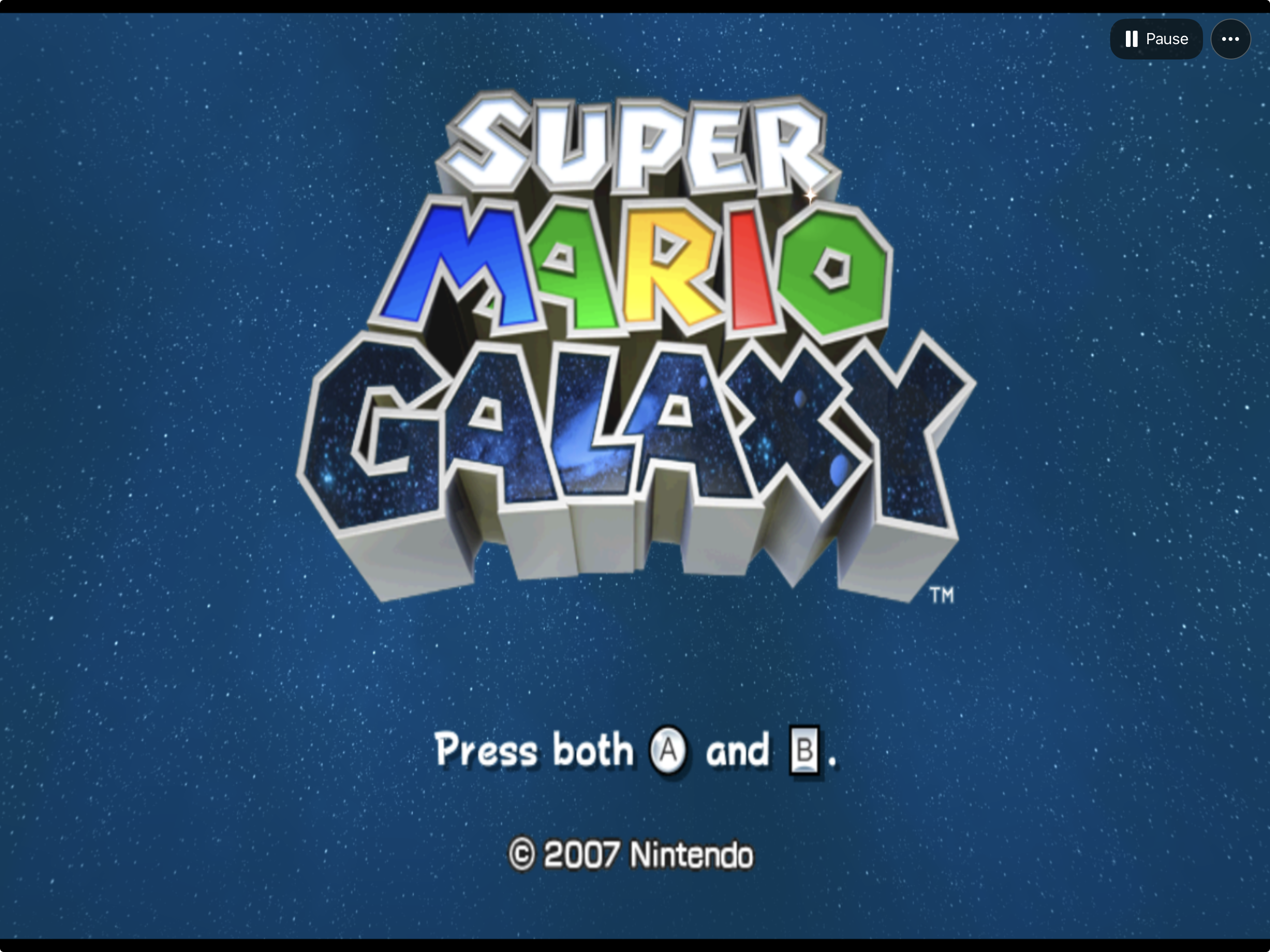
The original adventure Galaxy's title screen in the native Apple app.
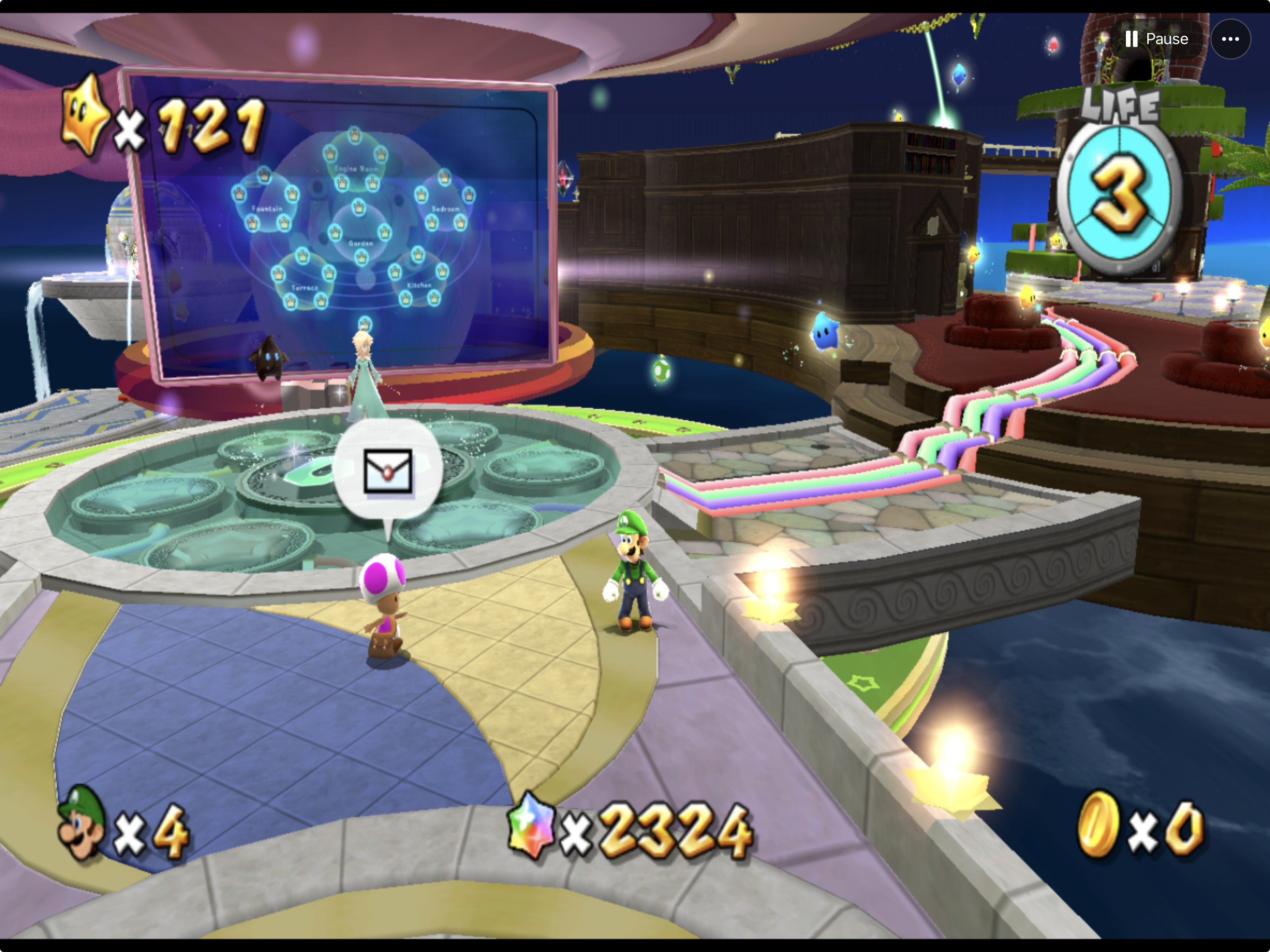
Explore the Observatory Luigi at the galaxy map with 121 stars.
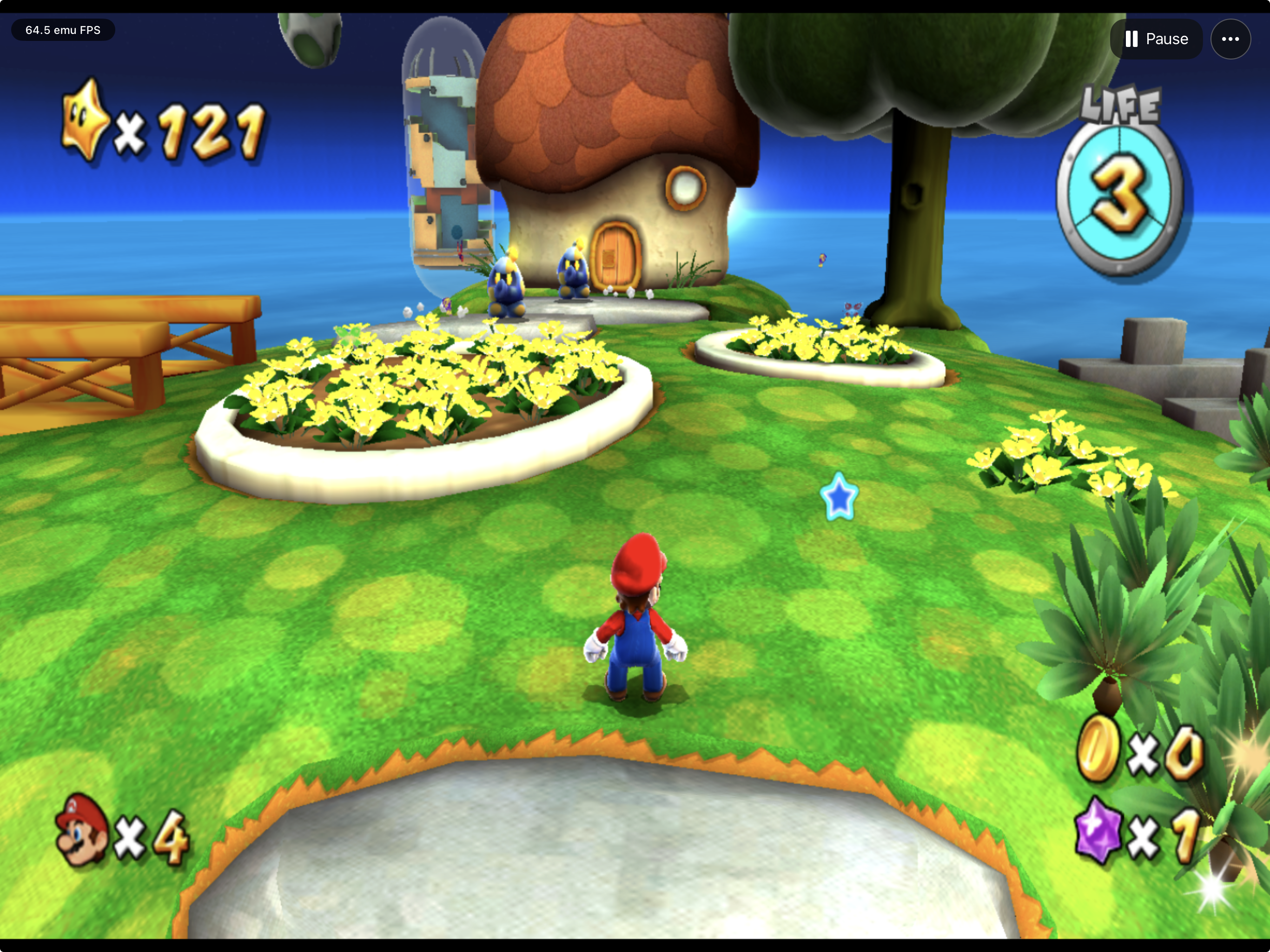
Screenshots supplied by the project owner show development gameplay. They are
included unchanged; individual HUD readings are not sustained-performance claims.
## Frequently asked questions
Is this native recompilation or emulation?
The current iPhone/iPad build compiles the game's decompiled source directly
into native ARM64 code, through MacioGalaxy and Petari, and renders with Metal.
It does not run the game's PowerPC instructions through a Wii CPU emulator.
The deprecated Old engine uses **ahead-of-time recompiled game code on a
Dolphin-derived compatibility runtime**. Its graphics, audio, memory and timing
model, interpreter fallbacks and generated module belong to that older path;
they do not describe the New engine's gameplay. See [credits](CREDITS.md).
Is the game included, and which version do I need?
No game image, extracted assets, or save is included. Supply your own legally
obtained supported USA `RMGE01`, revision 0 image. The exact identity is pinned in
[disc identity](config/galaxypad-disc.json); other revisions and regions are not
automatically compatible. See the import instructions below.
Can I install it now?
Yes: PadMint builds it on your Mac. See [Get GalaxyPad](#get-galaxypad).
Does it run at 60 FPS?
The owner reports smooth gameplay on iPhone 14, and the New engine has recorded
about 60 FPS there. The owner's ProMotion iPad Pro also runs with **Smooth Motion**,
which provides 120 FPS presentation. These are results from specific devices and
scenarios, not a guarantee for every phone, level or thermal condition. See the
[0.2.0 device evidence](docs/RELEASE-0.2.0.md#what-was-tested).
The 33–53 FPS iPhone measurements in September's performance logs describe the
Old engine. They are preserved as historical research, not current New engine
performance or setup instructions.
How do controls and Pull Stars work?
Movement and pointer aim are separate. Aim at a Pull Star until the hand cursor
appears, then press and hold A. On the default controller mapping, right shoulder
also provides A so your thumb can stay on the aiming stick; right trigger provides
B. Touch controls can be moved and resized.
Touch + and controller Menu / Start open Galaxy's original pause menu. Its options
depend on the scene; supported levels offer a return to the Observatory. Xbox
View/Select separately freezes and resumes the app. See
[Input and pointer](docs/INPUT-AND-POINTER.md) for mappings and tested behavior.
Will updates preserve my save?
Install updates in place with the same sideloading tool, Apple ID and bundle identifier. Uninstalling the app can
remove its local data. Back up saves before changing installation or signing
boundaries; see [save and NAND handling](docs/SAVE-AND-NAND.md).
How can I report a problem?
Open the three-dot menu → **Help & Feedback → Report a Problem…**, describe the issue, and review
the GitHub draft with its device/build and runtime context. **Open GitHub Draft**
opens GalaxyPad's issue form for you to review and submit.
Diagnostic logs are optional and off by default. Enable **Help & Feedback → Detailed Performance Logging (Next Launch)**,
restart as requested, review the report, and use **Share Diagnostic Log** to save a copy for manual
attachment to the issue. Nothing is uploaded or submitted automatically. Never
attach game images, extracted data, saves, or signing material. The tracker is
public; a GitHub account is required to submit an issue.
You can also join the [GalaxyPad Discord](https://discord.gg/xwHfUD2bxW) for
community discussion.
## Supported game data
The supported game is **USA RMGE01, revision 0**. The importer validates supported executable content in bounded single-disc
WBFS containers, allowing compatible differences in container layout. The canonical
development image remains pinned in [disc identity](config/galaxypad-disc.json). Other
regions/revisions, ISO and split/multidisc WBFS remain unsupported. See the
[validation policy](docs/DISC-IDENTITY.md); a different hash alone proves neither
compatibility nor incompatibility in the newer importer.
Supply your own authorized local image. GalaxyPad does not download games.
Keep images in ignored `ref/` and extractions, generated modules, saves and runtime
evidence in ignored local storage. Never commit those files.
## Build from source
Players should use [PadMint](#get-galaxypad). Developers can run the same recipe
from a clean checkout without a game image, private AOT module or PGO cache.
Use an Apple silicon Mac, full Xcode 26+ with its iOS platform, CMake and Ninja.
Run from the repository root:
```sh
bash scripts/bootstrap-dependencies.sh
GALAXYPAD_IOS_SDK=iphoneos bash scripts/build-ios-simulator-core.sh
GALAXYPAD_IOS_SDK=iphoneos bash scripts/build-ios-engine.sh
GALAXYPAD_IOS_SDK=iphoneos bash scripts/build-ios-simulator-app.sh
bash scripts/package-padmint-ipa.sh GalaxyPad.ipa
```
The unsigned IPA is personal; sign and install it with your sideloading tool.
The build still links ModernGekko's core for app startup/import support, but
omits the Old engine game module. See [dependencies](docs/DEPENDENCIES.md) and
[deprecation scope](docs/OLD-ENGINE-DEPRECATION.md).
For source checks, `bash scripts/bootstrap-dependencies.sh --sources-only`
prepares galaxypad-engine, ModernGekko, RecompCore and DolRecomp without the
third-party build libraries. Then run `bash scripts/check-repository.sh`.
`--references` also prepares optional SunPad, Petari and template references.
Configured minimums are iOS/iPadOS 16 and macOS 14 for the Mac development app;
they are not a tested-device compatibility matrix. The historical Old engine
[mobile build/staging instructions](docs/INSTALL_IPAD.md#historical-old-engine-development-workflow)
and [module coverage](docs/EXECUTABLE-COVERAGE.md) retain their own private-input
and identity checks. A Simulator package is not a device IPA. Do not bypass
input guards or combine mismatched runtime/module artifacts.
## Install on your physical iPhone or iPad
Install the IPA PadMint makes with AltStore, SideStore or Sideloadly. Follow
[Install on iPhone or iPad](docs/INSTALL_IPAD.md) for first launch and safe updates.
**Install on iPad.command** is a historical Old engine development helper, not
the installer or export path for the current PadMint build.
## First launch and game data
Use the mobile three-dot menu's game-data import actions for the supported input.
The host validates identity rather than accepting arbitrary games. Import requires
at least 9 GiB available for the private image copy, extraction and headroom;
existing data and saves are not counted as reclaimable space.
For a private self-contained **Old engine** Simulator bundle, stage the built host and module
with `GALAXYPAD_IOS_SDK=iphonesimulator bash scripts/stage-private-ios-device.sh APP_PATH`.
Despite its historical name, this script validates either SDK explicitly; its
default remains device staging. Sign the copied Simulator module and then the
copied app ad hoc before installation. Staging alone does not sign or install.
Import, data
removal, and saves are separate responsibilities—read
[save and NAND handling](docs/SAVE-AND-NAND.md) before changing local data.
The desktop development package uses its prepared local module/data workflow;
it does not imply mobile import or packaging acceptance.
Avoid concurrent game or Simulator workloads during performance measurements. Do not erase a
Simulator or replace a save merely to resolve a launch problem.
## Controls and the three-dot menu
GalaxyPad adapts SunPad's touch controls, layout editor and native menu for Galaxy.
Movement, pointer aim, A/B actions and Spin have distinct input paths.
- **Display:** render resolution for the next launch, aspect ratio (restart
required), Smooth Motion and the FPS counter.
- **Controls:** Touch and Controller sections. Use **Touch Control Settings… →
Move controls** to reposition and resize buttons, then choose **Done**.
**Reset This Device Layout** restores that device's positions and sizes.
- **Controls → Gyro Cursor:** choose This Device or Controller, adjust response,
or recenter. Off is the default. The right stick adjusts aim; holding a touch
takes priority. Physical drift and each controller's motion support still need
validation; see [gyro cursor](docs/GYRO-CURSOR.md).
- **Star Ball and Ray:** use the main stick with the New engine. Manual ride
modes and the yellow tilt stick are Old engine options and are hidden in
current PadMint gameplay.
- **Audio:** main-volume presets and mute. Unmuting preserves your chosen level.
- **Game Data & Saves:** status, import/reimport and removal of game data. When
managing data during gameplay, follow the prompt to close and reopen GalaxyPad
into its data-management screen. Saves are separate from imported game data.
- **Engine (Next Launch):** New is the current engine. Old is marked unavailable
in PadMint builds because its game module is not included.
- **Help & Feedback:** Touch Control Guide, Report a Problem, Share Diagnostic
Log, detailed performance logging and About.
- **Stop Game:** stops the New engine; reopen GalaxyPad to play again. Save in
the game first. Closing a menu resumes gameplay; stopping is a separate action.
Touch **+** or controller **Menu / Start** opens Galaxy's own pause screen.
Controller **View / Select** opens the separate app pause overlay. In 0.2.1,
GalaxyPad's menus, sheets and alerts also pause the New engine and its audio.
For Pull Stars, aim until the hand cursor appears, then hold A. Right Shoulder
also provides A so the aiming thumb can stay on the right stick; Right Trigger
provides B. See [input and pointer](docs/INPUT-AND-POINTER.md).
Custom touch positions survive default-layout updates. Automated tests do not
prove physical multitouch usability. The iPad Simulator suite reports an overlap
between the stick and the hidden 1 button; the latest menu repair does not change
control positions. Full-game control coverage remains open.
## Diagnostics and troubleshooting
Use **Help & Feedback → Share Diagnostic Log** in the three-dot menu. Review the exported contents
before sharing; keep game data, saves, private paths and captured game media out
of public reports. Include the app/module identity, device or Simulator model,
scene, steps to reproduce, and whether audio slows with the picture.
**Slow gameplay or cutscenes:** report your device, OS, version, engine, scene,
render resolution and Smooth Motion setting. First-run shader preparation may
still be in progress. The September AOT/movie experiments in
[performance notes](docs/PERF.md) concern the Old engine and are not tuning
instructions for the current release.
**Input appears frozen:** confirm the game has focus, the menu/editor is closed,
and controls are enabled. Diagnostic desktop profiles can disable background
input. Do not repeatedly send inputs without checking the visible game state.
**Build rejects a hash:** check the exact pinned input and artifact provenance;
do not disable the guard or substitute a different revision.
**Storage pressure:** `generated/` contains large local build and evidence files.
Inventory exact paths first; preserve active packages, source images and saves.
No blanket cleanup command is recommended.
## Validation
`bash scripts/check-repository.sh` runs repository checks. UIKit checks are
separate: `bash tests/run-mobile-ui.sh BOOTED_SIMULATOR_UUID` requires exactly one
already-booted Simulator and installs an isolated test app. Passing these checks
does not prove game completion, smooth presentation, audio, or device readiness.
## Project map
| Path | Purpose |
| --- | --- |
| `apple/ios/` | Native mobile host, Metal view, active `GalaxyPadGameOverlay.mm` and menu adapters |
| `apple/shared/` | Input, settings, diagnostics and shared integration |
| `config/` | Exact disc identity and pinned dependencies |
| `patches/` | Explicitly opt-in experiments; normal dependency changes live in forks |
| `scripts/`, `tests/` | Build, audit and regression tools |
| `docs/` | PRD, goal loop, evidence and handoffs |
| `ref/ModernGekko/` | Pinned runtime fork, with nested RecompCore and DolRecomp dependencies |
| `ref/galaxypad-engine/` | Pinned MacioGalaxy/Petari New engine |
| Other `ref/` paths, `generated/` | Local references/data and build/runtime artifacts |
## Community and support
[Join the Discord](https://discord.gg/xwHfUD2bxW) for help and news. It is one
community for GalaxyPad and its sibling projects, such as KartPad, BlueWake and
MeleePad: ask about setup and installing, share how it runs on your device, and
hear about new releases first.
Found a bug? [Open an issue](https://github.com/chrissotraidis/galaxypad/issues)
with your device, its OS version, and the steps that led to it.
## Credits, legal and contributing
GalaxyPad builds on MacioGalaxy and Petari for the New engine, SunPad for Apple
integration, ModernGekko/RecompCore/Dolphin and DolRecomp for the Old engine,
and WIT for developer image tooling. Exact upstream URLs and revisions are recorded in
the [dependency lock](config/dependencies.lock.json). Preserve upstream notices
and license obligations when adapting code. Nintendo's game and trademarks belong
to their respective owners; this project is not affiliated with Nintendo.
Follow [CONTRIBUTING](CONTRIBUTING.md) and the repository's [agent instructions](AGENTS.md).
Changes should be small and explainable, with regressions for behavioral fixes and
the full source suite passing. Record visible results and known failures, not just
counters or successful builds. Runtime/compiler changes belong in the maintained
forks; new releases require recorded build inputs and artifact identities.
Do not include retail content, generated game code, modules, or saves.
Only submit screenshots you are authorized to share. This README is not a distribution license; consult
[RIGHTS-STATUS](docs/RIGHTS-STATUS.md) before any publication.