# GoldenPad

GoldenEye 007, rebuilt for iPhone, iPad, and Apple Silicon Mac.
Apple ARM64 game code, Metal rendering, user-supplied retail data, touch
controls, game controllers, saves, audio, and local multiplayer foundations.








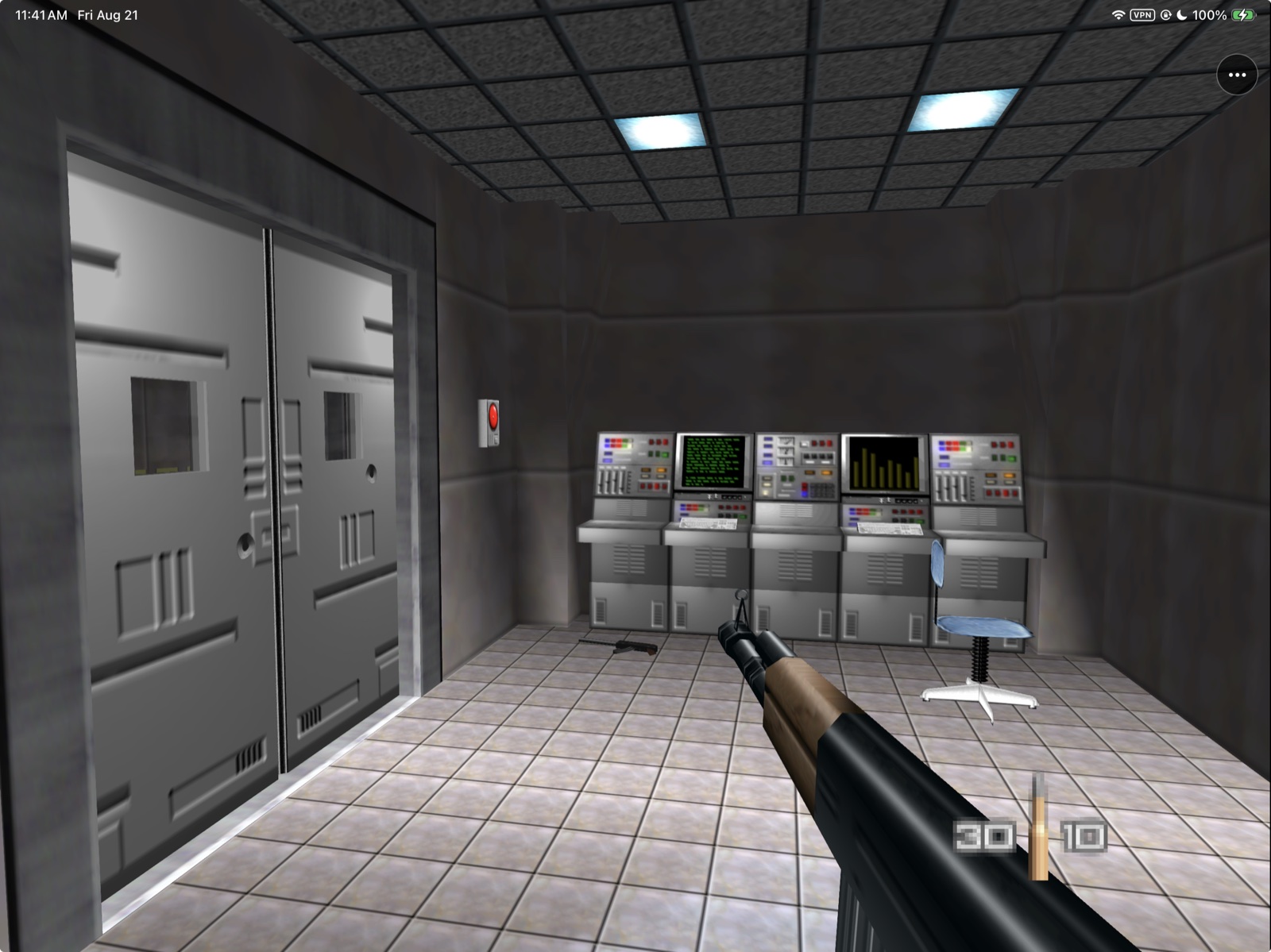
Native RT64/Metal gameplay on a physical iPad Pro.
GoldenPad builds on [GoldenEye64Recomp](https://github.com/cblock85/GoldenEye64Recomp),
with an Apple host, touch/controller integration and Metal presentation.
Primary dependency changes now live in pinned [maintained source forks](docs/SOURCE_MAINTENANCE.md);
normal builds no longer replay patches into those dependencies.
GoldenPad's primary iPhone/iPad runtime includes statically recompiled GoldenEye
007 code, N64ModernRuntime and RT64's Metal renderer. It is a game-specific
runtime. You supply the supported retail ROM after installation. See
[Legal and provenance](docs/LEGAL.md) for the separate game-code and
dependency-license boundaries.
The same runtime now has a native Apple-Silicon `GoldenPad.app` in alpha. It
reaches authentic gameplay, but its mouse/keyboard experience and performance
are still platform-specific, and a thin blue strip remains at the far-right
render edge. Preview 9 retains Preview 6's menu and keyboard/mouse controls,
including the known sluggish horizontal mouse turning. Those controls received
hands-on acceptance; performance depth and renderer parity remain open. See the
[Mac feasibility and implementation record](docs/MACOS_NATIVE_FEASIBILITY_2026-08-21.md)
and [Technical Debt](docs/TECH_DEBT.md) before treating it as release parity.
The primary RT64 build reaches the original title sequence, menus and multiple
missions on a physical iPad with native audio, the tuned GoldenPad touch layout
and Xbox/MFi controller support. The earlier MGB64/Fast3D app is retained as
`GoldenPad Legacy` for regression comparison and fallback only; it is no longer
the primary development version.
> **Development boundary:** generated AOT source and retail-derived data are
> never committed. Releases publish the build recipe only; everyone builds
> their own app from their own ROM with PadMint. No official, commercial, or
> App Store clearance is claimed.
> [!NOTE]
> **AI disclosure:** GoldenPad uses substantial AI assistance for code, tests,
> documentation, debugging and maintenance. Some support replies and maintenance
> tasks are automated. There is no audited percentage of AI-generated code.
> Build, test and device records describe what was checked. This disclosure
> concerns GoldenPad's workflow, not the authorship of its upstream projects.
## Play on iPhone or iPad
**No Mac? Build it on a Windows PC (experimental).** PadMint 0.5.27 or newer
builds GoldenPad for iPhone or iPad on Windows 11 (x64 or ARM64) from your own
GoldenEye 007 (US) ROM. Install Visual Studio 2022 Build Tools with **Desktop development with
C++**, then choose GoldenPad in PadMint. PadMint downloads the game-free GoldenPad app
from this release and adds the game code it builds from your file on your PC;
nothing of yours is uploaded. The Mac build is unchanged. This Windows route is
new: builds pass on Windows 11 ARM64, but a Windows-built copy has not yet been
played on a device. GitHub's Mac can't build GoldenPad, because that would mean
uploading your game file. Details: [Windows module](docs/WINDOWS_MODULE.md).
You need an iPhone or iPad running iOS/iPadOS 17 or later, an Apple Silicon
Mac with Xcode, an Apple ID, and your own original US GoldenEye 007 Nintendo 64 ROM.
GoldenPad has run on iPhones and iPads with A14, A15 and M2 chips. Devices with
an A12 chip or older, such as the 2018 iPad Pro, are not supported yet: an A12X
iPad Pro crashes on the first frame
([issue #9](https://github.com/chrissotraidis/goldenpad/issues/9)).
> **No jailbreak or JIT is required. Do not search for a TLB-free ROM.**
> Preview 9 accepts your ordinary `.z64`, `.v64`, `.n64`, or `.rom` dump and
> prepares the required private runtime copy automatically on the device.
Releases publish no app: GoldenPad contains code translated from the game, so
you make your own from your own ROM. On an Apple Silicon Mac with
Xcode (plus its Metal Toolchain: `xcodebuild -downloadComponent MetalToolchain`) and
`brew install cmake ninja xdelta sdl2`, download
[PadMint](https://github.com/chrissotraidis/padmint/releases/latest), unzip it,
double-click `PadMint.command`, choose GoldenPad and pick your ROM. PadMint
builds GoldenPad from this repository's
[latest release](https://github.com/chrissotraidis/goldenpad/releases/latest) and
saves an unsigned IPA in your Downloads folder. Install it with AltStore Classic,
SideStore or Sideloadly, then choose the same ROM in the app on first launch.
The IPA contains code translated from your ROM: it is yours alone; never share it.
Apps signed through AltStore Classic with a free Apple ID normally need to be
refreshed every seven days and count toward Apple's three-active-app limit.
AltStore documents the current limits and refresh process in its
[Getting Started guide](https://faq.altstore.io/altstore-classic/your-altstore).
Install future GoldenPad updates through the same sideloading setup. Do not
delete the app merely to update it: uninstalling can remove its generated game
copy, saves, and settings.
If any step fails, use [the troubleshooting checklist](#if-it-does-not-work)
before reporting that GoldenPad itself does not work.
## Current screenshots
 |
 |
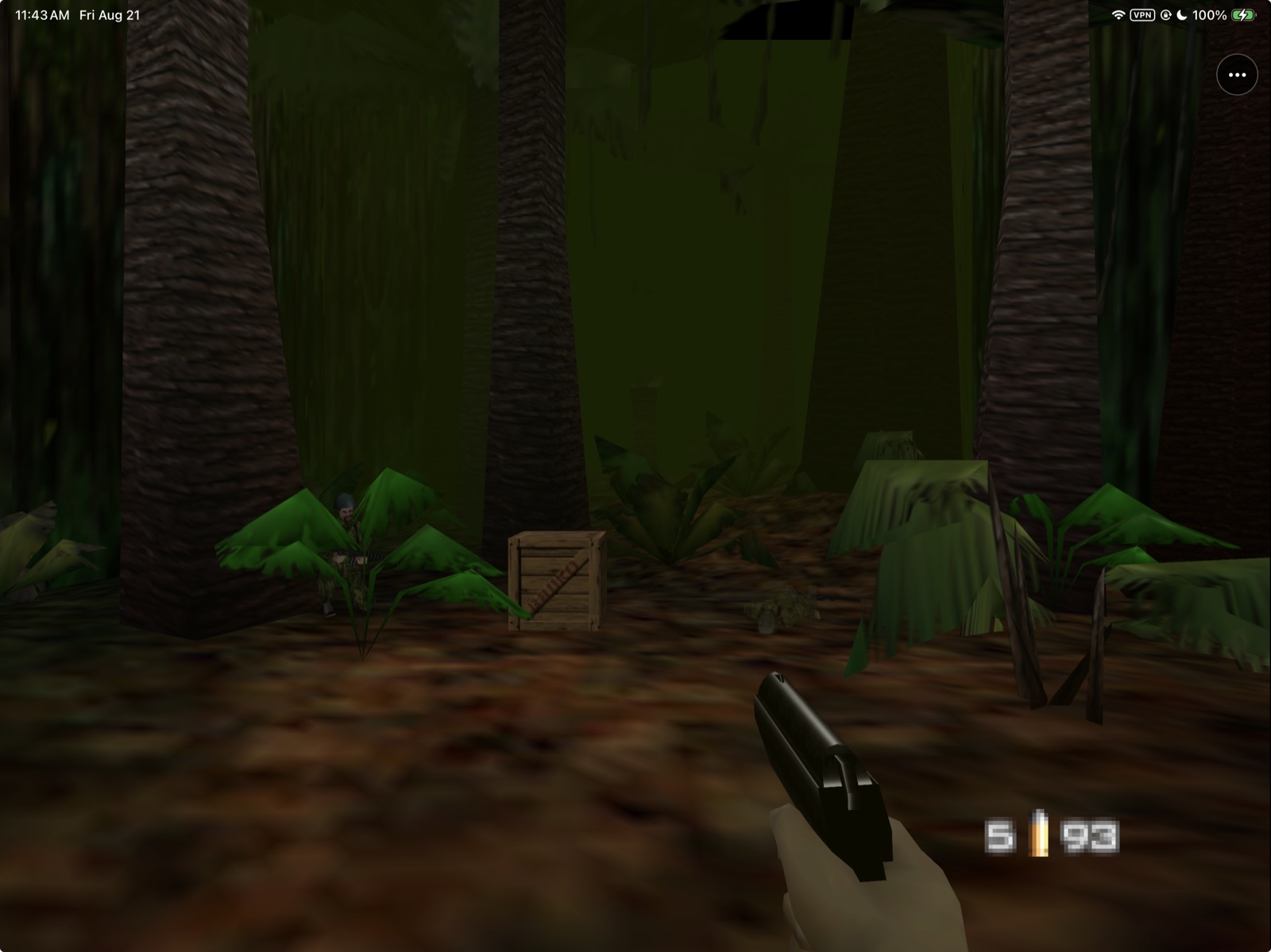
Jungle
Automatic high resolution with RT64 Metal. |
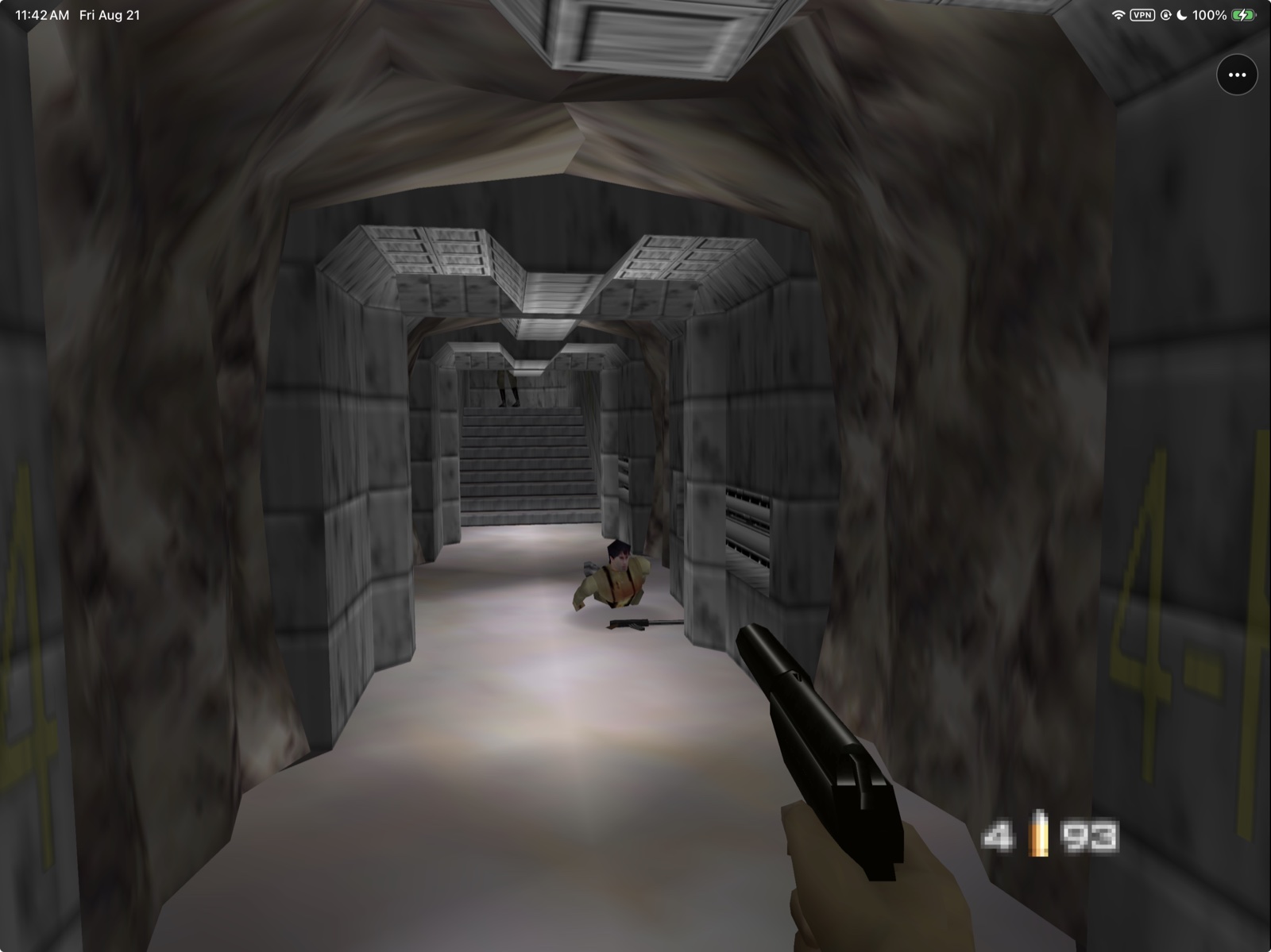
Live gameplay
Native ARM64 game code and controller input. |
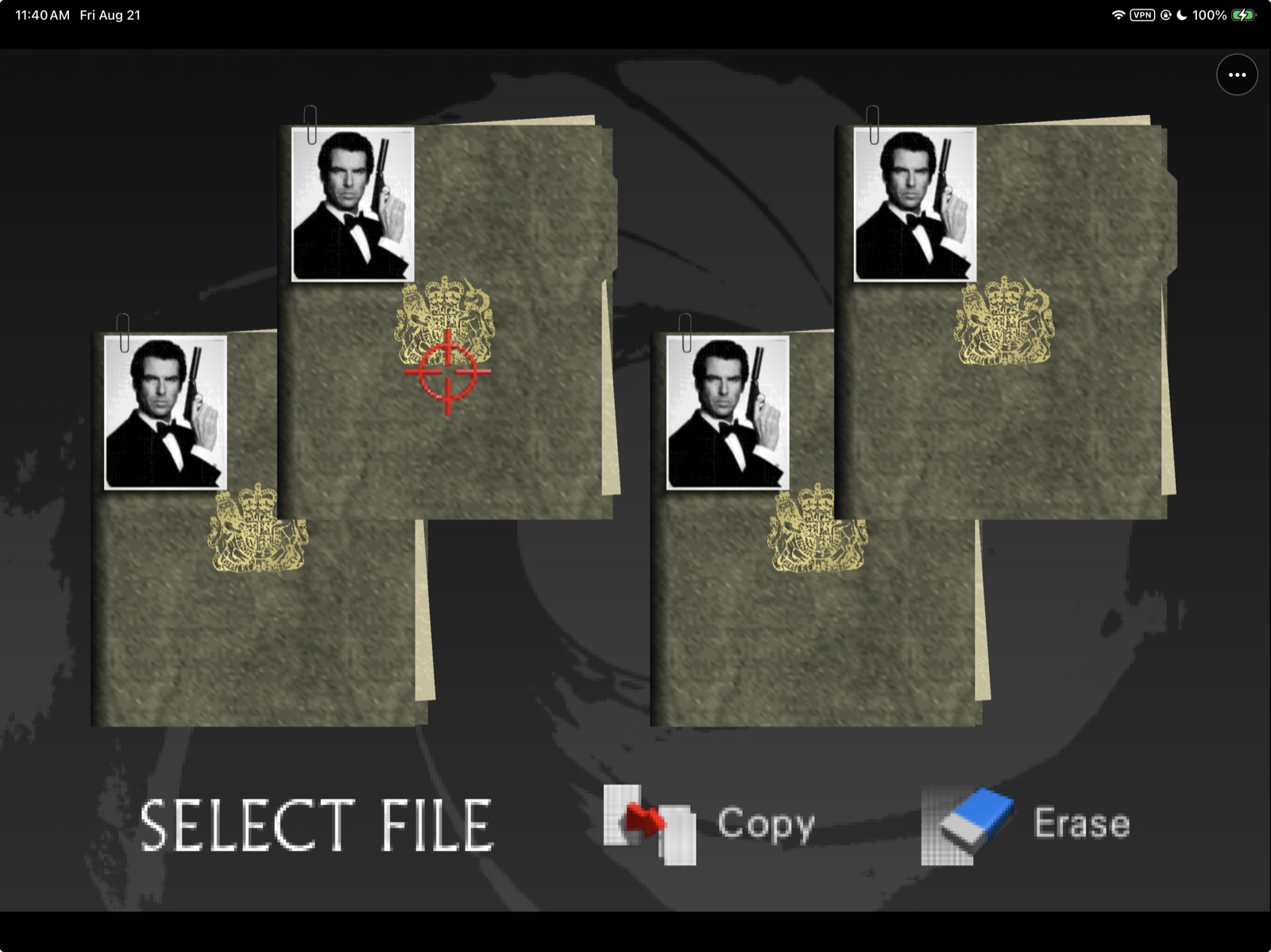 |
Original front end
GoldenEye menus, saves, missions, and gameplay run in the primary RT64 build. |
These captures were taken from the signed GoldenPad build on a physical iPad.
They illustrate rendering and controls. The ROM and extracted retail media used
to produce them are not distributed in the repository or app package; the app
includes statically recompiled game code.
## Latest mobile release
GoldenPad 0.2.2 (build 15) is the current recipe-only release. It retains 0.2.1's easier build: PadMint (0.2.2 or newer) downloads the LLVM compiler for the game-code patches itself, so you no longer install Homebrew's `llvm` and `lld`, and the build no longer needs ripgrep. Earlier previews: [Preview 11 (build 12)](docs/RELEASE_NOTES_0.1.0-preview.11.md). Their hardware test records are history, not new-version acceptance.
## Install status
| Option | Status | What to do |
|---|---|---|
| Local Simulator build | **Verified** | Build with the complete verifier below, then run from Xcode or `simctl`. |
| Make your own with PadMint | **Available** | See [Play on iPhone or iPad](#play-on-iphone-or-ipad). Releases hold the recipe only. |
| Local iPhone/iPad build | **Preview 11, build 12** | Updated in place and accepted by the owner on physical iPad; saves/settings preserved. Controller-read, message-queue and invalid-video-region fixes. |
| App Store / TestFlight | **Not announced** | Store distribution requires separate rights, signing, review, and device acceptance. |
The mobile baseline was accepted through normal single-player gameplay on a
physical iPhone and iPad, including the editable touch layout and Xbox/MFi
controller path. Preview 9 retains the bounded in-app ROM importer, frozen
experimental multiplayer render repair, Preview 4 shared control mapping, and
Runway/Streets tank path while correcting player and guard automatic-fire
cadence. It also repairs Mac menu navigation and the iPad utility-menu hit
targets.
Longer thermal/route sweeps
and complete multiplayer acceptance remain open. This developer preview must
not be described as App Store-ready.
The Mac app is a separate alpha artifact, not part of the `.ipa` and not yet a
mobile-parity or notarized Mac release.
## What works
| Area | Current result |
|---|---|
| Native runtime | Statically recompiled game code runs as Apple ARM64; no JIT or emulator wrapper |
| Rendering | RT64 presents high-resolution Metal output on physical iPad hardware |
| Setup | Preview 9 imports the user's original NTSC-U retail dump from Files and converts it privately on device; no ROM image or extracted retail media is bundled |
| Gameplay | Original front end and live Dam/Facility gameplay render and accept normal input |
| Touch | Tuned GoldenPad move and relative-look zones plus aim, fire, action, weapon, duck, and Start controls; an optional second Fire button is available |
| Customization | Separate persisted iPhone/iPad layouts with per-control drag, resize, opacity and reset, plus look sensitivity, hold/toggle aim, and a default-off second Fire toggle |
| Controllers | `GCController` with accepted Player 1 movement, right-stick look, buttons, and automatic touch-overlay hiding |
| Multiplayer | Local split-screen rendering is experimental; online play is unsupported. A research-only LAN v3 build proved discovery/input ordering but failed closed on a globals-only physical desync at frame 30 |
| Audio | Native game PCM feeds `AVAudioEngine` through a bounded stereo ring |
| Saves | GoldenEye's 512-byte EEP4K active and backup files persist in Application Support |
| Display | Native N64, 2× and automatic high-resolution modes, 2× MSAA and N64 three-point filtering |
| macOS | Apple Silicon Alpha; Preview 9 adds automatic original-ROM import. Horizontal mouse sluggishness, edge-rendering and performance debt remain disclosed. |
| Legacy fallback | MGB64/Fast3D remains buildable as `GoldenPad Legacy` |
See [Status](docs/STATUS.md) and [Testing](docs/TESTING.md) for the evidence
ledger and remaining physical-device gates. [Technical debt and upstream
watch](docs/TECH_DEBT.md) records when decompilation, MGB64, and renderer changes
are safe to evaluate or adopt. The focused two-player repair and deferred local/
online enhancements are tracked in the [multiplayer roadmap](docs/MULTIPLAYER_ROADMAP.md).
## Supported game
| Game | Retail revision | Status |
|---|---|---|
| **GoldenEye 007** | Original US Nintendo 64 release | Supported after exact validation |
| Other regions or revisions | Any other dump | Rejected; not interchangeable with the supported build |
| GoldenEye XBLA | Leaked/unreleased Xbox 360 build | Prohibited and never used |
GoldenPad is a native integration of reconstructed N64 game code, not a general
emulator. Another N64 game or GoldenEye revision cannot be substituted.
## Release files and advanced setup
### Mobile download
Make your own IPA with PadMint (see [Play on iPhone or iPad](#play-on-iphone-or-ipad)).
On first launch, choose your own original NTSC-U retail ROM from Files.
GoldenPad recognizes `.z64`, `.v64`, `.n64`, and `.rom` byte orders, performs
the required TLB-free transformation privately on the device, verifies the
exact output, and starts the native runtime automatically. A valid Preview 1
`GoldenEye_TLBFREE.z64` is reused unchanged during an in-place update. See the
[Preview 2 ROM import design and acceptance record](docs/PREVIEW_2_ROM_IMPORT.md),
which Preview 9 retains unchanged.
**Mac Preview 9 imports the supported original NTSC-U ROM automatically.**
Choose your own `.z64`, `.v64`, `.n64`, or `.rom`; GoldenPad validates and prepares
its private runtime copy without blocking the interface. Already prepared inputs
remain supported, and failed imports preserve the existing valid stored file.
See [issue #25 implementation and validation](docs/ISSUE_25_MAC_ROM_IMPORT.md).
Historical Mac Preview 7 and iOS Preview 1 manual setup
> **iPhone/iPad Preview 2 through Preview 10 perform conversion automatically.**
> The older **Mac Preview 7 requires the conversion below**. After conversion,
> select the generated file with the Mac app's **Choose GoldenEye_TLBFREE.z64…**
> button. The IPA installation and Finder file-sharing steps apply only to iOS
> Preview 1.
GoldenPad does not include or download GoldenEye. Preview 1 expects a supported,
user-derived `GoldenEye_TLBFREE.z64` in the app's Documents folder. Use Finder
file sharing after installation to copy that file.
#### Create the required TLB-free file
Generate this file locally from your own legally acquired NTSC-U GoldenEye dump.
Do not download or request a converted ROM. Renaming a normal ROM does not work.
**Why is this necessary?** The statically recompiled runtime was built
around a modified ROM memory layout that keeps the original TLB-mapped game code
resident in Expansion Pak memory and stores the original compressed data segment
uncompressed in the layout expected by the recompiled code. The unmodified retail
ROM has a different layout, so Preview 1 and older Mac Preview 7 cannot read
it directly. This is a technical limitation of those builds, not a DRM check.
iPhone/iPad Preview 2 through Preview 10 perform the conversion inside GoldenPad.
Mac Preview 9 now does the same. Preview 1 and older Mac
Preview 7 still need the manual process below.
These commands require a big-endian `.z64` dump whose SHA-1 is
`abe01e4aeb033b6c0836819f549c791b26cfde83`. If your dump is `.v64` or `.n64`,
first convert its byte order to big-endian `.z64`, then verify the SHA-1:
```sh
shasum "/path/to/your/GoldenEye.z64"
```
On macOS, install `xdelta`, download the ROM-free conversion patch from the
exact [GoldenEye64Recomp revision used by GoldenPad](https://github.com/cblock85/GoldenEye64Recomp/tree/a787fe0d95e8278fcba5ba2d768fa6a606e75f55),
verify it, and apply it to your dump:
```sh
brew install xdelta
curl --fail --location --output vanilla_to_tlbfree.xdelta \
https://raw.githubusercontent.com/cblock85/GoldenEye64Recomp/a787fe0d95e8278fcba5ba2d768fa6a606e75f55/vanilla_to_tlbfree.xdelta
echo "2942c16049c48a7bdb0ac0288bac21121847059f6f0b4e05343c0c1922a25b90 vanilla_to_tlbfree.xdelta" \
| shasum -a 256 --check
xdelta3 -d -s "/path/to/your/GoldenEye.z64" \
vanilla_to_tlbfree.xdelta \
GoldenEye_TLBFREE.z64
shasum -a 256 GoldenEye_TLBFREE.z64
```
The generated file must report SHA-256
`7ec491ee3164851d0995e3e8ad19999df5e3028be6ba3729c4ac16c31a9c0959`.
The delta patch contains no complete ROM; conversion happens locally and the
retail input and generated output remain yours and must not be redistributed.
### Build from source
> **Manual building is optional when using PadMint.** Primary RT64/AOT builds use pinned
> public dependencies and private game-code inputs generated from your own
> supported ROM. Follow [Building](docs/BUILDING.md) and
> [Source maintenance](docs/SOURCE_MAINTENANCE.md) for that workflow. The commands
> below build the older `GoldenPad Legacy` fallback. For installation, follow
> [Play on iPhone or iPad](#play-on-iphone-or-ipad).
You need:
- an Apple Silicon Mac with Xcode and its command-line tools;
- [Homebrew](https://brew.sh), CMake 3.28 or newer, and Git;
- an Apple development team for a signed physical-device build; and
- your own legally acquired supported US retail GoldenEye 007 N64 dump.
Install CMake, Ninja and SDL2 (the renderer's shader step looks for SDL2), then
clone the repository:
```sh
brew install cmake ninja sdl2
git clone https://github.com/chrissotraidis/goldenpad.git
cd goldenpad
```
The public repository contains the Apple integration and maintained patch chain.
The complete primary build additionally requires locally generated AOT inputs;
those generated sources and retail-derived inputs are ignored. The deprecated
legacy fallback remains reproducible from the public source tree:
```sh
./scripts/verify-mgb64-ios-renderer.sh
```
The verifier fetches the exact pinned MGB64 source, applies GoldenPad's narrow
mobile patches temporarily, builds Release apps for Simulator and device, checks
the linked game/Metal/audio symbols, rejects desktop renderer dependencies, and
leaves the upstream checkout clean.
The resulting apps are written to:
```text
build-mgb64-renderer-simulator/Release-iphonesimulator/GoldenPad.app
build-mgb64-renderer-device/Release-iphoneos/GoldenPad.app
```
For a physical device, add your Apple ID under **Xcode → Settings → Accounts**,
connect and trust the iPhone or iPad, then use your 10-character team ID and a bundle
identifier owned by that team:
```sh
GOLDENPAD_DEVELOPMENT_TEAM=ABCDE12345 \
GOLDENPAD_BUNDLE_IDENTIFIER=com.yourname.goldenpad \
./scripts/verify-mgb64-ios-renderer.sh
xcrun devicectl list devices
xcrun devicectl device install app \
--device YOUR_DEVICE_ID \
build-mgb64-renderer-device-signed/Release-iphoneos/GoldenPad.app
```
The signed build stays separate from the reproducible unsigned app. If Xcode
has not yet created an Apple Development certificate, use **Manage
Certificates** in the Accounts panel first. See [Building](docs/BUILDING.md)
for signing diagnostics, Simulator destinations, and the maintained RT64
reference path.
## First launch
GoldenPad never downloads or bundles game data.
1. Sign and install the completed personal IPA made with PadMint by following
[Play on iPhone or iPad](#play-on-iphone-or-ipad).
2. Launch GoldenPad and choose your own supported original NTSC-U retail ROM
from Files. The importer accepts `.z64`, `.v64`, `.n64`, and `.rom` byte
orders and validates the exact retail revision before conversion.
3. Keep GoldenPad open while it privately converts and verifies the runtime
input. The original logos, front end, file selection and missions follow
after the native runtime initializes.
The generated TLB-free runtime copy remains in GoldenPad's private Documents
container; the original file stays where you selected it. Neither file is in
the IPA, repository, release checksum, or diagnostics export. Removing the app
can remove its generated copy and saves, so preserve your original ROM and back
up important data before uninstalling.
## If it does not work
First identify the exact step that failed. Installation, ROM validation, and
the game runtime are separate stages with different fixes.
### The IPA will not install or open
- Confirm that you used **AltStore Classic with AltServer**, not AltStore PAL.
- Confirm that the device runs iOS/iPadOS 17 or later, Developer Mode is
enabled, and the Apple ID profile is trusted when iOS requests it.
- With a free Apple ID, check the three-active-app limit and seven-day expiry in
AltStore. Refresh or reinstall through the same AltStore setup rather than
deleting GoldenPad.
- Record the complete AltStore or iOS error. If GoldenPad never launches, the
failure happened before its ROM importer or game runtime ran.
### GoldenPad rejects the selected ROM
- Use your own original **US/NTSC-U GoldenEye 007** Nintendo 64 retail dump.
PAL, Japanese, modified, overdumped, and other revisions are rejected.
- `.z64`, `.v64`, `.n64`, and `.rom` are accepted. Renaming another file or ROM
does not change its contents and will not pass validation.
- Preview 9 performs the TLB-free conversion itself. Do not download, request,
or manually create a TLB-free ROM for the current release.
- If GoldenPad cannot read a valid file from a cloud or third-party provider,
copy it into **On My iPhone** or **On My iPad** in Files and try again.
Keep enough free storage for GoldenPad's private prepared copy.
### Mac Alpha says the file is not the expected NTSC-U TLBFREE input
In the Mac app, choose your supported original NTSC-U dump. It performs conversion automatically.
Older Mac Preview 7 requires the manual conversion described above. Renaming a
file does not convert its contents.
If the verified output is still rejected, report the exact Mac Alpha version,
file size, and SHA-256 only; do not attach the ROM.
### The ROM is accepted but the game does not start
In Preview 10, open **••• → Report a Problem → Report on GitHub**. GoldenPad
adds device/build details and recent performance context to a draft you review
and submit. Use **Share Diagnostic Report** in the same screen to save detailed
logs and attach the reviewed file on GitHub. Export before restarting if the
current session contains the problem; previous logs are retained for one session.
When filing a [GitHub issue](https://github.com/chrissotraidis/goldenpad/issues),
include:
- iPhone or iPad model and iOS/iPadOS version;
- GoldenPad release and build number;
- sideloading method and its exact error, if installation failed;
- the precise screen or action where progress stopped;
- the complete on-screen GoldenPad error;
- the ROM extension and stated region/revision, plus a checksum if available;
and
- GoldenPad's diagnostics text if the app ran far enough to create it.
Never attach or link the ROM, generated game data, saves, Apple ID credentials,
certificates, or provisioning profiles.
## Touch controls
GoldenPad defaults to its current touch template, combining the original
GoldenEye movement semantics with modern relative look:
| Control | Behavior |
|---|---|
| **MOVE** | Large left virtual stick; forward/back plus the active modern sidestep mapping |
| **LOOK** | Relative right-thumb swipe region; movement stops when the swipe stops |
| **FIRE** | N64 Z / primary fire |
| **AIM** | N64 R; Toggle by default, with Hold available |
| **ACTION** | Contextual N64 B for doors, use, and reload |
| **WEAPON** | N64 A weapon cycle / confirm |
| **DUCK** | C-down crouch |
| **START** | Start / watch and menus |
Open the three-dot menu and choose **Edit Touch Controls** to customize the
actual live overlay. The running game remains full size and the real three-dot
menu stays visible as a placement reference. The same editor is also available
through **Settings → Touch Controls**.
Touch Controls also contains:
- look sensitivity;
- Toggle or Hold aim behavior;
- **Add left-side Fire button**, which is off by default and adds a duplicate
N64 Z control that can be moved, resized, and faded independently;
- the current iPhone or iPad touch layout.
Both Fire buttons publish the same action safely: if both are held, releasing
one keeps Fire active until the other is released.
Preview 4 completed the modern-semantics repair tracked in
[issue #8](https://github.com/chrissotraidis/goldenpad/issues/8): MOVE horizontal
sidesteps while LOOK horizontal turns. **Original N64 C-buttons** remains a
separate controller mode for the native layout. The accepted iPhone/iPad
placement profiles remain regression controls.
In edit mode, drag a control directly over the running game. The selected
control receives a yellow outline and the always-visible top slider resizes it
from 55–160%; the opacity slider adjusts that selected control from 20–100%.
**Reset** restores the current device-class defaults, **Cancel** discards the
draft, and **Done** saves it. Button labels stay on one line and scale down with
smaller controls. Phone and tablet layouts use separate persisted profiles.
The phone defaults are the physically accepted iPhone 14 layout: MOVE remains
inside the left edge, LOOK clears the action rail, and AIM/FIRE/ACTION plus
WEAPON/DUCK fit above the bottom edge at the established 72% opacity. LOOK
preserves GoldenPad's tuned relative swipe accumulation. iPad keeps its separate
accepted tablet profile.
## Controllers and multiplayer
The primary build automatically uses the first Xbox/MFi extended gamepad for
Player 1 and hides the touch overlay while it is connected. Movement, modern
right-stick look, aim, fire, action, weapon, crouch and Start are physically
accepted. **Settings → Controller → Right stick → Original N64 C-buttons**
restores GoldenEye's native C-left/C-right sidestep input, but replaces modern
analog right-stick look with the original C-button behavior. **Settings →
Controller → Button mapping** can reassign the face
buttons, bumpers, and triggers; sticks, D-pad, and Menu/Start retain their
standard roles. For hardware-limited testing, **Cheats & Testing → Two-player input
test** keeps the attached controller as Player 1 and exposes touch controls as
Player 2. Turning it off hides touch and keeps the controller as Player 1. The
former multiplayer process crash and large split-screen corruption have
targeted repairs. A physical four-player render test kept all quadrants coherent
without the former black/checkerboard failure, but slight lighting flicker and
real Player 3/4 controller routing remain open. Treat multiplayer as an
experimental Preview 2 path, not a fully accepted feature.
The primary host does not yet support peer-to-peer or online multiplayer. It
binds one real controller; the additional ports above are diagnostics, not a
network or production four-controller layer. The staged local-ownership,
determinism, LAN, and internet gates are documented in the
[multiplayer roadmap](docs/MULTIPLAYER_ROADMAP.md).
## Resolution and performance
Open the three-dot menu and choose **Settings** to select Native N64, 2× or
Automatic high resolution, plus 2× MSAA and N64 three-point filtering. These
settings are saved immediately and apply after quitting and reopening GoldenPad;
the active RT64 session is not rebuilt in place. They alter how the original
ROM assets are rendered; no HD texture pack is bundled. To restore the original
N64 look, select Native N64, disable both 2× anti-aliasing and three-point
filtering, then fully quit and reopen the app.
**Cheats & Testing → Unlock all missions** defaults to **Off** on a clean
install. It is a testing convenience only and any explicit user choice is
preserved during an in-place update.
## Public build inputs and package checks
The primary integration, dependency pins and reversible patches are public.
The generated-input pipeline is not yet independently reproducible from this
repository. The package checks below verify specific exclusions; they do not
establish an independently reproducible release.
Retail data, converted ROM derivatives and generated AOT game sources remain
private and ignored. `scripts/package-recomp-prototype-ipa.sh` strips the
developer signature/provisioning profile, adds the applicable dependency
licenses, and invokes `scripts/verify-recomp-prototype-ipa.sh`; that verifier
rejects ROM/save/signing members, N64 ROM headers, private user paths and legacy
MGB64 symbols. The older MGB64 IPA workflow remains a fallback only.
## Current limitations
- Preview 9 retains Preview 5's native-60-Hz automatic player/guard firing
cadence repair through
one shared source-derived interval conversion. It does not change semi-auto
classifications, first-shot behavior, damage, ammunition, or controls.
- Preview 4 replaced the separate movement adapter with one shared mapping that
follows GoldenEye's active 1.1 through 1.4 control style. Physical iPad
testing accepted normal movement, native left-stick Aim, and Runway tank
controls. Preview 9 retains Preview 6's Mac mission-menu navigation repair
and the tank mapping. The Mac reporter confirmed both in Preview 6 and closed
the report
([issue #17](https://github.com/chrissotraidis/goldenpad/issues/17)).
- Devices with an A12 chip or older are not supported yet. A deterministic
first-frame RT64/Metal crash is reported on an A12X iPad Pro, and no later
build claims a fix ([issue #9](https://github.com/chrissotraidis/goldenpad/issues/9)).
- Preview 9 retains Preview 7's independent issue #19 correction, explicitly targeting
every embedded Metal library at iOS 17. The diagnostic build passed on the
affected iPhone 13 mini; the A12X first-draw crash remains separate.
- Multiplayer has a stable experimental render baseline, not final acceptance.
Slight lighting flicker and real three/four-controller routing remain open.
- Peer-to-peer, LAN, internet, relay, and rollback multiplayer are not
implemented.
- Preview 9 retains Preview 2's complete, package-audited in-app retail-ROM conversion.
A clean physical-iPhone installation has reached the empty-container setup
screen; fresh real-ROM import, wrong-ROM, cancellation and low-storage
coverage remains open in the focused importer acceptance record.
- Some stage-specific geometry glitches remain to be captured precisely.
- Occasional audio static and multi-controller play remain open quality work.
- Settings/share presentation, controller disconnect-to-none, and mobile UI
tracking still need explicit neutral-input transition coverage.
- The generated-input pipeline is not independently reproducible from the
public repository; private retail-derived inputs are never distributed.
- The runtime keeps a second converted-ROM copy under Application Support. It
remains private and package-audited out of releases, but backup-exclusion and
explicit file-protection attributes still need to match the Documents copy.
- This source-available developer preview is not an official or commercially
licensed GoldenEye distribution.
## Frequently asked questions
Does this repository contain GoldenEye 007?
No. It contains mobile integration code, maintained patches, build scripts, and
documentation. You must supply your own legally acquired supported retail dump.
Do not open issues requesting game data or download links.
Is GoldenPad an N64 emulator?
No. Statically recompiled GoldenEye code runs as a native Apple ARM64
application, and RT64 renders through Metal. The separate MGB64/Fast3D app is
retained only as the deprecated legacy fallback.
Where is the IPA?
There is no public IPA: the app contains code translated from the game, so
PadMint builds your own from your ROM on an Apple Silicon Mac. See
[Play on iPhone or iPad](#play-on-iphone-or-ipad).
Do I need JIT or a TLB-free ROM?
No. GoldenPad's game code is compiled ahead of time, so the iPhone/iPad release
does not need JIT. Preview 9 accepts the supported original US retail dump and
creates the required TLB-free runtime copy privately on the device. Do not use
the manual conversion instructions for iPhone/iPad Preview 2 through Preview 10.
Mac Preview 9 also converts automatically; older Mac Preview 7 requires manual conversion.
Why will the IPA not install through AltStore PAL?
AltStore PAL is a separate notarized marketplace channel and cannot install an
arbitrary unsigned IPA from GitHub. Use AltStore Classic with AltServer on a
Mac or Windows computer, as described in
[Play on iPhone or iPad](#play-on-iphone-or-ipad).
Do the high-resolution settings make the game run faster?
No. Native N64, 2× and Automatic high resolution change render quality, not game
speed. Higher internal resolution and 2× anti-aliasing can cost performance;
changes apply after fully quitting and reopening GoldenPad.
Is this legally cleared for the App Store?
No claim of official, commercial, or App Store clearance is made. User-supplied
retail data keeps ROM media out of the repository and IPA, but it does not erase
the separate rights questions around reconstructed game code. Read the
[Legal and provenance policy](docs/LEGAL.md).
What is the licensing status?
GoldenPad is source-available, but this repository currently has no top-level
outbound license grant. MGB64-authored port code and third-party libraries keep
their respective licenses; reconstructed original-game code remains subject to
the rights boundary described in [Source licenses](docs/SOURCE_LICENSES.md) and
[Legal](docs/LEGAL.md). Do not infer commercial or redistribution rights from
the repository being publicly readable.
## Project map
For engineering work, read in this order: **Status → Technical Debt → Plan →
Testing**. Architecture and the multiplayer roadmap provide subsystem-specific
constraints. Historical handoffs and worklogs preserve evidence but do not
override those current authority documents.
| Path | Purpose |
|---|---|
| [`Sources/`](Sources/) | Native SwiftUI, Metal host, input, audio/save services, and ROM validation |
| [`Support/RecompPrototype/`](Support/RecompPrototype/) | Primary AOT runtime, RT64, diagnostics and Apple bridges |
| [`Support/MGB64/`](Support/MGB64/) | Deprecated legacy fallback adapters |
| [`patches/`](patches/) | Maintained, reversible recomp, RT64 and legacy changes |
| [`scripts/`](scripts/) | Fetch, build, test, audit, and unsigned-IPA packaging gates |
| [`docs/PLAN.md`](docs/PLAN.md) | Current repair order, parallel evidence lanes, stop rules, and historical milestones |
| [`docs/NEXT_STEPS.md`](docs/NEXT_STEPS.md) | Short operational queue for the next implementation sessions |
| [`docs/STATUS.md`](docs/STATUS.md) | Current product truth, evidence, and immediate gates |
| [`docs/TECH_DEBT.md`](docs/TECH_DEBT.md) | Authoritative evidence-ranked defect, priority, repair, and upstream-watch ledger |
| [`docs/ARCHITECTURE.md`](docs/ARCHITECTURE.md) | Shipped AOT/RT64 architecture, ownership boundaries, and Legacy separation |
| [`docs/RESEARCH.md`](docs/RESEARCH.md) | Pinned upstreams and production-core decision |
| [`docs/BUILDING.md`](docs/BUILDING.md) | Full local build and signing workflow |
| [`docs/TESTING.md`](docs/TESTING.md) | Reproducible verification procedures and hashes |
| [`docs/RELEASE_CHECKLIST.md`](docs/RELEASE_CHECKLIST.md) | Clean-checkout, package, signing, and publication gates |
| [`docs/RELEASE_NOTES_0.1.0-preview.3.md`](docs/RELEASE_NOTES_0.1.0-preview.3.md) | Preview 3 downloads, checksums, controls update and disclosed limitations |
| [`docs/RELEASE_NOTES_0.1.0-preview.4.md`](docs/RELEASE_NOTES_0.1.0-preview.4.md) | Preview 4 tank, Aim, shared control mapping, checksums, and acceptance boundary |
| [`docs/RELEASE_NOTES_0.1.0-preview.5.md`](docs/RELEASE_NOTES_0.1.0-preview.5.md) | Preview 5 automatic-fire authenticity repair, checksums, physical evidence, and rollback boundary |
| [`docs/RELEASE_NOTES_0.1.0-preview.6.md`](docs/RELEASE_NOTES_0.1.0-preview.6.md) | Preview 6 Mac menu/input repair, iPad utility-menu repair, checksums, and acceptance boundary |
| [`docs/RELEASE_NOTES_0.1.0-preview.7.md`](docs/RELEASE_NOTES_0.1.0-preview.7.md) | Preview 7 Metal deployment-target compatibility correction, checksums, and acceptance boundary |
| [`docs/RELEASE_NOTES_0.1.0-preview.8.md`](docs/RELEASE_NOTES_0.1.0-preview.8.md) | Preview 8 optional second touch Fire button, checksum, and physical acceptance boundary |
| [Preview 9 release notes](docs/RELEASE_NOTES_0.1.0-preview.9.md) | Apple import fix, maintained sources, checksums and validation boundaries |
| [`docs/PREVIEW_4_BASELINE.md`](docs/PREVIEW_4_BASELINE.md) | Frozen Preview 4 source, artifact, accepted-behavior, diagnostic, and rollback identity |
| [`docs/TD01_FIRE_RATE_LOOP.md`](docs/TD01_FIRE_RATE_LOOP.md) | Bounded fire-rate measurement sequence and mandatory gameplay stop gate |
| [`docs/MULTIPLAYER_ROADMAP.md`](docs/MULTIPLAYER_ROADMAP.md) | Local ownership, determinism, LAN research, network feasibility, and go/no-go gates |
| [`docs/NETPLAY_PHYSICAL_CHECKPOINT_2026-08-28.md`](docs/NETPLAY_PHYSICAL_CHECKPOINT_2026-08-28.md) | Authoritative physical LAN v3 result, frame-30 mismatch evidence, non-crash determination, and exact v4 restart point |
| [`docs/EXTERNAL_REVIEW_2026-08-22.md`](docs/EXTERNAL_REVIEW_2026-08-22.md) | Preserved independent revision-2 review; supporting evidence reconciled by current authority documents |
| [`docs/EXTERNAL_TECHNICAL_REVIEW_HANDOFF.md`](docs/EXTERNAL_TECHNICAL_REVIEW_HANDOFF.md) | Read-only expert-review prompt for confidence-ranked analysis of the hardest remaining defects |
| [`docs/MACOS_NATIVE_FEASIBILITY_2026-08-21.md`](docs/MACOS_NATIVE_FEASIBILITY_2026-08-21.md) | Native Mac architecture, evidence and Alpha boundary |
| [`docs/LEGAL.md`](docs/LEGAL.md) | ROM, source, licensing, and distribution boundary |
| [`docs/SOURCE_MAINTENANCE.md`](docs/SOURCE_MAINTENANCE.md) | Primary build provenance, modernization plan and outstanding source-delivery gates |
| [`docs/SOURCE_LICENSES.md`](docs/SOURCE_LICENSES.md) | Separate primary-runtime and MGB64 Legacy source/license boundaries |
| [`docs/ART.md`](docs/ART.md) | Original app-icon provenance |
| [`docs/WORKLOG.md`](docs/WORKLOG.md) | Chronological production log |
Generated source trees, build directories, ROMs, saves, signing material, and
release artifacts are ignored and must never be committed.
## Contributing and support
Read [Contributing](CONTRIBUTING.md) before proposing a change and
[Security](SECURITY.md) before reporting a vulnerability. Reproducible platform
or gameplay defects can be filed through
[GitHub Issues](https://github.com/chrissotraidis/goldenpad/issues). Never attach,
request, or link to ROMs, extracted assets, leaked builds, saves containing
private data, signing identities, or provisioning profiles.
## Community and support
[Join the Discord](https://discord.gg/xwHfUD2bxW) for help and news. It is one
community for GoldenPad and its sibling projects, such as KartPad, BlueWake and
MeleePad: ask about setup, building with PadMint, and installing, share how it
runs on your device, and hear about new releases first.
Found a bug? [Open an issue](https://github.com/chrissotraidis/goldenpad/issues)
with your device, its OS version, and the steps that led to it.
## Legal and acknowledgements
GoldenPad is an unofficial preservation and research project. It is not
affiliated with or endorsed by Nintendo, Rare, Microsoft, MGM, Danjaq, EON
Productions, or any other rights holder. GoldenEye 007 and all related names,
characters, imagery, and game content belong to their respective owners.
GoldenPad builds on GoldenEye64Recomp, N64Recomp, N64ModernRuntime, RT64, MGB64,
the GoldenEye decompilation community, Metal support work, and their
contributors. Each upstream component retains its own copyright and license.
No ROM, extracted game media, leaked XBLA material, or proprietary
matching-target SDK implementation source is included here.
### Performance diagnostics and reporting
iPhone/iPad Preview 10
adds bounded performance logs and a GitHub-first Report a Problem flow inspired
by SunPad. See the [measurement guide](docs/PERFORMANCE_DIAGNOSTICS.md) for CPU/GPU,
wait, texture, thermal and audio context, and the [qualification record](docs/DIAGNOSTICS_VALIDATION.md).
This is a diagnostics update, not a confirmed frame-rate or A12X crash fix.
The Mac implementation is merged in source; the published Mac package remains Preview 9.