# MaskPad
Majora's Mask via 2 Ship 2 Harkinian, rebuilt for iPhone and iPad.
Native Metal rendering, customizable touch controls, Files-based setup,
and support for keyboards, pointing devices, and iOS game controllers.









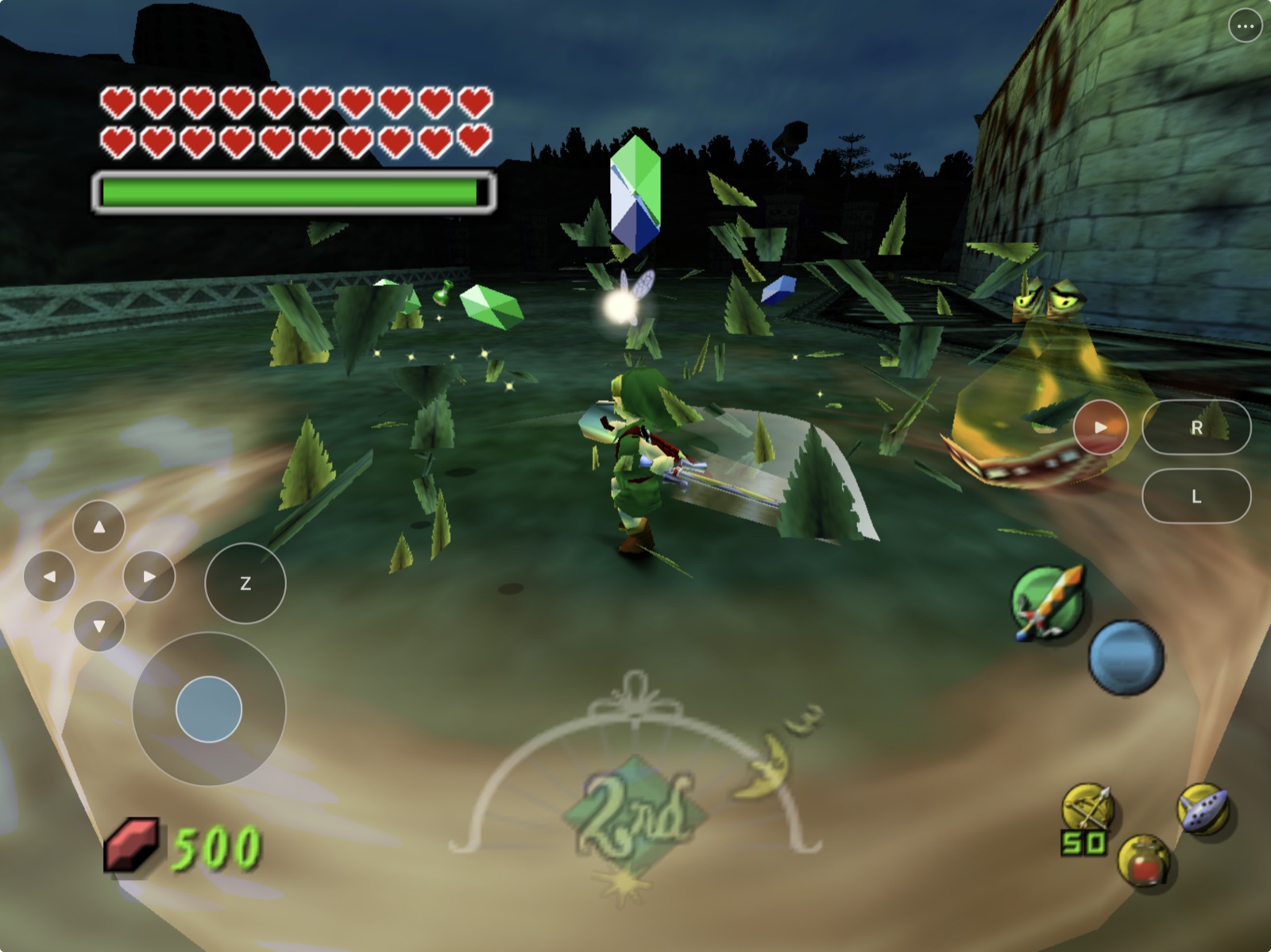
MaskPad packages the full
[2 Ship 2 Harkinian](https://github.com/HarbourMasters/2ship2harkinian)
source port as a native landscape iOS/iPadOS app. It renders through Metal,
imports a user-provided supported Majora's Mask ROM through Files, and adds a
phone/tablet touch controller with movable, resizable, and hideable controls.
This repository contains the mobile integration and reproducible build
scripts. It does **not** contain Majora's Mask, a ROM, or a playable
ROM-derived archive. See the scoped
[`rights and licensing boundary`](RIGHTS_AND_LICENSES.md); it does not
relicense third-party projects or game material.
> [!NOTE]
> **AI disclosure:** MaskPad uses substantial AI assistance for code, tests,
> documentation, debugging and maintenance. Some support replies and maintenance
> tasks are automated. There is no audited percentage of AI-generated code.
> Build, test and device records describe what was checked. This disclosure
> concerns MaskPad's workflow, not the authorship of its upstream projects.
## Install status
| Option | Status | What to do |
|---|---|---|
| Make your own IPA with PadMint | **Available** | On a Mac, [PadMint](https://github.com/chrissotraidis/padmint/releases/latest) builds MaskPad from this repository's latest release and saves an unsigned IPA; install it with AltStore Classic, SideStore or Sideloadly. See [Get started](#get-started). |
| Local Simulator build | **Verified** | Best for development, import-flow checks, and UI testing. |
| Local iPad build | **Verified locally** | Configure your own Apple development team and bundle identifier before installation. |
| App Store / TestFlight | **Not announced** | No listing or public TestFlight currently exists. |
The current source has been exercised in iPhone and iPad Simulators and on a
12.9-inch iPad Pro (6th generation) running iPadOS 26.5.2. ROM import, local
archive loading, gameplay, touch input, save loading, signing, and in-place
updates have been exercised on that hardware.
Area-load frame pacing remains under active investigation. Physical Bluetooth,
wired, and natural-sleep controller acceptance, rumble, motion, audio-route
coverage, and longer thermal tests are still open.
## Get started
**The easy way:** on a Mac with Xcode, install the build libraries once:
```sh
brew install cmake ninja pkgconf sdl2 glew nlohmann-json libpng libzip \
tinyxml2 libogg libvorbis opus opusfile sdl2_net
```
then download [PadMint](https://github.com/chrissotraidis/padmint/releases/latest), unzip it,
double-click `PadMint.command` and choose MaskPad. PadMint builds the app from this repository's
latest release and saves an unsigned IPA in your Downloads folder. Install it with your sideloading
tool, then choose your ROM in the app (see [First launch](#first-launch)). Releases publish no app:
the app is compiled from the 2 Ship 2 Harkinian decompilation, so you make your own.
**By hand:**
You need:
- an Apple Silicon Mac with Xcode and its command-line tools;
- Homebrew, CMake, Ninja, Git, Python 3, and network access; and
- your own legally acquired, supported Majora's Mask ROM for gameplay.
Install the host build dependencies:
```sh
brew install cmake ninja pkgconf sdl2 glew nlohmann-json libpng libzip \
tinyxml2 libogg libvorbis opus opusfile sdl2_net
```
Clone and build:
```sh
git clone https://github.com/chrissotraidis/maskpad.git
cd maskpad
scripts/clone-sources.sh
scripts/apply-patches.sh
# Simulator
scripts/configure-ios.sh --simulator
scripts/build-ios.sh --simulator
# Generic unsigned iPhoneOS build
scripts/configure-ios.sh --device
scripts/build-ios.sh --device
```
The default products are:
```text
build-ios-simulator/mm/Release-iphonesimulator/MaskPad.app
build-ios-device/mm/Release-iphoneos/MaskPad.app
```
See [`docs/building.md`](docs/building.md) for installation, signing,
packaging, and audit commands. Before sharing a build, follow the
[`release checklist`](docs/release-checklist.md).
These commands document the maintained build process; they are not a license
grant. Read [`RIGHTS_AND_LICENSES.md`](RIGHTS_AND_LICENSES.md) before copying,
modifying, or distributing MaskPad-owned work.
## First launch
MaskPad never downloads or bundles game data.
1. Launch MaskPad once so iOS creates its Files-visible folder.
2. Open **Files → On My iPhone/iPad → MaskPad**. This Files-visible MaskPad
location is the app's **Documents** folder.
3. Copy one supported `.z64`, `.n64`, or `.v64` Majora's Mask ROM into
**Documents**.
4. Return to MaskPad and select **Rescan**. Leave it open while local extraction
runs.
5. Later launches load the generated `mm.o2r` directly.
When using LiveContainer, open MaskPad's application container and put the ROM
in its **Documents** folder. Do not put it in **SystemData**. Return to MaskPad
and select **Rescan**. This describes the expected file location and does not
claim complete LiveContainer compatibility.
The ROM and generated archive stay inside the app's Documents container. They
are ignored by Git and rejected by the repository and package audits.
## Touch controls
MaskPad ports HarkinianPad's accepted landscape controller and customization
model instead of approximating it from screenshots:
- **Left:** separate D-pad, control stick, and Z within left-thumb reach.
- **Right:** Start, L/R, and transparent A/B/C targets aligned to the native
Majora's Mask HUD.
- **Menu:** `•••` remains available when gameplay controls are hidden.
- **Transparency:** enable **Touch Control Transparency** to reveal a persisted
25%–100% opacity slider. It is off by default and never changes hit targets.
- **Customize:** move, resize from 70%–150%, hide/show, reset, and save
separate normalized phone and tablet layouts.
- **Safety:** opening menus, editing, disabling controls, rebuilding the
overlay, or backgrounding releases every held input.
- **Fallback:** Legacy Fixed Touch Controls keeps the non-customizable UIKit
presentation.
For controller gyro aiming, first add the controller's motion sensor under
**Settings → Controls → Gyro**. Majora's Mask also requires **Enhancements →
Camera → First Person → Gyro Aiming** to be enabled.
MaskPad keeps 2S2H/libultraship's SDL2 controller manager and per-port mapping
model. It now reconciles SDL instance IDs and handles at startup, controller
add/remove/remap events, foreground resume, and a bounded active check. Valid
controllers keep their port; stale handles are closed and cannot be polled;
the sole returning controller reclaims port 1; and additional controllers take
the next free port without moving port 1. The deterministic regression covers
missed removal with held button/axis state and foreground recovery. Physical
Bluetooth, wired, natural-sleep, full-mapping, and two-controller acceptance
remain hardware gates.
| Touch control | 2S2H binding |
|---|---|
| Control stick | W/A/S/D, including diagonals |
| D-pad | T/F/G/H |
| A / B | X / C |
| L / Z / R | E / Z / R |
| Start | Space |
| C buttons | Arrow keys |
| Menu | Escape |
The ROM-free UI suite verifies every UIKit press/release path and the complete
layout editor. A separate user-data-gated suite observes the real
`PlayState.state.input[0].cur` state consumed by 2S2H gameplay. Both suites
pass on the representative iPhone and iPad Simulators.
See [`docs/controls.md`](docs/controls.md) for the full behavior contract and
[`docs/touch-control-transparency.md`](docs/touch-control-transparency.md) for
the opacity behavior. [`docs/testing.md`](docs/testing.md) records the exact
test evidence.
## Current screenshots
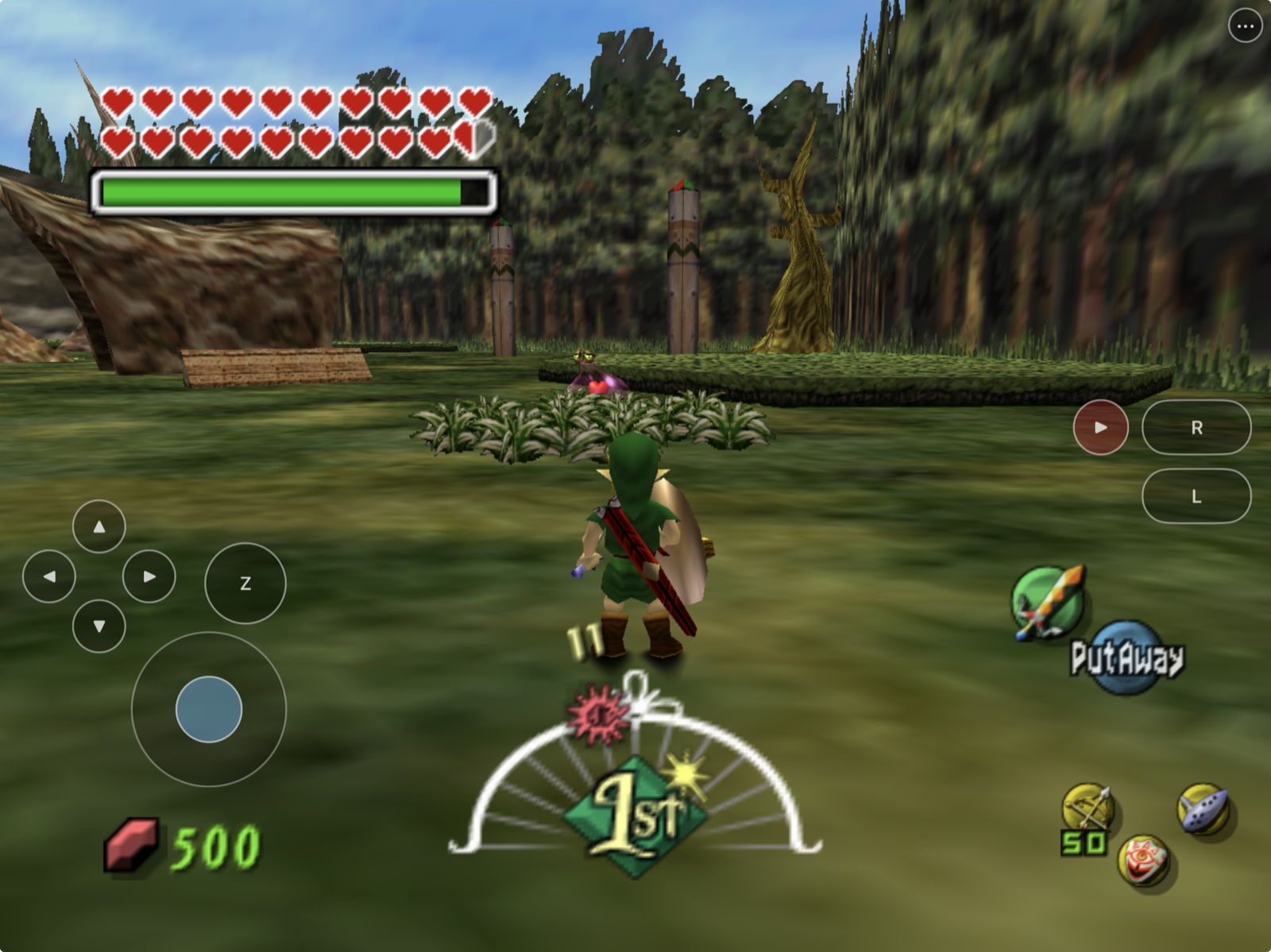
|
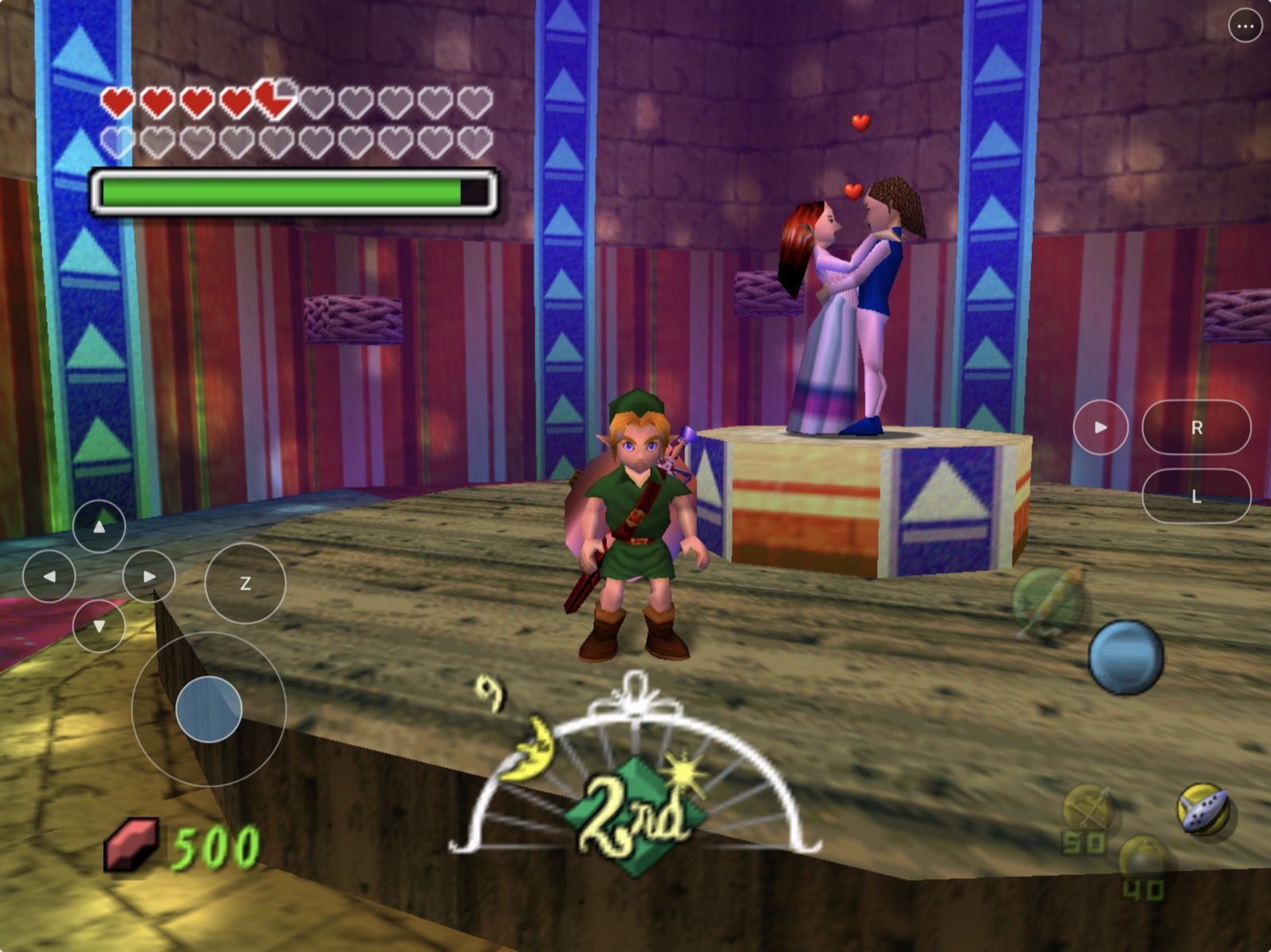
|
Touch-first exploration
The complete landscape controller stays within thumb reach. |
Story and minigames
Transparent targets preserve the original HUD and scene. |
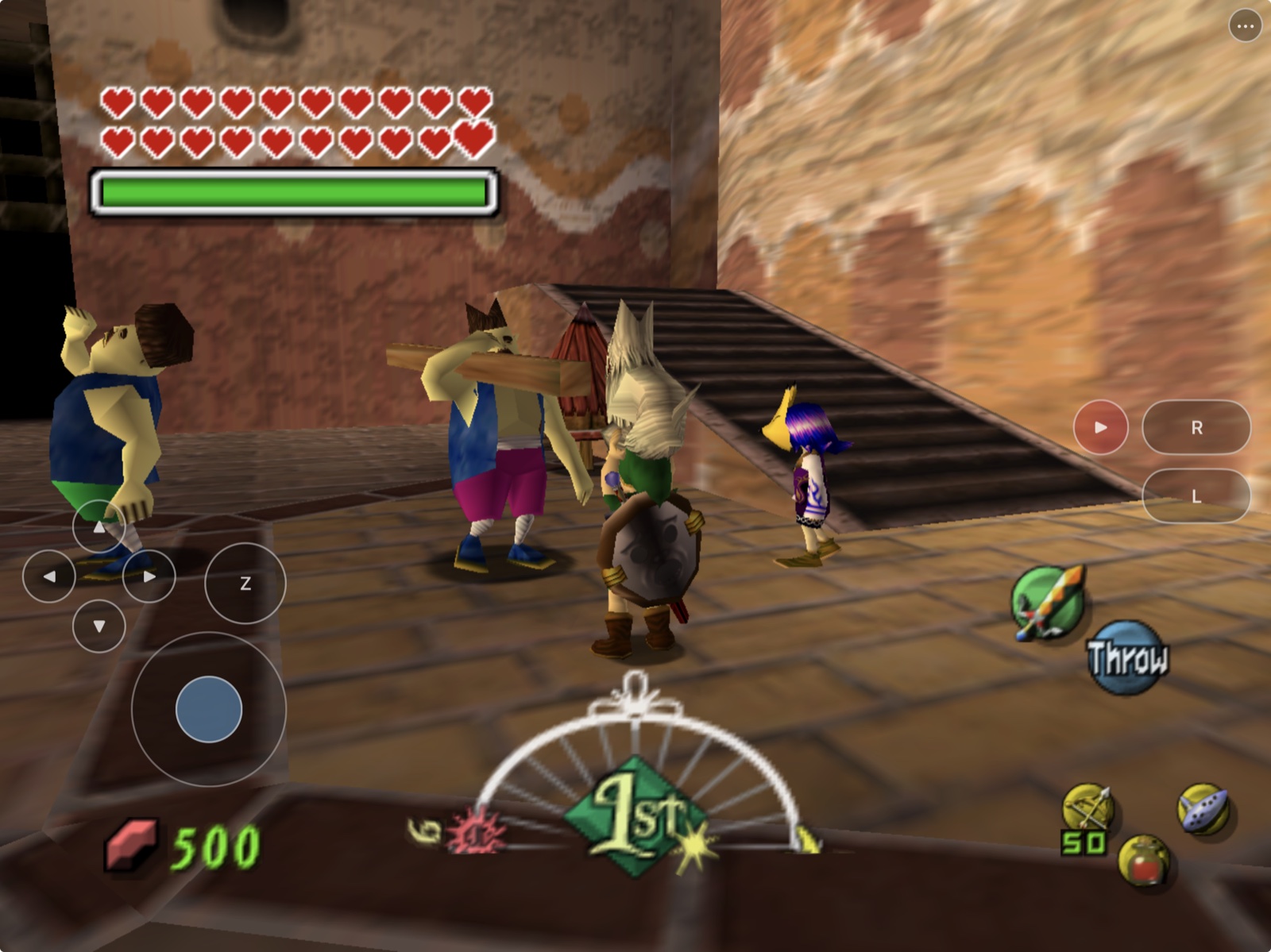
|
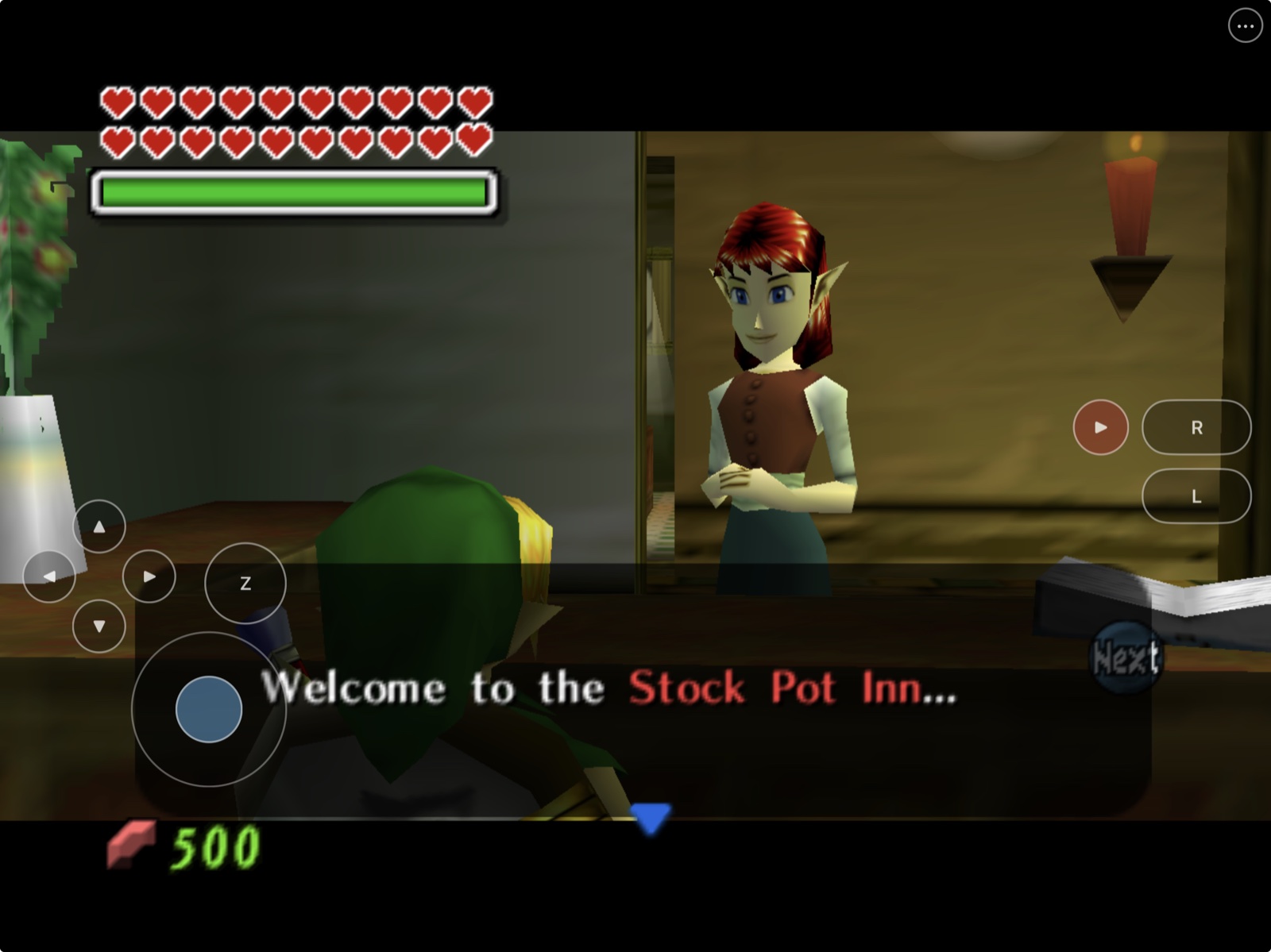
|
Clock Town
Native Metal rendering across busy outdoor areas. |
Full adventure
Dialogue, items, saves, and touch input in the signed iPad build. |
The hero and gallery were captured from the current signed build on a physical
12.9-inch iPad Pro (6th generation) running iPadOS 26.5.2, using ignored,
user-owned game data. No ROM or generated game archive is present in this
repository. Capture provenance is recorded in
[`docs/readme/README.md`](docs/readme/README.md).
## What works
| Area | Current result |
|---|---|
| Native app | Full 2S2H app builds for arm64 iOS/iPadOS 15+ (Xcode 27's minimum) |
| Rendering | Metal gameplay renders in Simulator and on physical iPad |
| Game setup | Files-visible ROM discovery and local `mm.o2r` generation work |
| Touch | Stick, D-pad, A/B/Z, C buttons, shoulders, Start, persistent menu, and adjustable opacity |
| Layout editor | Move, resize, hide/show, reset, safe-area clamp, and device-class persistence |
| Lifecycle | Input, game simulation, audio, rendering, and configuration pause while iOS is inactive and restore on return |
| Input options | Touch plus existing keyboard, pointer, and SDL controller paths |
| Packaging | ROM, generated game data, signing material, and dependency-license audits |
For detailed evidence and remaining hardware checks, see
[`docs/remaining-work.md`](docs/remaining-work.md).
## Supported game
| Game | Engine | Status |
|---|---|---|
| **The Legend of Zelda: Majora's Mask** | [2 Ship 2 Harkinian](https://github.com/HarbourMasters/2ship2harkinian) | Supported with a compatible user-owned ROM |
| **The Legend of Zelda: Ocarina of Time** | [Ship of Harkinian](https://github.com/HarbourMasters/Shipwright) | Not supported by this app; see [HarkinianPad](https://github.com/chrissotraidis/harkinianpad) |
MaskPad is a native source-port integration, not a general Nintendo 64
emulator.
## Reproducible and ROM-free
```mermaid
flowchart LR
A["MaskPad scripts"] --> B["Pinned official source"]
B --> C["Maintained iOS patches"]
C --> D["ROM-free app or unsigned IPA"]
E["Your supported ROM"] --> F["Files-visible app folder"]
D --> G["Local extraction"]
F --> G
G --> H["Local mm.o2r and gameplay"]
```
The compile never reads your ROM. MaskPad pins 2S2H and each relevant
submodule, disables upstream push URLs, applies maintained patches, and
generates the ROM-free `2ship.o2r`. Your ROM is introduced only after app
installation.
Create and audit the unsigned package with:
```sh
scripts/package-unsigned-ipa.sh
scripts/verify-release.sh
```
Releases publish no IPA; this packaging step is for your own local builds.
The IPA contains the project rights notice and discovered third-party license
files. It contains no maintainer certificate, provisioning profile, ROM, or
generated `mm.o2r`, and must be re-signed before standard-device installation.
## Frequently asked questions
Where is the IPA?
There is no public IPA: MaskPad is compiled from the 2 Ship 2 Harkinian decompilation, so PadMint builds your own on an Apple Silicon Mac. See [Get started](#get-started).
Does this repository include Majora's Mask?
No. You must provide your own legally acquired supported ROM. Do not open
issues requesting game data or download links.
Does audio work?
Speaker audio works on the tested physical iPad, although occasional music
skips remain under investigation. Headphone, Bluetooth, interruption, and
route-change acceptance still need physical-device coverage.
Can I hide touch controls and get them back?
Yes. The persistent `•••` button keeps the menu reachable. Open
**Settings → Controls** and toggle **Touch Controls**.
Does it support controllers?
2S2H's SDL2 controller path is compiled into the app. Automated stale-handle,
slot, held-input, and foreground reconciliation tests pass. Physical
Bluetooth, wired, natural-sleep, full-mapping, rumble, motion, and
two-controller checks remain device-specific verification gates.
Is this an App Store or TestFlight release?
No. App Store, TestFlight, AltStore PAL, and other distribution channels have
different signing, review, account, and regional requirements.
What is the licensing status?
Each upstream component retains its own license and copyright. MaskPad-owned
integration code, scripts, documentation, artwork, and original patch content
are publicly readable but currently carry no license grant. MaskPad is
therefore source-available, not broadly redistributable open source. See
[`RIGHTS_AND_LICENSES.md`](RIGHTS_AND_LICENSES.md).
## Project map
| Path | Purpose |
|---|---|
| [`scripts/clone-sources.sh`](scripts/clone-sources.sh) | Fetch and assert pinned upstream revisions |
| [`scripts/build-ios.sh`](scripts/build-ios.sh) | Build the configured Simulator or device target |
| [`scripts/package-unsigned-ipa.sh`](scripts/package-unsigned-ipa.sh) | Unsigned IPA plus game-data and license audit |
| [`scripts/check-repo-safety.sh`](scripts/check-repo-safety.sh) | Fast tracked-asset, history, script, patch, link, and credential gate |
| [`patches/`](patches/) | MaskPad changes replayed onto pinned upstream source |
| [`docs/building.md`](docs/building.md) | Full build, installation, signing, and packaging guide |
| [`docs/install-ipa.md`](docs/install-ipa.md) | Personal re-signing and installation guide |
| [`docs/controls.md`](docs/controls.md) | Touch mapping, editor, Z latch, and native HUD contract |
| [`docs/touch-control-transparency.md`](docs/touch-control-transparency.md) | Persisted opacity setting and visual behavior |
| [`docs/testing.md`](docs/testing.md) | Exact Simulator, gameplay, build, and package evidence |
| [`docs/release-checklist.md`](docs/release-checklist.md) | Source and IPA publication gates |
| [`docs/remaining-work.md`](docs/remaining-work.md) | Evidence ledger and remaining physical gates |
| [`docs/readme/`](docs/readme/) | Approved screenshot slots and capture guidance |
Generated source trees, builds, artifacts, ROMs, and ROM-derived archives are
ignored and must never be committed.
## Contributing and support
Use the structured
[bug report](https://github.com/chrissotraidis/maskpad/issues/new/choose)
for reproducible platform defects. Read [`CONTRIBUTING.md`](CONTRIBUTING.md)
before proposing a change and [`SECURITY.md`](SECURITY.md) before reporting a
sensitive vulnerability. Never attach or request game data.
## Community and support
[Join the Discord](https://discord.gg/xwHfUD2bxW) for help and news. It is one
community for MaskPad and its sibling projects, such as KartPad, BlueWake and
MeleePad: ask about setup, building with PadMint, and installing, share how it
runs on your device, and hear about new releases first.
Found a bug? [Open an issue](https://github.com/chrissotraidis/maskpad/issues)
with your device, its OS version, and the steps that led to it.
## Legal and acknowledgements
MaskPad is an unofficial community project and is not affiliated with or
endorsed by Nintendo or Harbour Masters. It does not provide the game, ROM
downloads, or playable ROM-derived data.
This project builds on 2 Ship 2 Harkinian, libultraship, ZAPDTR, OTRExporter,
the Majora's Mask decompilation project, SDL, and their contributors. All
projects, copyrights, and trademarks belong to their respective owners.