# HaloPad
Play Halo: Combat Evolved on your iPhone, iPad or Mac.
The original Xbox campaign, online matches of up to 128 players, and the PC community's Custom
Edition servers. Play with touch controls, a controller, or keyboard and mouse.







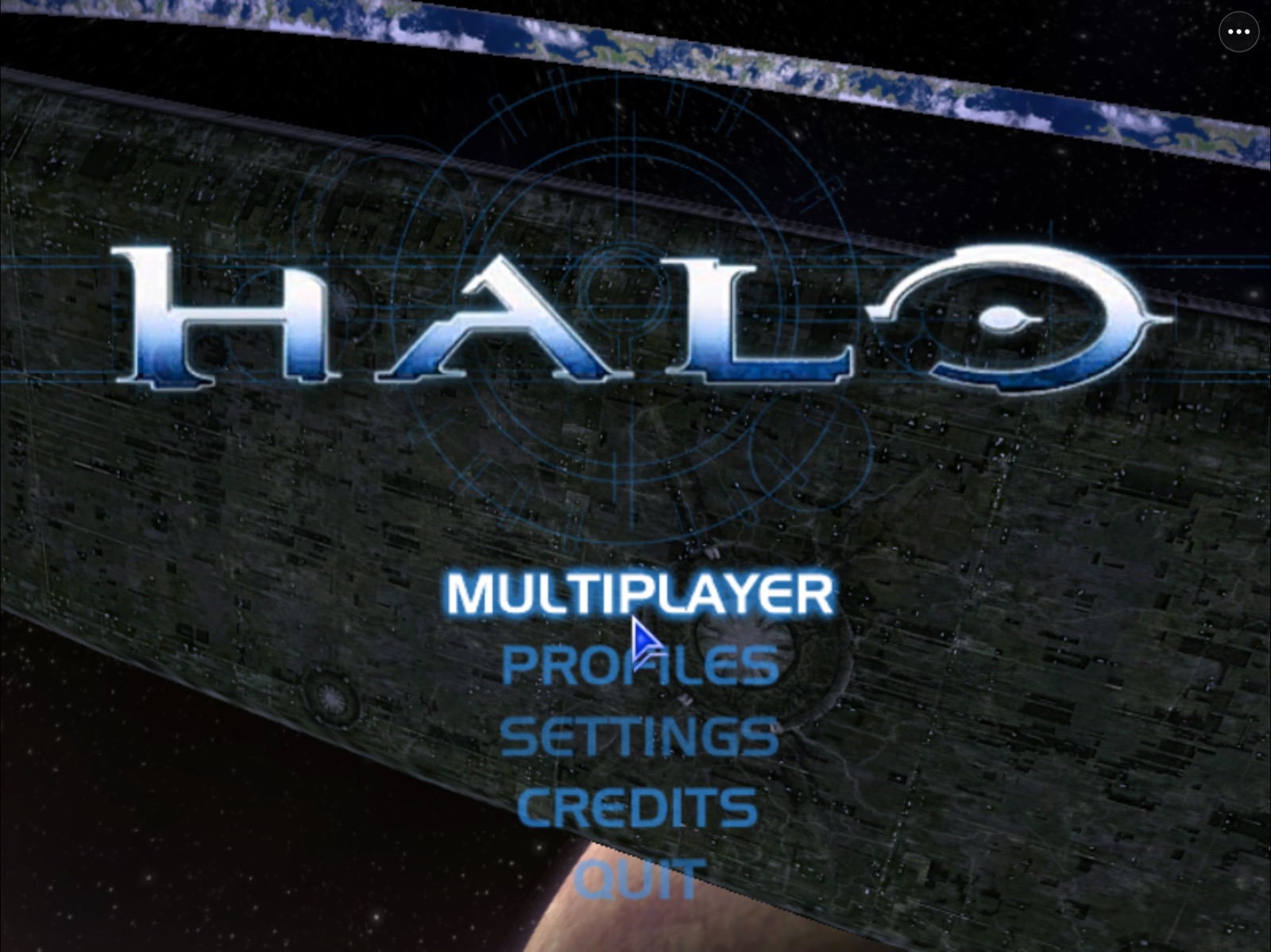
*HaloPad at Halo's own main menu. iPhone 14, iPad Pro and Apple silicon Mac builds play local and online.*
**[What you need](#what-you-need) · [Build and install](#build-and-install) · [Add your disc](#add-your-xbox-disc) ·
[Playing](#playing) · [FAQ](#frequently-asked-questions) · [Discord](https://discord.gg/xwHfUD2bxW)**
> [!IMPORTANT]
> **HaloPad does not include Halo, and there is no app to download.** You bring your own copy of
> the game and build the app yourself, for free. For most people that means one file, the Xbox
> disc image described below, and a build that mostly runs by itself. HaloPad is a preview:
> playable on real hardware, with frame pacing and some Xbox graphics still being tuned.
>
> **AI disclosure:** HaloPad is developed with substantial AI assistance. The
> [status log](docs/STATUS.md) records what has actually been checked, and on which device.
## What you need
HaloPad plays two editions of Halo. **Start with the Xbox edition.** It has the full campaign and
the busiest online games, it builds on any computer, and it needs only one file from you.
### Xbox edition: one disc image file
You need a disc image of **Halo: Combat Evolved for the original Xbox**, the 2001 game for the
first Xbox console.
| | |
| --- | --- |
| **The game** | Halo: Combat Evolved, original Xbox (2001) |
| **The file** | Ends in `.iso` or `.xiso`. Use it as it is. If it came inside a `.zip`, `.7z` or `.rar`, unpack it first |
| **Best choice** | The USA (NTSC) version, often named `Halo - Combat Evolved (USA)`. This is the one tested on iPhone, iPad and Mac |
| **Other regions** | OpenCE, the engine HaloPad uses, says European (PAL) and other versions work. HaloPad has only been tested with the USA version |
| **Free space** | About 2 GB on the device you play on for the maps HaloPad copies out, plus room for the file itself while you add it |
**These will not work:** Halo for PC, Halo: Custom Edition, Halo: Combat Evolved Anniversary,
the Master Chief Collection, Halo 2 or any later Halo, and versions for Xbox 360, Xbox One or
Xbox Series consoles.
Make the disc image from a Halo disc you own. If you already play Halo in the xemu Xbox emulator,
the file you use there works here too. HaloPad checks the file when you add it: a message that it
is "not an Xbox disc image" or "not Halo: Combat Evolved" means you picked the wrong file.
### PC edition (optional): Custom Edition
Add this only if you also want to join the Halo PC community's Custom Edition servers. It needs an
Apple silicon Mac to build, and these files in one folder:
- `HaloCESetup.exe`, the original Halo Custom Edition 1.00 installer. Do not use the 1.10 update
patch; HaloPad downloads Bungie's free update for you.
- `product-key.txt`, a text file holding your Halo PC product key. Halo will not start without it.
- [Wine](docs/INSTALL-WINE.md) installed on your Mac.
The retail Halo PC game (`halo.exe`) and the Master Chief Collection are not supported.
### A device to play on
- **iPhone or iPad** with iOS or iPadOS 17.4 or later. Installing your own app on it requires
Apple signing; the [install guide](docs/INSTALL-IPHONE.md) explains it.
- **Mac** with Apple silicon (M1 or newer) and macOS 14.4 or later. No Apple account needed.
## Build and install
Pick the path for the computer you have. Both are free.
| Your computer | What you can build | How |
| --- | --- | --- |
| Mac with Apple silicon | Xbox edition, or both editions | [PadMint](#on-an-apple-silicon-mac) |
| Windows, Linux, an Intel Mac, or anything else | Xbox edition | [GitHub, in your browser](#on-windows-linux-or-any-computer) |
The published release is [HaloPad 0.3.14](https://github.com/chrissotraidis/projectreach/releases/tag/v0.3.14),
with OpenCE 294 (network version 39) and dedicated server browsing through native HTTPS.
### On an Apple silicon Mac
1. Install **Xcode** (version 26 or later) from the Mac App Store and open it once to finish setup.
2. Download [PadMint](https://github.com/chrissotraidis/padmint/releases/latest) (0.4.12 or later)
and open it.
3. Select **HaloPad**, then choose where you will play: iPhone/iPad or Mac.
4. Choose your game file:
- **Xbox edition only:** your `.iso` or `.xiso`. No PC installer, product key or Wine needed.
- **Both editions:** `HaloCESetup.exe`, with `product-key.txt` in the same folder.
5. Let PadMint build. It tells you if a tool is missing and how to install it. The first build
needs about 35 GB of free space and takes the longest.
6. **Mac:** unzip the app and open it. **iPhone/iPad:** sign and install the IPA with the
[install guide](docs/INSTALL-IPHONE.md).
7. [Add your Xbox disc](#add-your-xbox-disc) inside the app.
If you built both editions, PadMint also makes a **HaloPad game data** folder. Copy its
`Halo-CE.halopad.zip` to your device, open HaloPad, choose Custom Edition, then
**Choose Prepared Package…**.
**Your build is yours alone.** It contains Halo game code, so never share or upload it.
### On Windows, Linux or any computer
The Xbox edition can be built without your game files. You add your disc inside the app after
installing it, so GitHub can build the app for you on its free Mac computers. This works for
iPhone, iPad and Mac. Custom Edition still needs an Apple silicon Mac.
1. Sign in to GitHub and **Fork** this repository. Your copy is public, like this one.
2. In your fork, open **Actions**, enable workflows if asked, choose **Build HaloPad (Xbox edition)**
and click **Run workflow**. It takes about 15 minutes.
3. Open the finished run and download its artifact. It holds the versioned HaloPad iOS IPA,
Mac ZIP and `SHA256SUMS`, and GitHub keeps it for 7 days.
4. Install the IPA with [Sideloadly](https://sideloadly.io) (Windows or Mac) or another tool that
signs with your own Apple ID, or follow the [install guide](docs/INSTALL-IPHONE.md). On a Mac,
unzip the Mac app and open it.
5. [Add your Xbox disc](#add-your-xbox-disc) inside the app.
The build uses the OpenCE engine recorded for this release, and no secrets, accounts or game files.
### Add your Xbox disc
You do this once, after installing.
1. Put your `.iso` or `.xiso` where HaloPad can reach it. On iPhone or iPad, copy it into the
**Files** app. On a Mac, anywhere works.
2. Open HaloPad. On the edition picker, choose **Add Your Xbox Disc**, then **Choose Disc Image**,
and select your file.
3. Wait while HaloPad copies the maps (about 2 GB). Then press **Play Xbox**.
HaloPad keeps its own copy of the maps, so you can delete the disc image afterward to save space.
If your build has only the Xbox edition, Custom Edition shows **Not included in this build**;
**Add Custom Edition…** explains how to build both later.
### Updating HaloPad
**Always install the new version over the old app. Never delete HaloPad first:** deleting it
deletes your saves, profiles and imported maps. On iPhone and iPad, sign the update with the same
identity or Apple ID you used before.
- **PadMint:** update the HaloPad recipe, build again with the same game file you chose before,
and install over the existing app.
- **GitHub:** press **Sync fork** on your fork, run the workflow again, and install the new IPA
over the old one.
**Online play requires compatible game engines.** Each HaloPad release builds the OpenCE
revision recorded in `config/xbox-release.json`. HaloPad 0.3.14 builds OpenCE
294, network version 39. **Updates…** on the edition picker shows your installed
engine and network version.
HaloPad's corrected policy keeps each engine on its actual network version. A signed compatibility
file cannot add features such as custom-map downloading or make an older engine understand a changed
protocol. If another player uses a different network version, both players need builds with matching
versions. Install a HaloPad update to get its newer engine and features. The campaign never expires;
Xbox checkpoints may need a level restart after an engine change.
## What's new
- **0.3.14: builds finish when Apple's icon tool crashes.** On some Macs, Xcode's
`actool` crashed while compiling HaloPad's Mac app icon and stopped the build at
its last step ([padmint#220](https://github.com/chrissotraidis/padmint/issues/220)).
HaloPad now falls back to a plain app icon and finishes. The Xbox engine is
unchanged: still OpenCE 294, network version 39.
- **0.3.13: OpenCE 294 and network version 39.** Adds native HTTPS
support for OpenCE's dedicated server browser. Includes upstream's fix for plasma
rifles and plasma pistols that could not fire in Gun Game, plus the Recon and
Fishsticks controller layouts. See [validation status](docs/STATUS.md) for tested paths.
- **0.3.12: OpenCE 273 and network version 38.** Updates the Xbox engine
for current multiplayer compatibility, with upstream game-mode, co-op, texture
and visibility fixes. See [validation status](docs/STATUS.md) for tested paths.
- **0.3.11: OpenCE 244 and current multiplayer compatibility.** Updates the Xbox edition
to network version 32, with upstream co-op, rendering, audio and map-sharing fixes.
Files now accepts discs reported as generic disk images, and copied read-only resources
no longer stop signing during a build. Rebuild and install over your current app.
- **0.3.10: current OpenCE multiplayer and automatic map downloads.** The Xbox edition uses
OpenCE 208 (network version 29), downloads missing custom maps and resources from sharing
peers, and finds compatible HaloPad games on the same local network automatically. The
compatibility policy now requires the engine's actual protocol. Includes upstream's voice
packet and postgame-menu fixes. Rebuild through PadMint or sync your GitHub fork and run
the workflow again; install over your existing app to keep its data.
- **0.3.9: building both editions works again.** 0.3.8 stopped at its last step, packaging the
Custom Edition game files, when you chose the PC installer. Xbox-only builds were not affected.
- **0.3.8: OpenCE updates no longer break your build.** Each HaloPad release builds the exact OpenCE
engine it was tested with. Online compatibility follows the corrected rules in
[Updating HaloPad](#updating-halopad). The Xbox edition also builds
[without a Mac](#on-windows-linux-or-any-computer).
- **0.3.6: corrected Wine setup.** Homebrew disabled its Wine package; follow the
[Wine installation guide](docs/INSTALL-WINE.md).
Earlier changes are on the [releases page](https://github.com/chrissotraidis/projectreach/releases).
## What is HaloPad?
HaloPad (the codebase is Project Reach) brings two editions of Halo: Combat Evolved to iPhone, iPad
and Apple silicon Macs. When your build includes both, it asks which one to open at launch.
| | Halo: Combat Evolved (Xbox) | Halo Custom Edition (PC) |
| --- | --- | --- |
| Your files | Your Xbox disc image (`.iso` or `.xiso`), added in the app | Your Custom Edition installer and product key |
| Campaign | The original Xbox campaign | No |
| Online | Internet and system link games of up to 128 players, with PC, Linux and Android players on OpenCE | Community-run Custom Edition servers and LAN, alongside PC players |
| Runs on | iPhone, iPad and Mac | iPhone, iPad and Mac |
| Build on | Any computer: PadMint on a Mac, or GitHub | An Apple silicon Mac with PadMint |
| How it runs | [OpenCE](https://github.com/OpenCommunityEdition/OpenCE), the port of the Xbox decompilation, built for Apple devices | Your own `haloce.exe` 1.10, translated from x86 to native ARM64 ahead of time |
For Custom Edition, HaloPad supplies the Windows services the game expects: Direct3D 9 rendered through
Metal, DirectInput mapped to touch and controllers, audio, files, the registry and Winsock networking.
Nothing is compiled on the device, so it needs no JIT. The Xbox edition draws with Metal through ANGLE.
Both editions share the touch controls and the ⋯ menu, and keep their own saves.
## Current status
| Area | Where it stands |
| --- | --- |
| **iPad** | iPad Pro 12.9" (6th gen) plays both editions, local and online |
| **iPhone** | iPhone 14 plays local matches, including 1280 × 720 widescreen; slower in loading and busy scenes. Online play not fully tested |
| **Mac** | Both editions run on Apple silicon Macs (macOS 14.4+) with keyboard and mouse: Custom Edition lists public servers; the Xbox edition imports your disc and plays the campaign |
| **Online** | Custom Edition joins public PC servers; the Xbox edition joins internet games through the decompilation's game browser |
| **Controls** | Movable, resizable touch overlay, look-speed settings, iOS keyboard for chat and names, Xbox-style controllers, trackpad and mouse in menus |
| **Custom maps** | `.map` files import from the ⋯ menu. DLL mods (Chimera, OpenSauce, HAC2) do not load |
| **Xbox edition** | Preview: campaign and multiplayer run on a physical iPad; some textures and effects differ from the original |
**Known issues:** the first time a map, weapon or effect appears, play can hitch for up to a second.
Some Xbox textures look softer or different from the original. A few players have seen a controller
stop responding after reconnecting it; if that happens, please share the diagnostic log. Changing
Halo's resolution is tested on iPhone, not yet on iPad, so 800 × 600 is the safest choice there.
Measurements and open checks are in [docs/STATUS.md](docs/STATUS.md).
One player reports a crash with Xbox **Original** graphics on an iPhone 17 Pro Max
running iOS 27.2; **Sharper** works for that player. The crash has not reproduced on
the tested M2 iPad running iPadOS 27.0.1. It remains unresolved; 0.3.13 does not claim
to fix it.
## Playing
Create a Halo profile, then use the game's own **Multiplayer** menus to host or join.
- **⋯ menu:** the same in both editions: touch settings, controller guide, display options,
**Report a Problem**, **Share Diagnostic Log** and **Switch Edition**. Custom Edition adds keyboard
and chat, join by address and custom maps; Xbox adds System Link
- **Touch:** move and resize the overlay; tune look speed in **Controls › Look Speed & Touch Settings**
- **Mac:** keyboard and mouse as on a PC. The pointer locks while you play. In Custom Edition **Esc**
opens Halo's menu and frees it; in the Xbox edition **F12** frees or recaptures it, as on PC. Then
click ⋯ for the menu, including **Switch Edition**. Aim too fast or slow? **⋯ › Controls › Mouse
Speed** (both editions); Custom Edition's own **Settings › Controls** sensitivity applies on top
- **Controllers:** connect before opening HaloPad for the most reliable result. In menus the D-pad
moves, **A** selects, **B** goes back and **Menu** pauses. Halo's "Button 6" pickup is **RB**
- **Leaving a match:** **⋯ › Open Leave Game Menu…**, then **Leave Game**
- **Resolution:** 800 × 600 (4:3) by default. Halo's **Settings › Video** goes up to the screen's own
size; 1280 × 720 is true widescreen, or use **Fill** to stretch 4:3
- **Recording:** play a warm-up match on the same map first, so new effects don't hitch on camera
## Frequently asked questions
Which Halo file do I need?
For the Xbox edition: a `.iso` or `.xiso` disc image of Halo: Combat Evolved for the original
Xbox, ideally the USA (NTSC) version. For the PC edition: the original `HaloCESetup.exe` Custom
Edition installer plus your product key. Full details are in [What you need](#what-you-need).
Can I download an IPA?
No public HaloPad IPA exists today. PadMint builds a personal IPA on your Mac, and on any other
computer GitHub can build the Xbox edition's IPA in your own fork
([steps](#on-windows-linux-or-any-computer)). You then sign and install it on your iPhone or iPad.
The IPA is the app only; your disc image is added afterward and never goes inside it.
A simpler **download, install, add your disc, play** route is being evaluated. The Xbox app still
contains a compiled engine derived from the game, so leaving out the maps does not settle the
distribution question, and a public download also needs a verified signing and installation route.
Progress is tracked in [installation delivery](docs/STATUS.md#installation-delivery).
Do I need a paid Apple developer account?
Not for the Mac app. On iPhone and iPad, HaloPad asks for the **Extended Virtual Addressing** and
**Increased Memory Limit** capabilities, because it reserves Halo's full 32-bit address space. Sign
with an Apple development profile that allows both.
The Xbox edition may not need them: on an iPad Pro (12.9-inch, 6th generation), the same build signed
without either capability opened and played its campaign. A free Apple ID through Sideloadly or
AltStore may therefore be enough for the Xbox edition, but that route and iPhones are not tested yet.
Can I play online with people on PC?
Yes. Custom Edition joins the community-run PC servers in Halo's own lobby. The Xbox edition plays
with other OpenCE players on PC, Linux and Android, up to 128 per match. The two editions cannot play
each other.
OpenCE's voice chat works in listen-only mode in HaloPad: you hear other players, but HaloPad does not
use your microphone yet.
Why can't I join someone's Xbox game?
Check **Updates…** on the edition picker and compare your OpenCE network version with the host's.
The corrected HaloPad policy requires matching network versions. Reopening the app checks for a
newer signed policy, but cannot update the engine or add map downloading. If the versions differ,
install a HaloPad build with the matching engine; an OpenCE player may also need to update. The
server browser finds games through OpenCE's public brokers; there is no HaloPad game server.
Does it run on iPhone?
Yes. An iPhone 14 has imported the game and played local matches, including in widescreen. Loading and
busy scenes are slower than on iPad for now.
Does it run on Mac?
Yes, on Apple silicon Macs with macOS 14.4 or later. It is the same app as on iPad, with the same
edition picker and ⋯ menu, and it needs no Apple account.
Is this an emulator?
Not in the usual sense. Custom Edition's x86 code is translated to ARM64 ahead of time and runs
natively, with no JIT; HaloPad provides the Windows, Direct3D 9, input, audio and network pieces it
calls into. The Xbox edition is a native port of the decompiled game.
Can I use mods and custom maps?
Custom `.map` files, yes: **⋯ › Add Custom Maps…**. HaloPad's Xbox
edition also includes automatic downloading of missing custom maps and their required resource
maps from a sharing host and other players. Downloading is on by default; **Settings › Network Setup
› Map Sharing** controls it, and the host must enable **Server Setup › Map Sharing › Share Maps**.
This engine update is required to get the feature; a compatibility-file refresh cannot add it to an
older HaloPad. The separate PC Custom Edition engine is unchanged.
Windows DLL mods such as Chimera, OpenSauce and HAC2 cannot load into a translated game.
Will updates keep my profile and saves?
Yes, when you install over the existing app with the same signing. Never delete HaloPad to update.
## Building from source
PadMint and the GitHub workflow run these commands for you. Use them only if you work on HaloPad
itself. You need an Apple silicon Mac with Xcode 26 or later.
```sh
# Xbox edition only: add your disc in HaloPad after installing.
brew install cmake ninja lld llvm sdl3
scripts/builder/build.sh --xbox-only --mac --zip HaloPad-Xbox.zip
scripts/builder/build.sh --xbox-only --ipa HaloPad-Xbox.ipa
# Both editions: install Wine with the guide above, plus the PC tools.
brew install sevenzip winetricks llvm lld cmake ninja sdl3
scripts/builder/build.sh /path/to/HaloCESetup.exe --xbox --mac --zip HaloPad.zip
scripts/builder/build.sh /path/to/HaloCESetup.exe --xbox --ipa HaloPad.ipa
```
The builder downloads this release's recorded [OpenCE](https://github.com/OpenCommunityEdition/OpenCE)
engine and the pinned ANGLE renderer from their own repositories and builds them; none of that code is
part of HaloPad. For PC builds it downloads Bungie's free 1.10 update, checks the PC files by hash,
translates the game and creates your product ID locally. The first Xbox build needs about 35 GB free.
Repeated builds reuse verified work when the inputs match.
For experiments, `--xbox-latest` builds upstream's newest engine (a failure stops without substituting
another), `--xbox-release-record FILE` replays an exact saved candidate, and
`HALOPAD_XBOX_PINNED=1` keeps the older reviewed development pin. Use only one of these at a time.
[Xbox engine](docs/XBOX-ENGINE.md) covers the tested disc (USA, maps build `01.10.12.2276`) and the
lower-level `scripts/xbox/build-ios.sh` steps.
## Help and community
- **Discord:** [discord.gg/xwHfUD2bxW](https://discord.gg/xwHfUD2bxW) for setup help, testing and news,
shared with HaloPad's sibling projects such as KartPad, BlueWake and MeleePad
- **Bugs:** **⋯ › Report a Problem** or [open an issue](https://github.com/chrissotraidis/projectreach/issues/new/choose)
with your device, iOS version, build and what you did. Never attach game files, maps or app packages
- **Diagnostic log:** **⋯ › Help › Share Diagnostic Log…**, or **Files › HaloPad › HaloPad Logs**. It
records controller, display, stall and crash events, never typed text, names, chat or server addresses
## Documentation
[Install guide](docs/INSTALL-IPHONE.md) · [Xbox engine](docs/XBOX-ENGINE.md) ·
[Status](docs/STATUS.md) · [Journal](docs/JOURNAL.md) · [Execution model](docs/EXECUTION-MODEL.md) ·
[Graphics contract](docs/GRAPHICS-CONTRACT.md) · [D3D9 inventory](docs/D3D9-INVENTORY.md) ·
[Runtime and networking](docs/G3-RUNTIME.md) · [Rights status](docs/RIGHTS-STATUS.md)
## Credits
HaloPad stands on a lot of other people's work. Thank you to:
- [SR](https://github.com/M-HT/SR) by M-HT, the static x86 recompiler at the heart of the translation pipeline
- [OpenCE](https://github.com/OpenCommunityEdition/OpenCE) (formerly halo-ce-universal) by cybersecurity and its
contributors, the Xbox engine port, built on the decompilations [bnunu/halo-1](https://github.com/bnunu/halo-1)
and [punpckhdq/halo](https://github.com/punpckhdq/halo)
- [ANGLE](https://chromium.googlesource.com/angle/angle), whose Metal backend draws the Xbox edition
- [xboxrecomp](https://github.com/sp00nznet/xboxrecomp) by sp00nznet, used for runtime research
- [SunPad](https://github.com/chrissotraidis/sunpad), whose touch overlay and three-dot menu HaloPad adapts
- Xiph.Org contributors for Ogg and Vorbis, and udis86 for disassembly
- The Halo Custom Edition community, who have kept servers, maps and the master server running for over twenty years
Each project keeps its own license and notices. This repository does not claim a blanket license over
upstream work or Halo content.
## Legal
HaloPad is an independent fan project. It is not affiliated with or endorsed by Microsoft, Xbox or
Halo Studios. Halo and Halo: Custom Edition are trademarks of their respective owners. HaloPad grants
no rights to Halo content: you need your own legitimate copy and are responsible for the laws that apply
to it. Upstream notes that parts of the Xbox decompilation were reconstructed with help from leaked
Bungie material; the Xbox edition currently remains a personal build. No project-wide license
has been chosen yet; see [rights status](docs/RIGHTS-STATUS.md).