# SunPad









**Super Mario Sunshine on iPhone, iPad, Apple silicon Mac, and experimental Apple TV through ahead-of-time recompilation.**
SunPad brings together Metal rendering, touch controls, controller support, and
local game-image import. Supply your own supported copy of the game.
Built with [ModernGekko](https://github.com/ExpansionPak/ModernGekko), by Hyperway,
ExpansionPak and contributors, and [DolRecomp](https://github.com/ExpansionPak/DolRecomp),
on the [RecompCore](https://github.com/ExpansionPak/RecompCore) /
[Dolphin](https://github.com/dolphin-emu/dolphin) runtime. SunPad provides the Apple
app and Sunshine-specific integration. See [full credits](CREDITS.md), including
Apple TV contributions and AI/artwork provenance.
**Maintained forks:** [ModernGekko](https://github.com/chrissotraidis/ModernGekko),
[RecompCore](https://github.com/chrissotraidis/RecompCore), and
[DolRecomp](https://github.com/chrissotraidis/DolRecomp).
Runtime and compiler dependencies use pinned submodules. The
[source graph](docs/DEPENDENCIES.md#maintained-source-graph) records the separate
Apple and tvOS versions.
> [!NOTE]
> **AI disclosure:** SunPad uses substantial AI assistance for code, tests,
> documentation, debugging and maintenance. Some support replies and maintenance
> tasks are automated. There is no audited percentage of AI-generated code.
> Build, test and device records describe what was checked. This disclosure
> concerns SunPad's workflow, not the authorship of its upstream projects.
## Get SunPad
**iOS/iPadOS 27:** the public v0.2.0 base app was built with SDK 27 without
UIKit scene startup, which that OS/SDK combination requires. Current source
adds scene startup; the published download still needs a separately verified
update. See [startup evidence and remaining checks](docs/IOS27_STARTUP.md).
The app on the [releases page](https://github.com/chrissotraidis/sunpad/releases/latest) contains no
game code. On an Apple silicon Mac with Xcode, download
[PadMint](https://github.com/chrissotraidis/padmint/releases/latest), unzip it, double-click
`PadMint.command`, then in the PadMint page that opens in your browser choose SunPad and your own GMSE01
disc image and click **Make my copy**. PadMint translates the
game from your disc, adds it to the published app and saves your SunPad IPA in your Downloads
folder; install it with AltStore Classic, SideStore or Sideloadly. The IPA it makes contains code
translated from your disc: keep it for yourself. Apple silicon Macs can also
[build and run locally](docs/MACOS.md).
Apple TV requires Mac-side game-data staging and an Extended Gamepad. Its storage
is purgeable, so [back up your saves](docs/TVOS.md) before replacing the app.
Preview 13 rebuilds both platforms from the maintained forks; see the
[release record](docs/PREVIEW-13.md) for provenance and testing limits.
## Current status
Development gameplay, Files import, touch input, and in-place updates have been
exercised on a 12.9-inch iPad Pro (6th generation). iPhone 14 performance is below
the iPad experience. Mac gameplay coverage and exact-artifact Apple TV gameplay,
audio, controller, and save acceptance remain open.
**Original 30 FPS is the supported default.** The OS badges describe build targets,
not verified minimum-device compatibility. See [known issues](docs/KNOWN_ISSUES.md)
and [dated testing evidence](docs/TESTING.md) for the remaining limits.
Next up are save durability and speed on older iPhones. The
[improvement plan](docs/IMPROVEMENT-PLAN.md) describes that work. It draws on
research into [sms-pc-port](https://github.com/chasem-dev/sms-pc-port), a
decompilation-based PC port of the game ([research review](docs/SMS-PC-PORT-REVIEW.md)).
## Frequently asked questions
Is this native recompilation or emulation? Does it use JIT?
Both techniques are involved. Covered PowerPC game code is recompiled ahead of
time into native ARM64. The Dolphin-derived runtime supplies GameCube graphics,
audio, memory, timing, and input behavior, with Metal rendering.
iPhone and iPad use interpreter fallback for unrecompiled code, with no runtime
PowerPC JIT. Mac uses JitArm64 for uncovered code before returning to the AOT
module. SunPad is a game-specific integration, not a general GameCube loader or a
from-scratch rewrite. See the [architecture](docs/ARCHITECTURE.md) and
[upstream review](docs/UPSTREAM-REVIEW.md), including the existing ARM64 fallback fix.
How is SunPad different from the Super Mario Sunshine PC port?
[sms-pc-port](https://github.com/chasem-dev/sms-pc-port) compiles the game's
decompilation as native PC code for Windows, Linux and x86 Macs (Apple silicon
through Rosetta 2). SunPad translates the original game code ahead of time and
runs it on a Dolphin-derived runtime, which is what lets it run on iPhone, iPad
and Apple silicon.
The projects share no code. SunPad uses the PC port's published findings as
research for its [improvement plan](docs/IMPROVEMENT-PLAN.md); the
[research review](docs/SMS-PC-PORT-REVIEW.md) explains what carries over and
what does not.
Which game image do I need, and how do I import it?
Use your own supported **Super Mario Sunshine USA, revision 0 (`GMSE01`)** raw
ISO/GCM image. Other regions, revisions, modified images, and compressed formats
are not supported by the current import path. The exact development image hash
is recorded in [game-data provenance](docs/LEGAL_AND_PROVENANCE.md).
On iPhone/iPad, open **••• → Game Data & Saves → Import or Reimport Game Data**,
select the image in Files, and leave SunPad open while it validates and extracts.
A failed reimport keeps the previous working data. Removing stored game data
requires confirmation and keeps saves separately.
On Mac, choose the image in the launcher and select **Extract and Play**.
Apple TV uses the [Mac-side staging guide](docs/INSTALL_TVOS.md).
SunPad does not download games. Never attach game images, extracted assets,
generated modules, or saves to an issue or pull request.
How do controls and customization work?
Touch controls provide movement, camera, D-pad, face buttons, and analog FLUDD
pressure. Slide along **R** for more pressure and into its final quarter for a
full press. **••• → Controls** opens touch-layout settings and controller mapping.
A connected physical controller can hide the touch overlay automatically.
See the [control guide](docs/CONTROLS.md) for layout editing, spray controls,
button mapping, and controller-handoff limits, or [Mac keyboard defaults](docs/MACOS.md#controls-and-data).
Original 4:3 is the default display mode. Experimental 16:9 and Fill Screen
settings apply on the next launch.
Can I use 60 FPS or the performance experiments?
They are diagnostic options, not recommended play modes. Physical-iPad testing
found both the **60 FPS Patch** and **Reduced CPU Clock 90%** unsuitable for normal
play. They can affect timing, audio, physics, and rendering.
Use **••• → Unstable Experiments → Use Supported 30 FPS Mode** to disable them
for the next launch. Broader device performance, audio, lifecycle, and full-game
validation remain work in progress. New levels, cheats, and extensive mods are
not promised features.
The [improvement plan](docs/IMPROVEMENT-PLAN.md#pass-8-real-60-fps) describes how
a correct 60 FPS mode could be built later for Macs and newer iPads.
Will an update preserve my save?
Update in place with the same app/signing identity. Uninstalling or changing
bundle/signing boundaries can remove or disconnect local data, so back up first.
Apple TV stores game data and saves in purgeable cache storage and needs
[separate backups](docs/TVOS.md). Never assume an app reinstall restores a save.
Does LiveContainer work?
LiveContainer is not a supported or verified install path. Users have reported
launch failures, but the cause remains unconfirmed. Use the normal signed IPA
installation path in the [installation guide](docs/INSTALL_IPA.md). If reporting
a LiveContainer failure, include its copied launch error or crash report.
## Report a problem
Open **••• → Report a Problem…**, describe what happened, and review the diagnostic
report and GitHub draft before sharing. Include the device, app version, scene,
and reproduction steps. For visual issues, add a screenshot and the reviewed
`Latest-SunPad-Diagnostic.log` from SunPad's Files-visible `Diagnostics` folder.
Never upload game data, saves, signing material, or a device container. If the app
cannot reopen, find its crash report under **Settings → Privacy & Security →
Analytics & Improvements → Analytics Data**. [Open a bug report](https://github.com/chrissotraidis/sunpad/issues/new?template=bug_report.yml).
## Build and contribute
Development uses an Apple silicon Mac, Xcode 26.x, CMake, Ninja, ripgrep, Git,
and Python 3. Start in a clean checkout:
```sh
./scripts/bootstrap-dependencies.sh
./scripts/prepare-game.sh /path/to/GMSE01.iso
```
Bootstrap verifies pinned fork sources without applying patches or downloading
game data. It preserves modified old dependency trees. For source checks without
game inputs, use `--sources-only`, then run `./scripts/check-repository.sh`.
[Build instructions](docs/BUILDING.md) · [Contribution policy](CONTRIBUTING.md) ·
[Dependency pins](docs/DEPENDENCIES.md) · [Engineering review](docs/UPSTREAM-REVIEW.md) ·
[Improvement plan](docs/IMPROVEMENT-PLAN.md)
## Screenshots
 |
 |
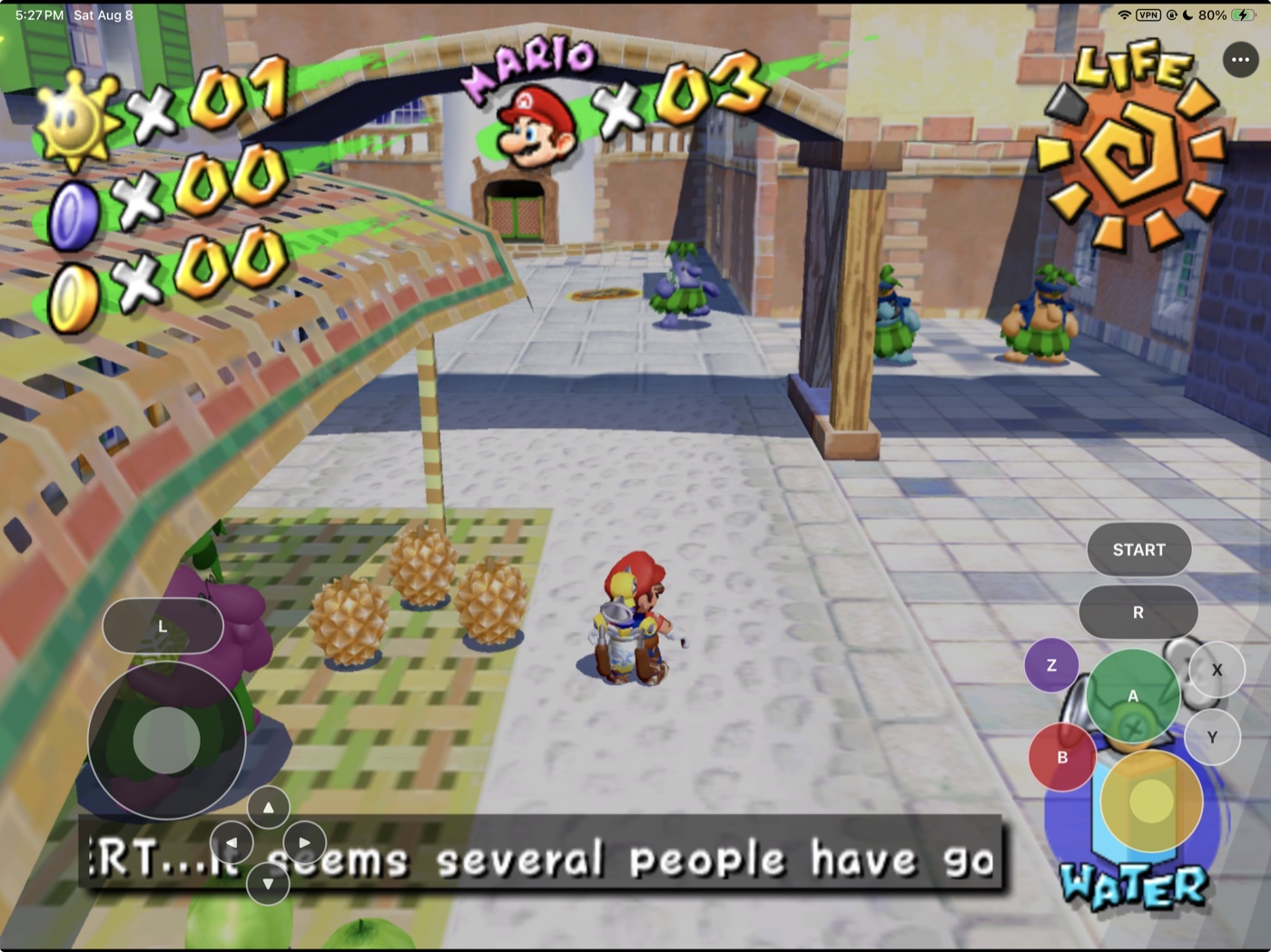
| Delfino Plaza |
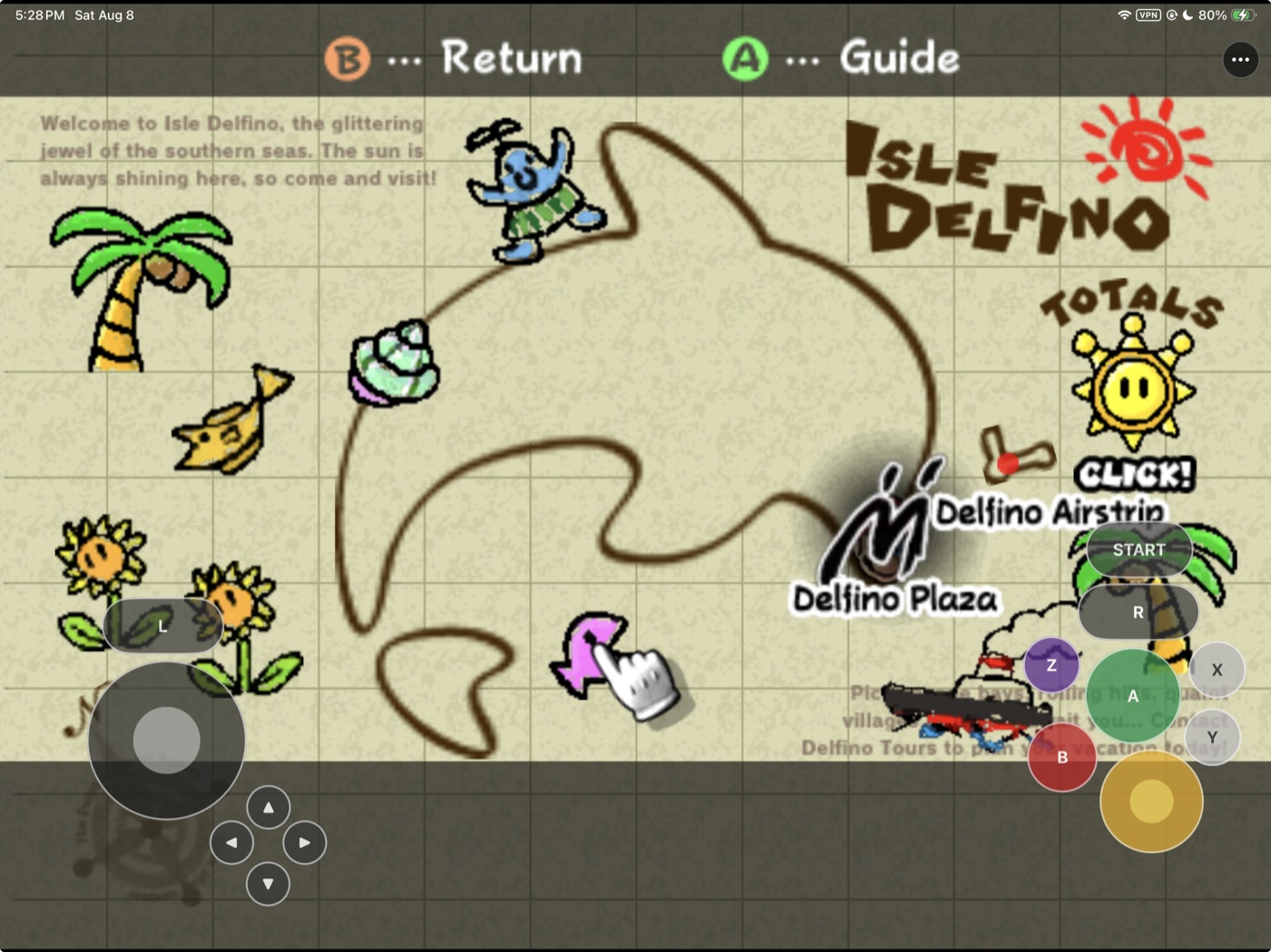
Isle Delfino map |
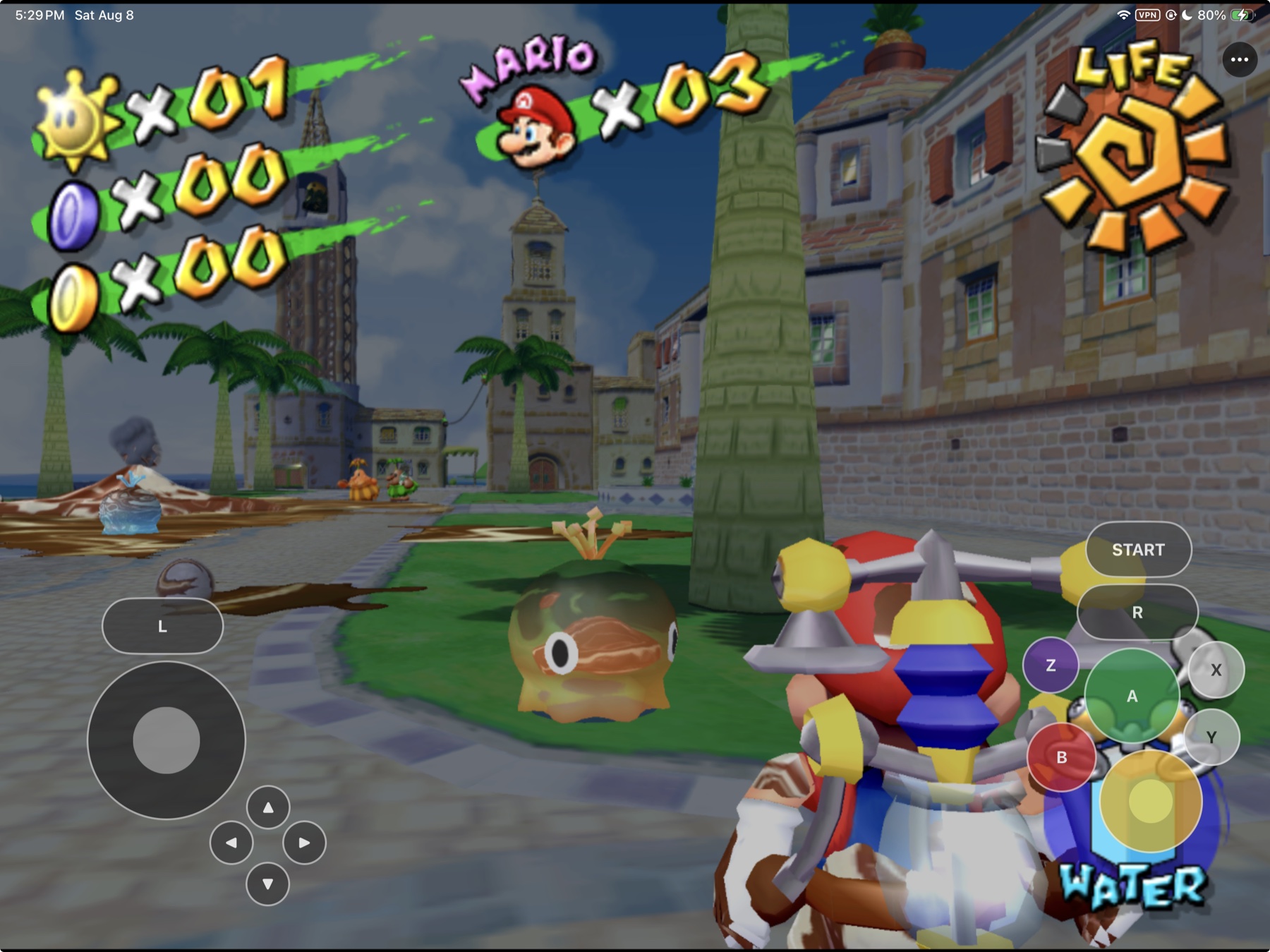
Owner-supplied development screenshots. Individual frames do not establish
sustained performance or full-game compatibility.
## Community and support
[Join the Discord](https://discord.gg/xwHfUD2bxW) for help and news. It is one
community for SunPad and its sibling projects, such as KartPad, BlueWake and
MeleePad: ask about setup, building with PadMint, and installing, share how it
runs on your device, and hear about new releases first.
Found a bug? [Open an issue](https://github.com/chrissotraidis/sunpad/issues)
with your device, its OS version, and the steps that led to it.
## License
SunPad is an unofficial community project, unaffiliated with Nintendo. Nintendo's
game, characters, artwork, and trademarks belong to their respective rights holders.
SunPad's integration is [GPL-3.0-or-later](LICENSE). Upstream components retain
their own licenses and attribution. See [third-party notices](THIRD_PARTY_NOTICES.md)
and [legal and provenance details](docs/LEGAL_AND_PROVENANCE.md).