# StoreScreens
Every App Store Connect API call. Granular, agentic screenshot rendering.
StoreScreens is a `brew`-installed Swift MCP/CLI (and MD Skill) that drives the entire App Store Connect pipeline from one config file: XCUITest screenshots, framed renders with markdown captions (optionally unique per device/locale), bring-your-own-DeepL metadata translation, metadata and binary upload via Apple's official API. Beautiful, modern bezels, no Ruby version hell.
Captures run your UI tests on multiple simulators in parallel (or natively on macOS), organize the output by device and locale, and auto-detect which App Store size each simulator maps to. Supports iPhone, iPad, Apple Watch, and Mac App Store screenshots.
## Three pieces, one workflow
StoreScreens ships as three complementary pieces. Most users only need the CLI; the other two exist to make AI coding assistants first-class operators.
| Piece | What it is | When you want it |
|---|---|---|
| `storescreens` (CLI) | The core binary. Runs UI tests across simulators, captures screenshots, builds the HTML preview gallery. | Always - this is the engine. Use it from your terminal, CI, or scripts. |
| `storescreens-mcp` (MCP server) | A structured wrapper that exposes the CLI's operations as [Model Context Protocol](https://modelcontextprotocol.io) tools with inline progress streaming. | When your AI coding assistant (Claude Code, Cursor, etc.) should drive captures directly instead of parsing CLI output from a Bash call. |
| [storescreens-skill](https://github.com/ciscoriordan/storescreens-skill) | An agent skill - instructions and templates that teach an assistant how to detect your Xcode project, generate config, scaffold UI tests, and run a capture. | When you want an assistant to do the full setup for you, from zero to first screenshots, with no manual steps. Works with any assistant that supports skills. |
Both the CLI and MCP server are installed by `brew install storescreens`.
### How this compares to other Xcode MCP servers
StoreScreens is purpose-built for one job: generating the complete set of App Store Connect screenshots. It is not a general Xcode control surface, and it is not competing with the general-purpose Xcode MCP servers, it complements them.
| Tool | Scope | Best for | App Store screenshot output |
|---|---|---|---|
| `storescreens` | Narrow. App Store screenshot capture, device-size routing, locale and appearance matrix, HTML preview gallery. | Producing the final screenshot set for App Store Connect in one command. | Yes. Named, organized by device and locale, ready to upload. |
| [Apple Xcode MCP](https://developer.apple.com/documentation/xcode/giving-agentic-coding-tools-access-to-xcode) (built into Xcode 26.3+) | Xcode-resident tools. Most notably `RenderPreview` for a single SwiftUI `#Preview`. | Checking one view's layout without spinning up a simulator. | No. |
| [XcodeBuildMCP](https://github.com/getsentry/XcodeBuildMCP) | General iOS/macOS build, test, and device interaction driven by `xcodebuild`. | Letting an agent compile, test, and debug iOS/macOS projects through a unified MCP interface. | No. |
| [xc-mcp](https://github.com/conorluddy/xc-mcp) | 29 tools covering build, simulator lifecycle, and accessibility-first UI automation. Optimized for low-context agent interactions. | Agents that need to drive the simulator via semantic accessibility queries (fast, token-cheap) instead of parsing screenshots. | No, its screenshot tool is for a single capture, not a full App Store matrix. |
If you are shipping an app, you will likely use StoreScreens alongside one of the general servers: the general server handles build and run, StoreScreens handles the screenshot matrix at the end.
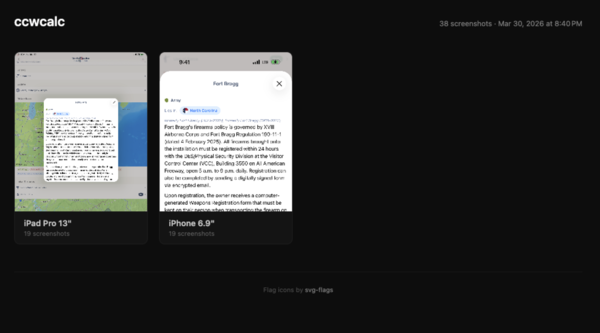
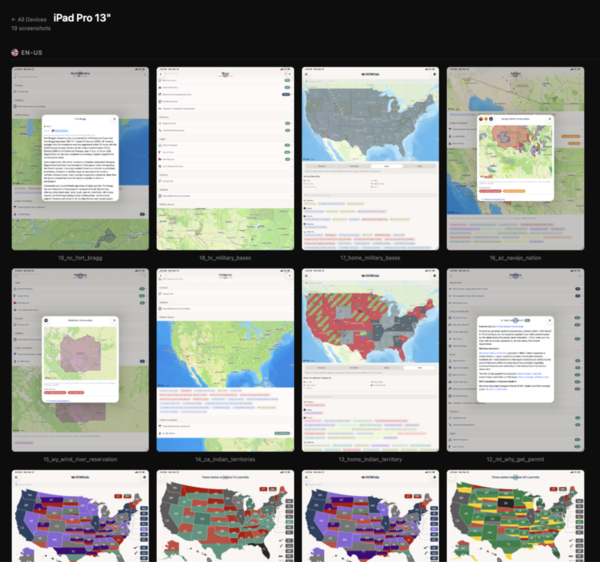
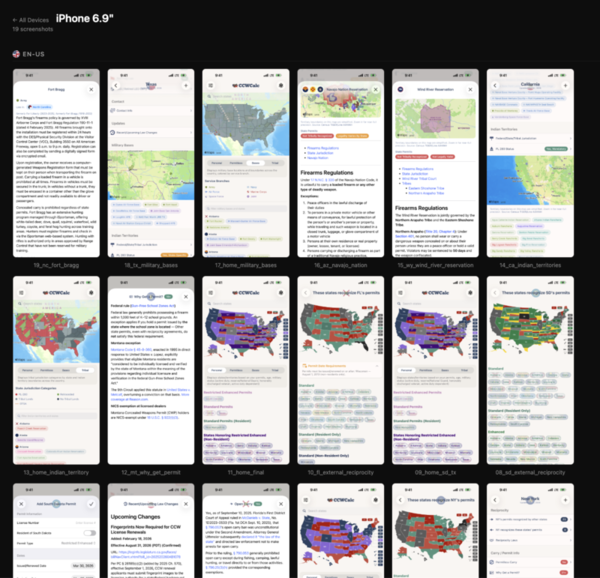
Each run produces a browsable HTML preview with per-device galleries:
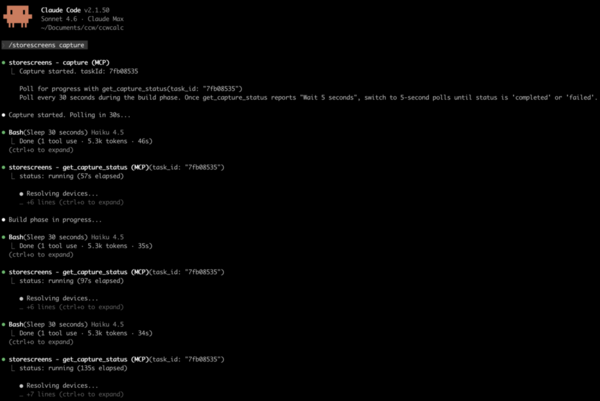
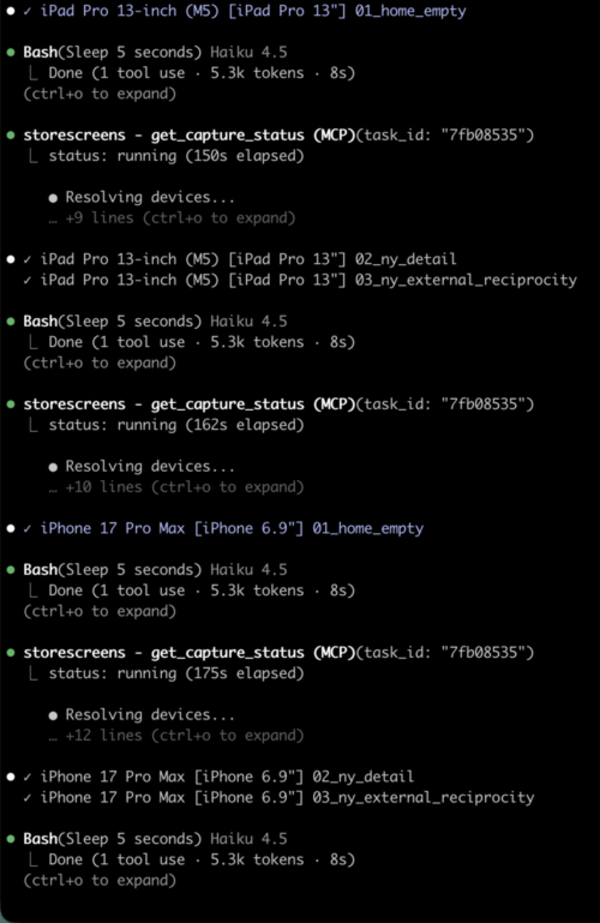
When the MCP server is configured, the agent streams per-screenshot progress inline as each device captures:
## Install
Requires macOS 14+ (Sonoma or later) on Apple Silicon (arm64). Intel Macs are not supported.
### Homebrew
```bash
brew tap ciscoriordan/tap
brew trust ciscoriordan/tap # one-time: Homebrew gates third-party taps
brew install storescreens
```
Newer Homebrew refuses to load formulae from untrusted third-party taps ("Refusing to load formula ... from untrusted tap"). `brew trust ciscoriordan/tap` clears that once per machine. To upgrade later: `brew update && brew upgrade storescreens`.
### Script
```bash
curl -fsSL https://raw.githubusercontent.com/ciscoriordan/storescreens-cli/main/install.sh | sh
```
### From source
Requires Xcode 16+.
```bash
git clone https://github.com/ciscoriordan/storescreens-cli.git
cd storescreens-cli
swift build -c release
sudo cp .build/release/storescreens /usr/local/bin/storescreens
sudo cp .build/release/storescreens-mcp /usr/local/bin/storescreens-mcp # optional: MCP server
```
### mise
[mise](https://mise.jdx.dev) installs the prebuilt release binaries (no Swift toolchain needed) and puts both `storescreens` and `storescreens-mcp` on your PATH:
```bash
mise use -g github:ciscoriordan/storescreens-cli # latest
mise use -g github:ciscoriordan/storescreens-cli@3.8.0 # pin a version (no leading v)
```
Or pin it per-project in `mise.toml`:
```toml
[tools]
"github:ciscoriordan/storescreens-cli" = "3.8.0"
```
To build from source instead of downloading the binary, use the `spm` backend (needs a Swift toolchain). Note the pin keeps the leading `v` here: `mise use -g spm:ciscoriordan/storescreens-cli@v3.8.0`. The older `ubi:` backend also works but mise has deprecated it.
### Mint
[Mint](https://github.com/yonaskolb/Mint) builds Swift command-line tools from source, so it needs a Swift toolchain (Xcode 15+). The package ships two executables, so name the one you want:
```bash
brew install mint
mint install ciscoriordan/storescreens-cli storescreens # the CLI
mint install ciscoriordan/storescreens-cli storescreens-mcp # the MCP server
mint install ciscoriordan/storescreens-cli@v3.8.0 storescreens # pin a version (leading v required)
```
Mint links binaries into `~/.mint/bin`, so make sure that directory is on your PATH:
```bash
export PATH="$HOME/.mint/bin:$PATH"
```
mise (`spm` backend) and Mint both build from source and need v3.8.0 or later, the first release that declares the executable products they install. The prebuilt paths (Homebrew, the install script, mise's `github`/`ubi` backends) have no such requirement.
Verify the install worked:
```bash
storescreens --help
```
## Quick Start
```bash
cd /path/to/your/xcode-project
# 1. Generate a config file
storescreens init
# 2. Generate screenshot UI tests
storescreens setup
# 3. Open the generated test file and add your app navigation (see below)
open MyAppUITests/ScreenshotTests.swift
# 4. Capture screenshots on all devices (--verbose for live output)
storescreens capture --verbose
```
### How it works
The CLI uses XCUITest - Apple's built-in UI testing framework - to drive your app and capture screenshots. A UI test launches your app in a simulator, taps through screens programmatically, and saves screenshots at each step. The CLI then runs that test across every device size in your config.
#### Do I need a UI test target?
Yes. If your project doesn't have one yet, add it in Xcode:
1. File > New > Target
2. Select UI Testing Bundle
3. Name it something like `MyAppUITests`
4. Make sure it's targeting your app
`storescreens setup` will detect the target automatically. If none exists, it prints these steps for you.
#### Using a manually written test file
If you wrote your `ScreenshotTests.swift` by hand (rather than generating it with `storescreens setup`), the target setup requires one extra step because Xcode auto-creates a placeholder test file when you add the target:
1. File → New → Target → UI Testing Bundle
2. Name it to match your `test_target` in `storescreens.yml` (e.g. `ExampleUITests`)
3. Set Target to be Tested to your app
4. Click Finish - Xcode creates the target with a default `ExampleUITestsLaunchTests.swift` placeholder
5. Delete the placeholder file Xcode generated (move to Trash)
6. Right-click your UI test group in the Project Navigator → Add Files to "[project]"
7. Select your `ScreenshotTests.swift` and confirm it is added to the `ExampleUITests` target
8. In `storescreens.yml`, set `test_target` and `test_class` to match:
```yaml
test_target: ExampleUITests
test_class: ScreenshotTests
```
Then verify everything builds before running the full capture. Pipe the output to a log file so you can inspect errors:
```bash
# Confirm the test target builds and the test is discoverable
xcodebuild build-for-testing \
-workspace Example.xcworkspace \
-scheme Example \
-destination 'platform=iOS Simulator,name=iPhone 18 Pro' \
2>&1 | tee build.log
# Then capture (--verbose for live terminal output; logs are always saved)
storescreens capture --verbose
```
#### The generated test file
`storescreens setup` asks you to name the screens you want to capture, then generates a test file:
```swift
// MyAppUITests/ScreenshotTests.swift
import XCTest
class ScreenshotTests: XCTestCase {
func testScreenshots() {
let app = XCUIApplication()
app.launch()
takeScreenshot(named: "Home")
// TODO: Navigate to Search Results
takeScreenshot(named: "SearchResults")
// TODO: Navigate to Detail
takeScreenshot(named: "Detail")
// TODO: Navigate to Settings
takeScreenshot(named: "Settings")
}
func takeScreenshot(named name: String) {
let screenshot = XCUIScreen.main.screenshot()
let attachment = XCTAttachment(screenshot: screenshot)
attachment.name = name
attachment.lifetime = .keepAlways
add(attachment)
}
}
```
The first screenshot captures whatever's on screen right after launch. Each `// TODO` is where you add code to navigate to the next screen.
Name screenshots with meaningful identifiers (`Home`, `Search`, `Detail`) and let the `screenshots:` list in `storescreens.yml` drive display order. After capture, storescreens stamps each output PNG's mtime and creationDate in that order, so `ls -t` and Finder's "Date Created" sort match the order you configured. No numeric prefixes needed.
#### Adding navigation
Replace each TODO with XCUITest calls that interact with your app's UI. Common patterns:
```swift
// Tap a tab bar button
app.tabBars.buttons["Search"].tap()
// Tap a navigation link or button
app.buttons["Settings"].tap()
// Tap a list row
app.cells["My Profile"].tap()
// Type into a search field
app.searchFields.firstMatch.tap()
app.typeText("recipes")
// Scroll down
app.swipeUp()
// Wait for content to load
let element = app.staticTexts["Welcome"]
_ = element.waitForExistence(timeout: 5)
```
A complete example:
```swift
func testScreenshots() {
let app = XCUIApplication()
app.launch()
// Home screen - shown right after launch
takeScreenshot(named: "Home")
// Search - tap the search tab, enter a query
app.tabBars.buttons["Search"].tap()
app.searchFields.firstMatch.tap()
app.typeText("recipes")
takeScreenshot(named: "Search")
// Detail - tap a result
app.cells.firstMatch.tap()
takeScreenshot(named: "Detail")
// Settings - go back, open settings
app.navigationBars.buttons.firstMatch.tap()
app.tabBars.buttons["Settings"].tap()
takeScreenshot(named: "Settings")
}
```
You can test your navigation works before running the full capture - just run the test in Xcode with Cmd+U or click the diamond next to the test function.
#### Accessibility identifiers
UI tests find elements by accessibility identifier, text label, or type. Always prefer `.accessibilityIdentifier()` over matching by text, since text labels can appear in multiple places (e.g. your app name on both the launch screen and the main toolbar), causing tests to match the wrong element or pass prematurely.
Add identifiers to your SwiftUI views:
```swift
// Buttons and interactive elements
Button("Save") { ... }
.accessibilityIdentifier("saveButton")
// Loading indicators - so tests can wait for loading to finish
ProgressView()
.accessibilityIdentifier("loadingIndicator")
// Content containers - so tests can wait for content to appear
ScrollView { ... }
.accessibilityIdentifier("mainContent")
// Toolbar items
ToolbarItem(placement: .topBarLeading) {
Button { ... } label: { Image(systemName: "gear") }
.accessibilityIdentifier("settingsButton")
}
// Search fields
TextField("Search", text: $query)
.accessibilityIdentifier("searchField")
```
Then in your test, wait for elements by identifier instead of using `sleep()`:
```swift
// Bad: fragile timing, screenshots may capture loading spinners
sleep(5)
takeScreenshot(named: "Home")
// Good: waits for actual content to load
waitForElement(id: "mainContent", timeout: 15)
takeScreenshot(named: "Home")
```
The generated `waitForElement()` helper searches all element types by accessibility identifier, so it works for buttons, text, scroll views, or any other element.
Common pitfall: If your app name (e.g. "MyApp") appears as `Text("MyApp")` in both `LaunchScreen.swift` and your main view's toolbar, a test like `app.staticTexts["MyApp"].waitForExistence(timeout: 10)` will match the launch screen text and proceed before your main content loads. Use a unique identifier instead:
```swift
// In your main view:
Text("MyApp")
.accessibilityIdentifier("mainTitle")
// In your test:
app.staticTexts["mainTitle"].waitForExistence(timeout: 10)
```
#### How screenshots are saved
By default, screenshots are collected from the filesystem. Your test code writes PNGs directly to a cache directory, and the CLI copies them to the output folder after the test finishes.
The generated `takeScreenshot()` helper does two things:
1. Creates an `XCTAttachment` (stored in the `.xcresult` bundle as a backup)
2. Writes a PNG file to the StoreScreens cache directory on the host filesystem
The CLI reads the cache directory from a breadcrumb file at `~/.storescreens-cache-dir`, which it writes before each capture run. Your test code discovers this path using `SIMULATOR_HOST_HOME`:
```swift
let hostHome = ProcessInfo.processInfo.environment["SIMULATOR_HOST_HOME"]
?? ProcessInfo.processInfo.environment["HOME"]
?? NSHomeDirectory()
let breadcrumb = (hostHome as NSString).appendingPathComponent(".storescreens-cache-dir")
let cacheDir = try? String(contentsOfFile: breadcrumb, encoding: .utf8)
.trimmingCharacters(in: .whitespacesAndNewlines)
```
Intermediate screenshots and named pipes for real-time logging are stored in `.storescreens-cache/` in your project directory. Add it to `.gitignore`:
```
.storescreens-cache
```
##### Why filesystem over xcresult?
Filesystem capture is the primary path because it gives you things xcresult export can't:
- Streaming progress - PNGs land one-by-one as the test runs, so the MCP server streams per-screenshot updates to your AI assistant. `xcresulttool export` only runs after the entire test finishes, so progress is all-or-nothing.
- Incremental safety - if the test crashes partway through, you still get every screenshot captured before the crash.
- Deterministic filenames - you pick the name. `xcresulttool` appends `_N_UUID.png` to every attachment, which has to be regex-stripped back to the original name.
- No silent skip rules - `xcresulttool` silently drops attachments whose names start with `Screenshot`, `UI Snapshot`, `Synthesized Event`, `Screen Recording`, and several others. Filesystem writes are always kept, no matter what you name them.
- Faster - no post-processing step after the test finishes.
The tradeoff: filesystem capture only works on simulators, because it relies on `SIMULATOR_HOST_HOME` to cross the sandbox boundary back to your Mac. App Store screenshots are simulator-only anyway, so this rarely matters.
If you need to capture on real devices, or you want attachments visible in Xcode's built-in test report UI, pass `--xcresult` instead:
```bash
storescreens capture --xcresult
```
#### Screenshot mode in your app
Your app can detect when it's being run by StoreScreens and adjust its behavior accordingly. The generated test file launches your app with `--screenshotMode` as a launch argument:
```swift
app.launchArguments = ["--screenshotMode"]
```
Check for this in your app to set up the ideal state for screenshots:
```swift
// In your root view or app entry point
.task {
if ProcessInfo.processInfo.arguments.contains("--screenshotMode") {
// Grant pro/premium access so screenshots show full features
settings.isProUser = true
// Disable animations for faster, deterministic screenshots
UIView.setAnimationsEnabled(false)
// Reset any persisted UI state (e.g., expansion toggles, onboarding)
UserDefaults.standard.set("", forKey: "expandedSections")
}
}
```
Common things to configure in screenshot mode:
- Simulate pro/premium access - show the full app without paywalls. Make sure your entitlement checks don't override this (skip StoreKit verification in screenshot mode).
- Disable animations - makes UI interactions instant and screenshots deterministic.
- Reset UI state - clear persisted toggles, expansion states, or onboarding flags so tests always start from a known state.
- Seed sample data - pre-populate the app with good-looking content if it would otherwise be empty on first launch.
#### Simple mode (no tests needed)
If you don't want to write UI tests, use simple mode instead:
```bash
storescreens capture --mode simple
```
This boots each simulator, installs and launches your app, and takes a single screenshot of whatever's on screen. Good for capturing your launch screen or a static state.
## Commands
| Command | Description |
|---------|-------------|
| `storescreens init` | Generate a `storescreens.yml` config file |
| `storescreens setup` | Set up screenshot UI tests (interactive wizard) |
| `storescreens capture` | Capture screenshots on all configured devices |
| `storescreens check` | Scan source for iPad-unsafe patterns and device assumptions |
| `storescreens precheck` | Scan metadata for App Review guideline problems before submitting |
| `storescreens list` | Show available simulators and App Store size mappings |
| `storescreens screenshot` | Take a quick screenshot of a running simulator |
| `storescreens render` | Render captioned/framed screenshots from an existing capture |
| `storescreens search-preview` | Render an iPhone App Store search-result preview (icon + name + subtitle + stars + 3 screenshots) in light/dark |
| `storescreens templates` | List the built-in render templates (curated background + type + chrome presets) |
| `storescreens themes suggest` | Suggest render themes derived from the app's own screenshot colors |
| `storescreens bezels` | Import / inspect Apple device bezel assets used by `render` |
| `storescreens auth` | Manage App Store Connect API credentials |
| `storescreens metadata init` | Scaffold `metadata//*.txt` files + README |
| `storescreens translate ...` | Translate per-locale metadata with your own DeepL key (`run`, `status`, `auth`) |
| `storescreens submit` | Upload rendered screenshots + metadata to App Store Connect |
| `storescreens upload-build` | Archive, export, and upload the `.ipa` to App Store Connect / TestFlight |
| `storescreens status` | Show current ASC state: versions and any in-flight review submission |
| `storescreens pricing ...` | App price schedule: get, set (free / paid / per-territory), and price-point discovery |
| `storescreens testflight ...` | TestFlight: beta groups, testers, builds, beta-app/build-localizations, beta-review, license-agreement, tester-metrics |
| `storescreens iap ...` | In-App Purchases (V2): products, localizations, pricing, submissions, content-hosting, images, promoted purchases |
| `storescreens subscriptions ...` | Auto-renewing subscriptions: groups, products, prices, offer codes, promotional offers, availability, submissions |
| `storescreens reviews ...` | Customer reviews: list with filters, get, respond (create/update/delete) |
| `storescreens reports ...` | Sales (TSV), finance (CSV), analytics report requests/instances/segments, perf-power metrics, diagnostic signatures |
| `storescreens users ...` | Team users, invitations, user-visible-apps |
| `storescreens devportal ...` | Developer Portal: certificates, profiles, devices, bundle IDs + capabilities |
| `storescreens previews / app-clips / cpp / events / experiments / encryption-decl / routing-coverage` | App Previews, App Clips, Custom Product Pages, in-app App Events, A/B Version Experiments, App Encryption Declarations, Routing App Coverage |
| `storescreens game-center ...` | Game Center: achievements, leaderboards (+ sets + members), matchmaking, app versions, groups |
| `storescreens xcode-cloud ...` | Xcode Cloud (CI/CD): products, workflows, build runs (start/cancel/retry), actions, artifacts, issues, test results, SCM repositories |
| `storescreens alt-dist ...` | Alternative Distribution (EU DMA): keys, packages, package versions/deltas/variants, domains, marketplace search + webhooks |
| `storescreens apple-pay ...` | Apple Pay: pass type IDs + certificates (from CSR), merchant domains |
| `storescreens sandbox / resource-limits / diagnostic-sessions` | Sandbox testers, team resource quotas, Xcode Instruments diagnostic sessions |
| `storescreens webhooks ...` | General-purpose ASC webhooks: subscribe to build/review/availability events, list deliveries, resend, health-ping |
| `storescreens build-uploads ...` | API-native .ipa upload (alternative to altool): buildUploads + buildUploadFiles, chunked PUT, high-level `upload-ipa` convenience |
| `storescreens accessibility ...` | Accessibility Nutrition Labels: per-device-family declaration of VoiceOver / captions / contrast / motion / etc. support |
| `storescreens background-assets ...` | Background Assets: large post-install asset download (200GB/app); upload chunks, version + state per build channel |
| `storescreens version-release ...` | Version release control: phased releases, promo carousels, manual release requests, end-of-pre-order, release scheduling |
| `storescreens game-center-v2 ...` | Game Center Activities + Challenges (+ images + localizations + versions), V2 versioning for achievements / leaderboards / sets, sandbox-only score and achievement submissions |
| `storescreens beta-feedback / beta-recruitment / beta-app-clip ...` | Modern TestFlight: feedback crash + screenshot submissions, beta crash logs, automatic-recruitment criteria, App Clip invocation configs |
| `storescreens iap-offer-codes ...` | One-time-IAP offer codes (custom + one-time-use variants); distinct from subscription offer codes covered by `subscriptions` |
| `storescreens subs-extras / review-extras / asc-extras` | Subscription intro / win-back offers / grace periods / group submissions, review summarizations + attachments, plus merchant IDs / nominations / app tags / EULAs / Android→iOS mapping / actors / app price points V3 / etc. |
| `storescreens wall submit` | Submit your app to the storescreens.app Wall of Apps |
| `storescreens --help` | Show help and available commands |
### `storescreens init`
Generates a `storescreens.yml` config file by auto-detecting your project:
- Finds your `.xcodeproj` or `.xcworkspace`
- Detects your scheme and deployment target
- Picks simulators that match required App Store sizes and are compatible with your deployment target. For the required 6.9" slot it takes the newest 6.9"-class iPhone installed (`iPhone 18 Pro Max` when an iOS 27 runtime is installed, `iPhone 17 Pro Max` with only iOS 26 runtimes), and it never picks the iPhone Duo
- Warns if any required sizes are missing
```bash
storescreens init # generate config
storescreens init --force # overwrite existing config
```
### `storescreens setup`
Interactive wizard that generates a screenshot test file and wires it into your config. It scans your Swift source to auto-discover screens from `TabView`, `NavigationLink`, `.sheet`, `.fullScreenCover`, and [Navigator](https://github.com/hmlongco/Navigator) route patterns.
```
$ storescreens setup
Project Detection
✓ Found project: MyApp.xcodeproj
✓ Detected scheme: MyApp
UI Test Target
✓ Found UI test target: MyAppUITests
Screenshot Screens
Found 4 screens in your source code:
1. Home (TabView)
2. Search (TabView)
3. Settings (NavigationLink)
4. Profile (sheet)
Press Enter to use these, or type your own (comma-separated)
>
✓ Using discovered screens.
✓ Wrote MyAppUITests/ScreenshotTests.swift (4 screenshots)
✓ Updated storescreens.yml
```
If no screens are found in your source, it falls back to asking you to type them manually. If no UI test target exists, it prints step-by-step instructions to create one in Xcode.
Use `--non-interactive` to skip prompts and use auto-discovered screens (or defaults if none found).
### `storescreens capture`
Captures screenshots using one of two modes.
XCTest mode (default) - runs your UI tests, collects screenshots written to the filesystem by your test code. Use `--verbose` to see full xcodebuild output in the terminal (logs are always saved to the output directory either way):
```bash
storescreens capture --verbose
```
How it works:
1. Runs `xcodebuild test` on each target simulator
2. Your test code writes screenshots as PNGs to a shared cache directory
3. The CLI collects PNGs from the cache and organizes them into folders by device size
Simple mode - boots each simulator, installs your app, and takes a raw screenshot of whatever's on screen:
```bash
storescreens capture --mode simple
```
Useful if you don't have UI tests and just want a quick capture of your launch screen.
Options:
| Flag | Description |
|------|-------------|
| `--mode xctest\|simple` | Capture mode (default: `xctest`) |
| `--config PATH` | Config file path (default: `storescreens.yml`) |
| `--output DIR` | Override output directory |
| `--locale LOCALE` | Override locales (repeatable). Replaces only those locales' entries in `manifest.json`; see [Partial captures](#partial-captures) |
| `--appearance APPEARANCE` | Override appearances (repeatable). Replaces only those appearances' entries in `manifest.json` |
| `--retries N` | Retry failed test runs per device (default: 1) |
| `--keep-alive` | Keep simulators running after capture |
| `--xcresult` | Extract screenshots from `.xcresult` bundle instead of filesystem |
| `--only PREFIXES` | Only capture screenshots matching these prefixes (comma-separated). The other screenshots stay in `manifest.json` |
| `--skip-check` | Skip preflight source code check |
| `--no-render` | Skip the post-capture render pass even if `render.enabled: true` is set in config |
| `--verbose` | Stream full xcodebuild output to terminal (logs are always saved to `logs/`) |
### `storescreens check`
Scans your Swift source files for patterns that can crash or break on iPad and other device-specific assumptions. Runs automatically before every `storescreens capture` unless disabled.
```
$ storescreens check
Preflight Check
iPad detected in config - running iPad-specific checks
✗ Views/ContentView.swift:47 [toolbar-tabbar-hidden]
.toolbarVisibility(.hidden, for: .tabBar) without iPad guard - may crash on iPad
! Views/CardView.swift:89 [hardcoded-screen-dimensions]
Possible hardcoded iPhone screen dimension (390) - use GeometryReader instead
1 error, 1 warning found
Errors block capture. Use --skip-check to bypass.
```
Detection rules:
| Rule | Severity | What it catches |
|------|----------|-----------------|
| `toolbar-tabbar-hidden` | Error | `.toolbarVisibility(.hidden, for: .tabBar)` without an iPad device check - can crash on iPad |
| `unguarded-cloudkit` | Error | `CKContainer`/`CKDatabase` usage without an `accountStatus` check, error handling, or UI-testing guard - crashes in simulator without iCloud account |
| `uiscreen-main-bounds` | Warning | `UIScreen.main.bounds` - deprecated, doesn't handle iPad split view or multiple scenes |
| `hardcoded-screen-dimensions` | Warning | Literal iPhone screen sizes (390, 844, etc.) used in layout context |
| `navigation-view-stack` | Warning | `.navigationViewStyle(.stack)` forces stack navigation on iPad |
iPad-specific rules only fire when an iPad is in your configured device list. The scanner is guard-aware - it won't flag `.toolbarVisibility(.hidden, for: .tabBar)` if it finds a `UIDevice` / `userInterfaceIdiom` check in the surrounding lines, and it won't flag CloudKit usage if the file contains an `isUITesting` guard, `accountStatus` check, `try`/`catch`, or `screenshotMode` launch argument check.
| Flag | Description |
|------|-------------|
| `--config PATH` | Config file path (default: `storescreens.yml`) |
| `--directory DIR` | Directory to scan (default: `.`) |
| `--verbose` | Show verbose output |
### `storescreens precheck`
Scans your `metadata//*.txt` files for what App Review rejects listings over, before the upload rather than after. Nothing here talks to App Store Connect, so it needs no credentials. `check` reads Swift source; `precheck` reads metadata - they don't overlap.
```
$ storescreens precheck
Precheck
metadata: /path/to/metadata
locales: 2
en-US
✗ description.txt:1 [other-platform]
mentions Android. App Review rejects listings that reference other platforms (guideline 2.3.10).
> …reek. Also available on Android and Google Play. Cloud…
! keywords.txt [keyword-format]
repeats "greek". Duplicates spend the budget without adding reach.
✗ name.txt [field-length]
48 characters, over Apple's 30-character limit for this field
✗ 2 error(s), 1 warning(s)
```
Rules:
| Rule | Severity | What it catches |
|------|----------|-----------------|
| `other-platform` | Error | Android, Google Play, BlackBerry, Windows Phone, Kindle Fire (guideline 2.3.10) |
| `placeholder-text` | Error | Lorem ipsum, TODO, FIXME, TBD shipped in copy |
| `profanity` | Error | Obviously objectionable language (guideline 1.1.1). The words are English and are checked in every locale, since they turn up as loanwords, except where a word is ordinary in the locale's language: "slut" is not checked in Danish or Swedish, where it means "end" |
| `field-length` | Error | Over Apple's hard limits - name/subtitle 30, keywords 100, promotional text 170, description and release notes 4000 |
| `url-format` | Error | Support / marketing / privacy URLs that aren't absolute http(s) |
| `url-unreachable` | Error | Links that don't answer (only with `--check-urls`) |
| `future-functionality` | Warning | "Coming soon", "in a future update" (guideline 2.1) |
| `test-word` | Warning | "Beta", "trial version", "pre-release" framing |
| `apple-sentiment` | Warning | Disparaging Apple in metadata (guideline 3.2.2) |
| `keyword-format` | Warning | Spaces after commas, duplicates, empty entries - all waste the 100-char budget |
| `empty-file` | Warning | An empty file blanks the live App Store field instead of leaving it alone |
Matching is word-bounded against Latin letters rather than regex `\b`, so `androgynous` doesn't match but `Androidにもあります` does - unspaced scripts would otherwise slip through. Each phrase reports once per file, not once per occurrence.
`submit --dry-run` runs these same rules automatically and fails on errors. Use the standalone command when you want the detail or the URL check.
| Flag | Description |
|------|-------------|
| `--config PATH` | Config file path (default: `storescreens.yml`; optional here) |
| `--metadata-dir DIR` | Override the metadata directory |
| `--check-urls` | Also request every support / marketing / privacy URL to confirm it resolves |
| `--strict` | Exit non-zero on warnings as well as errors |
| `--json` | Emit findings as JSON |
### `storescreens list`
Shows available simulators and which App Store size they map to. By default, only shows devices that match a known App Store size (excludes Apple Watch).
```
$ storescreens list
Available Simulators
Name State App Store Size
──────────────────────────────────────────────────
iPad Pro 13-inch (M5) Shutdown iPad Pro 13"
iPhone 18 Pro Max Shutdown iPhone 6.9"
iPhone 18 Pro Shutdown iPhone 6.3"
iPhone 17 Shutdown iPhone 6.3"
...
```
The App Store Size column is the label storescreens uses for output file names. For a few sizes it differs from the App Store Connect slot the screenshots upload to; see [App Store Connect Screenshot Sizes](#app-store-connect-screenshot-sizes).
| Flag | Description |
|------|-------------|
| `--all` | Show all simulators, including non-App Store sizes |
| `--include-watch` | Include Apple Watch simulators |
| `--include-mac` | Show Mac App Store screenshot sizes |
| `--json` | Machine-readable output |
### `storescreens screenshot`
Takes a quick screenshot of a running simulator's current screen. No build, no tests - just captures whatever is on screen and saves it to a file. Intended for quick visual checks during UI development.
```bash
# Screenshot the first booted simulator
storescreens screenshot
# Screenshot a specific simulator
storescreens screenshot --simulator "iPhone 18 Pro" --output screenshot.png
# Boot the simulator if it's not running
storescreens screenshot --simulator "iPhone 18 Pro" --boot
```
| Flag | Description |
|------|-------------|
| `--simulator NAME` | Simulator name (default: first booted simulator) |
| `--udid UDID` | Simulator UDID (alternative to `--simulator`) |
| `--output PATH` | Output file path (default: `screenshot.png`) |
| `--boot` | Boot the simulator if it's not already running |
| `--verbose` | Show verbose output |
## Translating metadata (DeepL)
`storescreens translate` seeds your non-base metadata locales from a base locale using DeepL. Bring your own key (a free tier exists): set `DEEPL_API_KEY` or run `storescreens translate auth login`. Free-tier keys carry a `:fx` suffix and route to `api-free.deepl.com` automatically.
```bash
storescreens translate auth login # store + verify your DeepL key
storescreens translate run --dry-run # preview what would change
storescreens translate run # translate en-US -> every other locale folder
storescreens translate run --to de-DE ja # only specific targets
storescreens translate status # per-locale, per-field state
```
By default it translates `name`, `subtitle`, `description`, `promotional_text`, `release_notes`, and `keywords`. URLs and App Review contact fields are never translated. Override with `--fields`, the base locale with `--from` (default `en-US`), and targets with `--to`.
Overwrite policy is tracked in `metadata/.translations.json` (commit it):
- A field with no translation yet gets translated.
- A machine translation whose base text changed is re-translated. This is the point: edit `en-US`, re-run, and only the stale locales refresh.
- A translation you (or a coding agent) edited is left alone. Editing a file is the "reviewed" signal; `--force` overrides it.
- A hand-authored locale with no manifest entry is never clobbered.
DeepL output is a starting point, not ship-ready. Have a coding agent QA-pass each locale (brand names, tone, ASO keywords, length limits) before `submit`. `translate status` lists what is still raw machine output.
## Configuration
`storescreens.yml`:
```yaml
project: "MyApp.xcodeproj"
scheme: "MyApp"
devices:
- simulator: "iPhone 18 Pro Max" # iOS 26 runtimes: "iPhone 17 Pro Max"
- simulator: "iPhone 18 Pro" # iOS 26 runtimes: "iPhone 17 Pro"
- simulator: "iPad Pro 13-inch (M5)"
# macOS devices run tests natively (no simulator)
# - simulator: "Mac 2560x1600"
# platform: macOS
# Multiple locales (optional) - runs the full capture once per locale
# locales:
# - en-US
# - ja
# - de-DE
output_dir: "./storescreens-output"
# XCTest mode: which tests to run
test_target: MyAppUITests
test_class: ScreenshotTests
# Preflight source code check (default: true)
# preflight: false
```
All values can be overridden via CLI flags.
Which simulator names you have depends on the installed simulator runtimes, not on the Xcode version. iOS 27 runtimes (Xcode 27 or later) create `iPhone 18 Pro Max` (6.9") and `iPhone 18 Pro` (6.3"). iOS 26 runtimes create `iPhone 17 Pro Max` and `iPhone 17 Pro`, which still work from Xcode 27 when an iOS 26 runtime is installed. Both pairs have the same screens, so either produces the same App Store sizes. `iPhone Air`, `iPhone 17`, and `iPhone 17e` exist on both runtimes. Run `storescreens list` to see the names you have. For the iPhone Duo, see [iPhone Duo](#iphone-duo).
Full config reference
```yaml
# Project or workspace (one required)
project: "MyApp.xcodeproj"
# workspace: "MyApp.xcworkspace"
scheme: "MyApp"
devices:
- simulator: "iPhone 18 Pro Max"
- simulator: "iPhone 18 Pro"
- simulator: "iPad Pro 13-inch (M5)"
# macOS: tests run natively, no simulator needed
# - simulator: "Mac 2560x1600"
# platform: macOS
# Per-device test selection: restrict a device to specific test methods,
# overriding the top-level test_class. Useful for iPad-only or iPhone-only
# screenshots that render poorly on the other form factor.
# - simulator: "iPad Pro 13-inch (M5)"
# tests:
# - testLandscapePolytonic # shorthand, expanded to test_target/test_class/method
# - LandscapeTests/testFoo # class-qualified, expanded to test_target/LandscapeTests/testFoo
# - MyAppUITests/Other/testBar # fully qualified, passed through verbatim
# Locales - runs full capture once per locale
locales:
- en-US
- ja
- de-DE
# Custom flags for the HTML preview gallery (optional).
# Keys are Xcode locale codes. Values are either:
# - A filename (without .svg) from ciscoriordan/svg-flags/circle/languages/
# - A full https:// URL, used as-is
# Merged with built-in defaults; your values win on collisions.
# locale_flags:
# en-IN: in-en
# hi: in-hi
# custom: https://example.com/my-flag.svg
# Display order for App Store Connect. Drives render order, HTML preview
# gallery order, and the mtime stamp on captured PNGs so `ls -t` / Finder
# "Date Created" sort matches this list. Also acts as a filter: only
# screenshots whose name appears here are kept.
# screenshots:
# - "Home"
# - "Search"
# - "Detail"
output_dir: "./storescreens-output"
# Run history: 1 = overwrite (default), 0 = keep all, N = keep last N
# keep_runs: 1
# XCTest mode
test_target: MyAppUITests
test_class: ScreenshotTests
# Simple mode: launch arguments (not supported for macOS devices)
# launch_arguments:
# - "--uitesting"
# - "--reset-state"
# Preflight source code check before capture (default: true)
# Scans for iPad-unsafe patterns. Use --skip-check to bypass per-run.
# preflight: true
# Upload after capture (default: false)
# upload: true
# Advanced: run the test suite twice per device (discard first, capture
# second). Useful when the app needs one full launch to finish seeding
# data (CloudKit, ODR, etc.). Default: false.
# warmup_run: true
# Advanced: override the simulator status bar (9:41 AM, full signal, full
# battery) for clean screenshots. Default: true. Set to false to leave
# the live status bar alone. In xctest mode the override is applied to the
# clone xcodebuild runs the tests on, not just the base device - a clone
# does not inherit it, since it is runtime state rather than device data.
# status_bar: false
# Advanced: custom args passed to `xcrun simctl status_bar override` when
# status_bar is true. Default covers time, cellular mode, battery, and
# operator; override when a specific screenshot needs different values.
# status_bar_arguments: "--time 9:41 --batteryLevel 100"
# Advanced: auto-dismiss system alerts (App Store review prompts, etc.)
# during tests. Default: true.
# dismiss_system_alerts: false
# Advanced: log verbosity. "quiet" (errors/warnings only), "normal"
# (default), or "verbose" (full xcodebuild output).
# log_level: verbose
# Advanced: persistent DerivedData directory for faster incremental
# builds. When unset, a per-run temp dir is used and cleaned up after.
# derived_data_path: .derivedData
# Advanced: keep older `preview_*.html` pages on the gallery index under
# a "From older runs" heading. Default: false (a fresh capture wipes
# previews whose device/appearance isn't in the current run).
# keep_old_previews: true
# Render pass (optional): composites captioned images from captures
# render:
# enabled: true
# output_dir: ./storescreens-framed
# caption:
# title:
# font: system
# weight: bold
# font_size_pct: 5.5
# color: "#ffffff"
# min_height_pct: 22
# chrome:
# style: bezel
# slides:
# "Home":
# caption: "Your recipes, organized."
# App Store search preview (optional): renders a faithful iPhone search
# result row + iPhone bezel + status bar, sourced from your metadata files
# and captured assets. Useful for confirming how the app shows up in App
# Store search before you ship.
# search_preview:
# enabled: true
# output_dir: ./storescreens-search-preview
# appearances: [light]
# developer: "Acme Co"
# rating: 4.8
# reviews: "1.2K"
```
## Rendering captioned screenshots
`storescreens` can post-process captured screenshots into framed, captioned images suitable for App Store Connect uploads. Add a `render:` block to `storescreens.yml` and run `storescreens render` (or let it run automatically after `storescreens capture`).
### Quick start
```yaml
render:
enabled: true
output_dir: ./storescreens-framed
background:
color: "#1a1a2e"
caption:
title:
font: system
weight: bold
font_size_pct: 5.5
color: "#ffffff"
min_height_pct: 22
chrome:
style: stroke
stroke_color: "#ffffff"
stroke_width: 3
slides:
"Home":
caption: "Your recipes, organized."
"Search":
caption:
- Find anything
- in *seconds*.
"Detail":
caption:
title: Every **detail**, at a glance.
subtitle: Powered by AI
highlights:
- { match: detail, color: "#feb909", weight: heavy }
```
Run the render independently:
```bash
storescreens render
```
Or run capture with the render pass included (auto-enabled by `render.enabled: true`):
```bash
storescreens capture
```
Use `--no-render` to skip the render pass on a given capture run.
### Templates
Skip the hand-tuning with a named template: a curated palette, typography, and background pattern bundle. Add `template: ` under `render:` and every field that a template provides becomes a default (your own explicit fields still win).
```yaml
render:
enabled: true
template: sahara # see `storescreens templates` for the list
slides:
"Home":
caption: "Your adventure, planned."
```
Or try one on an existing capture without editing the config:
```bash
storescreens render --template midnight
```
List what's available:
```bash
storescreens templates
```
| | ID | Look | Best for |
|---|---|---|---|
| 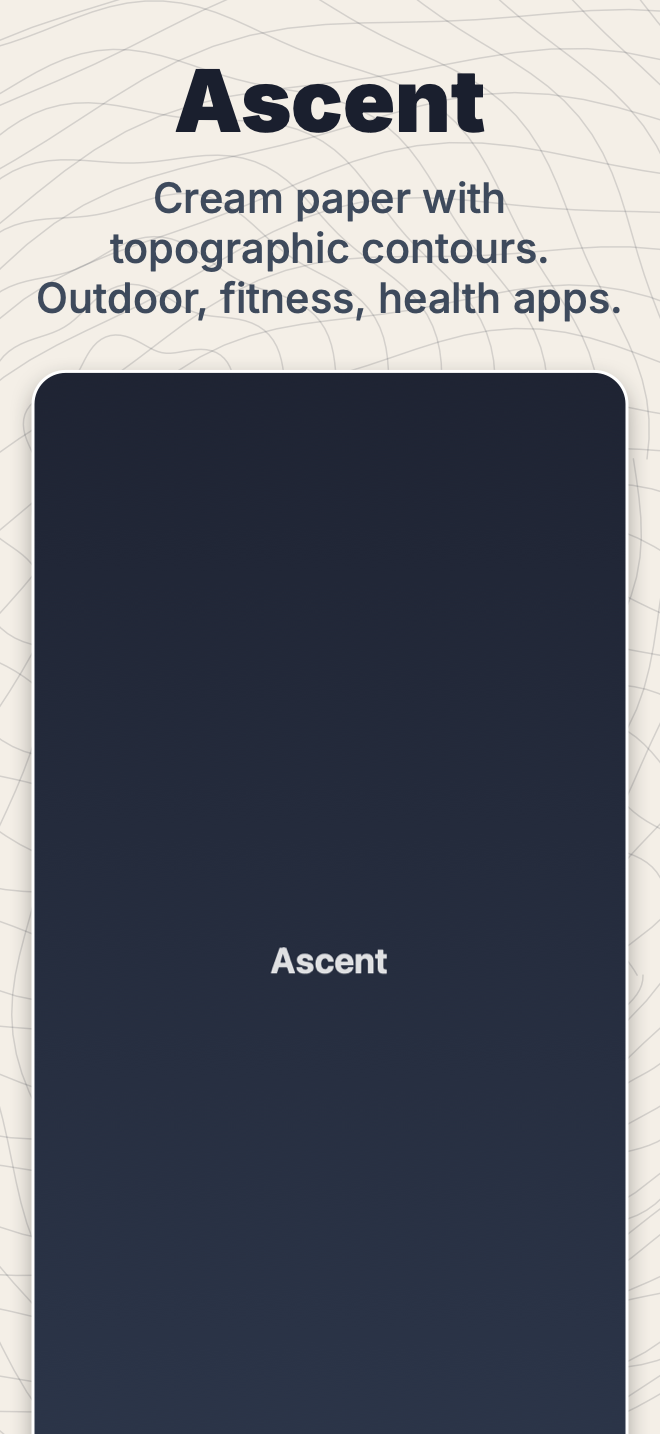 | `ascent` | Cream paper with topographic contours | Outdoor, fitness, health |
|
| `ascent` | Cream paper with topographic contours | Outdoor, fitness, health |
| 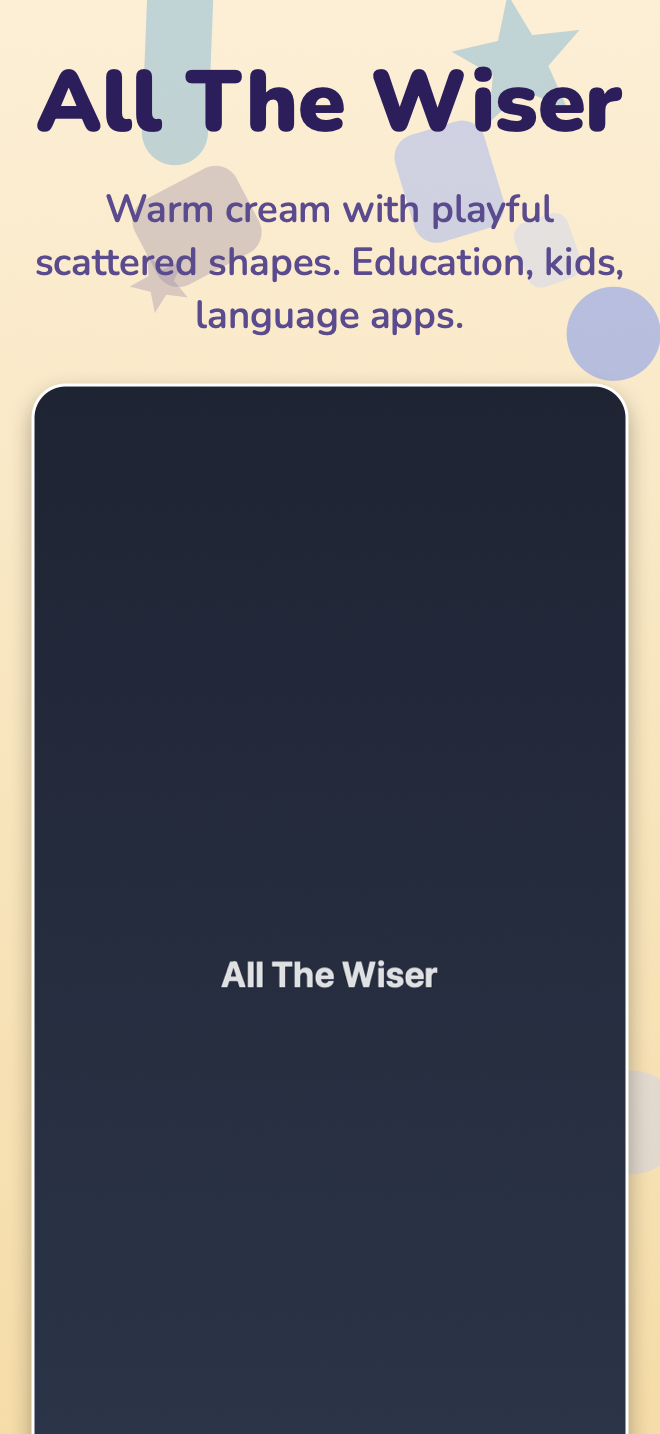 | `all_the_wiser` | Warm cream with playful scattered shapes | Education, kids, language |
|
| `all_the_wiser` | Warm cream with playful scattered shapes | Education, kids, language |
| 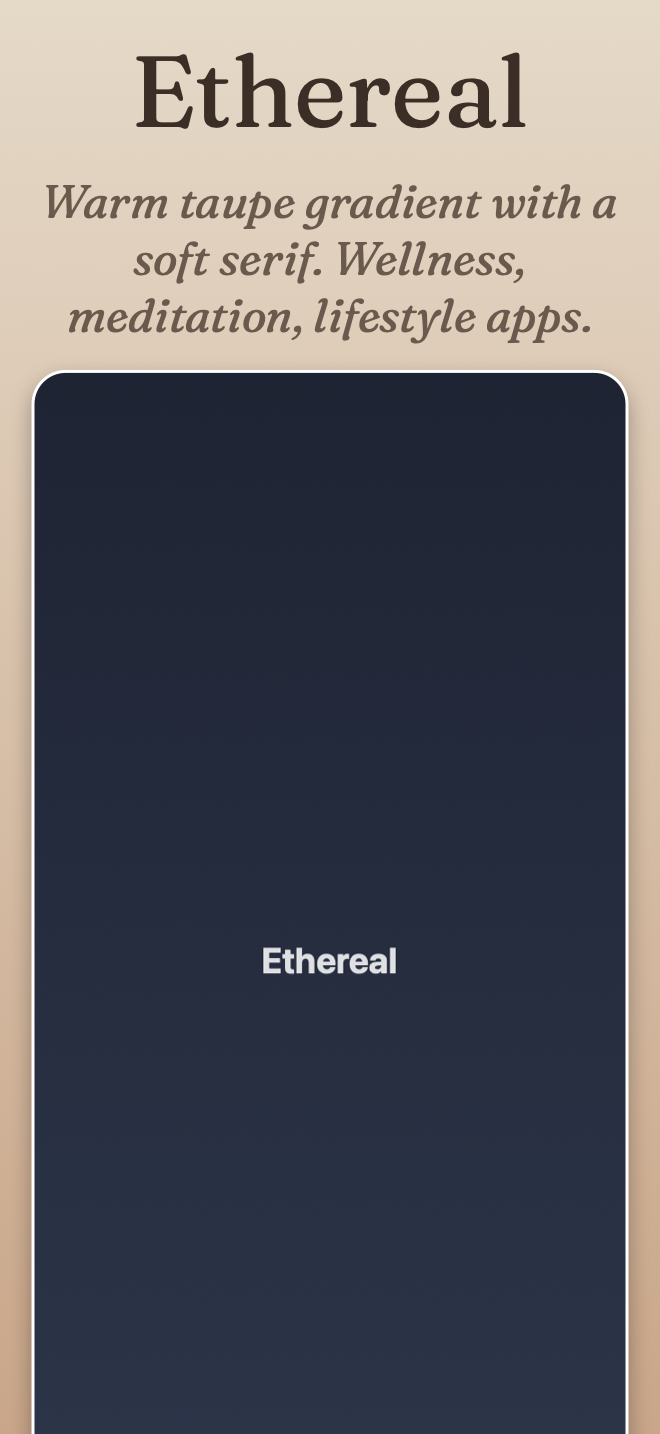 | `ethereal` | Warm taupe gradient, soft serif | Wellness, meditation, lifestyle |
|
| `ethereal` | Warm taupe gradient, soft serif | Wellness, meditation, lifestyle |
| 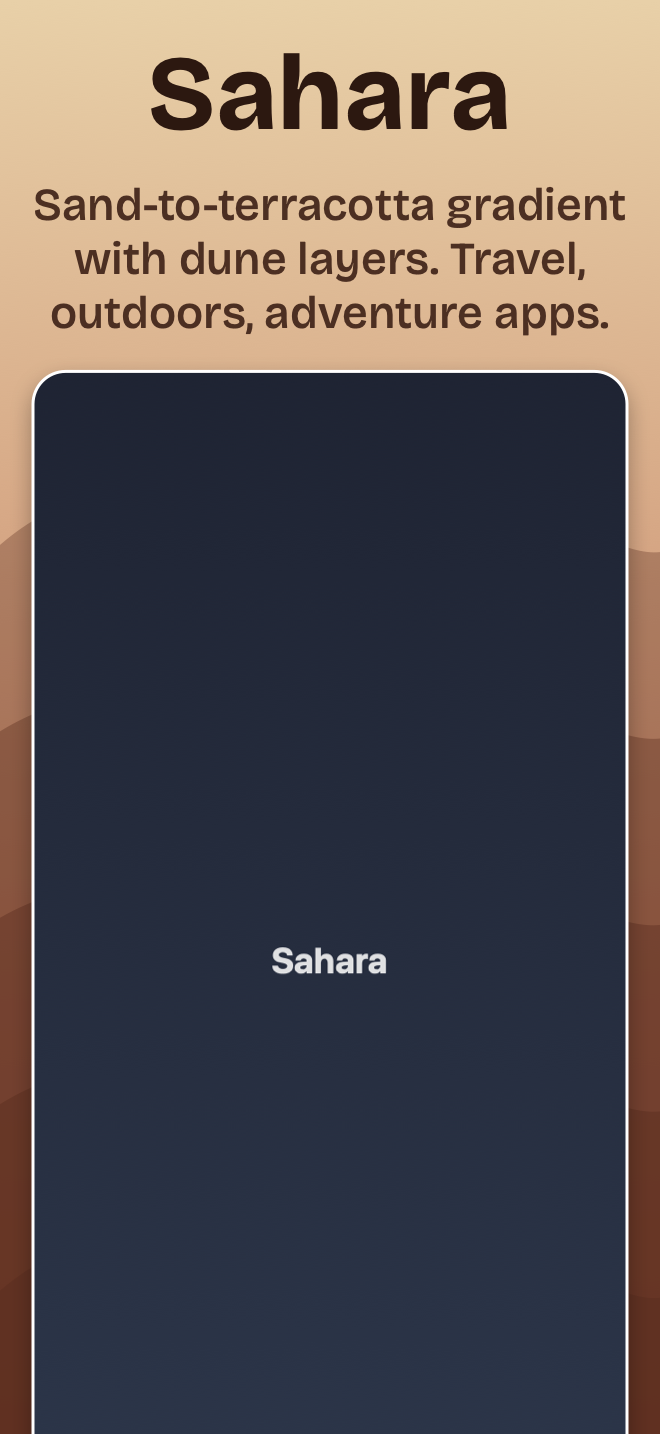 | `sahara` | Sand-to-terracotta gradient with dune layers | Travel, adventure |
|
| `sahara` | Sand-to-terracotta gradient with dune layers | Travel, adventure |
| 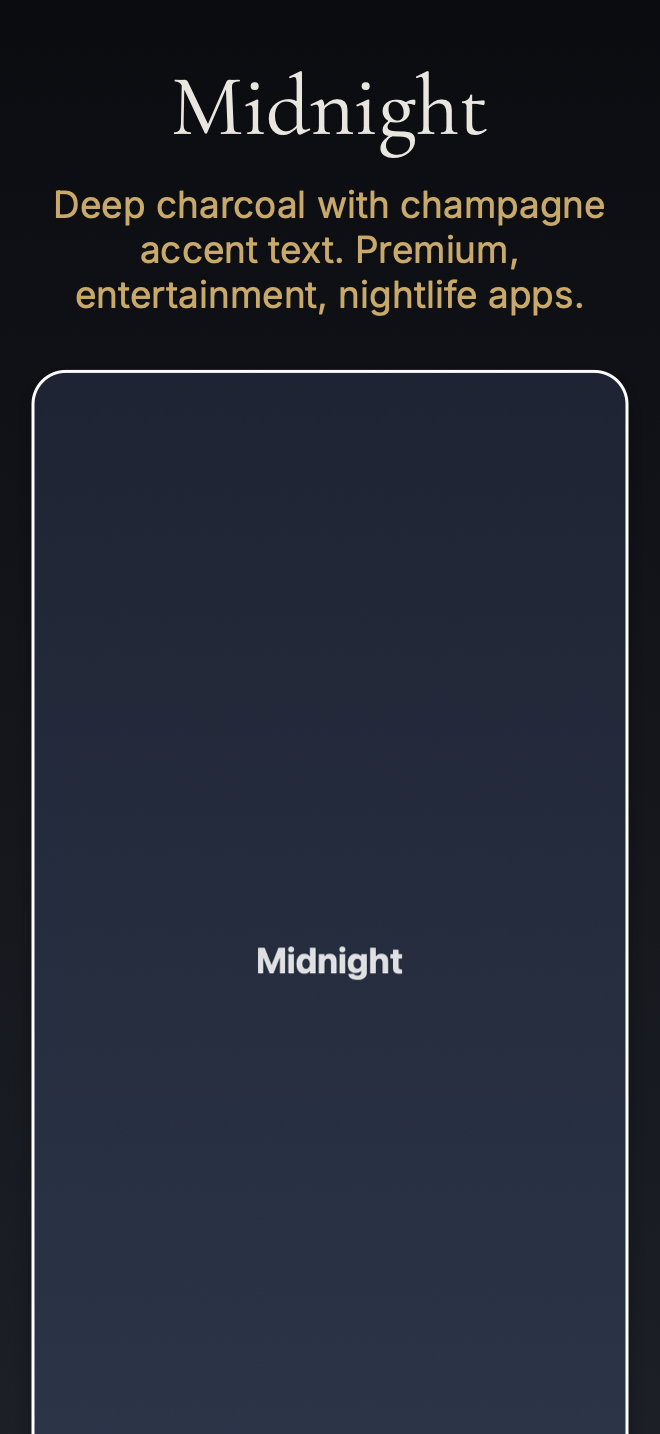 | `midnight` | Deep charcoal with champagne accent text | Premium, entertainment, nightlife |
|
| `midnight` | Deep charcoal with champagne accent text | Premium, entertainment, nightlife |
| 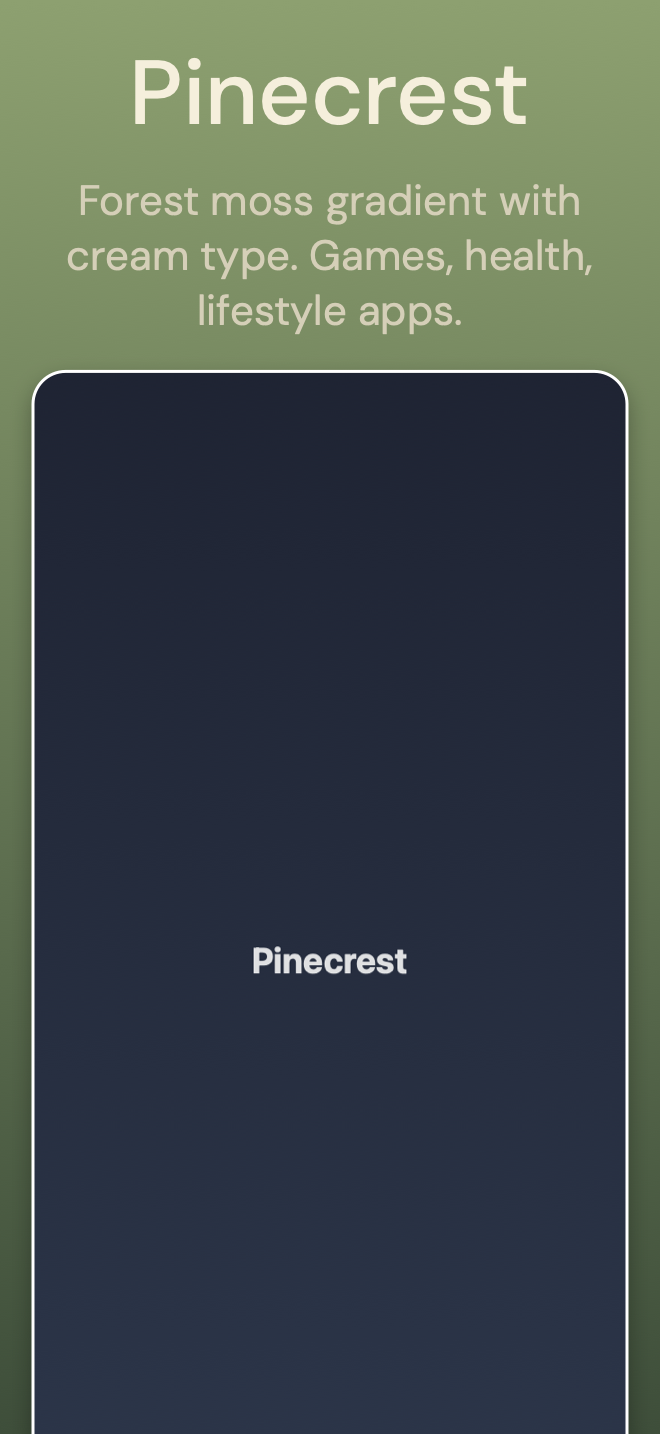 | `pinecrest` | Forest moss gradient with cream type | Games, health, lifestyle |
|
| `pinecrest` | Forest moss gradient with cream type | Games, health, lifestyle |
| 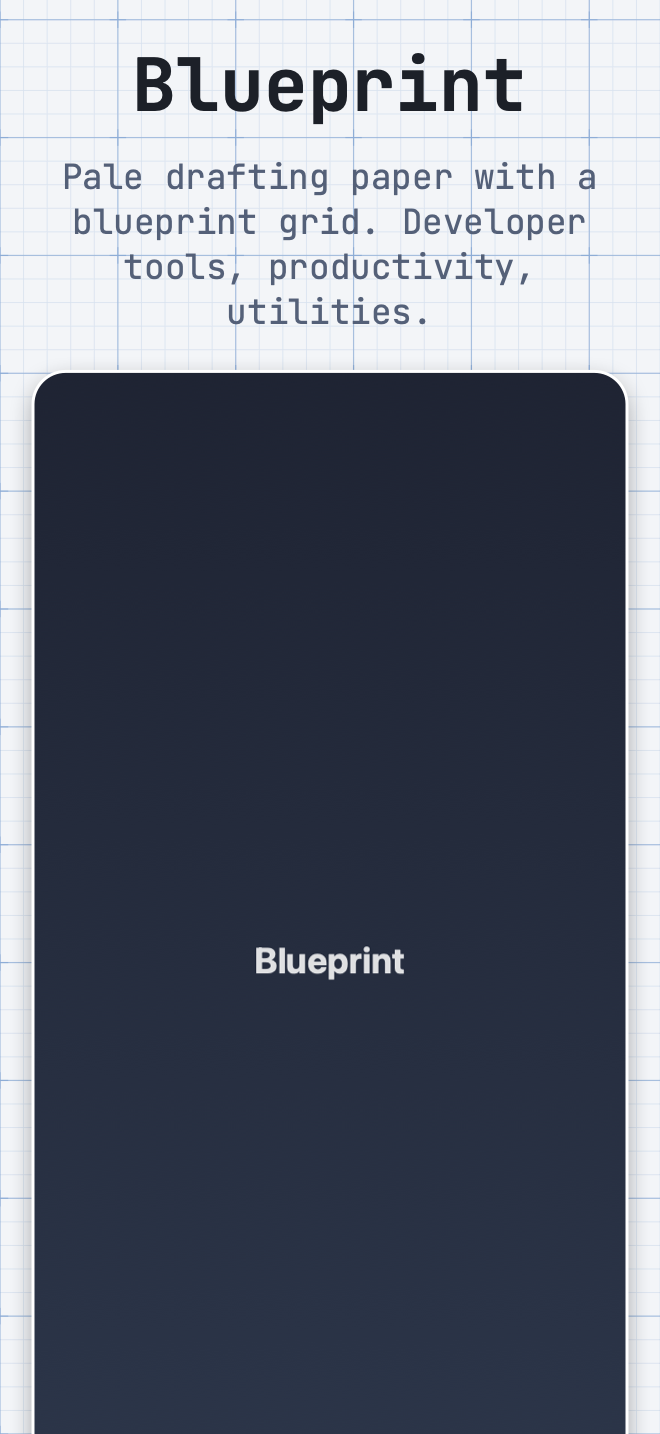 | `blueprint` | Pale drafting paper with a grid | Developer tools, productivity |
|
| `blueprint` | Pale drafting paper with a grid | Developer tools, productivity |
| 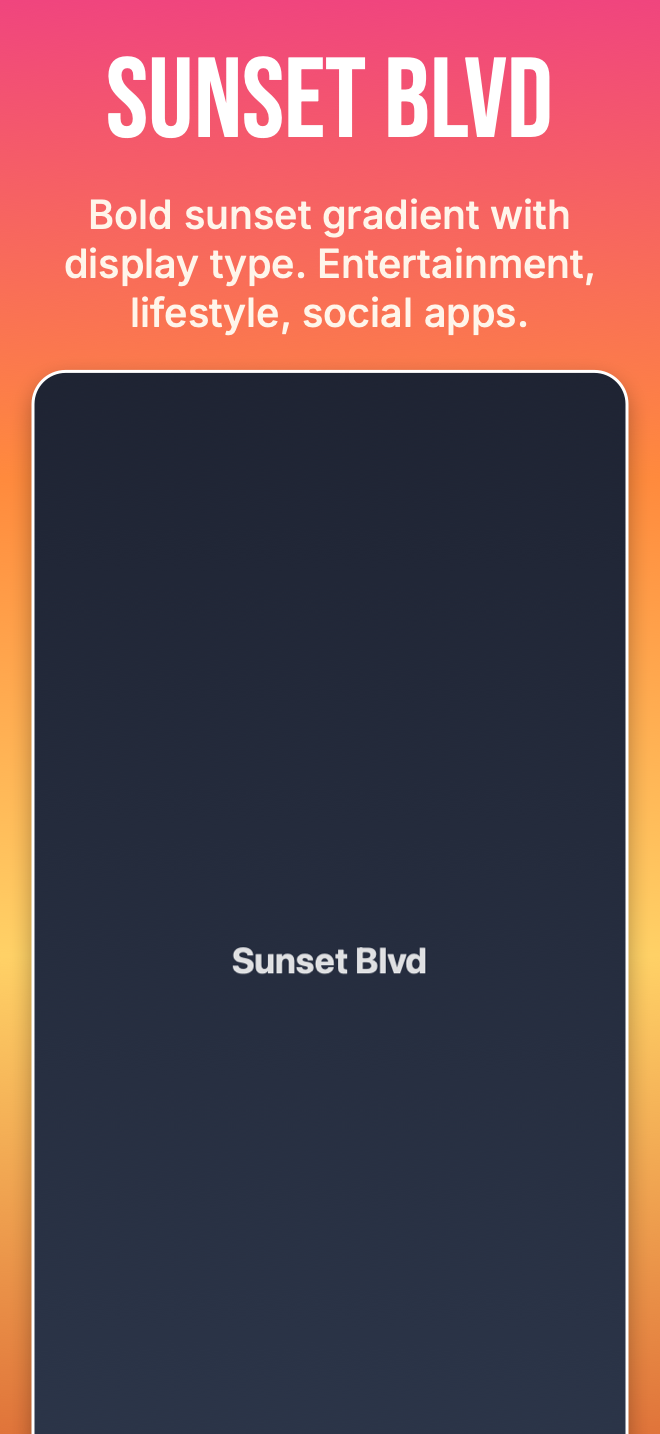 | `sunset_blvd` | Bold four-stop sunset gradient, display type | Entertainment, lifestyle, social |
|
| `sunset_blvd` | Bold four-stop sunset gradient, display type | Entertainment, lifestyle, social |
| 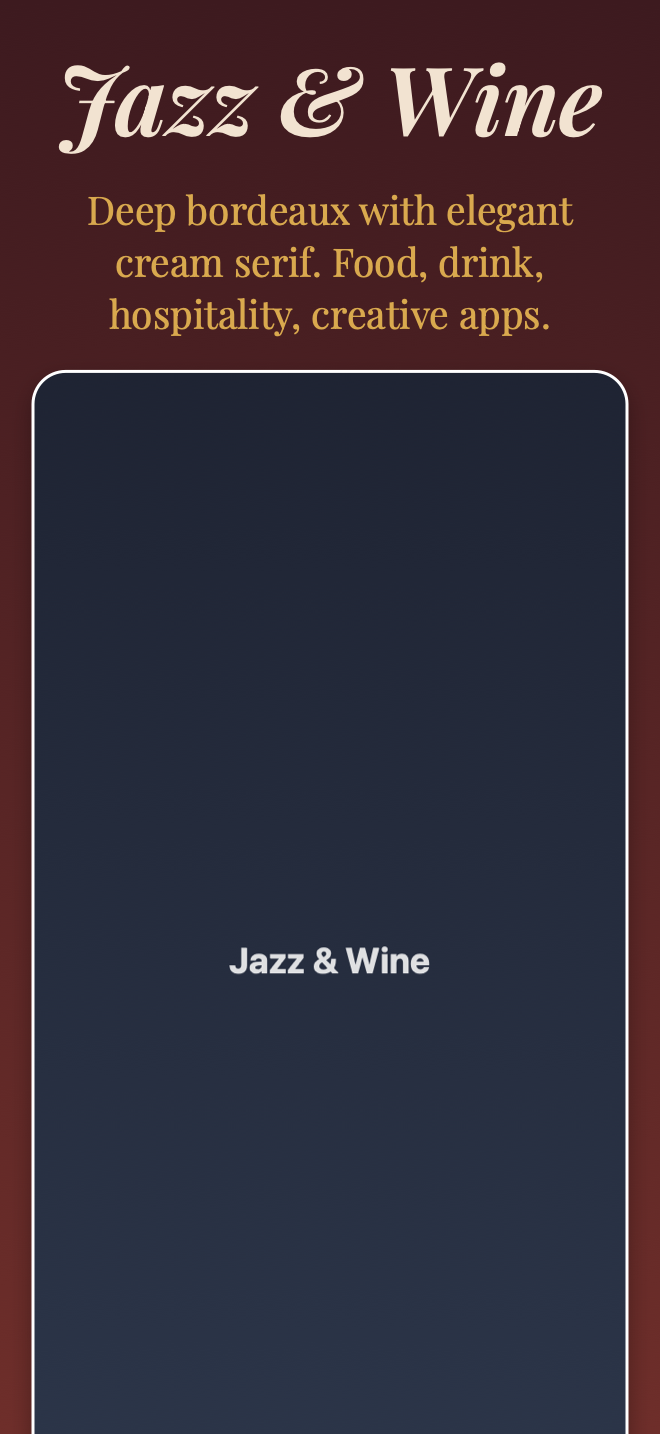 | `jazz_and_wine` | Deep bordeaux with elegant cream serif | Food, drink, hospitality, creative |
The showcase PNGs above are rendered by `TemplateShowcaseTests.testRegenerateShowcaseAssets`. Regenerate with `STORESCREENS_WRITE_SHOWCASE=1 swift test --filter TemplateShowcaseTests` after tweaking any template. The white rounded-rect frame in each thumbnail is `chrome.style: stroke` (a CoreGraphics outline), not a real Apple bezel PSD, so regenerating doesn't require the Apple Design Resources DMGs to be installed. When you apply a template to your own captures, each defaults to `chrome.style: bezel`: that renders the drawn `device` frame out of the box, and upgrades to real silver/titanium bezels once you've run `storescreens bezels import`.
#### Template credits
The nine built-in templates are clean-room reproductions of the *visual direction* (palette, typography mood, pattern concept, target app category) of the free templates in [ButterKit](https://butterkit.app/templates/), which are [MIT-licensed](https://butterkit.app/license-agreement/). Nothing from ButterKit is bundled: no PSDs, SVGs, bitmaps, or code. Backgrounds are drawn procedurally in CoreGraphics (`PatternRenderer.swift`), fonts resolve via the Google Fonts API at render time, and every color, weight, and size is redefined in `RenderTemplate.swift` using StoreScreens' own render config shape. The showcase PNGs in `assets/templates/` are generated by `TemplateShowcaseTests` against a synthetic placeholder screenshot (also not sourced from ButterKit). Names are preserved so users who've seen ButterKit's catalog recognize the aesthetic.
Individual credits: *Ethereal* is by Zach Spitulski (founder of ButterKit); the other eight (*Ascent*, *All The Wiser*, *Sahara*, *Midnight*, *Pinecrest*, *Blueprint*, *Sunset Blvd*, *Jazz & Wine*) are credited to the ButterKit team on [butterkit.app/templates](https://butterkit.app/templates/). If you like the aesthetic, check out ButterKit directly. They ship many more templates plus a 3D rendering engine for the marketing pieces StoreScreens doesn't do.
Templates set `background`, `caption`, and `chrome` defaults. You still pick captions per slide via the usual `slides:` block, and any field you write in the config overrides the template.
Background patterns (`topographic`, `blueprint_grid`, `dune_layers`, `soft_waves`, `gamified_shapes`) can also be used directly without a template:
```yaml
render:
background:
color: "#F4EFE7"
pattern:
pattern: topographic
color: "#1A1F2E"
opacity: 0.15
```
### Background scrim
Layer a flat tint or vertical gradient on top of the background to deepen contrast under the caption, mute a busy photo, or punch up a flat color. Drawn after the background and pattern, before the device chrome.
```yaml
render:
background:
image: ./marketing/hero.jpg
scrim:
color: "#000000"
opacity: 0.35 # 0.0 = invisible, 1.0 = opaque
# Or a top-to-bottom gradient (color stays the same; opacity ramps):
scrim:
color: "#000000"
gradient:
top_opacity: 0.0
bottom_opacity: 0.6
```
`color` defaults to `#000000`. If `gradient` is set, `opacity` is ignored; the gradient ramps between `top_opacity` and `bottom_opacity`.
### Theme suggestions
Not sure which colors to start from? `storescreens themes suggest` analyzes the captured screenshots (dominant background plus the most vivid accent color) and prints up to three ready-to-paste themes with legible contrast built in:
- App Match: the app's own background, nudged so the device frame stands out against it.
- Brand Gradient: a bold light-to-dark vertical gradient built from the app's accent color.
- Soft Tint: a near-white wash of the accent color.
Each suggestion is a `render:` snippet (background color or gradient, caption text color, `chrome.device_colorway`). Run it after a capture, or pass explicit image paths; `--json` emits machine-readable output (also available as the `suggest_themes` MCP tool). Apps without a saturated accent color get only App Match.
```bash
storescreens themes suggest # analyze the last capture
storescreens themes suggest shot.png # analyze specific files
```
### Chrome styles
- `none`: no chrome; screenshot drawn at the padded rect.
- `stroke`: rounded-rect clip with device-derived corner radius plus optional colored border and drop shadow. Zero asset download.
- `device`: generic device frame drawn procedurally in CoreGraphics - metal band, dark bezel ring, side buttons, and a Dynamic Island or notch picked from the screenshot's pixel dimensions. Zero asset download; the screenshot keeps its native aspect (never cropped). `device_colorway: dark | silver | natural` picks the body color (default `dark`). iPhone and iPad only; use `stroke` or `bezel` for MacBook. iPhone Duo screenshots get a Duo frame for whichever display they came from: the outer display with its tighter corners on the hinge side and its camera, or the unfolded inner display.
- `bezel`: screenshot composited inside a real Apple device bezel. Requires [bezel assets](#device-bezels). When no bezel is installed for a screenshot, the renderer falls back per `bezel_fallback: device | stroke | error` (default `device`, with a warning telling you how to get the real bezels).
### Fonts
Four forms for `font:`:
```yaml
font: system # SF Pro / system font
font: "Helvetica Neue" # installed font family
font: "./assets/Inter-Bold.otf" # local file
font: # bundle for correct bold/italic
regular: ./Inter-Regular.otf
bold: ./Inter-Bold.otf
italic: ./Inter-Italic.otf
font: # Google Fonts auto-download
google: Inter
version: "3.19" # optional version pin
```
Google Fonts are cached to `~/Library/Caches/storescreens/fonts/`.
#### Per-locale font overrides
A single typeface rarely covers every script you ship. Add `locale_overrides:` to either caption role to swap the font (or any other style field) when a specific locale is being rendered:
```yaml
caption:
title:
font:
google: Cormorant Garamond # default for Latin scripts
weight: bold
locale_overrides:
el:
font: { google: GFS Didot } # Greek slides use Didot
ja:
font: "Hiragino Mincho ProN" # CJK serif for Japanese
weight: regular
```
Each entry is itself a `CaptionRole`; non-nil fields shadow the role defaults for that locale, the rest fall through. Works for both `caption.title` and `caption.subtitle`. Locales absent from the map keep the role unchanged.
### Captions
- Bare string → single title, wraps at canvas width.
- Array of strings → strict line breaks (never wrapped inside an array item).
- Object → `title:`, `subtitle:`, optional `highlights:` for per-word color/weight.
- Markdown supported inline: `**bold**`, `*italic*`, `` `code` ``.
- `highlights:` overrides color / weight / italic on literal substring matches (case-sensitive, all occurrences).
### Alignment and nudge
Each caption role (`title`, `subtitle`) has independent horizontal alignment:
```yaml
caption:
title:
align: left # left | center (default) | right
subtitle:
align: right
```
The caption block as a whole can be vertically positioned inside its reserved band, and captions, images, laurels, and logos all accept a fine-grained `nudge`:
```yaml
caption:
vertical_align: top # top | center (default) | bottom
nudge:
x_pct: 0 # positive = right, negative = left
y_pct: -2 # positive = up (toward screen top), negative = down
logo:
nudge:
x_pct: 1
y_pct: 0
```
`nudge.x_pct` and `nudge.y_pct` are percentages of the canvas width and height respectively, so offsets stay the same relative size across iPhone 6.9", iPad 13", and Mac renders. Both are optional; omit a field and it's treated as zero.
### Equal spacing
By default the logo and the caption are positioned by two independent vertical centerings, which tends to leave the caption -> device gap visibly larger than the canvas-top -> logo and logo -> caption gaps. Set `equal_spacing: true` to make the gaps identical:
```yaml
caption:
equal_spacing: true # canvas top -> logo, logo -> caption, caption -> device all equal
```
This takes effect on any slide that has an `above_title` logo image. With a caption there are three gaps to equalize: canvas top -> logo, logo -> caption, and caption -> device. On a caption-less slide - a hero carrying nothing but a wordmark - it is the same rule with one box removed, so there are two: canvas top -> logo and logo -> device. That second form is what stops the wordmark from reading as too high. Left alone, the logo is centered inside its own `above_title` band, and that band is anchored to the canvas edge and takes no account of the chrome inset below it, so the wordmark ends up above the middle of the space it appears to sit in. The device stays exactly where it naturally lands; only the logo, and the caption when there is one, move to balance the gaps. The gaps are measured between the visible edges, the wordmark's actual glyph ink, the caption's cap height, and the device's screen content, not the looser layout boxes, so the spacing reads as even to the eye. `caption.nudge` still applies on top, so you can fine-tune afterward. If there isn't enough room (the logo, plus the caption when present, taller than the space above the device) the layout falls back to the default placement and emits a warning. Default is off, so existing slides are unaffected.
Two limits worth knowing. The caption-less form declines the job outright when the slide also has a `below_title` or `below_subtitle` overlay: those are drawn into the same space the two gaps divide up, and they are drawn after the logo, so an equal-spaced logo would be laid across them and an opaque one would paint the wordmark out. The slide keeps band centering and says so in a warning. The three-gap form has the same blind spot for a `below_subtitle` overlay and does not yet decline; if you use both together, check the render. And the gaps are measured from the wordmark's bright pixels against the dark background behind it, so a dark or mid-tone wordmark has no bright pixels to find and falls back to measuring its box, which is the looser number the rule exists to avoid.
### Images
Up to two image overlays per slide, dropped into one of three slots around the caption block. Each entry is independent: each has its own path, slot, alignment, and nudge.
```yaml
render:
images:
- path: ./marketing/logo-wordmark.svg
position: above_title # above_title | below_title | above_subtitle | below_subtitle
align: center # left | center (default) | right
max_height_pct: 6 # % of canvas height; default 8
top_padding_pct: 4 # % of canvas height reserved above it; above_title only, default 0
placement: first_only # first_only | all | none
```
`below_title` and `above_subtitle` are aliases for the same physical slot (the gap between the title and subtitle text); pick whichever reads more naturally. `placement` defaults to `first_only` for the `above_title` slot and `all` for every other slot, matching the "logo on slide 1, badges on every slide" convention.
When a caption is present, the `above_title` slot extends from the canvas top down to just above the caption block, so the image is automatically balanced between the canvas edge and the caption text without any manual `nudge.y_pct`. When the caption shifts (via `caption.nudge` or `caption.vertical_align`), the image follows. Configs upgraded from pre-2.8 may want to drop their old `images[].nudge.y_pct` workaround, since the default already puts the logo near the caption.
`top_padding_pct` reserves an extra band above the image, as a percentage of canvas height. Only the `above_title` slot honors it: that slot is anchored to the canvas edge, so it is the only one where padding above says anything the slot's own position does not. The slot grows to `max_height_pct + top_padding_pct` and the image centers inside it, so raising it pushes the caption and the device further down the canvas. That is how you line a hero slide's device up with the device on the caption slides: a caption reserves a band that a bare wordmark does not, and `top_padding_pct` makes up the difference.
Two things it does not do. Both images in a slot share one band, so if two `above_title` images carry different `top_padding_pct` values the band is sized by whichever asks for the most and both images re-center inside it; neither gets its own padding. And the device only moves down when the chrome position is the natural stack-up. `chrome.device_height_pct` and `chrome.top_pct` both pin the device independently of the bands, so under either of those the extra band comes out of the caption instead: the caption moves down, and with `device_height_pct` its band shrinks by the same amount, which can re-wrap it or shrink its font.
Two images in the same slot stack horizontally:
```yaml
render:
images:
- path: ./marketing/badge-editors-choice.png
position: below_subtitle
align: center
max_height_pct: 9
- path: ./marketing/badge-press.png
position: below_subtitle
align: center
max_height_pct: 9
```
Slot distribution rules:
- 1 item: respects its `align` (default `center`), centered vertically in the slot, with `nudge` applied last.
- 2 items: auto-distribute with equal whitespace. `gap = (canvas_width - item1_width - item2_width) / 3`; item 1 left at `gap`, item 2 left at `canvas_width - gap - item2_width`. Items never overlap as long as their combined width fits the canvas. The `align` field controls each item's internal text alignment (e.g. laurel title alignment) but does not affect anchoring. If the items are too wide together, they're clamped to abut at the midline and a warning is logged - lower `max_height_pct` to fit.
`path` accepts a `{ light:, dark: }` variant the same way `background.image` does, so a wordmark can swap between dark/light files when rendering both appearances.
The legacy `logo:` block still works and is treated as a single image at `above_title`, including its `top_padding_pct`, which reaches the renderer again as of 3.13.0. Between the move to overlay images and that release the field was silently dropped in the conversion, so a config that set it got a band the size of the bare image. A `logo:` block that never set the field is unaffected and still reserves no padding: the retired placer defaulted it to 4, but no render has used that default since the overlay migration, and reviving it would move the device on every legacy config rather than only on the ones that asked for padding. Setting `images: []` (an explicitly empty array) suppresses that legacy fallback.
### Laurels
A laurel "award badge" overlay - left and right laurel SVGs flanking centered title and subtitle text, tinted to a single color. Up to two per slide, same slot rules as `images`.
```yaml
render:
laurels:
- title: "Editors' Choice"
subtitle: "App Store"
color: "#FFD66B" # single hex, or { light:, dark: } variant
position: below_subtitle # default; same slots as images
align: center
max_height_pct: 11
placement: all # default; laurels usually repeat
```
`title` is bold by default, `subtitle` is regular. Override per-role with `title_style` and `subtitle_style`, which take the same fields as `caption.title` / `caption.subtitle` (font, weight, italic, font_size_pct, color, align):
```yaml
render:
laurels:
- title: "4.9"
subtitle: "200k reviews"
color:
light: "#1A1F2E"
dark: "#FFD66B"
title_style:
font_size_pct: 4.0
weight: heavy
subtitle_style:
font_size_pct: 2.4
italic: true
inset_pct: 4 # default 4. Positive = laurels closer to text (may overlap); negative = wider gap.
```
The laurel SVGs ship with the renderer; `color` tints both leaves with a solid fill (alpha-mask, so any color works). Two laurels in the same slot follow the same same-align/different-align rules as images.
### Tables
A 2D grid of text with optional borders. Up to two per slide, same slot semantics as images and laurels.
```yaml
render:
tables:
- rows:
- ["5,064", "Verbs"]
- ["2x more", "than competitors"]
text_color: "#FFFFFF"
border_color: "#FFD66B"
cell_style:
weight: bold
position: below_subtitle
max_height_pct: 14
```
Use `columns:` instead of `rows:` for column-major content. Rows of unequal length are padded with empty cells, so the grid is always rectangular. Cell content can include `\n` for in-cell line breaks; the row containing the multi-line cell auto-grows. Cell font size auto-derives to fit `max_height_pct` divided across the total number of text lines (a row with 2-line cells takes twice the height of a 1-line row), uniformly applied unless you override `cell_style.font_size_pct`. Per-column horizontal alignment via `column_aligns: [left, right]`; per-column vertical alignment via `column_valigns: [top, top]` (handy when a row auto-grows for a multi-line cell and you want neighboring single-line cells to anchor to the top instead of vertical-centering in the row). Border defaults to all sides + inner grid lines at width_pct: 0.15; override with `border.sides: [outer]`, `[inner]`, or per-side names like `[top, bottom]`.
### Per-slide overrides
Every render field shown above (`background`, `scrim`, `caption`, `chrome`, `images`, `laurels`, `tables`, `logo`) can be overridden per slide under the `slides:` block. Plus two slide-only fields:
#### Per-slide appearance
By default, capture runs each slide in every appearance listed at `appearances: [light, dark]` (a cross-product across all slides). To pin specific slides to one appearance instead, set `appearance:` on the slide and skip the cross-product:
```yaml
render:
slides:
"Home":
appearance: dark # this slide is always rendered dark
caption: "Built for late nights."
"Search":
appearance: light # this slide is always rendered light
caption: "Find anything, fast."
```
Capture groups slides by their effective appearance so each runs at most once per (device, locale) combo. Chrome fields that use the `{ light:, dark: }` variant shape automatically pick the matching side. Slides without an `appearance:` override still flow through the legacy top-level `appearances:` cross-product, so the two modes coexist.
#### Per-slide localized captions
`caption_locales:` lets a single slide carry per-locale title text without duplicating the whole `slides:` block per locale. Keyed by Xcode locale code (`en-US`, `el`, `ja`, `zh-Hans`, …):
```yaml
render:
slides:
"Spellcheck":
caption: "Auto-corrections" # default for unlisted locales
caption_locales:
el: "Αυτόματες διορθώσεις"
ja: "オートコレクト"
```
When the current render's locale matches a key, that entry replaces the slide's `caption:` for that pass. Locales absent from the map fall back to the slide's default caption. This is distinct from the `locale_overrides:` on caption roles documented above: `locale_overrides` swaps font/weight/color for the whole role across all slides; `caption_locales` swaps the actual title text on a single slide.
Each caption is tagged with its locale when it is rendered, so glyphs the caption font lacks come from a fallback font for that language. This matters for Chinese, Japanese and Korean with the `system` font: Han characters are drawn differently in Japanese and in each Chinese script, and without the tag the fallback would follow the language of the Mac doing the rendering. A `caption_locales` value can also be an array of lines, like `caption:`, which is the way to place line breaks in Chinese and Japanese, where a line may otherwise break between any two characters:
```yaml
caption_locales:
zh-Hant: ["符號可先選,", "也可後加"]
```
Locales with a script subtag (`zh-Hans`, `zh-Hant`, `sr-Latn`) are passed to the simulator whole as the test language, with no region.
## App Store search preview
`storescreens search-preview` renders faithful iPhone App Store mockups so you can see how the app will read in search results - and on its detail page - before you ship. SF Pro throughout, drawn natively in Swift Core Graphics. Two modes:
- **Search row** - icon, three-line name/subtitle/stars stack next to the icon, category icons + developer in the meta row, 3-up screenshot strip.
- **Detail page** - what users see after tapping a search result. Hero row + GET, stats strip (ratings · age · category · developer), What's New (version + release notes with `more` link), Preview screenshots, About This App (description with `more` link).
| `jazz_and_wine` | Deep bordeaux with elegant cream serif | Food, drink, hospitality, creative |
The showcase PNGs above are rendered by `TemplateShowcaseTests.testRegenerateShowcaseAssets`. Regenerate with `STORESCREENS_WRITE_SHOWCASE=1 swift test --filter TemplateShowcaseTests` after tweaking any template. The white rounded-rect frame in each thumbnail is `chrome.style: stroke` (a CoreGraphics outline), not a real Apple bezel PSD, so regenerating doesn't require the Apple Design Resources DMGs to be installed. When you apply a template to your own captures, each defaults to `chrome.style: bezel`: that renders the drawn `device` frame out of the box, and upgrades to real silver/titanium bezels once you've run `storescreens bezels import`.
#### Template credits
The nine built-in templates are clean-room reproductions of the *visual direction* (palette, typography mood, pattern concept, target app category) of the free templates in [ButterKit](https://butterkit.app/templates/), which are [MIT-licensed](https://butterkit.app/license-agreement/). Nothing from ButterKit is bundled: no PSDs, SVGs, bitmaps, or code. Backgrounds are drawn procedurally in CoreGraphics (`PatternRenderer.swift`), fonts resolve via the Google Fonts API at render time, and every color, weight, and size is redefined in `RenderTemplate.swift` using StoreScreens' own render config shape. The showcase PNGs in `assets/templates/` are generated by `TemplateShowcaseTests` against a synthetic placeholder screenshot (also not sourced from ButterKit). Names are preserved so users who've seen ButterKit's catalog recognize the aesthetic.
Individual credits: *Ethereal* is by Zach Spitulski (founder of ButterKit); the other eight (*Ascent*, *All The Wiser*, *Sahara*, *Midnight*, *Pinecrest*, *Blueprint*, *Sunset Blvd*, *Jazz & Wine*) are credited to the ButterKit team on [butterkit.app/templates](https://butterkit.app/templates/). If you like the aesthetic, check out ButterKit directly. They ship many more templates plus a 3D rendering engine for the marketing pieces StoreScreens doesn't do.
Templates set `background`, `caption`, and `chrome` defaults. You still pick captions per slide via the usual `slides:` block, and any field you write in the config overrides the template.
Background patterns (`topographic`, `blueprint_grid`, `dune_layers`, `soft_waves`, `gamified_shapes`) can also be used directly without a template:
```yaml
render:
background:
color: "#F4EFE7"
pattern:
pattern: topographic
color: "#1A1F2E"
opacity: 0.15
```
### Background scrim
Layer a flat tint or vertical gradient on top of the background to deepen contrast under the caption, mute a busy photo, or punch up a flat color. Drawn after the background and pattern, before the device chrome.
```yaml
render:
background:
image: ./marketing/hero.jpg
scrim:
color: "#000000"
opacity: 0.35 # 0.0 = invisible, 1.0 = opaque
# Or a top-to-bottom gradient (color stays the same; opacity ramps):
scrim:
color: "#000000"
gradient:
top_opacity: 0.0
bottom_opacity: 0.6
```
`color` defaults to `#000000`. If `gradient` is set, `opacity` is ignored; the gradient ramps between `top_opacity` and `bottom_opacity`.
### Theme suggestions
Not sure which colors to start from? `storescreens themes suggest` analyzes the captured screenshots (dominant background plus the most vivid accent color) and prints up to three ready-to-paste themes with legible contrast built in:
- App Match: the app's own background, nudged so the device frame stands out against it.
- Brand Gradient: a bold light-to-dark vertical gradient built from the app's accent color.
- Soft Tint: a near-white wash of the accent color.
Each suggestion is a `render:` snippet (background color or gradient, caption text color, `chrome.device_colorway`). Run it after a capture, or pass explicit image paths; `--json` emits machine-readable output (also available as the `suggest_themes` MCP tool). Apps without a saturated accent color get only App Match.
```bash
storescreens themes suggest # analyze the last capture
storescreens themes suggest shot.png # analyze specific files
```
### Chrome styles
- `none`: no chrome; screenshot drawn at the padded rect.
- `stroke`: rounded-rect clip with device-derived corner radius plus optional colored border and drop shadow. Zero asset download.
- `device`: generic device frame drawn procedurally in CoreGraphics - metal band, dark bezel ring, side buttons, and a Dynamic Island or notch picked from the screenshot's pixel dimensions. Zero asset download; the screenshot keeps its native aspect (never cropped). `device_colorway: dark | silver | natural` picks the body color (default `dark`). iPhone and iPad only; use `stroke` or `bezel` for MacBook. iPhone Duo screenshots get a Duo frame for whichever display they came from: the outer display with its tighter corners on the hinge side and its camera, or the unfolded inner display.
- `bezel`: screenshot composited inside a real Apple device bezel. Requires [bezel assets](#device-bezels). When no bezel is installed for a screenshot, the renderer falls back per `bezel_fallback: device | stroke | error` (default `device`, with a warning telling you how to get the real bezels).
### Fonts
Four forms for `font:`:
```yaml
font: system # SF Pro / system font
font: "Helvetica Neue" # installed font family
font: "./assets/Inter-Bold.otf" # local file
font: # bundle for correct bold/italic
regular: ./Inter-Regular.otf
bold: ./Inter-Bold.otf
italic: ./Inter-Italic.otf
font: # Google Fonts auto-download
google: Inter
version: "3.19" # optional version pin
```
Google Fonts are cached to `~/Library/Caches/storescreens/fonts/`.
#### Per-locale font overrides
A single typeface rarely covers every script you ship. Add `locale_overrides:` to either caption role to swap the font (or any other style field) when a specific locale is being rendered:
```yaml
caption:
title:
font:
google: Cormorant Garamond # default for Latin scripts
weight: bold
locale_overrides:
el:
font: { google: GFS Didot } # Greek slides use Didot
ja:
font: "Hiragino Mincho ProN" # CJK serif for Japanese
weight: regular
```
Each entry is itself a `CaptionRole`; non-nil fields shadow the role defaults for that locale, the rest fall through. Works for both `caption.title` and `caption.subtitle`. Locales absent from the map keep the role unchanged.
### Captions
- Bare string → single title, wraps at canvas width.
- Array of strings → strict line breaks (never wrapped inside an array item).
- Object → `title:`, `subtitle:`, optional `highlights:` for per-word color/weight.
- Markdown supported inline: `**bold**`, `*italic*`, `` `code` ``.
- `highlights:` overrides color / weight / italic on literal substring matches (case-sensitive, all occurrences).
### Alignment and nudge
Each caption role (`title`, `subtitle`) has independent horizontal alignment:
```yaml
caption:
title:
align: left # left | center (default) | right
subtitle:
align: right
```
The caption block as a whole can be vertically positioned inside its reserved band, and captions, images, laurels, and logos all accept a fine-grained `nudge`:
```yaml
caption:
vertical_align: top # top | center (default) | bottom
nudge:
x_pct: 0 # positive = right, negative = left
y_pct: -2 # positive = up (toward screen top), negative = down
logo:
nudge:
x_pct: 1
y_pct: 0
```
`nudge.x_pct` and `nudge.y_pct` are percentages of the canvas width and height respectively, so offsets stay the same relative size across iPhone 6.9", iPad 13", and Mac renders. Both are optional; omit a field and it's treated as zero.
### Equal spacing
By default the logo and the caption are positioned by two independent vertical centerings, which tends to leave the caption -> device gap visibly larger than the canvas-top -> logo and logo -> caption gaps. Set `equal_spacing: true` to make the gaps identical:
```yaml
caption:
equal_spacing: true # canvas top -> logo, logo -> caption, caption -> device all equal
```
This takes effect on any slide that has an `above_title` logo image. With a caption there are three gaps to equalize: canvas top -> logo, logo -> caption, and caption -> device. On a caption-less slide - a hero carrying nothing but a wordmark - it is the same rule with one box removed, so there are two: canvas top -> logo and logo -> device. That second form is what stops the wordmark from reading as too high. Left alone, the logo is centered inside its own `above_title` band, and that band is anchored to the canvas edge and takes no account of the chrome inset below it, so the wordmark ends up above the middle of the space it appears to sit in. The device stays exactly where it naturally lands; only the logo, and the caption when there is one, move to balance the gaps. The gaps are measured between the visible edges, the wordmark's actual glyph ink, the caption's cap height, and the device's screen content, not the looser layout boxes, so the spacing reads as even to the eye. `caption.nudge` still applies on top, so you can fine-tune afterward. If there isn't enough room (the logo, plus the caption when present, taller than the space above the device) the layout falls back to the default placement and emits a warning. Default is off, so existing slides are unaffected.
Two limits worth knowing. The caption-less form declines the job outright when the slide also has a `below_title` or `below_subtitle` overlay: those are drawn into the same space the two gaps divide up, and they are drawn after the logo, so an equal-spaced logo would be laid across them and an opaque one would paint the wordmark out. The slide keeps band centering and says so in a warning. The three-gap form has the same blind spot for a `below_subtitle` overlay and does not yet decline; if you use both together, check the render. And the gaps are measured from the wordmark's bright pixels against the dark background behind it, so a dark or mid-tone wordmark has no bright pixels to find and falls back to measuring its box, which is the looser number the rule exists to avoid.
### Images
Up to two image overlays per slide, dropped into one of three slots around the caption block. Each entry is independent: each has its own path, slot, alignment, and nudge.
```yaml
render:
images:
- path: ./marketing/logo-wordmark.svg
position: above_title # above_title | below_title | above_subtitle | below_subtitle
align: center # left | center (default) | right
max_height_pct: 6 # % of canvas height; default 8
top_padding_pct: 4 # % of canvas height reserved above it; above_title only, default 0
placement: first_only # first_only | all | none
```
`below_title` and `above_subtitle` are aliases for the same physical slot (the gap between the title and subtitle text); pick whichever reads more naturally. `placement` defaults to `first_only` for the `above_title` slot and `all` for every other slot, matching the "logo on slide 1, badges on every slide" convention.
When a caption is present, the `above_title` slot extends from the canvas top down to just above the caption block, so the image is automatically balanced between the canvas edge and the caption text without any manual `nudge.y_pct`. When the caption shifts (via `caption.nudge` or `caption.vertical_align`), the image follows. Configs upgraded from pre-2.8 may want to drop their old `images[].nudge.y_pct` workaround, since the default already puts the logo near the caption.
`top_padding_pct` reserves an extra band above the image, as a percentage of canvas height. Only the `above_title` slot honors it: that slot is anchored to the canvas edge, so it is the only one where padding above says anything the slot's own position does not. The slot grows to `max_height_pct + top_padding_pct` and the image centers inside it, so raising it pushes the caption and the device further down the canvas. That is how you line a hero slide's device up with the device on the caption slides: a caption reserves a band that a bare wordmark does not, and `top_padding_pct` makes up the difference.
Two things it does not do. Both images in a slot share one band, so if two `above_title` images carry different `top_padding_pct` values the band is sized by whichever asks for the most and both images re-center inside it; neither gets its own padding. And the device only moves down when the chrome position is the natural stack-up. `chrome.device_height_pct` and `chrome.top_pct` both pin the device independently of the bands, so under either of those the extra band comes out of the caption instead: the caption moves down, and with `device_height_pct` its band shrinks by the same amount, which can re-wrap it or shrink its font.
Two images in the same slot stack horizontally:
```yaml
render:
images:
- path: ./marketing/badge-editors-choice.png
position: below_subtitle
align: center
max_height_pct: 9
- path: ./marketing/badge-press.png
position: below_subtitle
align: center
max_height_pct: 9
```
Slot distribution rules:
- 1 item: respects its `align` (default `center`), centered vertically in the slot, with `nudge` applied last.
- 2 items: auto-distribute with equal whitespace. `gap = (canvas_width - item1_width - item2_width) / 3`; item 1 left at `gap`, item 2 left at `canvas_width - gap - item2_width`. Items never overlap as long as their combined width fits the canvas. The `align` field controls each item's internal text alignment (e.g. laurel title alignment) but does not affect anchoring. If the items are too wide together, they're clamped to abut at the midline and a warning is logged - lower `max_height_pct` to fit.
`path` accepts a `{ light:, dark: }` variant the same way `background.image` does, so a wordmark can swap between dark/light files when rendering both appearances.
The legacy `logo:` block still works and is treated as a single image at `above_title`, including its `top_padding_pct`, which reaches the renderer again as of 3.13.0. Between the move to overlay images and that release the field was silently dropped in the conversion, so a config that set it got a band the size of the bare image. A `logo:` block that never set the field is unaffected and still reserves no padding: the retired placer defaulted it to 4, but no render has used that default since the overlay migration, and reviving it would move the device on every legacy config rather than only on the ones that asked for padding. Setting `images: []` (an explicitly empty array) suppresses that legacy fallback.
### Laurels
A laurel "award badge" overlay - left and right laurel SVGs flanking centered title and subtitle text, tinted to a single color. Up to two per slide, same slot rules as `images`.
```yaml
render:
laurels:
- title: "Editors' Choice"
subtitle: "App Store"
color: "#FFD66B" # single hex, or { light:, dark: } variant
position: below_subtitle # default; same slots as images
align: center
max_height_pct: 11
placement: all # default; laurels usually repeat
```
`title` is bold by default, `subtitle` is regular. Override per-role with `title_style` and `subtitle_style`, which take the same fields as `caption.title` / `caption.subtitle` (font, weight, italic, font_size_pct, color, align):
```yaml
render:
laurels:
- title: "4.9"
subtitle: "200k reviews"
color:
light: "#1A1F2E"
dark: "#FFD66B"
title_style:
font_size_pct: 4.0
weight: heavy
subtitle_style:
font_size_pct: 2.4
italic: true
inset_pct: 4 # default 4. Positive = laurels closer to text (may overlap); negative = wider gap.
```
The laurel SVGs ship with the renderer; `color` tints both leaves with a solid fill (alpha-mask, so any color works). Two laurels in the same slot follow the same same-align/different-align rules as images.
### Tables
A 2D grid of text with optional borders. Up to two per slide, same slot semantics as images and laurels.
```yaml
render:
tables:
- rows:
- ["5,064", "Verbs"]
- ["2x more", "than competitors"]
text_color: "#FFFFFF"
border_color: "#FFD66B"
cell_style:
weight: bold
position: below_subtitle
max_height_pct: 14
```
Use `columns:` instead of `rows:` for column-major content. Rows of unequal length are padded with empty cells, so the grid is always rectangular. Cell content can include `\n` for in-cell line breaks; the row containing the multi-line cell auto-grows. Cell font size auto-derives to fit `max_height_pct` divided across the total number of text lines (a row with 2-line cells takes twice the height of a 1-line row), uniformly applied unless you override `cell_style.font_size_pct`. Per-column horizontal alignment via `column_aligns: [left, right]`; per-column vertical alignment via `column_valigns: [top, top]` (handy when a row auto-grows for a multi-line cell and you want neighboring single-line cells to anchor to the top instead of vertical-centering in the row). Border defaults to all sides + inner grid lines at width_pct: 0.15; override with `border.sides: [outer]`, `[inner]`, or per-side names like `[top, bottom]`.
### Per-slide overrides
Every render field shown above (`background`, `scrim`, `caption`, `chrome`, `images`, `laurels`, `tables`, `logo`) can be overridden per slide under the `slides:` block. Plus two slide-only fields:
#### Per-slide appearance
By default, capture runs each slide in every appearance listed at `appearances: [light, dark]` (a cross-product across all slides). To pin specific slides to one appearance instead, set `appearance:` on the slide and skip the cross-product:
```yaml
render:
slides:
"Home":
appearance: dark # this slide is always rendered dark
caption: "Built for late nights."
"Search":
appearance: light # this slide is always rendered light
caption: "Find anything, fast."
```
Capture groups slides by their effective appearance so each runs at most once per (device, locale) combo. Chrome fields that use the `{ light:, dark: }` variant shape automatically pick the matching side. Slides without an `appearance:` override still flow through the legacy top-level `appearances:` cross-product, so the two modes coexist.
#### Per-slide localized captions
`caption_locales:` lets a single slide carry per-locale title text without duplicating the whole `slides:` block per locale. Keyed by Xcode locale code (`en-US`, `el`, `ja`, `zh-Hans`, …):
```yaml
render:
slides:
"Spellcheck":
caption: "Auto-corrections" # default for unlisted locales
caption_locales:
el: "Αυτόματες διορθώσεις"
ja: "オートコレクト"
```
When the current render's locale matches a key, that entry replaces the slide's `caption:` for that pass. Locales absent from the map fall back to the slide's default caption. This is distinct from the `locale_overrides:` on caption roles documented above: `locale_overrides` swaps font/weight/color for the whole role across all slides; `caption_locales` swaps the actual title text on a single slide.
Each caption is tagged with its locale when it is rendered, so glyphs the caption font lacks come from a fallback font for that language. This matters for Chinese, Japanese and Korean with the `system` font: Han characters are drawn differently in Japanese and in each Chinese script, and without the tag the fallback would follow the language of the Mac doing the rendering. A `caption_locales` value can also be an array of lines, like `caption:`, which is the way to place line breaks in Chinese and Japanese, where a line may otherwise break between any two characters:
```yaml
caption_locales:
zh-Hant: ["符號可先選,", "也可後加"]
```
Locales with a script subtag (`zh-Hans`, `zh-Hant`, `sr-Latn`) are passed to the simulator whole as the test language, with no region.
## App Store search preview
`storescreens search-preview` renders faithful iPhone App Store mockups so you can see how the app will read in search results - and on its detail page - before you ship. SF Pro throughout, drawn natively in Swift Core Graphics. Two modes:
- **Search row** - icon, three-line name/subtitle/stars stack next to the icon, category icons + developer in the meta row, 3-up screenshot strip.
- **Detail page** - what users see after tapping a search result. Hero row + GET, stats strip (ratings · age · category · developer), What's New (version + release notes with `more` link), Preview screenshots, About This App (description with `more` link).
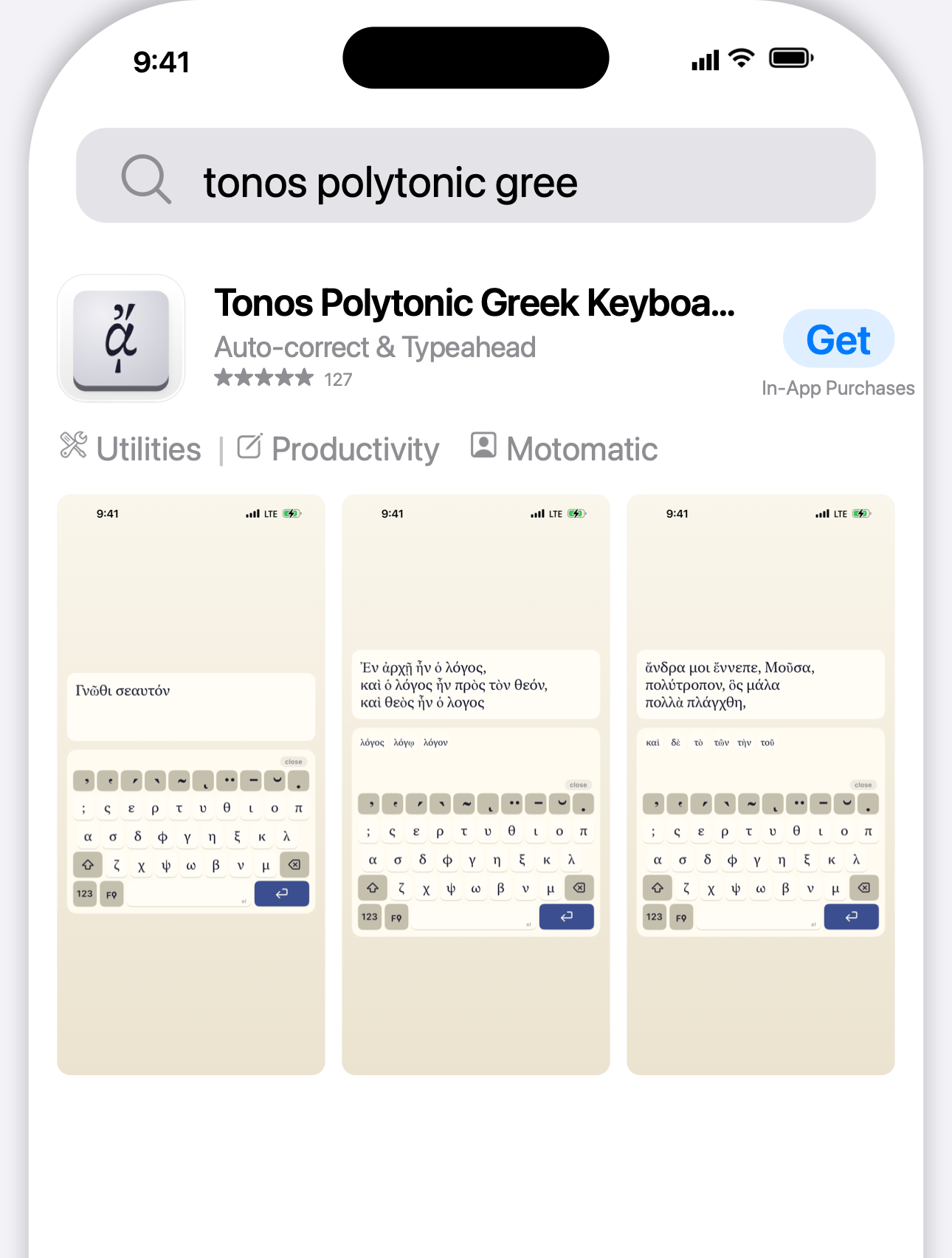 |
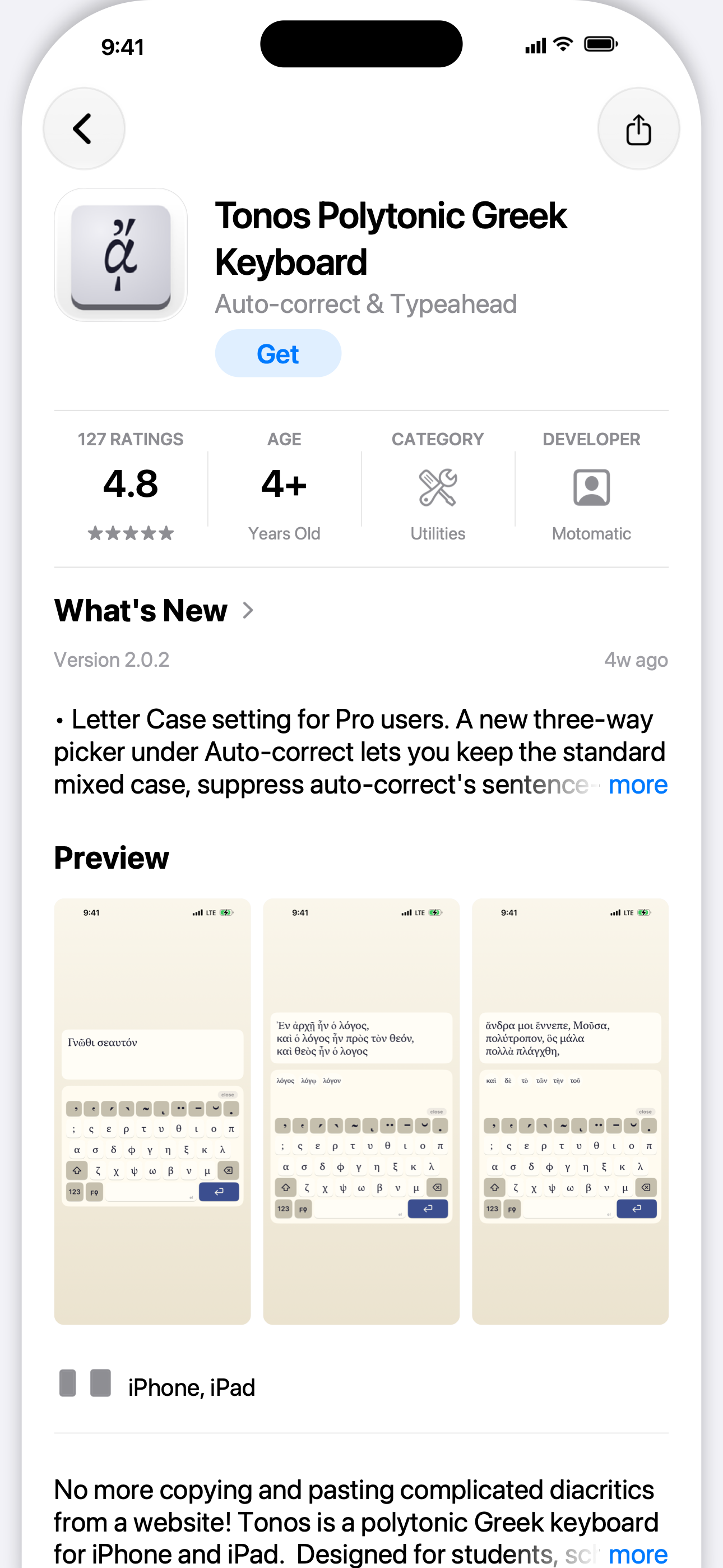 |
mode: search_row |
mode: detail_page |
Every input is sourced from elsewhere in the pipeline - no copy to maintain twice:
```yaml
search_preview:
enabled: true
output_dir: ./storescreens-search-preview
appearances: [light] # add `dark` for App Store dark mode
devices: ["iPhone 6.9\""] # or "iPhone 6.3\""; default is Pro Max
mode: both # search_row | detail_page | both
developer: "Acme Co"
rating: 4.8
reviews: "1.2K"
age_rating: "4+" # detail-page stats strip
version: "2.1.0" # detail-page "What's New" header
# categories ← app_store_connect.categories.primary + .secondary
# name + subtitle ← metadata//{name,subtitle}.txt
# whats_new ← metadata//release_notes.txt
# description ← metadata//description.txt
# icon ← /AppIcon.png from your last capture
# screenshots ← first 3 entries from `screenshots:` or the manifest
```
With `enabled: true`, the preview runs automatically after `storescreens capture` (skip with `--no-search-preview`). Standalone:
```bash
storescreens search-preview --appearance light --locale en-US
```
Output mirrors the rest of the pipeline: `///iPhone_6.9_search-row.png` and `iPhone_6.9_detail-page.png`.
## Device bezels
The `bezel` chrome style requires PSD files from Apple's Design Resources. Apple licenses these for use with Apple products; we don't redistribute. Installing them is optional: until they're installed, `bezel` chrome falls back to the procedurally drawn `device` frame (see [Chrome styles](#chrome-styles)), so renders work out of the box. Import the real bezels when you want Apple's own artwork.
### Install
1. Download DMGs from https://developer.apple.com/design/resources/ (Product Bezels section; iPhone, iPad, MacBook as needed).
2. Double-click each DMG to mount.
3. Run:
```bash
storescreens bezels import
```
This auto-scans `/Volumes/` for Apple Design Resource DMGs, classifies PSDs by screen pixel dimensions, keeps one bezel per screen size and orientation (see [Which bezel is installed](#which-bezel-is-installed)), and exports transparent-screen PNGs + JSON sidecars to `~/Library/Application Support/storescreens/bezels/`.
Notes on specific DMGs:
- iPhone 18: the iPhone 18 Pro and Pro Max bezels (Black, Silver, Glacier, Burgundy) import the same way as the iPhone 17 set. Their screens are the same size as the 17 Pro and 17 Pro Max, so both DMGs supply bezels for the same sizes; when both are mounted, the iPhone 18 artwork wins.
- iPhone Duo: four poses are imported. `Inner Open Portrait` and `Inner Open Landscape` frame the unfolded inner display (2007x2853), `Outer Closed Portrait` and `Outer Closed Landscape` the folded outer display (1398x2034). The `Outer Open` file (the open phone seen from the back) is ignored; the outer display uses `Outer Closed Portrait`. The DMG has two colorways, Night Sky and Star White.
### Inspect
```bash
storescreens bezels check # list installed bezels
storescreens bezels path # print the install directory
```
### Override per project
Drop bezel PNGs + their JSON sidecars into `./bezels/` next to `storescreens.yml` to override the user-global set for that project only.
### Which bezel is installed
`bezels import` installs one bezel per screen size and orientation into the user-global directory, so the choice applies to every project. When several PSDs fit the same size, it ranks them with fixed defaults, in this order:
1. A file name that states the orientation (`Outer Closed Portrait`) beats one that doesn't (`Outer Open`).
2. Model: Pro Max, Pro, Air, mini, then any other.
3. The newer iPhone generation (iPhone 18 Pro Max over iPhone 17 Pro Max), ahead of colorway because each generation has its own finishes.
4. Colorway: Space Black, Black, Night Sky, Natural Titanium, Silver, Space Gray, Deep Blue, then any other.
5. File name, alphabetically.
`render.chrome.model_preference` and `render.chrome.colorway_preference` are accepted in `storescreens.yml`, but the importer doesn't read them, so they have no effect. To install a different finish, copy its PSD (keeping the file name) into an empty folder and run `storescreens bezels import --volume `; that replaces only the sizes the PSD covers.
## Uploading to App Store Connect
`storescreens submit` pushes rendered screenshots and per-locale metadata (description, what's new, keywords, etc.) to App Store Connect via Apple's official API.
### Prerequisites
1. Create an App Store Connect API key at https://appstoreconnect.apple.com/access/integrations/api. Choose either Admin or App Manager access. Download the `AuthKey_XXXXXX.p8` file and keep it safe; Apple only lets you download it once.
2. Record the Key ID (10-character alphanumeric) and Issuer ID (a UUID) from the same page.
### Configure credentials
Either set environment variables (CI-friendly):
```bash
export ASC_KEY_ID=ABCDE12345
export ASC_ISSUER_ID=69a6de84-03c8-47e3-e053-5b8c7c11a4d1
export ASC_KEY_PATH=~/.appstoreconnect/AuthKey_ABCDE12345.p8
```
Or generate a pre-filled credentials template and edit it:
```bash
storescreens auth init
```
This writes `~/.storescreens/asc-credentials.yml` (0600 perms) with commented placeholders for `key_id`, `issuer_id`, and `key_path`, and opens it in your editor. Replace the three `REPLACE_ME` values with your real credentials.
Or run the interactive login that prompts for each value:
```bash
storescreens auth login
```
Either way, verify with:
```bash
storescreens auth status
```
This mints a JWT and hits `/v1/users` to confirm the key works.
### Add an `app_store_connect:` block
```yaml
app_store_connect:
# One of app_id or bundle_id is required. bundle_id is resolved via the API.
bundle_id: com.example.recipes
# app_id: "1234567890"
metadata_dir: ./metadata # default: ./metadata
submit:
create_version: "1.2.0" # creates the version if it doesn't exist
screenshots: true # false: leave the version's screenshot sets alone
metadata: true # false: skip metadata//*.txt (review_info, categories
# and the other app_store_connect blocks still apply)
submit_for_review: false # hard default; review submission is manual
```
### Metadata directory layout
Scaffold a starting directory with:
```bash
storescreens metadata init --locales en-US es-ES ja
```
This creates `metadata//` folders plus a `metadata/README.md` field reference. You create only the `.txt` files you want; missing files mean "don't touch that App Store field".
Fastlane convention. One folder per locale, one file per field:
```
metadata/
en-US/
name.txt
subtitle.txt
description.txt
keywords.txt
promotional_text.txt
release_notes.txt
support_url.txt
marketing_url.txt
privacy_url.txt
privacy_choices_url.txt
review_notes.txt
review_contact_first_name.txt
review_contact_last_name.txt
review_contact_phone.txt
review_contact_email.txt
review_demo_account_name.txt
review_demo_account_password.txt
es-ES/
description.txt
release_notes.txt
...
```
App Store Connect splits per-locale metadata across two resources, and `submit` routes each file to the correct endpoint:
| File | ASC resource |
|------|--------------|
| `name.txt` | `appInfoLocalizations.name` |
| `subtitle.txt` | `appInfoLocalizations.subtitle` |
| `privacy_url.txt` | `appInfoLocalizations.privacyPolicyUrl` |
| `privacy_choices_url.txt` | `appInfoLocalizations.privacyChoicesUrl` |
| `description.txt` | `appStoreVersionLocalizations.description` |
| `keywords.txt` | `appStoreVersionLocalizations.keywords` |
| `promotional_text.txt` | `appStoreVersionLocalizations.promotionalText` |
| `release_notes.txt` | `appStoreVersionLocalizations.whatsNew` |
| `support_url.txt` | `appStoreVersionLocalizations.supportUrl` |
| `marketing_url.txt` | `appStoreVersionLocalizations.marketingUrl` |
`appInfoLocalizations` lives on the app-level `appInfo` record, which can only be edited while the app has a version in an editable state (`PREPARE_FOR_SUBMISSION`, `DEVELOPER_REJECTED`, `METADATA_REJECTED`, etc.). If the only existing version is `READY_FOR_SALE`, App Store Connect won't accept `name`/`subtitle`/privacy URL PATCHes; `submit` detects the missing editable `appInfo`, logs `Skipped name/subtitle update - no editable appInfo (create a new editable version first)`, and proceeds with the version-level fields. To update name/subtitle on an already-released app, bump `submit.create_version` so `submit` creates a new editable version (which auto-creates a fresh editable `appInfo`).
`review_notes.txt` and the `review_contact_*.txt` / `review_demo_account_*.txt` files feed the version-level `appStoreReviewDetails` resource (the "App Review Information" panel in App Store Connect): free-form notes Apple's reviewers see when triaging, plus contact info Apple uses if they need to reach you during review, plus an optional demo-account login. These fields are NOT per-locale on Apple's side, so put them under one locale (any locale, typically your primary). If they appear in multiple locale folders, the alphabetically-first one wins and the rest emit a warning.
Any field you don't want to change: leave the file out. Present files replace whatever's currently in App Store Connect. Trailing whitespace and newlines are trimmed.
### Upload
Dry run first to validate everything without pushing:
```bash
storescreens submit --dry-run
```
It checks credentials, app lookup, and the metadata directory, looks up the version (read-only) and says whether it exists, with its state, or will be created, and confirms that every rendered PNG maps to a valid App Store display type and stays under Apple's 8 MB size cap, and that each screenshot set can be filled within App Store Connect's limit of 10 screenshots. It then lists every set the upload would fill, one line per locale with each display type, its screenshot count and the device it comes from, so a locale that is missing stands out:
```
✓ version: 2.6.1 is not on App Store Connect yet; submit will create it
✓ screenshots: 324 PNG(s) in 36 set(s) for 18 locale(s) map to valid ASC display types
da: APP_IPAD_PRO_3GEN_129 9 from iPad Pro 13-inch (M5), APP_IPHONE_67 9 from iPhone 17 Pro Max
de-DE: APP_IPAD_PRO_3GEN_129 9 from iPad Pro 13-inch (M5), APP_IPHONE_67 9 from iPhone 17 Pro Max
...
```
A version already in a released state (`READY_FOR_SALE`, `PENDING_DEVELOPER_RELEASE` and the like) fails the dry run, since `submit` cannot edit it.
Live upload:
```bash
storescreens submit
```
Flags:
- `--skip-screenshots` / `--skip-metadata` to upload only one side. A flag only turns an upload off; it never re-enables one the yml switched off with `submit.screenshots: false` or `submit.metadata: false`. Before 3.13.1 those two yml keys were parsed but ignored, so a run meant to update only the release notes still re-synced every screenshot set to the local renders, replacing any set that differed; on an older version, pass the flag. A run with screenshots off does not need a capture manifest.
- `--version-override 1.2.1` overrides `submit.create_version`
- `--submit-for-review` / `--no-submit-for-review` overrides `submit.submit_for_review` for one run without touching the yml
- `--render-dir` / `--metadata-dir` override config paths
Screenshot uploads are destructive: each App Store Connect screenshot set is wiped and re-populated from the manifest so the local rendered PNGs are the source of truth. The manifest's screenshot order becomes the App Store display order. App Store Connect holds at most 10 screenshots per set, and the light and dark captures of one device share a set, so a device captured in both appearances fits only with 5 slides or fewer. A device over that limit is always reported as an error, so `submit` and `--dry-run` exit non-zero and the review submission is skipped. The next device in the slot still fills the set when it fits; when no device fits, the set is not touched and its current screenshots stay.
`submit` uploads exactly what `manifest.json` lists, so it also checks the manifest against the yml. A locale in `locales:` with no manifest entries, or a locale missing a display type the other locales have (a device that was not captured in that locale), is reported by name. Nothing is uploaded to those sets, so they keep whatever App Store Connect holds: the previous version's screenshots, or nothing for a locale new in this version, in which case the store shows the primary locale's screenshots there. On a run that submits for review (`submit_for_review: true` or `--submit-for-review`), each one is an error: the other sets still upload, but `submit` and `--dry-run` exit non-zero and the review submission is skipped. On any other run each one is a warning, printed as the run goes and again in the report. Before 3.13.3 the usual cause was `storescreens capture --locale `, which rewrote `manifest.json` with only the locales it captured; it now keeps the other locales' entries (see [Partial captures](#partial-captures)). Before 3.13.2 these sets were left out without a word.
Each PNG's screenshot set (its display type) comes from the PNG's pixel size, per the table in [App Store Connect Screenshot Sizes](#app-store-connect-screenshot-sizes). Two consequences:
- If several configured devices fall into the same slot (iPhone Air and iPhone 18 Pro Max both go to 6.9"; iPhone 17 Pro and iPhone 18 Pro both go to 6.3"), `submit` uploads one device's screenshots for that slot and prints a notice naming the others. It picks the device with the largest screen in the slot (for 6.9": 1320x2868, then 1290x2796, then 1260x2736); devices with the same screen, such as iPhone 17 Pro and iPhone 18 Pro, go by config order. The choice is made once per display type and holds for every locale, except that in a locale where the chosen device has more than 10 screenshots the next device in that order is used, and the over-limit device is still reported as an error. When the two devices also share a file label (iPhone 17 Pro and iPhone 18 Pro are both `iPhone 6.3"`), a UI-test capture warns as well, because both write the same file names; if that happens, `submit` notices the shared files and uploads them once.
- App Store Connect does not accept iPhone Duo screenshots yet (Apple says upload support is coming later this year), so `submit` skips them with a notice instead of failing. See [iPhone Duo](#iphone-duo).
Re-runs are cheap. Both metadata and screenshots are idempotent: before PATCHing a localization, `submit` fetches the current version-localization attributes from ASC and sends only fields that actually differ (unchanged fields skip the PATCH entirely). Before wiping a screenshot set, it reads each existing screenshot's `sourceFileChecksum` (MD5) and compares to the local render's MD5 in manifest order. If the set already matches, no DELETEs fire and no uploads happen. The report lists unchanged locales with `count: 0` so you can see the skip happened.
### Submit for review
Set `submit_for_review: true` in the `submit:` block to automatically send the version to App Review after uploads finish. This posts to Apple's `reviewSubmissions` flow; no manual "Submit for Review" click in the web UI is needed.
```yaml
app_store_connect:
submit:
create_version: "1.2.0"
screenshots: true
metadata: true
submit_for_review: true # default false
```
Submission runs only after screenshots + metadata have been successfully uploaded, so the version is complete when Apple picks it up. If any screenshot set failed to upload or was refused (for example, more than 10 screenshots for one set), or the manifest leaves a set out (a locale in `locales:` with no manifest entries, or a locale missing a display type the others have), `submit` skips the review submission and reports an error instead of sending the version with stale screenshots; fix the set and re-run. iPhone Duo screenshots skipped with a notice, and devices left out because another device filled their slot, don't block the submission. The review submission ID and final state (`WAITING_FOR_REVIEW` on success) are included in the report output.
Under the hood we use Apple's newer three-step `reviewSubmissions` flow (create the submission, POST a `reviewSubmissionItems` to attach the version, PATCH `submitted:true` to push it into `WAITING_FOR_REVIEW`). The older per-version `appStoreVersionSubmissions` endpoint has been retired.
#### Auto-cleanup of stuck prior submissions
When Apple rejects a build, the previous `reviewSubmission` transitions to state `UNRESOLVED_ISSUES` and the rejected version is "stuck inside" that submission. Aborted prior runs can also leave `READY_FOR_REVIEW` drafts behind. To avoid manual cleanup in the ASC web UI, `submit` runs a pre-flight that either cancels or adopts the stale submissions before creating a new one:
1. List existing `reviewSubmissions` for the app on the configured platform.
2. If any are in `IN_REVIEW` or `WAITING_FOR_REVIEW`, bail loudly with an error. Apple is actively reviewing (or about to), and pulling the rug out from under that wastes a review slot. Cancel explicitly with `storescreens review-submissions cancel ` if you really mean to resubmit.
3. For each `UNRESOLVED_ISSUES` (rejected) submission: PATCH `canceled: true` and poll until the state settles to `COMPLETE`. The IDs land in `report.canceledReviewSubmissionIDs`.
4. For each stale `READY_FOR_REVIEW` draft: GET its items first.
- If items reference our target version (or the items list is empty so we can attach our version): adopt the draft as our submission. The flow attaches the version if needed and PATCHes `submitted: true` in place rather than recreating. The adopted ID lands in `report.adoptedReviewSubmissionID`.
- If items reference a different version: PATCH `canceled: true` like the rejected path above.
5. Proceed with the three-step flow against the adopted draft (just PATCH `submitted:true`) or a fresh submission (create + attach + finalize).
Adoption is what unblocks the "first submit ran before Apple finished processing the build" scenario - Apple refuses to cancel an empty draft AND refuses to cancel a draft once items are attached, so adopting it is the only programmatic way out.
Note: programmatic cancel uses PATCH `{"canceled": true}` on the submission. ASC's `DELETE /v1/reviewSubmissions/{id}` returns 403 regardless of state, so `submit` does not attempt DELETE.
#### Waiting for the build to finish processing
When `attach_build: true` (the default) and `submit_for_review: true`, `submit` will poll `/v1/builds` for up to 20 minutes waiting for a VALID build to appear for the target marketing version before continuing. Submitting against a build-less version is what leaves an empty draft `reviewSubmission` behind, so the wait is cheaper than the cleanup. If the wait times out, `submit` skips the review-submission step entirely (no empty draft is created) and reports an explicit "submit for review: skipped because no VALID build was attached" error; re-run once `storescreens testflight builds list` shows the build as `VALID`.
Prefer to leave `submit_for_review: false` in the yml as the default safe state and opt in per-run with `--submit-for-review` on the CLI when you're ready to ship. The inverse `--no-submit-for-review` suppresses submission even if the yml has it enabled, which is handy for a dry rehearsal against the production config. If neither flag is passed, the yml value wins. The flags combine with `--skip-screenshots --skip-metadata` if you just want to re-trigger the review submission against an already-uploaded version; the other `app_store_connect` blocks you configured (review_info, categories, age_rating, pricing, availability, release, attach_build, export_compliance) still apply on that run.
#### App Review notes and contact info
`metadata//review_notes.txt` and the matching `review_contact_*.txt` / `review_demo_account_*.txt` files feed the version's `appStoreReviewDetails` resource. They cover everything in the "App Review Information" panel of the ASC web UI:
| File | ASC field |
|------|-----------|
| `review_notes.txt` | `notes` (free-form notes for Apple's reviewers) |
| `review_contact_first_name.txt` | `contactFirstName` |
| `review_contact_last_name.txt` | `contactLastName` |
| `review_contact_phone.txt` | `contactPhone` |
| `review_contact_email.txt` | `contactEmail` |
| `review_demo_account_name.txt` | `demoAccountName` |
| `review_demo_account_password.txt` | `demoAccountPassword` |
Apple stores these per-version (not per-locale), so put the files under one locale only - typically your primary. The reader picks the alphabetically first locale that has any `review_*.txt` file and warns about review files in other locales. The PATCH only sends fields that actually differ from ASC's current values; an unchanged review-detail produces a `review detail: unchanged` line in the progress output and no API call.
#### Export compliance
Apple requires every build to answer the export-compliance question (`usesNonExemptEncryption` on the build) before it can be submitted for review or distributed to external TestFlight testers. `submit` can PATCH this for you on the build it just attached:
```yaml
app_store_connect:
submit:
create_version: "1.2.0"
submit_for_review: true
export_compliance: none # default: see values below
```
Four values:
| Value | Wire | Meaning |
|---|---|---|
| `none` (default) | `usesNonExemptEncryption: false` | App uses only standard iOS cryptography (HTTPS, keychain, signing). Correct for the vast majority of apps. |
| `exempt_algorithms` | `usesNonExemptEncryption: false` | App ships its own cryptography but every use qualifies for an Apple exemption (authentication, DRM, copy protection). |
| `non_exempt` | `usesNonExemptEncryption: true` | App uses non-exempt encryption. You're responsible for filing the BIS export paperwork separately. |
| `skip` | (not PATCHed) | Leave the question untouched. The build shows "Missing Compliance" in ASC until you answer manually. |
When `none` or `exempt_algorithms` is used, you can also bake the answer into the binary at build time by setting `INFOPLIST_KEY_ITSAppUsesNonExemptEncryption = NO` in your Xcode target's Info.plist - `storescreens upload-build` does this by default for new archives so the question is pre-answered before the build even uploads.
### Pricing and availability
A brand-new app can't be submitted for review without having Pricing and Availability set in App Store Connect. `submit` can do both via the ASC API so the whole setup lives in one yml:
```yaml
app_store_connect:
bundle_id: com.example.app
pricing:
free: true # free everywhere
base_territory: USA
availability:
territories: all # or ["USA", "CAN", "GBR"]
available_in_new_territories: true
```
For a paid app, drop `free` and set a `base_price` instead. Prices are local-currency amounts with no symbol; each snaps to the nearest valid App Store tier for its territory. Add `territory_prices` to override specific countries (true per-territory pricing); every territory you don't list is equivalenced from the base price:
```yaml
pricing:
base_territory: USA
base_price: "4.99" # US$4.99, snapped to nearest tier
territory_prices: # optional per-territory overrides
GBR: "3.99"
JPN: "600"
```
Both blocks are optional and idempotent. On `submit`, pricing is a no-op if the app already has a price schedule, so re-runs don't overwrite manual edits; to change an existing schedule use the standalone `storescreens pricing set` command (below). `availability` accepts either `"all"` (expanded to every territory Apple supports at submit time) or an explicit list of ISO 3166-1 alpha-3 codes; it diffs against the current availability and skips the POST if nothing changed.
Outside the submit flow, `storescreens pricing` reads and writes the schedule directly:
```bash
storescreens pricing get --app-id 1234567890
storescreens pricing set --app-id 1234567890 --base-price 4.99 --territory GBR=3.99 JPN=600
storescreens pricing price-points --app-id 1234567890 --territory USA --around 4.99
```
`pricing set` replaces the whole schedule (it is the explicit "change it now" path, so unlike submit it does not skip an existing one). `price-points` lists a territory's valid tiers, or with `--around` returns just the nearest one. The same three operations are exposed to MCP clients as `pricing_get`, `pricing_set`, and `pricing_price_points_list`.
`release_notes.txt` (`whatsNew`) is also handled intelligently: ASC rejects release notes on the first version of a brand-new app, so `submit` detects that case (no prior released version on the app) and drops `whatsNew` from the metadata PATCH with a `skipping whatsNew` progress line. Leave your `release_notes.txt` in place - it'll be picked up automatically on subsequent submissions.
### Submission answers and release scheduling
Two more optional blocks cover the questions App Store Connect asks outside the metadata panels:
```yaml
app_store_connect:
bundle_id: com.example.app
submission_info:
uses_idfa: false # appStoreVersions.usesIdfa
contains_third_party_content: true # apps.contentRightsDeclaration
release:
type: scheduled # manual | after_approval | scheduled
earliest_release_date: "2026-08-10T12:00:00-07:00"
```
`submission_info` answers the two questions that aren't export compliance (that one lives on `submit.export_compliance`, because Apple hangs it off the build rather than the version). `uses_idfa` is per-version; `contains_third_party_content` is per-app and carries across releases. Answering `uses_idfa: true` obliges you to finish the rest of Apple's IDFA questionnaire (attribution, ad serving, limit-ad-tracking) in the web UI - the API exposes only the boolean.
`release` sets what happens once Apple approves the version. `manual` holds it in `PENDING_DEVELOPER_RELEASE` until you run `storescreens version-release release-request`; `after_approval` is Apple's default and ships on approval; `scheduled` ships at `earliest_release_date`. That date must be ISO 8601 on an exact hour, must be in the future, and is only valid with `type: scheduled` - `submit --dry-run` checks all three before the upload. Quote it in YAML, or it parses as a timestamp instead of a string.
Both blocks diff against ASC before writing, and `uses_idfa` shares a single PATCH with the release fields since they live on the same `appStoreVersions` record:
```
submission info (IDFA / content rights): updated: contentRightsDeclaration, usesIdfa
release scheduling: updated: releaseType, earliestReleaseDate
```
For a version that already exists, `storescreens version-release schedule` sets the same two release attributes without a full submit run.
### Reset Overview Rating (not supported)
Clearing an app's star-rating summary on release ("Reset Overview Rating" on the version page, `reset_ratings` in fastlane `deliver`) is the one `deliver` option with no storescreens equivalent, and it's noted here so the gap isn't mistaken for an oversight.
The three endpoints behind the checkbox (`GET appStoreVersions/{id}/resetRatingsRequest`, `POST resetRatingsRequests`, `DELETE resetRatingsRequests/{id}`) don't exist on `api.appstoreconnect.apple.com`. They live on Apple's internal Iris host, which answers `401 NOT_AUTHORIZED` to an API-key JWT even for a plain `GET /apps` - the same token that gets a 200 from the public host. So it isn't the endpoint or a missing CSRF header; Iris doesn't accept `.p8` credentials at all. fastlane gets through only because spaceship can hold an Apple ID web session, which means an interactive sign-in and 2FA flow, and a session to store and renew. That's a second auth mode and a much wider trust model than an app-scoped API key, which is not a trade storescreens makes for one boolean.
Tick the box in App Store Connect before the version releases. It applies to every territory at once, leaves written reviews alone, and is reversible right up until the version ships.
### Categories, age rating, and review info
Three more YAML blocks finish out what `submit` writes to App Store Connect, all optional:
```yaml
app_store_connect:
bundle_id: com.example.app
categories:
primary: EDUCATION
secondary: REFERENCE
# primary_subcategory_one: GAMES_ACTION # only relevant for GAMES
age_rating:
cartoon_or_fantasy_violence: NONE
realistic_violence: NONE
profanity_or_crude_humor: NONE
gambling: false
unrestricted_web_access: false
kids_age_band: NONE
review_info:
first_name: Jane
last_name: Doe
phone_number: "+1 555 123 4567"
email_address: jane@example.com
notes: |
Multi-line notes for Apple's reviewers.
```
`categories` and `age_rating` live on the editable AppInfo - the same record that hosts `name`/`subtitle`/`privacy_url` - so they require an editable AppInfo state (typically `PREPARE_FOR_SUBMISSION`). When the only AppInfo is `READY_FOR_SALE`, `submit` skips both with `skipped: no editable appInfo` (same skip-reason path as name/subtitle). Bump `submit.create_version` to create a new editable version and re-run.
`review_info` lives on the version's `appStoreReviewDetails` resource and is always editable. It's a YAML alternative to the per-locale `review_*.txt` files. When both YAML and files are present, YAML wins on a per-field basis. Demo-account credentials auto-flip `demo_account_required: true` unless you explicitly say otherwise; conversely, when no demo-account fields are configured at all and `submit` is creating a fresh review-detail record, it sends `demo_account_required: false` explicitly so Apple's "Sign-In Required" checkbox doesn't default to checked.
`storescreens submit --dry-run` validates each block in place: categories are checked against `GET /v1/appCategories` (a typo like `EDUKATION` fails before the live PATCH), age-rating frequency strings round-trip through a strict Codable enum, and `review_info` checks that any partial demo-account credentials are paired up.
All three diff against ASC before writing, so re-running an unchanged config is a quiet no-op:
```
categories: unchanged
age rating: unchanged
review detail: unchanged
```
API quirks worth knowing:
- **Categories use `PATCH /v1/appInfos/{id}` with relationships**, not the per-relationship endpoints. Apple's `PATCH /v1/appInfos/{id}/relationships/primaryCategory` returns `403 FORBIDDEN_ERROR` "does not allow UPDATE" - the parent PATCH is the only programmatic path that works. The body shape we use:
```json
{ "data": { "type": "appInfos", "id": "...",
"relationships": {
"primaryCategory": { "data": { "type": "appCategories", "id": "EDUCATION" } },
"secondaryCategory": { "data": { "type": "appCategories", "id": "REFERENCE" } }
} } }
```
All six category slots (primary, secondary, plus two subcategories under each) can be set in one PATCH.
- **The literal string `"none"` in `secondary:` (or any subcategory slot) means "explicitly clear"** and emits `data: null` on the wire. Useful for downgrading a 2-category app to a single primary.
- **Age-rating PATCHes reject empty bodies.** ASC errors out if every attribute matches what's already there. The orchestrator pre-diffs and skips the PATCH entirely when nothing differs.
- **Editable-record requirement.** `appInfos` only accepts PATCHes while in `PREPARE_FOR_SUBMISSION`, `DEVELOPER_REJECTED`, `METADATA_REJECTED`, `INVALID_BINARY`, `WAITING_FOR_REVIEW`, or `IN_REVIEW`. The orchestrator surfaces a missing-editable-AppInfo case as `report.appInfoSkipped = .noEditableAppInfo` and a clear progress line.
### What `submit` writes to ASC
Quick map of what each YAML block sends to which App Store Connect resource:
| YAML block | ASC resource | Endpoint | Notes |
|------------|--------------|----------|-------|
| `submit.create_version` | `appStoreVersions` | POST + PATCH | Find-or-create the version, attach the latest VALID build. |
| `metadata//{description,keywords,promotional_text,release_notes,support_url,marketing_url}.txt` | `appStoreVersionLocalizations` | PATCH | Per-locale, per-version. |
| `metadata//{name,subtitle,privacy_url,privacy_choices_url}.txt` | `appInfoLocalizations` | PATCH | Per-locale, app-level (lives on editable AppInfo). |
| `metadata//review_*.txt` _or_ `review_info:` | `appStoreReviewDetails` | POST or PATCH | Per-version, not per-locale. |
| `pricing.free` / `pricing.base_price` (+ `territory_prices`) | `appPriceSchedules` | POST | Resolves amounts to nearest tiers. Idempotent: skips if a schedule already exists. |
| `availability.territories` | `appAvailabilities` (v2) | POST | Diffs against current; skips if unchanged. |
| `categories.{primary,secondary,...}` | `appInfos` (relationships) | PATCH | All six slots in one body. |
| `age_rating.*` | `ageRatingDeclarations` | PATCH | Diffed before write; skips empty diffs. |
| `submission_info.uses_idfa` | `appStoreVersions.usesIdfa` | PATCH | Per-version. Shares one body with `release.*`. |
| `submission_info.contains_third_party_content` | `apps.contentRightsDeclaration` | PATCH | Per-app; carries across releases. |
| `release.type` / `release.earliest_release_date` | `appStoreVersions.{releaseType,earliestReleaseDate}` | PATCH | Date requires `type: scheduled`. |
| Rendered PNGs in `render.output_dir` | `appScreenshotSets` + `appScreenshots` | DELETE-then-POST | Idempotent via MD5 checksum; reorders are wipe + reupload. |
| `submit.attach_build` | `appStoreVersions.build` (relationship) | PATCH | Latest VALID build for the marketing version. |
| `submit.export_compliance` | `builds.usesNonExemptEncryption` | PATCH | On the attached build. |
| `submit.submit_for_review: true` | `reviewSubmissions` 3-step | POST + PATCH | Cleans up stale prior submissions first. |
Every step is idempotent: re-running the same `submit` against an unchanged config is mostly a series of GETs and a clean report.
For the full schema (every field, default, gotcha) see `references/submit-reference.md` in the storescreens skill.
### Troubleshooting
- "credentials not configured": run `storescreens auth login` or check the `ASC_*` env vars.
- "no App Store Connect app matched": the `bundle_id` in config doesn't match any app in your ASC team; double-check spelling or use `app_id` instead.
- "no ASC display type for WxH": the rendered screenshot's pixel size is not in any App Store Connect size class, for example 828x1792 from an `iPhone 11` simulator or 1620x2160 from an `iPad (9th generation)`. Recapture with a simulator from [App Store Connect Screenshot Sizes](#app-store-connect-screenshot-sizes).
- A 409 on 6.3" screenshots (iPhone 18 Pro, 17 Pro, 17, 16 Pro): storescreens 3.11.3 and earlier sent these, and iPhone Air screenshots, under the display type `APP_IPHONE_63`, which App Store Connect does not define. Those versions also used undefined values for the iPhone 12/13 mini and for several iPad sizes. Upgrade; current versions use the display types in the sizes table.
- "8MB limit exceeded": Apple caps individual screenshots at 8 MB. Reduce the PNG compression quality or simplify the background image.
### Checking on a submission with `storescreens status`
After running `storescreens submit --submit-for-review`, you don't need to log in to App Store Connect to see what's happening. `storescreens status` queries ASC and prints a one-screen summary of the current state of the app:
```bash
storescreens status
```
```
App Store Connect status
app: MyApp (1234567890)
bundle id: com.example.myapp
platform: IOS
Versions:
1.0.1 WAITING_FOR_REVIEW 2026-05-09 14:05
1.0 READY_FOR_SALE 2026-05-06 18:51
Open review submissions:
WAITING_FOR_REVIEW abc-... submitted 2026-05-09 14:11
Submission is queued; Apple has not started reviewing yet. Cancel with `storescreens review-submissions cancel abc-...` if needed.
```
`--json` switches to machine-readable output for scripts and CI. `--platform` accepts `IOS` (default), `MAC_OS`, `TV_OS`, `VISION_OS`. Read-only: makes no changes to the app. To act on what it shows (withdraw the queued submission, inspect what Apple rejected), use `storescreens review-submissions` below.
### Managing review submissions with `storescreens review-submissions`
`storescreens submit --submit-for-review` drives Apple's `reviewSubmissions` flow automatically. The `review-submissions` family exposes the same resources directly, for the cases the orchestrator deliberately leaves alone: withdrawing a submission Apple has queued or is already reviewing, pulling one item out of a draft, or sending a non-version resource (Custom Product Page version, app event, A/B experiment, Background Assets version, Game Center version) to review by hand.
```bash
storescreens review-submissions list # submissions + states for the app in ./storescreens.yml
storescreens review-submissions cancel --wait # withdraw a queued / in-review / rejected submission
storescreens review-submissions items # what's attached, with per-item review state
```
| Subcommand | Apple operation | Notes |
|---|---|---|
| `list` | `GET /reviewSubmissions` | `--app-id` / `--bundle-id`, or falls back to the app in storescreens.yml. `--state` filters server-side. |
| `get ` | `GET /reviewSubmissions/{id}` | State, platform, submitted date. |
| `items ` | `GET /reviewSubmissions/{id}/items` | Per-item state; `REJECTED` pinpoints what Apple objected to. |
| `create` | `POST /reviewSubmissions` | Starts a `READY_FOR_REVIEW` draft. ASC allows one open submission per app + platform. |
| `add-item` | `POST /reviewSubmissionItems` | `--version-id` shorthand, or `--item-type` + `--item-id` for the other reviewable kinds. |
| `submit ` | `PATCH submitted:true` | Sends the draft; state moves to `WAITING_FOR_REVIEW`. |
| `cancel ` | `PATCH canceled:true` | Works on `WAITING_FOR_REVIEW`, `IN_REVIEW`, `UNRESOLVED_ISSUES`, and stale `READY_FOR_REVIEW` drafts. `--wait` polls until the state settles to `COMPLETE`. |
| `update-item --id ` | `PATCH /reviewSubmissionItems/{id}` | `--removed` pulls an item from a draft; `--resolved` marks a rejected item addressed. |
| `remove-item ` | `DELETE /reviewSubmissionItems/{id}` | Item-level DELETE works; submission-level DELETE is 403 on Apple's side, which is why `cancel` PATCHes instead. |
The same operations are exposed as MCP tools: `review_submissions_list`, `review_submissions_get`, `review_submissions_items_list`, `review_submissions_create`, `review_submissions_add_item`, `review_submissions_submit`, `review_submissions_cancel`, `review_submissions_item_update`, `review_submissions_item_delete`, plus `app_store_versions_list` for finding the version id to attach.
A canceled submission frees its attached version, so the recover-from-rejection loop is: `cancel` the `UNRESOLVED_ISSUES` submission (or let the next `submit` run auto-clean it), fix the build or metadata, then `storescreens submit --submit-for-review` again.
Cancelling a submission Apple is actively reviewing (`IN_REVIEW`) gives up that review slot and the next submission goes to the back of the queue. The `submit` orchestrator refuses to do this automatically for exactly that reason; `review-submissions cancel` is the explicit path when you really mean it.
## Archiving + uploading the app binary
`storescreens submit` ships screenshots and text metadata. To also archive the `.ipa` and upload it to App Store Connect / TestFlight, use `storescreens upload-build`:
```bash
storescreens upload-build init # scaffold upload_build: block, open in editor
storescreens upload-build # xcodebuild archive + exportArchive + altool upload-app
```
Reuses the same ASC API credentials as `submit`. Pins `DEVELOPER_DIR` to a production Xcode (auto-detected from `/Applications/Xcode*.app`, excluding Xcode-beta) so a beta `xcode-select -p` can't taint the archive; override with `xcode_path:` or `--xcode-path`.
Minimum config:
```yaml
app_store_connect:
bundle_id: com.example.app
upload_build: {} # defaults: scheme from top-level, Release, app-store, auto Xcode, ./build
```
Useful flags:
- `--dry-run` prints the plan (which Xcode, scheme, destination, output paths, resolved version + build) without running xcodebuild.
- `--skip-upload` archives + exports but keeps the `.ipa` local (use `skip_upload: true` in yml for the same effect). Also skips the pre-archive version check.
- `--xcode-path /Applications/Xcode.app` forces a specific Xcode.
- `--marketing-version 1.2.0` / `--build 3` force a specific version and/or build number (overrides what's in the project).
- `--no-auto-bump` errors out instead of rewriting the pbxproj when a bump is required.
- `--verbose` streams full xcodebuild output instead of filtered progress.
### Automatic version + build resolution
Before archiving, `upload-build` queries App Store Connect for your app and decides whether your current `MARKETING_VERSION` / `CURRENT_PROJECT_VERSION` will produce a legal upload:
- Marketing version already shipped -> bump patch (`1.1.7` -> `1.1.8`), reset build to `1`.
- Marketing version is editable but TestFlight already has builds -> bump build number past `max(existing)`.
- Fresh version -> keep what you have.
When a bump is required, it rewrites the `project.pbxproj` in place (every config of every target, matching `agvtool new-version -all` / `new-marketing-version`) and syncs `submit.create_version` in `storescreens.yml` so the next `storescreens submit` picks up the right version. Opt out with `upload_build.auto_bump: false` or `--no-auto-bump`.
Full schema (every field + defaults, ExportOptions.plist generation, altool flow, version resolver rules, troubleshooting): run `storescreens upload-build --help` and `storescreens upload-build init --help`.
### Troubleshooting
**`xcodebuild` fails with `iOS is not installed`** (common right after upgrading to a new Xcode major, e.g. 26.x). The new Xcode often ships without its iOS platform component bundled. Download it once:
```bash
xcodebuild -downloadPlatform iOS
```
It's an 8+ GB download; once it finishes, re-run `storescreens upload-build`.
**`storescreens submit --submit-for-review` waits a long time on "no VALID build for yet; polling".** That's the orchestrator waiting for Apple to finish processing the build you just uploaded. Processing typically takes 5-15 min after `upload-build` completes; the wait is capped at 20 min by default. If Apple is slow, re-run `submit` once `storescreens testflight builds list` reports the build as `VALID`.
## App Store Connect API coverage
storescreens wraps Apple's App Store Connect API as both CLI subcommands and MCP tools, so an AI agent driving storescreens never needs to construct raw HTTPS requests. Credentials resolve once via `~/.storescreens/asc-credentials.yml` (or the `ASC_*` env vars) and are reused across every family below.
Every operation is reachable from two surfaces:
- **CLI**: nested subcommand trees like `storescreens testflight beta-groups list`, `storescreens iap purchases create`, `storescreens reports sales --frequency DAILY`. Every leaf supports `--json` for machine-readable output.
- **MCP**: snake_case tool names like `testflight_beta_groups_list`, `iap_in_app_purchases_create`, `review_submissions_cancel`. The full catalog is auto-exposed via `tools/list`.
Read-only operations (lookups, listings, GETs) are safe to call freely; write operations (POST/PATCH/DELETE) act on live App Store Connect data, so review the dry-run flow of `submit` for the surface you're editing.
## TestFlight
`storescreens testflight` wraps the App Store Connect TestFlight & pre-release distribution API as nested subcommands. The same operations are exposed as MCP tools under the `testflight_*` namespace so AI agents driving storescreens never need to construct raw ASC HTTP requests for beta workflows.
Credentials are resolved through the same path as the rest of the App Store Connect features (`storescreens auth login` or `ASC_KEY_ID` / `ASC_ISSUER_ID` / `ASC_KEY_PATH` env vars). Every leaf subcommand accepts `--json` for machine-readable output. List endpoints accept `--limit` and `--cursor`, and return a `next-cursor` value when more pages are available.
### Resources covered
| ASC resource | What it does | CLI namespace |
|--------------|--------------|---------------|
| `betaGroups` | Lists of internal or external testers | `beta-groups` |
| `betaTesters` | Individual TestFlight testers | `beta-testers` |
| `betaTesterInvitations` | Re-send the TF invite email | `beta-tester-invitations` |
| `prereleaseVersions` | Read-only build trains | `prerelease-versions` |
| `builds` | List, get, expire builds | `builds` |
| `buildBetaDetails` | Per-build auto-notify, internal/external state | `build-beta-detail` |
| `buildBetaNotifications` | Push "new build" emails | `build-beta-notifications` |
| `betaAppLocalizations` | Per-locale TestFlight App Information card | `beta-app-localizations` |
| `betaBuildLocalizations` | Per-locale "What to Test" notes per build | `beta-build-localizations` |
| `betaAppReviewDetails` | TF beta-review contact info, demo account | `beta-app-review-detail` |
| `betaAppReviewSubmissions` | Submit a build for Beta App Review | `beta-app-review-submissions` |
| `betaLicenseAgreements` | The TF EULA testers accept | `beta-license-agreement` |
| `betaTesterMetrics` | Read-only install/launch counts | `beta-tester-metrics` |
| `buildBundles` | Read-only primary `.app` + extensions/clips | `build-bundles` |
| `buildIcons` | Read-only per-build icon images | `build-icons` |
### CLI command catalog
```
storescreens testflight beta-groups list --app-id 1234567890 [--limit 200] [--cursor C] [--json]
storescreens testflight beta-groups get [--json]
storescreens testflight beta-groups create --app-id 1234567890 --name "Beta Squad" [--feedback-enabled true] [--public-link-enabled true]
storescreens testflight beta-groups update [--name N] [--feedback-enabled B] [--public-link-enabled B]
storescreens testflight beta-groups delete
storescreens testflight beta-groups add-builds --group-id G B1 B2 ...
storescreens testflight beta-groups remove-builds --group-id G B1 B2 ...
storescreens testflight beta-groups add-testers --group-id G T1 T2 ...
storescreens testflight beta-groups remove-testers --group-id G T1 T2 ...
storescreens testflight beta-groups create-and-invite --app-id A --name N T1 T2 ...
storescreens testflight beta-testers list --app-id 1234567890 [--json]
storescreens testflight beta-testers get [--json]
storescreens testflight beta-testers create --app-id A --email foo@bar.com [--first-name F] [--last-name L] [--beta-group-ids G1 G2]
storescreens testflight beta-testers delete
storescreens testflight beta-testers remove-from-app --tester-id T --app-id A
storescreens testflight beta-testers assign-to-groups --tester-id T G1 G2 ...
storescreens testflight beta-testers remove-from-groups --tester-id T G1 G2 ...
storescreens testflight beta-tester-invitations create --tester-id T --app-id A
storescreens testflight prerelease-versions list --app-id A [--platform IOS] [--json]
storescreens testflight prerelease-versions get [--json]
storescreens testflight builds list [--app-id A] [--expired B] [--processing-state VALID] [--prerelease-version-id V] [--json]
storescreens testflight builds get [--json]
storescreens testflight builds set-expired [--expired | --no-expired]
storescreens testflight build-beta-detail get --build-id B [--json]
storescreens testflight build-beta-detail update [--auto-notify | --no-auto-notify]
storescreens testflight build-beta-notifications create --build-id B
storescreens testflight beta-app-localizations list --app-id A [--json]
storescreens testflight beta-app-localizations get
storescreens testflight beta-app-localizations create --app-id A --locale en-US [--description D] [--feedback-email E]
storescreens testflight beta-app-localizations update [--description D] [--feedback-email E]
storescreens testflight beta-app-localizations delete
storescreens testflight beta-build-localizations list --build-id B [--json]
storescreens testflight beta-build-localizations get
storescreens testflight beta-build-localizations create --build-id B --locale en-US [--whats-new "Fixed bug X"]
storescreens testflight beta-build-localizations update [--whats-new N]
storescreens testflight beta-build-localizations delete
storescreens testflight beta-app-review-detail get --app-id A [--json]
storescreens testflight beta-app-review-detail update [--contact-first-name F] [--contact-last-name L] [--contact-email E] [--notes N]
storescreens testflight beta-app-review-submissions list --app-id A [--json]
storescreens testflight beta-app-review-submissions get
storescreens testflight beta-app-review-submissions create --build-id B
storescreens testflight beta-license-agreement get --app-id A [--json]
storescreens testflight beta-license-agreement update --from-file ./eula.txt
storescreens testflight beta-tester-metrics list --app-id A [--json]
storescreens testflight build-bundles list --build-id B [--json]
storescreens testflight build-bundles get
storescreens testflight build-icons list --build-id B [--json]
```
### MCP tool catalog
Every CLI subcommand has a matching MCP tool with the same shape:
- `testflight_beta_groups_list`, `testflight_beta_groups_get`, `testflight_beta_groups_create`, `testflight_beta_groups_update`, `testflight_beta_groups_delete`, `testflight_beta_groups_add_builds`, `testflight_beta_groups_remove_builds`, `testflight_beta_groups_add_testers`, `testflight_beta_groups_remove_testers`, `testflight_beta_groups_create_and_invite`
- `testflight_beta_testers_list`, `testflight_beta_testers_get`, `testflight_beta_testers_create`, `testflight_beta_testers_delete`, `testflight_beta_testers_remove_from_app`, `testflight_beta_testers_assign_to_groups`, `testflight_beta_testers_remove_from_groups`
- `testflight_beta_tester_invitations_create`
- `testflight_prerelease_versions_list`, `testflight_prerelease_versions_get`
- `testflight_builds_list`, `testflight_builds_get`, `testflight_builds_set_expired`
- `testflight_build_beta_detail_get`, `testflight_build_beta_detail_update`
- `testflight_build_beta_notifications_create`
- `testflight_beta_app_localizations_list`, `testflight_beta_app_localizations_get`, `testflight_beta_app_localizations_create`, `testflight_beta_app_localizations_update`, `testflight_beta_app_localizations_delete`
- `testflight_beta_build_localizations_list`, `testflight_beta_build_localizations_get`, `testflight_beta_build_localizations_create`, `testflight_beta_build_localizations_update`, `testflight_beta_build_localizations_delete`
- `testflight_beta_app_review_detail_get`, `testflight_beta_app_review_detail_update`
- `testflight_beta_app_review_submissions_list`, `testflight_beta_app_review_submissions_get`, `testflight_beta_app_review_submissions_create`
- `testflight_beta_license_agreement_get`, `testflight_beta_license_agreement_update`
- `testflight_beta_tester_metrics_list`
- `testflight_build_bundles_list`, `testflight_build_bundles_get`
- `testflight_build_icons_list`
MCP tools return pretty-printed JSON text content. Errors surface as `isError: true` with the App Store Connect status code and any error details from Apple's envelope.
### Common workflows
#### Push a new build to external testers
```bash
# 1. Find the new build by its app and processing state.
storescreens testflight builds list --app-id 1234567890 --processing-state VALID --json
# 2. Submit it for Beta App Review (required before external distribution).
storescreens testflight beta-app-review-submissions create --build-id ABCDEF123
# 3. After Apple approves (poll the submission state), attach the build to the
# external beta group and send notifications.
storescreens testflight beta-groups add-builds --group-id GROUP_ID ABCDEF123
storescreens testflight build-beta-notifications create --build-id ABCDEF123
```
#### Add a new beta tester to a group
```bash
# Create the tester record on the app and assign them to a group in one call.
storescreens testflight beta-testers create \
--app-id 1234567890 \
--email tester@example.com \
--first-name Alex \
--last-name Tester \
--beta-group-ids GROUP_ID_1 GROUP_ID_2
```
If the tester already exists and needs to be moved into a group:
```bash
storescreens testflight beta-testers assign-to-groups --tester-id T123 GROUP_ID_1
```
#### Resend a TestFlight invitation
```bash
storescreens testflight beta-tester-invitations create --tester-id T123 --app-id 1234567890
```
#### Curate which build TestFlight surfaces
```bash
# Disable auto-notify on a build that's still being smoke-tested internally.
storescreens testflight build-beta-detail get --build-id ABCDEF123 --json
# Use the returned id (NOT the build id) with update.
storescreens testflight build-beta-detail update DETAIL_ID --no-auto-notify
# Once the build is bad, retire it so testers stop seeing it.
storescreens testflight builds set-expired ABCDEF123 --expired
```
#### Localize the TestFlight install card
```bash
# Per-locale TestFlight App Information (description, feedback email).
storescreens testflight beta-app-localizations create \
--app-id 1234567890 \
--locale ja \
--description "新機能をお試しください" \
--feedback-email beta@example.com
# Per-locale What to Test notes attached to a specific build.
storescreens testflight beta-build-localizations create \
--build-id ABCDEF123 \
--locale ja \
--whats-new "プッシュ通知のバグ修正"
```
### Pagination
List endpoints return a `next-cursor` value when more pages are available. Pass it back via `--cursor` to fetch the next page. JSON output also includes a `nextCursor` field at the top level for machine consumers.
```bash
storescreens testflight beta-testers list --app-id 1234567890 --limit 50 --json | jq .nextCursor
storescreens testflight beta-testers list --app-id 1234567890 --limit 50 --cursor ""
```
### Error handling
Apple's API returns JSON:API error envelopes with `code`, `title`, and `detail`. The CLI prints these grouped under the HTTP status code; the MCP tools surface them as `isError: true` text content. 404 responses on `get` calls return `null` (not an error). 409 conflicts (e.g. attempting to add a build that's already in a group) flow through `ASCClient.APIError.isAlreadySetConflict` so callers can treat them as no-op successes.
## In-App Purchases
storescreens wraps the App Store Connect In-App Purchases V2 API so AI agents and humans can configure, price, and submit IAPs without crafting raw HTTP requests. This pass covers the V2 surface only (Apple deprecated V1 in 2023). Auto-renewing subscriptions live under a separate `subscriptionGroups` family and are not part of this wrapper, the `iap` commands handle CONSUMABLE, NON_CONSUMABLE, and NON_RENEWING_SUBSCRIPTION product types.
### Resources covered
| Resource | Operations |
| --- | --- |
| `inAppPurchases` (V2) | list, get, create, update, delete |
| `inAppPurchaseLocalizations` | list, get, create, update, delete |
| `inAppPurchasePricePoints` | list, get (read-only catalog) |
| `inAppPurchasePriceSchedules` | get, set |
| `inAppPurchaseSubmissions` | list, get, create |
| `inAppPurchaseContentHostings` | get, update |
| `inAppPurchaseImages` | list, get, upload, update, delete |
| `inAppPurchaseAppStoreReviewScreenshots` | get, upload, update, delete |
| `inAppPurchasePromotionalImages` | list, upload, delete |
| `promotedPurchases` | list, update |
| `promotedPurchaseImages` | list, upload, update, delete |
### MCP tool catalog
Tools are namespaced under `iap_*` and return pretty-printed JSON in `content[0].text`. Errors set `isError: true` with the message in the text payload. Credentials are resolved from `ASC_KEY_ID` / `ASC_ISSUER_ID` / `ASC_KEY_PATH` env vars or `~/.storescreens/asc-credentials.yml`, so tool arguments never carry key material.
Purchases:
- `iap_in_app_purchases_list`
- `iap_in_app_purchases_get`
- `iap_in_app_purchases_create`
- `iap_in_app_purchases_update`
- `iap_in_app_purchases_delete`
Localizations:
- `iap_localizations_list`
- `iap_localizations_get`
- `iap_localizations_create`
- `iap_localizations_update`
- `iap_localizations_delete`
Price points (read-only):
- `iap_price_points_list`
- `iap_price_points_get`
Pricing:
- `iap_price_schedule_get`
- `iap_price_schedule_set`
Submissions:
- `iap_submission_list`
- `iap_submission_get`
- `iap_submission_create`
Content hosting:
- `iap_content_hosting_get`
- `iap_content_hosting_update`
Images (IAP detail page):
- `iap_images_list`
- `iap_images_get`
- `iap_images_upload`
- `iap_images_update`
- `iap_images_delete`
Review screenshot:
- `iap_review_screenshot_get`
- `iap_review_screenshot_upload`
- `iap_review_screenshot_update`
- `iap_review_screenshot_delete`
Promotional images (App Store featured slots):
- `iap_promotional_images_list`
- `iap_promotional_images_upload`
- `iap_promotional_images_delete`
Promoted purchases (storefront promotion config):
- `iap_promoted_purchases_list`
- `iap_promoted_purchases_update`
Promoted purchase images:
- `iap_promoted_purchase_images_list`
- `iap_promoted_purchase_images_upload`
- `iap_promoted_purchase_images_update`
- `iap_promoted_purchase_images_delete`
### CLI examples
The `storescreens iap` parent command groups every IAP operation. Every subcommand takes `--json` to emit the raw JSON response instead of the human-readable summary.
List IAPs on an app:
```
storescreens iap purchases list --app-id 1234567890
```
Create a non-consumable IAP:
```
storescreens iap purchases create \
--app-id 1234567890 \
--name "Pro Unlock" \
--product-id com.acme.app.pro_unlock \
--in-app-purchase-type NON_CONSUMABLE \
--review-note "Unlocks the pro editing tools shown on the home screen."
```
Add a localization:
```
storescreens iap localizations create \
--iap-id 9876543210 \
--locale en-US \
--name "Pro Unlock" \
--description "One-time purchase that removes ads and unlocks every editing tool."
```
Look up the USA $9.99 price-point id, then set pricing for the IAP:
```
storescreens iap price-points list --iap-id 9876543210 --territory-id USA
storescreens iap pricing set \
--iap-id 9876543210 \
--base-territory-id USA \
--price USA:eyJzIjoiVVNBIiwidCI6IjA5OTkifQ==
```
Upload the review screenshot Apple needs:
```
storescreens iap review-screenshot upload \
--iap-id 9876543210 \
--file ./screenshots/iap-review.png
```
Submit the IAP for App Review:
```
storescreens iap submission create --iap-id 9876543210
```
Toggle a storefront-promoted IAP:
```
storescreens iap promoted-purchases list --app-id 1234567890
storescreens iap promoted-purchases update \
--promoted-purchase-id 5550001 \
--enabled \
--visible-for-distribution
```
### Common workflows
Create a non-consumable IAP end-to-end:
1. `storescreens iap purchases create --in-app-purchase-type NON_CONSUMABLE ...`
2. `storescreens iap localizations create ...` for every locale you support
3. `storescreens iap price-points list --territory-id USA` to discover the price-point id
4. `storescreens iap pricing set ...` to apply the price
5. `storescreens iap review-screenshot upload ...` for Apple's reviewers
6. `storescreens iap submission create --iap-id `
Set pricing for an existing IAP across multiple territories:
```
storescreens iap pricing set \
--iap-id 9876543210 \
--base-territory-id USA \
--price USA:pp_usa_999 \
--price CAN:pp_can_999 \
--price GBR:pp_gbr_999
```
Look up an IAP by product id (useful when you have the bundle id but not the ASC numeric id):
```
storescreens iap purchases list --app-id 1234567890 --json \
| jq '.items[] | select(.attributes.productId == "com.acme.app.pro_unlock")'
```
Pull the live state of all IAP submissions for an app:
```
storescreens iap purchases list --app-id 1234567890 --json \
| jq -r '.items[].id' \
| while read iap; do
storescreens iap submission list --iap-id "$iap" --json
done
```
## Subscriptions
storescreens-cli wraps Apple's App Store Connect Auto-Renewable Subscriptions
API so agents and humans can manage subscription products, pricing, offers,
and review submissions without hand-rolling HTTP. The same calls are exposed
three ways:
- Swift API: `SubscriptionsAPI` in `StorescreensCore` (use from another Swift
package or from custom orchestrators)
- MCP tools: `subs_*` tool family for AI agents
- CLI: `storescreens subscriptions ...` for humans and scripts
All three share the same credentials path (run `storescreens auth login` or
set `ASC_KEY_ID` / `ASC_ISSUER_ID` / `ASC_KEY_PATH`).
### Resources covered
| Apple resource | CRUD | Notes |
|---|---|---|
| `subscriptionGroups` | full | Container that subscriptions live in. |
| `subscriptionGroupLocalizations` | full | Per-locale group name + optional custom app name. |
| `subscriptions` | full | The actual auto-renewing products (productId, period, group level, review note). |
| `subscriptionLocalizations` | full | Per-locale name + description. |
| `subscriptionPrices` | list, create, delete | Immutable per record; a "change" is create-new + delete-old. |
| `subscriptionPricePoints` | list | Read-only catalog of valid Apple tiers per territory. |
| `subscriptionOfferCodes` | full | Win-back / promotional offer programs. |
| `subscriptionOfferCodeOneTimeUseCodes` | list, create | Apple-generated unique single-use codes. |
| `subscriptionOfferCodeCustomCodes` | list, create, delete | Developer-chosen strings (e.g. `BLACKFRIDAY2025`). |
| `subscriptionOfferCodePrices` | list, create | Per-territory pricing on an offer code. |
| `subscriptionPromotionalOffers` | full | Intro offers shown to new subscribers via StoreKit. |
| `subscriptionPromotionalOfferPrices` | list, create | Per-territory pricing on a promotional offer. |
| `subscriptionAvailabilities` | get, update | Territory list (POST replaces the list wholesale). |
| `subscriptionSubmissions` | list, get, create | Push metadata edits to App Review. |
| `subscriptionAppStoreReviewScreenshots` | full | Review-only screenshots Apple requires for approval. |
| `subscriptionImages` | list, create, delete | Promotional artwork. |
Paginated lists accept `limit` (default 200) and `cursor`; every response
carries `next_cursor` (or `nextCursor` for Swift callers) for the next page.
### MCP tools
Every tool name is `subs__` (snake_case). Group of tools:
Groups
- `subs_groups_list`
- `subs_groups_get`
- `subs_groups_create`
- `subs_groups_update`
- `subs_groups_delete`
Group localizations
- `subs_group_localizations_list`
- `subs_group_localizations_create`
- `subs_group_localizations_update`
- `subs_group_localizations_delete`
Subscriptions
- `subs_subscriptions_list`
- `subs_subscriptions_get`
- `subs_subscriptions_create`
- `subs_subscriptions_update`
- `subs_subscriptions_delete`
Subscription localizations
- `subs_localizations_list`
- `subs_localizations_create`
- `subs_localizations_update`
- `subs_localizations_delete`
Prices
- `subs_prices_list`
- `subs_prices_create`
- `subs_prices_delete`
Price points
- `subs_price_points_list`
Offer codes
- `subs_offer_codes_list`
- `subs_offer_codes_get`
- `subs_offer_codes_create`
- `subs_offer_codes_update`
- `subs_offer_codes_delete`
- `subs_offer_codes_one_time_list`
- `subs_offer_codes_one_time_create`
- `subs_offer_codes_custom_list`
- `subs_offer_codes_custom_create`
- `subs_offer_codes_custom_delete`
- `subs_offer_code_prices_list`
- `subs_offer_code_prices_create`
Promotional offers
- `subs_promotional_offers_list`
- `subs_promotional_offers_get`
- `subs_promotional_offers_create`
- `subs_promotional_offers_update`
- `subs_promotional_offers_delete`
- `subs_promotional_offer_prices_list`
- `subs_promotional_offer_prices_create`
Availability
- `subs_availability_get`
- `subs_availability_update`
Submissions
- `subs_submissions_list`
- `subs_submissions_get`
- `subs_submissions_create`
Review screenshots
- `subs_review_screenshots_list`
- `subs_review_screenshots_get`
- `subs_review_screenshots_create`
- `subs_review_screenshots_confirm`
- `subs_review_screenshots_delete`
Images
- `subs_images_list`
- `subs_images_create`
- `subs_images_delete`
### CLI commands
The parent command is `storescreens subscriptions`. Every leaf accepts
`--json` for pretty-printed JSON. Examples:
```bash
# Groups
storescreens subscriptions groups list --app-id 1234567890
storescreens subscriptions groups get 1234567
storescreens subscriptions groups create --app-id 1234567890 --reference-name "Pro Tier"
storescreens subscriptions groups update 1234567 --reference-name "Pro Tier (renamed)"
storescreens subscriptions groups delete 1234567
# Group localizations
storescreens subscriptions group-localizations list --group-id 1234567
storescreens subscriptions group-localizations create \
--group-id 1234567 --locale en-US --name "Pro Tier" --custom-app-name "Acme Pro"
storescreens subscriptions group-localizations update LOCID --name "Pro Plan"
storescreens subscriptions group-localizations delete LOCID
# Subscriptions (the actual products)
storescreens subscriptions products list --group-id 1234567
storescreens subscriptions products get SUBID
storescreens subscriptions products create \
--group-id 1234567 \
--product-id "com.acme.pro.monthly" \
--name "Pro Monthly" \
--subscription-period ONE_MONTH \
--group-level 1 \
--review-note "Subscription unlocks Pro features."
storescreens subscriptions products update SUBID --name "Pro Monthly (renamed)"
storescreens subscriptions products delete SUBID
# Per-locale name + description on a subscription
storescreens subscriptions localizations list --subscription-id SUBID
storescreens subscriptions localizations create \
--subscription-id SUBID --locale en-US \
--name "Pro Monthly" --description "Unlocks Pro features."
storescreens subscriptions localizations update LOCID --description "Updated copy."
storescreens subscriptions localizations delete LOCID
# Prices (immutable: create new + delete old to change)
storescreens subscriptions price-points list --subscription-id SUBID --territory USA
storescreens subscriptions prices list --subscription-id SUBID
storescreens subscriptions prices set \
--subscription-id SUBID --price-point-id PRICEPOINTID --territory USA
storescreens subscriptions prices delete PRICEID
# Offer codes (win-back / promotional)
storescreens subscriptions offer-codes list --subscription-id SUBID
storescreens subscriptions offer-codes create \
--subscription-id SUBID --reference-name "WinBack-2026" \
--offer-type FREE_TRIAL --duration ONE_MONTH \
--customer-eligibilities EXPIRED --total-number-of-codes 1000
storescreens subscriptions offer-codes update OFFERID --is-active true
storescreens subscriptions offer-codes delete OFFERID
# One-time use codes (Apple-generated batch)
storescreens subscriptions offer-codes one-time list --offer-code-id OFFERID
storescreens subscriptions offer-codes one-time generate \
--offer-code-id OFFERID --count 500 \
--expiration-date 2026-12-31T23:59:59Z
# Custom-string codes
storescreens subscriptions offer-codes custom list --offer-code-id OFFERID
storescreens subscriptions offer-codes custom create \
--offer-code-id OFFERID --custom-code BLACKFRIDAY2025 --count 5000
storescreens subscriptions offer-codes custom delete CUSTOMCODEID
# Offer code prices (per territory)
storescreens subscriptions offer-codes prices list --offer-code-id OFFERID
storescreens subscriptions offer-codes prices set \
--offer-code-id OFFERID --price-point-id PRICEPOINTID --territory USA
# Promotional offers (StoreKit intro pricing)
storescreens subscriptions promotional-offers list --subscription-id SUBID
storescreens subscriptions promotional-offers create \
--subscription-id SUBID --name "Intro Free Trial" \
--offer-code "com.acme.pro.monthly.intro" \
--offer-type FREE_TRIAL --duration ONE_MONTH
storescreens subscriptions promotional-offers update PROMOID --name "Free Month"
storescreens subscriptions promotional-offers delete PROMOID
# Promotional offer prices
storescreens subscriptions promotional-offers prices list --promotional-offer-id PROMOID
storescreens subscriptions promotional-offers prices set \
--promotional-offer-id PROMOID \
--price-point-id PRICEPOINTID --territory USA
# Territory availability (POST replaces the entire list)
storescreens subscriptions availability get --subscription-id SUBID
storescreens subscriptions availability update \
--subscription-id SUBID \
--territories USA CAN GBR DEU JPN \
--available-in-new-territories
# Submissions
storescreens subscriptions submission list --subscription-id SUBID
storescreens subscriptions submission get SUBMISSIONID
storescreens subscriptions submission submit --subscription-id SUBID
# Review screenshots (3-step: reserve, PUT, confirm)
storescreens subscriptions review-screenshots list --subscription-id SUBID
storescreens subscriptions review-screenshots create \
--subscription-id SUBID --file-name paywall.png --file-size 412034
# (then PUT the bytes to the uploadOperations URLs returned, and compute MD5)
storescreens subscriptions review-screenshots confirm SHOTID --checksum 9f2c1...
# Promotional images
storescreens subscriptions images list --subscription-id SUBID
storescreens subscriptions images create \
--subscription-id SUBID --file-name hero.png --file-size 1543210
storescreens subscriptions images delete IMAGEID
```
### Common workflows
#### Create a subscription with multi-locale localizations
```bash
# 1. Make the group.
storescreens subscriptions groups create --app-id 1234567890 \
--reference-name "Pro Tier" --json
# -> { "id": "GROUPID", ... }
# 2. Make the actual subscription product inside the group.
storescreens subscriptions products create \
--group-id GROUPID \
--product-id "com.acme.pro.monthly" --name "Pro Monthly" \
--subscription-period ONE_MONTH --group-level 1 \
--review-note "Unlocks Pro features." --json
# -> { "id": "SUBID", ... }
# 3. Add per-locale name + description.
storescreens subscriptions localizations create \
--subscription-id SUBID --locale en-US \
--name "Pro Monthly" --description "Unlocks all Pro features."
storescreens subscriptions localizations create \
--subscription-id SUBID --locale ja \
--name "Pro 月額" --description "Proの全機能をアンロック。"
storescreens subscriptions localizations create \
--subscription-id SUBID --locale es-ES \
--name "Pro mensual" --description "Desbloquea todas las funciones Pro."
```
#### Set pricing across territories
```bash
# Look up the valid price-point IDs for the territory you care about.
storescreens subscriptions price-points list \
--subscription-id SUBID --territory USA
# -> table of customer-price -> price-point id
# Pick the tier you want and set it.
storescreens subscriptions prices set \
--subscription-id SUBID \
--price-point-id PRICEPOINTID --territory USA
```
To change a price later, the wire format is create-new + delete-old:
```bash
storescreens subscriptions prices set \
--subscription-id SUBID --price-point-id NEWPRICEPOINT --territory USA
storescreens subscriptions prices delete OLDPRICEID
```
#### Generate offer codes (win-back)
```bash
# 1. Create the offer-code program.
storescreens subscriptions offer-codes create \
--subscription-id SUBID --reference-name "WinBack-2026" \
--offer-type FREE_TRIAL --duration ONE_MONTH \
--customer-eligibilities EXPIRED --total-number-of-codes 5000 --json
# -> { "id": "OFFERID", ... }
# 2. Attach per-territory pricing.
storescreens subscriptions offer-codes prices set \
--offer-code-id OFFERID --price-point-id PRICEPOINTID --territory USA
# 3. Generate the actual redemption codes (Apple processes async).
storescreens subscriptions offer-codes one-time generate \
--offer-code-id OFFERID --count 5000 \
--expiration-date 2026-12-31T23:59:59Z
# 4. Poll list until isActive=true, then export.
storescreens subscriptions offer-codes one-time list --offer-code-id OFFERID --json
```
#### Submit subscription changes for review
```bash
# After editing localizations, prices, review screenshots, etc:
storescreens subscriptions submission submit --subscription-id SUBID --json
# -> { "id": "SUBMISSIONID", "attributes": { "state": "WAITING_FOR_REVIEW" } }
# Poll until Apple decides.
storescreens subscriptions submission list --subscription-id SUBID --limit 5
```
### Error handling
- 404 lookups return `null` (Swift) or `null` JSON in CLI / MCP responses.
- 409 conflicts where the value is already what you asked for surface through
`ASCClient.APIError.isAlreadySetConflict` so submit-style orchestrators
treat a re-run as success.
- Pagination cursors are returned in every list response. Pass the value back
in `--cursor` (CLI) or `cursor` (MCP) to fetch the next page.
## Customer reviews
`storescreens reviews` wraps the App Store Connect Customer Reviews + Developer Responses APIs so you (or an AI agent driving the CLI / MCP) can list reviews, inspect a single review, and post, edit, or delete the developer's reply without writing raw ASC HTTP requests.
Reviews are read-only: developers cannot create, edit, or delete a customer review through the API. The only write operations live on the developer response.
### Authentication
Same as every other ASC command in this CLI: env vars `ASC_KEY_ID` / `ASC_ISSUER_ID` / `ASC_KEY_PATH`, or `storescreens auth login` to write `~/.storescreens/asc-credentials.yml`. The app id is read from `app_store_connect.app_id` in `storescreens.yml` and can be overridden per command with `--app-id`.
### MCP tools
| Tool | Purpose |
|----------------------------|------------------------------------------------------------------------------------------|
| `reviews_list` | List reviews for an app with filters: territory, rating, edited, has_response. Paginated. |
| `reviews_get` | Fetch one review by id, including the developer response if one exists. |
| `reviews_list_unanswered` | Compound helper: paginate every review without a developer response, optionally filtered. |
| `reviews_response_create` | Publish the developer response to a review. |
| `reviews_response_update` | Edit an existing developer response. |
| `reviews_response_delete` | Delete the developer response (the customer review itself is unaffected). |
All tools return pretty-printed JSON in a single text content block. On error the `isError` flag is `true` and the content describes the failure.
### CLI commands
```text
storescreens reviews list --app-id 1234567890 [--territory USA] [--rating 1] [--unanswered] [--answered] [--edited] [--sort createdDateDesc] [--limit N] [--cursor TOKEN] [--all] [--json]
storescreens reviews get --id REVIEW_ID [--json]
storescreens reviews respond --id REVIEW_ID --body "Thanks for the feedback!" [--json]
storescreens reviews response update --id RESPONSE_ID --body "Updated reply" [--json]
storescreens reviews response delete --id RESPONSE_ID [--force] [--json]
```
`--app-id` defaults to `app_store_connect.app_id` from `storescreens.yml`. `--json` on every subcommand swaps the human-readable output for a stable JSON shape compatible with the MCP wire format.
The human-readable list view shows, per review: star rating (`[***--]` style), title, reviewer nickname, territory, posted date, review id, and an 80-character snippet of the body.
### Common workflows
#### List the most recent 1-star reviews still waiting for a reply
```bash
storescreens reviews list --rating 1 --unanswered
```
#### Triage every unanswered review in USA, newest first
```bash
storescreens reviews list --territory USA --unanswered --all
```
#### Respond to a specific review
```bash
storescreens reviews respond \
--id 0123456789abcdef \
--body "Thanks for reporting this. The next build fixes the iPad layout issue."
```
`reviews respond` is a find-or-update shortcut: it routes to a POST when the review has no response, or to a PATCH when it already does. Apple moderates responses asynchronously, so the immediate `state` is typically `PENDING_PUBLISH`; the response goes live on the App Store within minutes.
#### Sweep responses for a release
A common pattern after shipping a fix that addresses recurring 1-star complaints is to find every related review and post a templated reply. Pipe the JSON output into your own tooling:
```bash
storescreens reviews list --rating 1 --unanswered --all --json \
| jq -r '.reviews[] | select(.body | test("crash|crashes|crashing"; "i")) | .id' \
| while read id; do
storescreens reviews respond --id "$id" --body "Build 1.4.2 fixes this crash. Thank you for flagging it."
done
```
#### Update an existing response (typo fix)
```bash
storescreens reviews response update \
--id 9876543210fedcba \
--body "Build 1.4.2 fixes this crash. Thank you for flagging it!"
```
#### Delete a stale response
```bash
storescreens reviews response delete --id 9876543210fedcba
```
The CLI asks for confirmation before deleting; pass `--force` to skip the prompt in scripts.
### Notes
- The `customerReviewResponseV1` resource is deprecated by Apple in favor of `customerReviewResponses`. This wrapper targets the v1 (current) resource only.
- Per-territory rating summaries are not wrapped here. Apple's public schema for `customerReviewSummarizations` is undocumented; if you need a quick territory breakdown, group `reviews list --all --json` output by `territory` in post-processing.
- The `--unanswered` filter uses Apple's `filter[publishedResponse.state]` plus a local pass to drop reviews whose response relationship is present. The reverse (`--answered`) is a single native filter call.
## Reports (sales, finance, analytics)
storescreens wraps Apple's reporting endpoints so neither humans nor AI
agents have to think about gzipped TSV bodies, signed segment URLs, or the
four-level App Analytics resource graph. The wire format work (gunzip,
delimited parsing, JWT bearer header) is hidden behind one Swift API plus
one MCP namespace plus one CLI sub-tree.
Three families are covered:
- **Sales and Trends** - daily / weekly / monthly / yearly reports of
units sold, installs, subscriber events, redemption events, and the
related sub-types. Apple ships these as gzipped TSV; storescreens
decompresses and returns typed rows.
- **Finance** - monthly per-region revenue rollups (`FINANCIAL`,
`FINANCE_DETAIL`). Gzipped CSV under the hood; same parsed-row surface.
- **App Analytics** - the newer report-request flow. Create an
`analyticsReportRequest`, list the `analyticsReports` it exposes, pick
an instance for the date you care about, list its segments, and
download each segment (also gzipped CSV).
Plus a small wrapper over the `perfPowerMetrics` and `diagnosticSignatures`
resources for build-level performance + crash telemetry.
All endpoints require App Store Connect API credentials. Run
`storescreens auth login` once (or set `ASC_KEY_ID` / `ASC_ISSUER_ID` /
`ASC_KEY_PATH` env vars) before using any reports command.
### MCP tool catalog
Sales:
- `reports_sales_get` - `frequency`, `report_date`, `report_type`,
`report_sub_type`, `vendor_number`, optional `version`, `summary_only`.
Finance:
- `reports_finance_get` - `region`, `report_date`, `vendor_number`,
`report_type`, `summary_only`.
App Analytics:
- `reports_analytics_request_create` - `app_id`, `access_type`
(`ONE_TIME_SNAPSHOT` or `ONGOING`).
- `reports_analytics_request_list` - `app_id`.
- `reports_analytics_request_delete` - `request_id`.
- `reports_analytics_reports_list` - `request_id`.
- `reports_analytics_instances_list` - `report_id`.
- `reports_analytics_segments_list` - `instance_id`.
- `reports_analytics_segment_download` - `segment_url` or `segment_id`,
`summary_only`. Downloads, gunzips, and parses the segment to CSV rows.
Performance + diagnostics:
- `reports_metrics_perfpower_list` - `app_id` or `build_id`.
- `reports_metrics_diagnostics_list` - `build_id`.
- `reports_metrics_diagnostics_get` - `signature_id`, `include_logs`.
Each tool returns pretty-printed JSON in a single text block. Errors come
back with `isError: true` and an ASC error envelope when available.
### CLI commands
The `storescreens reports` command tree mirrors the MCP surface. Add
`--json` to any subcommand to emit a machine-readable payload instead of
the human preview table.
```
storescreens reports sales --frequency DAILY --date 2026-05-09 --vendor 12345 [--summary] [--json]
storescreens reports finance --region US --date 2026-04 --vendor 12345 [--summary] [--json]
storescreens reports analytics request --app-id 1234567890 --access-type ONE_TIME_SNAPSHOT
storescreens reports analytics reports list --request-id
storescreens reports analytics instances list --report-id
storescreens reports analytics segments list --instance-id
storescreens reports analytics segment download --segment-id [--output file.csv]
storescreens reports analytics segment download --segment-url
storescreens reports metrics perf-power --app-id 1234567890
storescreens reports metrics perf-power --build-id
storescreens reports metrics diagnostics list --build-id
storescreens reports metrics diagnostics get --signature-id [--include-logs]
```
The default human preview shows the first ~10 rows of the first ~6
columns; pipe to `--json` (or `--output file.csv` on `segment download`)
when you need the full payload.
### Common workflows
#### Pull a daily sales summary
```
storescreens reports sales --frequency DAILY --date 2026-05-09 --vendor 12345 --summary
```
Outputs a row count plus a numeric total per column (units, proceeds,
etc.). Use `--json` for the structured form.
#### Get a monthly finance report for one region
```
storescreens reports finance --region US --date 2026-04 --vendor 12345 --json > finance-us-2026-04.json
```
Apple emits one report per calendar month per region. `EU`, `JP`,
`AU`, `ZZ` (rest of world), etc. are also valid `--region` codes.
#### Request a one-time App Analytics snapshot and walk to the rows
```
# 1. Create the request.
storescreens reports analytics request --app-id 1234567890 --access-type ONE_TIME_SNAPSHOT
# 2. List which reports the request gives us.
storescreens reports analytics reports list --request-id
# 3. Pick a report and list its instances by date.
storescreens reports analytics instances list --report-id
# 4. List segments for the instance you want.
storescreens reports analytics segments list --instance-id
# 5. Download a segment to a CSV on disk.
storescreens reports analytics segment download --segment-id --output ./engagement.csv
```
For an ongoing pipeline, swap `ONE_TIME_SNAPSHOT` for `ONGOING` in step 1
and reuse the request id forever; Apple emits a fresh instance every
granularity period until you `reports_analytics_request_delete` it.
#### Audit crashes on the latest build
```
storescreens reports metrics diagnostics list --build-id --json
storescreens reports metrics diagnostics get --signature-id --include-logs
```
Combine with `storescreens status` to find the in-flight version, then
look up its build id under the App Store Connect builds list.
### Implementation notes
- Sales and finance responses are not JSON - they are gzipped TSV / CSV
file bodies that don't go through the JSON:API decoder. The
`ReportsAPI` namespace mints a JWT via `ASCJWTSigner.sign` and uses
`URLSession` directly for those calls, then shells out to
`/usr/bin/gunzip -c` to decompress the body. We chose subprocess
gunzip over the Compression framework because Apple's payloads use
the full gzip wrapper (10-byte header + 8-byte trailer), which is
awkward to feed into `compression_decode_buffer` without hand-coding
the header strip.
- The CSV / TSV parser handles quoted fields and embedded delimiters
per RFC 4180. Apple's reports are well-formed in practice but the
parser stays strict.
- App Analytics segment URLs are pre-signed and live outside Apple's
main API host. The downloader sends the request without a Bearer
header (the URL carries its own auth in the query string).
## Users and roles
storescreens wraps the App Store Connect Users and Invitations APIs so
agents and CLIs can manage team membership without crafting raw HTTP
requests. The commands work against the credentials configured by
`storescreens auth login` (or the `ASC_KEY_ID` / `ASC_ISSUER_ID` /
`ASC_KEY_PATH` env vars).
Apple's role taxonomy uses string values such as `ADMIN`, `FINANCE`,
`ACCOUNT_HOLDER`, `SALES`, `MARKETING`, `APP_MANAGER`, `DEVELOPER`,
`ACCESS_TO_REPORTS`, `CUSTOMER_SUPPORT`, `CREATE_APPS`, `READ_ONLY`,
`CLOUD_MANAGED_DEVELOPER_ID`, `CLOUD_MANAGED_APP_DISTRIBUTION`,
`GENERATE_INDIVIDUAL_KEYS`, `IMAGE_MANAGER`, and `APP_PURCHASE_MANAGER`.
The wire type is a free-form string, so any future Apple-added role
still round-trips through the API without a code change.
### CLI
```bash
# List the team (defaults to one page of 200; pass --cursor X to paginate).
storescreens users list
storescreens users list --json | jq
# Look at one user.
storescreens users get USER_ID
# Promote a teammate to App Manager + Developer.
storescreens users update USER_ID --roles "APP_MANAGER,DEVELOPER"
# Scope a user to two specific apps.
storescreens users update USER_ID --no-all-apps-visible \
--visible-apps "1234567890,2345678901"
# Remove a teammate (asks for confirmation; --yes skips it).
storescreens users delete USER_ID
# Invite a new collaborator with Developer access to every app.
storescreens users invite \
--email teammate@example.com \
--first-name Alex \
--last-name Smith \
--roles "DEVELOPER"
# See pending invitations.
storescreens users invitations
storescreens users invitations --email teammate@example.com
# Cancel a pending invitation before they accept it.
storescreens users cancel-invitation INVITATION_ID
# List the apps a scoped user can actually see.
storescreens users visible-apps USER_ID
```
Every subcommand accepts `--json` for machine-readable output. List
commands return a `nextCursor` you can pass back via `--cursor X` to
fetch the next page.
### MCP tools
| Tool | Purpose |
| --- | --- |
| `users_list` | List team users, paginated, optionally filtered by username. |
| `users_get` | Fetch one user by ASC id. |
| `users_update_role` | PATCH roles, visibility, provisioning rights. |
| `users_delete` | Remove a user from the team. |
| `users_invitations_list` | List pending invitations. |
| `users_invitations_get` | Fetch one pending invitation. |
| `users_invitations_create` | Invite a new teammate. |
| `users_invitations_cancel` | Cancel a pending invitation. |
| `users_visible_apps_list` | List the app IDs a user can see. |
## Developer Portal
storescreens wraps the four code-signing families surfaced by Apple's
developer portal endpoints: certificates, provisioning profiles,
registered test devices, and bundle identifiers (with their per-bundle
capability flags). Together these let an agent stand up signing
identity, register a fresh device, and enable a capability without
opening the developer portal UI.
The CLI parent command is `storescreens devportal`. Each subfamily has
its own group under it.
### Certificate types
`IOS_DEVELOPMENT`, `IOS_DISTRIBUTION`, `MAC_APP_DISTRIBUTION`,
`MAC_INSTALLER_DISTRIBUTION`, `MAC_APP_DEVELOPMENT`,
`DEVELOPER_ID_APPLICATION`, `DEVELOPER_ID_KEXT`, `DEVELOPMENT`,
`DISTRIBUTION`, `PASS_TYPE_ID`, `PASS_TYPE_ID_WITH_NFC`.
### Profile types
`IOS_APP_STORE`, `IOS_APP_DEVELOPMENT`, `IOS_APP_ADHOC`,
`IOS_APP_INHOUSE`, `MAC_APP_STORE`, `MAC_APP_DEVELOPMENT`,
`MAC_APP_DIRECT`, `TVOS_APP_STORE`, `TVOS_APP_DEVELOPMENT`,
`TVOS_APP_ADHOC`, `TVOS_APP_INHOUSE`, `MAC_CATALYST_APP_STORE`,
`MAC_CATALYST_APP_DEVELOPMENT`, `MAC_CATALYST_APP_DIRECT`.
### Capability types
A representative subset: `PUSH_NOTIFICATIONS`, `ICLOUD`, `APP_GROUPS`,
`HEALTHKIT`, `HOMEKIT`, `GAME_CENTER`, `ASSOCIATED_DOMAINS`, `SIRIKIT`,
`NETWORK_EXTENSIONS`, `NFC_TAG_READING`, `WALLET`, `MAPS`,
`PERSONAL_VPN`, `IN_APP_PURCHASE`, `APP_ATTEST`, `FAMILY_CONTROLS`,
`TIME_SENSITIVE_NOTIFICATIONS`, `GROUP_ACTIVITIES`. Apple adds new
capability types over time; the wire format is a free-form string, so
unknown types still round-trip.
### CLI examples
#### Certificates
```bash
# List every distribution certificate.
storescreens devportal certificates list --type IOS_DISTRIBUTION
# Look at one in detail (id from `list`).
storescreens devportal certificates get CERT_ID
# Submit a CSR. Generate one with:
# openssl req -new -newkey rsa:2048 -nodes -keyout ios.key \
# -out ios.csr -subj "/emailAddress=you@example.com, CN=Your Name, C=US"
# base64 -i ios.csr -o ios.csr.b64
storescreens devportal certificates create \
--csr-file ./ios.csr.b64 \
--type IOS_DISTRIBUTION
# Revoke a leaked certificate.
storescreens devportal certificates delete CERT_ID
```
#### Provisioning profiles
```bash
# Every App Store profile.
storescreens devportal profiles list --type IOS_APP_STORE
# Every profile (any type) for one bundle id.
storescreens devportal profiles list --bundle-id com.example.myapp
# Create a new App Store profile.
storescreens devportal profiles create \
--name "My App, App Store" \
--type IOS_APP_STORE \
--bundle-id BUNDLE_DB_ID \
--certificates CERT_ID_1,CERT_ID_2
# Create a development profile that also lists explicit devices.
storescreens devportal profiles create \
--name "My App, Dev" \
--type IOS_APP_DEVELOPMENT \
--bundle-id BUNDLE_DB_ID \
--certificates DEV_CERT_ID \
--devices DEVICE_ID_1,DEVICE_ID_2
# Delete a stale profile.
storescreens devportal profiles delete PROFILE_ID
```
#### Devices
```bash
# Every enabled iOS test device.
storescreens devportal devices list --platform IOS --status ENABLED
# Register a new test device.
storescreens devportal devices create \
--name "QA iPad Pro" \
--udid 00008112-00010CDE3E29C01E \
--platform IOS
# Disable a device to free a slot in the per-platform quota.
storescreens devportal devices modify DEVICE_ID --status DISABLED
```
#### Bundle IDs
```bash
# Find an app identifier by reverse-DNS.
storescreens devportal bundle-ids list --identifier com.example.myapp
# Register a new app identifier.
storescreens devportal bundle-ids create \
--identifier com.example.myapp \
--name "My App" \
--platform IOS
# Rename the human-readable label (the identifier itself is immutable).
storescreens devportal bundle-ids update BUNDLE_DB_ID --name "My App (renamed)"
# Delete an app identifier (Apple blocks this if profiles or apps reference it).
storescreens devportal bundle-ids delete BUNDLE_DB_ID
```
#### Capabilities
```bash
# List the capabilities currently enabled on a bundle id.
storescreens devportal capabilities list --bundle-id BUNDLE_DB_ID
# Enable Push Notifications (no extra settings needed).
storescreens devportal capabilities enable \
--bundle-id BUNDLE_DB_ID \
--type PUSH_NOTIFICATIONS
# Enable App Groups with two group ids configured. Settings file is a JSON
# array of CapabilitySetting objects:
# [
# {
# "key": "APP_GROUP_CONTENTS",
# "options": [
# { "key": "group.com.example.shared", "enabled": true }
# ]
# }
# ]
storescreens devportal capabilities enable \
--bundle-id BUNDLE_DB_ID \
--type APP_GROUPS \
--settings-file ./appgroups.json
# Disable a capability.
storescreens devportal capabilities disable CAPABILITY_ID
```
### MCP tools
| Tool | Purpose |
| --- | --- |
| `devportal_certificates_list` | List signing certificates by type. |
| `devportal_certificates_get` | Fetch one certificate (with base64 content). |
| `devportal_certificates_create` | Submit a CSR and receive a signed certificate. |
| `devportal_certificates_delete` | Revoke a certificate. |
| `devportal_profiles_list` | List provisioning profiles by type and / or bundle id. |
| `devportal_profiles_get` | Fetch one profile (with base64 content). |
| `devportal_profiles_create` | Create a new provisioning profile. |
| `devportal_profiles_delete` | Delete a profile. |
| `devportal_devices_list` | List registered test devices. |
| `devportal_devices_get` | Fetch one device. |
| `devportal_devices_create` | Register a new test device. |
| `devportal_devices_modify` | Rename or disable a device. |
| `devportal_bundle_ids_list` | List bundle identifiers. |
| `devportal_bundle_ids_get` | Fetch one bundle identifier. |
| `devportal_bundle_ids_create` | Register a new app identifier. |
| `devportal_bundle_ids_update` | Rename a bundle identifier's display name. |
| `devportal_bundle_ids_delete` | Delete a bundle identifier. |
| `devportal_capabilities_list` | List capabilities on a bundle identifier. |
| `devportal_capabilities_enable` | Enable a capability on a bundle identifier. |
| `devportal_capabilities_update` | Update a capability's settings. |
| `devportal_capabilities_disable` | Disable a capability. |
### Common workflows
#### Invite a new team member
```bash
storescreens users invite \
--email engineer@example.com \
--first-name Jordan \
--last-name Lee \
--roles "DEVELOPER,APP_MANAGER" \
--provisioning-allowed
storescreens users invitations
```
#### List your team's distribution certificates
```bash
storescreens devportal certificates list --type IOS_DISTRIBUTION --json \
| jq '.certificates[] | {id, name: .attributes.displayName, exp: .attributes.expirationDate}'
```
#### Create a new App ID with App Groups + Push Notifications
```bash
# Register the identifier.
storescreens devportal bundle-ids create \
--identifier com.example.myapp \
--name "My App" \
--platform IOS
# Grab the database id (not the reverse-DNS) for the next steps.
BUNDLE_ID=$(storescreens devportal bundle-ids list \
--identifier com.example.myapp --json | jq -r '.bundleIds[0].id')
# Enable Push Notifications (no configuration needed).
storescreens devportal capabilities enable \
--bundle-id "$BUNDLE_ID" \
--type PUSH_NOTIFICATIONS
# Enable App Groups with one group id configured.
cat > /tmp/groups.json <<'JSON'
[
{
"key": "APP_GROUP_CONTENTS",
"options": [
{ "key": "group.com.example.shared", "enabled": true }
]
}
]
JSON
storescreens devportal capabilities enable \
--bundle-id "$BUNDLE_ID" \
--type APP_GROUPS \
--settings-file /tmp/groups.json
# Confirm.
storescreens devportal capabilities list --bundle-id "$BUNDLE_ID"
```
#### Register a developer device and issue a development profile
```bash
# Register the device.
storescreens devportal devices create \
--name "Jordan's iPhone 15 Pro" \
--udid 00008120-001A0CD23E29C01E
# Note the returned device id, then issue a profile that lists it.
DEV_CERT_ID=$(storescreens devportal certificates list \
--type IOS_DEVELOPMENT --json | jq -r '.certificates[0].id')
DEVICE_ID=$(storescreens devportal devices list --status ENABLED --json \
| jq -r '.devices[] | select(.attributes.name == "Jordan'\''s iPhone 15 Pro") | .id')
BUNDLE_ID=$(storescreens devportal bundle-ids list \
--identifier com.example.myapp --json | jq -r '.bundleIds[0].id')
storescreens devportal profiles create \
--name "My App Dev - Jordan" \
--type IOS_APP_DEVELOPMENT \
--bundle-id "$BUNDLE_ID" \
--certificates "$DEV_CERT_ID" \
--devices "$DEVICE_ID"
```
## Marketing surfaces
storescreens wraps the full App Store Connect marketing / discoverability /
extension surface so AI agents can drive these endpoints without
constructing raw HTTP. Every surface has a typed Swift API in
`StorescreensCore`, an MCP tool catalog in `storescreens-mcp`, and a
parent CLI command tree under `storescreens` itself.
Credentials are resolved the same way as the rest of the tool: env vars
(`ASC_KEY_ID`, `ASC_ISSUER_ID`, `ASC_KEY_PATH`) or
`~/.storescreens/asc-credentials.yml`. Run `storescreens auth login` once
and every command below is wired up.
### Sub-families
#### App Previews
App Preview videos appear before screenshots in the App Store carousel.
Each `(locale, deviceType)` has one `appPreviewSet` that holds up to
three preview videos.
| MCP tool | CLI command | What it does |
| --------------------- | ---------------------------------------- | ----------------------------------------------- |
| `preview_sets_list` | `storescreens previews sets-list` | List preview sets on a version localization |
| `preview_sets_create` | `storescreens previews sets-create` | Find-or-create an `appPreviewSet` |
| `preview_sets_delete` | `storescreens previews sets-delete` | Delete a preview set + every video inside |
| `previews_list` | `storescreens previews list` | List preview videos inside a set |
| `previews_upload` | `storescreens previews upload` | 3-phase upload of a `.mp4` / `.mov` preview |
| `previews_delete` | `storescreens previews delete` | Delete a single preview video |
#### App Clips
App Clips, their default + URL-triggered advanced experiences, per-locale
metadata, the App Clip header image, and the App Clip review-detail
record (invocation URLs Apple's reviewers exercise).
| MCP tool | CLI command |
| ---------------------------------------------- | ------------------------------------------------------ |
| `app_clips_list` | `storescreens app-clips list` |
| `app_clips_create` | `storescreens app-clips create` |
| `app_clip_default_experiences_list` | `storescreens app-clips experiences-list` |
| `app_clip_default_experience_create` | `storescreens app-clips experience-create` |
| `app_clip_default_experience_update` | - |
| `app_clip_default_experience_delete` | - |
| `app_clip_default_localizations_list` | - |
| `app_clip_default_localizations_create` | - |
| `app_clip_default_localizations_update` | - |
| `app_clip_default_localizations_delete` | - |
| `app_clip_advanced_experiences_list` | `storescreens app-clips experience-advanced-list` |
| `app_clip_advanced_experience_create` | `storescreens app-clips experience-advanced-create` |
| `app_clip_advanced_experience_update` | - |
| `app_clip_advanced_experience_delete` | - |
| `app_clip_advanced_localizations_list` | - |
| `app_clip_advanced_localizations_create` | - |
| `app_clip_advanced_localizations_update` | - |
| `app_clip_advanced_localizations_delete` | - |
| `app_clip_review_detail_get` | `storescreens app-clips review-detail-get` |
| `app_clip_review_detail_update` | `storescreens app-clips review-detail-update` |
| `app_clip_headers_list` | - |
| `app_clip_headers_upload` | `storescreens app-clips header-upload` |
| `app_clip_headers_delete` | - |
CLI rows marked `-` are reachable via the MCP tool catalog for AI driven
flows; we keep the CLI deliberately lean (only the operations end users
typically invoke from a terminal land in the CLI).
#### Custom Product Pages
Up to 35 alternate product page variants per app. Each `customProductPage`
has one editable + zero-or-more historical `customProductPageVersions`;
each version has per-locale `customProductPageLocalizations`.
| MCP tool | CLI command |
| ------------------------- | -------------------------------------------- |
| `cpp_list` | `storescreens cpp list` |
| `cpp_create` | `storescreens cpp create` |
| `cpp_update` | `storescreens cpp update` |
| `cpp_delete` | `storescreens cpp delete` |
| `cpp_versions_list` | `storescreens cpp versions-list` |
| `cpp_versions_create` | `storescreens cpp versions-create` |
| `cpp_versions_delete` | - |
| `cpp_localizations_list` | `storescreens cpp localizations-list` |
| `cpp_localizations_create`| `storescreens cpp localizations-create` |
| `cpp_localizations_update`| `storescreens cpp localizations-update` |
| `cpp_localizations_delete`| - |
#### App Events
Tournaments, premieres, content drops. Each `appEvent` has per-locale
localizations (name, short + long descriptions, deep link via parent
attribute) plus `appEventScreenshots` and `appEventVideoClips` uploaded
via the 3-phase asset reservation flow.
| MCP tool | CLI command |
| -------------------------------- | ------------------------------------------------- |
| `events_list` | `storescreens events list` |
| `events_get` | `storescreens events get` |
| `events_create` | `storescreens events create` |
| `events_update` | `storescreens events update` |
| `events_delete` | `storescreens events delete` |
| `events_localizations_list` | `storescreens events localizations-list` |
| `events_localizations_create` | `storescreens events localizations-create` |
| `events_localizations_update` | `storescreens events localizations-update` |
| `events_localizations_delete` | - |
| `events_screenshots_list` | - |
| `events_screenshots_upload` | `storescreens events screenshot-upload` |
| `events_screenshots_delete` | - |
| `events_videos_list` | - |
| `events_videos_upload` | `storescreens events video-upload` |
| `events_videos_delete` | - |
#### App Store Version Experiments (V2)
A/B tests on screenshots + product pages, scoped to a particular App
Store version. Each experiment owns a set of treatments (variants);
each treatment has its own localizations + screenshot sets + preview
sets that ASC rotates between while the experiment runs.
| MCP tool | CLI command |
| ------------------------------------------------- | ---------------------------------------------------------- |
| `experiments_list` | `storescreens experiments list` |
| `experiments_get` | `storescreens experiments get` |
| `experiments_create` | `storescreens experiments create` |
| `experiments_update` | `storescreens experiments update` |
| `experiments_delete` | `storescreens experiments delete` |
| `experiments_treatments_list` | `storescreens experiments treatments-list` |
| `experiments_treatments_create` | `storescreens experiments treatments-create` |
| `experiments_treatments_update` | - |
| `experiments_treatments_delete` | - |
| `experiments_treatment_localizations_list` | - |
| `experiments_treatment_localizations_create` | `storescreens experiments treatment-localizations-create` |
| `experiments_treatment_localizations_update` | - |
| `experiments_treatment_localizations_delete` | - |
| `experiments_treatment_screenshots_upload` | `storescreens experiments treatment-screenshot-upload` |
| `experiments_treatment_previews_upload` | `storescreens experiments treatment-preview-upload` |
#### App Encryption Declarations
The standalone `appEncryptionDeclarations` resource (distinct from the
simpler `submit.export_compliance` flag handled in `SubmitCommand`).
Used when the app's encryption usage requires full ERN-style paperwork
with supporting documents.
| MCP tool | CLI command |
| --------------------------------- | ------------------------------------------------- |
| `encryption_decl_list` | `storescreens encryption-decl list` |
| `encryption_decl_get` | `storescreens encryption-decl get` |
| `encryption_decl_create` | `storescreens encryption-decl create` |
| `encryption_decl_update` | `storescreens encryption-decl update` |
| `encryption_decl_documents_list` | `storescreens encryption-decl documents-list` |
| `encryption_decl_documents_upload`| `storescreens encryption-decl documents-upload` |
| `encryption_decl_documents_delete`| `storescreens encryption-decl documents-delete` |
#### Routing App Coverage
The routing-app coverage JSON file (the polygon describing where a
Driving and Navigation app provides coverage). At most one coverage
record per app. Same 3-phase upload pattern as the other asset
resources, but the file is JSON instead of an image or video.
| MCP tool | CLI command |
| ------------------------- | ---------------------------------------- |
| `routing_coverage_get` | `storescreens routing-coverage get` |
| `routing_coverage_upload` | `storescreens routing-coverage upload` |
| `routing_coverage_delete` | `storescreens routing-coverage delete` |
### Workflows
#### Upload an App Preview video for the iPhone 6.9 set
```bash
# 1. Resolve the version localization id (from `storescreens status --json` or
# by listing localizations on the editable version).
LOC_ID=...
# 2. Find or create the iPhone 6.9 preview set.
storescreens previews sets-create \
--localization-id "$LOC_ID" \
--preview-type APP_IPHONE_67 \
--json
# 3. Upload the video. The CLI runs reserve + per-chunk PUT + confirm; the
# file is sliced into chunks Apple's pre-signed URLs accept.
storescreens previews upload \
--set-id \
--file ./previews/iphone-6.9-trailer.mp4 \
--mime-type video/mp4 \
--poster-time-code 00:00:02.500
```
#### Create a custom product page version for a marketing campaign
```bash
APP_ID=1234567890
# 1. Create the campaign-variant landing page.
storescreens cpp create --app-id "$APP_ID" --name "Holiday Sale" --json
# 2. Open a fresh editable version on it.
storescreens cpp versions-create --page-id --json
# 3. Drop in a per-locale promotional text override.
storescreens cpp localizations-create \
--version-id \
--locale en-US \
--promotional-text "Holiday savings on every plan, this week only."
```
#### Configure an A/B experiment on the screenshots
```bash
# 1. List versions and pick the editable target.
storescreens status --json
# 2. Spin up an experiment on the version. Each treatment is a variant.
storescreens experiments create \
--version-id \
--name "Hero shot test" \
--traffic-proportion 50
# 3. Create a treatment + localized overrides.
storescreens experiments treatments-create \
--experiment-id \
--name "Treatment A" \
--traffic-proportion 25
storescreens experiments treatment-localizations-create \
--treatment-id \
--locale en-US \
--promotional-text "Treatment-A promo copy"
# 4. Upload the variant screenshots into the treatment's appScreenshotSet.
storescreens experiments treatment-screenshot-upload \
--set-id \
--file ./treatment-a/iphone-67-shot-1.png
# 5. Launch the experiment when you're done staging it.
storescreens experiments update --started --json
```
#### Upload an app encryption declaration document
```bash
APP_ID=1234567890
# 1. Create the declaration record.
storescreens encryption-decl create \
--app-id "$APP_ID" \
--uses-encryption \
--no-exempt \
--platform IOS \
--document-name "ERN_R3_2026.pdf" \
--document-type "ERN" \
--code-value "5A002" \
--json
# 2. Attach the supporting document via the 3-phase upload flow.
storescreens encryption-decl documents-upload \
--declaration-id \
--file ./paperwork/ERN_R3_2026.pdf
```
#### Attach a routing-coverage file to a Driving / Navigation app
```bash
APP_ID=1234567890
# Each app has at most one coverage record. Calling upload overwrites the
# previous one when one is already present.
storescreens routing-coverage upload \
--app-id "$APP_ID" \
--file ./coverage.geojson
```
## Game Center
`storescreens game-center` wraps the App Store Connect Game Center API as
nested subcommands so AI agents and humans can manage achievements,
leaderboards, leaderboard sets, releases, and matchmaking without
hand-rolling HTTP requests. The same operations are exposed as MCP tools
under the `gc_*` namespace.
Credentials are resolved through the same path as the rest of the App Store
Connect features (`storescreens auth login` or `ASC_KEY_ID` /
`ASC_ISSUER_ID` / `ASC_KEY_PATH` env vars). Every leaf subcommand accepts
`--json` for machine-readable output. List endpoints accept `--limit` and
`--cursor`, and return a `next-cursor` value when more pages are available.
### Resources covered
| ASC resource | What it does | CLI namespace |
|--------------|--------------|---------------|
| `gameCenterDetails` | Per-app Game Center detail record | `details` |
| `gameCenterAppVersions` | Per-version staging records under a detail | `app-versions` |
| `gameCenterGroups` | Cross-app groups for shared achievements / leaderboards | `groups` |
| `gameCenterGroupLocalizations` | Per-locale group display names | `group-localizations` |
| `gameCenterAchievements` | Achievements (CRUD + archive) | `achievements` |
| `gameCenterAchievementLocalizations` | Per-locale achievement copy | `achievement-localizations` |
| `gameCenterAchievementImages` | Achievement icons (3-phase upload) | `achievement-images` |
| `gameCenterAchievementReleases` | Per-app-version staging for achievements | `achievement-releases` |
| `gameCenterLeaderboards` | Leaderboards (CRUD + archive) | `leaderboards` |
| `gameCenterLeaderboardLocalizations` | Per-locale leaderboard copy | `leaderboard-localizations` |
| `gameCenterLeaderboardImages` | Leaderboard icons (3-phase upload) | `leaderboard-images` |
| `gameCenterLeaderboardReleases` | Per-app-version staging for leaderboards | `leaderboard-releases` |
| `gameCenterLeaderboardSets` | Leaderboard sets (groupings, CRUD + archive) | `leaderboard-sets` |
| `gameCenterLeaderboardSetLocalizations` | Per-locale leaderboard set copy | `leaderboard-set-localizations` |
| `gameCenterLeaderboardSetImages` | Set images (3-phase upload) | `leaderboard-set-images` |
| `gameCenterLeaderboardSetMembers` | Leaderboards inside a set + reorder | `leaderboard-set-members` |
| `gameCenterLeaderboardSetMemberLocalizations` | Per-locale member name overrides | `leaderboard-set-member-localizations` |
| `gameCenterLeaderboardSetReleases` | Per-app-version staging for sets | `leaderboard-set-releases` |
| `gameCenterMatchmakingQueues` | Matchmaking queues + queue match tests | `matchmaking queues` |
| `gameCenterMatchmakingRuleSets` | Rule sets attached to queues + rule set match tests | `matchmaking rule-sets` |
| `gameCenterMatchmakingRules` | Individual matchmaking rules | `matchmaking rules` |
| `gameCenterMatchmakingTeamConfigurations` | Team split configuration on a rule set | `matchmaking team-configurations` |
### App Versions
`gameCenterAppVersions` are the staging container Apple uses to gate
achievement / leaderboard / leaderboard-set releases per App Store version.
Create one per app version you plan to ship Game Center changes with.
```
storescreens game-center app-versions list --detail-id
storescreens game-center app-versions create --detail-id --app-store-version-id
storescreens game-center app-versions update --live true
storescreens game-center app-versions delete
```
### Groups
Cross-app groups share a pool of achievements and leaderboards between
multiple apps owned by the same team. Each group has a stable `groupId`
that the Game Center clients reference.
```
storescreens game-center groups list
storescreens game-center groups create --reference-name "Acme Studios" --group-id group.acme.studios
storescreens game-center groups add-details --group-id [ ...]
storescreens game-center group-localizations create --group-id --locale en-US --name "Acme Studios"
```
### Achievements
Achievements can be hosted directly on an app's gameCenterDetail or on a
cross-app gameCenterGroup. Pass exactly one of `--detail-id` or
`--group-id` to `achievements create`.
```
storescreens game-center achievements list --app-id 1234567890 [--limit 200] [--cursor C] [--json]
storescreens game-center achievements get
storescreens game-center achievements create \
--detail-id \
--reference-name "First Blood" \
--vendor-identifier first_blood \
--points 25 \
--show-before-earned true \
--repeatable false
storescreens game-center achievements update --points 50
storescreens game-center achievements archive [--no-archived]
storescreens game-center achievements delete
```
#### Achievement localizations
```
storescreens game-center achievement-localizations list --achievement-id
storescreens game-center achievement-localizations create \
--achievement-id \
--locale en-US \
--name "First Blood" \
--before-earned-description "Make your first kill." \
--after-earned-description "You drew first blood."
storescreens game-center achievement-localizations update --name "First Strike"
storescreens game-center achievement-localizations delete
```
#### Achievement images
The achievement icon is per-locale, so upload one per
`gameCenterAchievementLocalization`. The upload runs the 3-phase
reservation + chunk PUT + checksum confirm flow Apple uses across all
asset uploads.
```
storescreens game-center achievement-images list --localization-id
storescreens game-center achievement-images upload --localization-id --file ./first-blood.png
storescreens game-center achievement-images update --file-name new-name.png
storescreens game-center achievement-images delete
```
#### Achievement releases
Staging records gate which achievements appear in a specific
`gameCenterAppVersion`. Set `live: true` on a release to push the
achievement out with that app version.
```
storescreens game-center achievement-releases list --app-version-id
storescreens game-center achievement-releases create \
--app-version-id \
--achievement-id \
--live true
storescreens game-center achievement-releases update --live false
storescreens game-center achievement-releases delete
```
### Leaderboards
Same hosting model as achievements: attach to a gameCenterDetail or to a
cross-app gameCenterGroup. Leaderboards carry sort + submission +
recurrence configuration; localizations carry per-locale formatter
overrides.
```
storescreens game-center leaderboards list --app-id 1234567890
storescreens game-center leaderboards create \
--detail-id \
--reference-name "Career High Score" \
--vendor-identifier high_score \
--submission-type BEST_SCORE \
--score-sort-type DESCENDING
storescreens game-center leaderboards update --submission-type MOST_RECENT_SCORE
storescreens game-center leaderboards archive [--no-archived]
storescreens game-center leaderboards delete
```
#### Leaderboard localizations and images
```
storescreens game-center leaderboard-localizations create \
--leaderboard-id \
--locale en-US \
--name "Career High Score" \
--formatter-suffix points \
--formatter-suffix-singular point
storescreens game-center leaderboard-images upload --localization-id --file ./icon.png
```
#### Leaderboard releases
```
storescreens game-center leaderboard-releases create \
--app-version-id \
--leaderboard-id \
--live true
```
### Leaderboard Sets
Leaderboard sets group multiple leaderboards into one folder Game Center
surfaces on-device.
```
storescreens game-center leaderboard-sets list --app-id 1234567890
storescreens game-center leaderboard-sets create \
--detail-id \
--reference-name "Weekly Standings" \
--vendor-identifier weekly_sets
storescreens game-center leaderboard-sets archive
```
#### Set localizations and images
```
storescreens game-center leaderboard-set-localizations create \
--set-id \
--locale en-US \
--name "Weekly Standings"
storescreens game-center leaderboard-set-images upload --localization-id --file ./set-icon.png
```
#### Set members
Members wire a leaderboard into a set. The order of members controls the
in-Game-Center display order; the `reorder` op rewrites the order in bulk.
```
storescreens game-center leaderboard-set-members list --set-id
storescreens game-center leaderboard-set-members create \
--set-id \
--leaderboard-id
storescreens game-center leaderboard-set-members reorder \
--set-id \
storescreens game-center leaderboard-set-members delete
```
Each member can carry per-locale name overrides, useful when the
leaderboard's own name should display differently inside the set:
```
storescreens game-center leaderboard-set-member-localizations create \
--member-id \
--locale en-US \
--name "Daily High Score"
```
#### Set releases
```
storescreens game-center leaderboard-set-releases create \
--app-version-id \
--leaderboard-set-id \
--live true
```
### Matchmaking
Game Center matchmaking has four sub-resources hung off an app: queues,
rule sets, rules, and team configurations. Queues reference a rule set;
rule sets reference rules + team configurations. Apple also exposes
`test-match` endpoints so you can validate a rule set or queue against a
candidate request batch before promoting changes.
```
storescreens game-center matchmaking queues list --app-id 1234567890
storescreens game-center matchmaking queues create \
--app-id 1234567890 \
--reference-name "Ranked Solo" \
--rule-set-id
storescreens game-center matchmaking queues update --experiment-rule-set-id --experiment-rule-set-traffic-share 25
storescreens game-center matchmaking queues delete
storescreens game-center matchmaking queues test-match --queue-id --from-file ./requests.json
```
Rule sets attach to queues:
```
storescreens game-center matchmaking rule-sets list --queue-id
storescreens game-center matchmaking rule-sets create \
--queue-id \
--reference-name "Ranked v2" \
--min-players 2 \
--max-players 4 \
--teams 2
storescreens game-center matchmaking rule-sets test-match --rule-set-id --from-file ./requests.json
```
Individual rules live under a rule set. Pass the rule expression inline
with `--expression` or load a JSON DSL file with `--expression-from-file`:
```
storescreens game-center matchmaking rules list --rule-set-id
storescreens game-center matchmaking rules create \
--rule-set-id \
--reference-name "Skill Tier" \
--type RULE \
--expression-from-file ./skill_tier.json \
--weight 1.0
storescreens game-center matchmaking rules update --weight 0.5
```
Team configurations gate how a rule set splits players across teams in a
match:
```
storescreens game-center matchmaking team-configurations list --rule-set-id
storescreens game-center matchmaking team-configurations create \
--rule-set-id \
--reference-name "Attack" \
--min-players 2 \
--max-players 4
```
### Common workflows
#### Create a new achievement with localizations and an image
```bash
# 1. Locate (or look up) the gameCenterDetail attached to the app.
storescreens game-center details get-for-app --app-id 1234567890 --json
# 2. Create the achievement scoped to that detail.
storescreens game-center achievements create \
--detail-id \
--reference-name "First Blood" \
--vendor-identifier first_blood \
--points 25
# 3. Add at least one locale entry.
storescreens game-center achievement-localizations create \
--achievement-id \
--locale en-US \
--name "First Blood" \
--before-earned-description "Make your first kill." \
--after-earned-description "You drew first blood."
# 4. Upload the achievement icon for that locale.
storescreens game-center achievement-images upload \
--localization-id \
--file ./first-blood@2x.png
```
#### Stage a leaderboard release
```bash
# 1. Discover (or create) a gameCenterAppVersion for the target App Store version.
storescreens game-center app-versions list --detail-id --json
# 2. Create a release record bringing the leaderboard live in that version.
storescreens game-center leaderboard-releases create \
--app-version-id \
--leaderboard-id \
--live true
```
#### Reorder leaderboards within a leaderboard set
```bash
storescreens game-center leaderboard-set-members reorder \
--set-id \
```
The members keep their ids, only the `order` attribute on each is updated
by Apple.
#### Configure a matchmaking queue with a rule set
```bash
# 1. Create the rule set under the queue.
storescreens game-center matchmaking rule-sets create \
--queue-id \
--reference-name "Ranked v2" \
--min-players 2 --max-players 4 --teams 2
# 2. Attach rules to the rule set.
storescreens game-center matchmaking rules create \
--rule-set-id \
--reference-name "Skill" --type RULE \
--expression-from-file ./skill.json \
--weight 1.0
# 3. Set the queue's active rule set so live traffic uses it.
storescreens game-center matchmaking queues update --rule-set-id
# 4. Validate the new config against a recorded request batch before rollout.
storescreens game-center matchmaking queues test-match \
--queue-id --from-file ./candidate_requests.json
```
### MCP tool catalog
Every CLI subcommand has a matching MCP tool with the same shape. Tools are
namespaced under `gc_*` and return pretty-printed JSON in `content[0].text`.
Errors set `isError: true` with the message in the text payload.
- `gc_details_get_for_app`, `gc_details_get`, `gc_details_update`
- `gc_app_versions_list`, `gc_app_versions_get`, `gc_app_versions_create`, `gc_app_versions_update`, `gc_app_versions_delete`
- `gc_groups_list`, `gc_groups_get`, `gc_groups_create`, `gc_groups_update`, `gc_groups_delete`, `gc_groups_add_details`
- `gc_group_localizations_list`, `gc_group_localizations_get`, `gc_group_localizations_create`, `gc_group_localizations_update`, `gc_group_localizations_delete`
- `gc_achievements_list`, `gc_achievements_get`, `gc_achievements_create`, `gc_achievements_update`, `gc_achievements_archive`, `gc_achievements_delete`
- `gc_achievement_localizations_list`, `gc_achievement_localizations_get`, `gc_achievement_localizations_create`, `gc_achievement_localizations_update`, `gc_achievement_localizations_delete`
- `gc_achievement_images_list`, `gc_achievement_images_get`, `gc_achievement_images_upload`, `gc_achievement_images_update`, `gc_achievement_images_delete`
- `gc_achievement_releases_list`, `gc_achievement_releases_get`, `gc_achievement_releases_create`, `gc_achievement_releases_update`, `gc_achievement_releases_delete`
- `gc_leaderboards_list`, `gc_leaderboards_get`, `gc_leaderboards_create`, `gc_leaderboards_update`, `gc_leaderboards_archive`, `gc_leaderboards_delete`
- `gc_leaderboard_localizations_list`, `gc_leaderboard_localizations_get`, `gc_leaderboard_localizations_create`, `gc_leaderboard_localizations_update`, `gc_leaderboard_localizations_delete`
- `gc_leaderboard_images_list`, `gc_leaderboard_images_get`, `gc_leaderboard_images_upload`, `gc_leaderboard_images_update`, `gc_leaderboard_images_delete`
- `gc_leaderboard_releases_list`, `gc_leaderboard_releases_get`, `gc_leaderboard_releases_create`, `gc_leaderboard_releases_update`, `gc_leaderboard_releases_delete`
- `gc_leaderboard_sets_list`, `gc_leaderboard_sets_get`, `gc_leaderboard_sets_create`, `gc_leaderboard_sets_update`, `gc_leaderboard_sets_archive`, `gc_leaderboard_sets_delete`
- `gc_leaderboard_set_localizations_list`, `gc_leaderboard_set_localizations_get`, `gc_leaderboard_set_localizations_create`, `gc_leaderboard_set_localizations_update`, `gc_leaderboard_set_localizations_delete`
- `gc_leaderboard_set_images_list`, `gc_leaderboard_set_images_get`, `gc_leaderboard_set_images_upload`, `gc_leaderboard_set_images_update`, `gc_leaderboard_set_images_delete`
- `gc_leaderboard_set_members_list`, `gc_leaderboard_set_members_get`, `gc_leaderboard_set_members_create`, `gc_leaderboard_set_members_delete`, `gc_leaderboard_set_members_reorder`
- `gc_leaderboard_set_member_localizations_list`, `gc_leaderboard_set_member_localizations_get`, `gc_leaderboard_set_member_localizations_create`, `gc_leaderboard_set_member_localizations_update`, `gc_leaderboard_set_member_localizations_delete`
- `gc_leaderboard_set_releases_list`, `gc_leaderboard_set_releases_get`, `gc_leaderboard_set_releases_create`, `gc_leaderboard_set_releases_update`, `gc_leaderboard_set_releases_delete`
- `gc_matchmaking_queues_list`, `gc_matchmaking_queues_get`, `gc_matchmaking_queues_create`, `gc_matchmaking_queues_update`, `gc_matchmaking_queues_delete`, `gc_matchmaking_queues_test_match`
- `gc_matchmaking_rule_sets_list`, `gc_matchmaking_rule_sets_get`, `gc_matchmaking_rule_sets_create`, `gc_matchmaking_rule_sets_update`, `gc_matchmaking_rule_sets_delete`, `gc_matchmaking_rule_sets_test_match`
- `gc_matchmaking_rules_list`, `gc_matchmaking_rules_get`, `gc_matchmaking_rules_create`, `gc_matchmaking_rules_update`, `gc_matchmaking_rules_delete`
- `gc_matchmaking_team_configurations_list`, `gc_matchmaking_team_configurations_get`, `gc_matchmaking_team_configurations_create`, `gc_matchmaking_team_configurations_update`, `gc_matchmaking_team_configurations_delete`
### Pagination
List endpoints return a `next-cursor` value when more pages are available.
Pass it back via `--cursor` to fetch the next page. JSON output also
includes a `nextCursor` field at the top level for machine consumers.
```bash
storescreens game-center achievements list --app-id 1234567890 --limit 50 --json | jq .nextCursor
storescreens game-center achievements list --app-id 1234567890 --limit 50 --cursor ""
```
### Error handling
Apple's API returns JSON:API error envelopes with `code`, `title`, and
`detail`. The CLI prints these grouped under the HTTP status code; the
MCP tools surface them as `isError: true` text content. 404 responses on
`get` calls return `null` (not an error). 409 conflicts flow through
`ASCClient.APIError.isAlreadySetConflict` so callers can treat
"already-applied" outcomes as no-op successes.
## Xcode Cloud
`storescreens xcode-cloud ...` wraps the App Store Connect Xcode Cloud
(CI/CD) endpoints so you can drive workflows, kick off builds, fetch
artifacts, and inspect issues / test results from the command line.
Every leaf subcommand accepts `--json` for machine-readable output. The
same operations are exposed as MCP tools under the `xcc_*` namespace,
so AI agents can drive Xcode Cloud through the storescreens MCP server
without constructing raw HTTP requests.
Requires App Store Connect API credentials. Run `storescreens auth
login` once or set `ASC_KEY_ID`, `ASC_ISSUER_ID`, and `ASC_KEY_PATH`
before any of the commands below.
### Products
Xcode Cloud products are the per-app (or per-framework) anchor for
workflows. Apple creates them automatically when an Xcode project
enables Xcode Cloud, so the API is read-only plus a detach.
```bash
storescreens xcode-cloud products list
storescreens xcode-cloud products list --app-id 1234567890
storescreens xcode-cloud products get
```
### Workflows
Full CRUD over workflow definitions. A workflow describes what Xcode
Cloud should build, on which Xcode + macOS version, in response to
which Git reference change (or schedule, or PR).
```bash
storescreens xcode-cloud workflows list --product-id
storescreens xcode-cloud workflows get
storescreens xcode-cloud workflows update --is-enabled true
storescreens xcode-cloud workflows delete
```
Creating a workflow needs a product, a repository, an Xcode version,
and a macOS version. Look those up first:
```bash
storescreens xcode-cloud xcode-versions list
storescreens xcode-cloud mac-os-versions list
storescreens xcode-cloud xcode-versions list-mac-os-versions \
--xcode-version-id
storescreens xcode-cloud scm-repositories list --ci-product-id
```
Then create the workflow. Start conditions and actions are passed as
raw JSON values matching Apple's documented JSON:API shapes (see the
Apple docs at
https://developer.apple.com/documentation/appstoreconnectapi/xcode_cloud_workflows_and_builds):
```bash
storescreens xcode-cloud workflows create \
--product-id \
--repository-id \
--xcode-version-id \
--mac-os-version-id \
--name "Nightly main" \
--description "Build + test main every night" \
--is-enabled true \
--scheduled-start-condition '{"source": {"days": ["MONDAY","WEDNESDAY","FRIDAY"], "hour": 3}}' \
--actions '[{"name":"Test","actionType":"TEST","destination":"ANY_IPHONE_SIMULATOR"}]'
```
### Build runs
A build run is one execution of a workflow. List, fetch, start, cancel,
or retry.
Start a new build run from a branch or tag (`--git-reference-id` is an
alias for `--source-branch-or-tag-id`):
```bash
storescreens xcode-cloud scm-git-references list --repository-id
storescreens xcode-cloud build-runs start \
--workflow-id \
--git-reference-id
```
Start a new build run from a pull request:
```bash
storescreens xcode-cloud scm-pull-requests list --repository-id
storescreens xcode-cloud build-runs start \
--workflow-id \
--pull-request-id
```
Cancel an in-progress build run:
```bash
storescreens xcode-cloud build-runs cancel
```
Retry a finished build run (creates a new run from the same source
commit + workflow):
```bash
storescreens xcode-cloud build-runs retry
```
List recent runs, filter by status, or scope to one workflow:
```bash
storescreens xcode-cloud build-runs list --workflow-id
storescreens xcode-cloud build-runs list-for-workflow --workflow-id
storescreens xcode-cloud build-runs list-for-product --product-id
storescreens xcode-cloud build-runs list --source-commit-sha abc1234
storescreens xcode-cloud build-runs get
```
### Build actions
A build action is one step inside a run (Build, Test, Archive, Analyze).
Each action has its own status, issues, artifacts, and test results.
```bash
storescreens xcode-cloud build-actions list --build-run-id
storescreens xcode-cloud build-actions get
```
### Artifacts
Artifacts produced by a build action: `.xcarchive` zips,
`.xcresult` bundles, log bundles. Each artifact carries a short-lived
signed `downloadUrl`.
List artifacts for an action, get an artifact's metadata, or download
the artifact body to disk:
```bash
storescreens xcode-cloud artifacts list --build-action-id
storescreens xcode-cloud artifacts get
storescreens xcode-cloud artifacts download
storescreens xcode-cloud artifacts download --output MyApp.xcarchive.zip
```
Download every artifact under an action in one call:
```bash
storescreens xcode-cloud artifacts download --action-id
```
### Issues
Compiler errors, analyzer warnings, and test failures surfaced by a
build action.
```bash
storescreens xcode-cloud issues list --build-action-id
storescreens xcode-cloud issues get
```
### Test results
Per-test result metadata: class name, test name, pass/fail status, plus
per-destination (device + locale) breakdowns with assertion messages on
failures.
```bash
storescreens xcode-cloud test-results list-for-build-action \
--build-action-id
storescreens xcode-cloud test-results list-for-product \
--product-id
storescreens xcode-cloud test-results get
```
### macOS versions / Xcode versions
Read-only catalogs of build environments Xcode Cloud supports. Pair the
two to know which Xcode + macOS combinations are valid before creating
a workflow.
```bash
storescreens xcode-cloud mac-os-versions list
storescreens xcode-cloud xcode-versions list
storescreens xcode-cloud xcode-versions list-mac-os-versions \
--xcode-version-id
```
### SCM repositories
Git repositories that have been linked to Xcode Cloud. Filter by
product or provider.
```bash
storescreens xcode-cloud scm-repositories list
storescreens xcode-cloud scm-repositories list --ci-product-id
storescreens xcode-cloud scm-repositories list --scm-provider-id
storescreens xcode-cloud scm-repositories get
```
### SCM Git references
Branches and tags that can trigger workflows. Pass `--kind BRANCH` or
`--kind TAG` to filter.
```bash
storescreens xcode-cloud scm-git-references list --repository-id
storescreens xcode-cloud scm-git-references list --repository-id --kind BRANCH
storescreens xcode-cloud scm-git-references list --repository-id --kind TAG
storescreens xcode-cloud scm-git-references get
```
### SCM pull requests
Pull requests known to Apple's SCM integration. Used as the source for
PR-triggered workflows.
```bash
storescreens xcode-cloud scm-pull-requests list --repository-id
storescreens xcode-cloud scm-pull-requests get
```
### SCM providers
GitHub, Bitbucket, GitLab integrations linked to Xcode Cloud.
```bash
storescreens xcode-cloud scm-providers list
storescreens xcode-cloud scm-providers get
```
### Additional repositories
Each product can have extra repositories attached beyond its primary
one (e.g. a frameworks repo plus an app repo).
```bash
storescreens xcode-cloud product-additional-repositories list \
--product-id
storescreens xcode-cloud product-additional-repositories get
```
### Common workflows
Start a new build run from main:
```bash
# Find the workflow and its repository's git ref for "main":
WF=$(storescreens xcode-cloud workflows list --product-id --json \
| jq -r '.data[] | select(.attributes.name == "Nightly main") | .id')
REPO=$(storescreens xcode-cloud scm-repositories list --ci-product-id --json \
| jq -r '.data[0].id')
REF=$(storescreens xcode-cloud scm-git-references list --repository-id $REPO --kind BRANCH --json \
| jq -r '.data[] | select(.attributes.name == "main") | .id')
storescreens xcode-cloud build-runs start --workflow-id $WF --git-reference-id $REF
```
Cancel an in-progress build:
```bash
# Find the running run (executionProgress != COMPLETE).
storescreens xcode-cloud build-runs list-for-workflow --workflow-id --json \
| jq -r '.data[] | select(.attributes.executionProgress != "COMPLETE") | .id' \
| xargs -I{} storescreens xcode-cloud build-runs cancel {}
```
Download the archive artifact from the most recent successful run:
```bash
RUN=$(storescreens xcode-cloud build-runs list-for-workflow --workflow-id --json \
| jq -r '[.data[] | select(.attributes.completionStatus == "SUCCEEDED")][0].id')
ACTION=$(storescreens xcode-cloud build-actions list --build-run-id $RUN --json \
| jq -r '.data[] | select(.attributes.actionType == "ARCHIVE") | .id')
storescreens xcode-cloud artifacts download $ACTION --action-id
```
List failing tests on the latest run for a workflow:
```bash
RUN=$(storescreens xcode-cloud build-runs list-for-workflow --workflow-id --json \
| jq -r '.data[0].id')
ACTION=$(storescreens xcode-cloud build-actions list --build-run-id $RUN --json \
| jq -r '.data[] | select(.attributes.actionType == "TEST") | .id')
storescreens xcode-cloud test-results list-for-build-action --build-action-id $ACTION --json \
| jq -r '.data[] | select(.attributes.status == "FAILURE") | "\(.attributes.className).\(.attributes.name)"'
```
## Alternative Distribution (EU DMA)
Wraps the App Store Connect Alternative Distribution endpoints for developers
shipping iOS apps outside the App Store via approved EU marketplaces or
developer-direct distribution. This surface implements the EU Digital Markets
Act mandate Apple exposes through ASC.
This is a niche surface. It is **only** relevant if you have registered for
Apple's EU Alternative Distribution program. Standard App Store distribution
does not use these endpoints, and outside the EU these workflows do not apply.
All commands resolve credentials via `storescreens auth login` or the
`ASC_KEY_ID` / `ASC_ISSUER_ID` / `ASC_KEY_PATH` environment variables. Every
leaf subcommand accepts `--json` for machine-readable output. The same
operations are exposed as MCP tools under the `altdist_*` namespace.
### Quick workflow
A typical end-to-end alternative distribution flow looks like this:
```bash
# 1. Register your verified distribution domain (one-time).
storescreens alt-dist domains create \
--domain downloads.example.com \
--referrer https://example.com
# 2. Register your public signing key (one-time, or whenever you rotate keys).
storescreens alt-dist keys create --from-file pubkey.pem
# 3. Create the per-app package container (one-time per app).
storescreens alt-dist packages create --app-id 1234567890
# 4. For each new release: create a version pointing at your hosted binary.
storescreens alt-dist package-versions create \
--package-id \
--url https://downloads.example.com/myapp-1.2.0.ipa \
--version 1.2.0
# 5. Poll until Apple has finished notarizing (CREATED -> COMPLETED).
storescreens alt-dist package-versions validate
# 6. Activate the version to make it live.
storescreens alt-dist package-versions activate
# 7. (Optional) Subscribe to install/uninstall webhook events.
storescreens alt-dist marketplace webhooks create \
--url https://example.com/webhooks/asc \
--secret
```
### alternativeDistributionKeys
Manage the developer-side public signing keys Apple uses to verify
distribution packages. Apple stores only the public half; keep the private
key local.
```bash
storescreens alt-dist keys list
storescreens alt-dist keys get
storescreens alt-dist keys create --from-file pubkey.pem
storescreens alt-dist keys update --from-file rotated-pubkey.pem
storescreens alt-dist keys delete
```
MCP tools: `altdist_keys_list`, `altdist_keys_get`, `altdist_keys_create`,
`altdist_keys_update`, `altdist_keys_delete`.
### alternativeDistributionPackages
Per-app package container. There is typically one package per app; the
container hangs the version slices off the app.
```bash
storescreens alt-dist packages list --app-id 1234567890
storescreens alt-dist packages get
storescreens alt-dist packages create --app-id 1234567890
storescreens alt-dist packages delete
```
MCP tools: `altdist_packages_list`, `altdist_packages_get`,
`altdist_packages_create`, `altdist_packages_delete`.
### alternativeDistributionPackageVersions
Each binary version of a package, with the Apple-managed state machine:
`CREATED` -> `COMPLETED` -> `ENABLED` / `DISABLED`, with `REPLACED` for
versions that have been superseded.
```bash
storescreens alt-dist package-versions list --package-id
storescreens alt-dist package-versions list --package-id --state ENABLED
storescreens alt-dist package-versions get
storescreens alt-dist package-versions create \
--package-id \
--url https://downloads.example.com/myapp-1.2.0.ipa \
--version 1.2.0
storescreens alt-dist package-versions update --state DISABLED
storescreens alt-dist package-versions delete
# State-transition shortcuts:
storescreens alt-dist package-versions activate # state -> ENABLED
storescreens alt-dist package-versions disable # state -> DISABLED
storescreens alt-dist package-versions validate # poll current state
```
MCP tools: `altdist_package_versions_list`, `altdist_package_versions_get`,
`altdist_package_versions_create`, `altdist_package_versions_update`,
`altdist_package_versions_delete`, `altdist_package_versions_activate`,
`altdist_package_versions_disable`, `altdist_package_versions_validate`.
### alternativeDistributionPackageDeltas
Read-only binary diffs between two package versions. Apple computes these
automatically so end users don't redownload the full binary on every update.
```bash
storescreens alt-dist package-deltas list --version-id
storescreens alt-dist package-deltas get
```
MCP tools: `altdist_package_deltas_list`, `altdist_package_deltas_get`.
### alternativeDistributionPackageVariants
Read-only per-architecture/variant slices of a single package version (e.g.
arm64, simulator). Apple derives these from the uploaded binary.
```bash
storescreens alt-dist package-variants list --version-id
storescreens alt-dist package-variants get
```
MCP tools: `altdist_package_variants_list`, `altdist_package_variants_get`.
### alternativeDistributionDomains
The developer's verified distribution domain(s). Apple verifies ownership
before accepting download URLs that point at this domain.
```bash
storescreens alt-dist domains list
storescreens alt-dist domains get
storescreens alt-dist domains create \
--domain downloads.example.com \
--referrer https://example.com
storescreens alt-dist domains update --referrer https://www.example.com
storescreens alt-dist domains delete
```
MCP tools: `altdist_domains_list`, `altdist_domains_get`,
`altdist_domains_create`, `altdist_domains_update`, `altdist_domains_delete`.
### marketplaceSearchDetails
Per-app marketplace catalog metadata: subtitle, support / privacy / marketing
URLs, seller name, and optional age-band bounds. Appears when the app shows
up in a marketplace's search results.
```bash
storescreens alt-dist marketplace search get --app-id 1234567890
storescreens alt-dist marketplace search update \
--subtitle "The fastest notes app on iOS" \
--privacy-policy-url https://example.com/privacy \
--customer-support-url https://example.com/support \
--marketing-url https://example.com \
--seller-name "Example Corp"
```
MCP tools: `altdist_marketplace_search_get`,
`altdist_marketplace_search_update`.
### marketplaceWebhooks
Subscribe to distribution event callbacks. Apple POSTs install / uninstall /
package version state changes to the URL you register. The shared `secret`
is used as an HMAC key Apple signs each payload with so the receiver can
verify authenticity.
```bash
storescreens alt-dist marketplace webhooks list
storescreens alt-dist marketplace webhooks get
storescreens alt-dist marketplace webhooks create \
--url https://example.com/webhooks/asc \
--secret
storescreens alt-dist marketplace webhooks update --url https://new-host/hook
storescreens alt-dist marketplace webhooks delete
```
MCP tools: `altdist_marketplace_webhooks_list`,
`altdist_marketplace_webhooks_get`, `altdist_marketplace_webhooks_create`,
`altdist_marketplace_webhooks_update`, `altdist_marketplace_webhooks_delete`.
### Notes
- Pagination: every `list` endpoint accepts `--limit` and `--cursor`. The
response prints `next-cursor: ` when there are more pages; feed
that back in on the next call.
- 404 handling: every `get` endpoint returns `null` (or warns and exits 0
in text mode) on a missing resource rather than throwing.
- 409 handling: the shared `APIError.isAlreadySetConflict` check applies so
re-running an `activate` on an already-enabled version surfaces as a
recognisable conflict rather than an opaque HTTP 409.
- Docs:
(Alternative
Distribution section).
## Apple Pay, sandbox testers, and other small ASC resources
Wraps a grab-bag of small App Store Connect resources that don't fit
elsewhere: Apple Pay (pass type identifiers, certificates, merchant
domains), sandbox testers, resource limits, app hashes, and Xcode
Instruments diagnostic sessions. Each is exposed as a `storescreens`
sub-command and as MCP tools that AI agents can call directly.
All commands require ASC credentials: run `storescreens auth login` or
set `ASC_KEY_ID` / `ASC_ISSUER_ID` / `ASC_KEY_PATH` in your environment.
### Apple Pay
`storescreens apple-pay` wraps three Apple Pay resources: `passTypeIds`
(the dotted identifiers like `pass.com.example.myapp` that Wallet uses
to namespace passes), `passTypeIdCertificates` (the signed certificates
you use to sign `.pkpass` bundles), and `merchantDomains` (the Apple
Pay on the Web domains the team has claimed).
#### Pass type identifiers
```bash
# List pass type IDs on the team
storescreens apple-pay pass-type-ids list
# Register a new one
storescreens apple-pay pass-type-ids create \
--identifier pass.com.example.myapp \
--name "MyApp Boarding Passes"
# Rename the display label (the dotted identifier is immutable)
storescreens apple-pay pass-type-ids update --name "New label"
# Delete (Apple blocks deletion if any certificates still reference the id)
storescreens apple-pay pass-type-ids delete
```
#### Pass type ID certificates
Apple signs your CSR using the pass type id's seed material and returns
a `.cer` you can use to sign `.pkpass` payloads. Generate the CSR with
openssl, base64-encode it, and submit:
```bash
# 1. Generate a CSR (one time per pass type id)
openssl req -new -newkey rsa:2048 -nodes \
-keyout passkey.pem \
-out pass.csr \
-subj "/CN=Pass Type ID Certificate/O=Example Co/C=US"
# 2. Base64-encode the CSR
base64 -i pass.csr -o pass.csr.b64
# 3. Submit to Apple
storescreens apple-pay certificates create \
--pass-type-id \
--csr-file pass.csr.b64
# 4. List certs against this pass type id
storescreens apple-pay certificates list
# 5. Extract the certificate content from a get call
storescreens apple-pay certificates get --json | \
jq -r .attributes.certificateContent | base64 -d > pass.cer
# 6. Revoke an expired or compromised cert
storescreens apple-pay certificates delete
```
#### Merchant domains (Apple Pay on the Web)
Apple won't trust your domain for Apple Pay on the Web until you've
both claimed it via the API and served the well-known association file
at `/.well-known/apple-developer-merchantid-domain-association`:
```bash
# 1. Claim the domain
storescreens apple-pay merchant-domains create --domain shop.example.com
# 2. Host the association file on the domain (Apple gives this to you
# in the developer portal under "Identifiers > Merchant IDs")
# 3. Trigger Apple to verify
storescreens apple-pay merchant-domains validate
# 4. Check verification state
storescreens apple-pay merchant-domains list
# Look for domainState: VERIFIED or VERIFY_FAILED
```
### Sandbox testers
`storescreens sandbox` covers Apple's synthetic test accounts for IAP
sandbox flows. Apple does NOT let you create or delete sandbox testers
via the API, that's done in the App Store Connect web UI under
"Users and Access > Sandbox > Testers". This wrapper exposes only the
read + per-tester action endpoints.
Apple also intentionally hides tester emails and passwords from the
API response, only first name, last name, territory, locale, and the
subscription renewal rate are surfaced.
#### Listing and inspecting testers
```bash
storescreens sandbox testers list
storescreens sandbox testers list --territory USA
storescreens sandbox testers list --renewal-rate FIVE_MINUTES
storescreens sandbox testers get
```
#### Clearing a tester's purchase history
Useful when you want to re-run an IAP flow that gates on prior purchase
state:
```bash
storescreens sandbox testers clear-history
```
Apple processes the clear asynchronously; the side effect lands within
a few seconds.
#### Speeding up subscription renewals
Sandbox testers can simulate renewals at accelerated rates so you can
walk a renewal flow in minutes instead of months:
```bash
# Trigger renewals every 5 minutes (production timing is REAL_TIME)
storescreens sandbox testers modify-renewal-rate \
--rate FIVE_MINUTES
```
Valid rates: `REAL_TIME`, `ONE_TIME`, `ONE_HOUR`, `THIRTY_MINUTES`,
`FIFTEEN_MINUTES`, `FIVE_MINUTES`.
#### Sandbox tester apps
Inspect which sandbox testers have access to a specific app:
```bash
storescreens sandbox apps list
storescreens sandbox apps get
```
### Resource limits
Read-only quota records for the team: max apps, max in-app purchases
per app, max users per team, etc. Useful as a precursor to "can I
create another app on this team?" workflows.
```bash
# Check your team's quotas
storescreens resource-limits list
# Inspect a single quota record
storescreens resource-limits get
```
Common `limitType` values: `MAX_APPS_PER_TEAM`,
`MAX_IN_APP_PURCHASES_PER_APP`, `MAX_USERS_PER_TEAM`.
### App hashes
Cryptographic hash records Apple emits during identifier or signing
migrations. Teams typically have a single record per app.
```bash
storescreens resource-limits app-hashes list
storescreens resource-limits app-hashes get