Properties
Continuing on the scene created in the section Design your first Theme, open the scene and select the DungeonGrid game object and inspect the properties
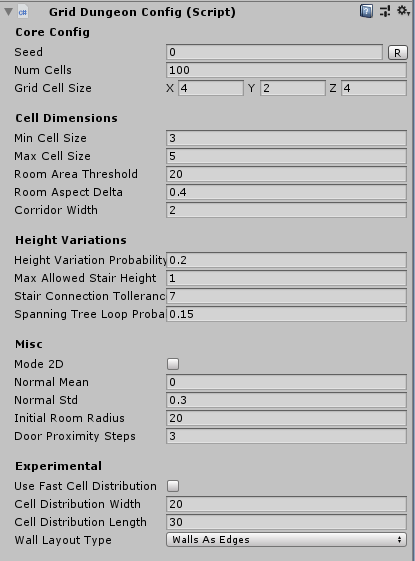
Change the
Seedparameter to build a different dungeon layoutSet the
Grid Cell Sizeparameter according to your moduler art asset. If the ground mesh is 4x4 and the stair mesh height is 2, set this to(4, 2, 4)The dungeon creation method first creates a number of cells (defined by
NumCells) and spreads them across the scene.The size of these cells is define by the parameters
Min Cell SizeandMax Cell SizeSome of these cells will be promoted to Rooms and the rest will be promoted to Corridors. If the cell area is large enough (parameter
Room Area Threshold), that cell is promoted to aRoom, otherwise aCorridorThe rooms are connected together with corridors
Control how much height variation is allowed with
Height Variation ProbabilityA new Stair will not be created between two tiles if there's another stair nearby that if traversed, takes N steps to reach this cell. This value is controlled by
Stair Connection Tollerance. Bump this number up if you want fewer stairsMaximum allowed stair: Determine how high a stair tile can get. If set to one, the builder will create stairs that go only one level up
Both Rooms and Corridors have a
Groundmarker. Rooms are surrounded byWallmarkers while the corridors are surrounded byFencemarker