# Open Codex
Open Codex CLI
Lightweight coding agent that runs in your terminal
brew tap codingmoh/open-codex && brew install open-codex
---
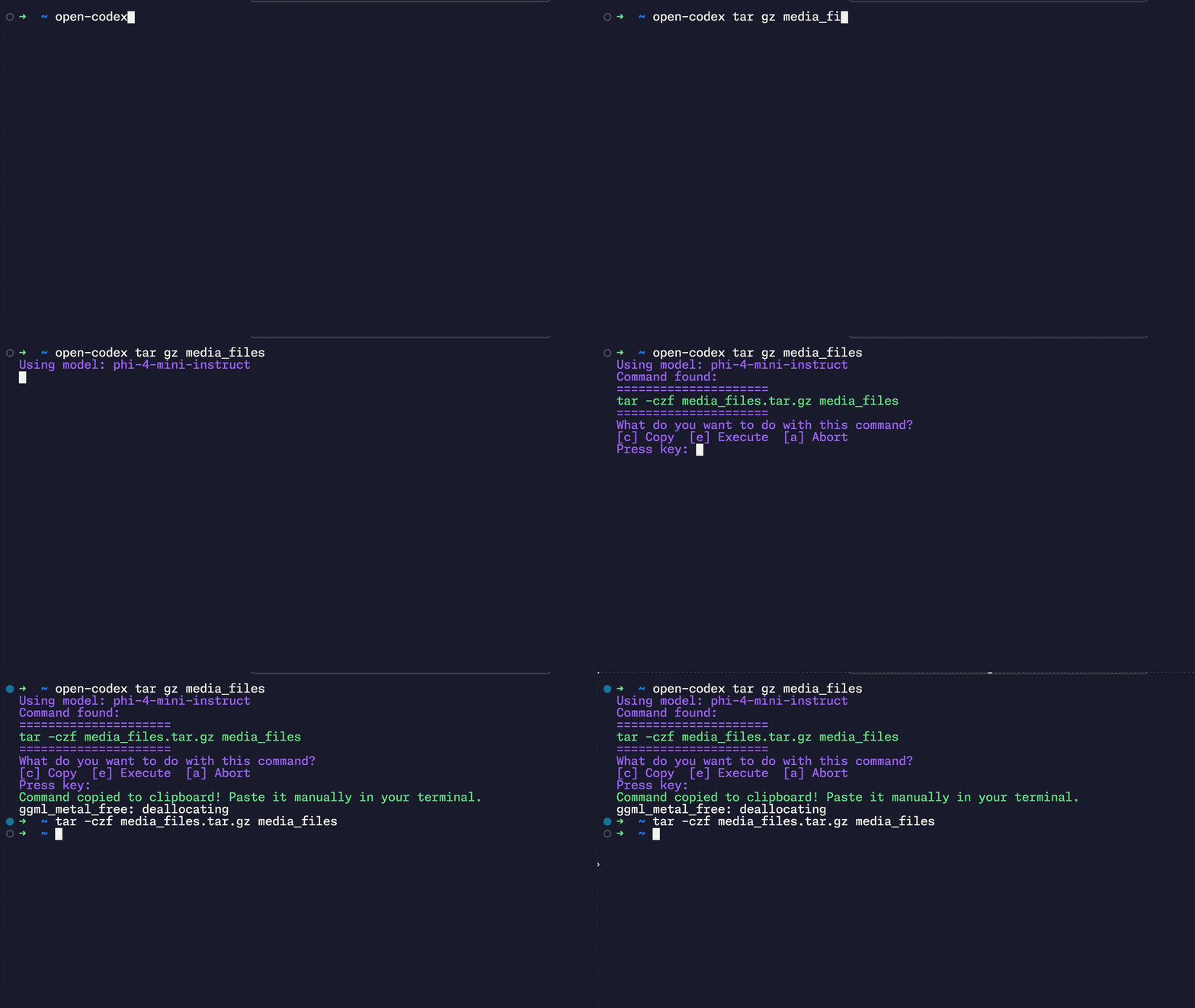
**Open Codex** is a fully open-source command-line AI assistant inspired by OpenAI Codex, supporting local language models like `phi-4-mini` and **full integration with Ollama**.
🧠 **Runs 100% locally** – no OpenAI API key required. Everything works offline.
---
## Supports
* **One-shot mode**: `open-codex "list all folders"` -> returns shell command
* **Ollama integration** for (e.g., LLaMA3, Mistral)
* Native execution on **macOS, Linux, and Windows**
---
## ✨ Features
- Natural Language → Shell Command (via local or Ollama-hosted LLMs)
- Local-only execution: no data sent to the cloud
- Confirmation before running any command
- Option to copy to clipboard / abort / execute
- Colored terminal output for better readability
- Ollama support: use advanced LLMs with `--ollama --model llama3`
### 🔍 Example with Ollama:
```bash
open-codex --ollama --model llama3 "find all JPEGs larger than 10MB"
```
Codex will:
1. Send your prompt to the Ollama API (local server, e.g. on `localhost:11434`)
2. Return a shell command suggestion (e.g., `find . -name "*.jpg" -size +10M`)
3. Prompt you to execute, copy, or abort
> 🛠️ You must have [Ollama](https://ollama.com) installed and running locally to use this feature.
---
## 🧱 Future Plans
- Interactive, context-aware mode
- Fancy TUI with `textual` or `rich`
- Full interactive chat mode
- Function-calling support
- Whisper-based voice input
- Command history & undo
- Plugin system for workflows
---
## 📦 Installation
### 🔹 Option 1: Install via Homebrew (Recommended for MacOS)
```bash
brew tap codingmoh/open-codex
brew install open-codex
```
### 🔹 Option 2: Install via pipx (Cross-platform)
```bash
pipx install open-codex
```
### 🔹 Option 3: Clone & install locally
```bash
git clone https://github.com/codingmoh/open-codex.git
cd open_codex
pip install .
```
Once installed, use the `open-codex` CLI globally.
---
## 🚀 Usage Examples
### ▶️ One-shot mode
```bash
open-codex "untar file abc.tar"
```
✅ Codex suggests a shell command
✅ Asks for confirmation / add to clipboard / abort
✅ Executes if approved
### ▶️ Using Ollama
```bash
open-codex --ollama --model llama3 "delete all .DS_Store files recursively"
```
---
## 🛡️ Security Notice
All models run **locally**. Commands are executed **only after your explicit confirmation**.
---
## 🧑💻 Contributing
PRs welcome! Ideas, issues, improvements — all appreciated.
---
## 📝 License
MIT
---
❤️ Built with love and caffeine by [codingmoh](https://github.com/codingmoh).