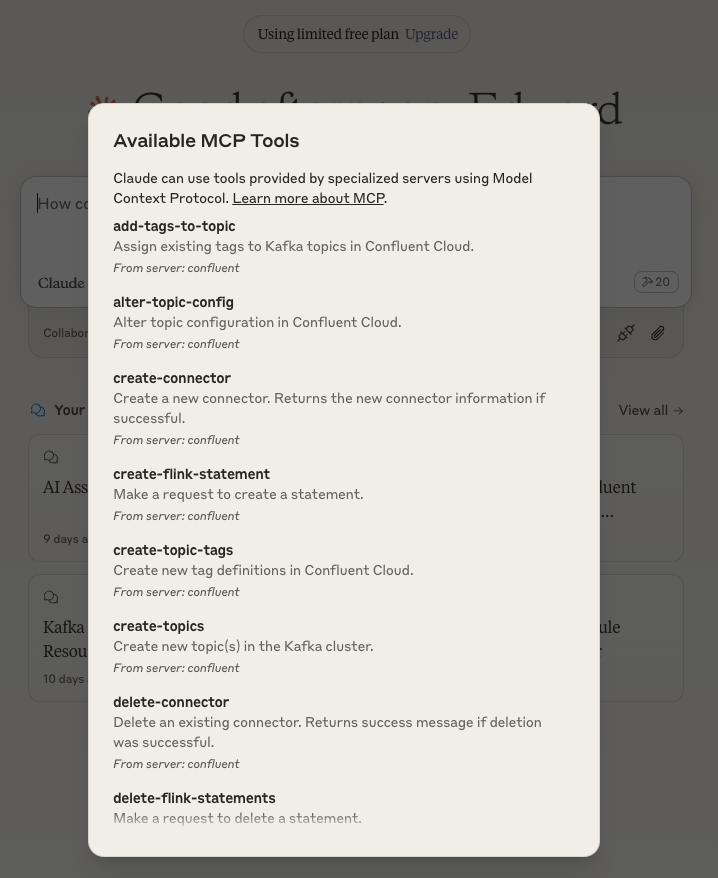
# Configuring Claude Desktop
See [the MCP user quickstart](https://modelcontextprotocol.io/quickstart/user) for general background on Claude Desktop and MCP servers.
To configure Claude Desktop to use this MCP server:
1. **Open Claude Desktop Configuration**
- On Mac: `~/Library/Application\ Support/Claude/claude_desktop_config.json`
- On Windows: `%APPDATA%\Claude\claude_desktop_config.json`
2. **Edit Configuration File**
- Open the config file in your preferred text editor
- Add or modify the configuration using one of the following methods:
Option 1: Run from source
```json
{
"mcpServers": {
"confluent": {
"command": "node",
"args": [
"/path/to/confluent-mcp-server/dist/index.js",
"--config",
"/path/to/confluent-mcp-server/config.yaml"
]
}
}
}
```
Option 2: Run from npx
```json
{
"mcpServers": {
"confluent": {
"command": "npx",
"args": [
"-y",
"@confluentinc/mcp-confluent",
"--config",
"/path/to/confluent-mcp-server/config.yaml"
]
}
}
}
```
Replace `/path/to/confluent-mcp-server/` with the actual path where you've installed this MCP server.
3. **Restart Claude Desktop**
- Close and reopen Claude Desktop for the changes to take effect
- The MCP server will automatically start when Claude Desktop launches
See [CONFIGURATION.md](../CONFIGURATION.md) for what to put in `config.yaml`. Legacy env-var configuration (`-e /path/to/config.env`) still works during the deprecation window.