


## Hidden Bar
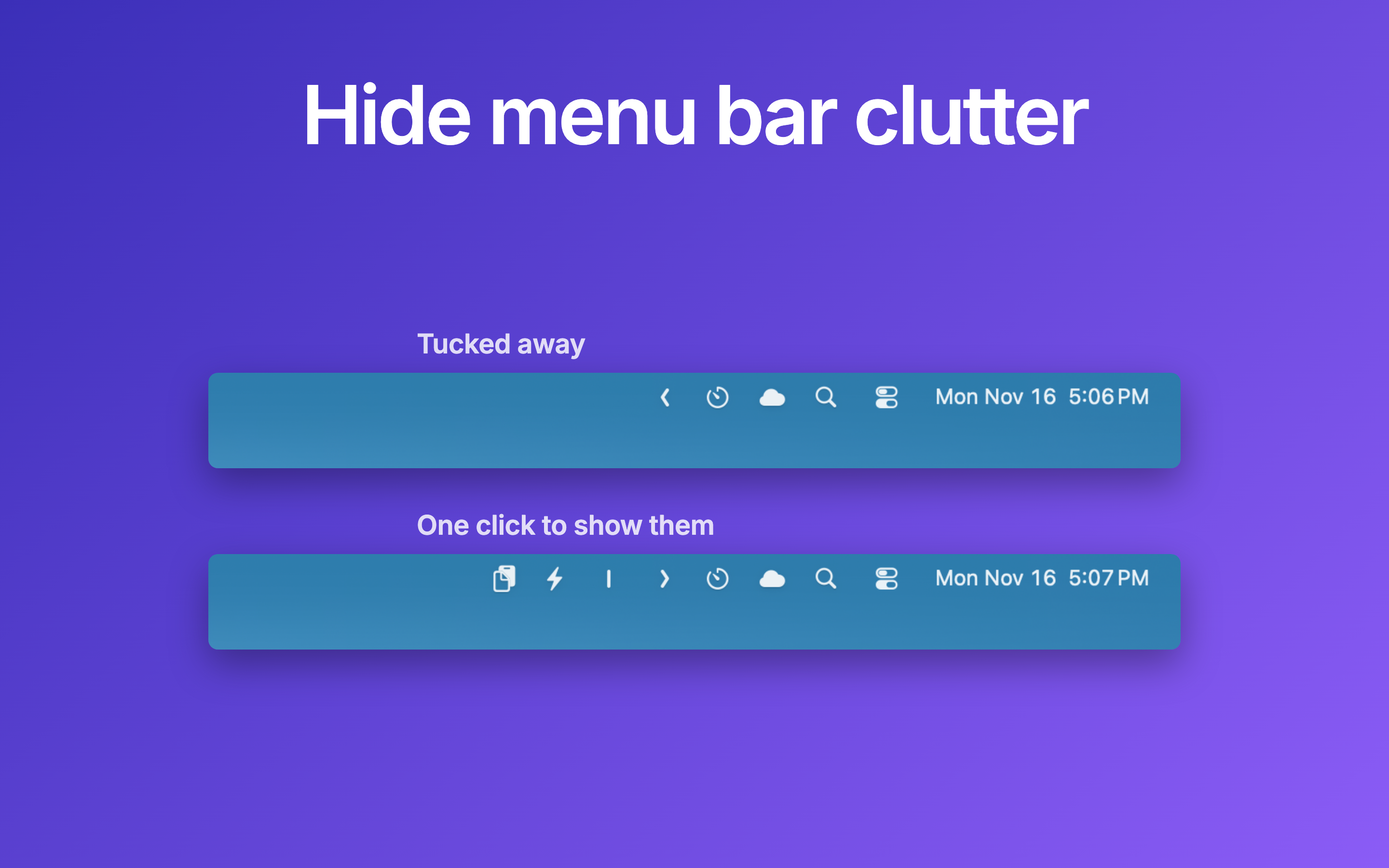
Hidden Bar lets you hide menu bar items to give your Mac a cleaner look.
## 🚀 Install
> **Official downloads.** Console Labs publishes Hidden Bar only through [GitHub Releases](https://github.com/consolelabs/hidden/releases), the Homebrew cask `hiddenbar`, and the [Mac App Store listing](https://itunes.apple.com/app/hidden-bar/id1452453066). Any other site offering Hidden Bar (for example `hiddenbar.app`) is not run by Console Labs.
### App Store
[](https://itunes.apple.com/app/hidden-bar/id1452453066)
The App Store build is sandboxed and cannot hide icons on macOS 27. On macOS 27, use the GitHub or Homebrew build below.
### Others
The Hidden Bar is notarized before distributed out side App Store. It's safe to use 👍
#### Using Homebrew
```
brew install --cask hiddenbar
```
Coming from the App Store version? Quit it and move `/Applications/Hidden Bar.app` to the Trash first: Homebrew does not install over it. Your settings stay; the new version offers to import them on first launch.
#### Manual download
- [Download latest version](https://github.com/consolelabs/hidden/releases/latest)
- Open and drag the app to the Applications folder.
- Launch Hidden and drag the icon in your menu bar (hold CMD) to the right so it is between some other icons.
## 🕹 Usage
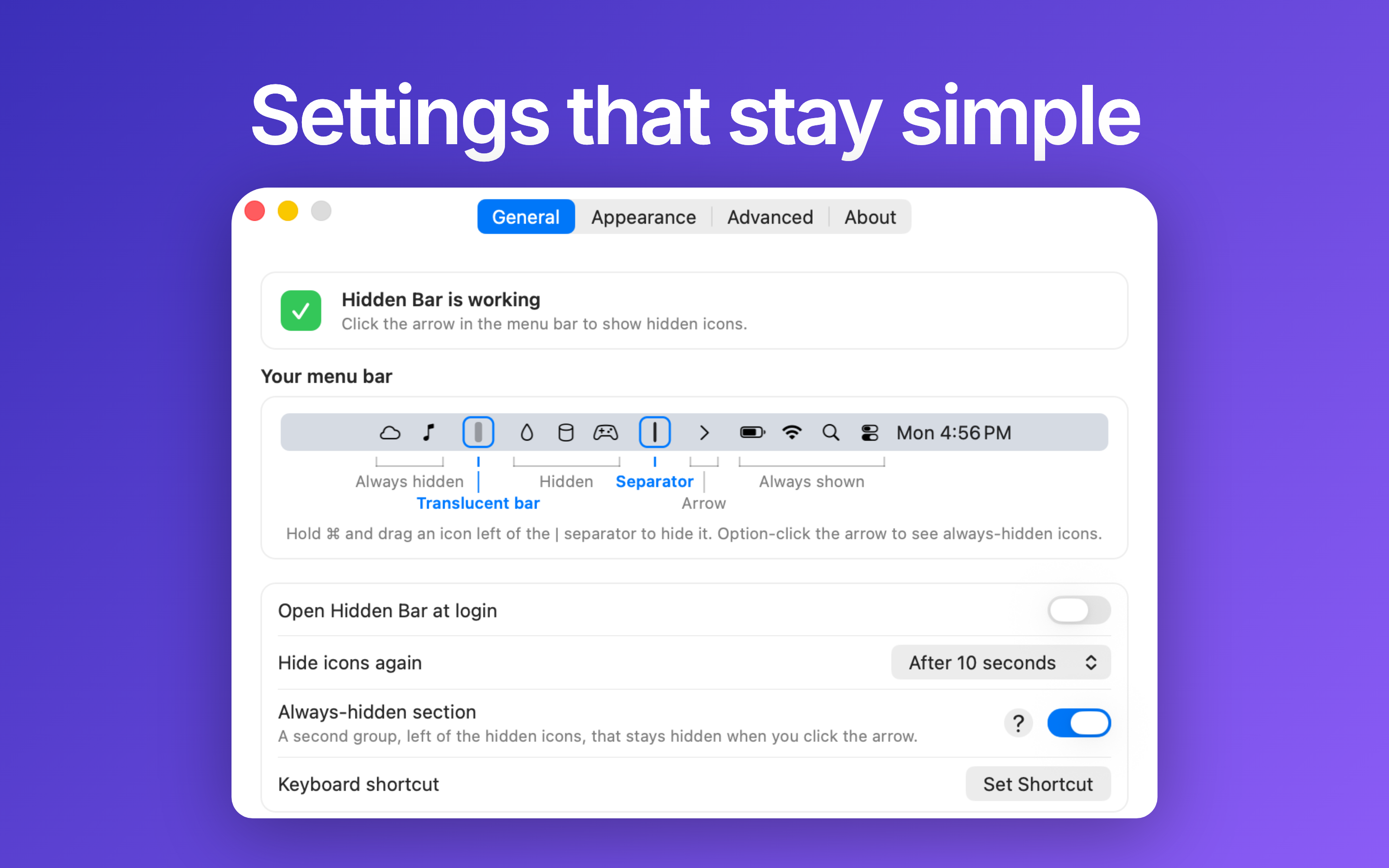
* `⌘` + drag to move the Hidden icons around in the menu bar.
* Click the Arrow icon to hide menu bar items, and click it again to show them.
* Option-click the Arrow to reach the always-hidden section, a second group that stays hidden when you click the arrow.
* Settings has the hide delay, a global shortcut, other ways to reveal icons (hover, scroll, shake) and the arrow style.

## 📚 Documentation
- [Manual](docs/MANUAL.md): every setting, the hidden Terminal-only options, and troubleshooting.
- [Architecture](docs/ARCHITECTURE.md): how the hiding trick works, topology, and known limits.
- [Maintainer runbook](docs/RUNBOOK.md): build, behavioral verification, and release process.
## ✨Contributors
This project exists thanks to all the people who contribute. Thank you guys so much 👏
[](https://sourcerer.io/fame/phucledien/consolelabs/hidden/links/0)[](https://sourcerer.io/fame/phucledien/consolelabs/hidden/links/1)[](https://sourcerer.io/fame/phucledien/consolelabs/hidden/links/2)[](https://sourcerer.io/fame/phucledien/consolelabs/hidden/links/3)[](https://sourcerer.io/fame/phucledien/consolelabs/hidden/links/4)[](https://sourcerer.io/fame/phucledien/consolelabs/hidden/links/5)[](https://sourcerer.io/fame/phucledien/consolelabs/hidden/links/6)[](https://sourcerer.io/fame/phucledien/consolelabs/hidden/links/7)
Please read [this](CONTRIBUTING.md) before you make a contribution.
## Requirements
macOS version >= 13.0 (Ventura)
Running an older macOS? The last release supporting macOS 10.13 High Sierra
through 12 Monterey is [v1.10](https://github.com/consolelabs/hidden/releases/tag/v1.10).
Later versions require macOS 13 because autostart moved to the `SMAppService`
API introduced there.
## You may also like
- [Blurred](https://apps.apple.com/app/id1497527363) - A macOS utility that helps reduce distraction by dimming your inactive noise
- [VimMotion](https://github.com/consolelabs/VimMotionApp) Vim style shortcut for MacOS
## License
MIT © [Console Labs](https://console.so)