# ClearanceKit [](https://github.com/craigjbass/clearancekit/actions/workflows/prerelease.yml) [](https://sonarcloud.io/summary/new_code?id=craigjbass_clearancekit) [](https://scorecard.dev/viewer/?uri=github.com/craigjbass/clearancekit) [](https://matrix.to/#/%23clearancekit:gitter.im)
Every `npm install`, `pip install`, and `brew upgrade` executes arbitrary native code with your full file system permissions. One compromised package can silently read your SSH keys, AWS credentials, iMessages, and browser cookies. You will not know until it is too late.
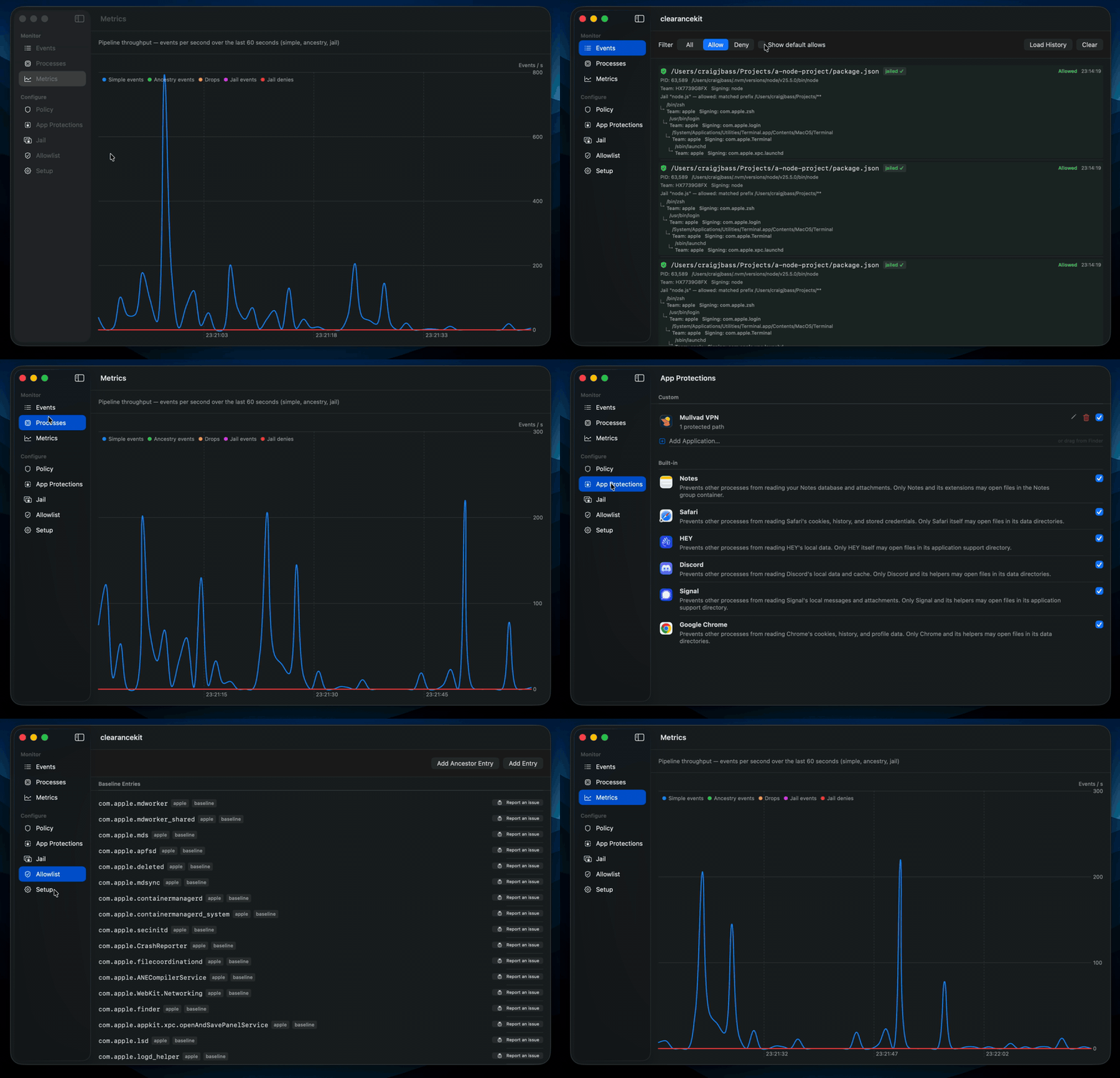
ClearanceKit intercepts file-system access events on macOS — opens, renames, deletions, hard links, creates, truncations, copies, directory reads, data exchanges, and clones — and enforces per-process access policies for paths you designate as protected. Any process accessing a protected path without an explicit allow rule is blocked. Jail rules go further: a jailed process is confined to a specified set of path prefixes, and any file access outside those prefixes is denied regardless of other policy rules. Denied events surface in a native SwiftUI interface so you can review them and build policy as you work — no configuration files required.
Policies are bound to cryptographic code signing identity — the Developer ID certificate and bundle identifier embedded in the binary — not to file paths or hashes. A trojanised binary is denied even if it sits at the expected path. Policies survive software updates without any maintenance, because a developer's signing identity does not change between releases.
## Threat model
[](https://www.youtube.com/watch?v=AgYGwZjcsLo)
Modern macOS developer workstations are high-value targets. Unlike iOS, macOS permits unsigned or ad-hoc-signed Mach-O binaries to run outside the App Sandbox, with direct access to the file system and user data. The attack surface is widest around developer tooling — package managers, build systems, language runtimes, and their plugins all execute arbitrary native code with your full user-level permissions the moment you run `npm install`, `pip install`, `brew install`, `cargo build`, or pull a new dependency.
**The supply chain attack surface is enormous.** A malicious package — or a legitimate package with a compromised release — can drop a native dylib or shell script that gets loaded into every subsequent process in your terminal session. Because macOS does not restrict which files an unsandboxed process can read, that one `postinstall` script has the same access to your data as you do.
What can it reach?
- **Apple Notes** — unlocked notes are stored in a readable CoreData SQLite database at `~/Library/Group Containers/group.com.apple.notes/`; individually locked notes are encrypted
- **Signal Desktop** — attachments at `~/Library/Application Support/Signal/attachments.noindex/` are directly readable; the message database is SQLCipher-encrypted with an ACL-restricted keychain entry, but blocking directory access prevents bulk exfiltration of media and documents
- **iMessage** — chat history and attachments are stored under `~/Library/Messages/`
- **Safari cookies** — `~/Library/Cookies/Cookies.binarycookies` is directly readable by any same-user process
- **Firefox and Chrome session cookies** — Firefox stores cookies in plaintext SQLite; Chrome's cookie database is readable on disk
- **SSH private keys** — unprotected `~/.ssh/id_*` files are immediately usable for lateral movement to servers and cloud environments
- **AWS, GCP, and Azure credentials** — plaintext credential and token files at `~/.aws/credentials`, `~/.config/gcloud/`, and `~/.azure/`
- **Git credentials and `.netrc`** — plaintext `~/.git-credentials` and `.netrc` give silent access to every private repository your account can reach
- **GPG private keys** — `~/.gnupg/private-keys-v1.d/` files can be copied for offline passphrase cracking
- **Slack, Discord, and other Electron apps** — conversation history and credentials are stored in LevelDB and SQLite under `~/Library/Application Support/`; whether specific values are encrypted depends on the app
- **Zoom and meeting recordings** — local recordings stored unprotected at `~/Documents/Zoom/`
- **VS Code and JetBrains IDE state** — recent file lists, workspace settings, and extension local storage that map your entire codebase
clearancekit places the Endpoint Security API between every file-system access attempt and the process that triggered it. When a process you did not explicitly allow attempts to read a protected path — your `~/.ssh` directory, your Notes database, your browser profile — clearancekit intercepts the access, denies it, and surfaces it in the UI so you can decide whether to add a policy or investigate further.
### Why code signing makes this stronger than SELinux
SELinux and similar mandatory access control systems bind permissions to file paths and process labels. A policy that says "processes labelled `python_t` may read `/home/user/.aws/credentials`" trusts whatever binary happens to be executing at that label — it has no way to verify that the binary is the real Python interpreter and not a malicious replacement. An attacker who plants a trojanised binary at the expected path, or who hijacks a process through a vulnerability, inherits all of its SELinux permissions.
macOS code signatures are cryptographic. Every policy in ClearanceKit can require a specific Team ID and Signing ID — the Developer ID certificate issued to a specific organisation and the bundle identifier declared in the binary. These are verified by the kernel against the binary's embedded signature at the point the process is created. A malicious `npm postinstall` script, a dylib injected into a legitimate process, or a trojanised replacement binary will carry a different signature — or none at all — and will be denied regardless of where it lives on disk.
This means ClearanceKit policies express intent like "only the Safari binary signed by Apple may read Safari's cookie store", and that guarantee holds even if an attacker controls the file system.
The maintenance burden difference is significant in practice. Linux file integrity tools such as IMA/EVM, AIDE, and Tripwire identify trusted binaries by their SHA256 hash. Every software update — including security patches — produces a new hash, which invalidates any policy that referenced the old one. On an active development machine where package managers are run daily, this means policies go stale constantly. The tools that update most frequently, such as language runtimes and CLI utilities, are exactly the ones most likely to be targeted in a supply chain attack, so keeping the allowlist current requires continuous manual effort and is easily neglected.
ClearanceKit policies reference a Team ID and Signing ID, not a hash. When Apple ships a Safari update, or when a developer releases a new version of their tool, the signing identity is unchanged — the same Developer ID certificate is used to sign every release. A policy written once remains valid indefinitely across all future updates from that developer. The only time a policy needs revisiting is when you deliberately change which software you trust, not simply because that software was updated.
## Installation
Download the latest DMG from the [Releases](https://github.com/craigjbass/clearancekit/releases/latest) page, open it, and drag clearancekit to Applications.
On first launch you will be prompted to activate the system extension and grant Full Disk Access — both are required for Endpoint Security to function.
ClearanceKit has no auto-update mechanism. This is a deliberate decision: an app that monitors what other processes do on your machine should not itself be making network calls you did not initiate. Check the [Releases](https://github.com/craigjbass/clearancekit/releases/latest) page manually for updates.
ClearanceKit has zero third-party dependencies. Every capability — Endpoint Security enforcement, XPC communication, SQLite persistence, SwiftUI interface, and MDM profile reading — is provided entirely by Apple's own frameworks and SDKs. There is no package manager, no vendored library, and no supply chain to audit beyond Apple's own toolchain.
## Related projects
ClearanceKit occupies a specific part of the macOS endpoint security space. Two well-known projects address adjacent but distinct problems:
**[BlockBlock](https://github.com/objective-see/BlockBlock)** (Objective-See) monitors for process persistence — launch agents, launch daemons, login items, cron jobs, and other mechanisms a malicious process might use to survive a reboot. Where ClearanceKit asks "which processes may access which files?", BlockBlock asks "is something trying to establish a permanent foothold?". The two tools are complementary: a supply chain payload that exfiltrates credentials immediately would be caught by ClearanceKit; one that installs a backdoor for later use would be caught by BlockBlock.
**[Santa](https://github.com/northpolesec/santa)** (North Pole Security) combines binary execution control with file access policies, and is designed for MDM-managed enterprise fleets with policy distributed via a central management server. Santa can operate in lockdown mode to block unapproved binaries from running at all — ClearanceKit has no equivalent; it does not restrict execution events. Both tools use the Endpoint Security API to authorise file access by process identity, so their file access policies are conceptually similar. The key difference is process ancestry: ClearanceKit can express rules like "allow this path only when the accessing process was launched by a trusted parent" — for example, permitting a build tool to read source files only when invoked from a trusted CI runner. Santa's file access policies evaluate the immediate process only and have no concept of ancestry. Process ancestry can make it easier to deploy in environments with other security products.
## Architecture
Two components work together:
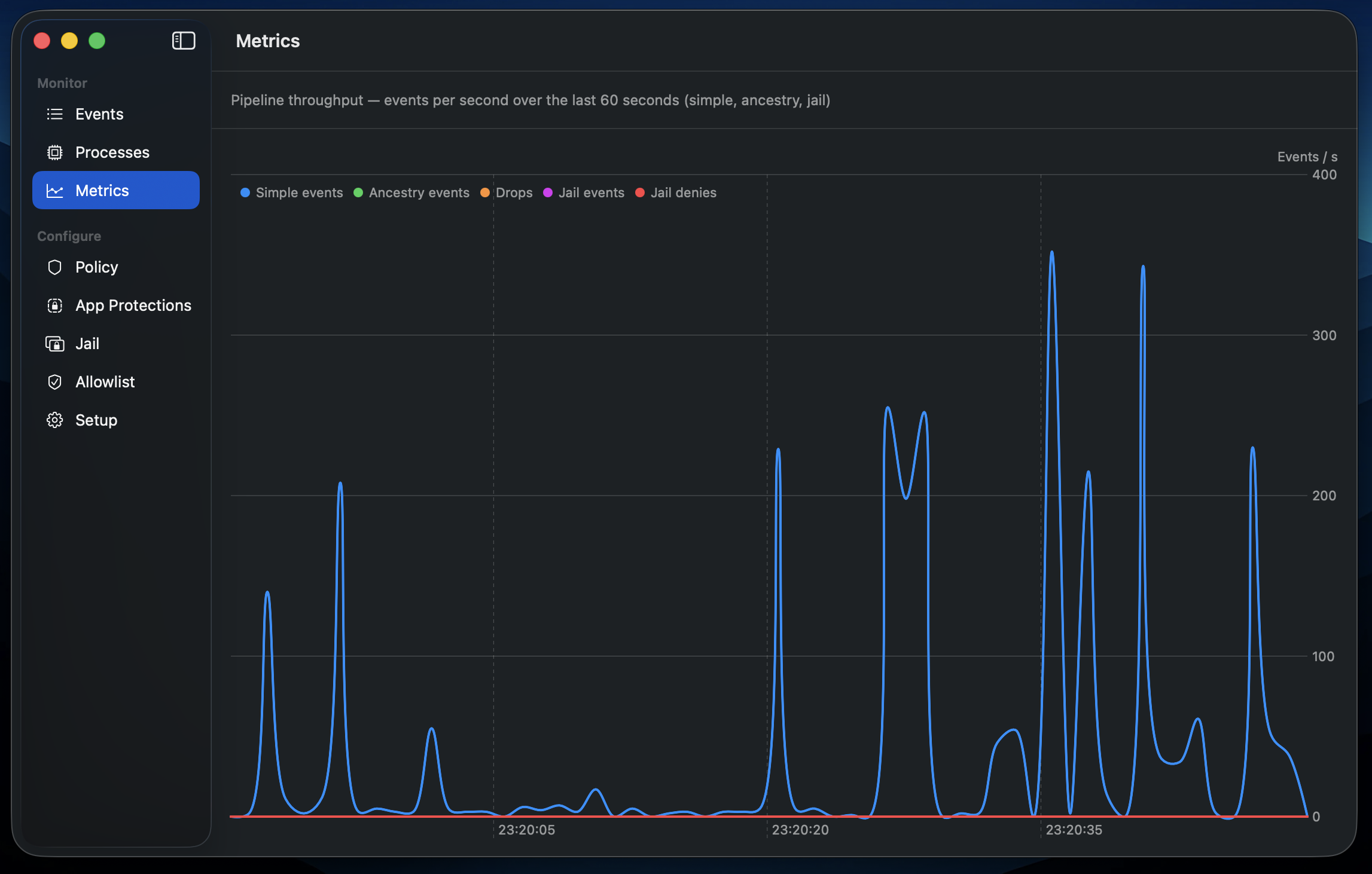
- **clearancekit.app** — SwiftUI sidebar app. Manages policies, displays live events, renders a real-time pipeline throughput graph, and communicates with the system extension over XPC.
- **uk.craigbass.clearancekit.opfilter** — System extension (Endpoint Security). Runs three Endpoint Security clients: one for path-based policy enforcement that intercepts file-system authorization events (`ES_EVENT_TYPE_AUTH_OPEN`, `AUTH_RENAME`, `AUTH_UNLINK`, `AUTH_LINK`, `AUTH_CREATE`, `AUTH_TRUNCATE`, `AUTH_COPYFILE`, `AUTH_READDIR`, `AUTH_EXCHANGEDATA`, `AUTH_CLONE`), a dedicated jail client that tracks jailed processes by audit token and denies file access outside their allowed path prefixes, and a tamper-resistance client that blocks signal- and suspend-based attacks on opfilter itself (`AUTH_SIGNAL`, `AUTH_PROC_SUSPEND_RESUME`). All three evaluate policies and serve the GUI over XPC.
### Event pipeline
The ES kernel delivers every file-system event to **both** ES clients independently. Each client receives its own copy of every AUTH and NOTIFY event that passes its muting filter, and each must respond to its AUTH events separately within the kernel-enforced deadline.
```mermaid
flowchart TB
subgraph Kernel["macOS Kernel — Endpoint Security"]
ES["ES subsystem
(AUTH + NOTIFY events)"]
end
ES -- "serialised callback
(duplicate delivery)" --> CB_FAA["ESInboundAdapter
callback"]
ES -- "serialised callback
(duplicate delivery)" --> CB_JAIL["ESJailAdapter
callback"]
subgraph FAA["ESInboundAdapter + FAAFilterInteractor — path-based policy enforcement"]
CB_FAA --> LIFE_FAA{"event type?"}
LIFE_FAA -- "NOTIFY_FORK / EXEC / EXIT" --> TREE_FAA["FAAFilterInteractor
→ processTreeQueue
(update ProcessTree)"]
LIFE_FAA -- "NOTIFY_WRITE / AUTH_RENAME / AUTH_UNLINK
(XProtect path)" --> XPROTECT["allow + reload
XProtect entries"]
LIFE_FAA -- "AUTH_OPEN / AUTH_RENAME / …
(file auth)" --> SUBMIT["FAAFilterInteractor
→ pipeline.submit()"]
subgraph Pipeline["FileAuthPipeline — 2-stage queue model"]
SUBMIT --> EB["eventBuffer
BoundedQueue ≤ 1024"]
EB -- "full → drop" --> DROP_EB["respond allow
(shed load)"]
EB -- "signal eventSignal" --> HOT["hotPathQueue
(serial consumer)"]
HOT --> CLASS{"classify"}
CLASS -- "globally allowed /
no rule applies" --> RESP_HOT["respond
+ cache"]
CLASS -- "process-level only,
no ancestor allowlist" --> EVAL_HOT["evaluate policy
→ respond"]
CLASS -- "ancestry required /
ancestor allowlist present" --> SQ["slowQueue
BoundedQueue ≤ 256"]
SQ -- "full → drop" --> DROP_SQ["respond allow
(shed load)"]
SQ -- "signal slowSignal" --> SEMA["slowWorkerSemaphore
(permits = 2)"]
SEMA --> SLOW["slowWorkerQueue
(concurrent, bounded)"]
SLOW --> WAIT["waitForProcess
(spin until deadline − 100 ms)"]
WAIT --> EVAL_SLOW["fetch ancestors
→ evaluate policy
→ respond"]
end
end
subgraph JAIL["ESJailAdapter + JailFilterInteractor — process jail enforcement"]
CB_JAIL --> LIFE_JAIL{"event type?"}
LIFE_JAIL -- "NOTIFY_FORK" --> FORK_J["inherit parent jail
or match signature
→ update jailedProcesses"]
LIFE_JAIL -- "NOTIFY_EXEC" --> EXEC_J["atomic key replace
(pre→post exec token)
→ update jailedProcesses"]
LIFE_JAIL -- "NOTIFY_EXIT" --> EXIT_J["remove from
jailedProcesses"]
LIFE_JAIL -- "AUTH_OPEN / AUTH_RENAME / …
(file auth)" --> JAIL_CHECK{"process jailed?"}
JAIL_CHECK -- "no" --> ALLOW_NJ["respond allow
(+ cache decision)"]
JAIL_CHECK -- "yes" --> JAIL_EVAL["JailFilterInteractor
check global allowlist
→ checkJailPath
→ respond inline"]
end
RESP_HOT --> POST["PostRespondHandler
(postRespondQueue)"]
EVAL_HOT --> POST
EVAL_SLOW --> POST
DROP_EB --> POST
DROP_SQ --> POST
JAIL_EVAL --> POST
subgraph PostRespond["Post-respond (background)"]
POST --> AUDIT["AuditLogger"]
POST --> TTY["TTYNotifier
(write denial to tty)"]
POST --> BROADCAST["EventBroadcaster
→ XPC → GUI"]
end
```
**Why two clients?** Rule policy isolation and es mute divergence, which allows both routes to not need to process unnecessary events, but overlap is handled cleanly (both policy sets apply consistently and independently).
## Development
### Prerequisites
- Xcode 26+
- Apple Developer account with the **Endpoint Security** entitlement approved for your team ID
- Developer ID provisioning profiles for both `uk.craigbass.clearancekit` and `uk.craigbass.clearancekit.opfilter`
### First run
1. Build and run the app (Cmd+R)
2. Open the **Setup** tab and click **Activate Extension** — macOS prompts for approval in System Settings (once only)
3. Grant Full Disk Access to the system extension when prompted
### Attaching the debugger
Use **Debug → Attach to Process by PID or Name** and enter `uk.craigbass.clearancekit.opfilter`. Note that attaching to an ES client can cause watchdog timeouts; `ES_OSLOG_LEVEL=debug` logging is a lower-overhead alternative.
## Troubleshooting
Check system extension state:
```
systemextensionsctl list
```
View extension logs:
```
log stream --predicate 'subsystem == "uk.craigbass.clearancekit.opfilter"' --level debug
```
### Too many Endpoint Security clients
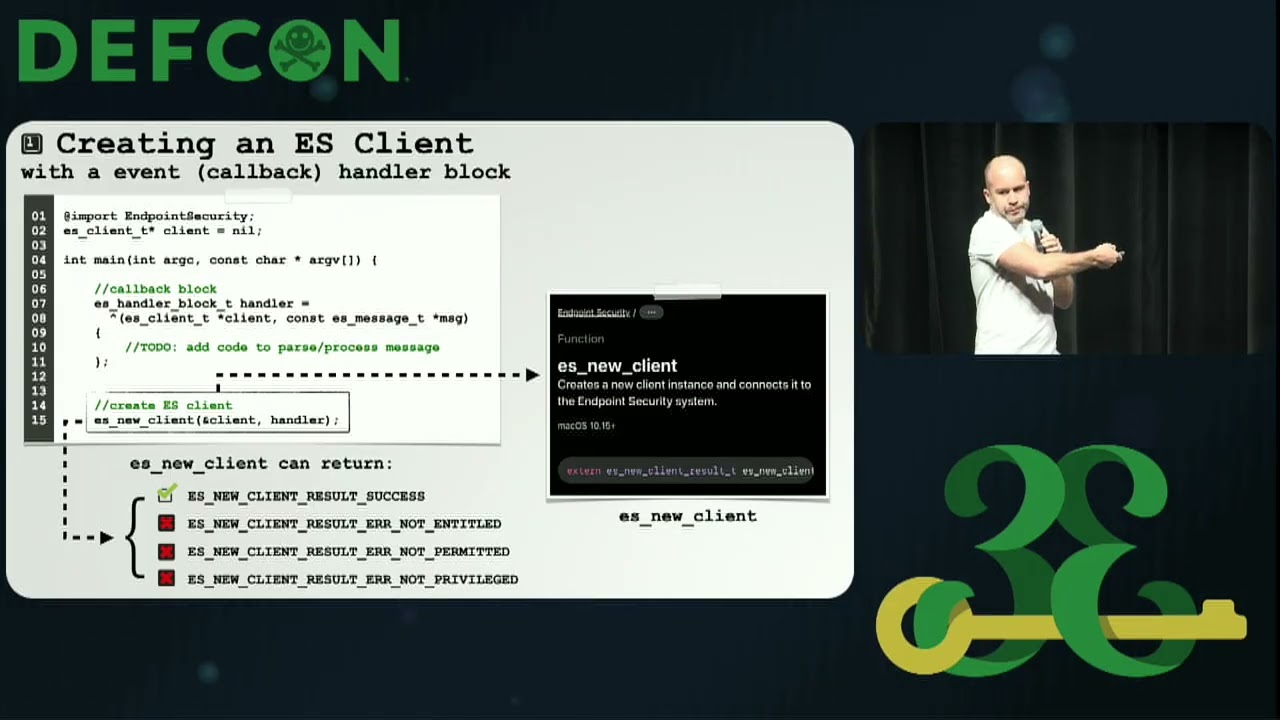
If `opfilter` logs `ES_NEW_CLIENT_RESULT_ERR_TOO_MANY_CLIENTS` at startup, the system-wide Endpoint Security client limit (48 slots, shared across every ES-based tool on the machine) has been exhausted. ClearanceKit itself takes three of those slots. Enumerate other installed system extensions with:
```
systemextensionsctl list
```
and disable or uninstall any ES-based security tools that are not in active use. The slot pool is reclaimed only when the offending extension is unloaded.
## Managing with MDM
ClearanceKit can receive policy from any MDM solution that delivers Apple Configuration Profile payloads. The managed preferences are read from `/Library/Managed Preferences/uk.craigbass.clearancekit.plist` via `CFPreferences`, so any MDM system that delivers a `com.apple.ManagedClient.preferences` payload for the `uk.craigbass.clearancekit` domain will work.
A reference `.mobileconfig` profile is provided at `scripts/clearancekit-managed-policy.mobileconfig`.
### Generating UUIDs
Every rule, protection, and MDM payload entry requires a unique UUID. **Always generate UUIDs using `uuidgen`** — never invent values by hand or reuse UUIDs from examples. Duplicate or invented UUIDs will cause rules to collide or be silently overwritten.
```
uuidgen
```
Run this once for each UUID you need. The output is already in the correct uppercase format.
### FAAPolicy — file access control rules
Delivered as an array under the `FAAPolicy` preference key. Each entry creates a file access rule in the MDM tier (read-only in the GUI).
| Key | Type | Required | Description |
|-----|------|----------|-------------|
| `ID` | string | No | Stable UUID for this rule. Omit to auto-derive from `ProtectedPathPrefix`. Always generate with `uuidgen`. |
| `ProtectedPathPrefix` | string | **Yes** | Path or glob pattern to protect. Supports `*` (within a component), `**` (across levels), and `?`. |
| `AllowedSignatures` | array of strings | No | Processes allowed by code signing identity, each in `teamID:signingID` format. |
| `AllowedProcessPaths` | array of strings | No | Processes allowed by executable path. |
| `AllowedAncestorSignatures` | array of strings | No | Parent processes allowed by signing identity, each in `teamID:signingID` format. |
| `AllowedAncestorProcessPaths` | array of strings | No | Parent processes allowed by path. |
| `EnforceOnWriteOnly` | bool | No | When `true`, the rule only fires for write operations (rename, unlink, link, create, truncate, copyfile, exchangedata, clone, and opens with `FWRITE` / `O_APPEND` / `O_TRUNC`). Read-only opens fall through to the next rule. Use this for tamper-protection of config files (`/etc/pam.d`, `/etc/ssh`, audio plugin bundles, etc.) where any process should be able to read but only specific processes should be able to modify. Defaults to `false`. |
#### The `teamID:signingID` format
Every signature entry is a colon-separated pair:
- **teamID** — the Apple-issued Team ID embedded in the Developer ID certificate. You can find this in your Apple Developer account or by running `codesign -dv --verbose=4 /path/to/app` and reading the `TeamIdentifier` field.
- **signingID** — the bundle identifier embedded in the binary's code signature. Visible as `Identifier` in `codesign -dv` output.
Use `apple` as the `teamID` for Apple platform binaries, which carry an empty Team ID in their code signature.
Use `*` as the `signingID` to allow any binary from a given team. Use `*` as the `teamID` to match any team. Combine both as `*:*` to match any signed or unsigned process — useful for read-only subpath carve-outs under a locked parent (see `EnforceOnWriteOnly`):
```
37KMK6XFTT:* — any binary signed by team 37KMK6XFTT
apple:com.apple.Safari — Safari signed by Apple
37KMK6XFTT:uk.craigbass.clearancekit — clearancekit app only
*:* — any process (universal wildcard)
```
#### Example
```xml
FAAPolicy
ID
ProtectedPathPrefix
/Users/*/Documents/company-secrets
AllowedSignatures
ABCDE12345:com.yourcompany.app
apple:com.apple.finder
```
### GlobalAllowlist — process bypass list
Delivered as an array under the `GlobalAllowlist` preference key. Each entry adds an **immediate** process to the global allowlist. When the process making a file-system access request matches an entry, it bypasses all FAAPolicy rules regardless of which path it is accessing.
| Key | Type | Required | Description |
|-----|------|----------|-------------|
| `ID` | string | No | Stable UUID. Omit to auto-derive. Always generate with `uuidgen`. |
| `SigningID` | string | One of `SigningID` or `ProcessPath` | Match by code signing identifier. |
| `ProcessPath` | string | One of `SigningID` or `ProcessPath` | Match by executable path. |
| `PlatformBinary` | bool | No | If `true`, the process must carry an empty Team ID (Apple platform binary). |
| `TeamID` | string | No | Additional Team ID constraint when `PlatformBinary` is `false`. |
### GlobalAncestorAllowlist — ancestor process bypass list
Ancestor allowlist entries bypass all FAAPolicy rules when **any process in the calling chain** — parent, grandparent, and so on — matches the entry. The immediate process identity is irrelevant; what matters is whether an ancestor was trusted.
This is useful when you want to allow any process to launch processes and gain their permissions. Most likely to be used when allowing background tasks, other security tools or MDM processes to function correctly.
Ancestor entries use the same matching fields as `GlobalAllowlist`:
| Key | Type | Required | Description |
|-----|------|----------|-------------|
| `ID` | string | No | Stable UUID. Omit to auto-derive. Always generate with `uuidgen`. |
| `SigningID` | string | One of `SigningID` or `ProcessPath` | Match ancestor by code signing identifier. |
| `ProcessPath` | string | One of `SigningID` or `ProcessPath` | Match ancestor by executable path. |
| `PlatformBinary` | bool | No | If `true`, the ancestor must carry an empty Team ID (Apple platform binary). |
| `TeamID` | string | No | Additional Team ID constraint when `PlatformBinary` is `false`. |
Ancestor entries are managed via the **Add Ancestor Entry** button in the allowlist view and are displayed inline alongside immediate-process entries, distinguished by an ancestry icon and an **ancestor** badge. Managed-profile ancestor entries appear in a separate **Managed Profile Ancestor Entries** section.
### JailRules — process jail rules
Delivered as an array under the `JailRules` preference key. Each entry confines a specific process to only access a specified set of path prefixes. Any file-system access outside the allowed set is denied. Processes on the global allowlist bypass jail rules and retain unrestricted file access. Managed jail rules appear read-only in the GUI under **Jail → Managed Jail Rules**.
| Key | Type | Required | Description |
|-----|------|----------|-------------|
| `ID` | string | No | Stable UUID. Omit to auto-derive from `JailedSignature`. Always generate with `uuidgen`. |
| `Name` | string | **Yes** | Display name shown in the clearancekit GUI. |
| `JailedSignature` | string | **Yes** | The process to jail in `teamID:signingID` format. Wildcards are not supported — exact signing ID only. Use `apple` for Apple platform binaries. |
| `AllowedPathPrefixes` | array of strings | No | Paths the jailed process may access. Omit or leave empty to deny all file access. Supports `*` (one path component), `**` (everything at or below), and `***` (character wildcard within a component). |
#### Example
```xml
JailRules
ID
Name
Example Jailed Tool
JailedSignature
ABCDE12345:com.example.tool
AllowedPathPrefixes
/tmp/**
/var/log/example/**
```
### AppProtections — named rule groupings
Delivered as an array under the `AppProtections` preference key. Each entry groups one or more `FAAPolicy` rules under a named app protection, which appears read-only in the GUI under **App Protections → Managed**.
| Key | Type | Required | Description |
|-----|------|----------|-------------|
| `ID` | string | No | Stable UUID for this protection. Omit to auto-derive from `AppName`. Always generate with `uuidgen`. |
| `AppName` | string | **Yes** | Display name shown in the clearancekit GUI. |
| `BundleID` | string | No | Application bundle identifier, used to look up the app icon when the app is installed locally. |
| `RuleIDs` | array of strings | **Yes** | UUIDs of `FAAPolicy` entries (from the `FAAPolicy` array) that belong to this protection. These must match the `ID` values specified in those rules. |
#### Example
```xml
AppProtections
ID
AppName
Company Secrets
BundleID
com.yourcompany.app
RuleIDs
```