## The ScreenBuffer HD
*This feature is still in beta, but its API is considered stable/backward compatible.*
This is the 32-bit (RGBA) version of [the ScreenBuffer](ScreenBuffer.md#ref.ScreenBuffer), it subclasses it.
See the [the ScreenBuffer documentation](ScreenBuffer.md#ref.ScreenBuffer) for the common parts:
**only HD specific features are listed here.**
A *screenBufferHD* is a buffer holding contents for a rectangular area.
Each cell of the rectangular area contains:
* a character
* a 32-bit foreground color (RGBA)
* a 32-bit background color (RGBA)
* a style (bit flags: bold, dim, italic, underline, blink, inverse, hidden, strike)
* a transparency mask (bit flags: character transparency and style transparency)
When drawing to another surface, blending options can be given like *opacity* and the *blend function*
(normal, screen, multiply, overlay, etc).
It supports image loading.
**Note:** *screenBufferHD* and *screenBuffer* are not compatible ATM, it is not possible to draw one into the other.
## Table of Contents
* Constructor and static methods:
* [new ScreenBufferHD()](#ref.ScreenBufferHD.new)
* [ScreenBufferHD.create()](#ref.ScreenBufferHD.create)
* [ScreenBufferHD.loadImage()](#ref.ScreenBufferHD.loadImage)
* Properties:
* [.blending](#ref.ScreenBufferHD.blending)
* Methods:
* [.draw()](#ref.ScreenBufferHD.draw)
* [The Attribute Object](#ref.ScreenBufferHD.attributes)
* [The Built-In Blend Functions](#ref.ScreenBufferHD.blendFn)
### new ScreenBufferHD( options )
* blending `false` or `object`, see [.blending](#ref.ScreenBufferHD.blending)
This creates a ScreenBufferHD instance with the appropriate options.
### ScreenBufferHD.create( options )
DEPRECATED, use [new ScreenBufferHD()](#ref.ScreenBufferHD.new) instead.
### ScreenBufferHD.loadImage( url , [options] , callback )
* url `string` the file path or URL of the image
* options `object` (optional), where:
* shrink `object` (optional, but **recommanded**) if set, the image may be shrinked to conform to the max width and height.
When shrinking, aspect ratio is always preserved. It has those properties:
* width `integer` the max width of the image
* height `integer` the max height of the image
* callback `Function( error , image )` the callback, where:
* error: truthy if an error occured
* image `ScreenBufferHD` the *screenBuffer* of the image
This creates a ScreenBufferHD from an image.
Support all format supported by [get-pixels](#https://www.npmjs.com/package/get-pixels), namely *PNG*, *JPEG* and *GIF*.
Only the first frame of *GIF* are used ATM.
It uses the *upper half block* UTF-8 character (▀) to double the height resolution and produces the correct aspect ratio:
the upper half having a foreground color and the lower half having the background color.
The *shrink* object option can be used to reduce the size of the image.
It is suggested to set it to `{ width: term.width, height: term.height * 2 }` to avoid creating a 2000 lines image.
The *alpha channel* is correctly supported, also it is important to draw that image to another *screenBufferHD* for this
to work as expected (remember: blending only works when drawing on another *screenBufferHD*).
Moreover, the target buffer must have **consistent foreground and background color**, since all the area will be
filled with `▀` characters.
Something like that will do the trick:
```js
var screen = new ScreenBufferHD( { dst: term , noFill: true } ) ;
screen.fill( attr: {
// Both foreground and background must have the same color
color: {
r: 40 ,
g: 20 ,
b: 0
} ,
bgColor: {
r: 40 ,
g: 20 ,
b: 0
}
} } ) ;
ScreenBufferHD.loadImage(
path_to_image ,
{ shrink: { width: term.width , height: term.height * 2 } } ,
function( error , image ) {
if ( error ) { throw error ; } // Doh!
image.draw( { dst: screen , blending: true } ) ;
screen.draw() ;
}
) ;
```
There is a full example of an image viewer located here: `./sample/image-viewer.js` in the repository.
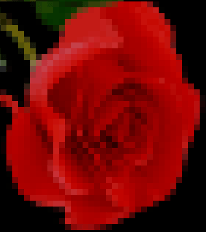
Example of rendering:
### .blending
Either `false` or an `object`, the is default value for [*.draw()*](#ref.ScreenBufferHD.draw)'s blending option.
If it's an `object`, it has the following properties:
* fn `function` (optional, default to `ScreenBufferHD.blendFn.normal`) it is the function used to blend rgb channels.
see the [built-in blend functions](#ref.ScreenBufferHD.blendFn)
* opacity `number` (optional, default to `1`) this is the opacity of the surface, *alpha channel* is multiplied by this value
* blendSrcFgWithDstBg `boolean` (optional, default to `false`), if:
* false: the **foreground** color of the source is blended with the **foreground** color of the destination
to produce the new **foreground** color
* true: the **foreground** color of the source is blended with the **background** color of the destination
to produce the new **foreground** color
### .draw( [options] )
* blending `false` or `object`, see [.blending](#ref.ScreenBufferHD.blending)
This draws the current *screenBufferHD* into its *dst* (destination), which is either a `Terminal`
or another `ScreenBufferHD` instance.
Blending works only when drawing to another *screenBufferHD*.
### The Attributes Object
An attributes object contains attributes to style cells.
Available attributes are:
* color `object` the foreground color, where:
* r `integer` the red channel of the foreground color (ranging from 0 to 255)
* g `integer` the green channel of the foreground color (ranging from 0 to 255)
* b `integer` the blue channel of the foreground color (ranging from 0 to 255)
* a `integer` the alpha channel of the foreground color (ranging from 0 to 255)
* bgColor `object` the background color, where:
* r `integer` the red channel of the background color (ranging from 0 to 255)
* g `integer` the green channel of the background color (ranging from 0 to 255)
* b `integer` the blue channel of the background color (ranging from 0 to 255)
* a `integer` the alpha channel of the background color (ranging from 0 to 255)
* bold `boolean`
* dim `boolean`
* italic `boolean`
* underline `boolean`
* blink `boolean` (note: most terminal does not support it)
* inverse `boolean`
* hidden `boolean`
* strike `boolean`
* transparency `boolean` if true, all transparencies are activated
* styleTransparency `boolean` *style transparency*, anything drawn with that attribute
will use the existing destination's style instead of its own style.
Styles cover the bold, dim, italic, underline, blink, inverse, hidden and strike attributes.
* charTransparency `boolean` *character transparency*, anything drawn with that attribute
will use the existing destination's character instead of its own character
### The Built-In Blend Functions
`ScreenBufferHD.blendFn` is an object containing built-in blend functions.
The result of those blend functions are **ALWAYS** alpha-mixed (using *alpha* and *opacity*) with the destination
before writing it.
* .normal: the source overwrite the destination
* .multiply: the source and the destination are multiplied, producing in a darker image
* .screen: this is the inverse of the *multiply* blending: the inverse of the source and the inverse of the destination
are multiplied, then inverted again, producing a brighter image
* .overlay: it combines *multiply* and *screen* blend modes, the parts where the destination is light become lighter,
the parts where the destination is dark become darker
* .hardLight: like *overlay* but swap source and destination, i.e. the parts where the source is light become lighter,
the parts where the source is dark become darker
* .softLight: a softer version of *hardLight*
See [Wikipedia blend modes page](https://en.wikipedia.org/wiki/Blend_modes) for details.
You can provide your own blending function, it should be a `Function( src , dst )`, where:
* src `integer` the source value for the channel, ranging from 0 to 255
* dst `integer` the destination value for the channel, ranging from 0 to 255
It should return an `integer` ranging from 0 to 255.
**Note:** The function is called for each RGB channel, but not for the *alpha* channel which is always blended using
the *screen* mode.