---
Terax is a lightweight open-source terminal (ADE) built on Tauri 2 + Rust and React 19. A native PTY backend with a WebGL renderer, an agentic AI side-panel that runs against your own keys or fully local models, plus a code editor, file explorer, source control with a git graph, and a web preview pane built in. About 7-8 MB on disk. No telemetry. No account.
## Screenshots
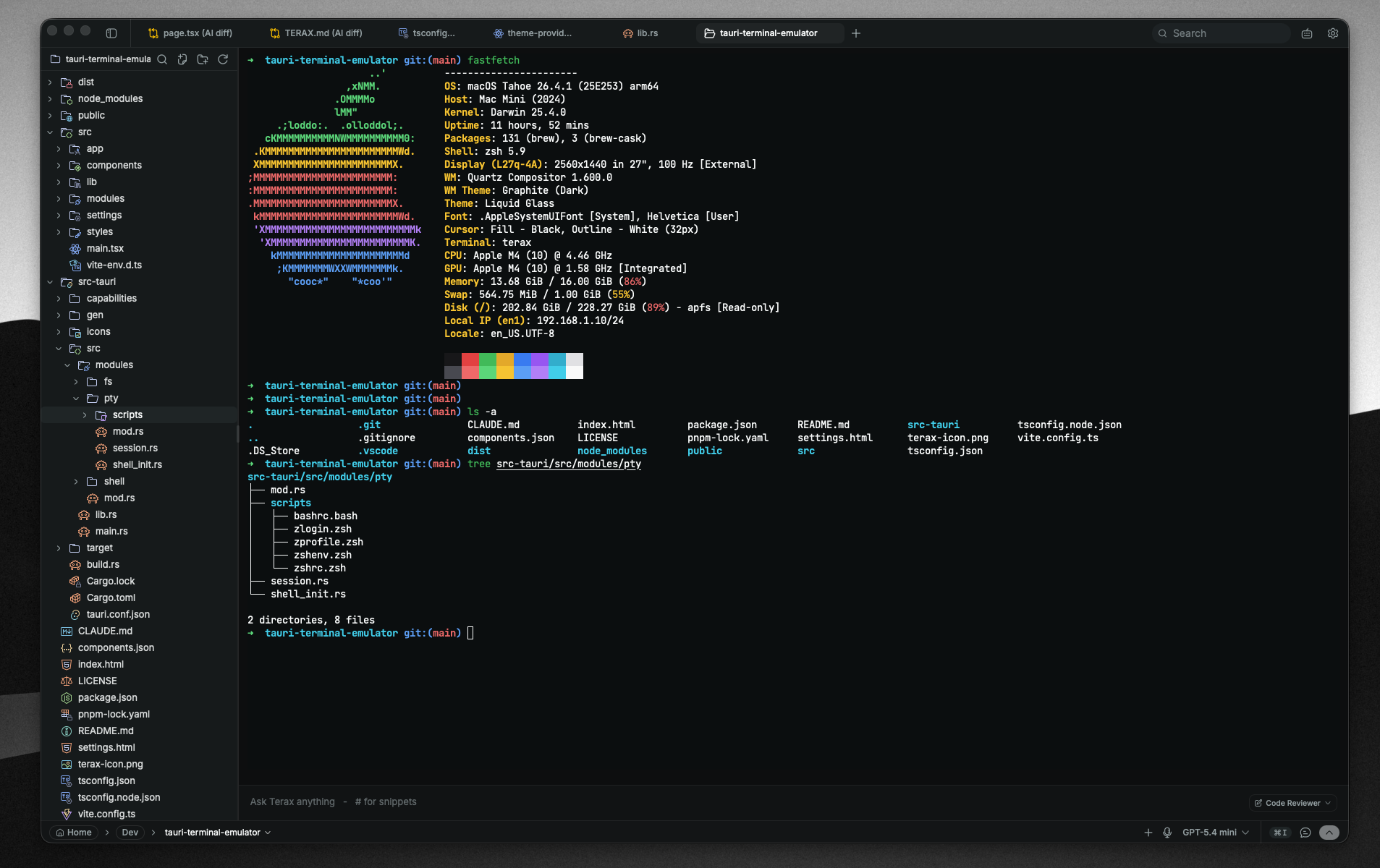
Multi-tab terminal with WebGL rendering |
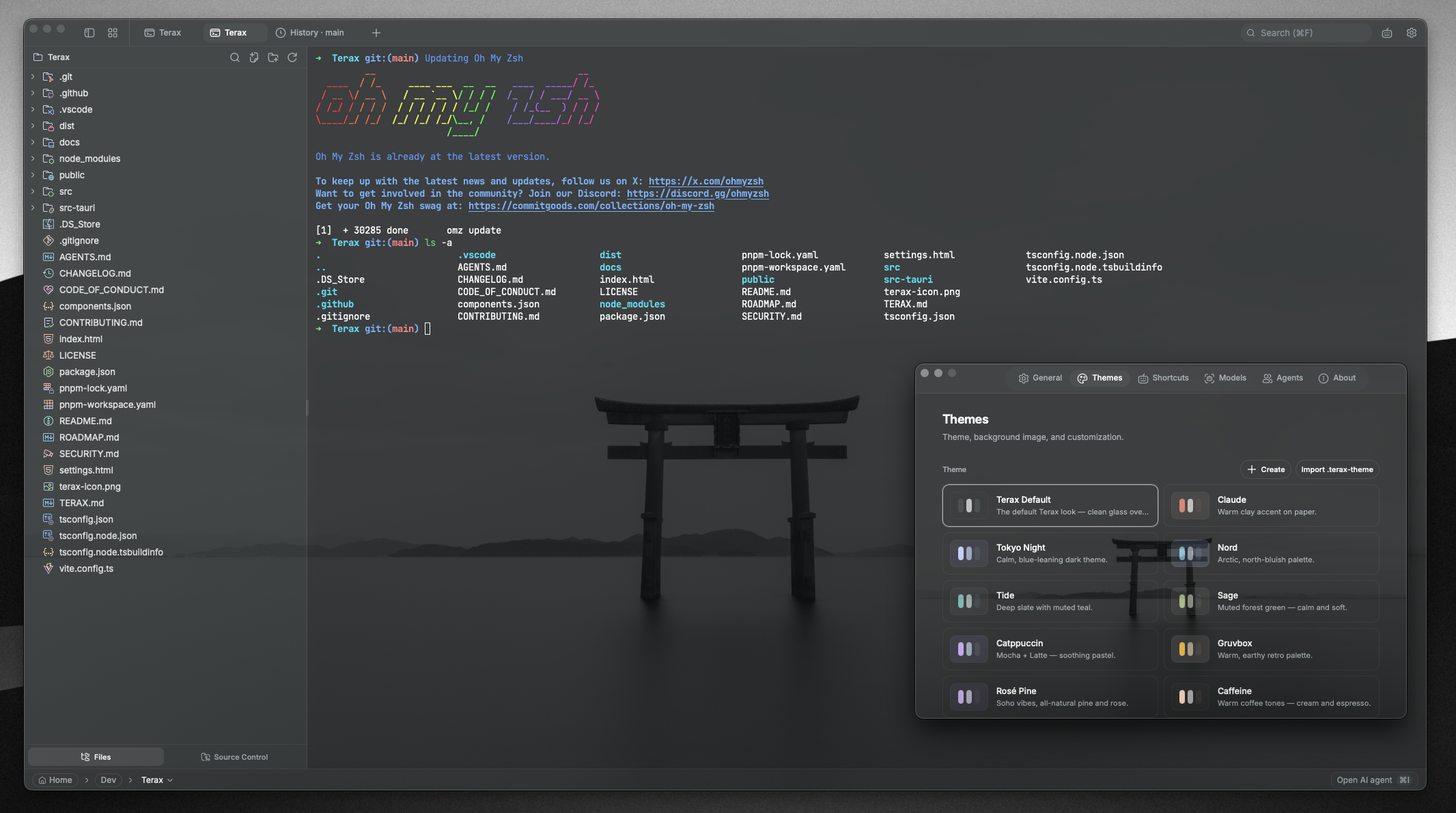
Custom themes, presets, and background images |
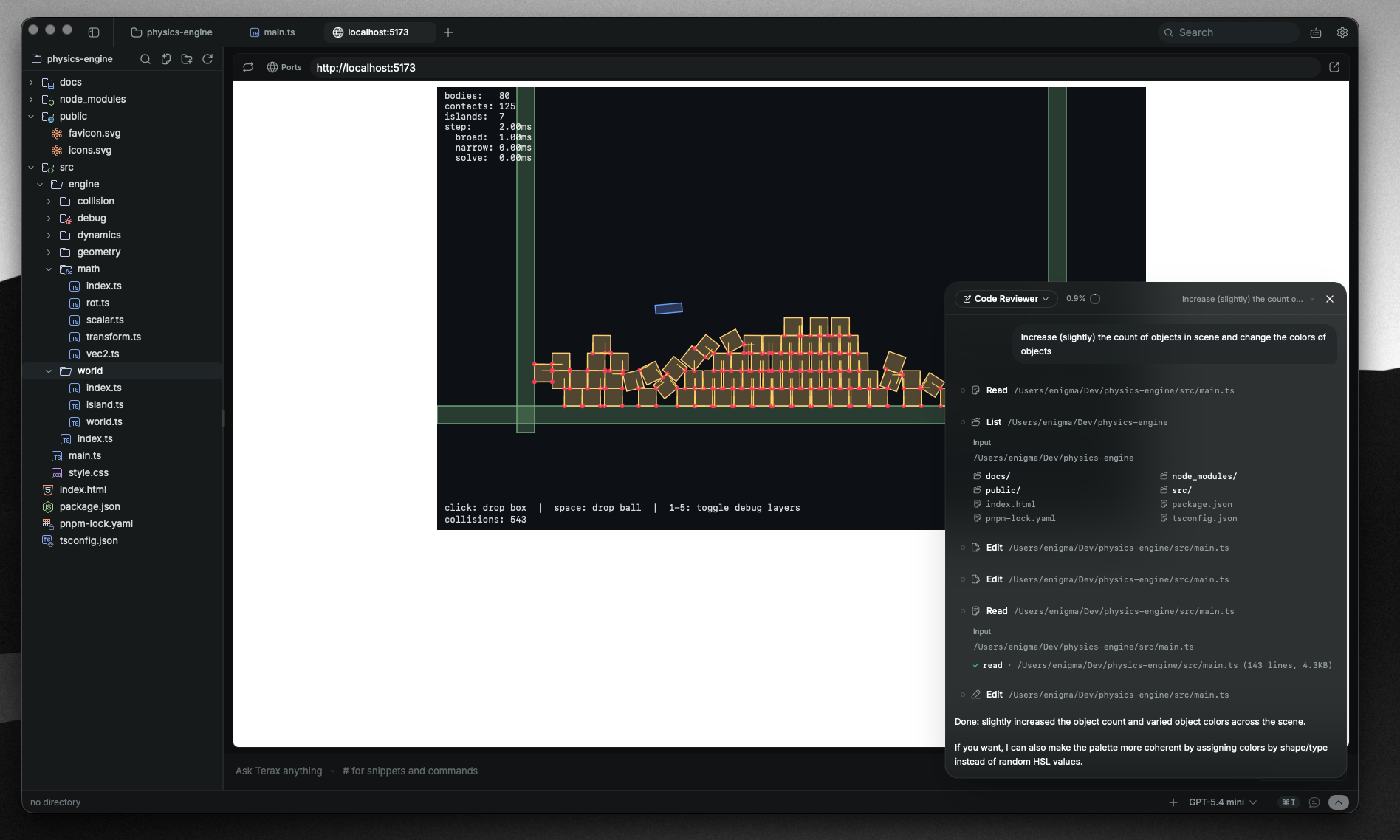
Web preview of local dev servers |
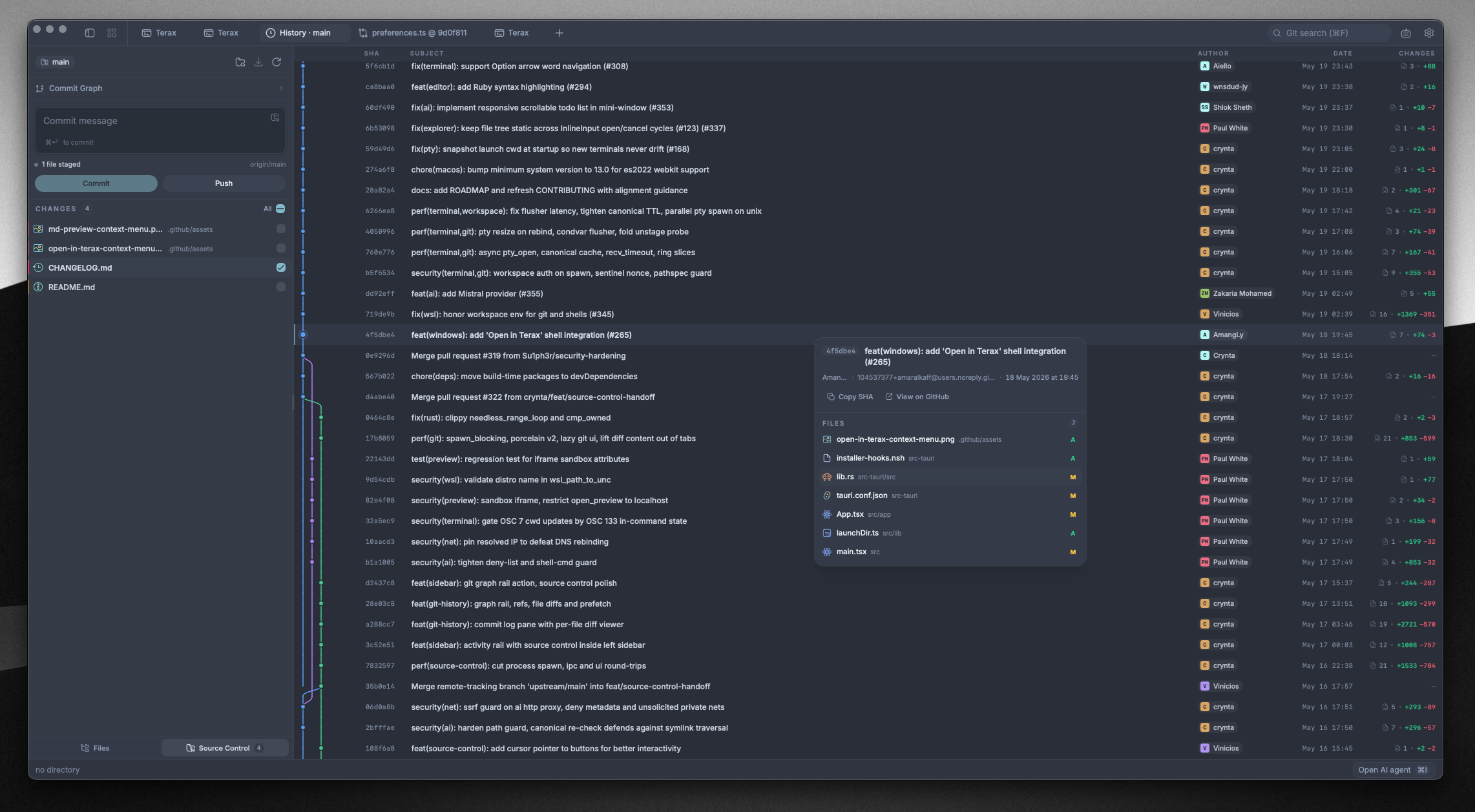
Source control panel with git graph in history |
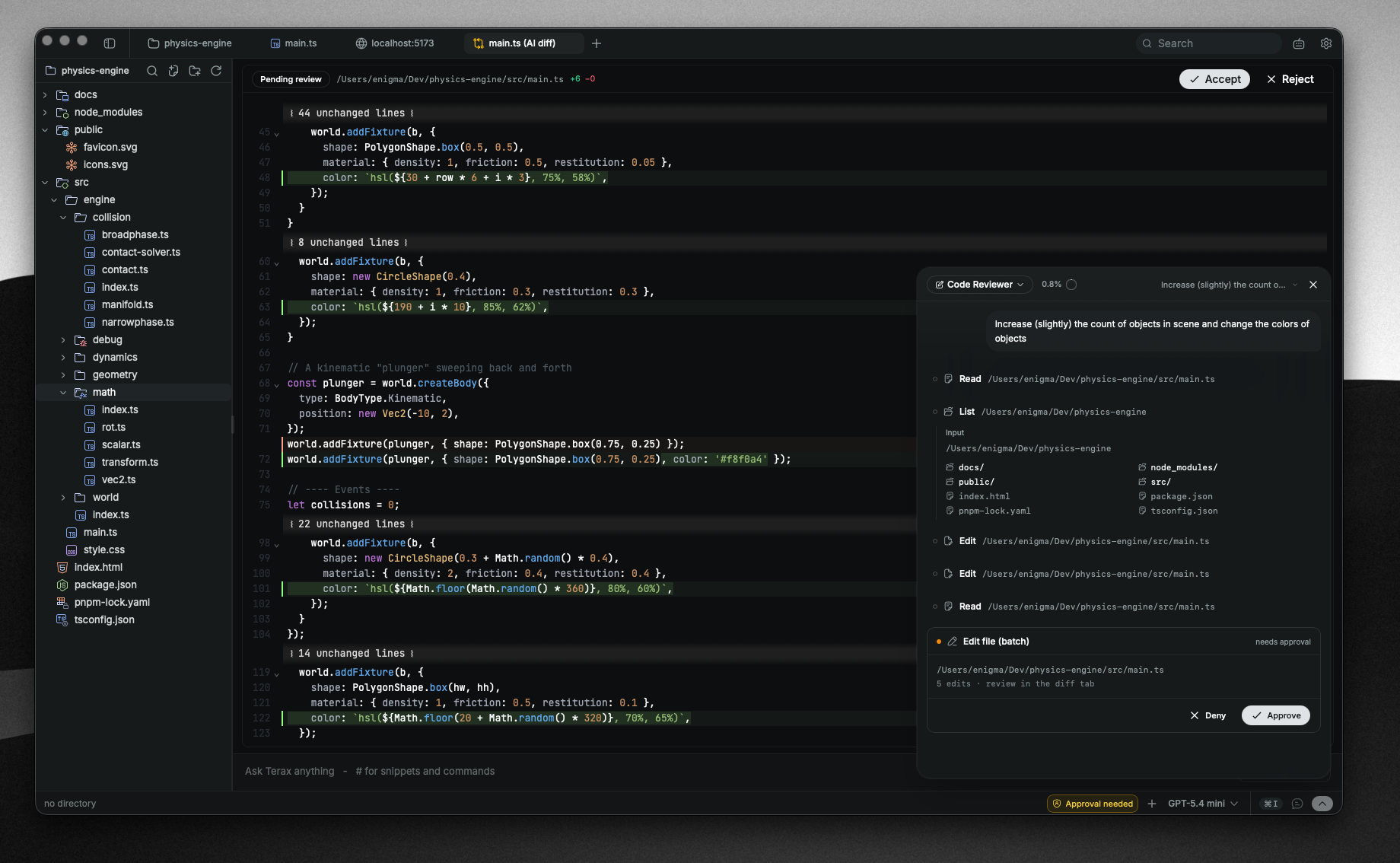
Agentic AI workflow with edit diffs in the code editor |
## Features
### Terminal
- xterm.js with WebGL renderer, multi-tab with background streaming
- GPU-accelerated block-based terminal with editor-like command input
- Native PTY backend via `portable-pty` (zsh, bash, pwsh, fish, cmd)
- Split panels (horizontal and vertical)
- Inline search, link detection, true-color
- Per-tab workspace environments on Windows (Local, or any installed WSL distro)
### Code editor
- CodeMirror 6 (supports all popular languages - TS/JS, Rust, Python, Go, C/C++, Java, HTML/CSS, JSON, Markdown, etc.)
- Inline AI autocomplete with local model support
- AI edit diffs, accept or reject hunk by hunk
- Vim mode
- Ten built-in editor themes: Atom One, Aura, Copilot, GitHub Dark / Light, Gruvbox Dark, Nord, Tokyo Night, Xcode Dark / Light
### Source control
- Stage / unstage hunks, commit (Cmd+Enter / Ctrl+Enter), push with upstream awareness
- Branch display including detached HEAD state
- Git history pane with a real commit graph (lane rendering for merges and branches)
- Commit search and filter, click through to the remote commit page
### File explorer
- Catppuccin icon theme
- Fuzzy search, keyboard navigation, inline rename, context actions
- Attach files and selections directly to the AI side-panel
### Web preview
- Auto-detects local dev servers and opens them in a preview tab
- External URL preview via a native child webview
### Themes and customization
- Custom themes built in-app, switch between bundled presets and your own
- Create your own themes, share them or import from the community
- Background images with adjustable opacity and blur
- Editor theme is independent from the app theme
### AI
- **BYOK providers:** OpenAI, Anthropic, Google (Gemini), Groq, xAI (Grok), Cerebras, OpenRouter, DeepSeek, Mistral, plus any OpenAI-compatible endpoint
- **Local / offline:** LM Studio, MLX, Ollama
- **Agentic workflow:** plans, sub-agents, project memory via `TERAX.md`, file read / write / edit / multi-edit / grep / glob, bash with approval gating, background processes
- **Composer:** snippets via `#handle`, files via `@path`, slash commands, voice input, attach-to-agent from explorer or selection
- **Custom agents** with their own system prompt and tool subset
- **Plan mode** for multi-step work, generates and confirms before doing
## Install
Latest installers are on the [Releases](https://github.com/crynta/terax-ai/releases/latest) page. Terax auto-updates from there.
### Windows notes
- On first launch Windows shows "Windows protected your PC" because Terax isn't code-signed yet. Click **More info** then **Run anyway**.
- Default shell detection: `pwsh.exe` (PowerShell 7+) -> `powershell.exe` (Windows PowerShell 5.1) -> `cmd.exe`.
- WSL is a first-class workspace environment, not a wrapped subprocess.
### Linux notes
- **Arch / AUR:** `yay -S terax-bin` (or `paru`, etc.). Tracks the latest release.
- **NixOS / Nix**: use the official flake — `nix profile install github:crynta/terax-ai` (non-NixOS), or import the flake and add `inputs.terax.packages.${pkgs.system}.terax` to `environment.systemPackages` (NixOS). The `nixosModules.terax` output is also available for a simpler setup.
- **AppImage:** needs FUSE. Without it: `./Terax_*.AppImage --appimage-extract-and-run`. On Wayland with rendering glitches, try `WEBKIT_DISABLE_DMABUF_RENDERER=1`. Otherwise the `.deb` / `.rpm` packages link against the system GTK stack and tend to be smoother.
## Configure AI
1. Open **Settings -> AI**.
2. Pick a provider and paste your API key. For local inference, point Terax at your LM Studio / MLX / Ollama endpoint.
3. Keys are written to the OS keychain via `keyring`. They never touch disk or localStorage.
## Build from source
**Prerequisites**
- Rust (stable), https://rustup.rs
- Node 20+ and [pnpm](https://pnpm.io)
- Tauri prerequisites for your platform, https://tauri.app/start/prerequisites/
**Run**
```bash
pnpm install
pnpm tauri dev # development
pnpm tauri build # production bundle
```
**Checks**
```bash
pnpm exec tsc --noEmit # frontend type-check
cd src-tauri && cargo clippy --all-targets --locked -D warnings # Rust lint (matches CI)
cd src-tauri && cargo test --locked # Rust tests
```
## Tech stack
Tauri 2, Rust, `portable-pty`, React 19, TypeScript, Vite, xterm.js, CodeMirror 6, Vercel AI SDK v6, Tailwind v4, shadcn/ui, Zustand.
## Contributing
Issues and PRs are welcome! Feel free to open issues, suggest features, or submit pull requests. See [CONTRIBUTING.md](CONTRIBUTING.md) for more details.
## License
Terax is licensed under the Apache-2.0 License. For more information on our dependencies, see [Apache License 2.0](LICENSE).
## Star history