# CUGA: Configurable Generalist Agent — Agent Harness for the Enterprise
### Start with a generalist. Customize for your domain. Deploy faster!
Building a domain-specific enterprise agent from scratch is complex and requires significant effort: agent and tool orchestration, planning logic, safety and alignment policies, evaluation for performance/cost tradeoffs and ongoing improvements. CUGA is a state-of-the-art generalist agent designed with enterprise needs in mind, so you can focus on configuring your domain tools, policies and workflow.
---
[](https://huggingface.co/spaces/ibm-research/cuga-agent)
[](https://www.python.org/)
[](https://docs.cuga.dev/docs/sdk/cuga_agent/)
[]()
[](https://docs.cuga.dev)
[](https://discord.gg/aH6rAEEW)
[](https://appworld.dev/leaderboard)
[](https://docs.google.com/spreadsheets/d/1M801lEpBbKSNwP-vDBkC_pF7LdyGU1f_ufZb_NWNBZQ/edit?gid=0#gid=0)
---
> **Why CUGA?** — A generalist agent harness for the enterprise: wire your APIs and MCP servers, tune reasoning and task modes, and govern behavior with policies—without rebuilding orchestration from scratch.
>
> | Feature | How |
> |---------|-----|
> | **MCP, OpenAPI & LangChain tools** | [`mcp_servers.yaml`](src/cuga/backend/tools_env/registry/config/mcp_servers.yaml) · `CugaAgent(tools=[...])` |
> | **Reasoning modes** (fast / balanced / accurate) | `[features] cuga_mode` in [`settings.toml`](src/cuga/settings.toml) · [`configurations/modes/`](src/cuga/configurations/modes/) |
> | **Hybrid API + browser tasks** | `[advanced_features] mode = 'hybrid'` · Playwright + [browser extension](src/frontend_workspaces/extension/readme.md) |
> | **Multi-agent (CugaSupervisor)** | `cuga start demo_supervisor` · `[supervisor]` in [`settings.toml`](src/cuga/settings.toml) |
> | **A2A & remote agents** | External agent entries in supervisor config · [CugaSupervisor](https://docs.cuga.dev/docs/sdk/cuga_supervisor) |
> | **Policies & HITL** | [Policies SDK](https://docs.cuga.dev/docs/sdk/policies/) — Intent Guard, Playbook, Tool Approval, Tool Guide, Output Formatter |
> | **Manage & publish** | `cuga start manager` · draft tools, MCP, LLM, and policies in the web UI, then **publish** a versioned config for production chat ([details](#manage-publish-and-self-hosting)) |
> | **Reflection** | `[advanced_features] reflection_enabled` in [`settings.toml`](src/cuga/settings.toml) |
> | **Langflow** | Low-code visual workflows — integrates with CUGA ([langflow.org](https://www.langflow.org/)) |
> | **Memory** (optional) | `enable_memory` in `settings.toml` · `uv sync --extra memory` · `cuga start memory` |
> | **Knowledge** (RAG) | `enable_knowledge=True` (default) · ingest PDFs/Office/HTML/Markdown via **Docling** · **agent-level** + **session-level** scopes · `cuga start demo_knowledge` · [details](#knowledge-base) |
> | **Agent skills** | `SKILL.md` under `.agents/skills` · **`cuga start demo_skills`** (`sandbox_mode = "native"` by default, or **`opensandbox`**) · or **`demo --sandbox`** with `[skills]` on · [Agent skills](#agent-skills) |
> | **Self-host on a cluster** | Helm chart and deploy scripts in [`deployment/`](deployment/) · [Kubernetes guide](deployment/README.md) (local kind/minikube, or registry push for cloud clusters) |
> | **Save & reuse** _(experimental)_ | `cuga_mode = "save_reuse_fast"` in `settings.toml` |
>
> [SDK](https://docs.cuga.dev/docs/sdk/cuga_agent/) · [Policies](https://docs.cuga.dev/docs/sdk/policies/) · [Quick Start →](#quick-start)
## Why CUGA?
### Benchmark Performance
CUGA achieves state-of-the-art performance on leading benchmarks:
- **#1 on [AppWorld](https://appworld.dev/leaderboard)** — a benchmark with 750 real-world tasks across 457 APIs
- **Top-tier on [WebArena](https://docs.google.com/spreadsheets/d/1M801lEpBbKSNwP-vDBkC_pF7LdyGU1f_ufZb_NWNBZQ/edit?gid=0#gid=0)** (#1 from 02/25 - 09/25) — a complex benchmark for autonomous web agents across application domains
### Key Features & Capabilities
- **High-performing generalist agent** — Benchmarked on complex web and API tasks. Combines best-of-breed agentic patterns (e.g. planner-executor, code-act) with structured planning and smart variable management to prevent hallucination and handle complexity
- **Flexible agent and tool integration** — Seamlessly integrate tools via OpenAPI specs, MCP servers, and Langchain, enabling rapid connection to REST APIs, custom protocols, and Python functions
- **Integrates with Langflow** — Low-code visual build experience for designing and deploying agent workflows without extensive coding
- **Open-source and composable** — Built with modularity in mind, CUGA itself can be exposed as a tool to other agents, enabling nested reasoning and multi-agent collaboration. Evolving toward enterprise-grade reliability
- **Policy System** — Configure agent behavior with 5 policy types (Intent Guard, Playbook, Tool Approval, Tool Guide, Output Formatter) via the Python SDK or standalone UI in demo mode. Includes human-in-the-loop approval gates for safe agent behavior in enterprise contexts. See [SDK Docs](https://docs.cuga.dev/docs/sdk/cuga_agent/) and [Policies Guide](https://docs.cuga.dev/docs/sdk/policies/)
- **Save-and-reuse capabilities** _(Experimental)_ — Capture and reuse successful execution paths (plans, code, and trajectories) for faster and consistent behavior across repeated tasks
- **Agent skills** — Package domain workflows as `SKILL.md` files with frontmatter; the agent discovers them and loads full instructions on demand via the `load_skill` tool (see [Agent skills](#agent-skills))
- **Knowledge engine** — Built-in RAG over your documents: ingest PDFs, Office files, HTML, Markdown, and images through **Docling**, then search and reason over them via auto-injected knowledge tools. Documents can be scoped to **agent-level** (permanent, shared across conversations) or **session-level** (per-thread, isolated to a single conversation) — so long-lived reference material and ephemeral per-user uploads can coexist (see [Knowledge Base](#knowledge-base))
### Manage, publish, and self-hosting
**Manage and publish** — Run `cuga start manager` to start the manage-mode stack. You edit agent configuration (tools, MCP servers, LLM selection, policies) as a **draft**, try it in the draft chat, then **publish** to create a new version that production chat uses. Published versions are tracked so you can roll forward and audit what shipped.
**Self-host on Kubernetes** — The repo includes a Helm chart under [`deployment/helm/`](deployment/helm/), helper scripts such as [`deployment/deploy-local.sh`](deployment/deploy-local.sh), and documentation for building images, pushing to a registry, and wiring API keys via Kubernetes secrets for clusters such as kind, minikube, Docker Desktop Kubernetes, GKE, EKS, or AKS. See [deployment/README.md](deployment/README.md).
Explore the [Roadmap](#roadmap) to see what's ahead, or join the [Call for the Community](#call-for-the-community) to get involved.
## CUGA in Action
### Hybrid Task Execution
Watch CUGA seamlessly combine web and API operations in a single workflow:
**Example Task:** `get top account by revenue from digital sales, then add it to current page`
https://github.com/user-attachments/assets/0cef8264-8d50-46d9-871a-ab3cefe1dde5
Would you like to test this? (Advanced Demo)
Experience CUGA's hybrid capabilities by combining API calls with web interactions:
### Setup Steps:
1. **Switch to hybrid mode:**
```bash
# Edit ./src/cuga/settings.toml and change:
mode = 'hybrid' # under [advanced_features] section
```
2. **Install browser API support:**
- Installs playwright browser API and Chromium browser
- The `playwright` installer should already be included after installing with [Quick Start](#quick-start)
```bash
playwright install chromium
```
3. **Start the demo:**
```bash
cuga start demo
```
4. **Enable the browser extension:**
- Click the extension puzzle icon in your browser
- Toggle the CUGA extension to activate it
- This will open the CUGA side panel
5. **Open the test application:**
- Navigate to: [Sales app](https://samimarreed.github.io/sales/)
6. **Try the hybrid task:**
```
get top account by revenue from digital sales then add it to current page
```
**What you'll see:** CUGA will fetch data from the Digital Sales API and then interact with the web page to add the account information directly to the current page - demonstrating seamless API-to-web workflow integration!
### Human in the Loop Task Execution
Watch CUGA pause for human approval during critical decision points:
**Example Task:** `get best accounts`
https://github.com/user-attachments/assets/d103c299-3280-495a-ba66-373e72554e78
Would you like to try this? (HITL Demo)
Experience CUGA's Human-in-the-Loop capabilities where the agent pauses for human approval at key decision points:
### Setup Steps:
1. **Enable HITL mode:**
```bash
# Edit ./src/cuga/settings.toml and ensure:
api_planner_hitl = true # under [advanced_features] section
```
2. **Start the demo:**
```bash
cuga start demo
```
3. **Try the HITL task:**
```
get best accounts
```
**What you'll see:** CUGA will pause at critical decision points, showing you the planned actions and waiting for your approval before proceeding.
## Quick Start
Prerequisites (click to expand)
- **Python 3.12+** - [Download here](https://www.python.org/downloads/)
- **uv package manager** - [Installation guide](https://docs.astral.sh/uv/getting-started/installation/)
```bash
# In terminal, clone the repository and navigate into it
git clone https://github.com/cuga-project/cuga-agent.git
cd cuga-agent
# 1. Create and activate virtual environment
uv venv --python=3.12 && source .venv/bin/activate
# 2. Install dependencies
uv sync
# 3. Set up environment variables
# Create .env file with your API keys
echo "OPENAI_API_KEY=your-openai-api-key-here" > .env
# 4. Start the demo
cuga start demo_crm --read-only
# Chrome will open automatically at https://localhost:7860
# then try sending your task to CUGA: 'from contacts.txt show me which users belong to the crm system'
# 5. View agent trajectories (optional)
cuga viz
# This launches a web-based dashboard for visualizing and analyzing
# agent execution trajectories, decision-making, and tool usage
```
LLM Configuration - Advanced Options
---
Refer to: [`.env.example`](.env.example) for detailed examples.
CUGA supports multiple LLM providers with flexible configuration options. You can configure models through TOML files or override specific settings using environment variables.
## Supported Platforms
- **OpenAI** - GPT models via OpenAI API (also supports LiteLLM via base URL override)
- **IBM WatsonX** - IBM's enterprise LLM platform
- **Azure OpenAI** - Microsoft's Azure OpenAI service
- **Groq** - High-performance inference platform with fast LLM models
- **RITS** - Internal IBM research platform
- **OpenRouter** - LLM API gateway provider
## Configuration Priority
1. **Environment Variables** (highest priority)
2. **TOML Configuration** (medium priority)
3. **Default Values** (lowest priority)
### Option 1: OpenAI
**Setup Instructions:**
1. Create an account at [platform.openai.com](https://platform.openai.com)
2. Generate an API key from your [API keys page](https://platform.openai.com/api-keys)
3. Add to your `.env` file:
```env
# OpenAI Configuration
OPENAI_API_KEY=sk-...your-key-here...
AGENT_SETTING_CONFIG="settings.openai.toml"
# Optional overrides
MODEL_NAME=gpt-4o # Override model name
OPENAI_BASE_URL=https://api.openai.com/v1 # Override base URL
OPENAI_API_VERSION=2024-08-06 # Override API version
```
**Default Values:**
- Model: `gpt-4o`
- API Version: OpenAI's default API Version
- Base URL: OpenAI's default endpoint
### Option 2: IBM WatsonX
**Setup Instructions:**
1. Access [IBM WatsonX](https://www.ibm.com/watsonx)
2. Create a project or space and get your credentials:
- Project ID or Space ID
- API Key
- Region/URL
3. Add to your `.env` file:
```env
# WatsonX Configuration
WATSONX_API_KEY=your-watsonx-api-key
WATSONX_PROJECT_ID=your-project-id
# WATSONX_SPACE_ID=your-space-id # Alternative to WATSONX_PROJECT_ID
WATSONX_URL=https://us-south.ml.cloud.ibm.com # or your region
AGENT_SETTING_CONFIG="settings.watsonx.toml"
# Optional override
MODEL_NAME=meta-llama/llama-4-maverick-17b-128e-instruct-fp8 # Override model for all agents
```
**Default Values:**
- Model: `meta-llama/llama-4-maverick-17b-128e-instruct-fp8`
### Option 3: Azure OpenAI
**Setup Instructions:**
1. Add to your `.env` file:
```env
AGENT_SETTING_CONFIG="settings.azure.toml" # Default config uses ETE
AZURE_OPENAI_API_KEY=""
AZURE_OPENAI_ENDPOINT=""
OPENAI_API_VERSION="2024-08-01-preview"
```
### Option 4: LiteLLM Support
CUGA supports LiteLLM through the OpenAI configuration by overriding the base URL:
1. Add to your `.env` file:
```env
# LiteLLM Configuration (using OpenAI settings)
OPENAI_API_KEY=your-api-key
AGENT_SETTING_CONFIG="settings.openai.toml"
# Override for LiteLLM
MODEL_NAME=Azure/gpt-4o # Override model name
OPENAI_BASE_URL=https://your-litellm-endpoint.com # Override base URL
OPENAI_API_VERSION=2024-08-06 # Override API version
```
### Option 5: Groq Support
**Setup Instructions:**
1. Create an account at [groq.com](https://groq.com)
2. Generate an API key from your [API keys page](https://console.groq.com/keys)
3. Add to your `.env` file:
```env
# Groq Configuration
GROQ_API_KEY=your-groq-api-key-here
AGENT_SETTING_CONFIG="settings.groq.toml"
# Optional override
MODEL_NAME=llama-3.1-70b-versatile # Override model name
```
**Default Values:**
- Model: Configured in `settings.groq.toml`
- Base URL: Groq's default endpoint
### Option 6: OpenRouter Support
**Setup Instructions:**
1. Create an account at [openrouter.ai](https://openrouter.ai)
2. Generate an API key from your account settings
3. Add to your `.env` file:
```env
# OpenRouter Configuration
OPENROUTER_API_KEY=your-openrouter-api-key
AGENT_SETTING_CONFIG="settings.openrouter.toml"
OPENROUTER_BASE_URL="https://openrouter.ai/api/v1"
# Optional override
MODEL_NAME=openai/gpt-4o # Override model name
```
## Configuration Files
CUGA uses TOML configuration files located in `src/cuga/configurations/models/`:
- `settings.openai.toml` - OpenAI configuration (also supports LiteLLM via base URL override)
- `settings.watsonx.toml` - WatsonX configuration
- `settings.azure.toml` - Azure OpenAI configuration
- `settings.groq.toml` - Groq configuration
- `settings.openrouter.toml` - OpenRouter configuration
Each file contains agent-specific model settings that can be overridden by environment variables.
**Tip:** Want to use your own tools or add your MCP tools? Check out [`src/cuga/backend/tools_env/registry/config/mcp_servers.yaml`](src/cuga/backend/tools_env/registry/config/mcp_servers.yaml) for examples of how to configure custom tools and APIs, including those for digital sales.
## Agent skills
Agent skills are reusable instruction packs: each skill is a `SKILL.md` file with YAML frontmatter and markdown body. CUGA discovers them at startup, lists short descriptions in the agent prompt, and exposes a **`load_skill`** tool so the model pulls the full body only when a task matches that skill—similar to opening a playbook instead of stuffing every procedure into the system prompt.
**Where skills live**
| Location | Role |
| -------- | ---- |
| `.agents/skills/**/SKILL.md` | Preferred project-local skills path; this is what `npx skills ... -a universal` writes |
Use **`~/.config/agents/skills/`** for global installs from `npx skills` with **`-g`**; **`~/.config/cuga/skills/`** is a legacy global path that is still scanned. Legacy **`/skills/`** and **`/.skills/`** (often `.cuga` via `CUGA_FOLDER`) are still scanned. If the same skill `name` appears in multiple places, project-local skills win over global skills, and `.agents/skills/` wins over legacy project paths.
**`SKILL.md` shape**
Frontmatter must include **`name`** and **`description`** (shown in the available-skills list). You can add optional **`requirements`** (string or list). The markdown below the frontmatter is the full instruction text returned by `load_skill`.
**Try it**
From the repository root:
```bash
npx skills add https://github.com/anthropics/skills --skill pptx -a universal
cuga start demo_skills
```
That preset turns on skills for the run and uses **`[advanced_features] sandbox_mode`** in [`settings.toml`](src/cuga/settings.toml) (default **`native`**). For **`opensandbox`**, run **`uv sync --extra opensandbox`** first so the client deps are installed and OpenSandbox can be reached.
For Docker/Podman isolation instead, use **`uv sync --group sandbox`** then **`cuga start demo --sandbox`** and enable **`[skills]`**—see [Configurations](#configurations).
For settings you keep beyond a one-off run, configure `[skills]` and `[advanced_features]` in [`settings.toml`](src/cuga/settings.toml) (Dynaconf env overrides apply as documented there).
**Install a sample skill (Anthropic `pptx`)**
The [Anthropic skills repo](https://github.com/anthropics/skills) publishes ready-made folders such as [`skills/pptx`](https://github.com/anthropics/skills/tree/main/skills/pptx) (`SKILL.md`, scripts, and helper markdown). Install the `pptx` skill into the project-local universal agent skills folder from the repository root:
```bash
npx skills add https://github.com/anthropics/skills --skill pptx -a universal
```
This creates `.agents/skills/pptx/SKILL.md` for the current project. Restart `cuga start demo_skills` (or your app) so skills are rescanned. Add `-g` if you want the skill installed globally under `~/.config/agents/skills/` instead.
---
## Using CUGA as a Python SDK
CUGA can be easily integrated into your Python applications as a library. The SDK provides a clean, minimal API for creating and invoking agents with custom tools.
**SDK Documentation**: [SDK Documentation](https://docs.cuga.dev/docs/sdk/cuga_agent/)
### Quick Start
```python
from cuga import CugaAgent
from langchain_core.tools import tool
import asyncio
@tool
def add_numbers(a: int, b: int) -> int:
'''Add two numbers together'''
return a + b
@tool
def multiply_numbers(a: int, b: int) -> int:
'''Multiply two numbers together'''
return a * b
# Create agent with tools
agent = CugaAgent(tools=[add_numbers, multiply_numbers])
async def main():
# Add an Intent Guard to block specific operations
await agent.policies.add_intent_guard(
name="Block Delete Operations",
description="Prevents deletion of critical data",
keywords=["delete", "remove", "erase"],
response="Deletion operations are not permitted for security reasons.",
priority=100 # Higher priority = checked first
)
# Add a Playbook to provide step-by-step guidance for complex workflows
await agent.policies.add_playbook(
name="Budget Analysis Workflow",
description="Multi-step process for analyzing financial budgets",
natural_language_trigger=["When user asks to analyze their budget"],
content="""# Budget Analysis Workflow
## Step 1: Calculate Total Expenses
- Sum all expense categories using add_numbers
- Document each category amount
## Step 2: Calculate Total Revenue
- Sum all revenue streams using add_numbers
- Include all income sources
## Step 3: Calculate Profit Margin
- Use multiply_numbers to calculate profit (revenue - expenses)
- Calculate margin percentage
## Step 4: Generate Recommendations
- Compare against target budget
- Identify areas for optimization
- Provide actionable insights""",
priority=50
)
result = await agent.invoke("Analyze my budget: expenses are 5000 and 3000, revenue is 12000")
print(result.answer) # The agent's response
if __name__ == "__main__":
asyncio.run(main())
```
### Key Features
- **Simple API**: `CugaAgent(tools=[...])` → `await agent.invoke(message)`
- **Streaming**: Monitor execution in real-time with `agent.stream()`
- **State Isolation**: Per-user sessions with `thread_id`
- **LangGraph Integration**: Access underlying graph for advanced use cases
- **Flexible Tools**: Direct tools or custom tool providers
- **Policy System**: Comprehensive policy framework with 5 types:
- **Intent Guard**: Block or modify specific user intents
- **Playbook**: Step-by-step guidance for complex workflows
- **Tool Approval**: Require human approval before executing tools
- **Tool Guide**: Enhance tool descriptions with additional context
- **Output Formatter**: Format agent responses based on triggers
**Documentation**: [SDK Guide](https://docs.cuga.dev/docs/sdk/cuga_agent/) | [Policies Guide](https://docs.cuga.dev/docs/sdk/policies/)
### Knowledge Base
CUGA includes a built-in knowledge base powered by LangChain and local vector stores. **Docling** is integrated for document ingestion: it parses and normalizes PDFs, Office files, HTML, Markdown, images, and other supported types before chunking and embedding, so the pipeline stays self-contained with no external document services.
When enabled, the agent can search, ingest, and manage documents.
**Try the knowledge demo:** same as the main demo but with the knowledge engine on (upload documents and query them):
```bash
cuga start demo_knowledge
```
> Walk through a full HR-Benefits demo with sample documents and example prompts:
> **[docs/examples/knowledge_demo/](./docs/examples/knowledge_demo)**
Knowledge is **enabled by default** via `settings.toml`. The SDK auto-injects knowledge tools
and awareness into the agent, so it knows what documents are available and how to search them.
#### Programmatic Access
```python
from cuga import CugaAgent
import asyncio
agent = CugaAgent(enable_knowledge=True)
async def main():
# Ingest a document
await agent.knowledge.ingest("/path/to/quarterly_report.pdf")
# The agent now automatically knows about this document
result = await agent.invoke("What does the report say about Q4 revenue?")
print(result.answer) # Agent searches knowledge base and answers
# Direct search
results = await agent.knowledge.search("Q4 revenue figures")
for r in results:
print(f"{r['filename']} (page {r['page']}): {r['text'][:100]}")
# List documents
docs = await agent.knowledge.list_documents()
# Clean up
await agent.aclose()
asyncio.run(main())
```
#### Session-Scoped Knowledge
Documents can be scoped to a specific conversation thread:
```python
thread_id = "user-session-123"
# Ingest into session scope (temporary, per-conversation)
await agent.knowledge.ingest("/path/to/file.pdf", scope="session", thread_id=thread_id)
# Search session documents
results = await agent.knowledge.search("query", scope="session", thread_id=thread_id)
# Agent scope (default) — permanent, shared across conversations
await agent.knowledge.ingest("/path/to/file.pdf", scope="agent")
```
#### Disabling Knowledge
```python
agent = CugaAgent(tools=[my_tools], enable_knowledge=False)
```
#### Supported Document Types
PDF, DOCX, XLSX, PPTX, HTML, Markdown, images, and more (via Docling).
---
## CugaSupervisor (Multi-Agent)
Orchestrate multiple agents with a single supervisor: delegate tasks to specialized sub-agents, mix local agents with remote A2A agents, and pass data between them.
**Documentation**: [CugaSupervisor](https://docs.cuga.dev/docs/sdk/cuga_supervisor)
**Try the supervisor demo:** run the multi-agent demo (CRM + email sub-agents) with:
```bash
cuga start demo_supervisor
```
### Quick Start
```python
from cuga import CugaAgent, CugaSupervisor
from langchain_core.tools import tool
import asyncio
@tool
def get_customers(limit: int = 10) -> str:
"""Fetch top customers from CRM with name, email, and revenue. Returns a formatted string."""
customers = [
"Alice (alice@example.com, $250,000)",
"Bob (bob@example.com, $180,000)",
"Carol (carol@example.com, $120,000)",
"Dave (dave@example.com, $95,000)",
"Eve (eve@example.com, $88,000)",
]
top = customers[: min(limit, len(customers))]
return "Top customers by revenue: " + "; ".join(f"{i+1}. {c}" for i, c in enumerate(top))
@tool
def send_email(to: str, body: str) -> str:
"""Send an email. Returns confirmation."""
return f"Email sent successfully to {to}"
async def main():
crm_agent = CugaAgent(tools=[get_customers])
crm_agent.description = "CRM and customer data"
email_agent = CugaAgent(tools=[send_email])
email_agent.description = "Sending emails and notifications"
supervisor = CugaSupervisor(agents={
"crm": crm_agent,
"email": email_agent,
})
result = await supervisor.invoke("Get our top 5 customers by revenue, then send the top customer a thank-you email")
print(result.answer)
asyncio.run(main())
```
To add a remote agent via A2A, pass an external config in `agents`: `"analytics": {"type": "external", "description": "...", "config": {"a2a_protocol": {"endpoint": "http://localhost:9999", "transport": "http"}}}`.
### Supervisor features
- **Delegation**: Supervisor hands work to sub-agents and can pass variables between them when needed.
- **Internal + external**: Combine local `CugaAgent` instances with external agents via **A2A**, task-only or variables in metadata if enabled.
- **Variable passing**: Use `variables=["var_name"]` to pass previous agent outputs or context to the next agent (for internal agents, or A2A when `pass_variables_a2a` is enabled in settings).
- **Agent cards**: For A2A agents, capabilities and description are taken from the agent card and shown in the supervisor prompt.
You can also load agents from YAML with `CugaSupervisor.from_yaml("path/to/config.yaml")`. Enable the supervisor in `settings.toml` under `[supervisor]` when using the server.
---
## Configurations
Running with a secure code sandbox
Cuga supports isolated code execution using Docker/Podman containers for enhanced security.
1. **Install container runtime**: Download and install [Rancher Desktop](https://rancherdesktop.io/) or Docker.
2. **Install sandbox dependencies**:
```bash
uv sync --group sandbox
```
3. **Start with remote sandbox enabled**:
```bash
cuga start demo --sandbox
```
This automatically configures Cuga to use Docker/Podman for code execution instead of local execution.
4. **Test your sandbox setup** (optional):
```bash
# Test local sandbox (default)
cuga test-sandbox
# Test remote sandbox with Docker/Podman
cuga test-sandbox --remote
```
You should see the output: `('test succeeded\n', {})`
**Note**: Without the `--sandbox` flag, Cuga uses local Python execution (default), which is faster but provides less isolation.
Running with E2B Cloud Sandbox
CUGA supports [E2B](https://e2b.dev) for cloud-based code execution in secure, ephemeral sandboxes. This provides better isolation than local execution while being faster than Docker/Podman containers.
### Prerequisites:
1. **Get an E2B API key**:
- Sign up at [e2b.dev](https://e2b.dev)
- Create an API key from your [dashboard](https://e2b.dev/dashboard)
2. **Set up the E2B template**:
```bash
# Install E2B CLI
npm install -g @e2b/cli
# Login with your API key
e2b auth login
# Create a template (one-time setup)
# This creates a 'cuga-langchain' template that CUGA uses
e2b template build --name cuga-langchain
```
3. **Install E2B dependencies**:
```bash
uv sync --group e2b
```
4. **Configure environment**:
Add to your `.env` file:
```env
E2B_API_KEY=your-e2b-api-key-here
```
### Exposing Registry to E2B (Required)
E2B runs in the cloud and needs to call your local API registry to execute tools. You need to expose your local registry publicly using a tunneling service like [ngrok](https://ngrok.com).
#### Option 1: Expose Registry Directly (Port 8001)
Best if you have multiple ports available:
```bash
# In a separate terminal, start ngrok tunnel to registry
ngrok http 8001
# You'll get a public URL like: https://abc123.ngrok.io
# Copy this URL
```
Then edit `./src/cuga/settings.toml`:
```toml
[server_ports]
function_call_host = "https://abc123.ngrok.io" # Your ngrok URL
```
#### Option 2: Expose CUGA Port with Proxy (Port 7860)
Best if you're restricted to 1 port - CUGA will proxy calls to the registry:
```bash
# In a separate terminal, start ngrok tunnel to CUGA
ngrok http 7860
# You'll get a public URL like: https://xyz789.ngrok.io
# Copy this URL
```
Then edit `./src/cuga/settings.toml`:
```toml
[server_ports]
function_call_host = "https://xyz789.ngrok.io" # Your ngrok URL
```
CUGA automatically proxies `/functions/call` requests to the registry when using the CUGA port.
### Enable E2B in Settings
Edit `./src/cuga/settings.toml`:
```toml
[advanced_features]
e2b_sandbox = true
e2b_sandbox_mode = "per-session" # Options: "per-session" | "single" | "per-call"
e2b_sandbox_ttl = 600 # Cache TTL in seconds (10 minutes)
```
### Sandbox Modes:
- **`per-session`** (default): One sandbox per conversation thread, cached for reuse
- **`single`**: Single shared sandbox across all threads (most cost-effective)
- **`per-call`**: New sandbox for each execution (most isolated, highest cost)
### Start CUGA with E2B:
```bash
# Make sure ngrok is running in another terminal
cuga start demo
```
E2B will automatically execute code in cloud sandboxes. You'll see logs indicating "CODE SENT TO E2B SANDBOX" when E2B is active.
### Troubleshooting:
- **Error: "function_call_host not configured"**: Make sure you've set `function_call_host` in settings.toml with your ngrok URL
- **Tool execution fails**: Verify ngrok is running and the URL in settings.toml matches your ngrok URL
- **Connection timeout**: Check that your firewall allows ngrok connections
**Benefits of E2B**:
- No Docker/Podman required
- Faster than container-based sandboxing
- Cloud-native with automatic scaling
- Better isolation than local execution
- Supports per-session caching for cost optimization
**Note**: E2B is a paid service with a free tier. Check [e2b.dev/pricing](https://e2b.dev/pricing) for details.
Reasoning modes - Switch between Fast/Balanced/Accurate modes
## Available Modes under `./src/cuga`
| Mode | File | Description |
| ---------- | -------------------------------------- | ----------------------------------------------- |
| `fast` | `./configurations/modes/fast.toml` | Optimized for speed |
| `balanced` | `./configurations/modes/balanced.toml` | Balance between speed and precision _(default)_ |
| `accurate` | `./configurations/modes/accurate.toml` | Optimized for precision |
| `custom` | `./configurations/modes/custom.toml` | User-defined settings |
## Configuration
```
configurations/
├── modes/fast.toml
├── modes/balanced.toml
├── modes/accurate.toml
└── modes/custom.toml
```
Edit `settings.toml`:
```toml
[features]
cuga_mode = "fast" # or "balanced" or "accurate" or "custom"
```
**Documentation:** [./docs/flags.html](./docs/flags.html)
Task Mode Configuration - Switch between API/Web/Hybrid modes
## Available Task Modes
| Mode | Description |
| -------- | --------------------------------------------------------------------------- |
| `api` | API-only mode - executes API tasks _(default)_ |
| `web` | Web-only mode - executes web tasks using browser extension |
| `hybrid` | Hybrid mode - executes both API tasks and web tasks using browser extension |
## How Task Modes Work
### API Mode (`mode = 'api'`)
- Opens tasks in a regular web browser
- Best for API/Tools-focused workflows and testing
### Web Mode (`mode = 'web'`)
- Interface inside a browser extension (available next to browser)
- Optimized for web-specific tasks and interactions
- Direct access to web page content and controls
### Hybrid Mode (`mode = 'hybrid'`)
- Opens inside browser extension like web mode
- Can execute both API/Tools tasks and web page tasks simultaneously
- Starts from configurable URL defined in `demo_mode.start_url`
- Most versatile mode for complex workflows combining web and API operations
## Configuration
Edit `./src/cuga/settings.toml`:
```toml
[demo_mode]
start_url = "https://opensource-demo.orangehrmlive.com/web/index.php/auth/login" # Starting URL for hybrid mode
[advanced_features]
mode = 'api' # 'api', 'web', or 'hybrid'
```
📝 Special Instructions Configuration
## How It Works
Each `.md` file contains specialized instructions that are automatically integrated into the CUGA's internal prompts when that component is active. Simply edit the markdown files to customize behavior for each node type.
**Available instruction sets:** `answer`, `api_planner`, `code_agent`, `plan_controller`, `reflection`, `shortlister`, `task_decomposition`
## Configuration
```
configurations/
└── instructions/
├── instructions.toml
├── default/
│ ├── answer.md
│ ├── api_planner.md
│ ├── code_agent.md
│ ├── plan_controller.md
│ ├── reflection.md
│ ├── shortlister.md
│ └── task_decomposition.md
└── [other instruction sets]/
```
Edit `configurations/instructions/instructions.toml`:
```toml
[instructions]
instruction_set = "default" # or any instruction set above
```
🧠 Optional: Use Evolve with CugaLite
Evolve can now be used with **CugaLite** to bring task-specific guidance into the prompt before execution and save completed trajectories after the run.
This flow is:
- **Opt-in** - disabled by default
- **Non-blocking** - Evolve failures do not fail the task
- **CugaLite-focused** - enabled for lite mode by default
- **Optional integration** - install `cuga[evolve]` if you want the upstream Evolve package available locally, or let `uvx` fetch it on demand
### Setup Steps:
1. Choose how Evolve will be started.
Recommended for normal CUGA usage: let the CUGA MCP registry launch Evolve for you.
In the manager UI, add an MCP tool with:
- Name: `evolve`
- Connection type: `Command (stdio)`
- Command: `uvx`
- Args: `--from altk-evolve --with setuptools<70 evolve-mcp`
Important: this command starts Evolve in `stdio` mode through the upstream Evolve package. It is intended to be launched by the CUGA registry, not run manually in a separate terminal.
Alternative for standalone/manual debugging: run Evolve yourself as an SSE server:
If you run Evolve from a checked-out `altk-evolve` repo instead of `uvx`, install the Postgres extras first with `uv sync --extra pgvector`.
2. Add these environment values in the MCP tool UI:
```env
EVOLVE_BACKEND=postgres
EVOLVE_PG_HOST=localhost
EVOLVE_PG_PORT=5432
EVOLVE_PG_USER=postgres
EVOLVE_PG_PASSWORD=postgres
EVOLVE_PG_DBNAME=evolve
EVOLVE_MODEL_NAME=Azure/gpt-4o
OPENAI_API_KEY=env://OPENAI_API_KEY
OPENAI_BASE_URL=env://OPENAI_BASE_URL
```
Each `env://...` value tells CUGA to read the real secret or setting from its own process environment at runtime, so make sure PostgreSQL is reachable, `pgvector` is available, and the configured OpenAI/LiteLLM-compatible model is one your gateway is allowed to use.
1. **[Optional]** Edit `./src/cuga/settings.toml` and enable lite mode plus Evolve:
```toml
[advanced_features]
lite_mode = true
[evolve]
enabled = true
url = "http://127.0.0.1:8201/sse"
mode = "auto"
app_name = "evolve"
lite_mode_only = true
save_on_success = true
save_on_failure = true
async_save = true
timeout = 30.0
```
If you use the recommended registry-managed setup above, keep `mode = "auto"` or set `mode = "registry"`.
If you run Evolve manually as a standalone SSE server, keep `url = "http://127.0.0.1:8201/sse"` and set `mode = "direct"` if you want to skip registry lookup entirely.
If you use Evolve tip generation, make sure the environment for the Evolve MCP server includes the required Evolve model settings. Otherwise `save_trajectory` may fail later with a LiteLLM/OpenAI model access error even when the MCP connection itself works.
1. Start the same CRM demo with sample workspace files:
```bash
cuga start demo_crm --sample-memory-data
```
1. Run a task that routes through CugaLite, for example:
```text
Identify the common cities between my cuga_workspace/cities.txt and cuga_workspace/company.txt
```
### What happens during a run?
1. CUGA derives the task description from the current sub-task or first user message
2. CugaLite asks Evolve for relevant guidelines
3. Returned guidelines are appended to the system prompt under an `Evolve Guidelines` section
4. The task executes normally
5. The user / assistant trajectory is saved back to Evolve after completion
### Notes
- `async_save = true` saves trajectories in the background and avoids blocking the response
- `save_on_success` and `save_on_failure` let you control which runs are recorded
- `mode = "auto"` lets CUGA use a registry-managed Evolve MCP server when available and fall back to the direct SSE URL otherwise
- `mode = "registry"` is best when you want Evolve to be fully managed as a normal CUGA MCP tool
- `mode = "direct"` is best when you are manually running an SSE Evolve server outside CUGA
- If Evolve is unavailable, times out, or returns no guidance, CUGA continues normally
## Advanced Usage
Save & Reuse
## Setup
• Change `./src/cuga/settings.toml`: `cuga_mode = "save_reuse_fast"`
• Run: `cuga start demo`
## Demo Steps
• **First run**: `get top account by revenue`
- This is a new flow (first time)
- Wait for task to finish
- Approve to save the workflow
- Provide another example to help generalization of flow e.g. `get top 2 accounts by revenue`
• **Flow now will be saved**:
- May take some time
- Flow will be successfully saved
• **Verify reuse**: `get top 4 accounts by revenue`
- Should run faster using saved workflow
Adding Tools: Comprehensive Examples
CUGA supports three types of tool integrations. Each approach has its own use cases and benefits:
## **Tool Types Overview**
| Tool Type | Best For | Configuration | Runtime Loading |
| ------------- | -------------------------------------- | ------------------ | --------------- |
| **OpenAPI** | REST APIs, existing services | `mcp_servers.yaml` | Build |
| **MCP** | Custom protocols, complex integrations | `mcp_servers.yaml` | Build |
| **LangChain** | Python functions, rapid prototyping | Direct import | Runtime |
## **Additional Resources**
- **Tool Registry**: [./src/cuga/backend/tools_env/registry/README.md](./src/cuga/backend/tools_env/registry/README.md)
- **Comprehensive example with different tools + MCP**: [./docs/examples/cuga_with_runtime_tools/README.md](Adding Tools)
- **CUGA as MCP**: [./docs/examples/cuga_as_mcp/README.md](docs/examples/cuga_as_mcp)
- **Knowledge Engine demo**: [./docs/examples/knowledge_demo/README.md](./docs/examples/knowledge_demo) — agent-level + session-level knowledge walkthrough
### Test Scenarios - E2E
All tests are available through `./src/scripts/run_tests.sh`:
**Unit Tests**
- Registry: OpenAPI integration, MCP server functionality, service configurations
- Variables Manager: Core functionality, metadata handling, singleton pattern
- Code Executors: Local sandbox and E2B lite execution
**Policy Integration Tests** (`src/cuga/backend/cuga_graph/policy/tests/`)
- Intent Guard: Blocking behavior, priority resolution, multiple guard scenarios
- Playbook: Guidance injection, plan refinement, workflow execution
- Tool Approval: Human-in-the-loop approval flows (approve/deny)
- Tool Guide: Context enhancement and metadata injection
- Output Formatter: Response formatting and routing
- NL Trigger Conflict Resolution: Embedding-based similarity search with LLM conflict resolution
- Embedding Similarity: Vector search, policy matching, threshold validation
- Keyword Operators: AND/OR logic, case sensitivity, multi-keyword matching
**SDK Integration Tests** (`src/cuga/sdk_core/tests/`)
- SDK functionality: Agent invocation, streaming, tool integration
- Policy management: Policy loading, matching, and execution via SDK
**Stability Tests** (`run_stability_tests.py`)
- Fast Mode: Get top account by revenue, list accounts, find VP sales high-value accounts
- CRM Workflows: Contacts management, email operations, tool discovery
- HF Utterances: Account queries, revenue calculations, playbook execution
- Execution: Supports local and Docker execution, parallel/sequential modes, cross-version testing
## Running Tests
Run all tests (unit, integration, and stability):
```bash
./src/scripts/run_tests.sh
```
Run unit tests only:
```bash
./src/scripts/run_tests.sh unit_tests
```
## Evaluation
For information on how to evaluate, see the [CUGA Evaluation Documentation](src/cuga/evaluation/README.md)
## Resources
- [Example applications](./docs/examples)
- Contact: [CUGA Team](https://forms.office.com/pages/responsepage.aspx?id=V3D2_MlQ1EqY8__KZK3Z6UtMUa14uFNMi1EyUFiZFGRUQklOQThLRjlYMFM2R1dYTk5GVTFMRzNZVi4u&route=shorturl)
## Call for the Community
CUGA is open source because we believe **trustworthy enterprise agents must be built together**.
Here's how you can help:
- **Share use cases** → Show us how you'd use CUGA in real workflows.
- **Request features** → Suggest capabilities that would make it more useful.
- **Report bugs** → Help improve stability by filing clear, reproducible reports.
All contributions are welcome through [GitHub Issues](../../issues/new/choose) - whether it's sharing use cases, requesting features, or reporting bugs!
## Roadmap
Amongst other, we're exploring the following directions:
- **Policy support**: procedural SOPs, domain knowledge, input/output guards, context- and tool-based constraints
- **Performance improvements**: dynamic reasoning strategies that adapt to task complexity
### Before Submitting a PR
Please follow the contribution guide in [CONTRIBUTING.md](CONTRIBUTING.md).
---
[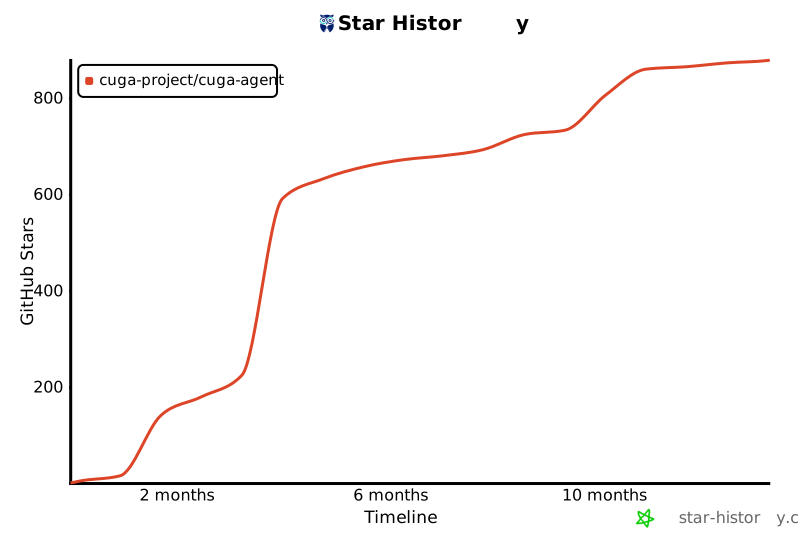](https://star-history.com/#cuga-project/cuga-agent&Date)
## Contributors
[](https://github.com/cuga-project/cuga-agent/graphs/contributors)
