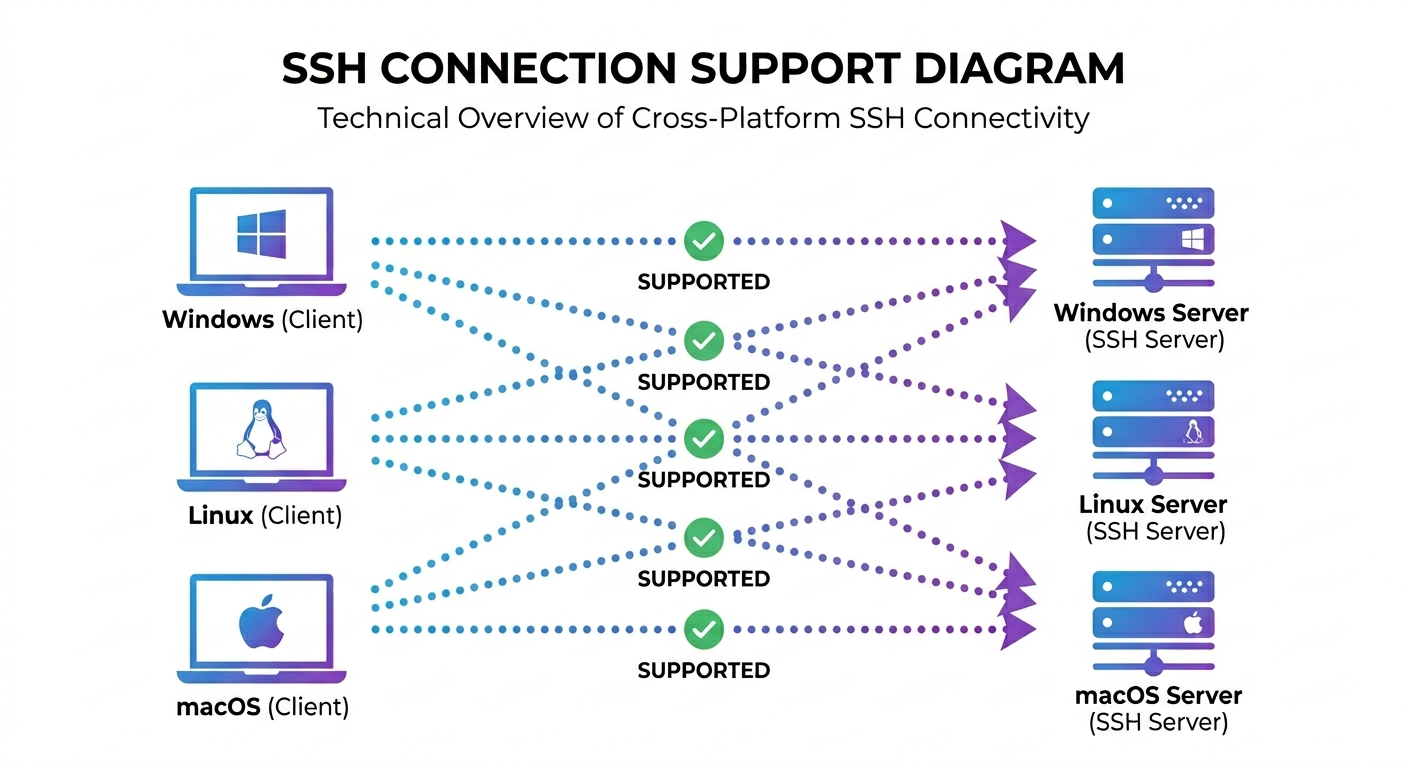
# cygnus-ssh-mcp
**Cross-platform SSH MCP server with 46 purpose-built tools for real server management by AI agents**
[](https://pypi.org/project/cygnus-ssh-mcp/)
[](https://pypi.org/project/cygnus-ssh-mcp/)
[](https://www.gnu.org/licenses/gpl-3.0)
[]()
*Give Claude, OpenCode, or any MCP-compatible AI assistant full control of your
Linux, macOS, and Windows servers with 46 specialized tools*
[Prerequisites](#prerequisites-ssh-on-your-target-servers) · [Installation](#installation) · [Quick Start](#quick-start) · [Features](#features) · [Documentation](https://cygnussystems.github.io/cygnus-ssh-mcp/)
---
> [!TIP]
> **A note from the author:** I've been running this daily since April 2025 — over a
> year now — to manage a dozen+ machines and devices, plus a Proxmox host running
> 30+ containers, across a network tied together with Tailscale. It started as a
> tool to solve my own problem, and it's saved me a huge amount of manual work ever
> since. After a year of running it against Linux, I've since added support for
> Windows, macOS, and other devices with reduced shells like BusyBox. I'm
> open-sourcing it now because I think anyone running real infrastructure will find
> it just as useful. This is a young *public* repo, but the tool behind it isn't new
> or unproven — it's been battle-tested against my own servers for over a year.
>
> If you find it useful, a ⭐ star or a mention to someone who manages their own
> infrastructure goes a long way for a project this new — thank you!
---
## Why cygnus-ssh-mcp?
**cygnus-ssh-mcp is an MCP server - usable from Claude Desktop, Claude Code,
OpenCode, or any other MCP-compatible client - that connects your AI assistant
directly to your remote servers over SSH, exposing 46 purpose-built tools instead
of one generic command-runner.** It turns natural-language requests into real
systems administration - connecting by alias, editing files, managing background
processes, handling sudo - across Linux, macOS, and Windows targets alike.
Doing that properly means solving a pile of genuinely hard, per-platform problems
that a naive `ssh` wrapper never has to face - and that this project hit and fixed
the hard way, including:
- Getting a *real* PID back from a Windows target, instead of a meaningless local channel number
- Recovering the actual exit code when Win32-OpenSSH silently flattens it to `1`
- Reading file contents via SFTP instead of `Get-Content`, because PowerShell's console encodes stdout in its OEM code page and corrupts anything non-ASCII
- Killing a `sudo`'d background process without leaving its privileged child orphaned or blindly firing SIGKILL at the wrong PID
None of this shows up until you actually run these tools against real Linux, macOS,
and Windows targets under real conditions - which is exactly how every one of these
was found and fixed here, not guessed at from documentation.
| What you get | Basic SSH MCP | cygnus-ssh-mcp |
|--------------|:-------------:|:--------------:|
| Run commands | ✅ | ✅ |
| Pre-configured hosts with aliases | ❌ | ✅ |
| Sudo support (Linux/macOS) | Limited | ✅ |
| Windows Server support | ❌ | ✅ |
| Background task management | ❌ | ✅ |
| Line-level file editing | ❌ | ✅ |
| Command history with output | ❌ | ✅ |
| Recursive directory operations | ❌ | ✅ |
| Archive create/extract | ❌ | ✅ |
| Full Unicode support | Varies | ✅ |
Beyond Linux, macOS, and Windows, cygnus-ssh-mcp can also reach further -
routers, NAS boxes, and other non-standard SSH targets connect too, via a
`flex` platform type and a capability probe that detects what each device's
shell can actually do. See [Connecting to Alternate Platforms](#connecting-to-alternate-platforms) below.
> [!WARNING]
> **Alternate-platform (`flex`) support is a work in progress.** It's been
> verified against several real devices, but the space of routers/NAS/embedded
> systems is huge - expect rough edges on hardware that hasn't been tried yet.
### Example agent tasks
Ask your MCP-capable agent to:
- "Check disk space, memory, uptime, and recent logs on my `web` host."
- "Patch this remote config file safely and show me the diff."
- "Upload this build artifact, extract it, and restart the service."
- "Start this command in the background and fetch the output later."
- "Inspect running processes on my Windows SSH host."
---
## Prerequisites: SSH on Your Target Servers
cygnus-ssh-mcp connects over standard SSH - it doesn't provide SSH itself, so each
server you want to manage needs an SSH server already installed and running.
**Linux** - usually pre-installed on server distros; if not:
```bash
sudo apt install openssh-server # Debian/Ubuntu
sudo systemctl enable --now ssh
```
**macOS** - enable Remote Login in System Preferences → Sharing, or from the terminal:
```bash
sudo systemsetup -setremotelogin on
```
**Windows** (Server 2019+, or Windows 10/11) - OpenSSH Server is an optional feature:
```powershell
Add-WindowsCapability -Online -Name OpenSSH.Server~~~~0.0.1.0
Start-Service sshd
Set-Service -Name sshd -StartupType 'Automatic'
```
See [Windows Support](docs/25-windows-support.md) for Windows Server 2016 and other edge cases.
---
## Installation
Pick **one** of the two options below - they're independent tools that don't share
storage, so commands from one won't see or affect what the other did.
### Option A: pip (a persistent install)
```bash
pip install cygnus-ssh-mcp
```
Uninstalling or upgrading:
```bash
pip uninstall cygnus-ssh-mcp
pip install --upgrade cygnus-ssh-mcp
```
### Option B: uvx (no install at all)
> [!NOTE]
> **What's `uvx`?** It's part of [`uv`](https://docs.astral.sh/uv/) (a fast Python
> package manager) - `uvx