


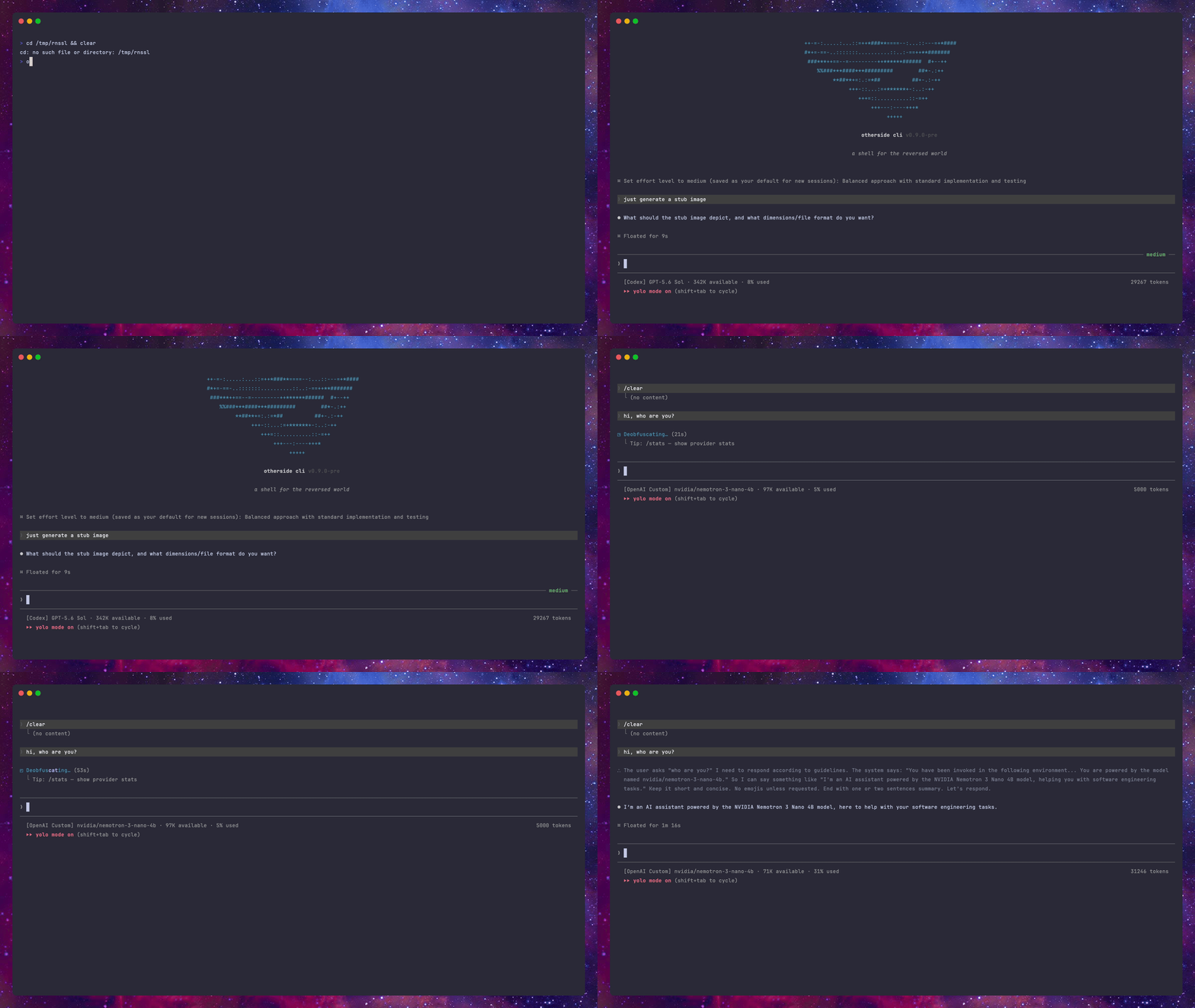
otherside cli ![status](https://img.shields.io/badge/status-1.2.1-EC4899?style=for-the-badge&labelColor=1a1a2e) ![typescript](https://img.shields.io/badge/typescript-5+-51158C?style=for-the-badge&logo=typescript&logoColor=white&labelColor=1a1a2e) ![license](https://img.shields.io/badge/license-MIT-51158C?style=for-the-badge&labelColor=1a1a2e) otherside demo ### _a shell for the reversed world._ Terminal coding agent for Anthropic, Anthropic Cloud, Codex, Antigravity, xAI, Kimi, DeepSeek, MiniMax, GLM (Z.AI), and self-hosted LLMs. **Privacy. Control. Provider choice.** App Store Google Play [**Overview**](#overview) · [**Coming next**](#coming-next) · [**Multiprovider orchestration**](#multiprovider-orchestration) · [**Design**](#design) · [**Features**](#features) · [**Install**](#installation) · [**Build**](#build-from-source) · [**Operation**](#operation) · [**Providers**](#providers) · [**Contributing**](#contributing)

## Overview Otherside is an open-source terminal coding agent that runs entirely on your terms. Built as a single-executable Bun binary, it supports rich interactive workflows, terminal UI pairing, and automated script runs. Its string-view terminal engine renders rows directly, keeping live output separate from settled terminal scrollback. With native support for top-tier AI providers and local models, Otherside allows you to orchestrate multiple LLMs within the same session. It serves as a multiprovider alternative to Claude Code, capable of running any LLM, either individually or orchestrated together, giving you full control over your data with zero telemetry. ## Coming next - **Non-verbose mode**: A quieter transcript that keeps tool noise out of the way. - **Memory usage improvements**: Lower footprint on long interactive sessions. - **Customizable agents panel**: Managing agent definitions from a dedicated panel. - **Multiprovider polish and new modes**: Refinements to orchestration plus additional routing modes. - **UI polish**: Continued refinement of the terminal interface and its interactive panels. ## Multiprovider orchestration > **Multiprovider is disabled by default** and can be enabled through `/config` or `/multiprovider`, with two modes: **default** (concrete provider/model routing from the full catalog) and **feudalism** (tier routing below). Most agent CLIs delegate every subtask to the same model family. Otherside can route delegated Agent and Workflow work across eligible providers, while keeping the concrete provider and model visible. Feudalism routes each delegated task through four fixed capability tiers: - **emperor**: deep reasoning for planning, synthesis, hard calls, and final review; - **shogun**: complex execution with judgment — tactical planning, multi-step implementation, review passes; - **daimyo**: fast capable execution for code edits, debugging, and iterative tool work; - **samurai**: the cheapest, fastest ranks, used only on explicit selection for mechanical fan-out. Tier rosters, rank-ordered (rank 1 is the resolver's first choice): | Tier | Models | |---|---| | **emperor** | `claude-opus-5-5` · `gpt-6-astra` | | **shogun** | `grok-4.7` · `k3` · `gpt-5.6-terra` · `claude-sonnet-5-5` · `glm-5.2` | | **daimyo** | `gpt-5.6-luna` · `gemini-3.8-flash` · `gemini-3.1-pro-high` · `grok-composer-2.5-fast` · `deepseek-v4-pro` · `kimi-for-coding` | | **samurai** | `gemini-3.8-flash-low` · `gemini-3.8-flash-medium` · `glm-5-turbo` · `claude-haiku-5-5` · `deepseek-flash` · `minimax-m3` · `kimi-for-coding-highspeed` | Routing rules: - Candidates are checked against credentials, quota, cooldowns, and runtime availability on every allocation. - An unusable model cascades to the next rank; an empty tier cascades down (`emperor → shogun → daimyo`). `samurai` is never a fallback — it only runs when explicitly selected. - **Chain of command** (default on, `/config`): a nested agent cannot launch above its own tier — higher requests clamp to the caller's tier. - A named agent without an explicit tier is inferred from intent (inference never selects `samurai`); explicit `tier` selection takes precedence over inference. - Workflow `diversify: true` can spread independent calls across distinct eligible providers in one tier. - `/parallel`, `/fork`, and `/workflows` provide direct control over concurrent and deterministic delegated work. - Rosters ship with releases and are never fetched at runtime. ## Design Otherside ships a design studio: run `/design` in the TUI and pair the session with [design.othersidecli.com](https://design.othersidecli.com) in your browser. The design agent authors interactive HTML artifacts (components, slide decks, prototypes, and mockups) rendered in a live preview as it works.
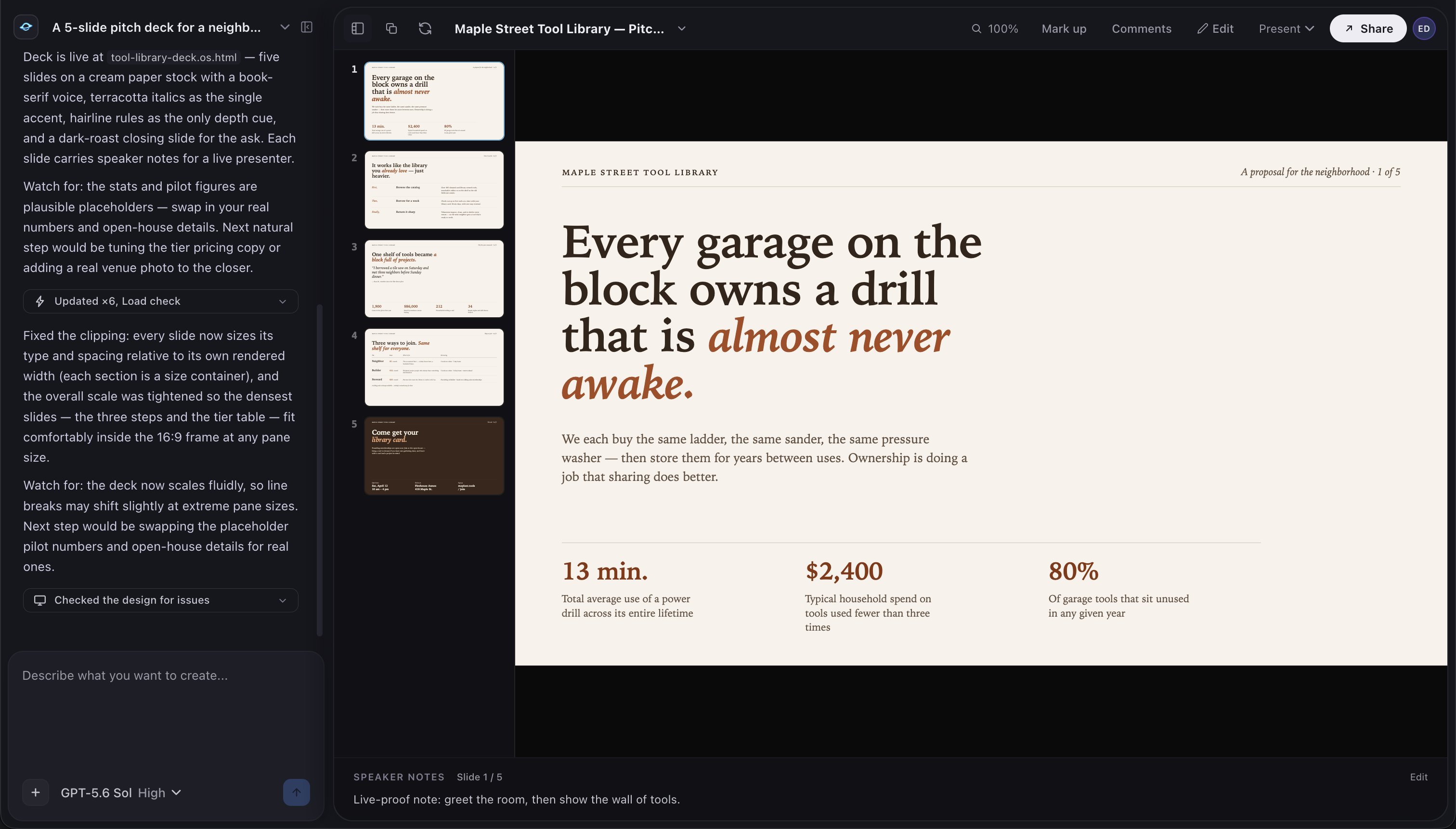
otherside design studio with an agent-authored slide deck and live preview
- **Live authoring**: the agent writes and edits design files; the preview updates in real time, streamed from your local session. - **Tweak controls**: designs can expose typed controls (colors, spacing, copy, options) you can adjust instantly in the browser with no model round-trip; reset or save your changes as new defaults. - **Visual verification**: after substantive changes the agent verifies its own output with programmatic checks and screenshots before handing back. - **Local-first**: designs are created and stored on your machine; the browser is a paired viewport, and the coding agent can read saved designs back with the `ReadDesign` tool. Design uses the same provider you are signed into, with no separate subscription or key. ## Features | | | | --- | --- | | **Native toolset** | Built-in shell, search, web, read, edit, write, numbered task list, image-generation, and image-parsing tools for codebases. | | **Provider choice** | Anthropic, Anthropic Cloud, Codex, Antigravity, xAI, Kimi, DeepSeek, MiniMax, GLM (Z.AI), and OpenAI-compatible endpoints, including local models. | | **Accessible terminal UI** | Keyboard-first interface designed for screen readers, low-bandwidth links, and high-latency connections. | | **Mobile companion** | Pair an iOS or Android app over an end-to-end encrypted channel to follow sessions, read logs, and respond remotely. | | **Goal-driven execution** | Use `/goal` to set success criteria and continue work across compaction until the result is met and approved. | | **Deterministic workflows** | Coordinate subagents with JavaScript workflows, including parallel, pipeline, and nested runs; manage them with `/workflows`. | | **Planning and side questions** | `/ultraplan` coordinates multi-agent planning; `/btw` keeps secondary questions out of the main thread. | | **Background work** | Manage long-running tasks with `/tasks`, shell sessions with `/bashes`, scheduled prompts, and recurring loops with `/loop`. | | **Interactive permissions** | Per-tool permission prompts with file previews and diffs; approvals are saved as rules you manage with `/permissions`. | | **Sessions and checkpoints** | Resume saved sessions and restore code or conversation history with `/rewind`. | | **MCP and plugins** | Connect external tools through MCP (`/mcp`) and manage extensions with `/plugins`. | | **Images** | Generate images through Codex, Grok, or Gemini; `ParseImage` and `Read` can route images through a configurable vision provider. | | **Project memory and usage** | `/dream` stores project memory; `/usage` shows provider usage and available account information. | | **Data control** | No product analytics or background tracking. Your code goes from your machine to the provider you choose. | | **Single binary** | Install and run one executable; no Bun, Node, or source checkout is needed for released binaries. | ## Installation Install uses the published release binary. You do not need Bun, Node, or a source checkout. ### macOS ```bash curl -fsSL https://othersidecli.com/install.sh | bash ``` - Supports Apple Silicon and Intel Macs. - Installs `otherside` to `~/.local/bin` by default. - If the command is not found after install, add this to `~/.zshrc` or `~/.bashrc`: ```bash export PATH="$HOME/.local/bin:$PATH" ``` ### Linux ```bash curl -fsSL https://othersidecli.com/install.sh | bash ``` - Supports x64 and arm64 Linux. - Requires `curl`, `uname`, `mkdir`, and `install`. - Verifies the release checksum when `sha256sum` or `shasum` is available. - If `~/.local/bin` is not on your `PATH`, add it to your shell rc: ```bash export PATH="$HOME/.local/bin:$PATH" ``` ### Windows Run in PowerShell: ```powershell irm https://othersidecli.com/install.ps1 | iex ``` - Supports 64-bit Windows x64. - Installs `otherside.exe` to `%LOCALAPPDATA%\Programs\otherside`. - Adds the install directory to the user `Path`; restart PowerShell, Windows Terminal, or your IDE terminal after install. - Git for Windows is recommended so shell commands can use Git Bash semantics when needed. ### Install options Pin a release: ```bash OTHERSIDE_VERSION=v1.2.1 bash -c "$(curl -fsSL https://othersidecli.com/install.sh)" ``` ```powershell $env:OTHERSIDE_VERSION = "v1.2.1" irm https://othersidecli.com/install.ps1 | iex ``` Install somewhere else: ```bash OTHERSIDE_INSTALL_DIR=/usr/local/bin bash -c "$(curl -fsSL https://othersidecli.com/install.sh)" ``` ```powershell $env:OTHERSIDE_INSTALL_DIR = "$env:USERPROFILE\bin" irm https://othersidecli.com/install.ps1 | iex ``` ### Verify and launch ```bash otherside --version otherside ``` First run walks you through provider login. ## Build from source Build from source is for contributors or local changes. It requires Bun 1.4 canary (`bun upgrade --canary`), Rust/Cargo, and the platform's native build tools. The commands below target macOS arm64 and require Xcode Command Line Tools. ```bash git clone https://github.com/daanielcruz/otherside-cli.git cd otherside-cli bun install --frozen-lockfile bun run build ./dist/otherside --version ``` `bun run build` writes `./dist/otherside` for the current configured target. The repository default targets macOS arm64 because local development happens there; releases are cross-built by CI for macOS, Linux, and Windows. To install your locally built binary on macOS or Linux: ```bash mkdir -p "$HOME/.local/bin" cp ./dist/otherside "$HOME/.local/bin/otherside" chmod +x "$HOME/.local/bin/otherside" ``` Or use the helper: ```bash bun run build:install ``` On Windows, install Visual Studio Build Tools and Rust's MSVC toolchain, then build the microphone addon and executable together: ```powershell rustup target add x86_64-pc-windows-msvc bun run build:win .\dist\otherside.exe --version $InstallDir = "$env:LOCALAPPDATA\Programs\otherside" New-Item -ItemType Directory -Force -Path $InstallDir | Out-Null Copy-Item .\dist\otherside.exe "$InstallDir\otherside.exe" -Force ``` Contributor checks: ```bash bun run typecheck bun run lint bun run test ``` ## Operation Three modes share the same harness. ```bash # Interactive TUI (default) otherside # Resume a saved session for the current project otherside --resume otherside -c # most recent session in this cwd # One-shot run (scripts, CI, cron) otherside -p "refactor the session loader to use the shared path helper" # Pipe stdin cat logs.txt | otherside -p "find the stack trace that caused the segfault" # Skip every permission prompt otherside --yolo ``` ## Providers Each provider has its own authentication, tool adaptation, and model catalog behind one interface. ```bash otherside --provider deepseek otherside --provider codex --model gpt-6-astra otherside --provider openai --model ``` | Provider | Slug | Auth | Default model | Notes | |---|---|---|---|---| | Anthropic | `anthropic` | OAuth | `claude-opus-5-5` | Sonnet 5.5 and Haiku 5.5; Fable 5.1 is also available for explicit selection; subscription usage and web search. | | Anthropic Cloud | `anthropic-cloud` | OAuth | `claude-opus-5-5` | Runs Opus 5.5 in managed Cloud sessions while tools and permissions execute locally. | | Codex | `codex` | OAuth | `gpt-6-astra` | Astra uses an 872k-token context window; GPT-6.1 Sol, GPT Daybreak Blue, and GPT-5.6 Terra/Luna are also available; hosted image generation. | | Antigravity | `antigravity` | OAuth | `gemini-3.8-flash` | Google account path; Gemini 4 Argon (Ultra accounts), Gemini 3.x Flash/Pro, Claude, and GPT-OSS models. | | xAI | `xai` | OAuth | `grok-4.7` | Grok models through SuperGrok OAuth. | | Kimi | `kimi` | API key | `k3` | K3 and K2.7 Code models; usage limits in `/usage`. | | DeepSeek | `deepseek` | API key | `deepseek-v4-pro` | V4 Pro, V4.1 Flash, and V4 Flash; configurable vision side-channel. | | MiniMax | `minimax` | API key | `minimax-m2.7` | M2.7 and M3 models. | | GLM (Z.AI) | `glm` | OAuth | `glm-5.2` | GLM-5.2 and GLM-5-Turbo; native web search. | | OpenAI Custom | `openai` | API key | (set your own) | Any OpenAI-compatible endpoint, including local runtimes. | From the interactive TUI, sign in or out with: ```text /login [provider] /logout [provider] ``` `openai` works with any OpenAI-compatible endpoint: LM Studio, llama.cpp, vLLM, Hugging Face TGI, or any self-hosted runtime. ### Important: Antigravity Using `antigravity` through a third-party client may violate Google's Terms of Service. ## Contributing TypeScript + Bun. PRs welcome, and so are issues and feedback. See [Build from source](#build-from-source) for setup and local build commands. Requires Bun 1.4 canary. For security details and reporting, see our [**Security Policy**](https://github.com/daanielcruz/otherside-cli/security).