
# FlyDefence
### Investigate security events. Explore real neural structure. Measure what works.
A local blue-team research platform connecting evidence-based investigation,
controlled response workflows, and an interactive fruit-fly connectome laboratory.




[Quick start](#quick-start) · [Use cases](#where-it-fits) · [Neural laboratory](#neural-laboratory) · [Results](#research-results) · [Roadmap](#roadmap) · [繁體中文](README.zh-TW.md)
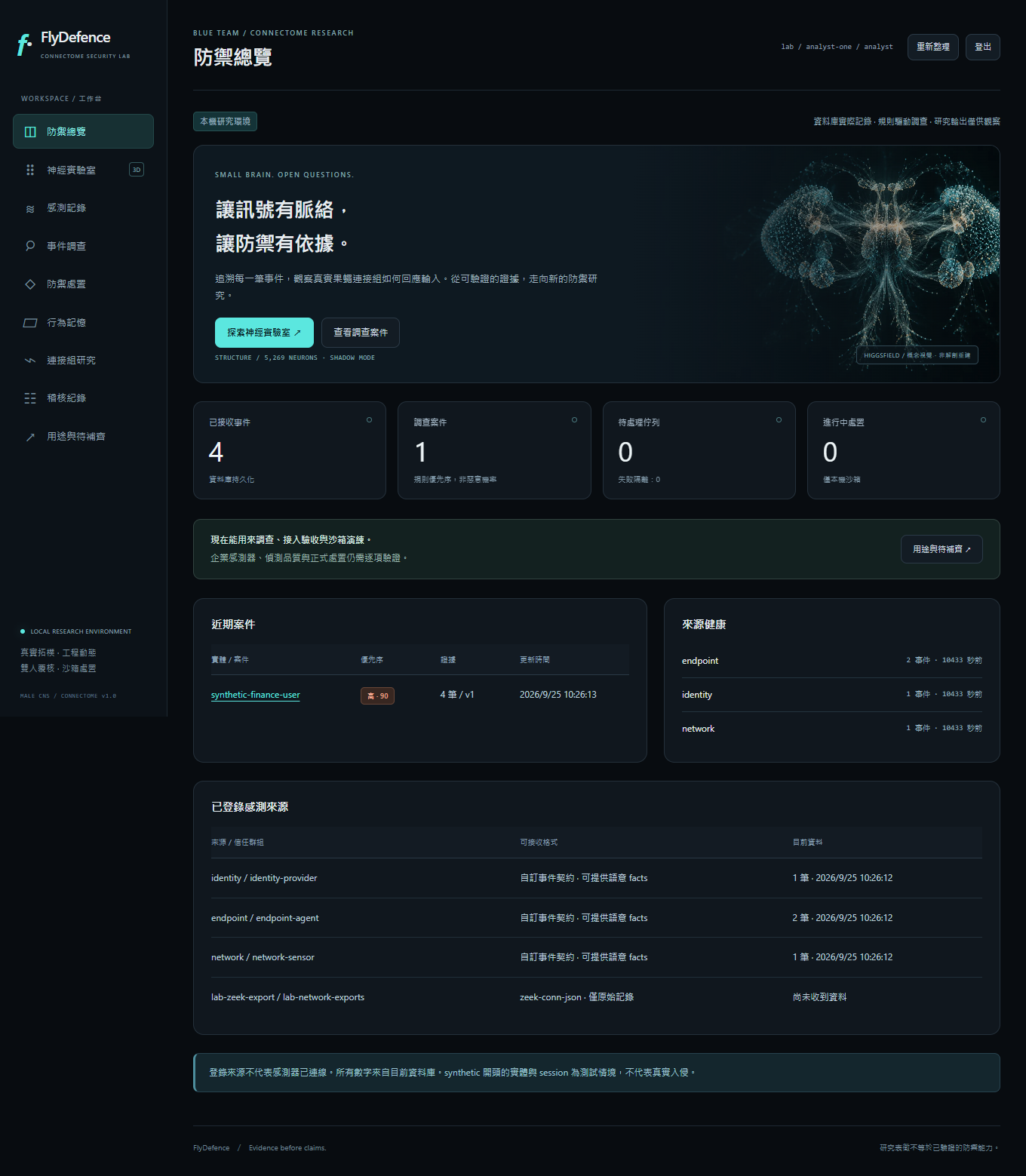
FlyDefence brings security telemetry, case evidence, human review, reversible sandbox actions, and connectome experiments into one workbench. It is built for people who want to investigate the engineering value of biological network structure while keeping operational decisions traceable.
**The software runs today. Its biological detection advantage is not established.** Rules and evidence determine case priority; the fruit-fly model runs in a research lane and cannot authorize a response. Enterprise sensor deployment, external containment connectors, and production acceptance remain open work.
The interface and detailed operational manuals currently use Traditional Chinese. This README provides an English entry point.
## What you can do
- **Follow an investigation from event to decision.** Browse source-scoped telemetry, inspect a case timeline, request additional evidence from stored records, and review the reasons behind a rule result.
- **Import supported sensor exports with provenance.** Parse Windows Security 4624, Sysmon 1/3, and Zeek connection records; retain parser versions, raw-record hashes, and identity-confidence information.
- **Keep delivery recoverable.** Queue immutable JSONL snapshots in a SQLite collector outbox, retry interrupted sends, reconcile duplicate receipts, and explicitly quarantine blocking records without silently discarding them.
- **Require another person to review consequential changes.** Case feedback and sandbox action authorization use separate actors, evidence references, and policy checks.
- **Practice reversible response.** Propose a time-limited sandbox network restriction, authorize it, inspect its state, and verify expiry or rollback behavior.
- **Explore a real neural subgraph.** Rotate, filter, inspect, and animate a MaleCNS connectome with traceable neuron IDs and clearly labeled coordinate sources.
- **Compare the biological hypothesis with controls.** Run an offline evaluation against a linear baseline, an encoder-only model, and degree-preserving rewired graphs.
The runtime uses CPU sparse-matrix computation and serves the interface locally. It does not require an LLM API key or an external inference service.
## Where it fits
| Use case | Useful today | Work still needed |
| --- | --- | --- |
| **SOC investigation** | Event browsing, case timelines, rule explanations, evidence review, and audit records | Reliable cross-source identity resolution and acceptance using authorized enterprise data |
| **Sensor onboarding** | Supported export parsing, source permissions, provenance, durable delivery, and failure inspection | Continuous collection, rotation handling, source health alerts, and deployment operations |
| **Blue-team training** | Explicitly synthetic scenarios, two-person review, sandbox restrictions, and rollback exercises | Validated integrations with the organization's actual security controls |
| **Connectome research** | Real topology, interactive activity traces, pinned inputs, and comparative offline experiments | Independent evaluation, stronger baselines, confidence intervals, and useful performance at low false-positive rates |
FlyDefence is currently suitable for a local research or training environment. It has not been accepted as a replacement for an enterprise SIEM, EDR, or identity provider.
## Quick start
### Requirements
- Python **3.12 or newer**; the recorded validation used Python 3.12.
- Git and a modern browser.
- Optional: Docker with Compose and PowerShell 7 for the PostgreSQL deployment helper.
- Optional: approximately **1.07 GB** of source downloads, plus working disk and memory, to reconstruct the neural laboratory data.
The commands below use PowerShell, matching the currently validated development environment. Run them from the repository root. On macOS or Linux, use `.venv/bin/python` in place of `& $FlyPython`; native startup does not depend on PowerShell helpers. For multiline commands, use your shell's continuation syntax instead of PowerShell backticks.
### 1. Install
```powershell
git clone https://github.com/david93518/flydefence.git
cd flydefence
python -m venv .venv
$FlyPython = ".\.venv\Scripts\python.exe"
& $FlyPython -m pip install -r requirements.lock.txt
& $FlyPython -m pip install -e . --no-deps
```
The lockfile includes development and research dependencies. Private runtime state, credentials, databases, sensor exports, and downloaded datasets are not part of this repository.
### 2. Optionally build the real connectome
Skip this step to start the investigation workbench without neural data. To reproduce the neural laboratory shown below, complete it **before the first `init`** so initialization can pin the generated graph manifest.