# 🦜 Generative Deep Learning - 2nd Edition Codebase
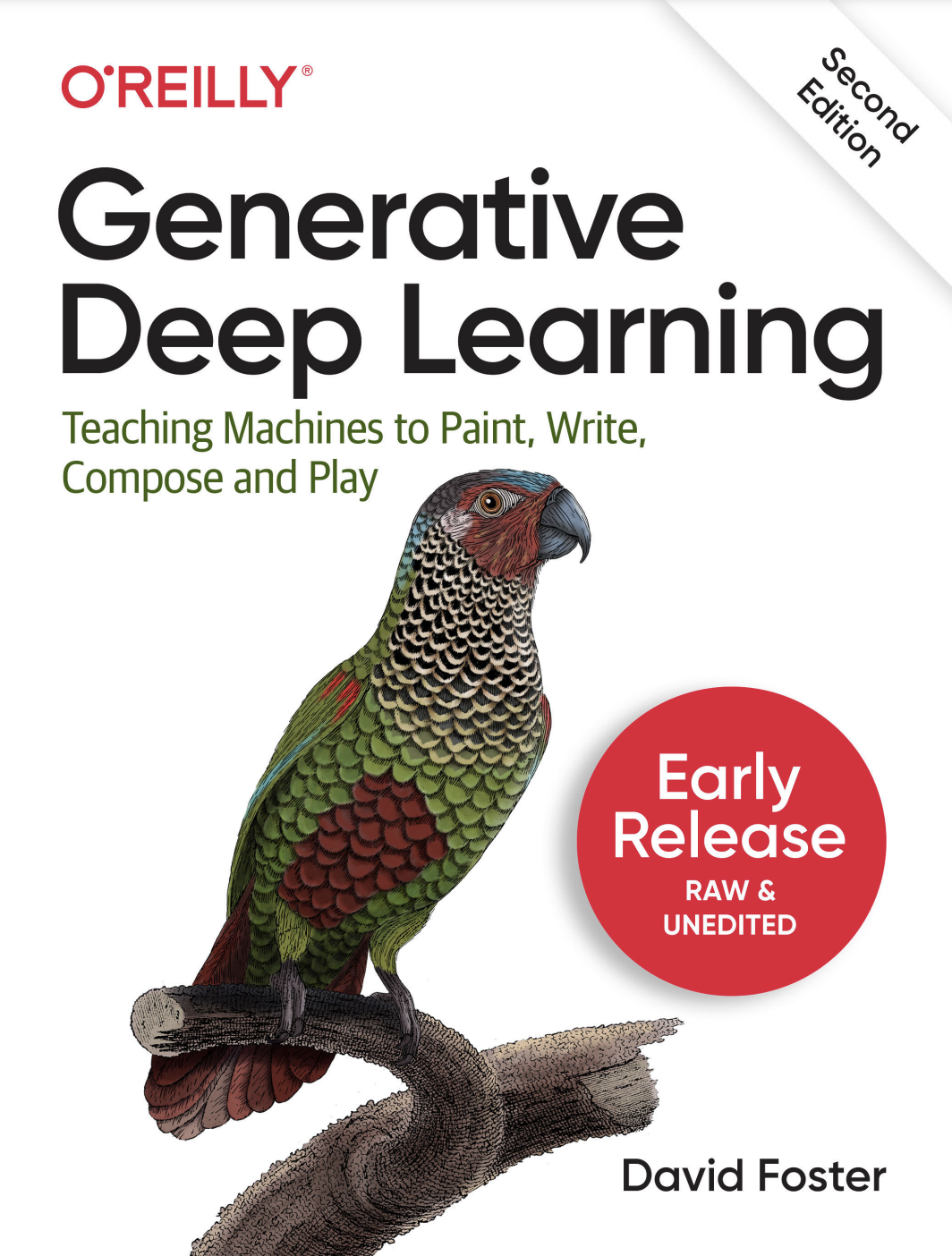
The official code repository for the second edition of the O'Reilly book *Generative Deep Learning: Teaching Machines to Paint, Write, Compose and Play*.
[O'Reilly link](https://www.oreilly.com/library/view/generative-deep-learning/9781098134174/)
[Amazon US link](https://www.amazon.com/Generative-Deep-Learning-Teaching-Machines/dp/1098134184/)
 ## 📖 Book Chapters
Below is a outline of the book chapters:
*Part I: Introduction to Generative Deep Learning*
1. Generative Modeling
2. Deep Learning
*Part II: Methods*
3. Variational Autoencoders
4. Generative Adversarial Networks
5. Autoregressive Models
6. Normalizing Flows
7. Energy-Based Models
8. Diffusion Models
*Part III: Applications*
9. Transformers
10. Advanced GANs
11. Music Generation
12. World Models
13. Multimodal Models
14. Conclusion
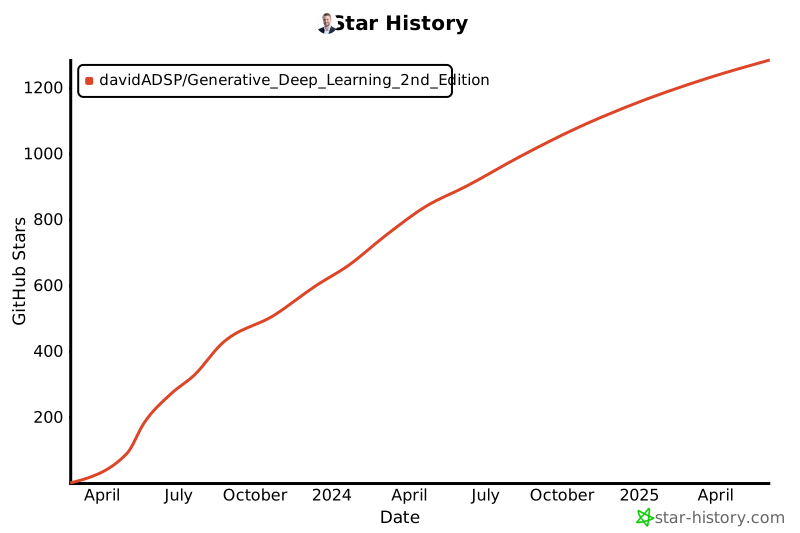
## 🌟 Star History
## 📖 Book Chapters
Below is a outline of the book chapters:
*Part I: Introduction to Generative Deep Learning*
1. Generative Modeling
2. Deep Learning
*Part II: Methods*
3. Variational Autoencoders
4. Generative Adversarial Networks
5. Autoregressive Models
6. Normalizing Flows
7. Energy-Based Models
8. Diffusion Models
*Part III: Applications*
9. Transformers
10. Advanced GANs
11. Music Generation
12. World Models
13. Multimodal Models
14. Conclusion
## 🌟 Star History
 ## 🚀 Getting Started
### Kaggle API
To download some of the datasets for the book, you will need a Kaggle account and an API token. To use the Kaggle API:
1. Sign up for a [Kaggle account](https://www.kaggle.com).
2. Go to the 'Account' tab of your user profile
3. Select 'Create API Token'. This will trigger the download of `kaggle.json`, a file containing your API credentials.
### The .env file
Create a file called `.env` in the root directory, containing the following values (replacing the Kaggle username and API key with the values from the JSON):
```
JUPYTER_PORT=8888
TENSORBOARD_PORT=6006
KAGGLE_USERNAME=
KAGGLE_KEY=
```
### Get set up with Docker
This codebase is designed to be run with [Docker](https://docs.docker.com/get-docker/).
If you've never used Docker before, don't worry! I have included a guide to Docker in the [Docker README](./docs/docker.md) file in this repository. This includes a full run through of why Docker is awesome and a brief guide to the `Dockerfile` and `docker-compose.yml` for this project.
### Building the Docker image
If you do not have a GPU, run the following command:
```
docker compose build
```
If you do have a GPU that you wish to use, run the following command:
```
docker compose -f docker-compose.gpu.yml build
```
### Running the container
If you do not have a GPU, run the following command:
```
docker compose up
```
If you do have a GPU that you wish to use, run the following command:
```
docker compose -f docker-compose.gpu.yml up
```
Jupyter will be available in your local browser, on the port specified in your env file - for example
```
http://localhost:8888
```
The notebooks that accompany the book are available in the `/notebooks` folder, organized by chapter and example.
## 🏞️ Downloading data
The codebase comes with an in-built data downloader helper script.
Run the data downloader as follows (from outside the container), choosing one of the named datasets below:
```
bash scripts/download.sh [faces, bricks, recipes, flowers, wines, cellosuites, chorales]
```
## 📈 Tensorboard
Tensorboard is really useful for monitoring experiments and seeing how your model training is progressing.
To launch Tensorboard, run the following script (from outside the container):
* `` - the required chapter (e.g. `03_vae`)
* `` - the required example (e.g. `02_vae_fashion`)
```
bash scripts/tensorboard.sh
```
Tensorboard will be available in your local browser on the port specified in your `.env` file - for example:
```
http://localhost:6006
```
## ☁️ Using a cloud virtual machine
To set up a virtual machine with GPU in Google Cloud Platform, follow the instructions in the [Google Cloud README](./docs/googlecloud.md) file in this repository.
## 📦 Other resources
Some of the examples in this book are adapted from the excellent open source implementations that are available through the [Keras website](https://keras.io/examples/generative/). I highly recommend you check out this resource as new models and examples are constantly being added.
## 🚀 Getting Started
### Kaggle API
To download some of the datasets for the book, you will need a Kaggle account and an API token. To use the Kaggle API:
1. Sign up for a [Kaggle account](https://www.kaggle.com).
2. Go to the 'Account' tab of your user profile
3. Select 'Create API Token'. This will trigger the download of `kaggle.json`, a file containing your API credentials.
### The .env file
Create a file called `.env` in the root directory, containing the following values (replacing the Kaggle username and API key with the values from the JSON):
```
JUPYTER_PORT=8888
TENSORBOARD_PORT=6006
KAGGLE_USERNAME=
KAGGLE_KEY=
```
### Get set up with Docker
This codebase is designed to be run with [Docker](https://docs.docker.com/get-docker/).
If you've never used Docker before, don't worry! I have included a guide to Docker in the [Docker README](./docs/docker.md) file in this repository. This includes a full run through of why Docker is awesome and a brief guide to the `Dockerfile` and `docker-compose.yml` for this project.
### Building the Docker image
If you do not have a GPU, run the following command:
```
docker compose build
```
If you do have a GPU that you wish to use, run the following command:
```
docker compose -f docker-compose.gpu.yml build
```
### Running the container
If you do not have a GPU, run the following command:
```
docker compose up
```
If you do have a GPU that you wish to use, run the following command:
```
docker compose -f docker-compose.gpu.yml up
```
Jupyter will be available in your local browser, on the port specified in your env file - for example
```
http://localhost:8888
```
The notebooks that accompany the book are available in the `/notebooks` folder, organized by chapter and example.
## 🏞️ Downloading data
The codebase comes with an in-built data downloader helper script.
Run the data downloader as follows (from outside the container), choosing one of the named datasets below:
```
bash scripts/download.sh [faces, bricks, recipes, flowers, wines, cellosuites, chorales]
```
## 📈 Tensorboard
Tensorboard is really useful for monitoring experiments and seeing how your model training is progressing.
To launch Tensorboard, run the following script (from outside the container):
* `` - the required chapter (e.g. `03_vae`)
* `` - the required example (e.g. `02_vae_fashion`)
```
bash scripts/tensorboard.sh
```
Tensorboard will be available in your local browser on the port specified in your `.env` file - for example:
```
http://localhost:6006
```
## ☁️ Using a cloud virtual machine
To set up a virtual machine with GPU in Google Cloud Platform, follow the instructions in the [Google Cloud README](./docs/googlecloud.md) file in this repository.
## 📦 Other resources
Some of the examples in this book are adapted from the excellent open source implementations that are available through the [Keras website](https://keras.io/examples/generative/). I highly recommend you check out this resource as new models and examples are constantly being added.