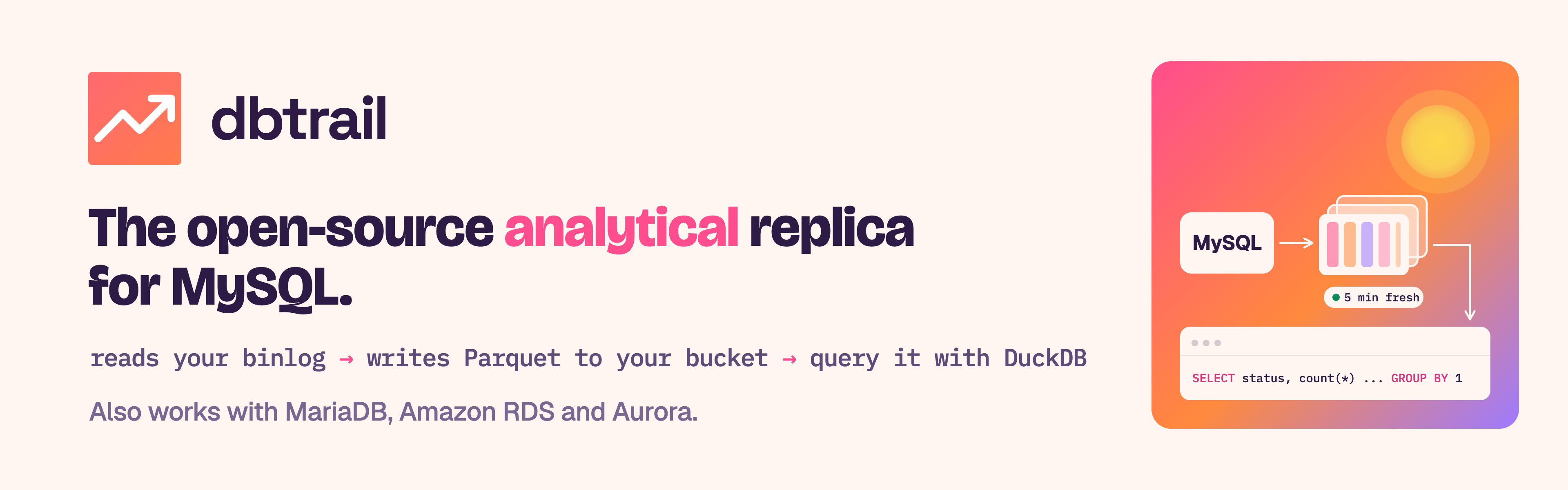
**DBTrail keeps your MySQL tables as Parquet files you own, minutes behind the source, with every version of every row. Query them with DuckDB. Production never sees the query.**
[](https://github.com/dbtrail/dbtrail/releases/latest)
[](LICENSE)
[](https://github.com/dbtrail/dbtrail/actions)
```
$ duckdb -init views.sql
D SELECT c.tier, count(*) AS orders, round(sum(o.total), 2) AS revenue
FROM demo.orders o
JOIN demo.customers c ON c.id = o.customer_id
GROUP BY c.tier ORDER BY revenue DESC;
┌──────────┬────────┬───────────────┐
│ tier │ orders │ revenue │
│ varchar │ int64 │ decimal(38,2) │
├──────────┼────────┼───────────────┤
│ platinum │ 539848 │ 59426197.40 │
│ gold │ 539752 │ 59353658.54 │
│ silver │ 539056 │ 59295443.48 │
│ bronze │ 538385 │ 59242795.95 │
└──────────┴────────┴───────────────┘
```
That query read Parquet files. The MySQL primary never saw it.
Minutes behind the source. Not high availability, not a backup.
Limits
---
## Why
Reports, dashboards and ad-hoc analysis compete with your application when
they run on the primary: a full scan pushes the working set out of the buffer
pool, a long read holds back purge, and a `GROUP BY` over millions of rows
spills temp tables to disk. A reporting replica is one more MySQL to pay for
and patch, and it still answers at row-store speed.
DBTrail gives those queries a copy of their own, in a columnar format, outside
`mysqld`.
## How it works
1. **The first copy reads your tables once** (with mydumper).
2. **After that, only the binlog.** DBTrail connects over the replication
protocol, the way a replica does. No plugin, no agent on the database host,
no triggers. That is why Amazon RDS and Aurora work.
3. **On your schedule, the copy is updated.** DBTrail folds the recorded
changes into a new Parquet snapshot, from every 5 minutes to once a day.
The source is not read again, unless a table changes shape
(see [Limits](#limits)).
4. **You query it with DuckDB.** A generated `views.sql` gives you one view
per table, named like the source table (`shop.orders`), that follows
the newest snapshot.
One Docker Compose stack, and a folder or an S3 bucket. No pipeline to build,
no warehouse to run, no Kafka. See [Analytics with DuckDB](docs/analytics.md).
## The numbers
Source: RDS MySQL 8.4, TPC-C dataset, 73 million rows, about 10 GB, under a
sysbench-tpcc load of 180 transactions per second. Measured 18 to 20 September
2026 with DBTrail 0.84 refreshing every 5 minutes. Six report queries, total
time:
| Where the queries ran | Total time |
|---|---|
| MySQL | 22 min 28 s |
| ClickHouse fed by Airbyte CDC | 12.6 s |
| **DBTrail + DuckDB** | **4.6 s** |
| MyDuck Server | 2.7 s |
One of the six, a two-table join grouped by district and month, took
3 min 52 s on MySQL and 0.9 s on the copy. MyDuck was faster on this set: it
keeps data in DuckDB's own format, which only DuckDB reads.
Freshness, measured separately under about 340 transactions per second with a
5-minute schedule: commit to visible in DuckDB took 2.7 to 13.2 minutes,
median 5.9.
Method, cost comparison and ClickBench results:
[Introducing the MySQL Analytical Replica](https://blog.dbtrail.com/introducing-mysql-analytical-replica/).
## What you get
### An analytical copy
- **Heavy queries off your MySQL.** They run in DuckDB, in its own process,
on the copy. Only the binlog leaves `mysqld`.
- **DuckDB, ready to open.** One `views.sql`, one view per table. Your DuckDB
runs it on your machine: a laptop, a notebook, a BI box.
- **Open files you own.** Plain Parquet on disk or in S3, with a
Hive-partitioned change history. Nothing proprietary.
- **Other engines too.** Export a snapshot to Iceberg for Spark, Trino or
Athena with `bintrail export iceberg`. See [Iceberg export](docs/iceberg-export.md).
> **Open the copy through `views.sql`.** An engine that reads the Parquet
> files directly sees each table as of its last full write and can miss the
> change files stored beside it. The views apply them for you.
### Time travel and recovery, from the same stream
DBTrail keeps every change on your MySQL server, before and after, and writes the SQL that undoes the ones you didn't want. It reads them from the same
binlog as the copy, from the day you install it:
- **Every version of every row.** See any row or table as it was at a past
moment, from the web interface or the `reconstruct` CLI. An optional MySQL
port (beta) answers the same questions with `AS OF` SQL from any `mysql`
client. See [Time-Travel SQL](docs/time-travel-sql.md).
- **Undo precisely.** Generate the SQL that reverses just the damaged rows.
`recover-cascade` also rebuilds the child rows an `ON DELETE CASCADE`
removed below the binary log. DBTrail writes the SQL. You review it and you
run it. See [Query & Recovery](docs/query-and-recovery.md).
- **Prove it holds.** `bintrail verify` checks, from two snapshots and the
index and without touching the source, that a recovery would reproduce it.
`bintrail status` flags any gap the capture could not fill.
See [Verify](docs/verify.md).
- **Web interface and MCP.** Add servers, schedule snapshots and browse
changes in the browser. Connect Claude Desktop or any MCP client to ask in
plain English. Every tool is read-only.
See the [5-minute guide](docs/connect-ai.md).
Try time travel in 30 seconds, with nothing of yours connected:
```sh
docker run --rm -p 6033:6033 ghcr.io/dbtrail/bintrail-demo
```
See [the demo image](docs/demo.md).
## Limits
A copy you can trust is one whose edges you know.
- **Not high availability.** Your application never points at the copy.
Nothing fails over to it.
- **Not your backup.** History starts the day you install it. Keep your
physical backups.
- **Minutes behind, not seconds, by default.** The copy refreshes on the
schedule you set, and the SQL port answers from it. Its fresh mode, chosen
per server in the web interface, also reads what capture has indexed since,
usually seconds behind, for some memory and speed.
- **Needs a ROW binlog with full row images.** `binlog_format=ROW` and
`binlog_row_image=FULL`. `bintrail doctor` checks both and prints the fix
(on RDS and Aurora, set them in the parameter group).
- **Some changes mean a full read.** Adding, dropping, renaming or retyping a
column, or a `TRUNCATE`, `DROP` or `RENAME` of a table, pauses the scheduled
update until DBTrail reads the database again, at most once a day. That read
takes a short lock: a global read lock while it starts, or, on RDS and
Aurora, a lock on the tables it reads. A new table joins with a read of its
own. Index and other everyday changes do not trigger one.
- **History needs a bucket.** Without S3, row history keeps 48 hours by
default (`--rotate-retain` changes it). The copy itself stays: the newest
3 snapshots per table on local disk.
- **Cascaded deletes before MySQL 9.6, and on MariaDB.** Rows deleted by a
foreign key never reach the binlog. `recover-cascade` rebuilds most of them,
and the copy keeps them until DBTrail next reads the database in full.
- **Not a MySQL server.** Reports run in DuckDB, not from your MySQL client.
The optional MySQL port (beta, no TLS) only answers what a row or table
looked like at a past moment, or what changed between two.
- **Yours to operate.** DBTrail and its small index MySQL run on your
machines. Disk and backups are yours.
Full list: [Limitations](https://www.dbtrail.com/docs/limitations/).
## What it works with
| Source | Analytical copy | Row history and undo |
|---|---|---|
| MySQL 8.0, 8.4 | Yes | Yes |
| Percona Server for MySQL 8.0, 8.4 | Yes | Yes |
| Amazon RDS for MySQL | Yes (verified) | Yes (verified) |
| Amazon Aurora MySQL | Yes (verified) | Yes (verified) |
| Google Cloud SQL for MySQL | Should work, please report issues | Should work |
| MariaDB 10.11+, including Amazon RDS for MariaDB | Yes | Yes. See [MariaDB source](docs/mariadb.md) |
| PostgreSQL 14+ | One-time copy only, no scheduled update yet | Beta. See [PostgreSQL source](docs/postgres.md) |
DBTrail never needs the binlog files on disk, which is why managed cloud
databases work.
## Install
You need Docker with Compose, and DuckDB on the machine where you query.
```sh
curl -fsSL https://raw.githubusercontent.com/dbtrail/dbtrail/main/install.sh | sh
```
This downloads the Docker Compose stack, starts it, waits until DBTrail
answers, and prints the next steps.
1. **Sign in.** Open **http://127.0.0.1:8090**, create a username and
password, and press **Create & sign in**.
2. **Connect.** Click **+ Add server**, enter the host and port of your MySQL
and press **Find it**. The form shows the SQL that creates DBTrail's user.
Run it on your MySQL, then press **I ran it**. DBTrail checks the rest and
starts on its own.
3. **First change.** Change a row on your MySQL. It shows under
**Recent changes** on the Overview within a minute, with an **Undo** that
writes the SQL to reverse it.
4. **First copy.** On **Snapshots**, press **Read database now**. Normally
this is the only time DBTrail reads your tables directly.
5. **Set a schedule.** On the **Settings** tab of **Snapshots**, under
**Update the copy**, pick how often (every 5 minutes, for example) and
press **Turn on**. Each run after the first folds the recorded changes
instead of reading the source.
6. **Query it.** On **Snapshots**, press **Download**, then
**Download the data**. Unpack the `.tar.gz` and run `duckdb -init views.sql`
inside the snapshot folder. To read the copy that keeps updating, see
[Query in DuckDB](https://www.dbtrail.com/docs/guides/query-in-duckdb/).
Prefer the command line? See the [command-line quickstart](docs/quickstart.md).
## Who builds it
DBTrail is built by Daniel Guzman-Burgos, former MySQL Technical Lead at
Percona.
## Documentation
| Start here | Reference | Operations |
|---|---|---|
| [Install](docs/install.md) | [Analytics with DuckDB](docs/analytics.md) | [Deployment](docs/deployment.md) · [Capacity](docs/capacity.md) |
| [Start page](https://www.dbtrail.com/docs/quickstart/) · [Command-line quickstart](docs/quickstart.md) | [Dump & Baseline](docs/dump-and-baseline.md) · [Iceberg export](docs/iceberg-export.md) | [Rotation & Status](docs/rotation-and-status.md) |
| [DBA guide](docs/guide.md) | [Query & Recovery](docs/query-and-recovery.md) · [Time-Travel SQL](docs/time-travel-sql.md) | [Docker](docs/docker.md) |
| [30-second demo](docs/demo.md) | [Verify recoveries](docs/verify.md) · [Web interface](docs/console.md) | [Upload to S3](docs/upload.md) · [S3 IAM policy](docs/s3-iam-policy.md) · [Upgrading](docs/upgrade.md) |
| [Limitations](https://www.dbtrail.com/docs/limitations/) | [Streaming](docs/streaming.md) · [Indexing](docs/indexing.md) · [DDL tracking](docs/ddl-tracking.md) | [Server identity](docs/server-identity.md) |
| | [Connect an AI assistant](docs/connect-ai.md) · [MCP server](docs/mcp-server.md) | [Parquet debugging](docs/parquet-debugging.md) |
| | [MariaDB source](docs/mariadb.md) · [PostgreSQL source](docs/postgres.md) | |
## Privacy
`bintrail` is DBTrail's command-line tool. It runs entirely in your
infrastructure. **Your database data never leaves it**: not your rows,
schemas, table names, queries, hostnames, DSNs, or file paths.
Official release builds do report **metadata-only usage statistics**: which
command ran, whether it succeeded, a coarse error class, and your version and
platform. It is on by default and turns off in one line:
```sh
bintrail telemetry off # or: DO_NOT_TRACK=1, BINTRAIL_TELEMETRY=off
bintrail telemetry show # prints what would be sent; sends nothing
```
No identifier of any kind is stored or transmitted, so nothing ties those
statistics to you or your machine. A binary you build yourself has no reporting
address compiled in and cannot send anything. [TELEMETRY.md](docs/TELEMETRY.md)
documents every field, every control, and the CI tests that enforce both.
The [privacy policy](PRIVACY.md) covers the Claude Desktop extension (`.mcpb`),
which reports nothing at all, and how data moves when an AI client queries
your deployment.
## License
[Apache-2.0](LICENSE): free for any use, including commercial and production.
Contributions are welcome; see [CONTRIBUTING.md](.github/CONTRIBUTING.md) (a CLA
is required, prompted automatically on your first PR).
Want the index server **operated** for you (sized, backed up, upgraded, kept
alive on-call) instead of running it yourself? That is the managed service at
[dbtrail.com](https://dbtrail.com). [SUPPORT.md](docs/SUPPORT.md) draws the
ship-vs-operate line.