## 你的声音,你的工作流。
| 创作 | 制作 | 连接 |
| :--- | :--- | :--- |
| 克隆一个声音,或设计属于你的声音 | 为视频配上时间轴对齐的配音 | 面向智能体的本地 API 与 MCP |
| 用悬浮组件随时听写 | 故事、有声书与批量任务 | 可选的远程 worker |
从 **VoiceStudio** 开始(默认引擎,基于 k2-fsa/OmniVoice),也可以选择其他引擎。详见[功能与引擎目录](docs/feature-catalog.md)。
本地工作流在你的硬件上运行。远程服务为可选功能;使用情况分析须经同意才会启用。
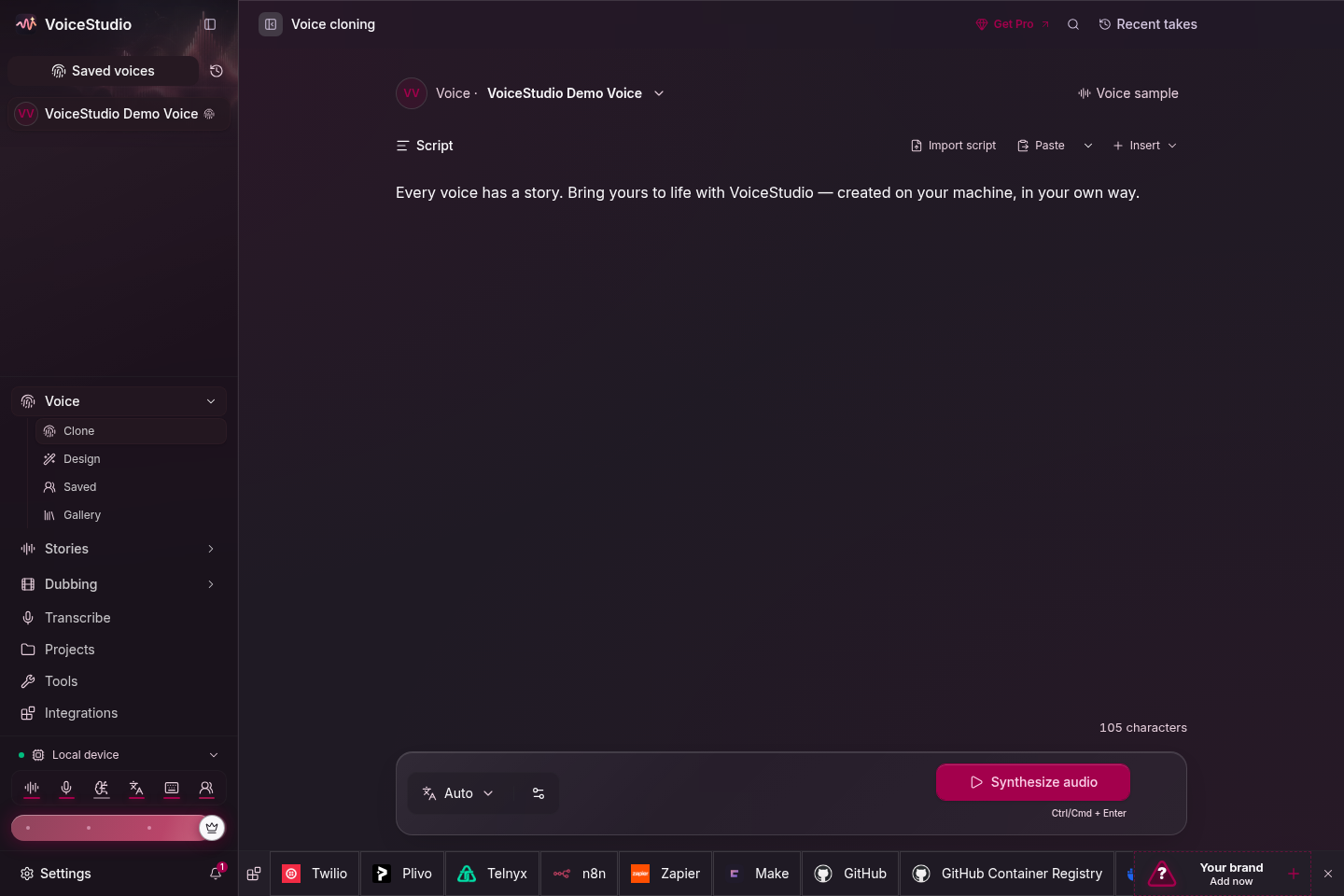
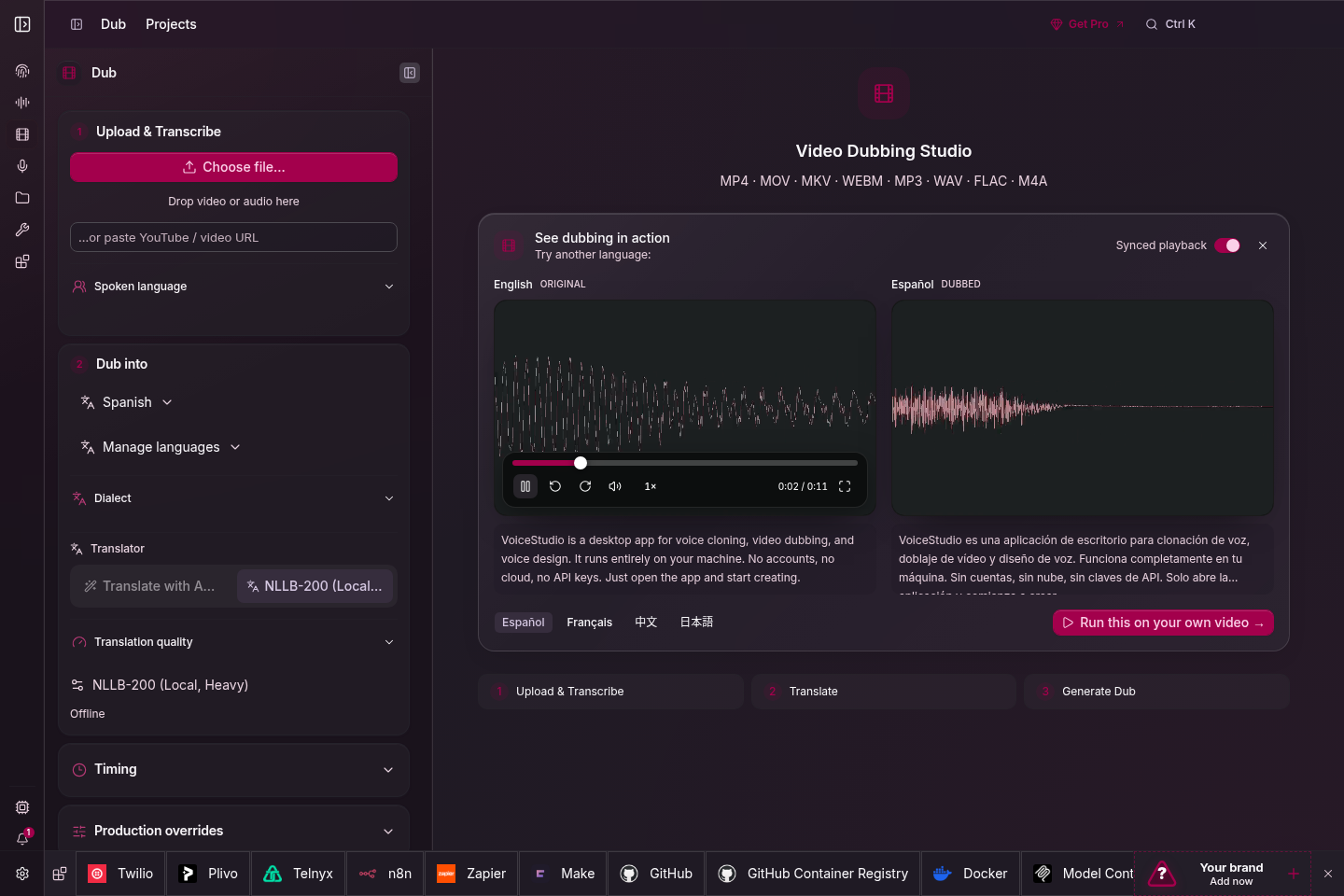
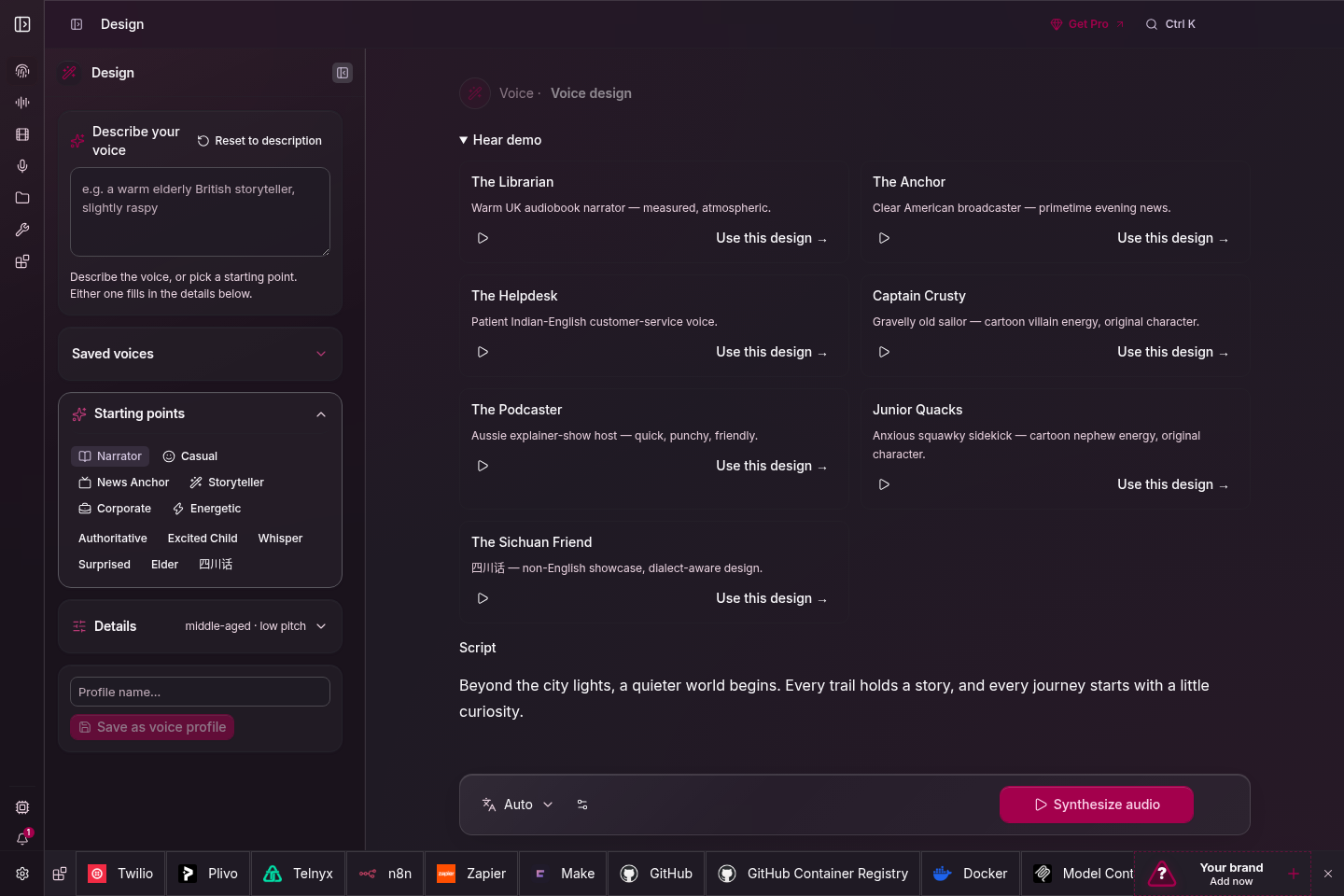
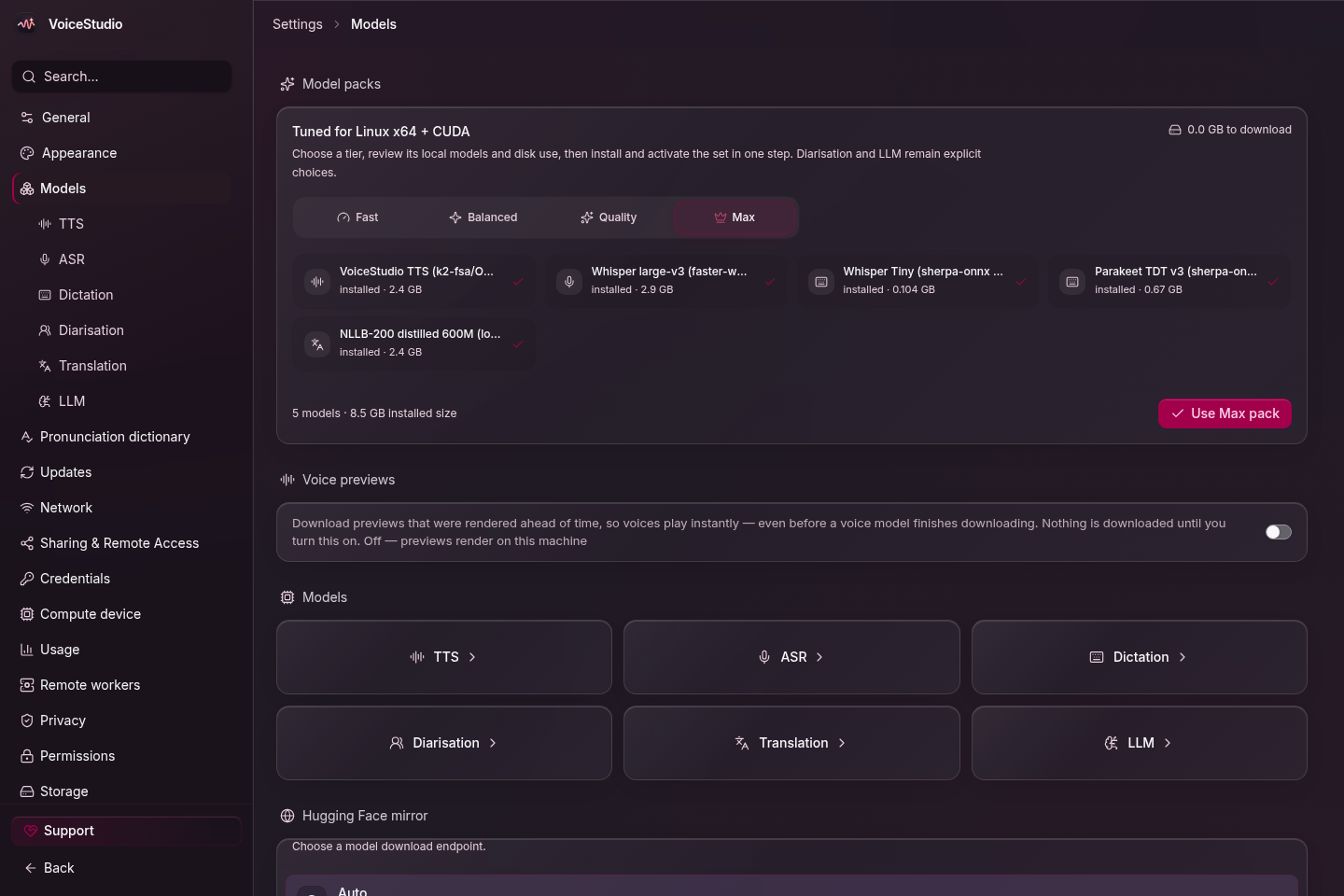
浏览各个工作区 · 克隆、配音、声音设计与模型

## 开始使用
### 一键安装(macOS / Linux)
```sh
# 最新 Electron 版本
curl -fsSL https://voicestudio.sh/install | sh
# 指定已发布的 Electron 版本(替换 X.Y.Z)
curl -fsSL https://voicestudio.sh/install | sh -s -- --version X.Y.Z
# 构建当前 main 并安装桌面应用
curl -fsSL https://voicestudio.sh/install | sh -s -- --main
# 卸载应用,保留你的数据
curl -fsSL https://voicestudio.sh/install | sh -s -- --uninstall
```
下载发行版需要 curl 与 SHA-256 工具。`--main` 需要 Git、Node.js 22+、Bun、Rust/Cargo
以及平台构建工具;详见[安装脚本的前置条件与行为](docs/install/script.md)。
安装程序会保留你的设置、项目和模型。旧版本必须包含 Electron 包;
它绝不会回退到已归档的 Tauri 构建。
从 [Releases](https://github.com/debpalash/VoiceStudio/releases/latest) 下载,然后阅读对应平台的安装指南:
**[macOS](docs/install/macos.md) · [Windows](docs/install/windows.md) · [Linux](docs/install/linux.md) · [Docker](docs/install/docker.md)**
打开**声音克隆**,选择已有声音或添加清晰的参考录音,输入文字并生成。按提示安装所需模型。硬件要求因引擎而异,详见[性能指南](docs/performance.md)。
### 用提示词安装
粘贴到你的编码智能体(Claude Code、Codex、Cursor 等):
```text
Install the VoiceStudio Electron app on this device and verify it works, following
https://github.com/debpalash/VoiceStudio/blob/main/docs/install/agent.md
```
[智能体安装指南](docs/install/agent.md)涵盖硬件检测、复用现有数据、下载模型前先征得同意,以及一次测试生成。支持技能的智能体也可以运行 `npx skills add debpalash/VoiceStudio`。
从源码运行 Electron 预览版
```bash
git clone https://github.com/debpalash/VoiceStudio.git
cd VoiceStudio
bun install
bun run setup:api # 启动 Electron 前先准备 Python 依赖
bun run dev
```
环境要求和后端配置见 [Electron 开发指南](electron/README.md)。
使用 `bun run smoke-test` 可构建并启动一个隔离的打包版 Electron 应用。加上 `-- --install` 可执行需要联网的托管运行时安装检查。
> **Electron 是唯一的桌面应用与 Web UI。** 0.5.3 版是最后一个 Tauri 版本。现有 Tauri 用户必须[单独安装 Electron](docs/electron-migration.md)。已退役的 Tauri 外壳和旧版 UI 入口均已移除。
## 文档
| 需求 | 链接 |
|---|---|
| 安装帮助 | [故障排查](docs/install/troubleshooting.md) · [模型下载](docs/downloading-models.md) |
| 模型与音质 | [引擎指南](docs/engines/README.md) · [基准测试](docs/benchmarks.md) |
| 集成 | [本地 API](docs/speech-platform.md) · [MCP](docs/mcp.md) · [示例](examples/README.md) |
| 参与开发 | [贡献指南](.github/CONTRIBUTING.md) · [Electron](electron/README.md) · [更新日志](CHANGELOG.md) |
智能体技能:`npx skills add debpalash/VoiceStudio` — 音频工作流选 **voicestudio**,仓库维护选 **voicestudio-maintainer**。
## 赞助商
 **成为推荐合作伙伴。**[申请付费展示位](https://forms.gle/2PYCvd39hbwijzX37) · [发送邮件](mailto:partner@voicestudio.sh)
支持开发:[Ko-fi](https://ko-fi.com/debpalash) · [PayPal](https://paypal.me/palashCoder) · [赞助详情](SPONSORS.md)
## 许可与负责任使用
应用采用 [AGPL-3.0](LICENSE) 许可。模型遵循各自的许可,商用前请确认其条款。克隆声音前须取得本人许可。详见[许可说明](LICENSE-NOTICE.md)。
**成为推荐合作伙伴。**[申请付费展示位](https://forms.gle/2PYCvd39hbwijzX37) · [发送邮件](mailto:partner@voicestudio.sh)
支持开发:[Ko-fi](https://ko-fi.com/debpalash) · [PayPal](https://paypal.me/palashCoder) · [赞助详情](SPONSORS.md)
## 许可与负责任使用
应用采用 [AGPL-3.0](LICENSE) 许可。模型遵循各自的许可,商用前请确认其条款。克隆声音前须取得本人许可。详见[许可说明](LICENSE-NOTICE.md)。